
KMW 255 - Microwave Koenic - Free user manual and instructions
Find the device manual for free KMW 255 Koenic in PDF.


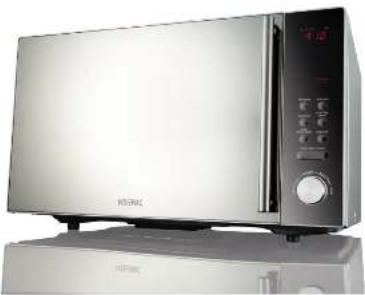
| Product type | Microwave with grill and convection |
| Brand | Koenic |
| Model | KMW 255 |
| Dimensions (W x H x D) | 306 x 513 x 462 mm |
| Weight | 16.3 kg |
| Power supply | 230 V ~ 50 Hz |
| Microwave power | 900 W (output) |
| Grill power | 1400 W |
| Convection power | 2400 W |
| Capacity | 25 L |
| Turntable diameter | 315 mm |
| Main functions | Microwave, grill, convection, combi, defrost (weight/time), auto menu (10 programs) |
| Microwave power levels | 5 levels: 100%, 80%, 50%, 30%, 10% |
| Combined cooking types | C-1 (microwave + grill), C-2 (microwave + convection), C-3 (grill + convection), C-4 (microwave + grill + convection) |
| Convection temperature range | 150 °C to 240 °C |
| Timer | Up to 95 minutes |
| Safety | Child lock, auto shut-off when door opens, earthing |
| Care and cleaning | Clean exterior with damp cloth, interior with soft cloth, glass tray washable with soapy water (not dishwasher) |
| Supplied accessories | Glass turntable, grill rack, instruction manual |
| Repairability | Do not attempt to repair yourself; contact an authorized after-sales service |
| Warranty | Refer to the warranty conditions provided with the appliance |
Frequently Asked Questions - KMW 255 Koenic
User questions about KMW 255 Koenic
0 question about this device. Answer the ones you know or ask your own.
Ask a new question about this device
Download the instructions for your Microwave in PDF format for free! Find your manual KMW 255 - Koenic and take your electronic device back in hand. On this page are published all the documents necessary for the use of your device. KMW 255 by Koenic.
USER MANUAL KMW 255 Koenic
The source image is too blurry to recognize any text content.
natural_image
Exterior view of a modern kitchen microwave oven (no visible text or symbols)Deutsch
EMeta-
English-
Eq. 90
Tel.46
P. 104
dano
In our Gold
Wenckels in 1987
C-05046
KPM2551103(V1.4)


Sicherheitshinweise

Geschirr
natural_image
Exterior view of a microwave oven with open door and side panels (no text or symbols visible)


Mikrowelle
Hinweis





DE






DE




Abtauen



Auto Menu
natural_image
Close-up of a white electrical outlet with a black plug inserted, showing a red arrow pointing left (no text or symbols)natural_image
Close-up of hands handling folded fabric or cloth (no visible text or symbols)natural_image
Close-up of a transparent dome-shaped object with a small droplet hanging from its side (no visible text or symbols)natural_image
Close-up of a black circular object with a small cross-shaped feature at the center (no text or symbols visible)natural_image
Close-up of a glass bowl containing a white substance, with a small dark object on the side (no text or symbols visible)natural_image
Close-up of hands handling folded clothes with striped pattern (no text or symbols visible)Οδηγός σκευών
natural_image
Exterior view of a microwave oven with open door and control panel (no text or symbols visible)Κλείδωμα







EL









EL
Απόψυξη





EL
Αυτόματο μενού
natural_image
Close-up of a white electrical outlet with a black plug inserted, showing a red arrow pointing left (no text or symbols)natural_image
Close-up of hands handling folded clothes with striped pattern (no text or symbols visible)natural_image
Close-up of a transparent dome-shaped object with a vertical line and droplet, possibly a medical or laboratory procedure (no visible text or symbols)natural_image
Circular mechanical component with a central hole and a small protrusion, no visible text or symbols.natural_image
Close-up of a glass bowl containing a white liquid, with a small handle partially visible (no text or symbols)natural_image
Close-up of hands handling folded clothes on a surface (no text or symbols visible)Danger of burns! The surface of the product can become very hot during operation.
- This product can be used by children aged from 8 years and above and persons with reduced physical, sensory or mental capabilities or lack of experience and knowledge if they have been given supervision or instruction concerning use of the product in a safe way and understand the hazards involved.
- Children shall not play with the product. Cleaning and user maintenance shall not be made by children unless they are old than 8 and supervised.
- Keep the product and its cord out of reach of children less than 8 years.
-
Do not operate the product by means of an external timer or separate remote control system.
-
Read this manual before first use thoroughly. It contains important information for your safety as well as for the use and maintenance of the equipment.
- Keep these instructions for future reference and pass it on with the product.
-
Pay particular attention to the warnings on the product and in this manual.
-
Use the product only for its intended purpose. Improper use may lead to hazards.
- In the event of improper use or wrong operation, we do not accept any liability for resulting damages.
- The use of accessories and components not expressly recommended by the manufacturer may result in injuries or damages and voids the warranty.
English
Safety instructions
- Never leave the product unsupervised while it is switched on.
- Do not place heavy objects on top of the product.
- Never immerse electrical parts of the product in water during cleaning or operation. Never hold the product under running water.
- Do not under any circumstances attempt to repair the product yourself. For servicing and repairs, please consult an authorised service agent.
- The mains voltage must match the information on the rating label of the product.
- The power plug is used as the disconnect device. Please be sure that the power plug is in operable condition.
- Only unplug from the power socket can separate the product completely from the mains.
- Avoid damages to the power cord that may be caused by kinks or contact with sharp corners.
- Keep this product including power cord and power plug away from all heat sources like for example, ovens, hot plates and other heat-producing devices/objects.
- Only unplug from the power socket by the plug itself. Do not pull on the cord.
- Unplug the product when the product is not in use, in case of malfunctions, prior to attaching or
removing accessories and prior to each cleaning.
- If the power cord or the casing of the product is damaged or if the product is dropped, the product may not be used before it is examined by an authorised service agent.
- Place the product on a flat, sturdy and slip-resistant surface.
- Use this product in dry indoor areas only and never outdoors.
- Warning! Do not use this product near water or heavy moisture; e.g. in a damp basement or beside a swimming pool or bathtub.
- Keep this product away from all heat sources like for example, ovens, hot plates and other heat-producing devices/objects.
- Protect this product from extreme heat and cold as well as from direct sunlight and dust.
- The microwave oven shall not be placed into a cabinet.
- Attention! If the door or door seals are damaged, the device must not be operated until it has been repaired by authorised service agent
- Do not operate the device with an open door. It is extremely important not to damage or disable the safety features of the door locks.
- Do not place foreign objects between the front of the device and the door. Always keep the door seal and the adjacent areas clean.
• Never operate a damaged device. It
Safety instructions
is especially important that the door closes properly and that there is no damage at - the door (bent)- the hinges and locks (broken or loose)- the seals and adjacent surfaces.
- Attention! It is hazardous for anyone other than authorised service agent to carry out any service or repair operation, which involves the removal of any cover, which gives protection against exposure to microwave energy.
- Attention! Liquid or other food must not be heated in sealed containers since they tend to explode.
- Cooking utensils should be checked to ensure that they are suitable for use in microwave ovens.
- Do only use containers that are suitable for use in microwave ovens. When heating food in combustible materials such as plastic or paper containers, check the device frequently due to the possibility of ignition. Do not use in combination mode.
- If smoke is observed, switch off, unplug the device and keep the door closed in order to stifle any flames.
- Microwave heating of beverages can result in delayed eruptive boiling. Handle container with care when taking them out from the microwave oven.
- Attention! The contents of feeding bottles and baby food jars
must be stirred or shaken and the temperature must be checked before consumption in order to avoid burns.
- Attention! Eggs in their shell and whole hard-boiled eggs should not be heated in microwave ovens since they may explode even after microwave heating has ended. There are utensils for eggs that are suitable for microwave.
- Do not fry food in the device. Hot oil can damage the oven cavity and the device utensils and even result in skin burns.
- Cooking utensils may become hot because of heat transferred from the heated food. Potholders may be needed to handle the utensil.
- During use the device becomes hot. Never touch the heating elements inside the device.
- Do not operate the product when it is empty.
- The device is heavy. Only move it when it is switched off and empty. Use both hands or ask for help.
- Do not use the device for storage purposes. If the device is accidentally switched on, the objects stored inside the device might be damaged.
- Electromagnetic compatibility: This product is a Group 2 Class B ISM equipment. The definition of Group 2 which contains all ISM (industrial, scientific and medical) equipment in which radio-frequency energy is intentionally generated and/or
English
Safety instructions
used in the form of electromagnetic radiation for the treatment of material, and spark erosion equipment. Class B equipment is equipment suitable for use in domestic establishments and in establishments directly connected to a low voltage power supply network which supplies buildings used for domestic purpose.
• This device must be grounded. This
device is equipped with a cord having a grounding (earth) wire with a grounding plug. It must be plugged into a wall receptacle that is properly installed and grounded. In the event of an electrical short circuit, grounding reduces risk of electric shock by providing an escape wire for the electric current.
- It is recommended that a separate circuit serving only the oven be provided. Using a high voltage is dangerous and may result in a fire or other accident causing oven damage.
Congratulations!
Thanks for your purchase of KOENIC product. Please read this manual carefully and keep it for future reference.
Intended use
This product is suitable for cooking, heating and defrosting of liquid and solid foods only. Any other use can lead to damages to product or injuries.
Before first use
- Do not remove the grey-brown protective cover next to the light on the right of the interior.
- Before the product is used for the first time, or after extended periods of non-use, it should be thoroughly cleaned as described in the section Cleaning and Care.
- Before the microwave oven is used for the first time, let the appliance heat up on the grill setting (without the microwave function activated) for 10 minutes. A slight odour may be emitted; this is quite normal, but ensure there is sufficient ventilation.
Partlist
1 Door handle
2 Turntable ring
3 Glass tray
4 Grill rack
5 Control panel
6 Display
7 Door Sealing
8 Observation window
9 Door
10 Safety Interlock system
Content
1 x Microwave oven
1 x Grill rack
1 x Glass turntable
1 x User manual
Technical data
| Rated input voltage 230V~, 50 Hz | |
| Rated power input 1500 W (Microwave)1400 W (Grill)2400 W (Convection) | |
| Rated Microwavepower output | 900 W |
| Operating frequency 2450 MHz | |
| Oven cavity 25 Litres | |
| Dimensions(H x W x D) | 306 x 513 x 462 mm |
| Glass tray diameter 315 mm | |
| Weight Approx. 16.3 kg | |
EN
Installation
- Place this product on a flat, stable surface to hold its weight and the heaviest food likely to be cooked in the product.
- Do not use this product near heat sources, water or heavy moisture. Keep it away from combustible materials.
- For proper operation, use this product in well-ventilated areas. Keep a minimum free distance of 30cm above the device and 20cm at both sides. Do not cover or block any air openings. Do not remove the feet.

Utensils Guide
- The ideal material for microwaves utensils is transparent to microwaves. It allows energy to pass through the container and heat the food but not the container.
- Microwaves cannot penetrate metal. Metal utensils will become hot and sparks might occur. So metal utensils or dishes with metallic trim should not be used inside a microwave oven.
- Do not use recycled paper products when microwave cooking as they may contain small metal fragments which may cause sparks and/or fires. Remove wire twist-ties from paper or plastic bags before placing bag in oven.
- Use round and oval containers rather than square ones as food in corners tends to overcook.
- Plastic container can be used in microwave mode but not for grill or combined mode. Metal utensils can be used in grill mode but never in microwave or combined mode.
The list below is a general guide to help you select suitable utensils
| Cookware Microwave Grill Combination | |||
| Heat-resistant glass • • • | |||
| Non-heat-resistant glass | |||
| Heat resistant ceramics • • • | |||
| Microwave-safe plastic dish • | |||
| Kitchen Paper • | |||
| Metal tray • | |||
| Metal rack • | |||
| Aluminium foil & foil containers • | |||
Display and Panel
Display
Cooking duration, power level, program indicator and clock.
Microwave
To select microwave cooking power
Convection
To set convection cooking program.
Clock/Kitchen Timer
Clock setting / setting kitchen timer
Start/30Sec/Confirm
To start cooking or confirm a setting.

Grill/Combi
To set grill/combi program.
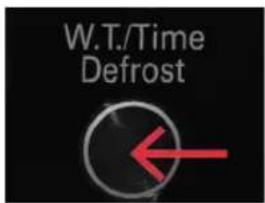
W.T/Time Defrost
Set defrost by time or weight of food.
Stop/Clear
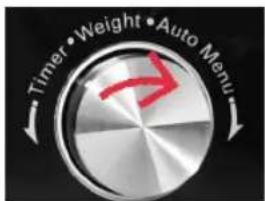
To stop an operation, clear settings or re-set the oven before new setting.
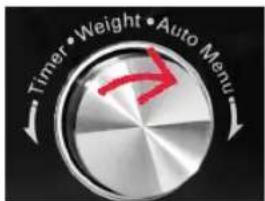
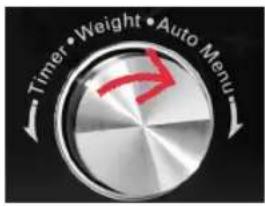
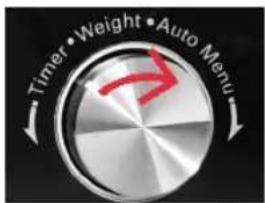
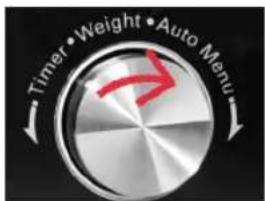
Timer/Weight/ Auto Menu
To adjust the time and weight and to select an auto menu cooking program.
EN
OPERATION
Clock setting
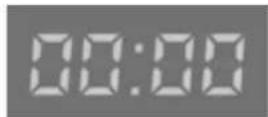
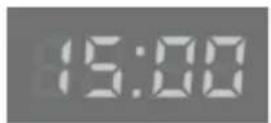
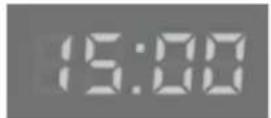
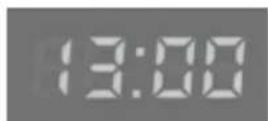
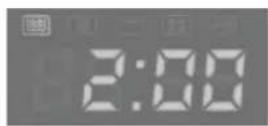
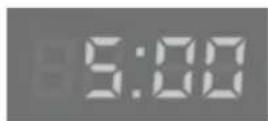
Once the unit has been connected to the power supply, the display shows '0:00' and an acoustic signal is heard.
- Press CLOCK/KITCHEN TIMER once. The hour digits start flashing in the display.
- Turn the rotary control to set the correct hour value.
- Press CLOCK/KITCHEN TIMER. The minute digits start flashing.
- Turn the rotary control to set the correct minutes.
- Press CLOCK/KITCHEN TIMER to finish setting the time. The symbol ‘:’flashes and the correct time is shown.
- The time setting process can be cancelled by pressing STOP/CLEAR.


Kitchen Timer
- Press CLOCK/KITCHEN TIMER twice, LED will display 00:00.
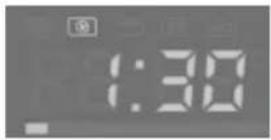
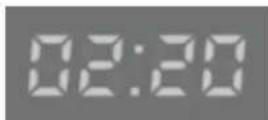
- Turn the rotary control to enter the correct timer.(The maximum cooking time is 95 minutes.)
- Press START/+30SEC./CONFIRM to confirm setting.
- When the kitchen time is reached, the buzzer will ring 5 times.
- If the clock be set (24-hour system), LED will display the current time.



Stop/Clear
To stop the oven during operation:
Open the microwave door or press STOP/
CLEAR (e.g. to stir or to turn the food in order to ensure that the temperature is evenly distributed), the timer and program functions are automatically suspended. The program will automatically resume only after the door is closed again and the START/+30SEC./
CONFIRM key is pressed.


natural_image
Exterior view of a microwave oven with open door and control panel (no text or symbols visible)Child Lock and put in "Operation"
This safety lock-out function prevents children from operating the appliance without supervision.
Lock
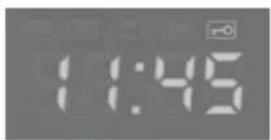
- In waiting state, press STOP/CLEAR for 3 seconds, there will be a long "beep" denoting entering the children-lock state and screen will display the locked indicator
Unlock
- In locked state, press STOP/CLEAR for 3 seconds, there will be a long "beep" denoting that the lock is released.



EN
Microwave cooking
Note
The following steps are used for setting the cooking time:
• 0 - 1 minutes: 5 second steps
• 1 - 5 minutes: 10 second steps
• 5-10 minutes:30-second steps
• 10 - 30 minutes : 1-minute steps
• 30 - 95 minutes : 5-minute steps
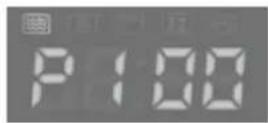
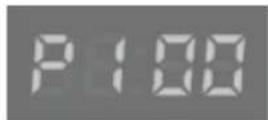
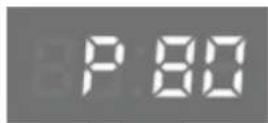
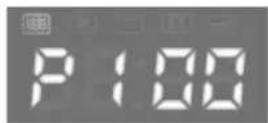
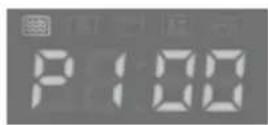
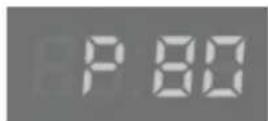
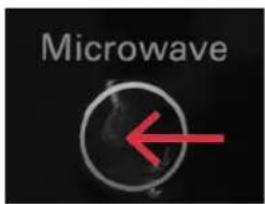
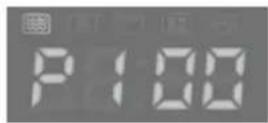
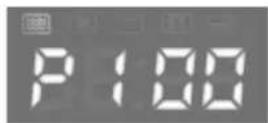
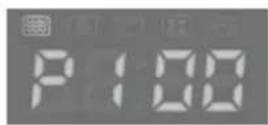
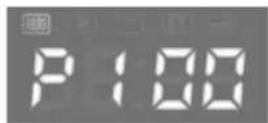
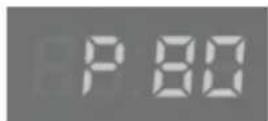
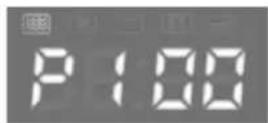
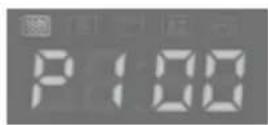
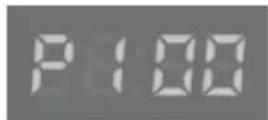
- Press the MICROWAVE. once, and "P100" display.
Note
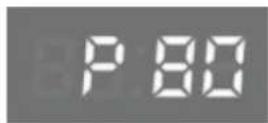
Press MICROWAVE. for times or turn the rotary control to select the microwave power from 100% to 10%. "P100", "P80", "P50", "P30", "P10" will display in order.
- Press START/+30SEC./CONFIRM to confirm.
- Turn the rotary control to adjust the cooking time. (The time setting should be 0:05-95:00.)
- Press START/+30SEC./CONFIRM to start cooking.
- Press MICRO./GRILL/COMBI., the current power will be displayed for 2-3 seconds
Microwave Power Chart
| Mode Display Power | Level |
| P100 100% High | |
| P80 80% Medium High | |
| P50 50% Medium | |
| P30 30% Medium Low | |
| P10 10% Low |




Grill or Combi. Cooking
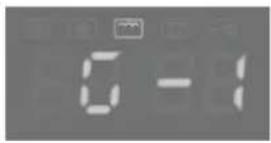
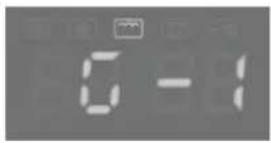
- Press Grill/Combi. the LED will display "G-1".
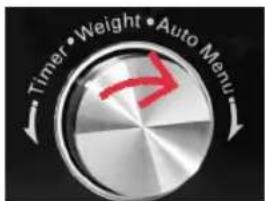
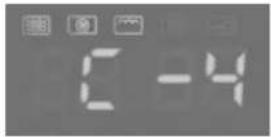
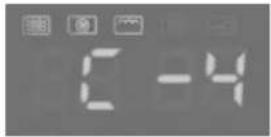
- Press Grill/Combi. for times or turn the rotary control to choose the power you want, and "G-1", "C-1", "C-2", "C-3" or "C-4" will display for each added press.
- Then press Start/+30Sec./Confirm to confirm.
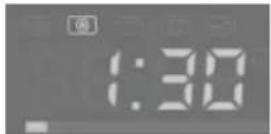
- Turn the rotary control to set cooking time from 0:05 to 95:00.
- Press Start/+30Sec./Confirm again to start the cooking.




EN
Convection cooking with pre-heating
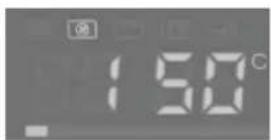
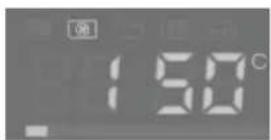
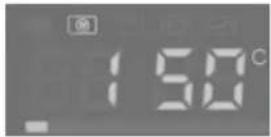
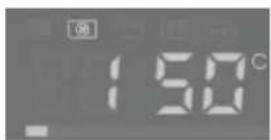
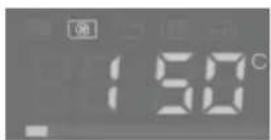
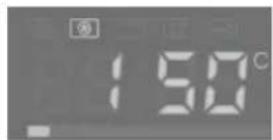
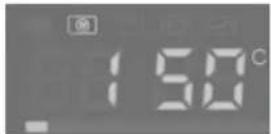
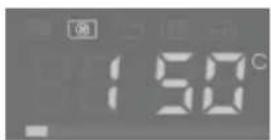
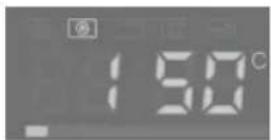
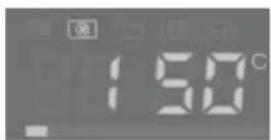
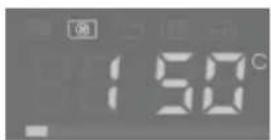
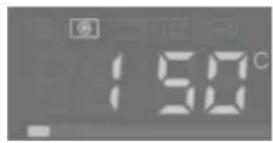
- Press the CONVECTION key several times to select temperature from 150^ C - 240^ C.
- Keep pressing CONVECTION or turn the rotary control to select the convection temperature.
- Press the START/+30SEC./CONFIRM to confirm the temperature.
- Press the START/+30SEC./CONFIRM to start preheating. When the preheating temperature arrives, the buzzer will sound twice to remind you to put the food into the oven. And the preheated temperature is displayed and flash.
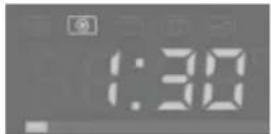
- Put the food into the oven and close the door. Turn rotary control to adjust the cooking time.
- Press the START/+30SEC./CONFIRM key to start cooking.
Note
- Cooking time cannot be input until the preheating temperature arrives. If the temperature arrives, door must be opened to input the cooking time.
- If the time is not input in 5 minutes, the oven will stop preheating. The buzzer sound five times and turn back to waiting states.




Convection Cooking (Without pre-heating)
- Press the CONVECTION key several times to select temperature from 150^ C - 240^ C.
- Keep pressing CONVECTION or turn rotary control to select the convection temperature.
- Press the START/+30SEC./CONFIRM to confirm the temperature.
- Turn rotary control to adjust the cooking time.
- Press the START/+30SEC./CONFIRM key to start cooking.




EN
Defrosting
Defrost by weight
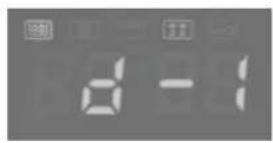
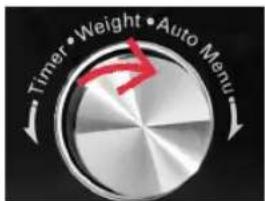
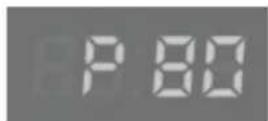
- Press W.T./TIME DEFROST once, the screen will display "d-1".
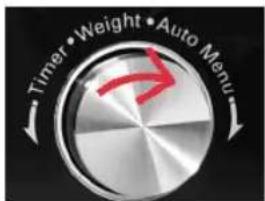
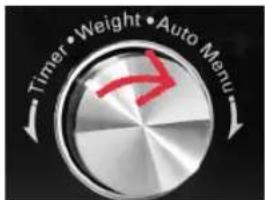
- Turn the rotary control to select the food weight. The range of weight is 100-2000g.
- Press START/+30SEC./CONFIRM to start defrosting.



4. Defrost by time
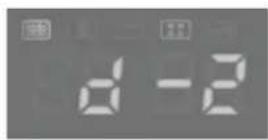
- Press W.T./TIME DEFROST twice, the screen will display "d-2".
- Turn the rotary control to select the cooking time. The maximum cooking time is 95 minutes
- Press START/+30SEC./CONFIRM to start defrosting.



Setting multiple programs
Two stages can be maximum set. If one stage is defrosting, it should be put in the first stage. The buzzer will ring once after each stage and the next stage will begin.
Note
Auto menu cannot be set as one of the multi-stage.
- Press W.T./TIME DEFROST twice, the screen will display "d-2".
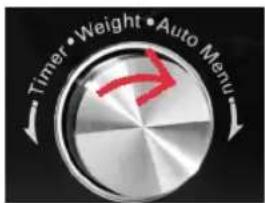
- Turn the rotary control to adjust the defrost time.
- Press MICROWAVE. once.
- Turn the rotary control to choose microwave power.
- Press START/+30SEC./CONFIRM to confirm;
- Turn the rotary control to adjust the cooking time.
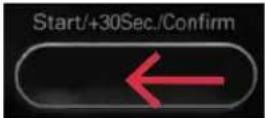
- Press START/+30SEC./CONFIRM to start cooking.




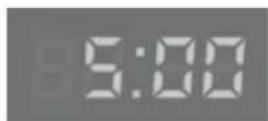
EN
Auto Menu
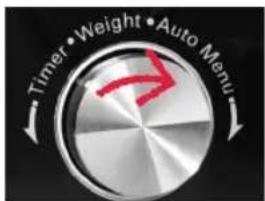
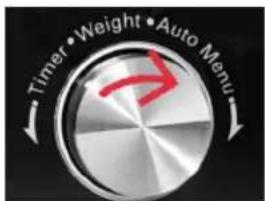
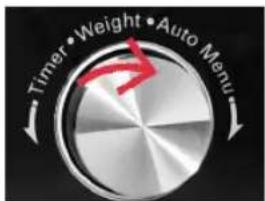
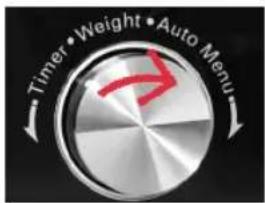
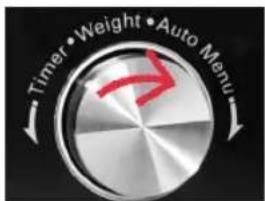
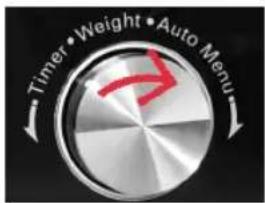
- In waiting states, turn the rotary control right to choose the menu from "A1" to "A10".
- Press START/+30SEC./CONFIRM to confirm the menu you choose.
- Turn the rotary control to choose the food weight.
- Press START/+30SEC./CONFIRM to start cooking.
- After cooking finish, the buzzer sounds five times.
- During cooking state, press CLOCK/PRESET to check the current time. It will be displayed for 2-3 seconds



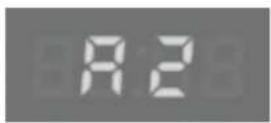

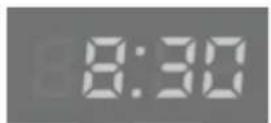
| Menu Weight (g)/ Display | |
| A1Pizza | 200 |
| 300 | |
| 400 | |
| A2Potato | 1 (about 230g) |
| 2 (about 460g) | |
| 3 (about 690g) | |
| A3Meat | 150 |
| 300 | |
| 450 | |
| 600 | |
| A4Fish | 150 |
| 250 | |
| 350 | |
| 450 | |
| 650 | |
| A5Vegetable | 150 |
| 350 | |
| 500 | |
| A6Beverage | 1 |
| 2 | |
| 3 | |
| A7Pasta | 50 (with 450 ml water) |
| 100 (with 800 ml water) | |
| 150 (with 1200 ml water) | |
| A8Popcorn | 50 |
| 100 | |
| A9Cake | 475 |
| A10Roast Chicken | 500 |
| 750 | |
| 1000 | |
| 1200 | |
Cleaning and Care
- Unplug the product before every cleaning.
- The outside surfaces should be cleaned with a damp cloth. Make sure no water will seep into the inside of the device. Clean the cavity, the door seals and adjacent parts regularly with a damp cloth. When food splatters or spilled liquids adhere to oven walls, wipe with a damp cloth.
- If steam accumulates inside or around the outside of the device, wipe off with a soft cloth. Oils or fat might evaporate at high temperatures and will condense as greasy oil film.
- It is occasionally necessary to remove the glass tray for cleaning. Wash the tray in warm sudsy water. The glass tray, the roller support and the metal rack are not dishwasher-safe.
- The roller support and oven floor should be cleaned regularly to avoid excessive noise. Simply wipe the bottom surface of the oven with mild detergent. When removing the roller support from cavity floor for cleaning, make sure to reinsert in the proper position.
- Clean the door, the glass window and the seals regularly with a damp cloth.
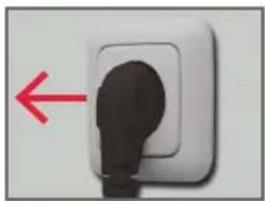
natural_image
Close-up of a white electrical outlet socket with a black plug inserted, showing a red arrow pointing left (no text or symbols)Unplug before cleaning

natural_image
Close-up of hands handling folded clothes with striped pattern (no text or symbols visible)Wipe off with a soft cloth.

natural_image
Circular mechanical component with a small protrusion and a small droplet, placed on a plain surface (no text or symbols visible)Take off the roller support for cleaning.
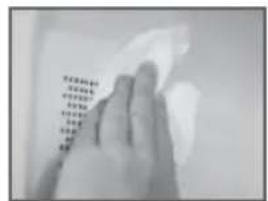
Clean the cavity with a soft cloth.

natural_image
Close-up of a transparent dome-shaped object with internal lines and a small droplet, no visible text or symbols.Remove Glass tray to wash.
Odors
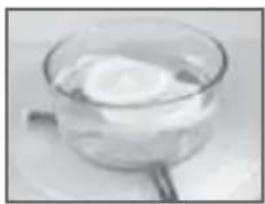
Remove odors from your oven by combining a cup of water with the juice and skin of one lemon in a deep bowl suitable for microwave. Place it into the microwave and cook for 5 minutes. Wipe thoroughly and dry with a soft cloth.
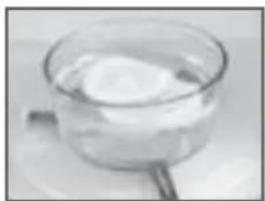
natural_image
Close-up of a glass bowl containing a white liquid, with a small rod partially visible on the side (no text or symbols)Cook a cup of lemon water to remove odors.
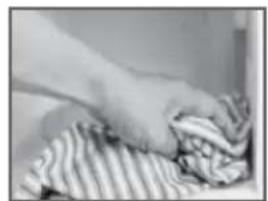
natural_image
Close-up of hands handling a folded fabric or cloth (no visible text or symbols)Wipe off with a dry soft cloth.
EN
Notes
Make sure that the control panel does not become wet. Clean it with a soft, damp cloth. When cleaning the control panel, leave the door open to prevent the device from accidentally turning on
- Clean the product after every use to avoid mold and growth of bacteria as well as releasing of microwave energy.
-
Clean the product regularly. Clean the door seals and all adjacent parts in order to avoid that fat or other food stains accumulate. When cleaning surfaces of door, door seal, cavity of oven, use only mild, non-abrasive soaps or detergents applied with a sponge or soft cloth. Never use solvents or abrasive cleaners.
-
Clean the product regularly and remove any food stains. Failure to maintain the product in a clean condition could lead to deterioration of the surface that could adversely affect the life of the product. It may result in a hazardous situation.
- Do not use steam cleaners. The steam is released with high pressure and may cause condensation on electrical parts. This may cause electrical short circuit.
- Do not use harsh abrasive cleaners or sharp metal scrapers to clean the oven door glass since they can scratch the surface, which may result in shattering of the glass.
- When it becomes necessary to replace the oven light, consult a dealer to have it replaced.

Do not dispose of this appliance as unsorted municipal waste. Return it to a designated collection point for
the recycling of WEEE. By doing so, you will help to conserve resources and protect the environment. Contact your retailer or local authorities for more information.
natural_image
Exterior view of a microwave oven with open door and side panels (no text or symbols visible)


ES














ES
Descongelamiento


ES
Menú Auto
natural_image
Close-up of a white electrical outlet socket with a black plug inserted, showing a red arrow pointing left (no text or symbols)natural_image
Close-up of hands handling folded clothes with striped pattern (no text or symbols visible)natural_image
Circular mechanical component with a central hub and a small protrusion, placed on a plain surface (no text or symbols visible)natural_image
Close-up of a transparent dome-shaped object with internal water droplets (no visible text or symbols)Retire la bandeja de cristal para lavarla
natural_image
Close-up of a glass bowl containing a small amount of food, with a handle partially visible (no text or symbols)natural_image
Close-up of hands handling a piece of clothes with striped fabric (no text or symbols visible)natural_image
Exterior view of a microwave oven with open door and control panel (no text or symbols visible)

FR





FR








FR
Décongélation




FR
Menu Auto
natural_image
Close-up of a white electrical outlet socket with a black plug inserted, showing a red arrow pointing left (no text or symbols)natural_image
Close-up of hands handling folded clothes on a surface (no text or symbols visible)natural_image
Circular mechanical component with a central hole and a small protrusion, placed on a plain surface (no text or symbols visible)natural_image
Close-up of a transparent dome-shaped object with a vertical line and droplet, possibly a container or lamp (no visible text or symbols)natural_image
Close-up of a glass bowl containing a white liquid, with a small handle partially visible (no text or symbols)natural_image
Close-up of hands handling a folded garment with striped pattern (no visible text or symbols)natural_image
Exterior view of a microwave oven with open door and control panel (no text or symbols visible)Gyerekzár







HU








HU
Kiolvasztás




HU
Automatikus menü
natural_image
Close-up of a white electrical outlet socket with a black plug inserted, showing a red arrow pointing left (no text or symbols)natural_image
Close-up of hands handling folded clothes with striped pattern (no text or symbols visible)natural_image
Close-up of a transparent dome-shaped container with liquid droplets (no visible text or symbols)natural_image
Circular mechanical component with a central hole and a small protrusion, placed on a plain surface (no text or symbols visible)natural_image
Close-up of a glass pan containing a white cylindrical object, with a small handle resting on the side (no text or symbols visible)natural_image
Close-up of hands cleaning a striped cloth (no text or symbols visible)natural_image
Exterior view of a microwave oven with open door and side panels (no text or symbols visible)Blocco per bambini





| Display | Forno a microonde Griglia Convezione | ||
| C-1 • • | |||
| C-2 • • | |||
| C-3 • • | |||
| C-4 • • | • | ||
| G-1 • | |||
IT





Nota


IT
Scongelamento
Scongelamento a peso



IT
Menu automatico
natural_image
Close-up of a white electrical socket with a black plug inserted, showing a red arrow pointing left (no text or symbols)natural_image
Close-up of hands handling a striped cloth or fabric (no visible text or symbols)Pulire con un panno morbido.

natural_image
Circular mechanical component with a central hole and a small protrusion, placed on a plain surface (no text or symbols visible)natural_image
Close-up of a transparent dome-shaped object with a water droplet inside (no visible text or symbols)natural_image
Close-up of a glass bowl containing a white liquid, with a small rod partially visible on the side (no text or symbols)natural_image
Close-up of hands handling folded clothes with striped pattern (no text or symbols visible)
- Sicherheitshinweise
- Geschirr
- Mikrowelle
- Hinweis
- DE
- Abtauen
- Auto Menu
- Οδηγός σκευών
- Κλείδωμα
- EL
- Απόψυξη
- Αυτόματο μενού
- English
- Safety instructions
- Congratulations!
- Intended use
- Before first use
- Partlist
- Content
- EN
- Installation
- Utensils Guide
- Display and Panel
- Display
- Microwave
- Convection
- Clock/Kitchen Timer
- Start/30Sec/Confirm
- Grill/Combi
- W.T/Time Defrost
- Stop/Clear
- Timer/Weight/ Auto Menu
- OPERATION
- Clock setting
- Kitchen Timer
- To stop the oven during operation:
- Child Lock and put in "Operation"
- Lock
- Unlock
- Microwave cooking
- Note
- Grill or Combi. Cooking
- Convection cooking with pre-heating
- Convection Cooking (Without pre-heating)
- Defrosting
- Defrost by weight
- Defrost by time
- Setting multiple programs
- Cleaning and Care
- Odors
- Notes
- ES
- Descongelamiento
- Menú Auto
- FR
- Décongélation
- Menu Auto
- Gyerekzár
- HU
- Kiolvasztás
- Automatikus menü
- Blocco per bambini
- IT
- Nota
- Scongelamento
- Scongelamento a peso
- Menu automatico
Brand : Koenic
Model : KMW 255
Category : Microwave