
JVC NX-BD3 - Audio System

NX-BD3 - Audio System JVC - Free user manual and instructions

Find the device manual for free NX-BD3 JVC in PDF.
📄 48 pages English EN Download 💬 AI Question 10 questions ⚙️ Specs
Notice JVC NX-BD3 - page 46
View the manual : Français FR Deutsch DE English EN
Pick your language and provide your email: we'll send you a specifically translated version.
Brand JVC
Model NX-BD3
Product type Audio system with DLNA network player
Network connectivity Ethernet (RJ45), Wi-Fi (via external router)
DLNA standard DLNA CERTIFIED™ 1.5
Supported audio formats (network) LPCM, MP3
Supported video formats (network) MPEG2, MPEG4 AVC (including AVCHD)
Supported image formats (network) JPEG
Playback sources Disc (CD/DVD), SD card, network
Provided server software CyberLink Media Server (CD-ROM)
Network configuration Automatic DHCP or manual IP
Wake on LAN function Yes, remote wake-up via network
Direct PC connection Yes, via crossover Ethernet cable
Power supply AC 220-240 V, 50/60 Hz
Dimensions (approx.) 430 × 300 × 100 mm (estimate)
Weight (approx.) 3 kg (estimate)
Maintenance and cleaning Clean with a soft, dry cloth. Do not use solvents.
Safety Do not expose to moisture, do not block ventilation openings.
Spare parts and repairability Contact JVC after-sales service or an authorized technician.
General information Network-compatible audio system, playback of content from a computer or SD card.

Frequently Asked Questions - NX-BD3 JVC

How to connect the JVC NX-BD3 audio system to my network?
Connect an Ethernet cable (straight cable) between the system's LAN port and a router with DHCP function. The IP address will be assigned automatically. Turn on the device and select the NETWORK source.
What files can I play over the network?
You can play audio files (LPCM, MP3), video files (MPEG2, MPEG4 AVC/AVCHD) and images (JPEG). The files must be stored in a shared folder on a DLNA server.
Do I need to install software on my computer?
Yes, you need to install CyberLink Media Server (provided on CD-ROM) on a Windows computer (XP SP2/SP3, Vista SP1) to share your files with the system.
How to manually configure the IP address of the system?
If your router does not have DHCP function, or in direct connection, select the DISC or SD source, press SET UP, go to NETWORK SETTING, choose OBTAIN IP, then enter the IP address, subnet mask and test the connection.
What to do if the system does not detect my CyberLink Media Server?
Check that the Ethernet cable is properly connected and that it is a straight cable. Make sure the router assigns an IP address via DHCP. If necessary, manually configure the IP addresses of the system and the computer.
How to add a shared folder in CyberLink Media Server?
Open CyberLink Media Server, select the default folder (My Videos, My Pictures, My Music) or add a subfolder. Click Apply, then View Sharing and Access Control to authorize the system's access.
Can I play files from an SD card or disc?
Yes, the system has a disc player and an SD card slot. Select the DISC or SD source to play compatible files (MP3, JPEG, etc.).
How to use the Wake on LAN function?
When the previously used server is off, select it on the network screen, press ENTER, then choose WAKEUP from the context menu. The system will wake up and the icon will change.
Can I connect the system directly to my computer without a router?
Yes, connect the system to the computer with a crossover Ethernet cable. Configure the computer for automatic IP address (DHCP) and the system as well. Wait about one minute for the connection to be established.
What to do if video playback stutters or audio skips?
This may be due to simultaneous network use by other devices. Disconnect other devices or improve bandwidth. Also check that the files are encoded in a supported format.

User questions about NX-BD3 JVC

0 question about this device. Answer the ones you know or ask your own.

Ask a new question about this device

The email remains private: it is only used to notify you if someone responds to your question.

No questions yet. Be the first to ask one.

Download the instructions for your Audio System in PDF format for free! Find your manual NX-BD3 - JVC and take your electronic device back in hand. On this page are published all the documents necessary for the use of your device. NX-BD3 by JVC.

USER MANUAL NX-BD3 JVC

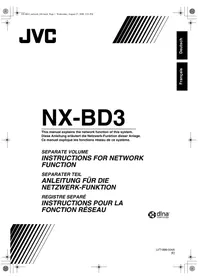
SEPARATE VOLUME INSTRUCTIONS FOR NETWORK FUNCTION

Random Access Memory (RAM)

IP address:...
Subnet mask:...

CyberLink Media Server is an electronic media service that offers a variety of services including video, audio and music. The company manages a portfolio of over 100 million users and provides a wide range of services including online access to the Internet, streaming video, and the provision of CD-ROM backup systems.

REMARQUE

IP address:...
Subnet mask:...
Table of contents Click a title to access it
Manual assistant
Powered by Anthropic
Waiting for your message
Product information

Brand : JVC

Model : NX-BD3

Category : Audio System