
HR-S7965EF - VCR JVC - Free user manual and instructions
Find the device manual for free HR-S7965EF JVC in PDF.


Pick your language and provide your email: we'll send you a specifically translated version.
| Product Type | VCR |
| Brand | JVC |
| Model | HR-S7965EF |
| Dimensions (W x H x D) | 400 mm x 94 mm x 270 mm |
| Weight | 3.1 kg |
| Power Supply | AC 220 V - 240 V~, 50 Hz/60 Hz |
| Power Consumption (on/standby) | 20 W / 3.3 W |
| Supported Formats | S-VHS, VHS, PAL, SECAM |
| Recording Speeds | SP (23.39 mm/s), LP (11.70 mm/s), EP (7.80 mm/s) |
| Maximum Recording Time (E-240 cassette) | SP : 240 min, LP : 480 min, EP : 720 min |
| Audio System | Hi-Fi stereo, normal track |
| Connections | 2 x Scart (L-1 input/output, L-2 input/decoder), S-Video input/output, RCA video/audio input/output, antenna input/output, SAT CTL |
| Main Features | S-VHS ET, SHOWVIEW® Deluxe, B.E.S.T., T-V Link, PDC, Programme Navigation, Instant ReView |
| Maintenance and Cleaning | Use a JVC ECL-3 dry cleaning cassette for video heads |
| Safety | Automatic stop after 5 min in pause, condensation protection, automatic standby |
| Spare Parts and Repairability | Optional accessories: satellite controller. For repairs, contact qualified personnel. |
| Supplied Accessories | RF cable, 21-pin Scart cable, infrared remote control, R6 batteries x 2 |
Frequently Asked Questions - HR-S7965EF JVC
How to use the S-VHS ET function to record in S-VHS quality on a VHS cassette?
Activate the S-VHS ET function before recording by pressing the S-VHS ET button. Make sure B.E.S.T. is set to ON (M.). Use high-quality VHS cassettes. Recording is in SP mode only.
How to program a recording with the SHOWVIEW system?
Press PROG, enter the SHOWVIEW number using the numeric keys, then confirm with OK. Check the channel and set the recording speed. Press TIMER (④) to activate timer mode.
What to do if the playback picture is blurry or jerky?
Clean the video heads with a JVC ECL-3 cleaning cassette. You can also try manual tracking mode by pressing // then adjusting with PR +/-.
How to cancel a programmed recording?
Exit timer mode by pressing TIMER (④), then O/I. Press Θ? to display the programs, select the one to cancel with △/∇, then press ×. Confirm if necessary.
Can I use an S-VHS cassette for a standard VHS recording?
Yes, S-VHS cassettes can be used for standard VHS recordings. However, to enjoy S-VHS quality, use an S-VHS cassette and disable the S-VHS ET function.
How to select the audio track when playing a bilingual tape?
During playback, press AUDIO to cycle through the options: HI FI G D (stereo), HI FI G [D] (main audio), HI FI [D] (secondary audio), NORM (normal track). O.S.D. display must be enabled to see the indicators.
What does the flashing of 'B.E.S.T.' on the front panel mean?
The B.E.S.T. (Biconditional Equalised Signal Tracking) system evaluates the tape quality and optimizes recording or playback. Flashing indicates it is in progress. Wait about 7 seconds before recording actually starts.
How to connect a satellite receiver for automatic recording?
Connect the satellite receiver to the L-2 INPUT/DECODER connector of the VCR. Attach the supplied satellite controller in front of the receiver's sensor, then plug it into the SAT CTL connector. Set the brand code and channel in the SAT CONTROLLER SETTING menu.
What is the maximum recording time on an E-240 cassette?
With an E-240 cassette, the maximum time is 240 minutes in SP mode, 480 minutes in LP, and 720 minutes in EP.
How to perform an index search to find a specific recording?
In stop mode, press ◀◀ or ▶▶ (1 or 2) to activate index search. The number of indexes to skip is displayed; press repeatedly to change it (max 9). Playback starts automatically at the found index.
User questions about HR-S7965EF JVC
0 question about this device. Answer the ones you know or ask your own.
Ask a new question about this device
No questions yet. Be the first to ask one.
Download the instructions for your VCR in PDF format for free! Find your manual HR-S7965EF - JVC and take your electronic device back in hand. On this page are published all the documents necessary for the use of your device. HR-S7965EF by JVC.
USER MANUAL HR-S7965EF JVC
3 Start playback.
Enable Instant Review.
1 Start playback.
5 Start playback.
4 Start the camcorder.
Engage the camcorder's playback mode.
TV Station And ID List 57
V
: Helical scanning DA4 (Double Azimuth)
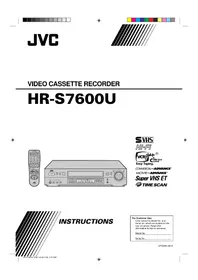
Table of contents
Click a title to access it
Manual assistant
Powered by Anthropic
Waiting for your message
Product information
Brand : JVC
Model : HR-S7965EF
Category : VCR