
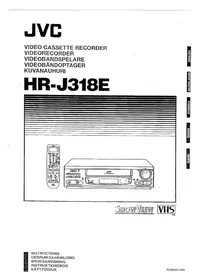
HR-J318E - VCR JVC - Free user manual and instructions
Find the device manual for free HR-J318E JVC in PDF.


Pick your language and provide your email: we'll send you a specifically translated version.
| Product Type | VHS VCR |
| Brand | JVC |
| Model | HR-J318E |
| Video System | PAL |
| Recording Format | VHS |
| ShowView System | Yes (Easy Timer Recording) |
| Dimensions (W x H x D) | 435 x 95 x 280 mm |
| Weight | 3.4 kg |
| Power Supply | AC 220-240V, 50/60 Hz |
| Power Consumption | 17 W |
| Remote Control | Yes (infrared) |
| Front Panel Connectors | AV input (RCA), S-Video input |
| Rear Panel Connectors | RF (Antenna) in/out, SCART (RGB), Audio/Video out |
| Head Cleaning | Automatic head cleaning system |
| Timer Recording | Up to 8 programs, 1 year timer |
| Playback Features | Still, Slow-motion, Search, Repeat |
| Recording Speed | SP, LP, EP modes |
| VCR Plus+ (G-Code) | Yes (ShowView) |
| Child Lock | Yes |
| Index Search | Yes |
| Maintenance | Clean tape heads with a cleaning cassette; avoid dust and moisture |
| Safety | Do not block ventilation slots; unplug during storms |
| Spare Parts / Repairability | Belt kit, pinch roller, heads available; service manual online |
| Manual Format | PDF (24 pages, English) |
Frequently Asked Questions - HR-J318E JVC
How do I set the clock on the JVC HR-J318E VCR?
Press the MENU button, go to CLOCK SET option using the arrow keys, set the date and time with the +/- buttons, then press OK to confirm.
How do I record a program using ShowView (G-Code)?
Press the SHOWVIEW button, enter the PlusCode number found in TV listings, then press OK. The VCR automatically sets the timer.
Why is the tape not playing or the picture is snowy?
Check that the VCR is properly connected to the TV via SCART or RF cable. Also clean the video heads using a suitable cleaning cassette.
How do I connect the VCR to a modern TV without SCART?
Use an RCA-to-HDMI converter or connect via the RF output to the TV antenna input. Set the TV to analog channel (e.g., CH 21 or 36).
Can I record from an external source (camcorder)?
Yes, connect the external source to the AV INPUT on the front panel using RCA cables. Press INPUT SELECT until 'E' appears on display, then press REC.
The remote control doesn't work. What should I do?
Replace the batteries with two new AA batteries. Check for obstacles between remote and VCR. If still not working, try resetting by removing batteries and pressing any button for 10 seconds.
How do I erase a recorded tape?
To erase a tape, simply record over it with a new program or use the REC button with no input signal (screen will be black). The old content will be overwritten.
What is the difference between SP, LP, and EP recording modes?
SP (Standard Play) offers best quality for 2-hour tape. LP (Long Play) doubles recording time but reduces quality. EP (Extended Play) triples time with lowest quality.
How do I clean the video heads?
Use a dry-type VHS head cleaning cassette. Insert it and press PLAY for 10-15 seconds. Do not use wet cleaners repeatedly. If problem persists, consult a technician.
The VCR ejects the tape immediately after inserting. What's wrong?
This may indicate a tape jam or damaged mechanism. Check if the tape is properly wound. If issue persists, the loading belt might be loose or the mode switch faulty. Refer to service manual.
User questions about HR-J318E JVC
0 question about this device. Answer the ones you know or ask your own.
Ask a new question about this device
No questions yet. Be the first to ask one.
Download the instructions for your VCR in PDF format for free! Find your manual HR-J318E - JVC and take your electronic device back in hand. On this page are published all the documents necessary for the use of your device. HR-J318E by JVC.
USER MANUAL HR-J318E JVC
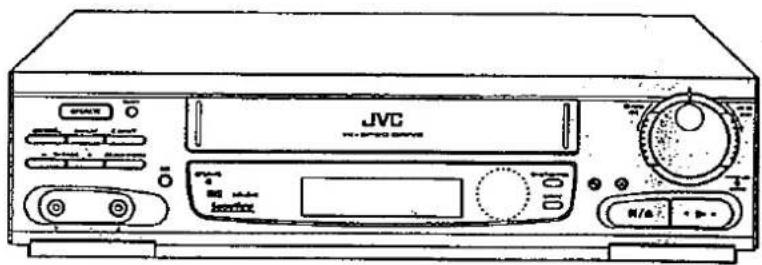
SHOWVIEW
VHS
PAL
NOTE:
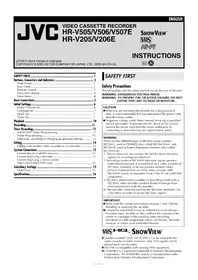
Table of contents
Click a title to access it
Manual assistant
Powered by Anthropic
Waiting for your message
Product information
Brand : JVC
Model : HR-J318E
Category : VCR