FPWTLTB1 - Wall mount StarTech.com - Free user manual and instructions
Find the device manual for free FPWTLTB1 StarTech.com in PDF.


User questions about FPWTLTB1 StarTech.com
0 question about this device. Answer the ones you know or ask your own.
Ask a new question about this device
Download the instructions for your Wall mount in PDF format for free! Find your manual FPWTLTB1 - StarTech.com and take your electronic device back in hand. On this page are published all the documents necessary for the use of your device. FPWTLTB1 by StarTech.com.
USER MANUAL FPWTLTB1 StarTech.com
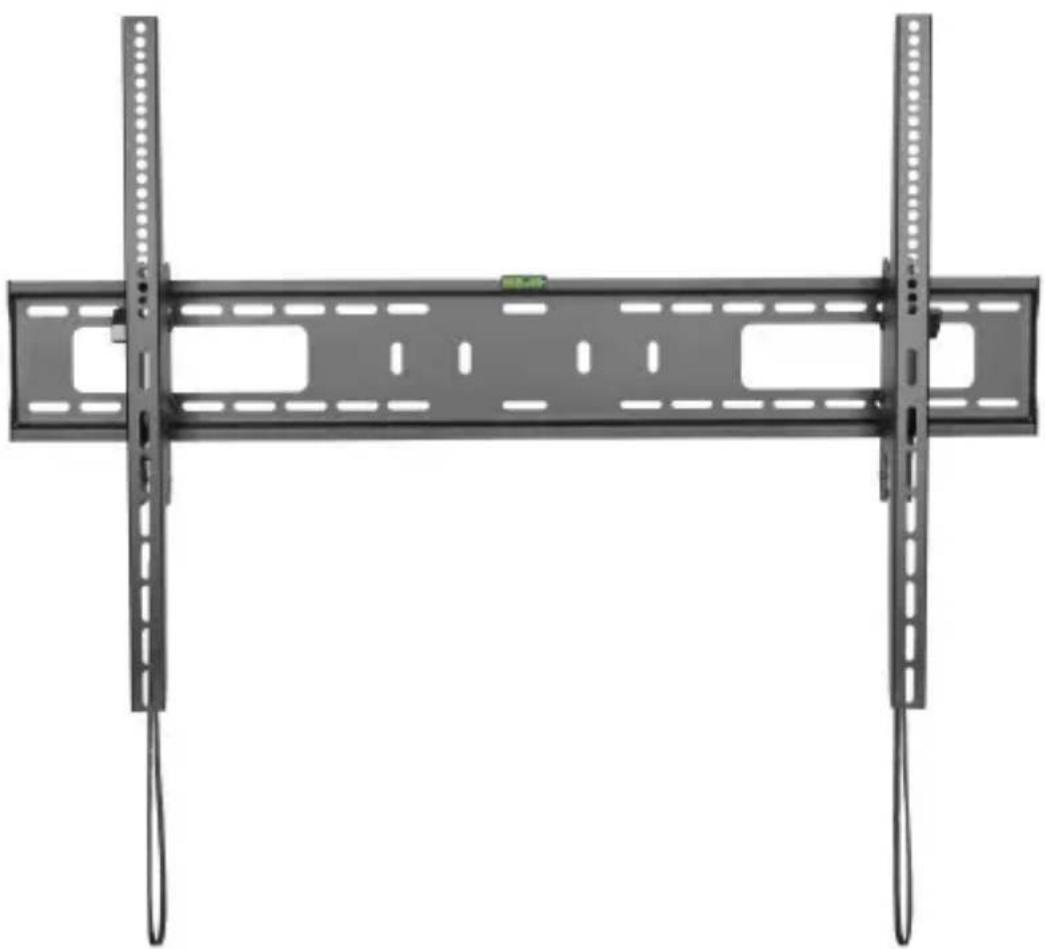
TV Wall Mount | Heavy-Duty | Tilt
natural_image
Metal TV cable support frame with two vertical connectors and a green indicator light (no text or symbols)Actual product may vary from photos
User Manual
SKU#: FPWTLTB1
For the latest information and specifications visit
www.startech.com/FPWTLTB1
Use of Trademarks, Registered Trademarks, and other Protected Names and Symbols
This manual may make reference to trademarks, registered trademarks, and other protected names and/or symbols of third-party companies not related in any way to StarTech.com. Where they occur these references are for illustrative purposes only and do not represent an endorsement of a product or service by StarTech.com, or an endorsement of the product(s) to which this manual applies by the third-party company in question. Regardless of any direct acknowledgement elsewhere in the body of this document, StarTech.com hereby acknowledges that all trademarks, registered trademarks, service marks, and other protected names and/or symbols contained in this manual and related documents are the property of their respective holders.
To view manuals, videos, drivers, downloads, technical drawings, and more visit www.startech.com/support
Safety Statements
Safety Measures
- Product installation and/or mounting should be completed by a certified professional as per the local safety and building code guidelines.
- Cables (including power and charging cables) should be placed and routed to avoid creating electric, tripping or safety hazards.
Mesures de sécurité
For the State of California

WARNING: Cancer and Reproductive Harm
www.P65Warnings.ca.gov
To view manuals, videos, drivers, downloads, technical drawings, and more visit www.startech.com/support
Warning Statements
• Make sure to assemble this product according to the instructions. Failure to do so might result in personal injury or property damage.
- Make sure that the weight of the TV doesn't exceed the weight capacity of this product. If you exceed the weight capacity, you might experience personal injury or damage to the equipment. This product can support the following weight: Up to 75 kg (165 lb.).
- Never operate this product if parts are missing or damaged.
- The wall mount is designed to be installed on a wood stud, solid concrete, or cinder block wall. The wall structure should also be capable of supporting at least four times the weight of the mounted equipment. The mounting hardware included with this product may not be adequate for installation on certain wall structures. Failure to comply with these warnings may result in personal injury or damage to the equipment.
- The mounting hardware included with this product might not be adequate for some wall structures. If you lack the necessary expertise to attach this product to the wall structure that you're using, contact a construction professional to install the wall mount or to provide specific mounting instructions for your wall structure.
To view manuals, videos, drivers, downloads, technical drawings, and more visit www.startech.com/support
Avertissements
To view manuals, videos, drivers, downloads, technical drawings, and more visit www.startech.com/support
Waarschuwingen
To view manuals, videos, drivers, downloads, technical drawings, and more visit www.startech.com/support
Mensagens de aviso
To view manuals, videos, drivers, downloads, technical drawings, and more visit www.startech.com/support
Safety Statements....2
Warning Statements....3
Product Diagram....9
Product Information....10
Package Contents....10
Requirements 15
Installing the Tilt Adjustment Knobs ....15
Installing the Bubble Level....17
Mounting the Wall Bracket....17
Attaching the Vertical Brackets (Flush Mounting)....19
Recessed Mounting....21
Spacer Combination 23
Mounting the TV 24
Adjusting the Tilt 25
Removing the TV 26
To view manuals, videos, drivers, downloads, technical drawings, and more visit www.startech.com/support
Product Diagram

text_image
37.5" (954 mm) 1.6" (42 mm) - 36.5" (924 mm) 24.6" (625 mm) 3.6" (92 mm) - 23.8" (605 mm) 1.2" (32 mm) 1.6" (42 mm) - 36.5" (924 mm) 5.9" (150 mm) +5° -10° 3 2 3 4 4 3.3" (85 mm)| Number Part | |
| 1 Bubble Level (1) | |
| 2 Wall Bracket (1) | |
| 3 Vertical Brackets (2) | |
| 4 Release Straps (2) |
To view manuals, videos, drivers, downloads, technical drawings, and more visit www.startech.com/support
Product Information
Package Contents

natural_image
Front view of a rectangular electronic device with multiple ports and connectors (no visible text or symbols)Wall Bracket
Qty: One

Vertical Brackets
Qty: Two
To view manuals, videos, drivers, downloads, technical drawings, and more visit www.startech.com/support
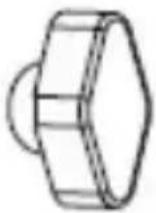 | 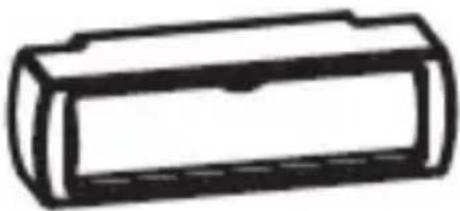 |
| Tilt Adjustment KnobsQty: Two | Bubble LevelQty: One |
 |  |
| M5x14 mm ScrewsQty: Four | M6x14 mm ScrewsQty: Four |
To view manuals, videos, drivers, downloads, technical drawings, and more visit www.startech.com/support

natural_image
Technical line drawing of a bolt (no text or symbols)M6x30 mm Screws Qty: Four

natural_image
Technical line drawing of a hexagonal bolt (no text or symbols)M8x50 mm Screws Qty: Four
natural_image
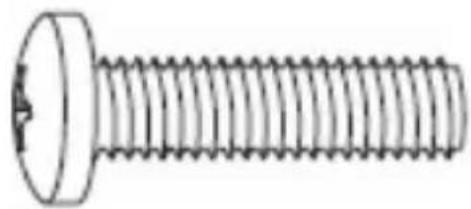
Technical line drawing of a bolt (no text or symbols)M8x30 mm screw Qty: Four

natural_image
Simple line drawing of a rectangular block with two circular holes (no text or symbols)Rectangular Washers Qty: Four
To view manuals, videos, drivers, downloads, technical drawings, and more visit www.startech.com/support
 Small SpacersQty: Eight Small SpacersQty: Eight | 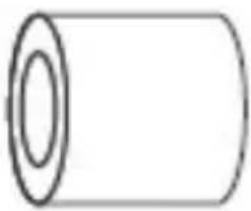 Large SpacersQty: Eight Large SpacersQty: Eight |
 Wall ScrewsQty: Six Wall ScrewsQty: Six | 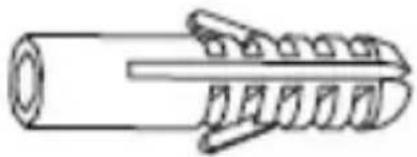 Concrete AnchorsQty: Six Concrete AnchorsQty: Six |
To view manuals, videos, drivers, downloads, technical drawings, and more visit www.startech.com/support
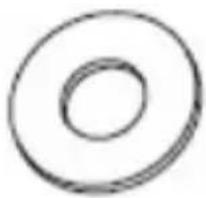
natural_image
Simple concentric circle diagram with no text or symbolsRound Washers
Qty: Six
Requirements
For the latest requirements, please visit www.startech.com/FPWTLTB1.
• A Monitor or TV compatible with VESA mounting holes patterns
- Supported patterns: 100x100, 100x200, 200x100, 200x200, 200x300, 200x400, 300x200, 300x300, 400x200, 400x300, 400x400, 600x200, 600x300, 600x400, 600x600, 800x400, 800x600, and 900x600
• A Phillips Head Screwdriver
Installing the Tilt Adjustment Knobs
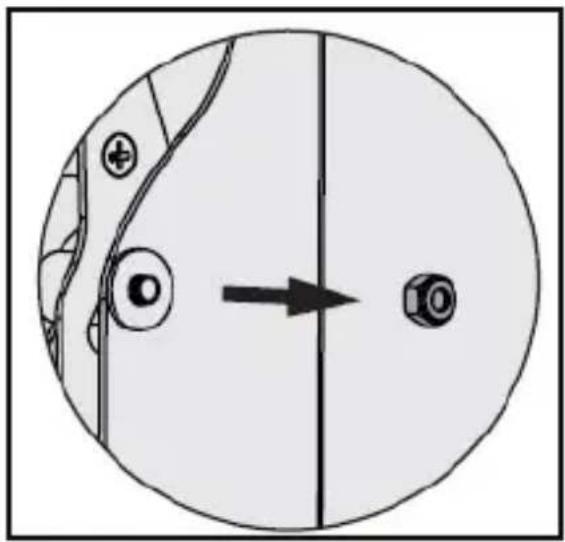
- On the Vertical Bracket, remove the top nut located on the side of the Vertical Bracket. Once removed the nuts can be discarded.
To view manuals, videos, drivers, downloads, technical drawings, and more visit www.startech.com/support
natural_image
Diagram showing a circular object with internal components and an arrow pointing to a final dot (no text or symbols present)Removing Nut
To view manuals, videos, drivers, downloads, technical drawings, and more visit www.startech.com/support
- Replace the nut with one of the Tilt Adjustment Knobs.
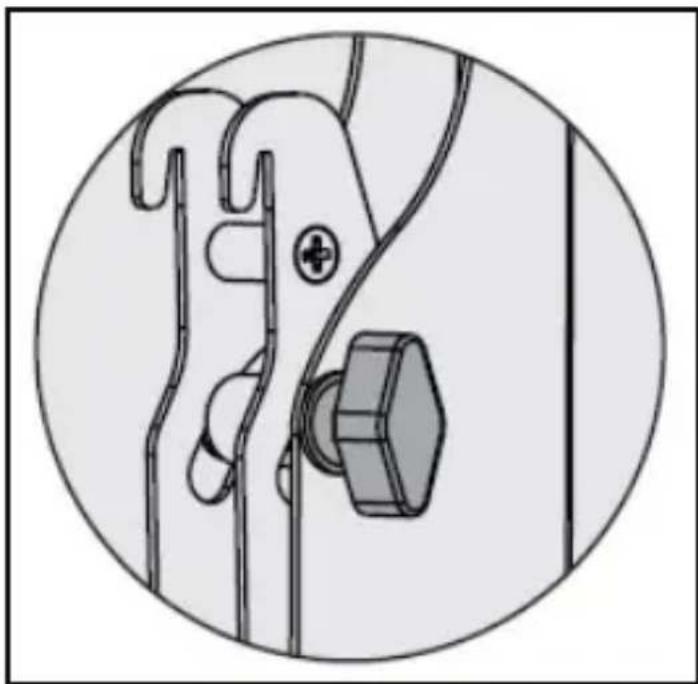
natural_image
Technical line drawing of a mechanical clamp or bracket assembly (no text or symbols)Tilt Adjustment Knob
- Repeat steps 1 - 2 to install the second Tilt Adjustment Knob on the other Vertical Bracket.
To view manuals, videos, drivers, downloads, technical drawings, and more visit www.startech.com/support
Installing the Bubble Level
- Insert the Bubble Level into the impression on the center on the top of the Wall Bracket.

natural_image
Pure electrical circuit lines without any symbolsInstalling the Bubble Level
Mounting the Wall Bracket
Notes: StarTech.com is not responsible for any damages related to the installation of this product.
The Wall Mount can accommodate up to 100" TV with a max weight of 165lbs (75kg), when installed properly.
- Position the Wall Bracket on the wall, in the desire position.
- Using the Bubble Level (included), adjust the Wall Bracket until the bubble inside the Bubble Level is centered between the two hash marks.
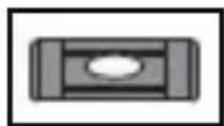
Proper Use of Bubble Level
To view manuals, videos, drivers, downloads, technical drawings, and more visit www.startech.com/support
- The TV Wall Mount can be mounted using the Mounting Hardware included.
Attaching the Vertical Brackets (Flush Mounting)
To accommodate different TV designs, the TV Wall Mount comes with five sets of screws of different lengths and diameters, washers with two hole sizes, and two sizes of spacers.
- Determine the depth and diameter of the mounting holes located on the back of the TV.
- Once you determine the correct depth and diameter of the hardware needed.
Note: The Spacers can be used if the included screws are too long for the TV Mounting Holes.
-
Align one of the Vertical Brackets (with the Adjustment Knob facing outward) with the Mounting Holes of the back of the TV.
-
Place the Rectangular Washers over the Screw Holes on the Vertical Bracket.
-
Insert the either the M5x14 mm or M6x14 mm Screws (depending on the hardware requirement), through the Rectangular Washers, Vertical Brackets, and into the TV.
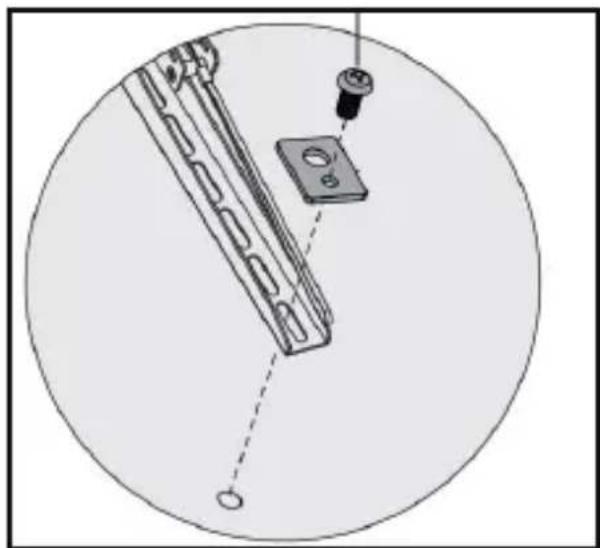
natural_image
Technical diagram of a mechanical assembly with a central component and a circular base, no visible text or symbolsSecuring the Vertical Bracket
To view manuals, videos, drivers, downloads, technical drawings, and more visit www.startech.com/support
- Use a Phillips Head Screwdriver to tighten the screws. Do not over-tighten the screws.
Note: If you encounter resistance, stop tightening. Failure to do so could result in damage to the TV.
Recessed Mounting
- Determine the depth and diameter of the mounting holes located on the back of the TV.
- Once you determine the correct depth and diameter of the hardware needed.
- Place the Spacers (depending on your TV configuration) over the Screw Holes on the back of the TV.
Note: Refer to the Spacer Combination table for different hardware combinations.
-
Align one of the Vertical Brackets (with the Adjustment Knob facing outward) with the Mounting Holes of the back of the TV.
-
Place a Rectangular Washer over the Screw Holes on the Vertical Bracket.
-
Insert either the M8x30 mm, M8x50 or M6x30 mm Screws (depending on the hardware requirement), through the Rectangular Washers, Vertical Brackets, and into the TV.
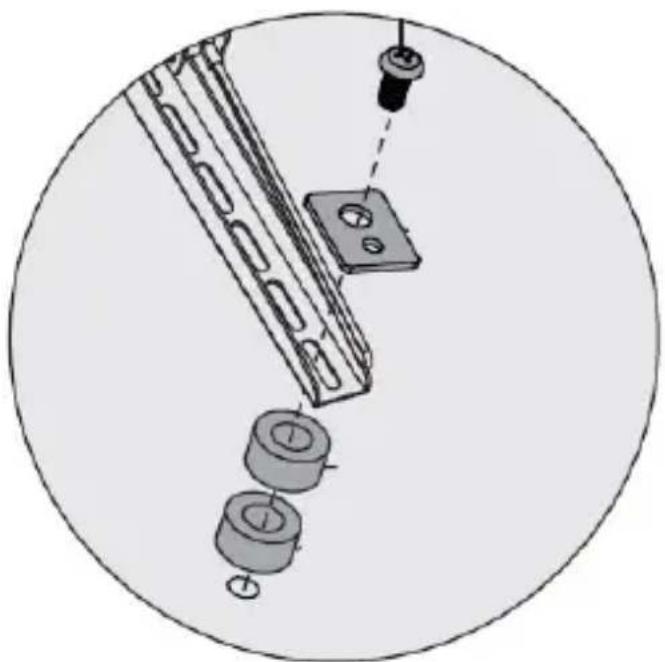
natural_image
Technical diagram showing mechanical assembly with rollers and a housing, no text or symbols presentSpacer Installation
- Use a Phillips Head Screwdriver to tighten the screws. Do not over-tighten the screws.
Note: Do not over-tighten the screws. If you encounter resistance while you're tightening the screws, stop tightening. Failure to do so could result in damage to the TV.
To view manuals, videos, drivers, downloads, technical drawings, and more visit www.startech.com/support
Spacer Combination
| Screw Type Spacer Combination | |||
| M6 x 30 mm | 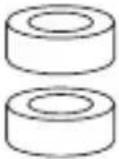 | 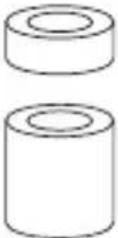 | 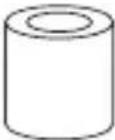 |
| M8 x 30 mm | |||
| M8 x 50 mm | 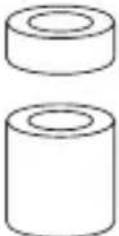 | 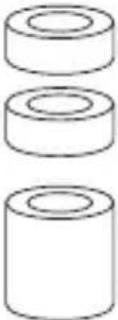 |  |
To view manuals, videos, drivers, downloads, technical drawings, and more visit www.startech.com/support
Mounting the TV
Warnings! Make sure that the weight of the TV doesn't exceed the weight capacity of this product. This product can support the following weight: Up to 75 kg (165 lb.).
Attaching the TV is a two-person job. Do not attempt to complete this task by yourself.
- One person holds one side of the TV, (one person per side).
- Carefully lift up the TV and slightly tilt the top of the TV toward the mounting surface. Hook the top of both Vertical Brackets (at the same time) to the top edge of the Wall Mount.
- Once the top of the Vertical Brackets are secured in place, gently lower the bottom of the TV until the bottom of the Vertical Brackets comes in contact with the Wall Bracket.
- While applying light pressure, push the bottom of the TV into the Wall Bracket until you hear an audible click, indicating that the TV has been mounted to the Wall Bracket successfully.
Warning! Do not let go of the TV until you are sure that it's properly hooked onto the wall mount.
Adjusting the Tilt
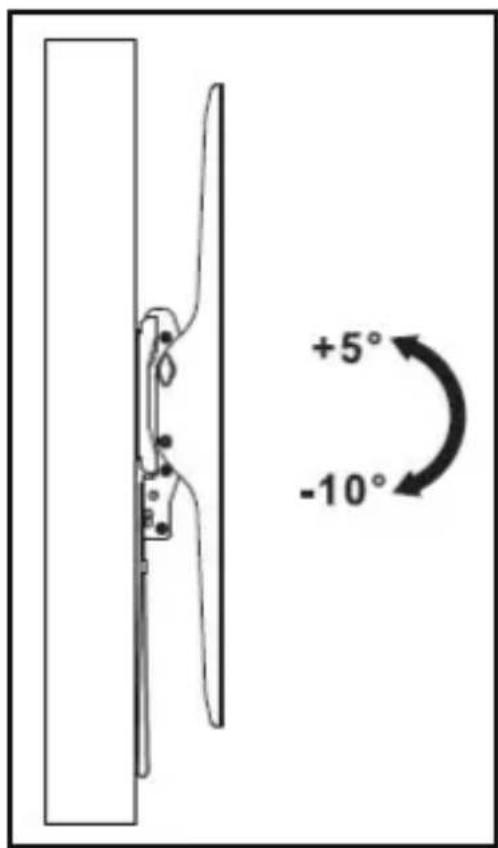
Note: The Wall Mount has a tight radius of +5 degrees upward -10 degrees downward.
- Loosen both Tilt Adjustment Knobs on the sides of the Vertical Brackets.
- Tilt the TV (either up or down) into the desire location.
- Re-tighten both Tilt Adjustment Knobs to lock the TV into the desired position.
text_image
+5° -10°TV Wall Mount Tilt Adjustment
To view manuals, videos, drivers, downloads, technical drawings, and more visit www.startech.com/support
Removing the TV
Warning! Removing the TV is a two-person job. Do not attempt to complete this task by yourself.
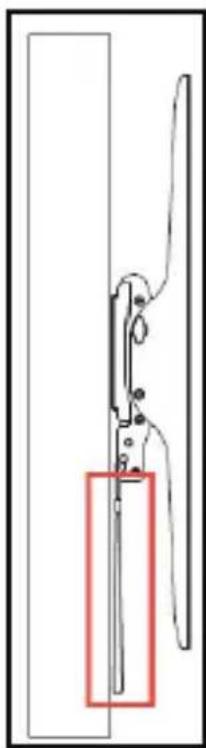
- While supporting the weight of the TV, pull down on both of the Release Straps. The Lock will disengage.
natural_image
Pure mechanical diagram showing a cutting tool with a red rectangular section highlighting a specific part (no text or symbols)Release Straps
- The bottom of the TV will release from the Wall Bracket.
To view manuals, videos, drivers, downloads, technical drawings, and more visit www.startech.com/support
- Tilt the bottom of the TV away from the Wall Bracket and lift the TV up to unhinge (disengage) the TV from the top of the Wall Bracket.
- Place the TV in a secure spot.
Warranty Information
This product is backed by a five-year warranty.
For further information on product warranty terms and conditions, please refer to www.startech.com/warranty.
Limitation of Liability
In no event shall it be the liability of StarTech.com Ltd. and StarTech.com USA LLP (or their officers, directors, employees or agents) for any damages (whether direct or indirect, special, punitive, incidental, consequential, or otherwise), loss of profits, loss of business, or any pecuniary loss, arising out of or related to the use of the product exceed the actual price paid for the product.
Some states do not allow the exclusion or limitation of incidental or consequential damages. If such laws apply, the limitations or exclusions contained in this statement may not apply to you.
Hard-to-find made easy. At StarTech.com, that isn't a slogan. It's a promise.
StarTech.com is your one-stop source for every connectivity part you need. From the latest technology to legacy products — and all the parts that bridge the old and new — we can help you find the parts that connect your solutions.
We make it easy to locate the parts, and we quickly deliver them wherever they need to go. Just talk to one of our tech advisors or visit our website. You'll be connected to the products you need in no time.
Visit www.startech.com for complete information on all StarTech.com products and to access exclusive resources and time-saving tools.
StarTech.com is an ISO 9001 registered manufacturer of connectivity and technology parts since 1985 with operations around the world.
Reviews
Share your experiences using StarTech.com products, including product applications and setup, what you love about the products, and areas for improvement.
StarTech.com Ltd.
45 Artisans
Crescent
London, Ontario
N5V 5E9
Canada
StarTech.com LLP
4490 South
Hamilton Road
Groveport, Ohio
43125
U.S.A.
StarTech.com Ltd.
Unit B, Pinnacle 15
Gowerton Road
Brackmills,
Northampton
NN4 7BW
United Kingdom
StarTech.com Ltd.
Siriusdreef 17-27
2132 WT
Hoofddorp
The Netherlands
FR: fr.startech.com
DE: de.startech.com
ES: es.startech.com
NL: nl.startech.com
IT: it.startech.com
JP: jp.startech.com