KASMAPF3PCA - Air purifier Kogan - Free user manual and instructions
Find the device manual for free KASMAPF3PCA Kogan in PDF.


User questions about KASMAPF3PCA Kogan
0 question about this device. Answer the ones you know or ask your own.
Ask a new question about this device
Download the instructions for your Air purifier in PDF format for free! Find your manual KASMAPF3PCA - Kogan and take your electronic device back in hand. On this page are published all the documents necessary for the use of your device. KASMAPF3PCA by Kogan.
USER MANUAL KASMAPF3PCA Kogan
natural_image
White cylindrical smart air purifier with perforated grille (no text or symbols visible)KOGAN SMARTERHOME™ AIR PURIFIER 3 PRO
WITH H13 HEPA FILTER
KASMAPF3PCA
SAFETY & WARNINGS
This product should be used only in accordance with the specifications outlined in this user guide. Usage other than what has been specified here may result in serious injury.
When using electrical appliances, basic precautions should always be followed to reduce the risk of fire, electric shock and injury to persons, including the following:
- Read all instructions and safety warnings before using appliance. Retain this user guide for future reference.
- Keep the power cord away from high traffic areas. To avoid fire hazard, never place the cord under rugs, near radiators, stoves or heaters or other sources of heat.
- To protect against electrical hazards, do not immerse in water or other liquids. Do not use near water.
- Children cannot recognise the hazards associated with the usage of electrical appliances. For this reason, always supervise children when they are near the unit.
- Always unplug the air purifier before moving it, opening the grill, changing filters, cleaning or whenever the air purifier is not in use.
- When disconnecting from the electrical outlet, always grasp the plug. Do not the pull on the power cord.
- Never drop or insert an object into any openings on the appliance.
- Do not cover the power cord with throw rugs, runners or similar coverings.
- Do not route the cord under furniture or appliances.
- Do not operate the appliance with a damaged cord or plug, if motor fan fails to rotate, after the appliance malfunctions or if it has been dropped or damaged in any manner. Cease use immediately and contact help.Kogan.com for support.
- This appliance is only intended for household use. Any use other than what's described in this user guide may cause fie, electric shock or injury to persons.
- Do not use outdoors.
- Do not place anything on top of this appliance.
- Never block the air openings, grills/outlets or place on a soft surface such as a bed or sofa, as this could cause the unit to tip over blocking the air openings.
- Do not attempt to repair any electrical or mechanical functions on this unit. The inside of the unit contains no user serviceable parts. Contact help.Kogan.com for support.
WARNING: To reduce the risk of fire or electric shock, do not use this appliance with any solid-state speed control device.
Control Panel

text_image
Sleep Wi-Fi indicator Auto Fan speed indicator Display Fan speed PM 2.5 888 % 8H 4H 2H Timer Timer indicator UV/Ion Power Filter resetBEFORE FIRST USE
- Lift the air purifier out the carton and remove the two plastic bags from the unit and filter.
- Select a stable, level, and flat location for the air purifier.
- Connect the power cord into an electrical outlet.
Notes:
- For proper air flow, locate the unit at least 30cm away from any walls or furniture.
- Ensure none of the air intakes and vents are blocked.
Installing the Filter
- Flip the unit upside down.
- Rotate and base cover and lift upwards.
- Remove the old filter (if necessary) by lifting it upwards.
- Install the new filter. Note: Ensure the plastic bag of the new filter is removed before replacing it.
- Reattach the base cover to the unit.
- Reset the filter timer by pressing the filter reset button.

OPERATION

Power Button
- Short press to turn the unit On/Off.
- Press and hold for 3-5 seconds to place the unit in pairing mode.

Timer Button
Press the timer button to cycle through the preset timers (2, 4 & 8 hours).

Fan Speed Button
Press this button to cycle through the fan speeds (Low, Medium, High & Turbo).

Auto Button
- Press this button to enter Auto mode.
- In Auto mode, the unit will automatically change the speed according to the air quality.
- The Air quality indicator LED ring will illuminate different colours depending on the current air quality.
| Colour | Air Quality |
| Red | Heavily Polluted |
| Orange | Lightly Polluted |
| Yellow | Moderate |
| Blue | Good |

UV/Ion Button
Press this button to turn the UV ION function On/Off.

"Sleep" Button
- Press the Sleep button to turn sleep mode On/Off.
- The sleep icon will flash for 5 seconds before the unit enters sleep mode.
- In sleep mode, all lights (except sleep button) will turn off and fan will run in low speed.

Filter Reset Button
- Short press this button to check the remaining life of the filter. The display will show the value as a percentage
- After operating approximately 4320 hours, the filter reset indicator will turn on and the filter will need to be replaced.
- After replacing the filter, press and hold this button for 3-5 seconds to reset the filter timer.
Note:
When the unit is not in use, switch it off and disconnect the power cord.
CONNECT TO SMARTERHOME™ APP
Install App
Download the "Kogan SmarterHome" app from the Play Store (Android) or App Store (iOS).

text_image
QR code image containing encoded data, no visible human-readable textPlay Store (Android)
text_image
QR code image containing encoded data, no visible human-readable textApp Store (iOS)
Toregister:
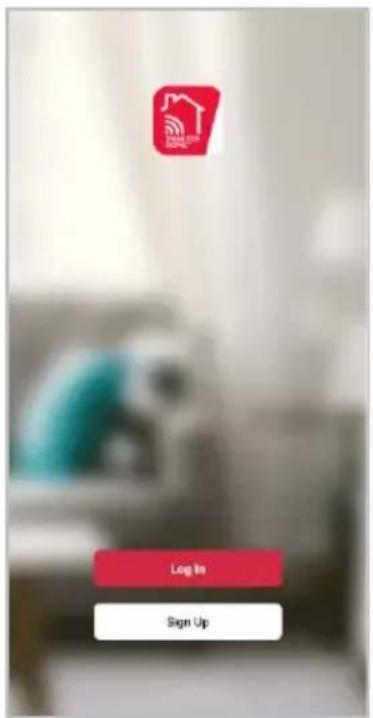
- If you already have a SmarterHome account, select 'Log In'. To register a new account, select 'Sign Up'.
- The system will automatically recognise your country. If needed, you can manually select your country from the drop-down box. Enter your email address and tap 'Get Verification Code' to continue.
- A 6-digit code will be sent to the submitted email address. Enter this code before the one-minute timer expires.
- Continue to the next page and complete your SmarterHome profile.
text_image
Login Sign Up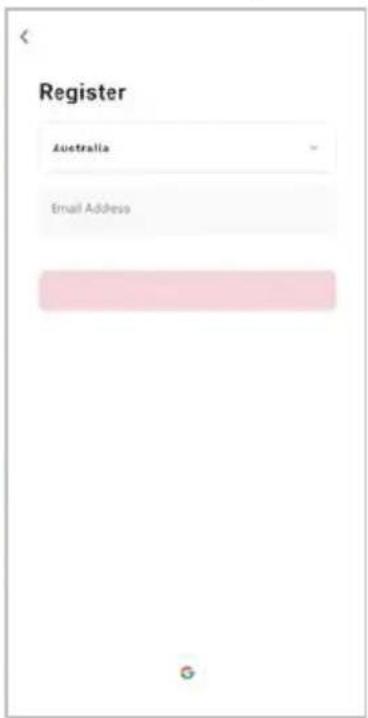
text_image
Register Australia Email Address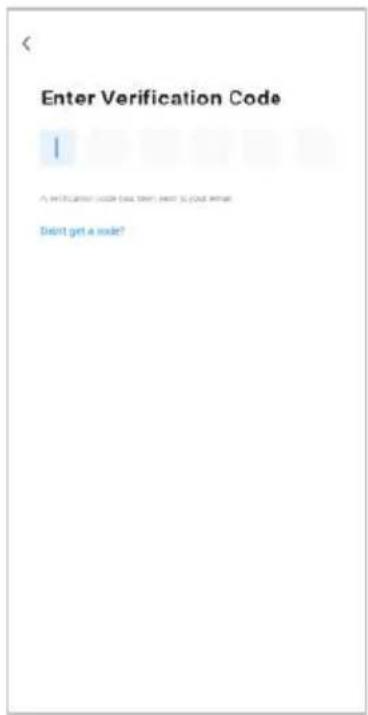
text_image
Enter Verification Code I A verification code can't want to use the code. Didn't get a code?Set device in pairing mode
When the device is first turned on, it may automatically enter pairing mode (the Wi-Fi indicator will be rapidly flash).
If not automatically in pairing mode when powered on, you can manually set the device in pairing mode by pressing and holding the Power button for 3-5 seconds until the Wi-Fi indicator is rapidly flashing.
Add device through network
- Once registered, tap "Add Device" on the app's home page, or the "+" in the upper right corner, to add a new device through the network.
- Select the product type from the list of options in the app (Air Treatment> Air Purifiers).
- Enter your Wi-Fi details. It is important that your SmarterHome™ device and the app are connected to the same Wi-Fi network during setup.

text_image
Home * 14°C Add Device Create Scene 41.7% 100kPa 5.0m/s Outdoor Temperature Outdoor Air Pop... Outdoor Wire Up... All Devices Living Room Master Bedroom S ... No devices Add devices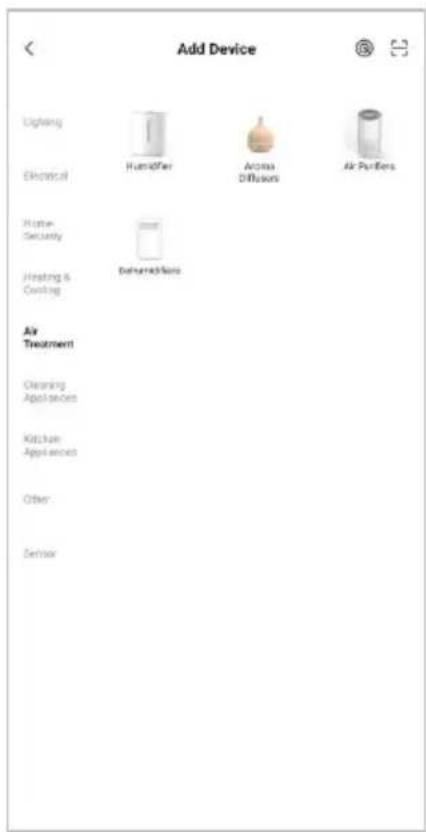
text_image
Add Device Lighting Electrical Home Security Heating & Cooling Air Treatment Cleaning Appliances Kitchen Appliances Other Dermal Humidifier Aroma Diffusions Air Purifiers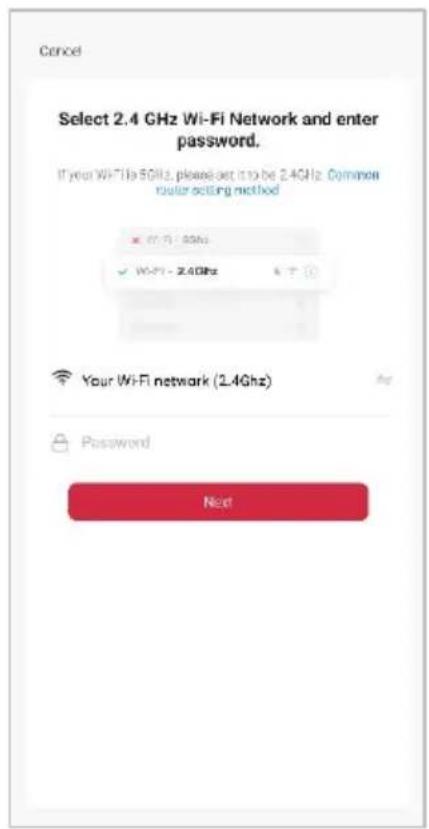
text_image
Cancel Select 2.4 GHz Wi-Fi Network and enter password. If your WiFi is 5GHz, please set it to be 2.4GHz. Common router setting method ✓ Wi-Fi - 5GHz ✓ Wi-Fi - 2.4GHz Your WiFi network (2.4GHz) Password NextNotes:
- The device and the app have to use the same Wi-Fi network.
• The device is only compatible with 2.4Ghz networks. -
Depending on the product, Steps 3 and 4 may be in opposite order.
-
Ensure that the device is in pairing mode, with the Wi-Fi indicator rapidly flashing, and tap "Confirm light is rapidly flashing".
-
The device will commence the pairing process and connect to the app. Ensure your Wi-Fi router, mobile phone, and the SmarterHome™ device are kept close until connection is complete.
-
After successfully being added, you will have the option to rename the device and assign it to a location. It will now be listed on the app's home page. Tap the device listing to enter its control page.

text_image
Reset the device Power on the device and confirm that indicator light rapidly blinks Confirm indicator rapidly blink Next Resetting Devices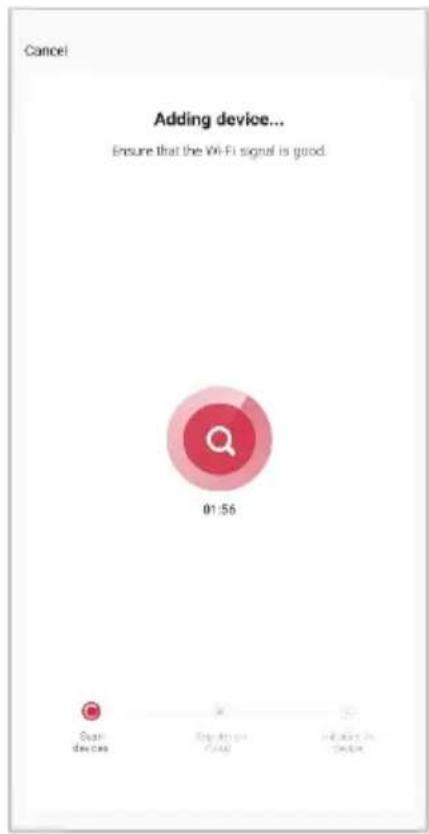
text_image
Cancel Adding device... Ensure that the Wi-Fi signal is good. 01:56 Scan devices Enjoy Access Is Available Device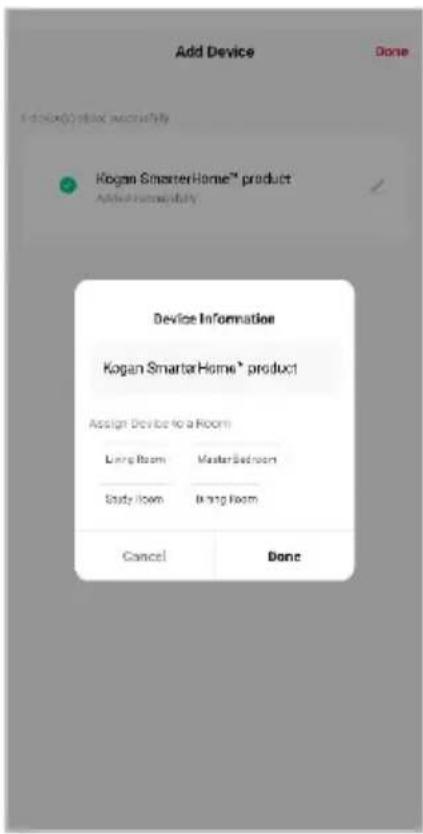
text_image
Add Device Done Kogan Smart Home™ product Added HomeStudy Device Information Kogan Smart Home * product Assign Device to a Room Living Room Master Bedroom Study Room Bright Room Cancel DoneNote:
Once connected, you can select Create Scene from the “+” in the upper right corner (or from the Scene tab) to group connected SmarterHome™ products and automate their functions.
GOOGLE HOME CONTROL
Adding "SmarterHome" to the Google Home app
- From the home page of the Google Home app, select the “+” icon (top left corner, see arrow in the below screenshot) to access the ‘Add and manage’ page.
- Select 'Set up device', then select the 'Works with Google' option.
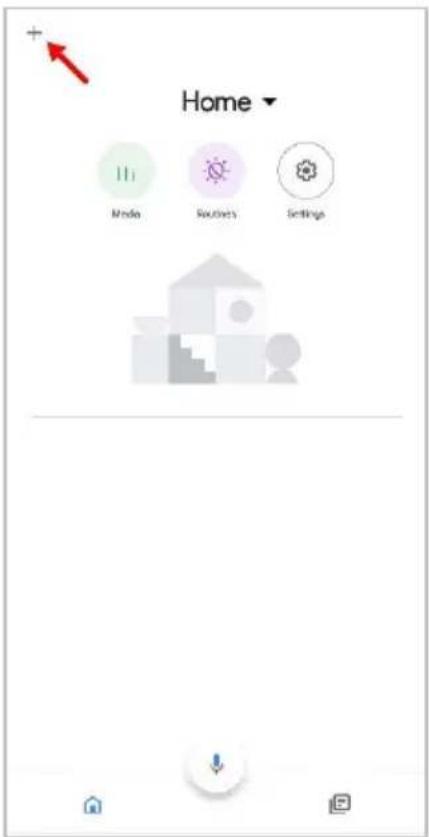
text_image
Home Media Routes Settings
text_image
Add and manage Add to home Set up device Invite home member Create speaker group Create new home Manage services Music Video Podcasts Next Aurora Rebates and rewards Pro services Offers Offers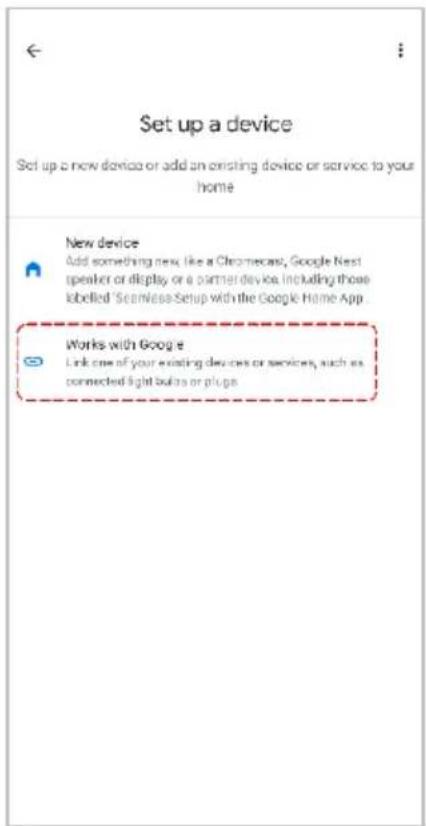
text_image
Set up a device Set up a new device or add an existing device or service to your home New device Add something new, like a Chromecast, Google Nest speaker or display or a partner device, including those labelled 'Scamless Setup with the Google Home App' Works with Google Link one of your existing devices or services, such as connected light buttons or plugs- Select the search bar and type 'Smarter Home' to locate the Kogan SmarterHome™ service.
- From here, you will be prompted to sign into your SmarterHome™ account using either your email or mobile phone number, depending on which method you used to register your account.
- Select "Kogan SmarterHome™" from the app options.

text_image
smarter home Add new Smarter Home homes home homeless 1 2 3 4 5 6 7 8 9 0 q w e r t y u i o p a s d f g h j k l z x c v b n m 123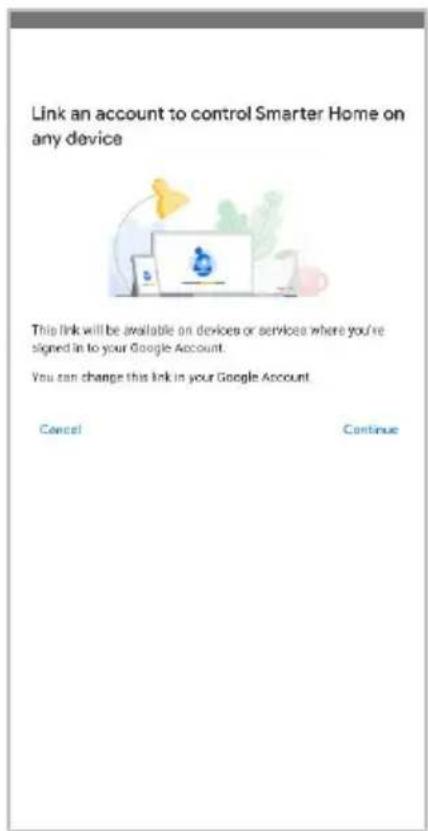
text_image
Link an account to control Smarter Home on any device This link will be available on devices or services where you're signed in to your Google Account. You can change this link in your Google Account. Cancel Continue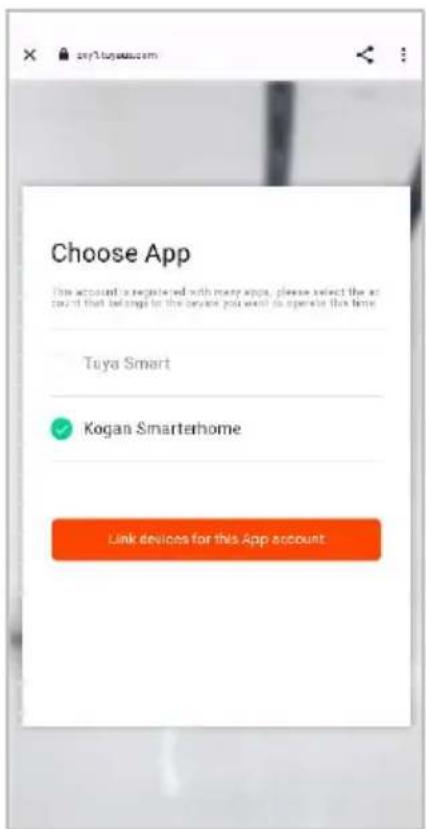
text_image
Choose App This account is registered with many apps, please select the account that belongs to the device you want to operate this time. Tuya Smart Kogan Smarterhome Link devices for this App account.- Tap 'Authorise' to grant Google permission to access the SmarterHome™ app and your devices.
- Once connected, the app will display any compatible devices linked to your SmarterHome™ account. From here you can assign them to rooms and set up any routines. Tap on any of the devices to view a list of available commands.

text_image
By signing in, you are authorizing Google to control your devices. Authorize You can derive permission at any time.
text_image
Add smart home devices Select devices and add to a room Devices connected within the SmarterHome™ app will appear here if compatibleNote:
Please note that Google Home can only control the base/core functions of any compatible SmarterHome™ devices. To make full use of this product's smart functionality, please use the Kogan SmarterHome™ app.
GOOGLE HOME CONTROL
Note:
You will need to have set up an Alexa account prior to linking your Kogan SmarterHome™ device.
Adding "SmarterHome" to the Alexa app
- From the home page of the Alexa app, select the “≡” icon in the bottom-right and select “Skills & Games” from the sidebar.
- Select the search bar and type 'Smarter Home' to locate the Kogan SmarterHome™ skill.

text_image
Tap to talk to 'Alexa' Link Music Services Start your favourite music and more Create this routine "Alway's your right" can turn off all your lights Start a Shopping List add shopping items and share the list Add an alarm Set up daily to send to the alarm Create a reminder Remember things at a time or place Start a timer Alway can notify you after a set amount of time Alexa, announce I love you Tell that special person how you feel with Announcements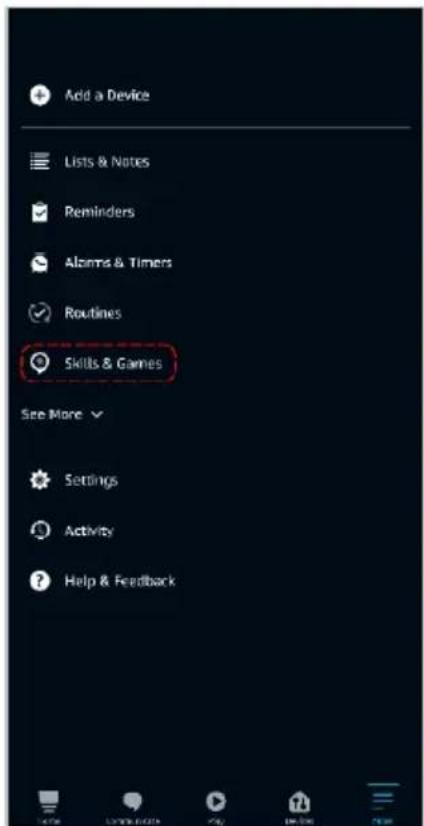
text_image
Add a Device Lists & Notes Reminders Alarms & Timers Routines Skills & Games See More Settings Activity Help & Feedback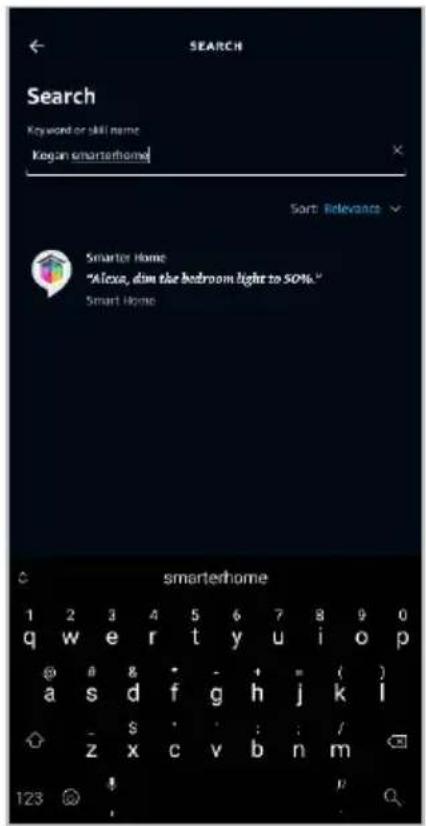
text_image
SEARCH Search Keyword or skill name: Kegan smarterhome! Sort Relevance Smarter Home "Alexa, don the bedroom light to 50%." Smart Home smarterhome 1 2 3 4 5 6 7 8 9 0 q w e r t y u i o p @ a b c d f g h j k l - s : : / z x c v b n m 123 @- Tap 'Enable to Use' to add the Kogan SmarterHome™ skill to Alexa.
- From here, you will be prompted to sign into your SmarterHome™ account using either your email or mobile phone number, depending on which method you used to register your account.
- Select "Kogan SmarterHome™" from the app options.
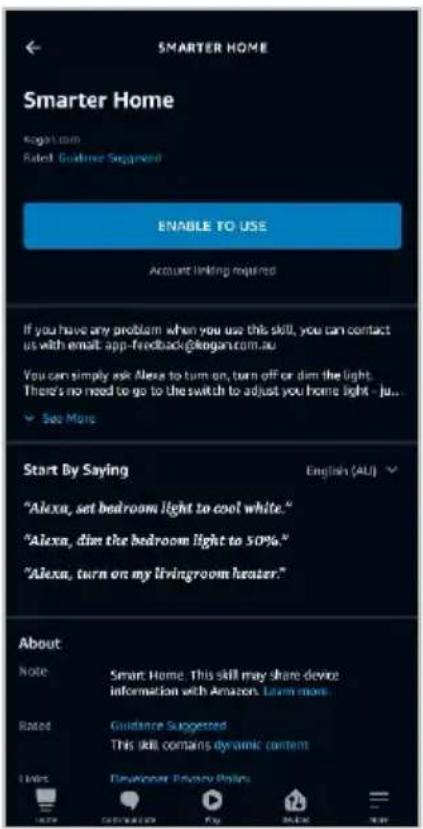
text_image
SMARTER HOME Smarter Home Kogan.com Rated Guidance Singapore ENABLE TO USE Account linking required If you have any problem when you use this skill, you can contact us with email app-feedback@kogan.com.au You can simply ask Alexa to turn on, turn off or dim the light. There's no need to go to the switch to adjust you home light - ju... See More Start By Saying "Alexa, set bedroom light to cool white." "Alexa, dim the bedroom light to 50%." "Alexa, turn on my livingroom heater." English (ALI) About Note Smart Home This skill may share device information with Amazon. Learn more. Rated Guidance Suggested This skill contains dynamic content Live Developer Privacy Policy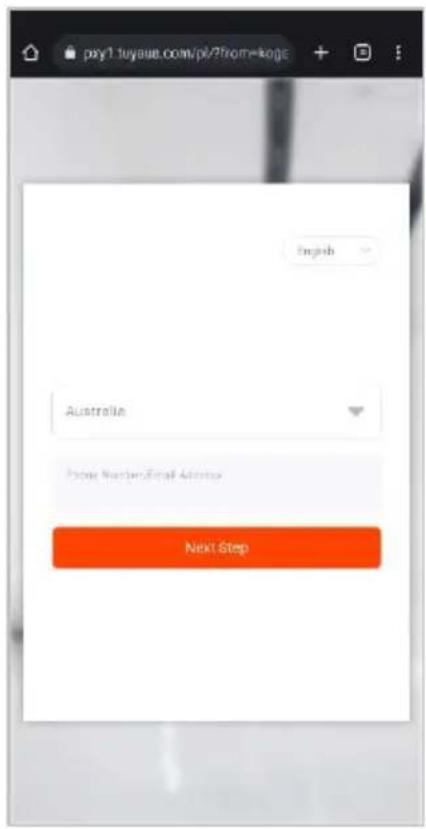
text_image
pxyl.tuyueb.com/pl/?home=koge English Australia Prior Numbers/Email Activities Next Step
text_image
pxy1.tuyous.com/pb/select?from Choose App This account is registered with many apps, please select the account that belongs to the device you want to operate this time. Tuya Smart Kogan Smarterhome Link devices for this App account- Tap 'Authorise' to grant Alexa permission to access the SmarterHome™ app and your devices.
- Once connected, the app will perform a search and display the devices linked to your SmarterHome™ account. When your devices have successfully connected to the Alexa app, you will be able to control your Kogan SmarterHome™ devices via Alexa's voice commands.

text_image
pxy1.tuyaus.com/pt/auithonze?fs Alexby Amazon will be able to: Receive your public profile Control your devices over internet Authorise You can review permission at any time.
text_image
ACCOUNT LINKING Your Smarter Home account has been successfully linked. What to do next: Close this window to discover smart home devices you can control with Alexa. CLOSENote:
Please note that Alexa can only control the base/core functions of any compatible SmarterHome™ devices. To make full use of this product's smart functionality, please use the Kogan SmarterHome™ app.
CLEANING & CARE
- Ensure that the machine is unplugged before maintenance.
- Do not immerse the air purifier into water or any liquid.
- Do not use abrasive, corrosive or flammable cleansers (such as bleach or alcohol) to clean any part of the unit.
- Do not wash the filter.
- Do not use a vacuum cleaner to clean the filter.
- Sterilise the filter under sunlight regularly.
- Ensure the machine is powered off and unplugged.
- Use a soft cloth with neutral cleanser to clean away any dust or debris from the surface of the machine and air inlet/outlet area.
- After the machine is completely dried out, put on the bag and place it in a cool and well-ventilated place.
- If you do not use it for a long time, please turn on the machine for a few minutes from time to time to ensure good performance.
Replacing the Filter
- The filter will need to be replaced approximately every 6 months (4320 hours of usage).
-
The filter reset indicator will turn on and the filter will need to be replaced.
-
Flip the unit upside down.
- Rotate and base cover and lift upwards.
- Remove the old filter (if necessary) by lifting it upwards.
- Install the new filter. Note: Ensure the packing bag of the new filter is removed before replacing it.
- Reattach the base cover to the unit.
- Reset the filter timer by pressing the filter reset button.
TROUBLESHOOTING
| Issue | Steps to resolve |
| Not turning on | Check plugged into workingCheck filter indicator is not flashing |
| Poor performance | Check for dust on surface of pre-filterCheck for obstacles blocking air inlet/outlet |
| Significant noise | Check air outlet fanEnsure machine is not tiltedSet lower fan speed |
| Unpleasant smell produced | Odour of plastic is normal for first useEnsure filter is clean and free of dustUnplug and contact Kogan.com |
NOTES
Need more information?
We hope that this user guide has given you the assistance needed for a simple set-up.
For the most up-to-date guide for your product, as well as any additional assistance you may require, head online to help.kogan.com
kogan.com