
ML1000 - Portable projector OPTOMA - Free user manual and instructions
Find the device manual for free ML1000 OPTOMA in PDF.


| Product Type | Portable Projector |
| Brand | OPTOMA |
| Model | ML1000 |
| Native Resolution | WXGA (1280 x 800 pixels) |
| Light Source | LED |
| Projected Screen Size | Diagonal from 16.6 to 149.2 inches |
| Projection Distance | 0.5 m to 4.5 m |
| Keystone Correction | Automatic and Manual |
| Focus | Manual (ring) |
| Connectivity | HDMI, VGA, USB-A, Micro USB, SD card, composite video, audio, headphone |
| WiFi | Via optional USB dongle |
| Speaker | Built-in |
| Multimedia Playback | Video, photo, documents (Office, PDF) |
| Touch Panel | Yes |
| Remote Control | Included |
| Power Supply | AC Input (power cord) |
| Operating Temperature | 5 °C to 35 °C |
| Humidity | 80% max without condensation |
| Mounting | On tripod (screw hole) or ceiling (optional kit) |
| Maintenance | Clean with a dry cloth |
| Safety | Do not block ventilation, do not expose to moisture, do not look directly at the light source |
| Repairability | Do not open, consult a professional |
| Included Accessories | Power cord, VGA cable, Micro USB/USB-A cable, remote control, carry case (depending on country) |
Frequently Asked Questions - ML1000 OPTOMA
User questions about ML1000 OPTOMA
0 question about this device. Answer the ones you know or ask your own.
Ask a new question about this device
Download the instructions for your Portable projector in PDF format for free! Find your manual ML1000 - OPTOMA and take your electronic device back in hand. On this page are published all the documents necessary for the use of your device. ML1000 by OPTOMA.
USER MANUAL ML1000 OPTOMA
natural_image
Illustration of a projector with a blue lens and ventilation slots (no text or symbols)PROJECTEUR DEL PORTABLE
MANUEL DE L'UTILISATEUR
AVERTISSEMENT DE SÉCURITÉ POUR LES YEUX
Notice: Canadian users
This Class B digital apparatus complies with Canadian ICES-003.
natural_image
Illustration of a computer rear panel with a USB cable inserted, showing ports and connectors (no text or symbols)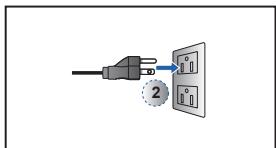
natural_image
Diagram of a computer monitor with an open port and a numbered component (no text or symbols)
natural_image
Coiled cable with two connectors, no text or symbols visiblenatural_image
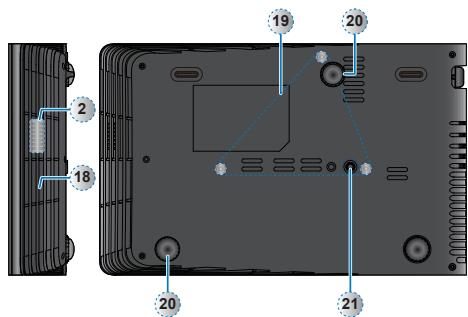
Technical line drawing of a device rear panel with mounting feet and ventilation slots (no text or symbols)natural_image
Illustration of a projector with a blue projection screen and a numbered label (1) on the side, no text or symbols present.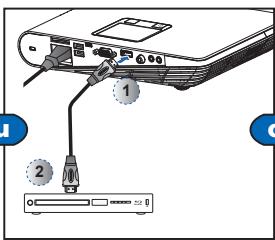
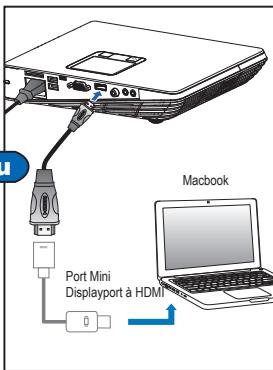
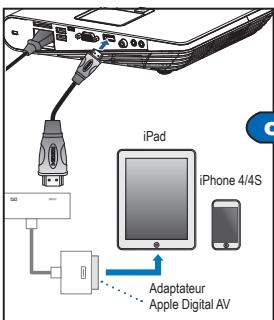
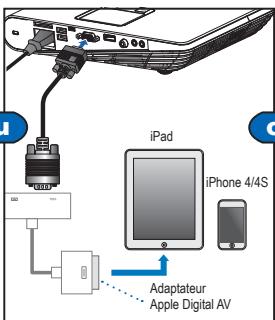
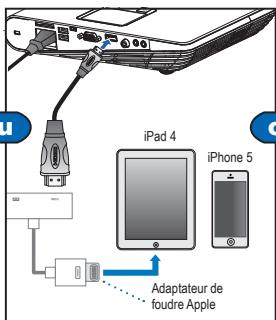
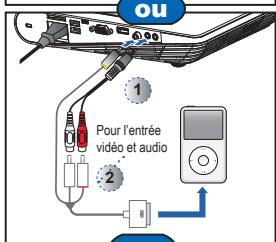
natural_image
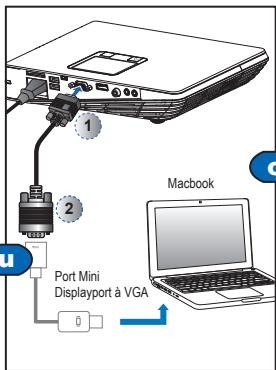
Diagram of a computer monitor with ports and an external cable, showing no text or symbolsnatural_image
Line drawing of a projector module with ports and an open lid (no text or symbols)natural_image
Back panel of a computer with indicator lights and screw holes (no text or symbols visible)natural_image
Line drawing of a projector on a tripod stand (no text or symbols)*Tripode standard
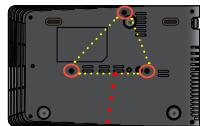
natural_image
Close-up of a computer motherboard with highlighted components and dotted lines indicating alignment (no readable text or symbols)natural_image
Technical line drawing of a mechanical device with a lever and base plate (no text or symbols)flowchart
graph TD
    A["1: DROITE"] --> B["2: Arrow pointing to DROITE"]
    B --> C["3: Arrow pointing to DROITE"]
    C --> D["4: Arrow pointing to DROITE"]
    D --> E["5: Arrow pointing to DROITE"]
    E --> F["1: DROITE with checkmark"]

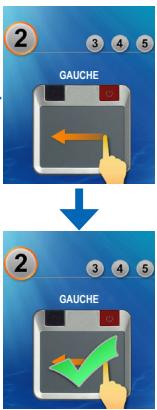

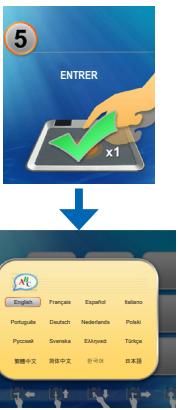
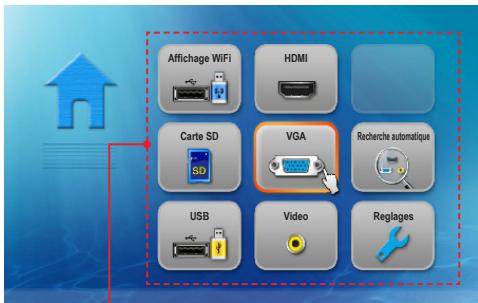
Menu Accueil
natural_image
Yellow icon with three document icons and a blue upward arrow, no text or symbols present.Carte SD / Menu USB
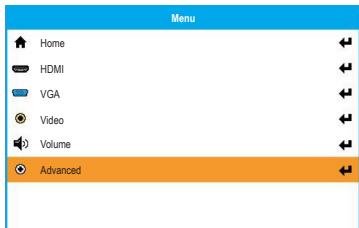
Menu Réglages
(HDMI, VGA, modes video)
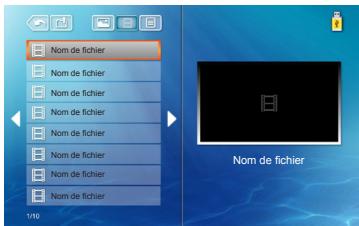
natural_image
Two side-by-side panels showing a grid of dark rectangular tiles with a small image on the left panel (no text or symbols)Menu Photo
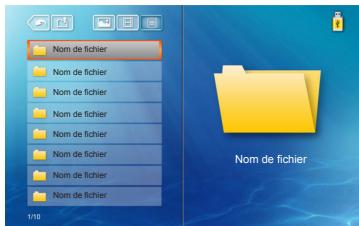
natural_image
Windows XP desktop wallpaper showing a green hill under a blue sky with scattered clouds (no text or symbols on the main image)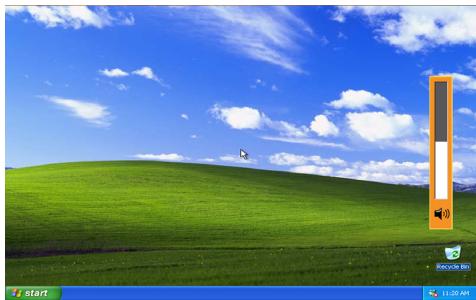
natural_image
Windows XP desktop wallpaper showing a green hill under a blue sky with scattered clouds (no text or symbols on the image itself)Icône Retour
natural_image
Sunset over a river with silhouettes of boats and city skyline in background (no text or symbols)natural_image
Sunset over water with city skyline and boats, no visible text or symbols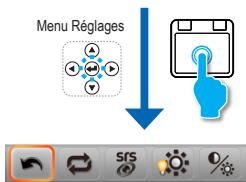
Icône Retour
natural_image
Grid of 16 rectangular panels with a small image in the top-left corner, no text or symbols present.Barre du menu
natural_image
Close-up of pink cherry blossoms with blurred background (no text or symbols visible)natural_image
Close-up of pink cherry blossoms with blurred background (no text or symbols visible)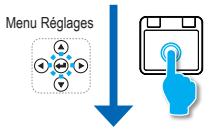
flowchart
graph TD
    A["Menu Réglages"] --> B["↓"]
    B --> C["Hand Icon"]

Icône Retour
Menu Réglages






natural_image
Diagram of an electronic device showing a port with ports and a cable inserted (no text or symbols visible)
natural_image
Sunset over water with city skyline and boats, featuring icons for SRS, weather gear, and camera (no readable text or symbols)COMPATIBILITÉ VGA / MODE VIDÉO
Copyright © Optoma Company Limited.
2420 Meadowpine Blvd., Suite #105
Mississauga, ON, L5N 6S2, Canada
www.optoma.ca
888-289-6786
510-897-8601
services@optoma.com
Amérique latine
3178 Laurelview Ct.
Fremont, CA 94538, USA
www.optomausa.com
888-289-6786
510-897-8601
services@optoma.com
Europe
42 Caxton Way, The Watford Business
Park Watford, Hertfordshire,
WD18 8QZ, UK
www.optoma.eu
Tél. service : +44 (0)1923 691865
+44 (0) 1923 691 800
+44 (0) 1923 691 888
service@tsc-europe.com
Bénélux BV
Randstad 22-123
1316 BW Almere
The Netherlands
www.optoma.nl
+31 (0) 36 820 0253
+31 (0) 36 548 9052
France
Bâtiment E
81-83 avenue Edouard Vaillant
92100 Boulogne Billancourt, France
+33 1 41 46 12 20
+33 1 41 46 94 35
savoptoma@optoma.fr
Espagne
C/ José Hierro,36 Of. 1C 28522
Rivas Vacia Madrid,
Espagne
+34 91 499 06 06
+34 91 670 08 32
Allemagne
Wiesenstrasse 21 W
D40549 Düsseldorf,
Germany
+49 (0) 211 506 6670
+49 (0) 211 506 66799
info@optoma.de
Scandinavie
Lerpeveien 25
3040 Drammen
Norway
PO.BOX 9515
3038 Drammen
Norway
Corée
WOOMI TECH.CO.,LTD.
4F, Minu Bldg. 33-14, Kangnam-Ku,
Seoul,135-815, KOREA
+47 32 98 89 90
+47 32 98 89 99
info@optoma.no
Japon
東京都足立区綾瀬3-25-18
株式会社オーエスエム
12F., No.215, Sec. 3, Beixin Rd.,
Xindian Dist., New Taipei City 231,
Taiwan, R.O.C.
www.optoma.com.tw
info@osscreen.com
www.os-worldwide.com
Hong-Kong
Unit A, 27/F Dragon Centre
79 Wing Hong Street,
Cheung Sha Wan,
Kowloon, Hong Kong
+886-2-8911-8600
+886-2-8911-6550
services@optoma.com.tw
asia.optoma.com
Chine
5F, No. 1205, Kaixuan Rd.,
Changning District
Shanghai, 200052, China
+852-2396-8968
+852-2370-1222
www.optoma.com.hk
+86-21-62947376
+86-21-62947375
www.optoma.com.cn
Brand : OPTOMA
Model : ML1000
Category : Portable projector