ISB202S - Pregnant iLive - Free user manual and instructions
Find the device manual for free ISB202S iLive in PDF.


User questions about ISB202S iLive
0 question about this device. Answer the ones you know or ask your own.
Ask a new question about this device
Download the instructions for your Pregnant in PDF format for free! Find your manual ISB202S - iLive and take your electronic device back in hand. On this page are published all the documents necessary for the use of your device. ISB202S by iLive.
USER MANUAL ISB202S iLive
International Support
To download this User's Guide in English, Spanish, or French, or to get answers to frequently asked questions, visit the support section at www.ilive.net.
Environmental Commitment to ‘Protect for Today and Sustain for Tomorrow’
2009 marked the official launch of DPI, Inc.'s corporate campaign for a greener and cleaner world. DPI is building upon environmental initiatives introduced at all of their facilities to help formulate and sustain significant and important conservation efforts within its manufacturing and marketing communities. In addition to targeting and selecting energy efficient product features, and structuring ‘green office’ procedures, other initial program efforts include:
• Reduction of all packaging sizes
• Recyclable plastics for clamshell packages, with a plan to eventually replace plastic with recyclable paper
• Recycled fiber board in place of the polyfoam in packing boxes
• Recycled plastics in place of the virgin material in product construction
Warnings and Precautions
- WARNING: To prevent fire or shock hazards, do not expose this unit to rain or moisture.
- WARNING: Do not place the unit on top of any soft, porous, or sensitive surfaces to avoid damaging the surface. Use a protective barrier between the unit and surface to protect the surface.
- WARNING : Where the mains plug or appliance coupler is used as the disconnect device, such disconnect device shall remain readily operable.
- Note : This device uses an internal rechargeable lithium-ion battery that should last the lifetime of the device. If you suspect your battery may be dead after several attempts to charge, please contact 1-888-999-4215 for support.
- Never disassemble the unit or attempt to remove the battery as that could cause leakage of an electrolytic substance.
FCC Warnings
WARNING: Changes or modifications to this unit not expressly approved by the party responsible for compliance could void the user's authority to operate the equipment.
NOTE: This equipment has been tested and found to comply with the limits for a Class B digital device, pursuant to Part 15 of the FCC Rules. These limits are designed to provide reasonable protection against harmful interference in a residential installation. This equipment generates, uses, and can radiate radio frequency energy and, if not installed and used in accordance with the instructions, may cause harmful interference to radio communications. However, there is no guarantee that interference will not occur in a particular installation. If this equipment does cause harmful interference to radio or television reception, which can be determined by turning the equipment off and on, the user is encouraged to try to correct the interference by one or more of the following measures:
- Reorient or relocate the receiving antenna.
- Increase the separation between the equipment and receiver.
- Connect the equipment into an outlet on a circuit different from that to which the receiver is connected.
- Consult the dealer or an experienced radio/TV technician for help.
Pairing a Bluetooth Device
- Turn on the unit and press the Pair button. The Pairing Indicator will flash blue quickly.
When pairing, remain within 3 feet of the unit.
- Using the native controls on your Bluetooth device, select the "ISB202" in your Bluetooth settings to pair.
If your device requests a password, enter the default password "0 0 0 0". Refer to the user's manual for your specific device for instructions on pairing and connecting Bluetooth devices.
- When successfully paired and connected, the Pairing Indicator will display a solid blue light and a beep will sound from the unit.
After initial pairing, the unit will stay paired unless unpaired manually by the user or erased due to a reset of the device.
Playing Audio Wirelessly
- Follow the instructions for Pairing a Bluetooth Device.
- Use the native controls on the connected Bluetooth device to select a track.
- To play, pause or skip the selected track, use the native controls on the connected Bluetooth device or press the Play/Pause or Skip buttons.
- Audio played through the connected Bluetooth device will now be heard through the speakers.
- Press and hold the Vol+/Vol- buttons to adjust the volume.
Using the 3.5mm Audio Input
- Plug one end of a 3.5 mm audio input cable (not included) into the 3.5 mm Audio Input on the unit.
- Plug the other end of the cable into the audio output/headphone output on an MP3 Player or other audio source.
- Turn the unit on.
- Audio played through the connected device will now be heard through the speakers.
Note: Any audio being played through a connected Bluetooth Device will cease once the 3.5mm Audio source is connected.

USER'S GUIDE
V:1440-1206-11
natural_image
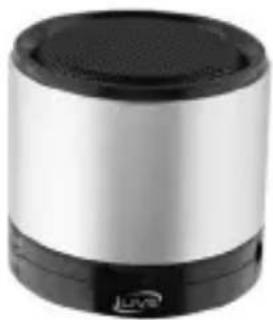
Exterior view of a modern cylindrical device with black and silver casing (no visible text or symbols)ISB202S
Wireless Bluetooth Speaker
For the most up-to-date version of this User's Guide, go to www.iliveelectronics.com
Features
• Built-in Bluetooth speaker
• 3.5mm audio input
- DC battery power: built-in rechargeable lithium ion battery
- Battery life: \~2 hours
- Wireless range: 33 feet
• Supports Bluetooth v2.1 and Enhanced Data Rate (EDR)
- Can be paired up to 8 mobile or audio players
Included
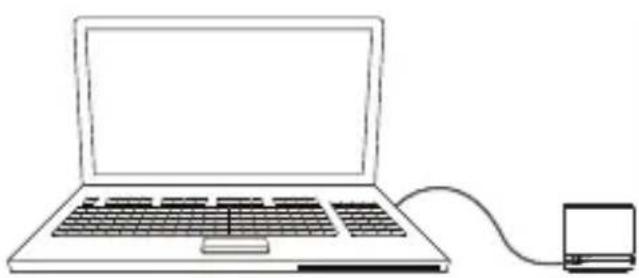
- Mini USB to USB charging cable
- AC Adapter
Power
natural_image
Line drawing of a laptop connected to a small electronic device via cable (no text or symbols)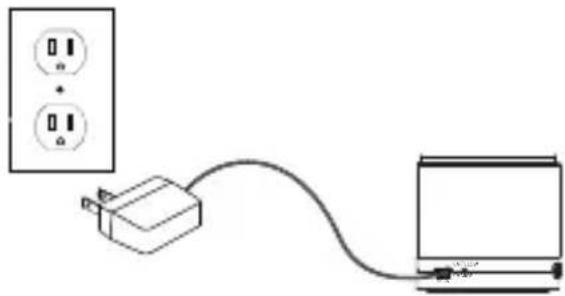
natural_image
Simple line drawing of a power outlet connected to a battery via cable (no text or symbols)USB Power
Requires a Mini USB to USB cable (included).
AC Power
Requires an AC power adapter (included).
Note: PC must not be in sleep mode.
Initial charge time 2 hours using the AC adapter. Please make sure the unit is fully charged before use.
Introduction
text_image
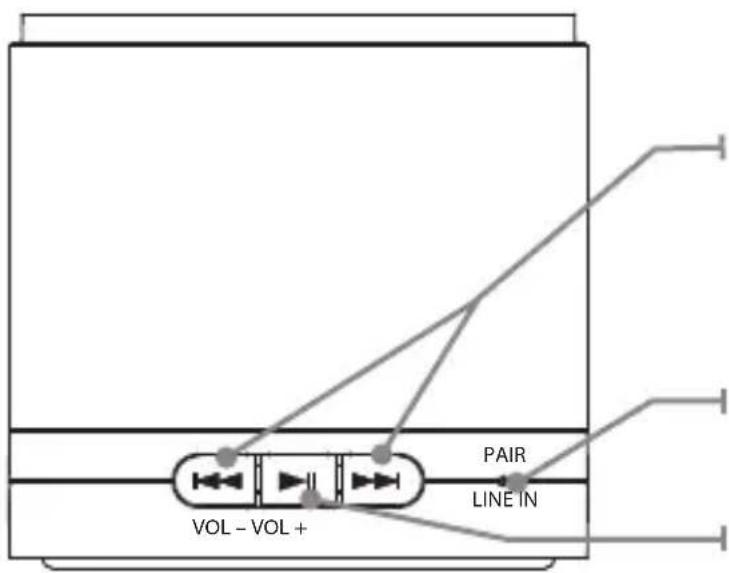
VOL - VOL + PAIR LINE INSkip/Volume
Press to skip between tracks.
Press and hold to increase or decrease the volume.
Pairing/Line Indicator
Play/Pause
Press to play or pause.
Introduction
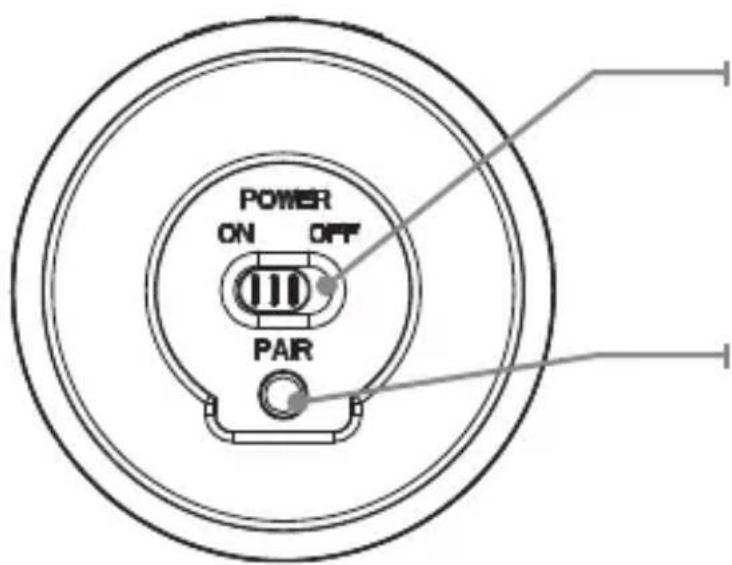
text_image
POWER ON OFF PARPower
Adjust the switch to turn the unit on or off. Always be sure to switch to the OFF position when not in use.
Pair
Press and hold to begin connecting a Bluetooth device.
Introduction

text_image
Mini USB Port Charging Indicator BATT. LOW CHARGE DC INIntroduction

text_image
LINE IN DC IN3.5 mm Audio Input
Requires a 3.5mm audio cable (not included).
Charging Indicator Light
| Status Indicator | |
| Power Off No light | |
| Charging Red light | |
| Fully Charged Green light | |
| Low battery Flashing red light |
Pairing Indicator Lights
| Status Pairing Indicator | |
| Power Off No light | |
| Stand By Slowly flashing blue light | |
| Ready to Pair Quickly flashing blue light | |
| Bluetooth Connected Blue light | |
| Line In Mode Green light |