SSD7184 - NAS Highpoint - Free user manual and instructions
Find the device manual for free SSD7184 Highpoint in PDF.


User questions about SSD7184 Highpoint
0 question about this device. Answer the ones you know or ask your own.
Ask a new question about this device
Download the instructions for your NAS in PDF format for free! Find your manual SSD7184 - Highpoint and take your electronic device back in hand. On this page are published all the documents necessary for the use of your device. SSD7184 by Highpoint.
USER MANUAL SSD7184 Highpoint
natural_image
Green SSD7180 temperature sensor module with cooling fan and drive slots (no text or symbols on the device itself)
natural_image
Green SSD7184 card with a black fan and heatsink, no visible text or symbols on the card surface.Quick Installation Guide
V1.01
SSD7180/SSD7184 Quick Installation Guide (QIG)
This guide includes hardware descriptions of the SSD7180 and SSD7184 NVMe RAID controllers, explains how to safely install NVMe SSD's into each card, and provides a list of certified accessories available for this product series.
The Resource section includes links for additional installation guides, compatibility lists and software updates.
SSD7180 Kit Contents
- SSD7180 Controller Card
- Quick Installation Guide
SSD7184 Kit Contents
- SSD7184 Controller Card
- Quick Installation Guide
Data RAID Prerequisites
Data arrays are used exclusively for storage – they cannot be used to boot a system.
- You must have at least one NVMe SSD installed into the SSD7180/SSD7184 controller.
- The SSD7180/SSD7184 must be installed into a PCIe 3.0 or 4.0 slot with x16 lanes.
- Operating system:
• Windows 10 / Windows 2016 / Windows 2019
• A Linux Distribution with Kernel 3.10 and later
• macOS 10.13 and later
Required Accessories
Certified NVMe cable and enclosure accessories are available directly from HighPoint and our authorized resellers. For more information, please contact our Sales Department (sales@highpoint-tech.com).
-
8643-8639-50 SFF-8643 to U.2 SFF-8639 cables are required to host internal U.2 NVMe SSD configurations. The SSD7180 can support 8 and the SSD7184 can support 4.
-
The SSD7184 requires two 8644-8644-210 SFF-8644 to SFF-8644 cables in order to support external U.2 NVMe SSD's via the RocketStor 6540S.
-
The RocketStor 6540S (RS6540S) is a 4-Bay NVMe U.2 enclosure designed for use with the SSD7184.
SSD7180 Hardware
Front View
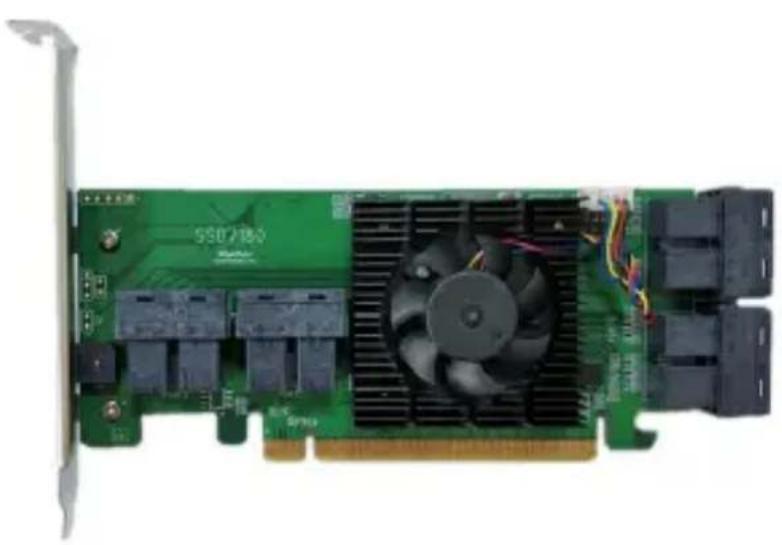
natural_image
Green PCI card with black CPU fan and cooling fins, no visible text or symbols on the card surfaceSSD7184 Hardware
Front View
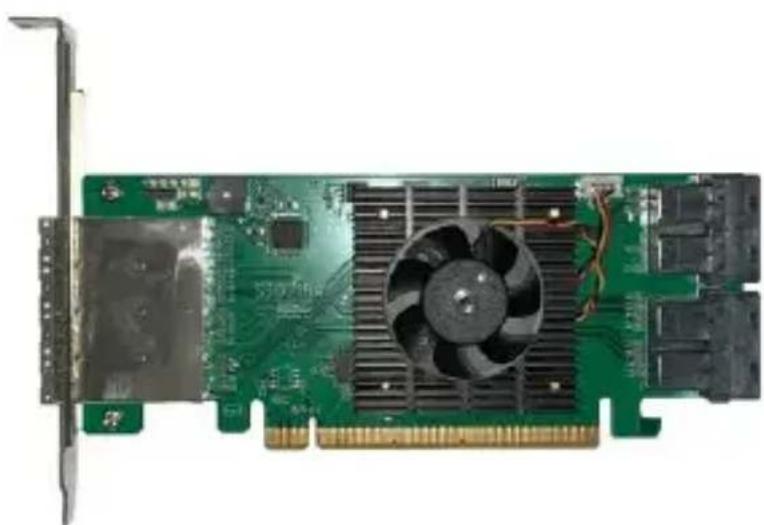
natural_image
Green PCI card with a black CPU fan and heatsink, mounted on a white background (no text or symbols visible)RS6540S Panel Layout-Front View
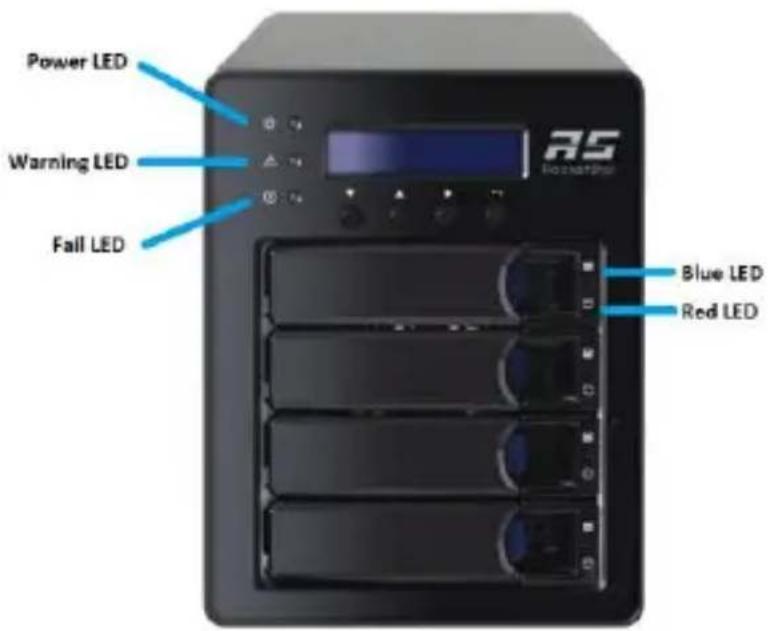
text_image
Power LED Warning LED Fail LED RS Bluetooth Blue LED Red LEDDisk Present LED: Solid Blue
Disk Active LED: Flash Blue
Disk Fail LED: Solid Red
Enclosure Power LED: Solid Blue
Temperature Warning LED: Solid Yellow
Fan/Temperature Fail LED: Solid Red
RS6540S Panel Layout-Rear View

text_image
Kensignton Slot AC Power IN Power Switch Mute Button HD mini-SASU.2 Disk Tray

text_image
Tray intel® UTM2 SSD PUMBOI SERIES 35GB Intel U.2 NVMe SSDSSD7180 Hardware Installation
- The SSD7180 was designed for use with SFF-8643 to U.2 SFF-8639 cables that have 15-pin SATA power connectors. Each of the SSD7180's eight device ports accepts an SFF-8643 cable connection.

text_image
SFF-8643 SFF-8643 SATA-15pin SFF-8639- Shown above is a SFF-8643 to U.2 SFF-8639 cable with a 15-pin SATA power connector. The SFF-8639 port should be connected to
the NVMe SSD's U.2 port. The 15 pin SATA power connector should be connected to the system's power supply.
- Insert the SSD7180 card into one of the motherboard's open PCI-E 3.0 x16 or PCI-E 4.0x16 slots.
- The SSD7180's eight device ports are ordered sequentially; from left to right, and bottom to top:

text_image
port1 port2 port3 port4 port8 port7 port6 port5SSD7184 Hardware Installation
- The SSD7184 provides 4 SFF-8643 connectors on the right-side of the PCB. Each of these ports was designed for use with SFF-8643 to U.2 SFF-8639 cables that have 15-pin SATA power connectors.
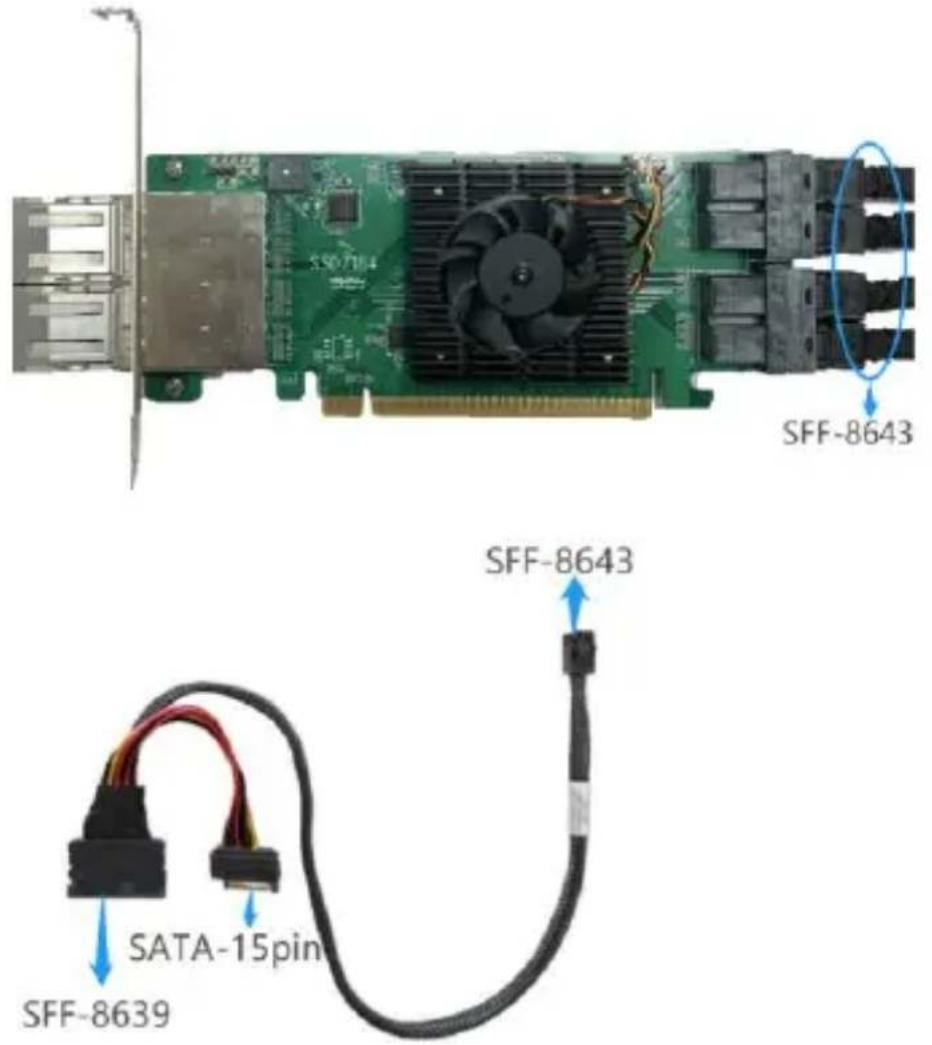
text_image
SFF-8643 SFF-8643 SATA-15pin SFF-8639-
Each cable's SFF-8639 port should be connected to the NVMe SSD's U.2 port. The 15 pin SATA power connector should be connected to the system's power supply.
-
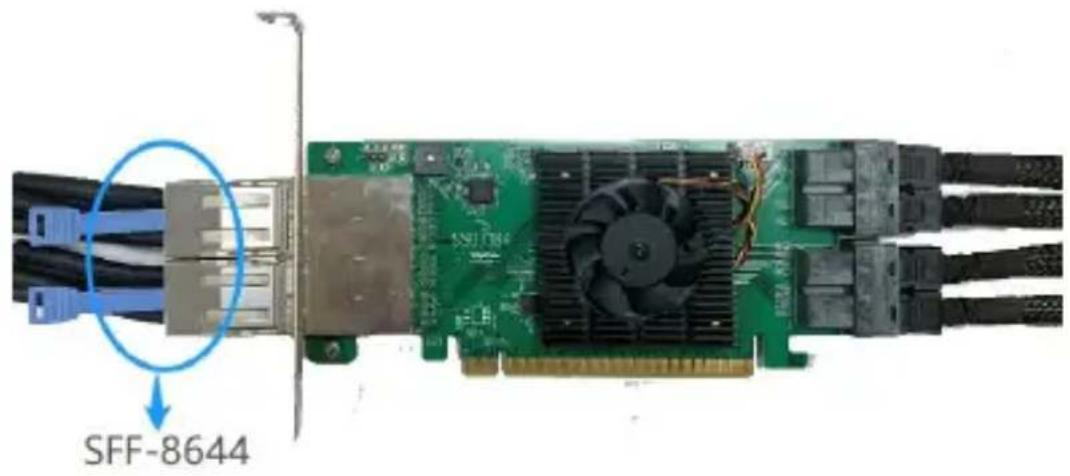
The SSD7184's two external ports are located on the bracket side of the PCB. Each port accepts an SFF-8644 to SFF-8644 cable:
text_image
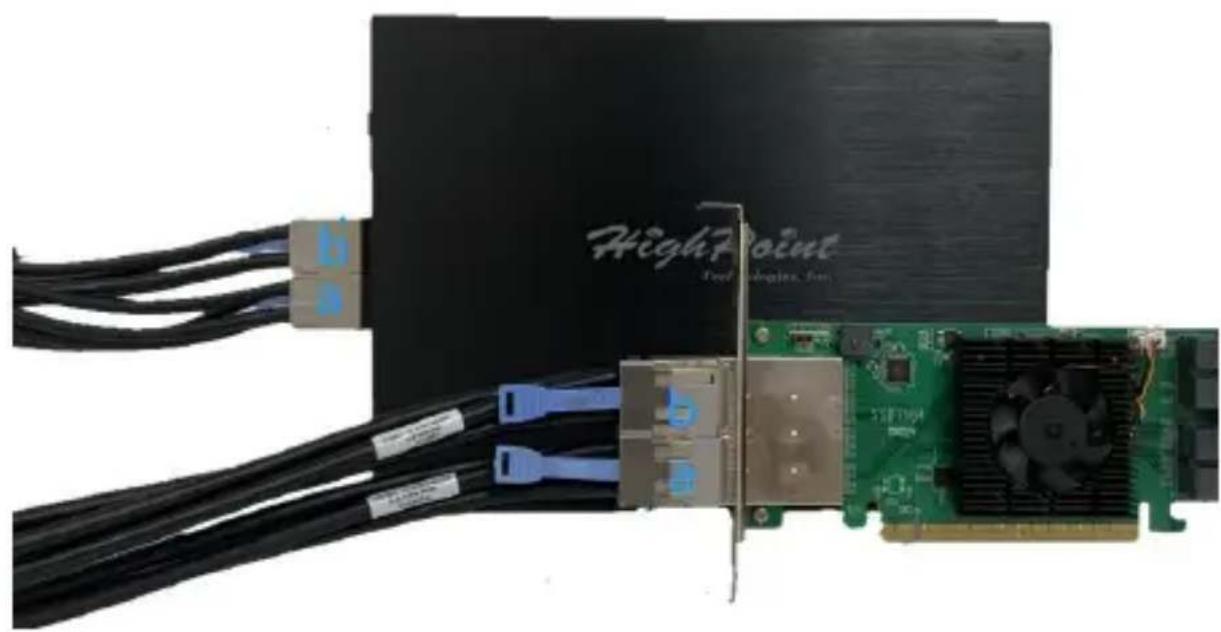
SFF-8644- The second SFF-8644 port of each cable should be connected to the RS6540S as illustrated below (a to a, and b to b): the connection method is as follows:
natural_image
Close-up of a HighPoint processor with connected hardware and a green CPU board (no visible text or symbols)-
Insert the SSD7184 card into one of the motherboard's open PCIe x16 3.0 or PCIe x16 4.0 slots.
-
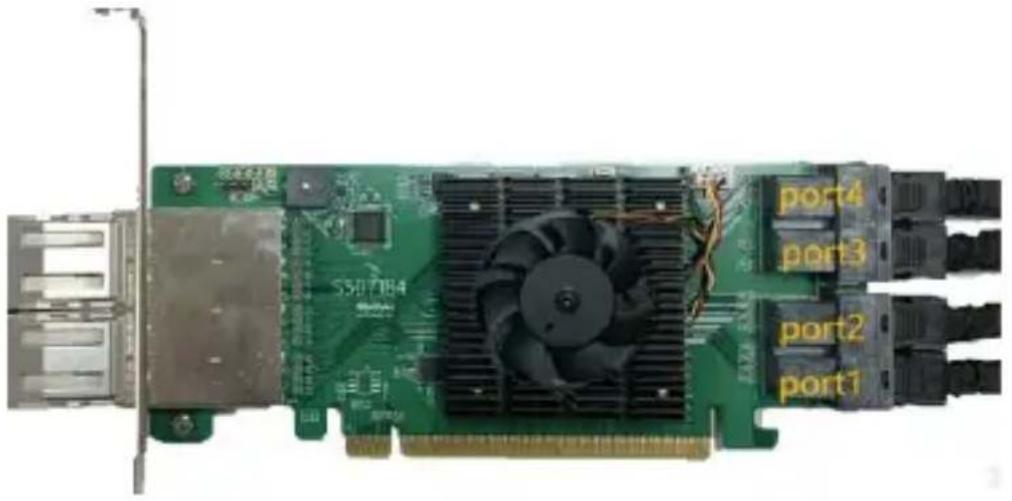
The SSD7184's eight device ports are ordered sequentially;
text_image
S30784 port4 port3 port2 port1SSD7184

text_image
RS Poweritor port8 port7 port6 port5RS6540S
Optional Certified Cable & Enclosure Accessories
| SSD7180 & SSD7184 (Internal) | |
8643-8643-0350 | SFF-8643 NVMe Host to SFF-8643 NVMe HD-Mini-SAS Device (U.2) cableLength: 13.78" (35cm) |
8643-8639-50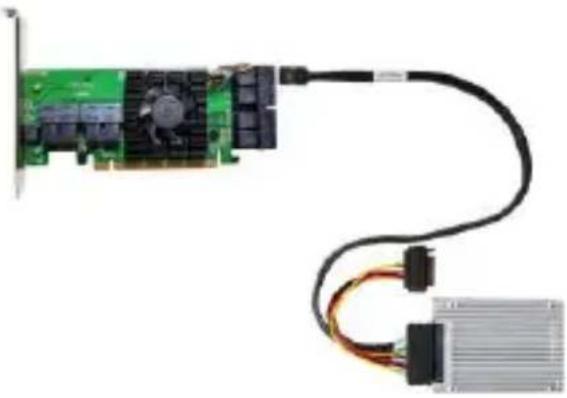 | SFF-8643 to SFF-8639 NVMe HD-Mini-SAS Device (U.2) cable, with Power ConnectorLength: 19" (50cm) |
OLX4-8643-061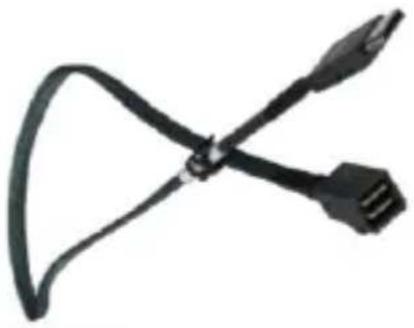 | SFF-8643 NVMe Host to Oculink backplane cableLength: 23.62" (60cm) |
| SSD7184 (External – for use with the RS6540S) | |
8644-8644-210 | SFF-8644 to SFF-8644 cableLength: 39.37” (1M) |
| Enclosure (External – for use with the SSD7184) | |
RS6540S | 4-Bay U.2 NVMe Enclosure |
Resources
A variety of manuals, guides and FAQ's are available for the SSD7180/SSD7184 RAID controller.
In addition, we recommend visiting the Software Downloads webpage for the latest drivers, management interfaces, and installation guides.
Software Download:
SSD7180/SSD7184 Driver, WebGUI, Installation Guides:
https://highpoint-tech.com/USA_new/series-hpc-download.htm
Other Reference / Information:
Motherboard & NVMe SSD Compatibility List
SSD7180 & SSD7184 User Guides
https://highpoint-tech.com/USA_new/series-hpc-resource.htm
Certified Accessories:
https://highpoint-tech.com/USA_new/series-hpc-overview.htm
https://highpoint-tech.com/USA_new/cs-cable_ac.htm
FAQ & Troubleshooting:
https://highpoint-tech.com/USA_new/support-faq-nvme.htm
Customer Support
If you encounter any problems while utilizing the SSD7180/SSD7184 NVMe RAID controllers, or have any questions about HighPoint Technologies, Inc. products & solutions, feel free to contact our Customer Support Department.
Web Support: http://www.highpoint-tech.com/websupport/
HighPoint Technologies, Inc. websites: http://www.highpoint-tech.com
© Copyright 2020 HighPoint Technologies, Inc. All rights reserved.