
AS-BT200 - Audio accessory PIONEER - Free user manual and instructions
Find the device manual for free AS-BT200 PIONEER in PDF.



| Product Type | Bluetooth Adapter |
| Brand | Pioneer |
| Model | AS-BT200 |
| Dimensions (Length x Height x Depth) | 30.5 mm x 9.0 mm x 50 mm |
| Weight | Approx. 11 g |
| Power Supply | DC 5 V (via ADAPTER PORT) |
| Bluetooth Version | Bluetooth Ver. 2.1 + EDR |
| Bluetooth Class | Class 2 |
| Line-of-sight Range | Approx. 10 m |
| Frequency Band | 2.4 GHz |
| Modulation | FH-SS (Frequency Hopping Spread Spectrum) |
| Supported Bluetooth Profiles | A2DP, AVRCP, SPP |
| Supported Audio Codec | SBC (Sub-band Codec) |
| Content Protection | SCMS-T |
| Compatibility | Compatible with AS-BT100 and supported devices with an ADAPTER PORT |
| Main Functions | Wireless music playback, remote control operation |
| Care and Cleaning | Dry or soft cloth dampened with water and mild detergent (5:1) |
| Safety | Do not open, avoid water, household use only |
| Spare Parts and Repairability | No user-serviceable parts, refer to qualified personnel |
| General Information | 60-page user manual available for free download |
Frequently Asked Questions - AS-BT200 PIONEER
User questions about AS-BT200 PIONEER
0 question about this device. Answer the ones you know or ask your own.
Ask a new question about this device
Download the instructions for your Audio accessory in PDF format for free! Find your manual AS-BT200 - PIONEER and take your electronic device back in hand. On this page are published all the documents necessary for the use of your device. AS-BT200 by PIONEER.
USER MANUAL AS-BT200 PIONEER
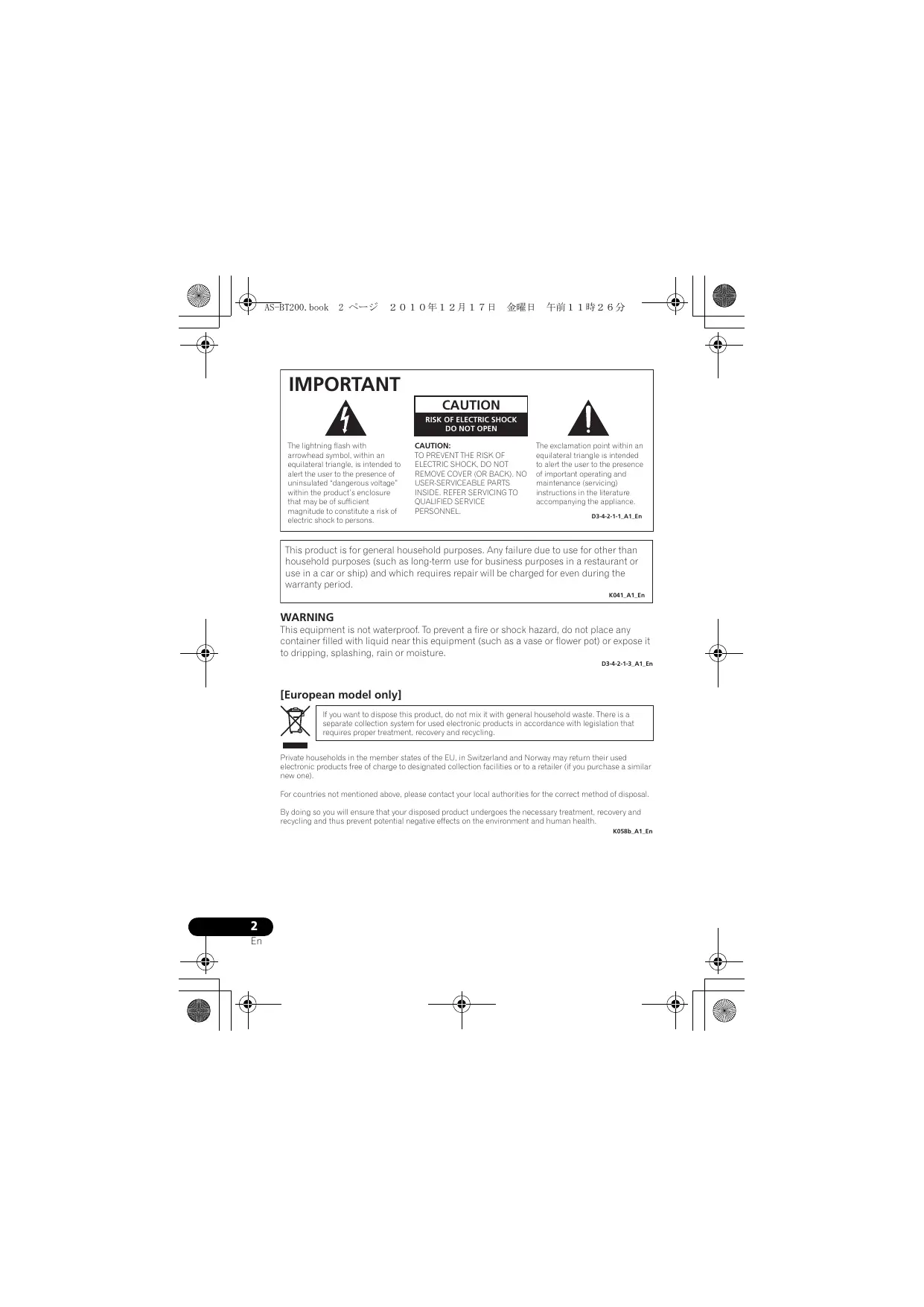
The lightning flash with arrowhead symbol, within an equilateral triangle, is intended to alert the user to the presence of uninsulated “dangerous voltage” within the product’s enclosure that may be of sufficient magnitude to constitute a risk of electric shock to persons.
CAUTION
RISK OF ELECTRIC SHOCK DO NOT OPEN
CAUTION:
TO PREVENT THE RISK OF ELECTRIC SHOCK, DO NOT REMOVE COVER (OR BACK). NO USER-SERVICEABLE PARTS INSIDE. REFER SERVICING TO QUALIFIED SERVICE PERSONNEL.

The exclamation point within an equilateral triangle is intended to alert the user to the presence of important operating and maintenance (servicing) instructions in the literature accompanying the appliance.
D3-4-2-1-1_A1_En
This product is for general household purposes. Any failure due to use for other than household purposes (such as long-term use for business purposes in a restaurant or use in a car or ship) and which requires repair will be charged for even during the warranty period.
K041_A1_En
WARNING
This equipment is not waterproof. To prevent a fire or shock hazard, do not place any container filled with liquid near this equipment (such as a vase or flower pot) or expose it to dripping, splashing, rain or moisture.
D3-4-2-1-3_A1_En
[European model only]
![PIONEER AS-BT200 - [European model only] - 1](/content/2019/11/119014/images/654e79a3aa3f48eea748a1a7c367be63da06d8279ee8101b8c1173fcc9977e64.jpg)
If you want to dispose this product, do not mix it with general household waste. There is a separate collection system for used electronic products in accordance with legislation that requires proper treatment, recovery and recycling.
Private households in the member states of the EU, in Switzerland and Norway may return their used electronic products free of charge to designated collection facilities or to a retailer (if you purchase a similar new one).
For countries not mentioned above, please contact your local authorities for the correct method of disposal.
By doing so you will ensure that your disposed product undergoes the necessary treatment, recovery and recycling and thus prevent potential negative effects on the environment and human health.
K058b_A1_En
[U.S. model only]
Information to User
Alterations or modifications carried out without appropriate authorization may invalidate the user's right to operate the equipment.
D8-10-2_A1_En
NOTE:
This equipment has been tested and found to comply with the limits for a Class B digital device, pursuant to Part 15 of the FCC Rules. These limits are designed to provide reasonable protection against harmful interference in a residential installation. This equipment generates, uses, and can radiate radio frequency energy and, if not installed and used in accordance with the instructions, may cause harmful interference to radio communications. However, there is no guarantee that interference will not occur in a particular installation. If this equipment does cause harmful interference to radio or television reception, which can be determined by turning the equipment off and on, the user is encouraged to try to correct the interference by one or more of the following measures:
— Reorient or relocate the receiving antenna.
— Increase the separation between the equipment and receiver.
— Connect the equipment into an outlet on a circuit different from that to which the receiver is connected.
— Consult the dealer or an experienced radio/TV technician for help.
D8-10-1-2_A1_En
CAUTION
This product satisfies FCC regulations when shielded cables and connectors are used to connect the unit to other equipment. To prevent electromagnetic interference with electric appliances such as radios and televisions, use shielded cables and connectors for connections.
D8-10-3a_A1_En
[Canadian model only]
This Class B digital apparatus complies with Canadian ICES-003.
D8-10-1-3_A1_En
Thank you for buying this Pioneer product.
Please read through these operating instructions so you will know how to operate your model properly. After you have finished reading the instructions, put them away in a safe place for future reference.
Register your product at
http://www.pioneerelectronics.com (US)
http://www.pioneerelectronics.ca (Canada)
- Protect your new investment
The details of your purchase will be on file for reference in the event of an insurance claim such as loss or theft. - Receive free tips, updates and service bulletins on your new product
- Improve product development
Your input helps us continue to design products that meet your needs. - Receive a free Pioneer newsletter
Registered customers can opt in to receive a monthly newsletter.
Discover the benefits of registering your product online at http://www.pioneer.co.uk (or http://www.pioneer.eu).
Radio wave caution
This unit uses a 2.4 GHz radio wave frequency, which is a band used by other wireless systems (see list below). To prevent noise or interrupted communication, do not use this unit nearby such devices, or make sure these devices are switched off during use.
- Cordless phones
- Cordless facsimiles
- Microwave ovens
• Wireless LAN devices (IEEE802.11b/g) - Wireless AV equipment
- Wireless controllers for game systems
• Microwave-based health aids - Some baby monitors
Other, less common, equipment that may operate on the same frequency:
- Anti-theft systems
- Amateur radio stations (HAM)
- Warehouse logistic management systems
• Discrimination systems for train or emergency vehicles

Note
- In the event noise appears in your television image, there is the possibility that a Bluetooth® wireless technology enabled device or this unit (including products supported by this unit) are causing signal interference with the antenna input connector of your television, video, BS tuner, CS tuner, etc. In this event, increase the distance between the antenna input connector and the Bluetooth wireless technology enabled device or this unit (including products supported by this unit).
- If there is something obstructing the path between this unit (including devices supported by this unit) and the device equipped with Bluetooth wireless technology (such as a metal door, concrete wall, or insulation containing tinfoil), you may need to change the location of your system to prevent signal noise and interruptions.
Scope of operation
Use of this unit is limited to home use. (Transmission distances may be reduced depending on communication environment).
In the following locations, poor condition or inability to receive radio waves may cause the audio to be interrupted or stopped:
- In reinforced concrete buildings or steelframed or iron-framed buildings.
• Near large metallic furniture. - In a crowd of people or near a building or obstacle.
- In a location exposed to the magnetic field, static electricity or radio wave interference from radio communication equipment using the same frequency band (2.4 GHz) as this unit, such as a 2.4 GHz wireless LAN device (IEEE802.11b/g) or microwave oven.
- If you live in a heavily populated residential area (apartment, townhouse, etc.) and if your neighbor's microwave is placed near your system, you may experience radio wave interference. If this occurs, move your unit to a different place. When the microwave is not in use, there will be no radio wave interference.
Radio wave reflections
The radio waves received by this unit include the radio wave coming directly from the device equipped with Bluetooth wireless technology (direct wave) and waves coming from various directions due to reflections by walls, furniture and building (reflected waves). The reflected waves (due to obstacles and reflecting objects) further produce a variety of reflected waves as well as variation in reception condition depending on locations. If the audio cannot be received properly due to this phenomenon, try moving the location of the device equipped with Bluetooth wireless technology a little. Also note that audio may be interrupted due to the reflected waves when a person crosses or approaches the space between this unit and the device equipped with Bluetooth wireless technology.
Precautions regarding connections to products supported by this unit
- Complete connections for all devices supported by this unit, including all audio cords and power cables before connecting them to this unit.
• After completing connections to this unit, check the audio and power cables to confirm that they not twisted together. - When disconnecting this unit, confirm that you have sufficient working space in the surrounding area.
- When changing connections of audio or other cables for products supported by this unit, confirm that you have sufficient working space in the surrounding area.

CAUTION
- Always connect this unit to the ADAPTER PORT of the product supported by this unit. If connections are made to a connector other than the ADAPTER PORT of the supported product, malfunctions or damage may result to this unit or the supported product.
- Please note that Pioneer is not responsible for damages that result from connecting this unit to a connector other than the ADAPTER PORT of a supported product.
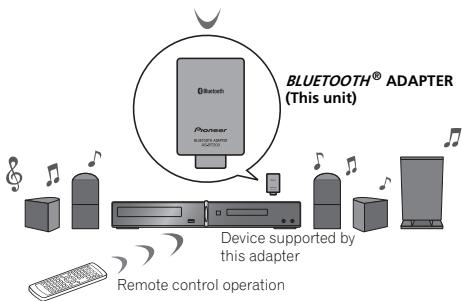
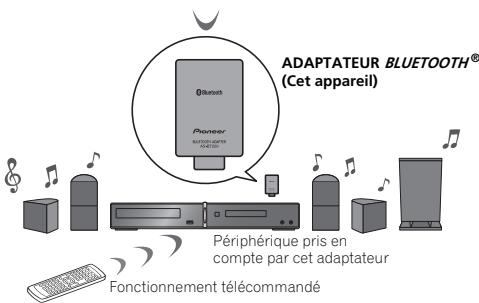
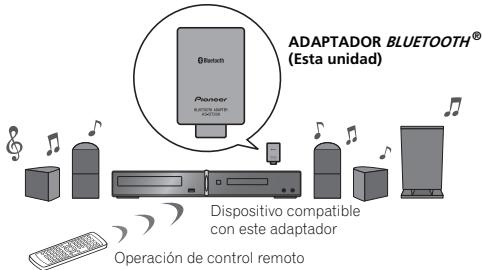
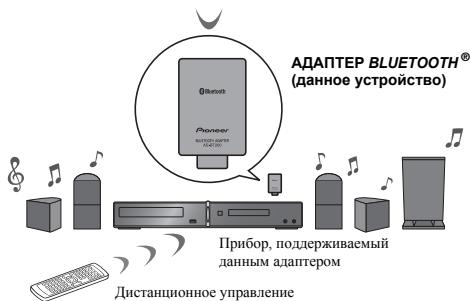
What can you do with this adapter?
Wireless music play
When this unit is connected to a supported device, a product equipped with Bluetooth wireless technology (portable cell phone, digital music player, etc.) can be used to listen to music wirelessly ^1 . Also, by using a commercially available transmitter supporting Bluetooth wireless technology, you can listen to music on a device not equipped with Bluetooth wireless technology. This unit supports SCMS-T contents protection, so music can also be enjoyed on devices equipped with SCMS-T type Bluetooth wireless technology.
Remote control operation
A remote supported by this unit allows you to perform play, stop and other operations. ^2
Bluetooth wireless technology enabled device: cell phone
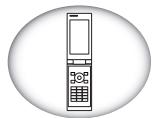
natural_image
Line drawing of a mobile phone with a vertical screen and keypad, enclosed in an oval frame (no text or symbols)Bluetooth wireless technology enabled device: Digital music player
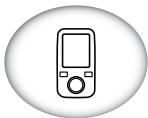
natural_image
Simple line drawing of a mobile phone inside an oval frame (no text or symbols)Devices not equipped with Bluetooth wireless technology: Digital music player +
Bluetooth ^® audio transmitter (sold commercially)
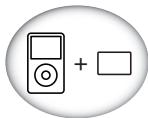
natural_image
Simple icon showing a music player next to a square, no text or symbols presentMusic data

Note
1 It must be necessary that the Bluetooth wireless technology enabled device supports A2DP profiles.
2 • It must be necessary that the Bluetooth wireless technology enabled device supports AVRCP profiles.
- Remote control operations cannot be guaranteed for all Bluetooth wireless technology enabled devices.
To listen to music

CAUTION
- When performing connections, always turn off power to the supported device first.
- In the event this unit does not operate properly, turn off power to the supported device, then check its connections to this unit. Also, consult the operating instructions for the supported device.
1 Connect this unit to the ADAPTER PORT of the supported device.
2 Turn on power to the supported device.
3 Perform Bluetooth pairing.
Register this unit and the device connected by Bluetooth wireless technology.
4 Connect to a device equipped with Bluetooth wireless technology.
Begin playback of music on the device connected to this unit with Bluetooth wireless technology.
For details regarding pairing and operation, consult the operating instructions for the device supported by this unit.

Note
- This Bluetooth ADAPTER AS-BT200 is compatible with the earlier Bluetooth ADAPTER AS-BT100, so it can be used with products supported by that unit. When reading instruction manuals for products supported by the AS-BT100, merely read "AS-BT200" in place of AS-BT100.
- This unit complies with Bluetooth Specifications Ver. 2.1. When this unit and another device equipped with Bluetooth wireless technology both comply with Bluetooth Specification Ver. 2.1, pairing of the two may be possible without the need for inputting a "passcode" (PIN code).
- While using this unit via a Bluetooth connection to listen to music on a device equipped with Bluetooth wireless technology, do not make another Bluetooth connection between that device and any other device. If the Bluetooth wireless technology-equipped device already has a Bluetooth connection with some device other than this unit, disconnect that device before connecting this unit.
About Bluetooth wireless technology
- Bluetooth wireless technology is a short-range wireless technology designed to allow communication between digital devices. Since radio waves are used, the communicating devices do not need to be facing each other.
- The Bluetooth® word mark and logos are registered trademarks owned by Bluetooth SIG, Inc. and any use of such marks by Pioneer Corporation is under license. Other trademarks and trade names are those of their respective owners.
Glossary
- Pairing:
To preregister the devices to be connected using Bluetooth wireless technology.
• A2DP (Advanced Audio Distribution Profile)
A profile used to transmit audio using Bluetooth wireless technology.
• AVRCP (Audio/Video Remote Control Profile)
A profile used for remote control of an AV device using Bluetooth wireless technology.
• SCMS-T
A form of contents protection used by Bluetooth wireless technology.
Additional Information
Specifications
Power.....DC 5 V
Version Bluetooth Specification Ver. 2.1 + EDR
Output Bluetooth Specification Class 2
Estimated line-of-sight transmission distance* .... About 10 m
Frequency range 2.4 GHz
Modulation.... FH-SS (Frequency Hopping Spread Spectrum)
Supported Bluetooth profiles....A2DP, AVRCP, SPP
Supported Codec SBC (Subband Codec)
Supported contents protection .... SCMS-T
External dimensions 30.5 mm (W) x 9.0 mm (H) x 50 mm (D)
1 1/4 in. (W) x 3/8 in. (H) x 2 in. (D)
Weight ....About 11 g/0.4 oz
* The line-of-sight transmission distance is an estimate. Actual transmission distances supported may differ depending on surrounding conditions.

Note
Specifications and design subject to modification without notice.
Cleaning the unit
Use a polishing cloth or dry cloth to wipe off dust and dirt.
When the surface is dirty, wipe with a soft cloth dipped in some neutral cleanser diluted five or six times with water, and wrung out well, and then wipe again with a dry cloth. Do not use furniture wax or cleansers.
Never use thinners, benzine, insecticide sprays or other chemicals on or near this unit, since these will corrode the surface.
Published by Pioneer Corporation. Copyright © 2010 Pioneer Corporation. All rights reserved.
IMPORTANT

natural_image
Line drawing of a mobile phone with a vertical screen and keypad, enclosed in an oval frame (no text or symbols)
natural_image
Simple line drawing of a mobile phone inside a rounded circle (no text or symbols)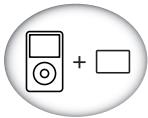
natural_image
Simple icon showing a music player next to a blank rectangle, enclosed in an oval (no text or symbols)Données musicales
Publication de Pioneer Corporation.
© 2010 Pioneer Corporation.
natural_image
Line drawing of a mobile phone with keypad and front panel (no text or symbols)natural_image
Simple line drawing of a mobile phone inside a circular frame (no text or symbols)natural_image
Simple icon showing a music player next to a blank rectangle, enclosed in an oval (no text or symbols)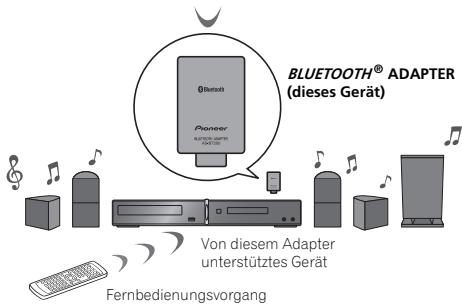
Copyright © 2010 Pioneer Corporation.
natural_image
Line drawing of a mobile phone with a vertical screen and keypad, enclosed in a circular frame (no text or symbols)natural_image
Simple line drawing of a mobile phone inside a rounded circle (no text or symbols)natural_image
Simple icon showing a music player next to a blank rectangle, enclosed in a circle (no text or symbols)Datos musicales
natural_image
Line drawing of a mobile phone with a screen and keypad, enclosed in an oval frame (no text or symbols)
natural_image
Simple line drawing of a mobile phone inside a rounded circle (no text or symbols)
natural_image
Simple icon showing a music player next to a blank rectangle, enclosed in an oval (no text or symbols)Музыкальные данные
Издано Pioneer Corporation.
© Pioneer Corporation, 2010
Все права защищены.
The Safety of Your Ears is in Your Hands
Get the most out of your equipment by playing it at a safe level – a level that lets the sound come through clearly without annoying blaring or distortion and, most importantly, without affecting your sensitive hearing. Sound can be deceiving. Over time, your hearing “comfort level” adapts to higher volumes of sound, so what sounds “normal” can actually be loud and harmful to your hearing. Guard against this by setting your equipment at a safe level BEFORE your hearing adapts.
ESTABLISH A SAFE LEVEL:
- Set your volume control at a low setting.
- Slowly increase the sound until you can hear it comfortably and clearly, without distortion.
- Once you have established a comfortable sound level, set the dial and leave it there.
BE SURE TO OBSERVE THE FOLLOWING GUIDELINES:
- Do not turn up the volume so high that you can't hear what's around you.
- Use caution or temporarily discontinue use in potentially hazardous situations.
- Do not use headphones while operating a motorized vehicle; the use of headphones may create a traffic hazard and is illegal in many areas.
S001a_A1_En
EU Representative's:
Pioneer Europe NV
Haven 1087, Keetberglaan 1, 9120 Melsele, Belgium http://www.pioneer.eu
CE
English:
Hereby, Pioneer, declares that this AS-BT200 is in compliance with the essential requirements and other relevant provisions of Directive 1999/5/EC.
Suomi:
Notice to users in singapore
This product complies with IDA standards.
Complies with IDA Standards DB03074
To register your product, find the nearest authorized service location, to purchase replacement parts, operating instructions, or accessories, please go to one of following URLs :
http://www.pioneerelectronics.com
In Canada/Aux Canada
http://www.pioneerelectronics.ca
S018_B1_EnFr
Примечание:
Published by Pioneer Corporation.
Copyright © 2010 Pioneer Corporation.
All rights reserved.
Publication de Pioneer Corporation.
© 2010 Pioneer Corporation.
PIONEER ELECTRONICS (USA) INC.
P.O. BOX 1540, Long Beach, California 90801-1540, U.S.A. TEL: (800) 421-1404
PIONEER ELECTRONICS OF CANADA, INC.
300 Allstate Parkway, Markham, Ontario L3R 0P2, Canada TEL: 1-877-283-5901, 905-479-4411
PIONEER EUROPE NV
Haven 1087, Keetberglaan 1, B-9120 Melsele, Belgium TEL: 03/570.05.11
PIONEER ELECTRONICS ASIACENTRE PTE. LTD.
253 Alexandra Road, #04-01, Singapore 159936 TEL: 65-6472-7555
PIONEER ELECTRONICS AUSTRALIA PTY. LTD.
5 Arco Lane, Heatherton, Victoria, 3202, Australia, TEL: (03) 9586-6300
PIONEER ELECTRONICS DE MEXICO S.A. DE C.V.
Blvd.Manuel Avila Camacho 138 10 piso Col.Lomas de Chapultepec, Mexico, D.F. 11000 TEL: 55-9178-4270
K002_B3_Ru

- CAUTION
- RISK OF ELECTRIC SHOCK DO NOT OPEN
- CAUTION:
- WARNING
- [European model only]
- [U.S. model only]
- Information to User
- NOTE:
- [Canadian model only]
- Register your product at
- http://www.pioneerelectronics.com (US)
- http://www.pioneerelectronics.ca (Canada)
- Radio wave caution
- Note
- Scope of operation
- Radio wave reflections
- Precautions regarding connections to products supported by this unit
- What can you do with this adapter?
- Wireless music play
- Remote control operation
- To listen to music
- About Bluetooth wireless technology
- Glossary
- Additional Information
- Specifications
- Cleaning the unit
- IMPORTANT
- The Safety of Your Ears is in Your Hands
- ESTABLISH A SAFE LEVEL:
- BE SURE TO OBSERVE THE FOLLOWING GUIDELINES:
- Pioneer Europe NV
- CE
- English:
- Suomi:
- Notice to users in singapore
- In Canada/Aux Canada
- Примечание:
- PIONEER ELECTRONICS (USA) INC.
- PIONEER ELECTRONICS OF CANADA, INC.
- PIONEER ELECTRONICS ASIACENTRE PTE. LTD.
- PIONEER ELECTRONICS AUSTRALIA PTY. LTD.
- PIONEER ELECTRONICS DE MEXICO S.A. DE C.V.
Brand : PIONEER
Model : AS-BT200
Category : Audio accessory