Aqua Wonder - Smartphone INTEX - Free user manual and instructions
Find the device manual for free Aqua Wonder INTEX in PDF.


| Product Type | Smartphone |
| Brand | Intex |
| Model | Aqua Wonder |
| Dimensions | 143 x 72 x 9.5 mm |
| Weight | 150 g |
| Display Size | 5.0 inches |
| Display Resolution | 854 x 480 pixels |
| Processor | Quad-core 1.3 GHz |
| RAM | 1 GB |
| Internal Storage | 8 GB |
| Expandable Storage | MicroSD up to 32 GB |
| Operating System | Android 6.0 Marshmallow |
| Battery Capacity | 2000 mAh |
| Battery Type | Li-Ion, removable |
| Rear Camera | 5 MP with flash |
| Front Camera | 2 MP |
| Connectivity | 3G, Wi-Fi 802.11 b/g/n, Bluetooth 4.0, GPS |
| Sensors | Accelerometer, Proximity |
| SIM | Dual SIM (Micro-SIM, dual stand-by) |
| Ports | Micro USB 2.0, 3.5 mm headphone jack |
| Navigation Keys | Capacitive touch |
| Colors Available | Black, White |
| Box Contents | Phone, Battery, Charger, USB Cable, User Manual |
Frequently Asked Questions - Aqua Wonder INTEX
User questions about Aqua Wonder INTEX
0 question about this device. Answer the ones you know or ask your own.
Ask a new question about this device
Download the instructions for your Smartphone in PDF format for free! Find your manual Aqua Wonder - INTEX and take your electronic device back in hand. On this page are published all the documents necessary for the use of your device. Aqua Wonder by INTEX.
USER MANUAL Aqua Wonder INTEX
Dear INTEX customer:
Congratulations on becoming a proud owner of INTEX product. You have now joined the fraternity of millions of sased INTEX customers spread across the globe. Intex Technologies is one of the fastest growing IT Hardware, Mobile Phones and Electronics Company. A well established brand, INTEX has kept pace with the technology needs of millions of IT hardware & electronics consumers and has been serving them with more than 300 user friendly, high quality, state-of-the-art yet simple products/soluons. The products have been in the market since 1996 and conform to global standards.
Brand INTEX covers a wide range of computer peripherals and accessories such as Computer Mulmedia speakers, Cabinets, Keyboards, Mouse, UPS, Add-on cards, Webcams, Headphones, Laptop bags, etc. As a part of its diversicaon strategy, Intex also offers an interesting range of PCs, TFT-LCD Monitors, Consumer Electronics (DVD Players), Home UPS & Mobile Phones.
Every INTEX product goes through a rigorous process of sample evaluaon and approval before commercial launch. Customers look upon the brand as a value-for-money & feature-rich oering, supported by ecient aer sales service.
We look forward to your patronage.
It would be our pleasure to receive feedback and suggests you may have for improvements in the product(s) you are using. Intex Technologies (I) Ltd info@intextechnologies.com www.intextechnologies.com
Helpline No. 1800-103-8822 (India)
Intex Way Gulf LLC; service@intexuae.com;
www.intexuae.com
Toll Free No. 800-468-39823 (Dubai); Tel: 00971 043931991
SAFETY TIPS
■ Use of wireless hands-free system (headphone, headset) with a low power Bluetooth emier.
■ Make sure the cell phone has a low SAR.
- Keep your calls short or send a text message (SMS) (instead. This advice applies especially to children, adolescents and pregnant women.
■ Use cell phone when the signal quality is good.
■ People having acve medical implants should preferably keep the cell phone at least 15 cm away from the implant.
CONTENT
Safety Precauon 5
Welcome 7
Get Started 8
Insert SIM card 8
Insert Memory card....8
Charge the Baery or Connect to a Computer ...... 9
Keys and Parts 10
Lock and Unlock the Screen 11
Make it yours.... 12
Add Widgets and more icons to Home Screen..... 13
Adding widgets and icons to home screen 13
Rearranging or removing widgets and icons on your Home screen 13
Enter Launcher.... 14
Open and Switch Applicaons 14
Switch to Recently Used Applicaon 14
Make a Call....15
Call Log 16
Reject a Call by Sending a Busy Message .... 17
Add a Contact 17
Send and Receive Message(s) 18
Browse the Web 20
Enjoy Music 21
Download Applicaons From Android Market ..... 22
Manage Applicaons/ Move to SD card 23
Maintenance and Safety...... 24
Technical Informaon 25
For your safety and proper use of the mobile phone, please read the following guidelines carefully:
Do not switch the mobile phone on when close to chemical factory, gas station or other explosive objects.
While diving, please use headset for safety purposes, unless otherwise in emergency, always stop the car on roadside to have a call conversation.
Because the use of the mobile phone can cause interference in the aircraft, never use the mobile phone in an aircraft. The use of the mobile phone is dangerous and illegal; do switch off the mobile phone before boarding.
Pay special attention to the use of the mobile phone near heart pacemaker, deaf aid and some other medical equipment, because the mobile phone can cause interference with them.
■ Non genuine accessories will harm your device and could result in warranty cancellation.
Do not dismantle the mobile phone without permission. In case offailure, please contact the supplier as soon as possible.
Do not plug the charger into the mobile phone and charge without battery. Always power off the mobile phone when taking out the battery; otherwise the memory of the phone may be damaged.
When charging the mobile phone, always keep it in the place with good ventilation, heat sink and away from flammable and explosive objects.
In order to avoid demagnetization, always keep the mobile phone away from magnetic objects such as CD, credit card etc.
■ En sure the mobile phone not to contact any liquid; once such case occurs, remove the battery and contact the supplier immediately.
Do not use the mobile phone in three environment with too high or too low temperature, never expose the mobile phone under strong sunshine or too wet environment. The suitable temperature for the phone and accessories is 0^ C - 40^ C. The height to use the phone shall be less than 2,000m.
Do not use liquid or wet doth with a strong cleanser to clean the mobile phone.
This mobile phone has video shooting and audio recording functions, which shall be used as per the related laws and regulations
■ Always keep the mobile phone out of children's reach. Do not throw or vibrate the mobile phone because violent treatment to the mobile phone may damage the inner circuits and precise structures
Please do not discard the waste battery into general household garbage. Please deal with the waste battery according to the provisions.
Warning: Company will not bear any responsibility for any compliance with the above guidelines or improper use of the mobile phone. Company keeps the right to make modifications to any of the content here in this user guide without public announcement in advance. The
content of this manual may vary from the actual content displayed on a mobile phone. In such case, the latter shall govern.
WEL CO ME
Congratulations on becoming the proud owner of the INTEX Aqua Wonder Android mobile phone. You have now joined the millions of satisfied INTEX customers spread across the Globe. Your Aqua Wonder device offers you these exciting features and much more:
Android 4.1 Operating System
Dimensions (H×W×D):133.2 x 67.9x8.9mm
Weight:91g/125g(with battery)
Back Camera: 8.0M
Front camera: 1.3M
Travel Charger AC Adaptor: 500mA h
G SM / WCDMA band: 900MHz 1800MHz, 2100MHz
Motion Sensor, Proximity Sensor and light sensor
Lithium battery
Rated capacity: 3.7V1800 mAh
Continuous standby duration: (Relates to network status) 2.28 hours
Continuous conversation duration: (Relates to network status) 982 min
Please refer to their labels for other data related to the battery and the charger.
GET STARTED
INSE RT SIM CARD
The phone is a Dual SIM mobile phone allowing you to use the facility of tw one tw orks.
To insert SIM card(s):
- Switch off the mobile phone and remove the rear cover and battery.
- h set the SIM card correctly in the card slot(s) (See figure below)
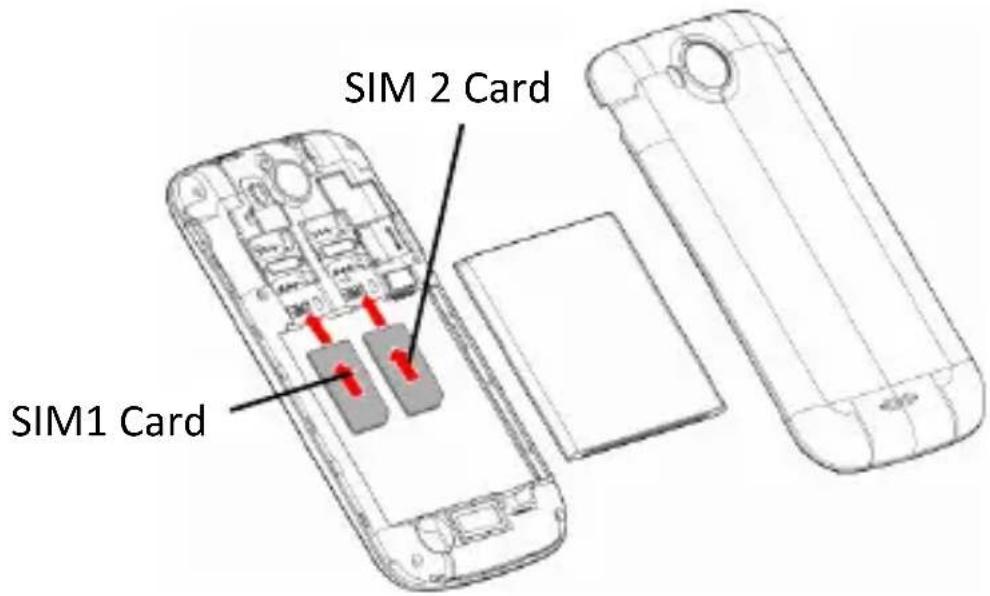
- Finally insert the battery and replace the rear cover of the mobile phone.
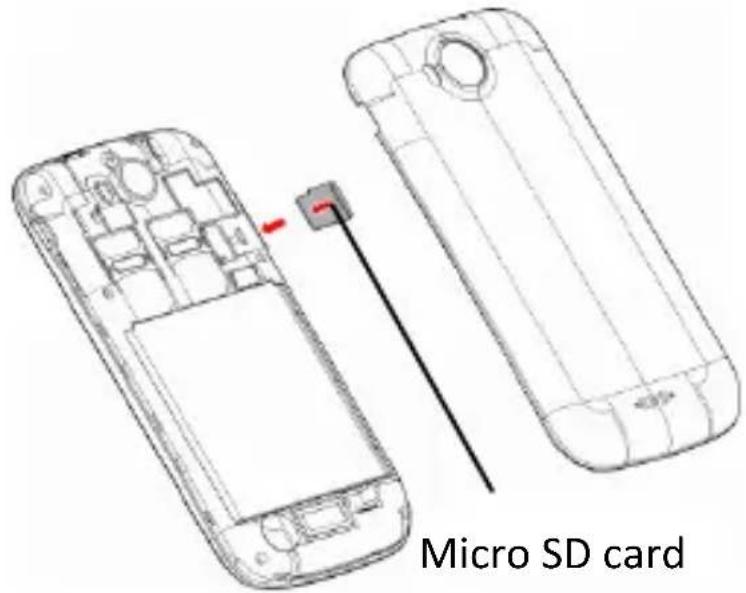
IN SE RT ME MO RY CA RD
- Power off the mobile phone and remove the rear cover and battery.
- Insert the Micro SD card into the slot.
- Finally insert the battery and the rear cover of the mobile phone.
Note: After user inserts the Micro SD card into the slot, you must reboot the mobile phone; otherwise the mobile phone will not identify the MicroSD card.
Use only compatible memory cards for use with this device. Incompatible memory cards may damage the card or the device and corrupt the data stored in the card.
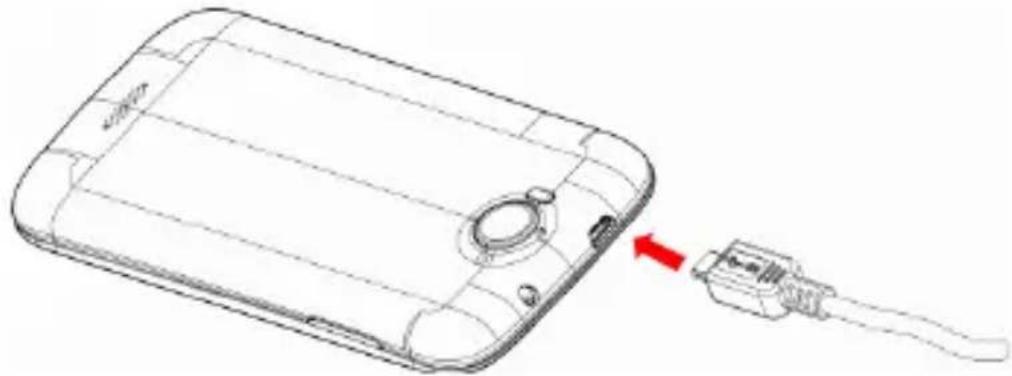
CHARGE THE BATTERY OR CONNECT TO A COMPUTER
You can charge your battery using the charger or connect the USB cable (supplied with this phone) to the computer.
Note: Please use the specific battery, otherwise it may cause explosion.
natural_image
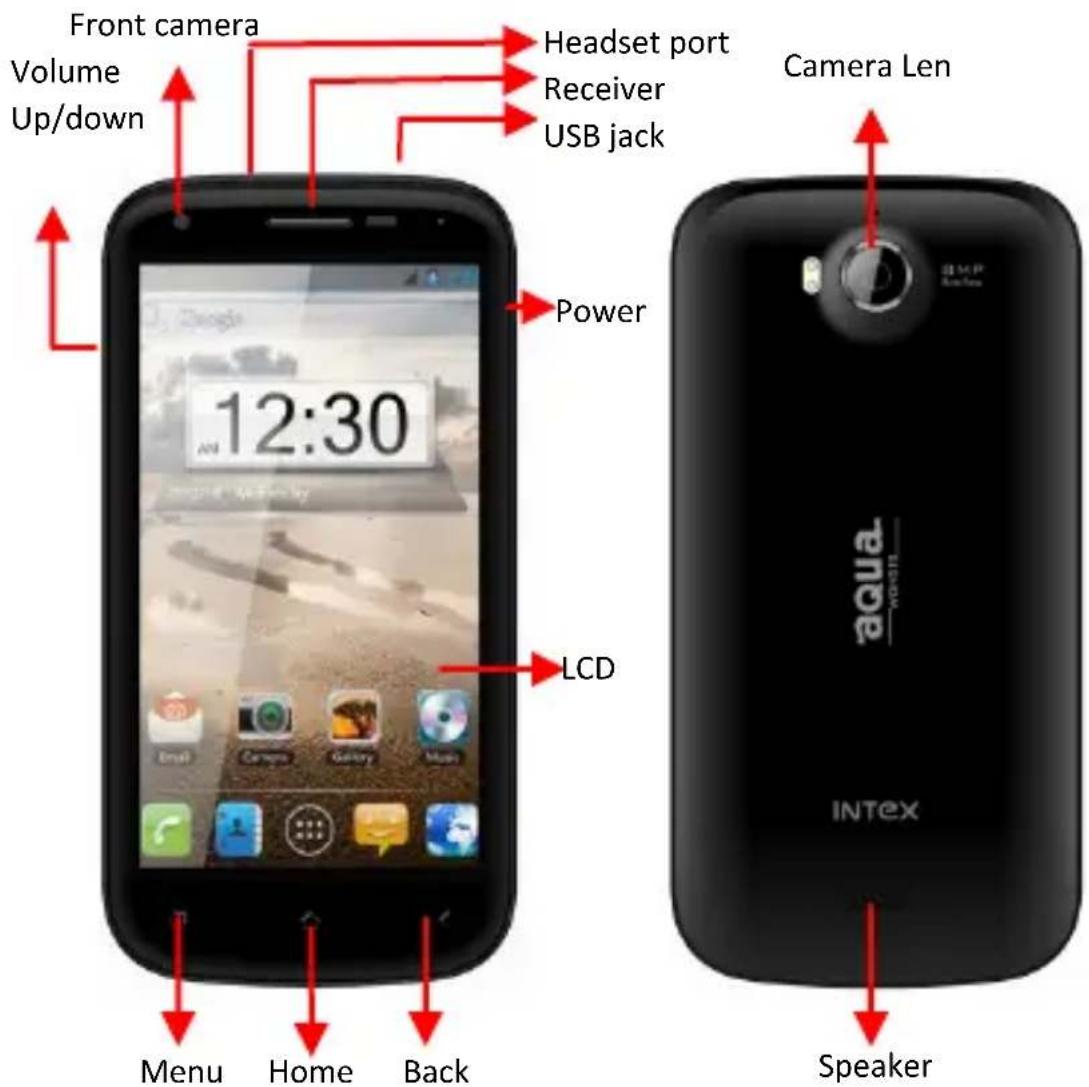
Line drawing of a smartphone showing the internal components and a cable being inserted (no text or symbols present)KEYS AND PARTS
The smart phone supports 3G Card and gives you marvelous feelings to experience on Camera, Video recorder, FM radio, Music and Sound recorder. Let you install various APPs, games, and more (supports APK format) by downloading from Android Market
LOCK AND UNLOCK THE SCREEN
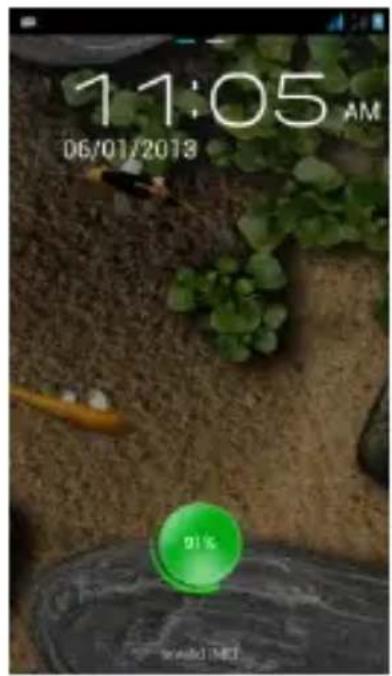
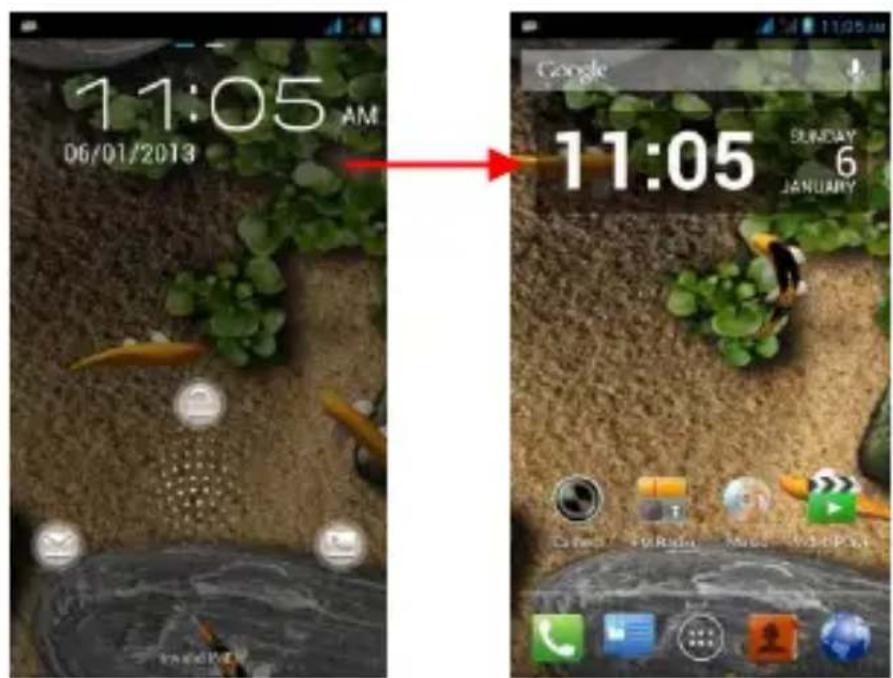
Press power buon to enter Sleep mode and meanwhile the screen will be locked; press power buon again to wake up and then drag the lock up to unlock.
MAKE IT YOURS
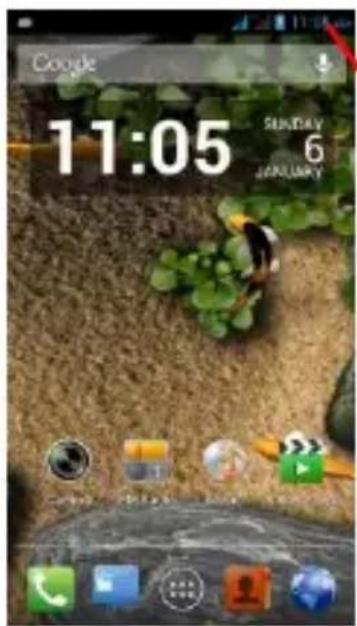
1) Home screen: It is your starting point to access all the features on your phone. It displays application icons, widgets, shortcuts, and other features.
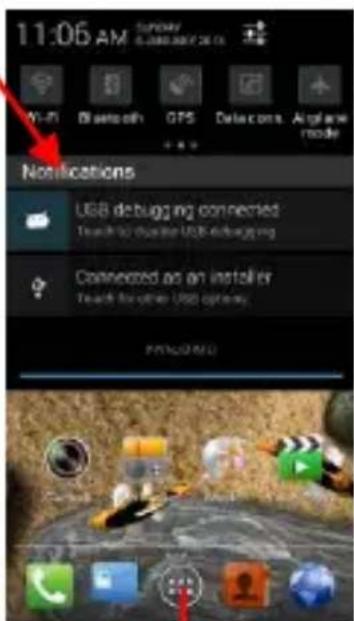
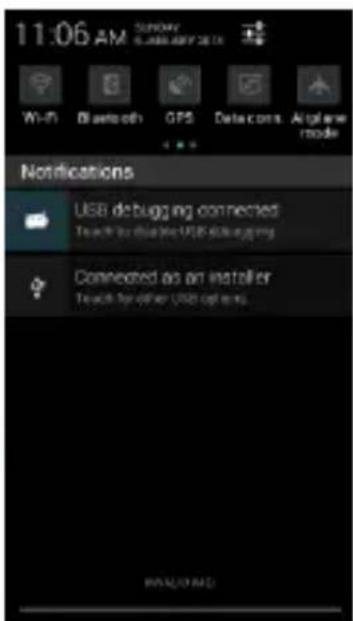
2) Not fication Bar: At the top of the screen, the Status bardis play st he time, status, and notific at ons. If there is a new message, missed call or something in the notification bar, you can drag it down to open notification panel and click the desired one to have a view. When you finished, you can close it by dragging the panel up or pressing "Back".
3) Launcher: Touch the Launcher icon at the bottom of the screen to view wall installed applications.
Home screen
Nocaon Bar
ADD WIDGETS AND MORE ICONS TO HOME SCREEN
ADDI NG W I D G E T S AND I CONS TO HO ME SC REE N
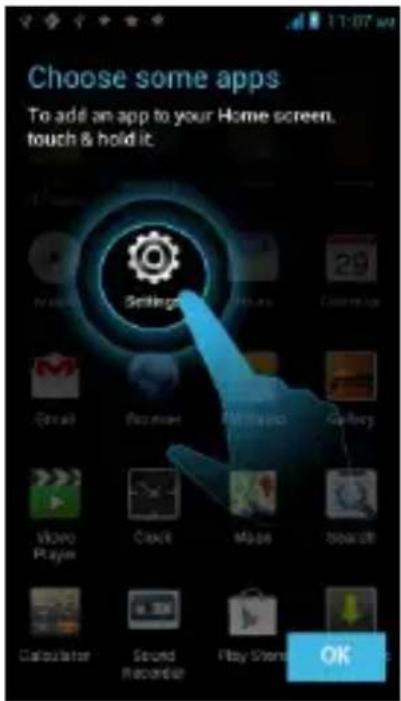
Enter Launcher and long press and hold an applicaon II the screen vibrates, and then release your nger hold.
RE AR RANG IN G O R RE MOVING W ID GE TS AND ICONS ON YOUR H O M E S C R E N
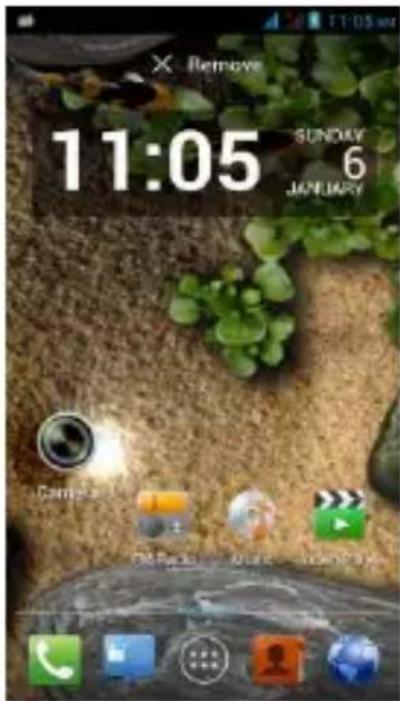
a). Long press and hold the widget or icon you want to move. Once the phone vibrates, don't release your hold on the icon. Drag the widget or icon to a new locaon on the screen.
b). Press and hold on an icon II the phone vibrates, and drag the widgets or icon to remove!
ENTER LAUNCHER
OPEN AND SWITCH A P P LICATIO N S
The Launcher holds icons for all of the applications on your phone, including any application that you downloaded from Android Marketing other sources. On the Home screen, touch the Launcher Icon to open the main menu. Press Home icon or Back icon to close the Lau n c h e r.
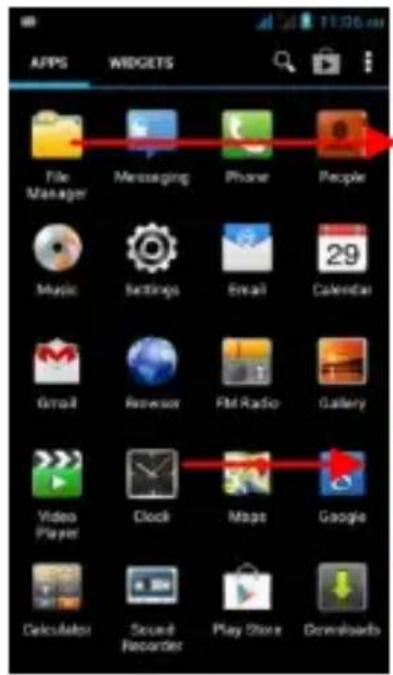
Sl dethe La unch er left or right to bring more icons into view.
Touch an application to open it.
SWITCH TO RECENTLY USED APPLICATION
Press and hold the

icon for afew seconds.
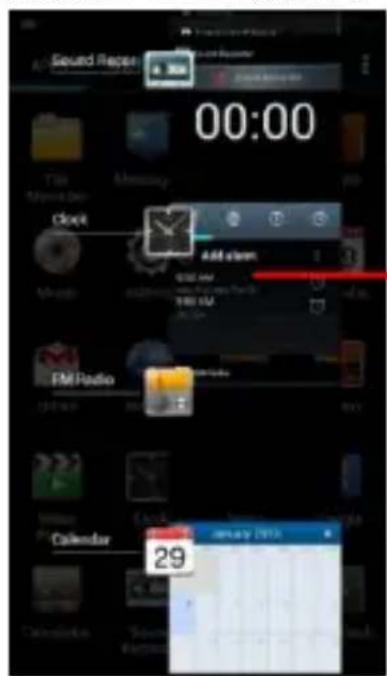
To uch to open the application
MAKE A CALL
On the start screen choose 📞 and enter a complete phone number to make a call.
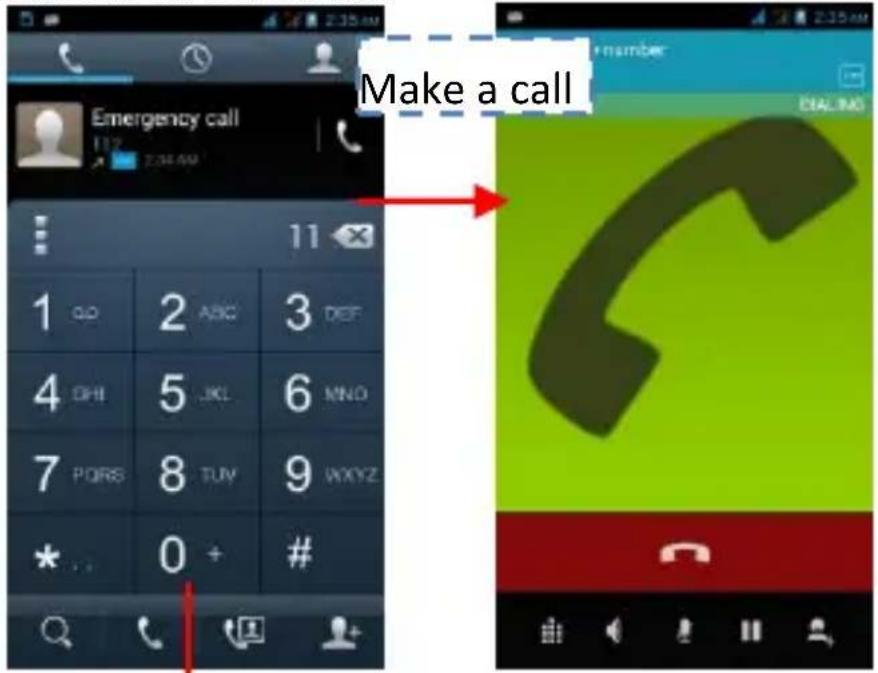
Slidet hescreen to right
Slidet hescreen to right
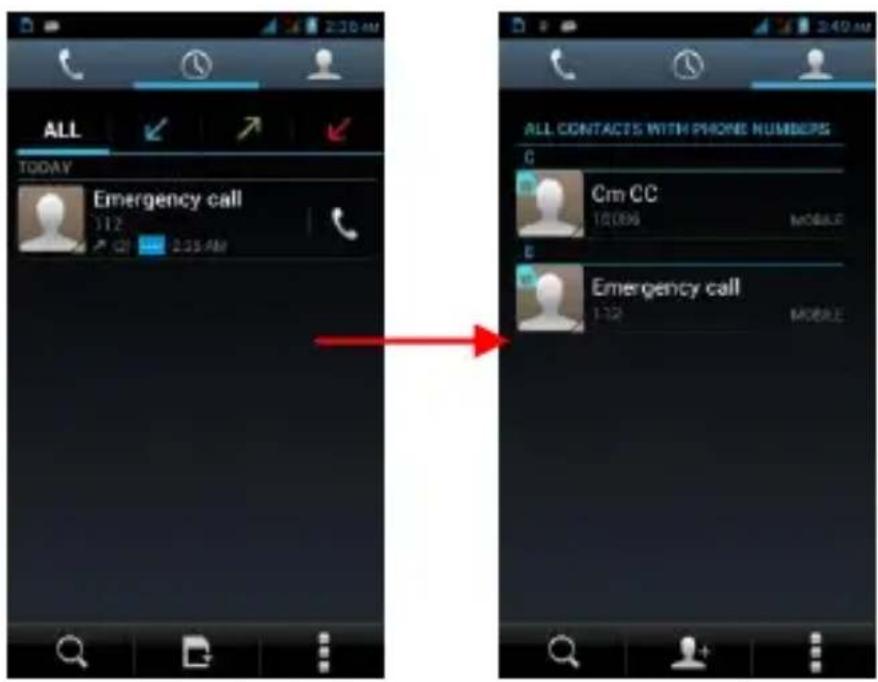
CALL LOG
In call log options, you can Make a call, add new contact and send message etc.
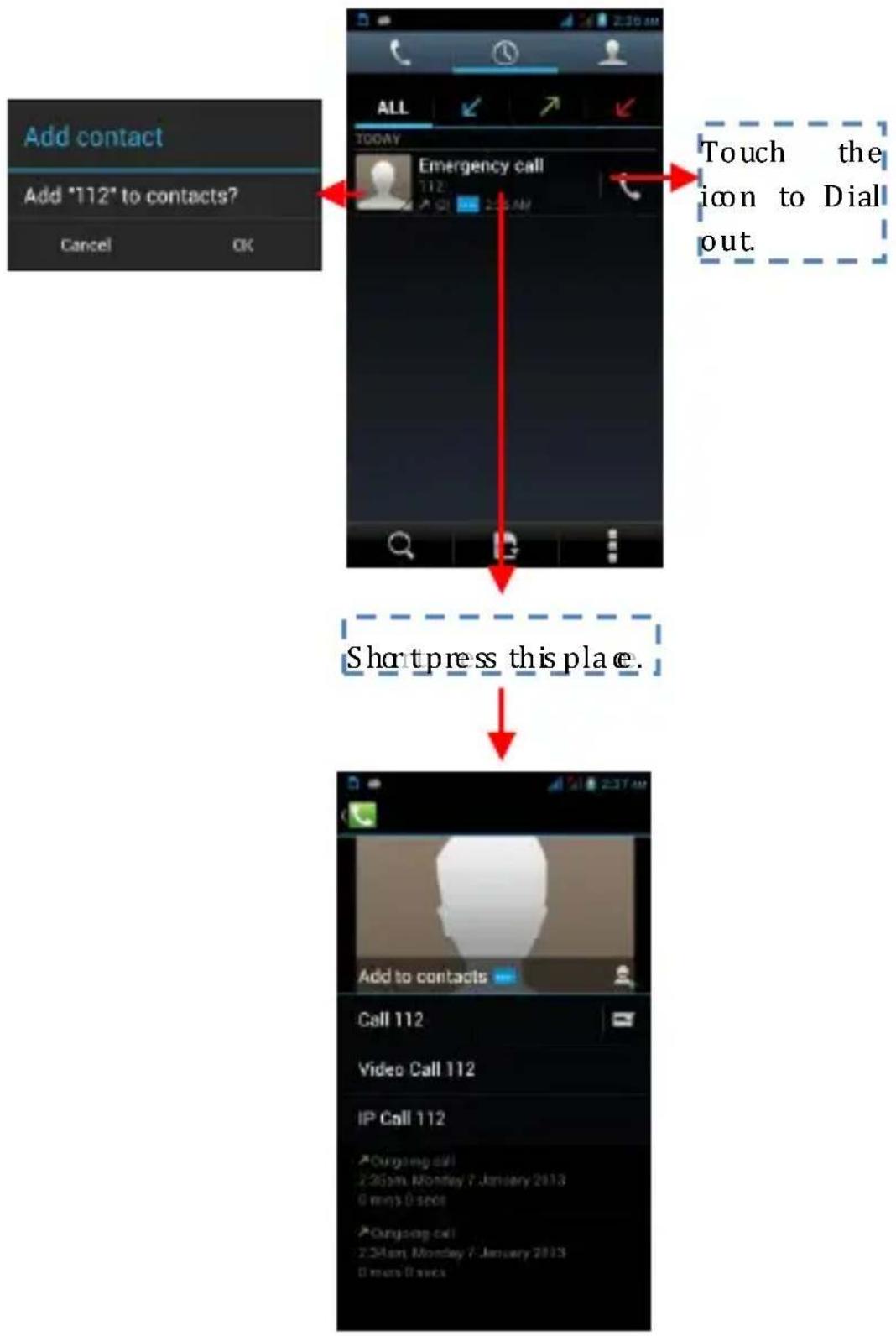
flowchart
graph TD
    A["Add contact"] --> B["Add "112" to contacts?"]
    B --> C["Cancel OK"]
    D["Emergency call"] --> E["Short press this place."]
    E --> F["IP Call 112"]
    F --> G["Video Call 112"]
    G --> H["Call 112"]
    H --> I["20:0pm Monday 7 January 2013"]
    I --> J["0 mins 0 secs"]
    J --> K["20:0pm Monday 7 January 2013"]
    K --> L["0 mins 0 secs"]
    M["ALL"] --> N["TODAY"]
    N --> O["Touch the icon to Dial out"]
REJECT A CALL BY SENDING A BUSY MESSAGE
While there is an incoming call, you are inconvenient to accept the call, and then you can send a busy message for rejoecng the call.
Drag the circle up to , some busy messages will show on the screen, short tap any of them to send out.
ADD A CONTACT
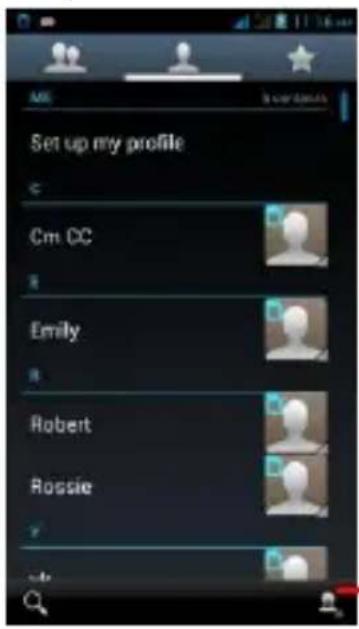
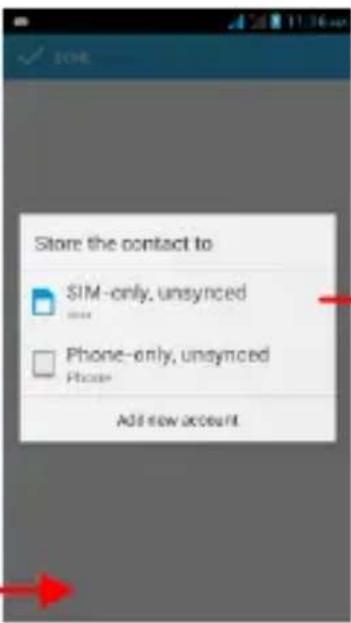
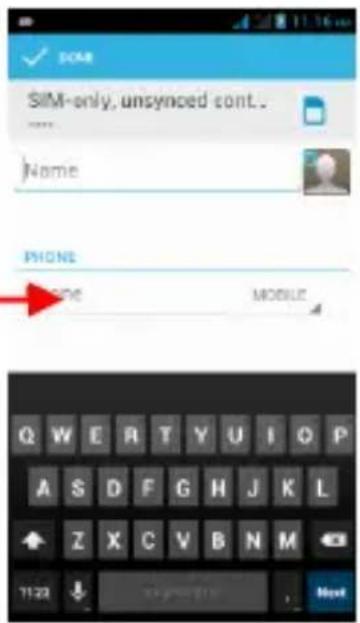
Tap and enter Contacts and then add a contact (see gure below.)
Tap "to add a new contact to Phone or SIM card.
SEND AND RECEIVE MESSAGE(S)
Enter Messaging, and tap the icon 📋 and then compose new message. You touch a text field where you want to enter text, to open the keyboard.
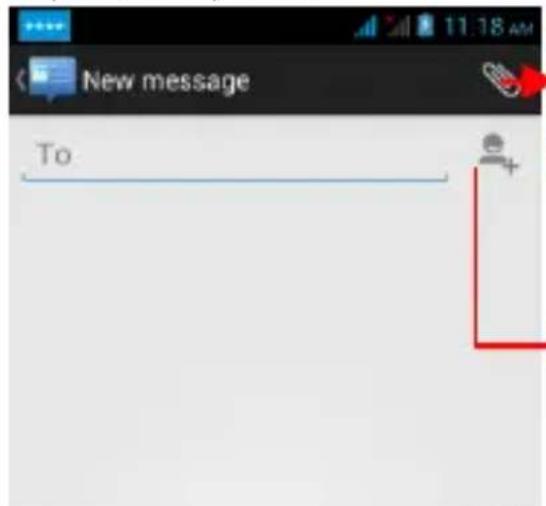
Tap this to add attach such as Pictures, Videos and Audios etc.
Tap this to select desired contact from phonebook.
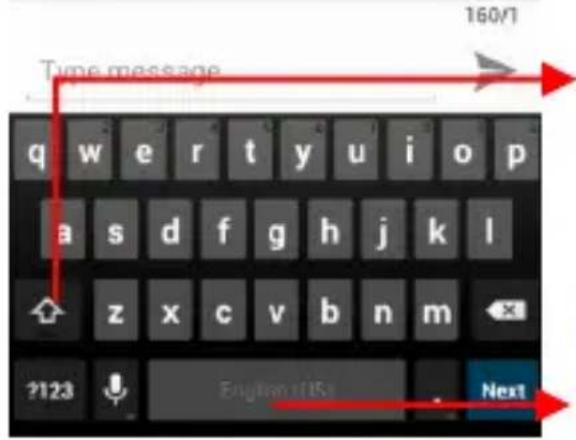
Touch once to capitalize then ext letter you type. Touch and hold for caps.
Press space or a punctuation mark to ent the highlighted suggest i o n.
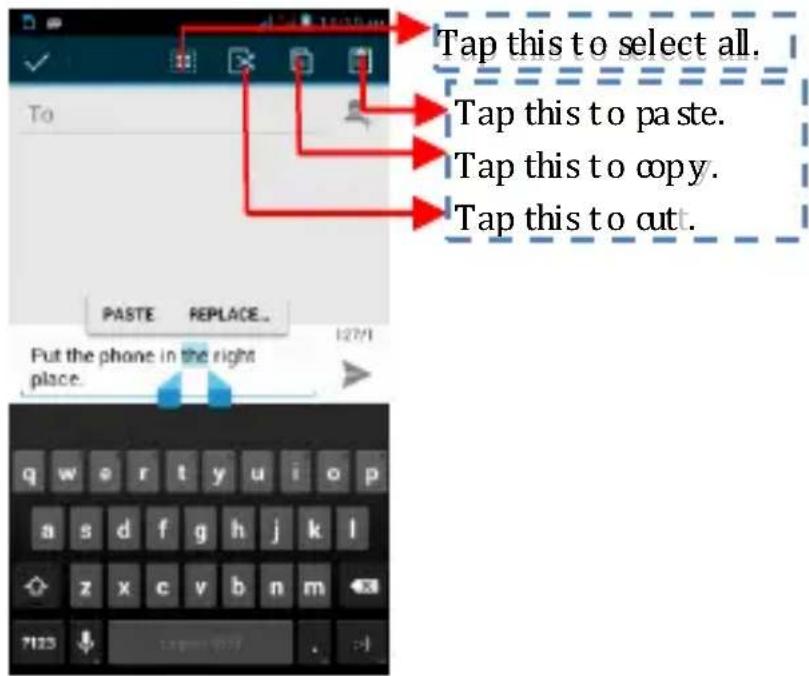
a. When you are composing a new text message, you can select text for cutting or copying. The selected text is highlighted in blue.
- Touch the text field or portion that contains text. (see the bebw figure)
You can select all contexts, copy, out and paste.
- When a new message comes, you can read by dragging notification panel and click the message, or entering Message to read it directly.
- Long press one of the all message thread, you can delete the message thread.
- Touch and hold a message in a message conversation window.
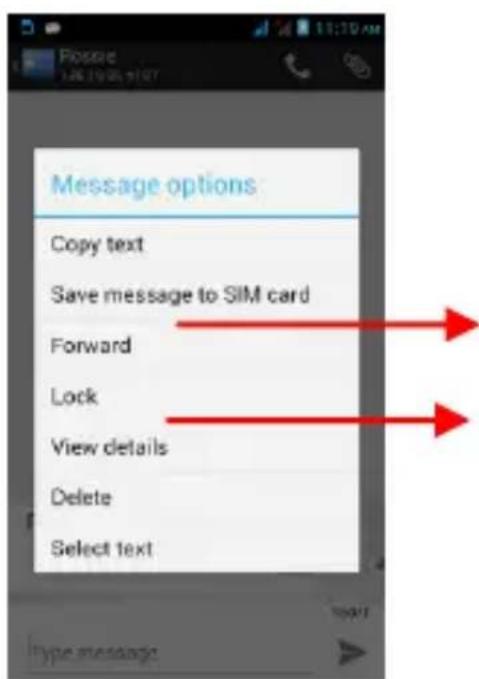
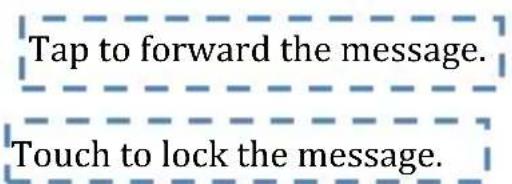
- To uch For ward in the menu that opens
- Add a contact
- To uch Send i on to send the message.
BROW SE THE W E B
a. Setup Internet/Data connection
Enter Settings > Wireless & networks > More, scroll down to find out Mobile network, and then enter “Access Points Name s, choose the desired WAP account.
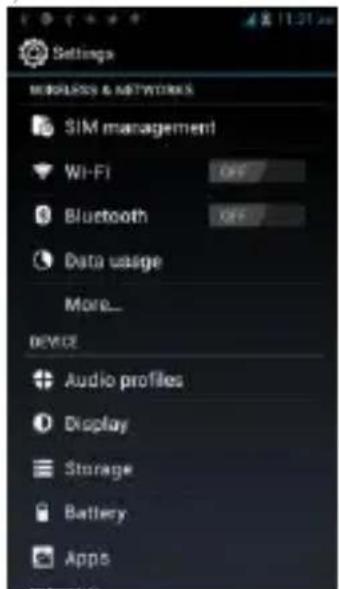
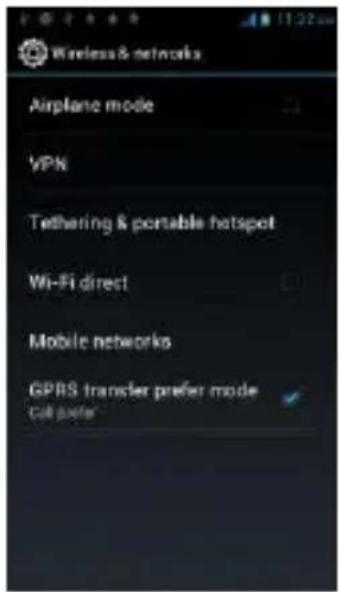
b. Switchon Data connection or WiFi
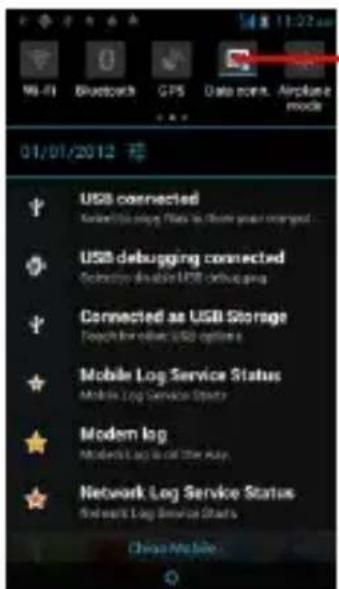
Touch it to switch on or off Data connection
To browse the web, you need switch on Data connection.
If there is WiFi around, you can switch on WiFi to use it browse the web. Some may need password.
ENJOY MUSIC
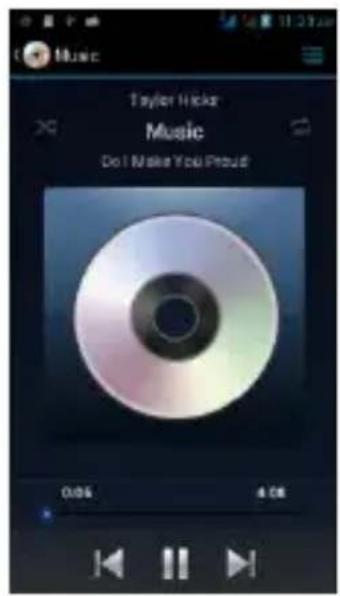
When you copy music to your SD card, the Music player searches the card for musicfiles and builds a catalog of your music, based on information about each file that is stored in the file itself.
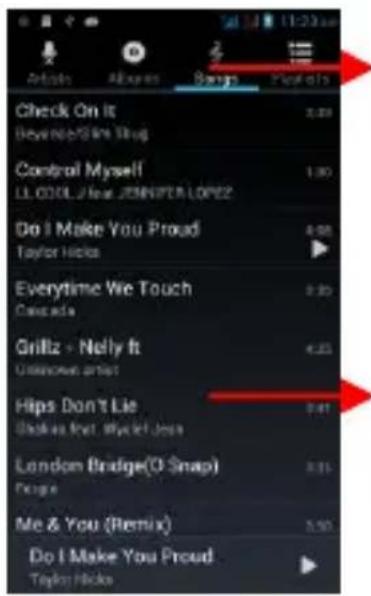
Touch a tab to view your library in one offourways.
Touch to open the a bum, songs or playlist.
DOW NLO AD APPLICATIONS FROM
ANDROID MARKET
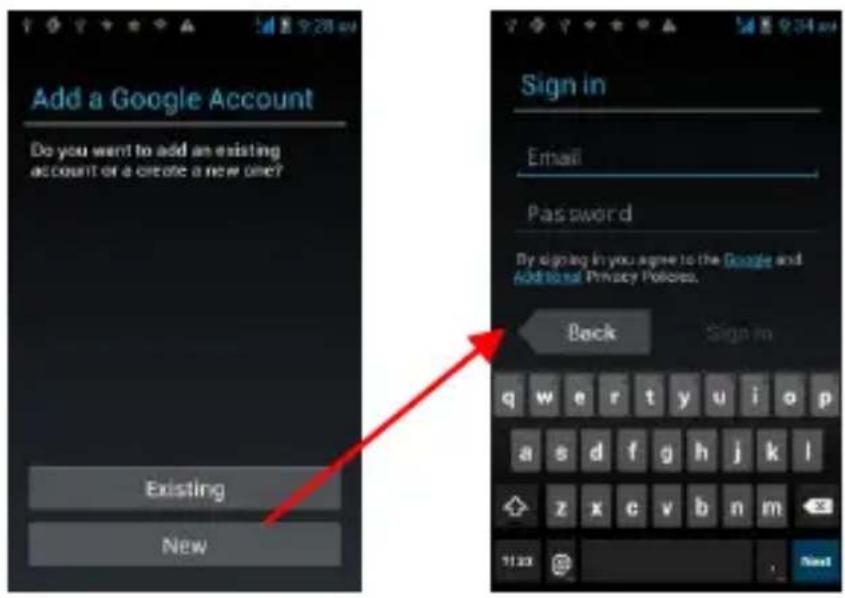
a. Add a Google account
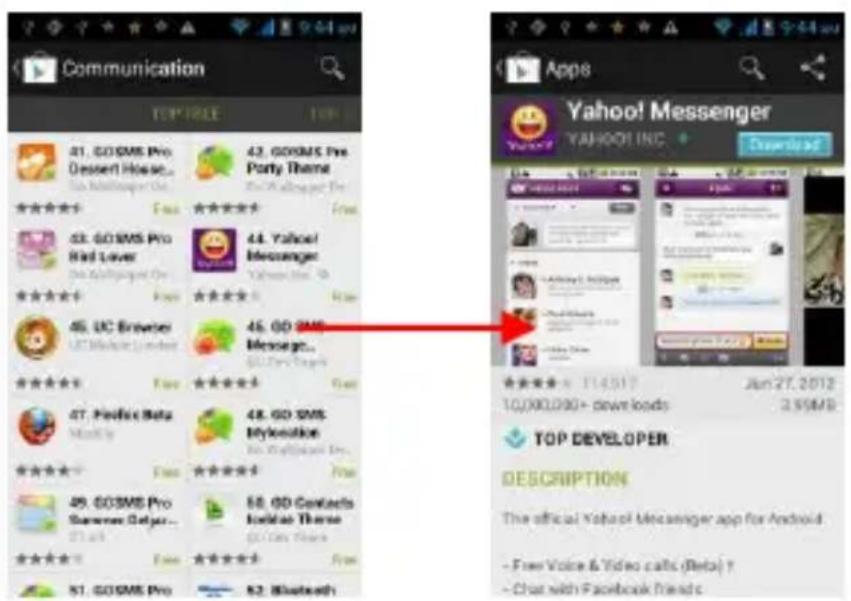
b. Enter Android Market (Play Store) and download apps.
MANAGE APPLICATIONS/ MOVE TO SD CARD
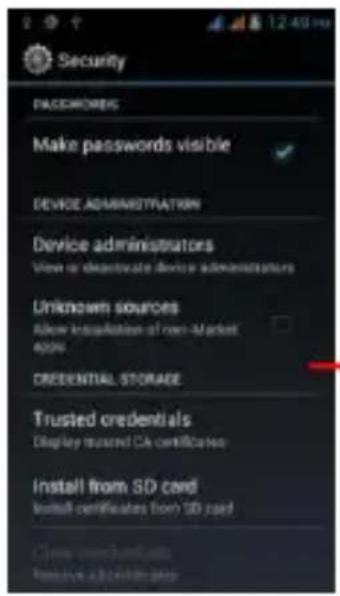
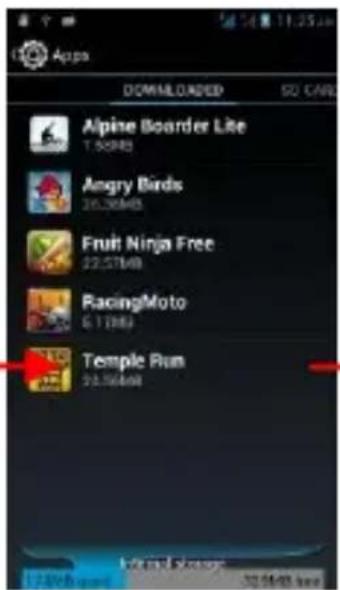
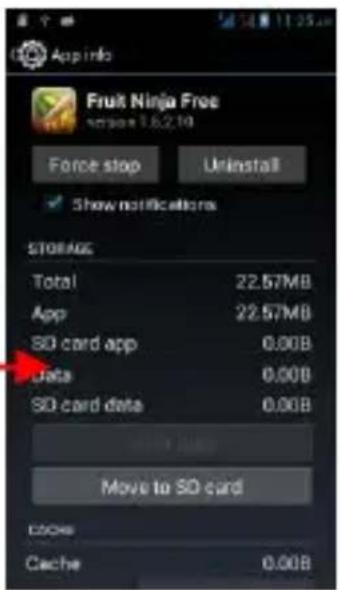
Enter Setting >Apps, then manage the applications.
As you install downloaded Apps, you need switch on "Unknown sources" in Security settings.
Please read and observe the following information for safe and proper use of your phone and to prevent damage. Also, keep the user guide in an accessible place at all the times after reading it.
1. After sales service
Kindly refer to the Warranty Card provided in the sales packagebox
2. Charger and Adapter Safety
Charger and adapter are designed for indoor use only.
3. Battery Information and Care
Please use the specific battery, otherwise it will cause explosion.
- Pleased dispose of your battery properly.
Do not disassemble or short-circuit the battery.
- Keep the battery's metal contacts clean.
- Recharge the battery after long periods of non-use to maximize battery life.
Battery life will vary due to usage patterns and environmental conditions.
The self-protection function of the battery cuts the power of the phone when its operation is in an abnormal status. In this case, remove the battery from the phone, reinsert it, and turn the phone on.
TECHNICAL INFORMATION
Weight: 157gram (with baery)
Size Length (H×W×D): 133.2mm x 67.9mm x8.9mm
Baery: 1800mAh
Networks: 900MHz/1800MHz
SAR Value: 0.744 W/kg-GSM 900MHz; 0.611 W/kg-DCS
1800MHz; 0.200 W/kg-WCDMA 2100 MHz
Model: Aqua Wonder
Weight: 125 gram (with baery)
Lithium Baery
Nominal voltage: 3.7v
Nominal: 4.2v
Capacity rang: 1800mAh
Connuous standby me*: (Relates to network status)
228 hours
Connuous calling me: 982 min
* Depending on the network
Operaon Temperature: -10\~+55 °C
The operaon me of the baery depends on conditions
such as:
- Transming power level
- Signal (distance between the phone and the base staon)
• Network parameters dened by the operator - Phone use (WAP, games, SMS)
- Charging procedure used
Exclusions:
Subject to the exclusions contained below:
- Damage due to the improper use.
- User does not follow the manual.
Explanaon:
The company has the nal right of the explanaon for this document.
Soware upgrades will not be announced.
All pictures are for reference only in the instrucon book; please refer to the actual phone.
Disclaimer
© Intex. All rights reserved.
Features and specicaons are subject to change without prior noce. Certain mobile phone features may not be acvated by your service provider, and / or their network seng may limit the feature's funconality. Services and some features such as GPRS, email may be dependent on the network, SIM card, as well as on the compatibility of the devices used and content formats supported and may require network/service subscripon/soluons. Data transfers speeds are network dependent. Always contact your service provider for details or help. Talk and standby me is quoted in digital mode and are approximate; baery performance and the signal reception depend on network conguraon, signal strength, type of SIM card, operang temperature, features selected as well as voice, data and other application usage paern. The phones supports Bluetooth, A2DP, in order for Bluetooth devices to communicate with one another, they must ulize the same Bluetooth Prole. To determine the proles supported by other Intex products, visit www.intextechologies.com, for other devices, contact their respective manufacturers. Always demand for
original Intex mobile phones to protect against buying nkered and/or used, refurbished or tampered phones. The warranty is applicable only for Intex phones; the company is not responsible for any loss or the. Always use Intex original Enhancements (including baeries) for safety. The use of any other type may invalidate and approval or warranty applying to the mobile phone and may be dangerous. The phone is designed to operate using Li-ion baeries approved by the phone manufactures. Using non approved baeries with the phone may result in poor performance and damage to the phone or its enhancements. The display and products visualizaon here are illustrave purposes only; Display / color of the phone may dier from that shown on the manual. All features, funconality and other product specicaons are based on the latest available informaon and are correct at the me of prinng; however such product specicaons are subject to change without noce. Copyrights are reserved. Intex is the trademark of INTEX TECHNOLOGIES (INDIA) LTD. which is registered. The unauthorized copying of copyrighted material is not legalized is inimical to the provisions of the copyright laws of India and other countries.
INFORMATION UNDER E-WASTE (MANAGEMENT AND HANDLING) RULES, 2011
For disposal of e-waste, please call our helpline no. or visit our website.
E-waste Helpline no. 1800-103-8822
Weblink:
hp://intextechnologies.com/window_self/Waste%20Dis
posal.html
- Do's for disposal of product
a. Always drop your used electronic products, baeries, and packaging materials aer the end of their life in nearest collecon point or collecon center b. Separate the packaging material according to responsible waste disposal opons and sorng for recycling.
c. The baery can easily be removed from the product for recycling.
- Don't of disposal of equipment
a. Never dump E-waste in garbage bins or municipal solid waste stream.
b. Do not dispose of your product as unsorted municipal waste.
c. Do not throw used baeries into household waste.
d. Do not dispose damaged or leaking Lithium Ion (Li-Ion) baery with normal household waste.
- Informaon about the
consequences of improper handling, accidental breakage damage and improper recycling of the end of life product.
natural_image
Pure electrical circuit lines without any symbolsa. If baeries are not properly
disposed of, it can cause harm to human health or the environment.
b. Placing of baeries or devices on or in heang devices, such as microwave ovens, stoves, or radiators and improper disposal of baeries may lead to explosion.
c. If the baery terminals are in contact with metal objects, it may cause a re.