Aqua i7 - Smartphone INTEX - Free user manual and instructions
Find the device manual for free Aqua i7 INTEX in PDF.


User questions about Aqua i7 INTEX
0 question about this device. Answer the ones you know or ask your own.
Ask a new question about this device
Download the instructions for your Smartphone in PDF format for free! Find your manual Aqua i7 - INTEX and take your electronic device back in hand. On this page are published all the documents necessary for the use of your device. Aqua i7 by INTEX.
USER MANUAL Aqua i7 INTEX
Dear INTEX customer,
Congratulations on becoming a proud owner of INTEX product. You have now joined the fraternity of millions of satisfied INTEX customers spread across the globe.
Intex Technologies is one of the fastest growing IT Hardware, Mobile Phones and Electronics Company. A well established brand, INTEX has kept pace with the technology needs of millions of IT hardware & electronics consumers and has been serving them with more than 300 user friendly, high quality, state-of-the-art yet simple products/solutions. The products have been in the market since 1996 and conform to global standards.
Brand INTEX covers a wide range of computer peripherals and accessories such as Computer Multimedia speakers, Cabinets, Keyboards, Mouse, UPS, Add-on cards, Webcams, Headphones, Laptop bags, etc. As a part of its diversification strategy, Intex also offers an interesting range of PCs, TFT-LCD Monitors,
Consumer Electronics (DVD Players), Home UPS & Mobile Phones.
Every INTEX product goes through a rigorous process of sample evaluation and approval before commercial launch. Customers look upon the brand as a value-for-money & feature-rich offering, supported by efficient after sales service.
We look forward to your patronage.
It would be our pleasure to receive feedback and suggestions you may have for improvements in the product(s) you are using.
Intex Technologies (I) Ltd
info@intextechnologies.com
www.intextechnologies.com
Helpline No. 1800-103,- 8822 (India)
Intex Way Gulf LLC
service@intexuae.com
www.intexuae.com
Toll Free No. 800-468-39823 (Dubai)
Tel: 00971 04 3931991
SAFETY TIPS
■ Use of wireless hands-free system (headphone, headset) with a low power Bluetooth emitter.
■ Make sure the cell phone has a low SAR. The highest SAR value for this mobile phone is < 1.6 W/Kg, in accordance with the requirements of the ICNIRP, which recommended the limit for exposure to radio waves is 1.6 watts/kilogram (W/kg) averaged over 1 gram of tissue. For more information, please visit (website) to query
- Keep your calls short or send a text message (SMS) (instead. This advice applies especially to children, adolescents and pregnant women.
■ Use cell phone when the signal quality is good.
■ People having active medical implants should preferably keep the cell phone at least 15 cm away from the implant.
Contents
I. WARNING 7
1 SAFETY INFORMATION 7
1.1 TRAFFIC SAFETY FIRST 7
1.2 TURN OFF IN HOSPITAL 7
1.3 TURN OFF IN AIRPLANE 7
1.4 TURN OFF WHEN REFUELING 7
1.5 TURN OFF NEAR BLASTING SITES 8
2 CAUTIONS ON MOBILE PHONE USE 8
2.1 INTERFERENCE 8
2.2 REASONABLE USE 8
2.3 QUALIFIED MAINTENANCE SERVICE 8
2.4 WATER-RESISTANCE 8
2.5 EMERGENCY CALLS 8
3 PRECAUTIONS FOR USE OF BATTERY 9
4 CAUTIONS FOR CHILDREN 9
II. KEYS AND PARTS 10
III. START TO USE 11
1 INSERT SIM CARD 11
2 CHARGE THE BATTERY 133
IV. BASIC FUNCTIONS 144
1 LOCK AND UNLOCK THE SCREEN 144
2 MAKE IT YOURS 155
3 MOVE WIDGETS AND ICONS AT HOME SCREEN 177
4 SWITCH TO RECENTLY USED APPLICATION 错误!未定义书签。8
5 MAKE A CALL 19
6 CALL LOG 211
7 REJECT A CALL BY SMS 222
8. ADD A CONTACT 233
9. SEND AND RECEIVE MESSAGE(S) 244
10. BROWSER THE WEB 255
11. ENJOY MUSIC 277
12. DOWNLOAD APPLICATIONS FROM ANDROID MARKET 288
13. MANAGE APPLICATIONS 299
14. INTEX ZONE 30
15. APPLICATIONS & UTILITIES 30
VI. TECHNICAL INFORMATION 311
I. Warning
Please read the concise rules. The breach of the rules may result in danger or violation of law.
1 Safety information
1.1 Traffic safety first
Please use the mobile phone carefully when you drive a car. Park your car at roadside and then use the mobile phone if the driving condition is bad.
1.2 Turn off in hospital
Please abide by relevant provisions or regulations. Please turn off your mobile phone near medical equipment.
1.3 Turn off in airplane
Wireless equipment has disturbance to the airplane, so the use of the mobile phone in airplane is dangerous and illegal.
1.4 Turn off when refueling
Please don't use the mobile phone in gas station or near fuels or chemicals.
1.5 Turn off near blasting sites
Don't use the mobile phone in blasting sites. Please observe relevant restrictions and carry out rules or regulations.
2 Cautions on mobile phone use
2.1 Interference
All phones may be interfered, which affect phone calls.
2.2 Reasonable use
Use only in the normal position. Do not touch the antenna area unnecessarily.
2.3 Qualified maintenance service
Only qualified personnel may install or repair this product.
2.4 Water-resistance
Your device is not water resistant. Keep it dry.
2.5 Emergency calls
Ensure the phone is switched on and in service. Enter the emergency number and press the Dial icon.
3 Precautions for use of battery
3.1 Do not dispose of batteries near or in a fire to avoid dangers.
3.2 Do not dispose of batteries in the garbage. Dispose of batteries to assigned battery recycling center.
4 Cautions for children
Keep your device out the reach of children in case of accidental injury caused by incorrect use of the device as toys.
II. Keys and parts
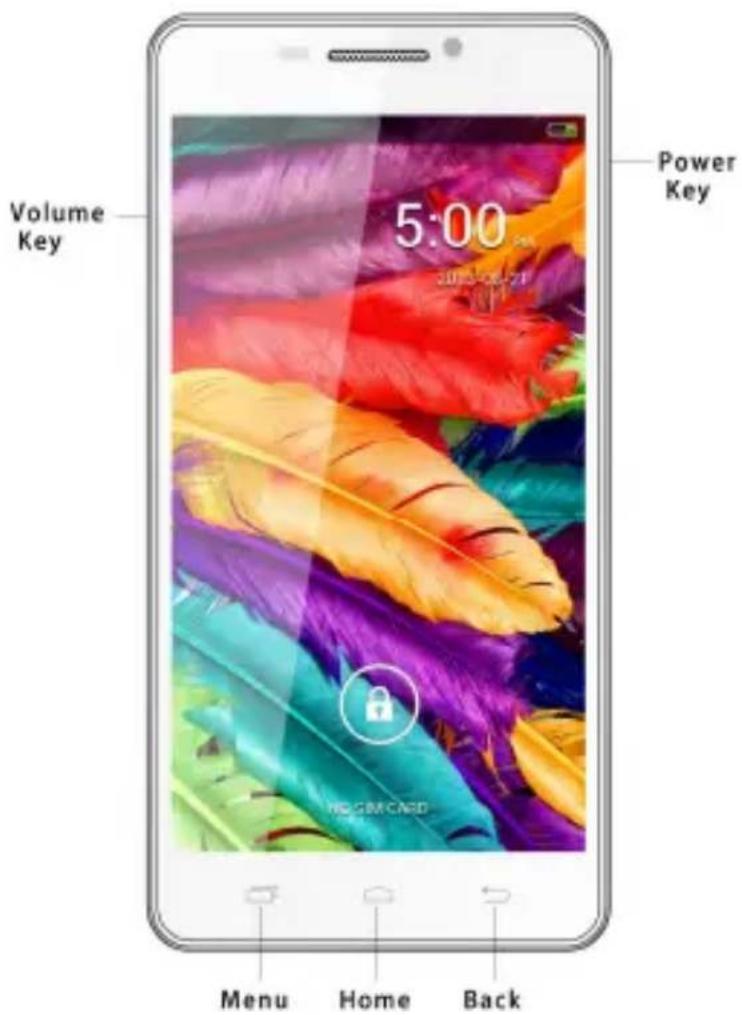
Home key
Press Home key at a non-standby screen to go back to standby screen
Volume key
Press Volume key to change the volume.
Menu Key
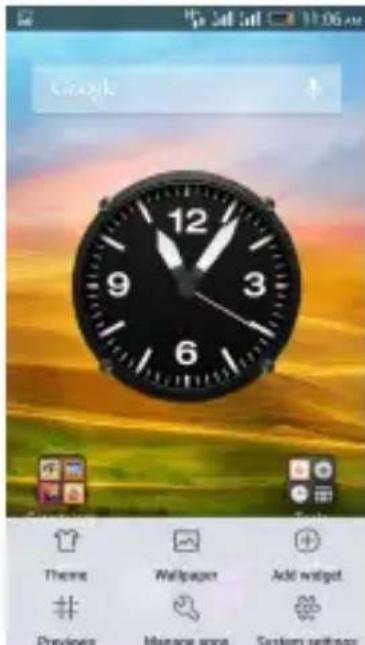
Press Menu key to enter theme、wallpaper、manage apps、system settings menu.
Back Key
Press Back key to go back to previous menu.
Power Key
Short press on the Power key shall lock the screen and a long press on the Power key shall switch on/off the device.
III. Start to use
1 Insert SIM card
The phone is a Dual SIM mobile phone allowing you to use the facility of two networks.
To insert SIM card(s):
- Switch off the mobile phone and remove the rear cover and battery.
- Insert the SIM card correctly in the card slot(s) (See figure below)
- Finally insert the battery and replace the rear cover of the mobile phone.
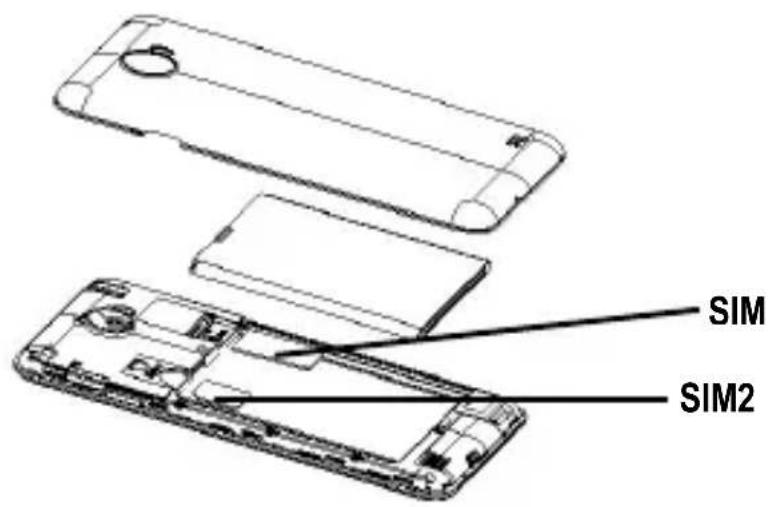
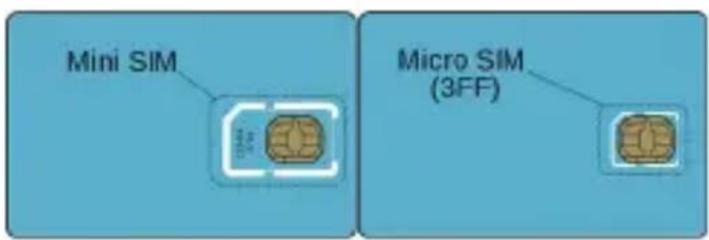
Note: SIM2 support Micro SIM which is a new kind of SIM for you. You can get it from operator or ask for changing a Micro SIM in a mobile shop. Micro SIM is the third version, or "third form factor" (3FF) of the SIM standard and holds the same amount of data. You can refer to below picture to see the difference.
2 Charge the battery
During charging, the battery indicator on the phone is a thunder icon. If the device is switched off during charging, there will still be a charging indication on the screen that shows the phone is being charged. If the device is overused when the battery is low, the charging icon might take some time to appear.
When the battery indicator on the screen says 'Battery is full', thunder icon will disappear, which means the completion of charging. If the phone is switched off during charging, the screen will display ' Battery is full'. It generally takes 4 hours to charge the battery. During charging, the battery, the device and the charger will get hot. This is normal.
Unplug the charger from the AC electrical outlet and disconnect the wiring between the phone and the charger after charging. .
Cautions: Charge the phone in a well ventilated place in which the temperature is between -10^ to +55^ . Use the charger provided by the manufacturer only. The use of unconfirmed charger may lead to dangers and violate the manufacturer's
warranty clause. If the temperature is too high or too low during charging, the device will automatically send a warning and stop charging to avoid damage to the battery or any danger.
IV. Basic functions
1. Lock and unlock the screen
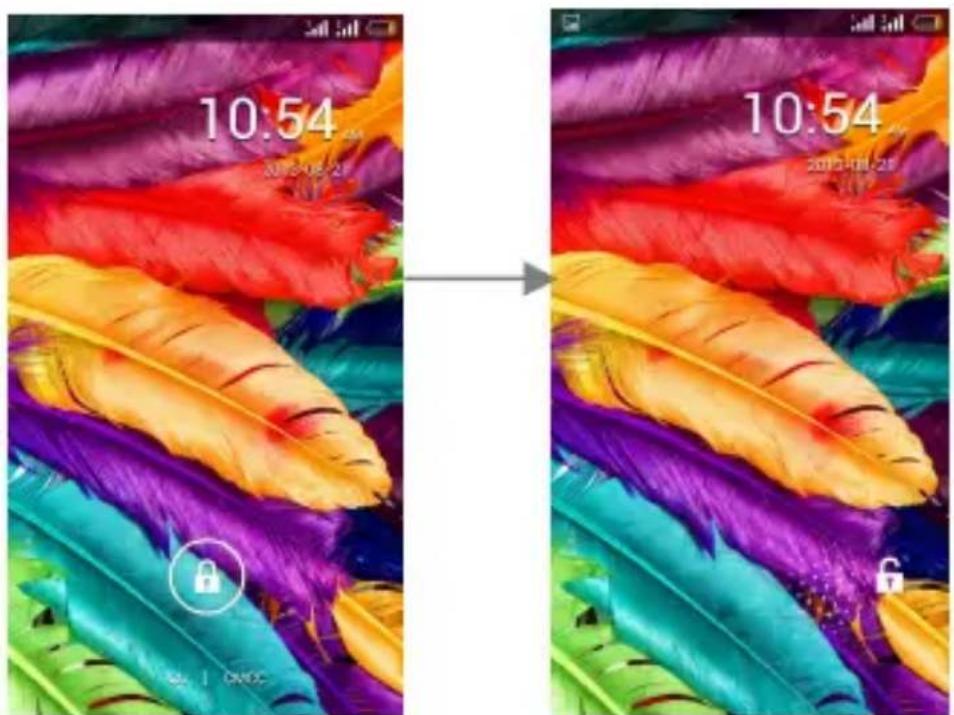
Press power button to enter Sleep mode and meanwhile the screen will be locked; press power button again to wake up and then drag to any direction for unlock.
2. Make it yours
-
Home screen: It is your starting point to access all the features on your phone. It displays Manage apps, widgets, theme, Wallpaper, and other features.
-
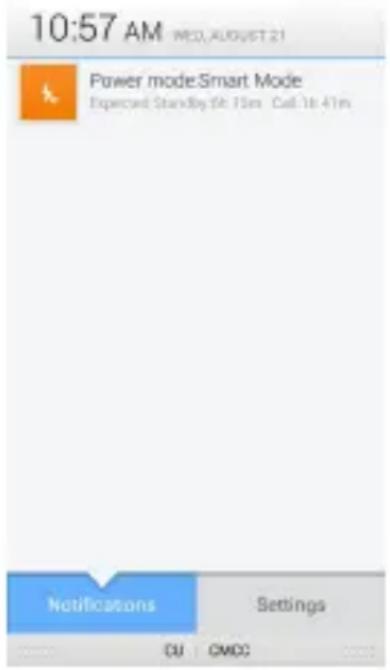
Notification Bar: At the top of the screen, the Status Bar displays the time, status, and notifications. If there is a new message, missed call or something in the notification bar, you can drag it down to open notification panel and click the desired one to have a view. When you finished, you can close it by dragging the panel up or pressing "Back".
3. Move widgets and icons at Home Screen
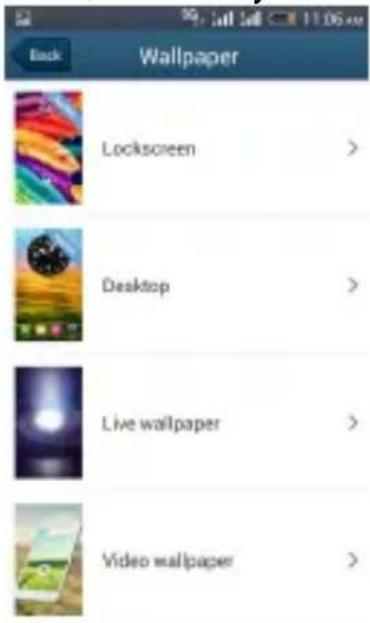
Press "Menu" and choose "Wallpaper", and then you can Modify Wallpaper and Lockscreen
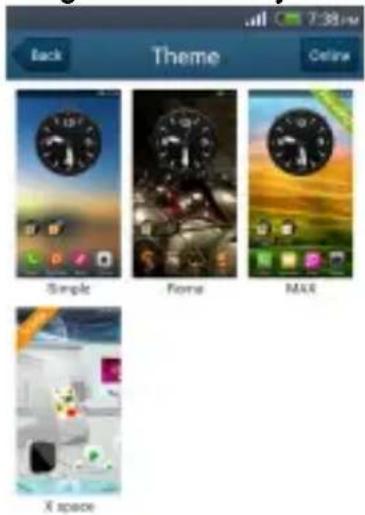
Press "Menu" and choose "Theme", and then you can change the theme you like.
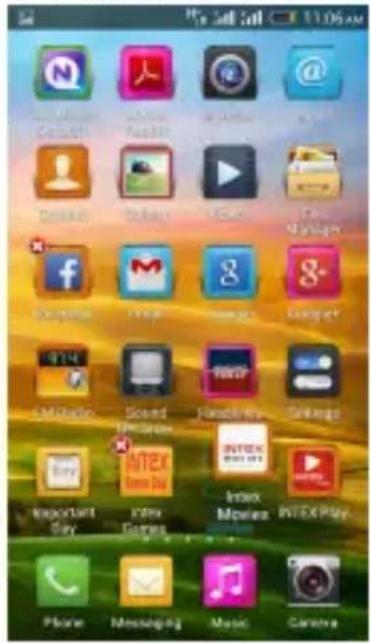
Long press and hold the widget or icon you want to move. Once the phone vibrates, don't release your hold on the icon. Drag the widget or icon to a new location on the screen Press and hold on an icon till the phone vibrates, and
release your hold and press the cross to remove.
4. Switch to Recently Used Application
Press home key and hold the icon for a few seconds.
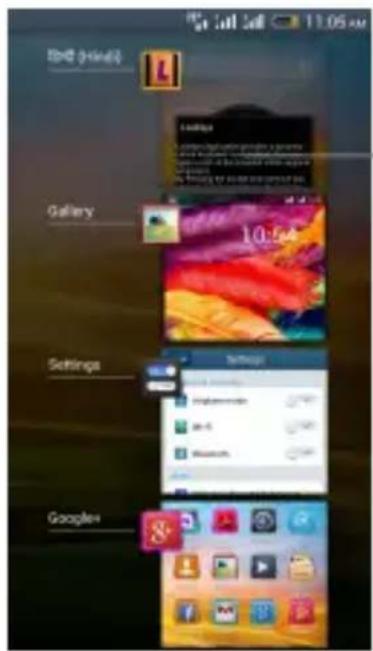
Touch an icon to open an application and slide it to the right or left to
5. Make a call
Choose and enter a complete phone number to make a call. Your phone supports smart search.
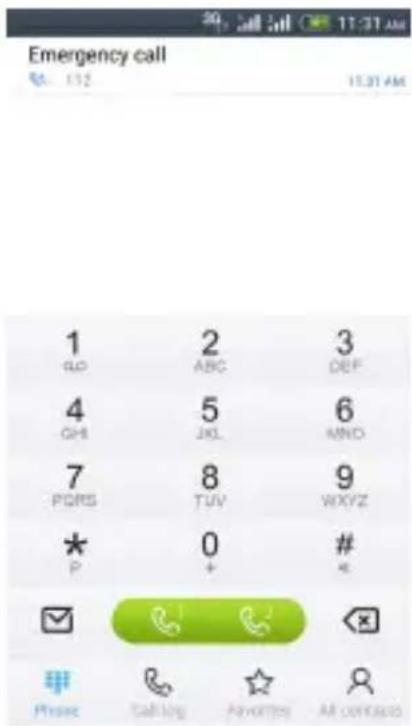
Touch

All contacts

to view call log, touch to view your favorite contacts, touch to enter phonebook.
6. Call log
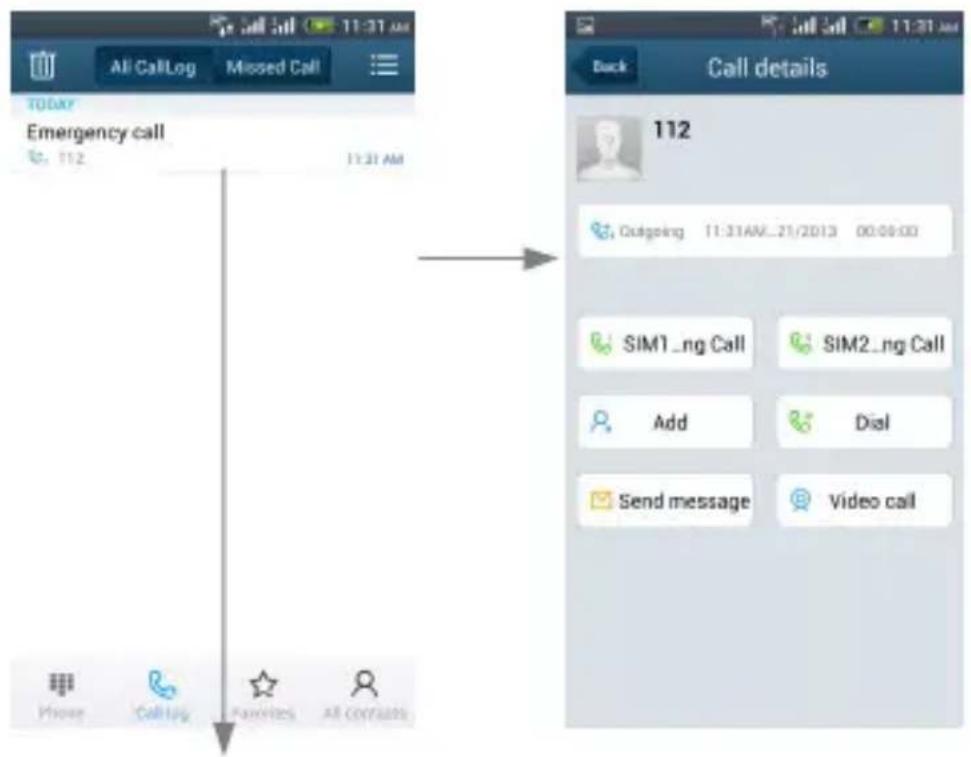
Press this point enter menu, you can call, IP call, video call, view contact etc.
7. Reject a call by SMS
While there is an incoming call, and you are inconvenient to accept the call, therefore you can send a message for rejecting the call.
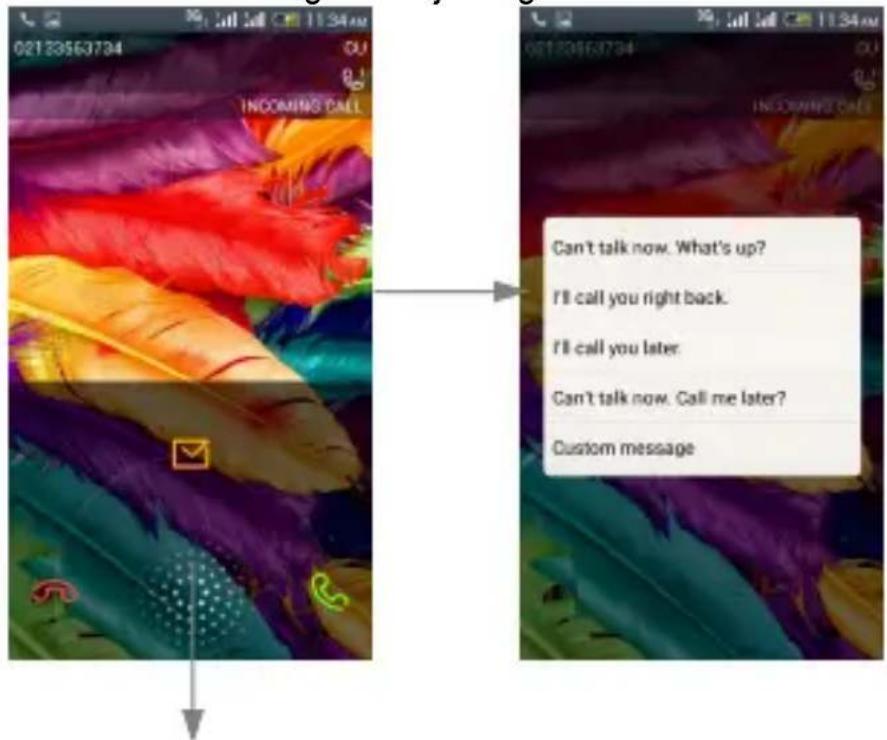
Drag this icon for select and send SMS
8. Add a contact
Touch to enter contact. Touch to add new contact
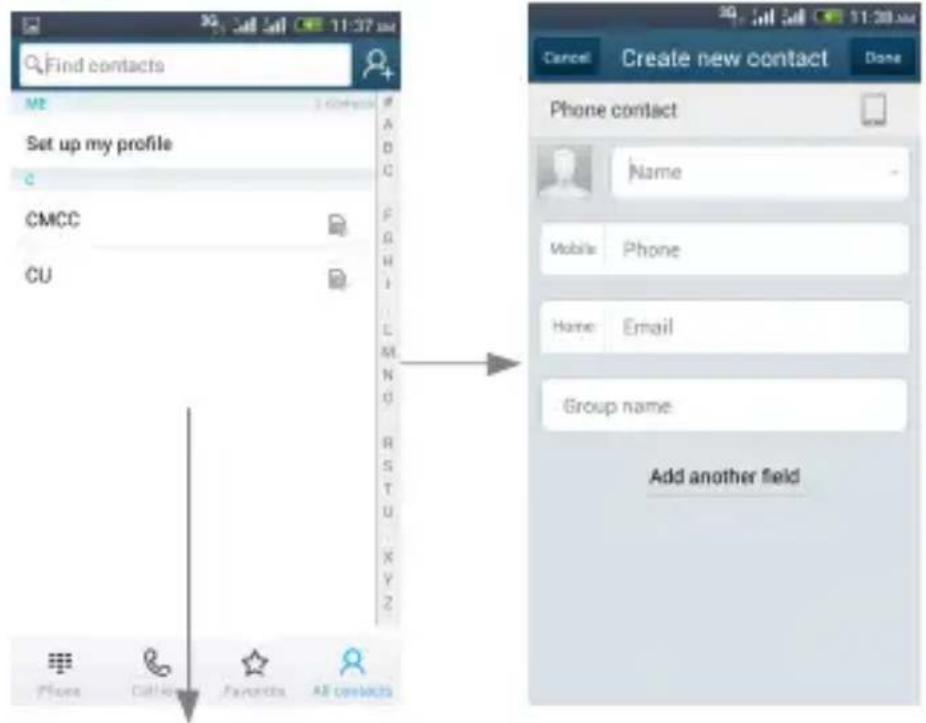
Long press here to enter menu call, view, edit, delete, share contact etc.
9. Send and Receive message(s)
Touch enter messaging, touch compose new message.
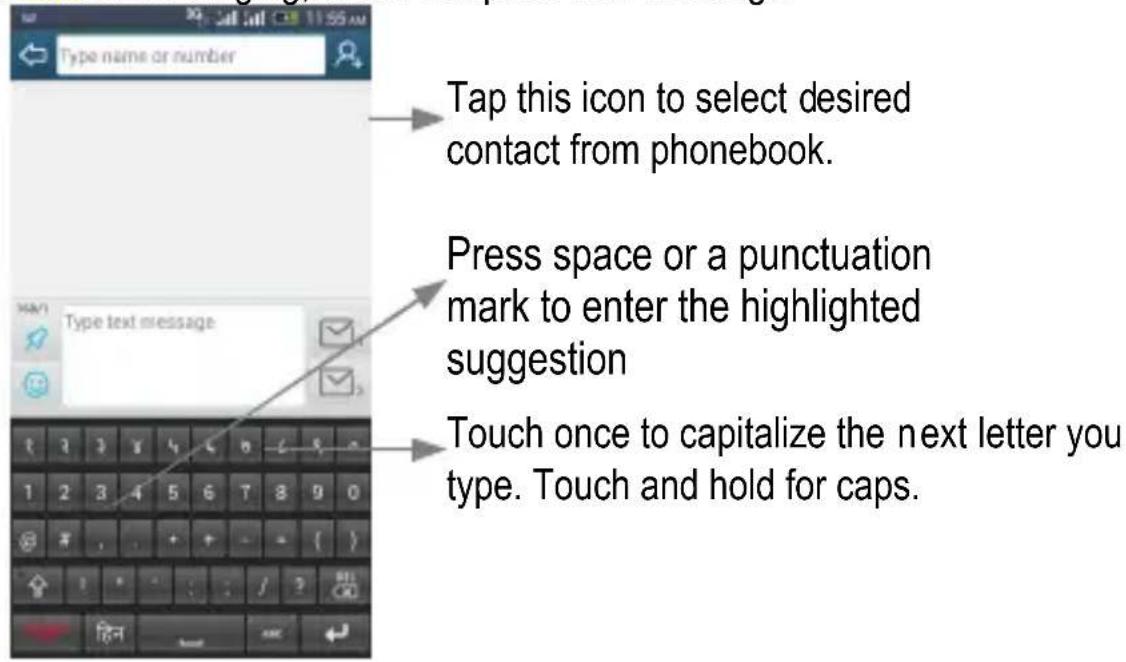
When you are composing a new text message, you can select text for cutting or copying.
Tap to add "Attach" including Pictures, Videos, Audios, etc to send MMS.
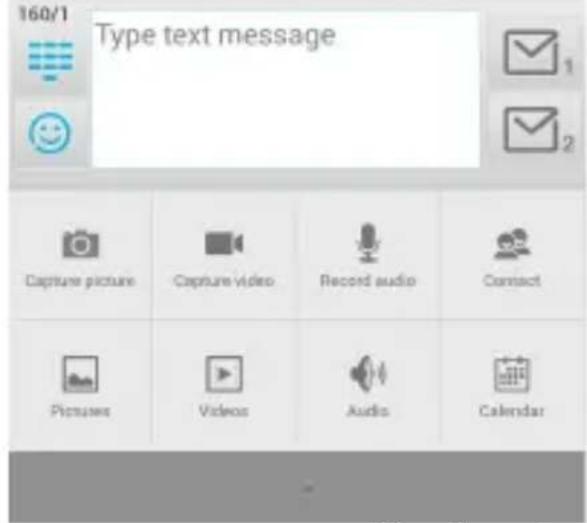
When a new message comes, you can read by dragging notification panel and click the message, or entering Message to read it directly.
Long press one of the all message thread, you can view, delete thread etc.
10. Browser the Web
- Set up Internet/Data connection
Enter Settings > Network > SIM management > Mobile network, and then enter "Access Points Names, choose the desired WAP account.
- Switch on Data connection or WiFi
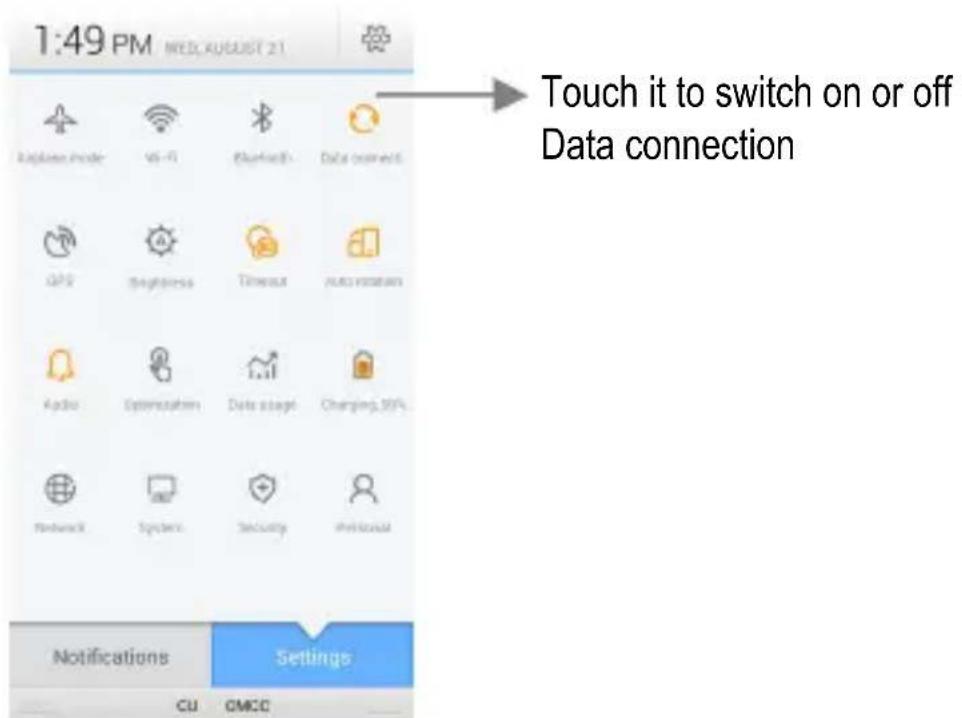
To browse the web, you need to switch on Data connection. If there is WiFi around, you can switch on WiFi to use it browse the web.
11. Enjoy music
When you copy music to your storage, the Music player searches storage for music files and builds a catalog of your music, based on information about each file that is stored in the file itself.
![Back Music Angel Saybia 4:28 Brighter Than The Sun Colbie Callat 3:52 Call Me Maybe Cally Rae Jopson 3:13 Every Breath You Take The Police 4:13 Everybody Ingrid Michaelson 3:28 I'LI Be There For You [Theme] The Rensbrandts 3:67 Maybe Ingrid Michaelson 3:13 Reality Richard Quanderson 4:28 Songs Playoffs Artals Albums Playing](/content/2026/05/1143153/images/73cf9513df4278cbd52afa69e3a62e6548bb6bb62ed5296471d18ea626ea9d12.jpg)
Touch a tab to view your library in one of four ways
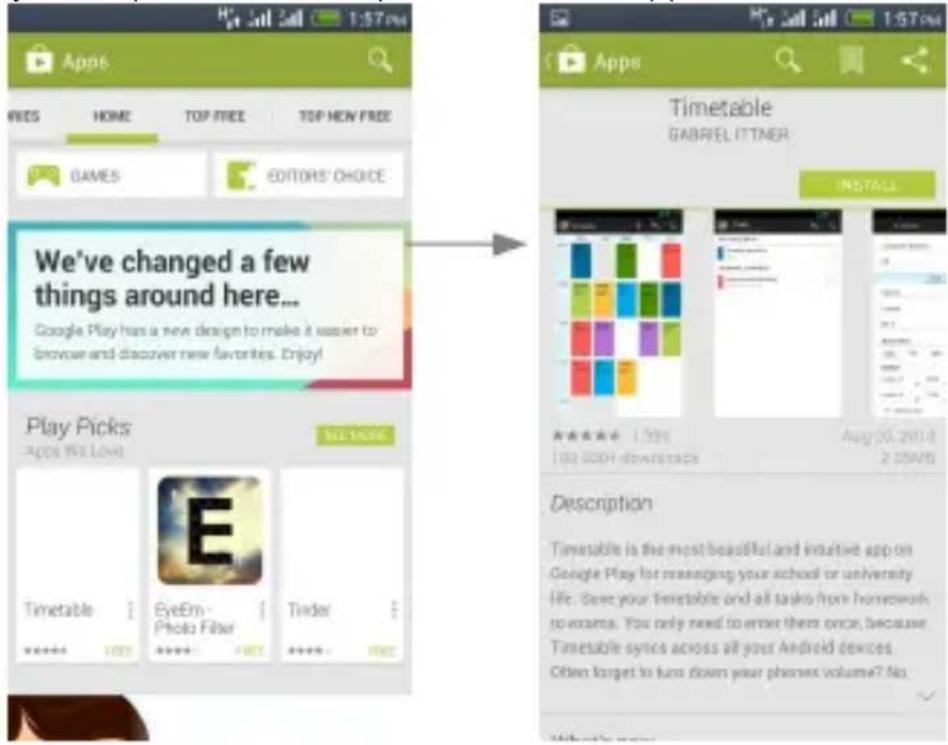
12. Download applications from android market
- Add Google account
- Enter play store (Android Market) and download apps
13. Manage Applications
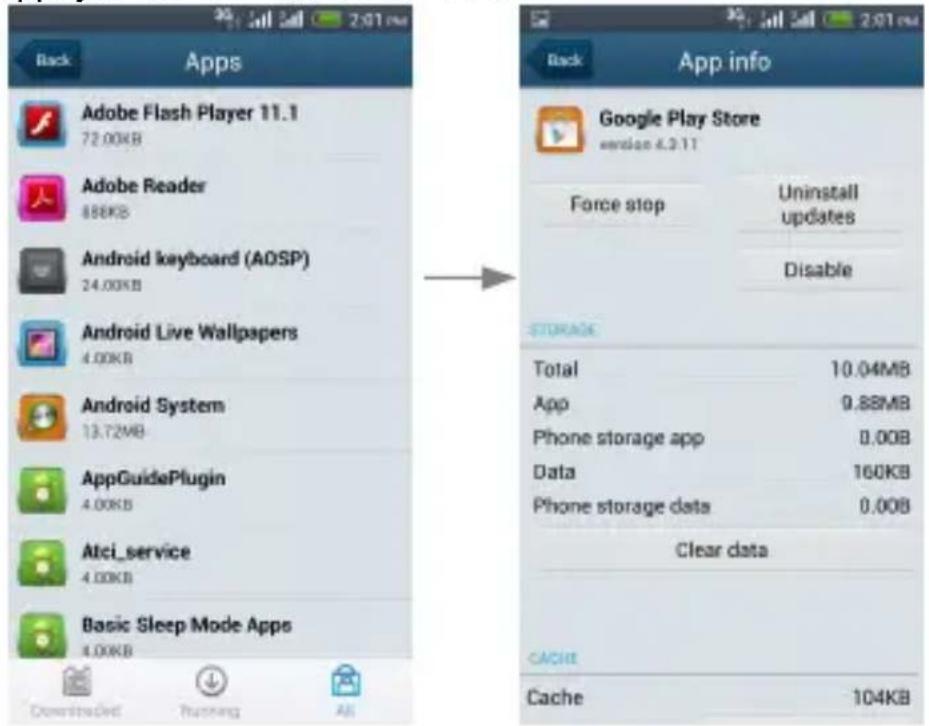
Enter Setting > Personal > Apps.
As you install downloaded Apps, you need to switch on "Unknown sources" in application settings.
Select one app, you can uninstall, clear data.
- Intex Zone
14.1 Intex Movies
Intex Movies will give you the most amazing watching movie experience
14.2 Intex Games Club
Intex Games Club is an online gaming software application
14.3 Auto call record
When the function is on, it will auto call record during the call.
14.4 INTEX Play
In Intex play you can find almost all the applications which meets your needs
14.5 Charging Info
You can view charging information here.
- APPLICATIONS & UTILITIES
For your entertainment purpose, your device is provided with several interesting games, applications and utilities, such as Gmail, Intexzone, Local, Maps,
PlayStore, Talk, Skype, and YouTube. Please ensure that you have GPRS setting in your device to access the applications. Contact your operator for GPRS settings.
Tips: With connection to Wi-Fi network, this application can run normally, too.
VI. Technical Information
Model: AQUA I7
Size Length (Pearl Blue): 142.7*71.9*7.8mm
Size Length (Pearl White):142.7*71.9*7.8mm
Battery: 2000mAh
Networks: GSM 900/1800MHz, WCDMA 2100MHz
SAR Value:
GSM900 MHz: 0.663 W/Kg;
GSM1800MHz: 0.491 W/Kg;
WCDMA 2100MHz: 0.785 W/Kg
Weight: 143 ±5 gram (with battery)
Battery Type: Li-polymer Battery
Model: BR 2075AD
Nominal voltage: 3.7v
Max. Voltage: 4.2v
Capacity rating: 2000mAh
Operation Temperature: -10°C \~+55 °C
The operation time of the battery depends on conditions such as:
- Transmitting power level
- Signal (distance between the phone and the base station)
• Network parameters defined by the operator
• Phone use (WAP, games, SMS) - Charging procedure used
Exclusions:
Subject to the exclusions contained below:
- Damage due to the improper use.
- User does not follow the manual.
Explanation:
The company has the final right of the explanation for this document.
Software upgrades will not be announced.
All pictures are for reference only in the instruction book; please refer to the actual phone.
Disclaimer
© Intex. All rights reserved.
Features and specifications are subject to change without prior notice. Certain mobile phone features may not be activated by your service provider, and / or their network setting may limit the feature's functionality. Services and some features such as GPRS, email may be dependent on the network, SIM card, as well as on the compatibility of the devices used and content formats supported and may require network/service subscription/solutions. Data transfers speeds are network dependent. Always contact your service provider for details or help. Talk and standby time is quoted in digital mode and are approximate; battery performance and the signal reception depend on network configuration, signal
strength, type of SIM card, operating temperature, features selected as well as voice, data and other application usage pattern. The phones supports Bluetooth, A2DP, in order for Bluetooth devices to communicate with one another, they must utilize the same Bluetooth Profile. To determine the profiles supported by other Intex products, visit www.intextechologies.com, for other devices, contact their respective manufacturers. Always demand for original Intex mobile phones to protect against buying tinkered and/or used, refurbished or tampered phones. The warranty is applicable only for Intex phones; the company is not responsible for any loss or theft. Always use Intex original Enhancements (including batteries) for safety. The use of any other type may invalidate and approval or warranty applying to the mobile phone and may be dangerous. The phone is designed to operate using Li-ion batteries approved by the phone manufactures. Using non approved batteries with the phone may result in poor performance and damage to the phone or its enhancements. The display and products visualization here are illustrative purposes only; Display / color of the phone may differ from that shown on the manual. All features, functionality and other product specifications are based on the latest available information and are correct at the time of printing; however such product specifications are subject to change without notice. Copyrights are reserved. Intex is the trademark of INTEX TECHNOLOGIES (INDIA) LTD. which is registered. The unauthorized copying of copyrighted
material is not legalized is inimical to the provisions of the copyright laws of India and other countries.
INFORMATION UNDER E-WASTE (MANAGEMENT AND HANDLING) RULES, 2011
For disposal of e-waste, please call our helpline no. or visit our website.
E-waste Helpline no. 1800-103-8822
Weblink:
http://intextechnologies.com/window_self/Waste%20Disposal.html
-
Do's for disposal of product
a) Always drop your used electronic products, batteries, and packaging materials after the end of their life in nearest collection point or collection center
b) Separate the packaging material according to responsible waste disposal options and sorting for recycling.
c) The battery can easily be removed from the product for recycling. -
Don't disposal of equipment
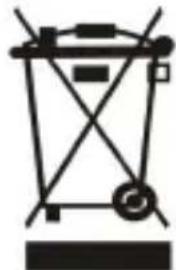
a) Never dump E-waste in garbage bins or municipal solid waste stream.
b) Do not dispose of your product as unsorted municipal waste.
c) Do not throw used batteries into household waste.
d) Do not dispose damaged or leaking Lithium Ion (Li-Ion) battery with normal household waste.
natural_image
Pure mechanical diagram of a lifting device without any text, numbers, or symbols- Information on the consequences of improper handling, accidental breakage damage and improper recycling of the end of life product.
a) If batteries are not properly disposed of, it can cause harm to human health or the environment.
b) Placing of batteries or devices on or in heating devices, such as microwave ovens, stoves, or radiators and improper disposal of batteries may lead to explosion.
c) If the battery terminals are in contact with metal objects, it may cause a fire.