Mitte Home WK 9558 - Food processor SEVERIN - Free user manual and instructions
Find the device manual for free Mitte Home WK 9558 SEVERIN in PDF.


User questions about Mitte Home WK 9558 SEVERIN
0 question about this device. Answer the ones you know or ask your own.
Ask a new question about this device
Download the instructions for your Food processor in PDF format for free! Find your manual Mitte Home WK 9558 - SEVERIN and take your electronic device back in hand. On this page are published all the documents necessary for the use of your device. Mitte Home WK 9558 by SEVERIN.
USER MANUAL Mitte Home WK 9558 SEVERIN
natural_image
Line drawing of a circular drain with perforated surface and connecting rod (no text or symbols)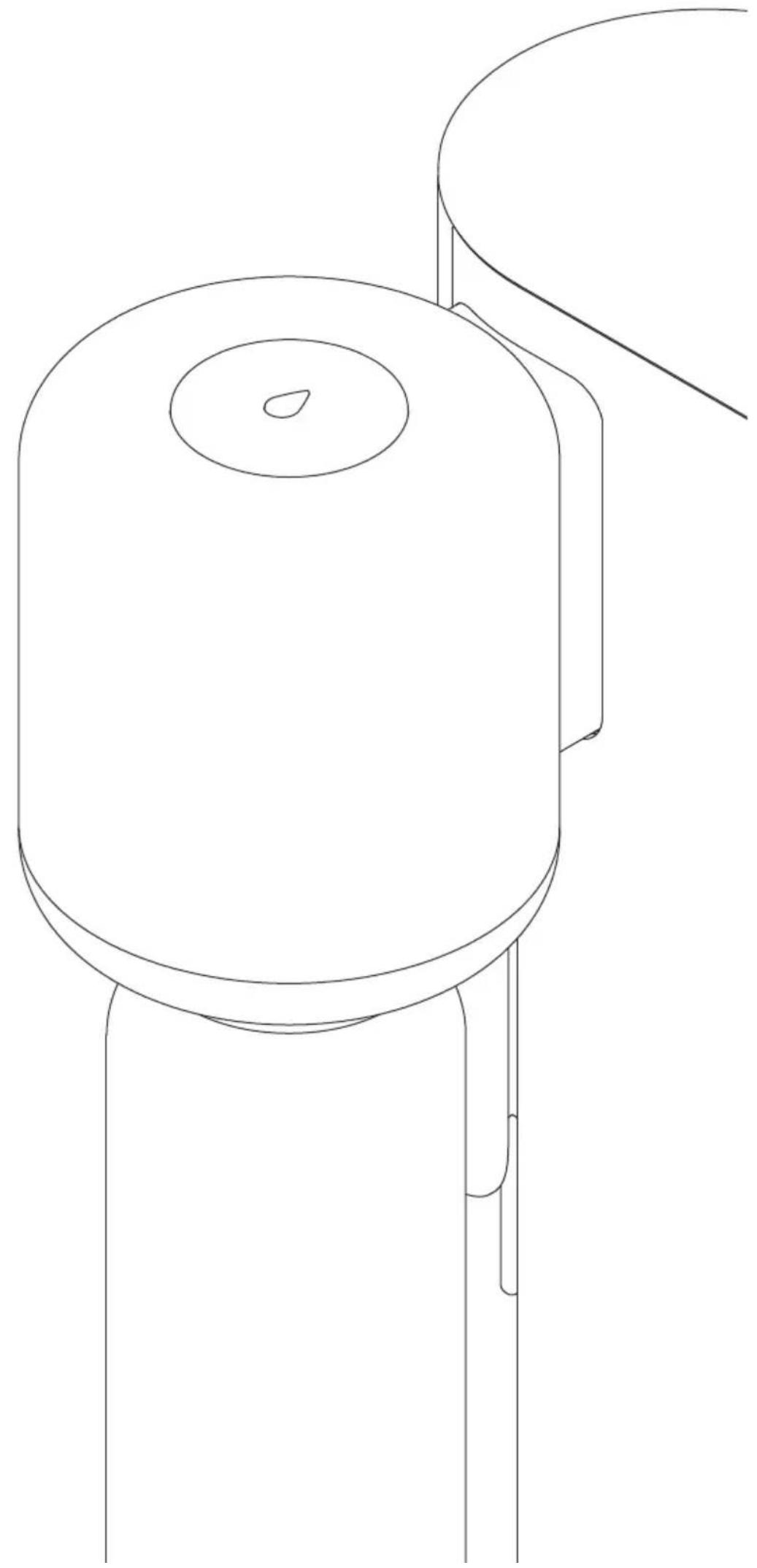
natural_image
Line drawing of a cylindrical electronic component with a curved handle and mounting feet (no text or symbols)O
Inhound
| 1 Watertank 2 Cartridge-deur | ||
| 3 Mitte-cartridge 4 Lekbak | ||
| 5 Mitte-fles 6 CO2-cilinderdeur | ||
| 7 Mitte CO2-cilinder 8 Doseerkop | ||
| 9 Bedieningspaneel(koolzuurniveau) | 10 Waterkwaliteitsindicator | |
3.7. Typeplaatje
natural_image
Simple line drawing of a smartphone with a download icon and number 1 (no text or symbols on the device itself)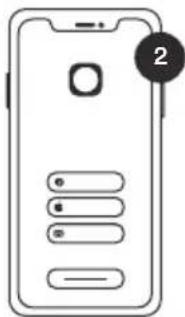
natural_image
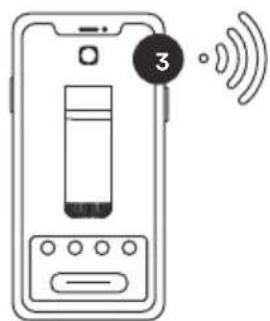
Line drawing of a device with wireless signal icon above and labeled number 4 (no text or symbols on device)flowchart
graph TD
    A["1: Gas jar with bubbles"] --> B["2: Refrigerator with lid"]
    B --> C["3: Cooling unit with inlet"]
    C --> D["4: Final storage unit with side arm"]
natural_image
Diagram of a pipe pouring liquid into a container with bubbles (no text or symbols)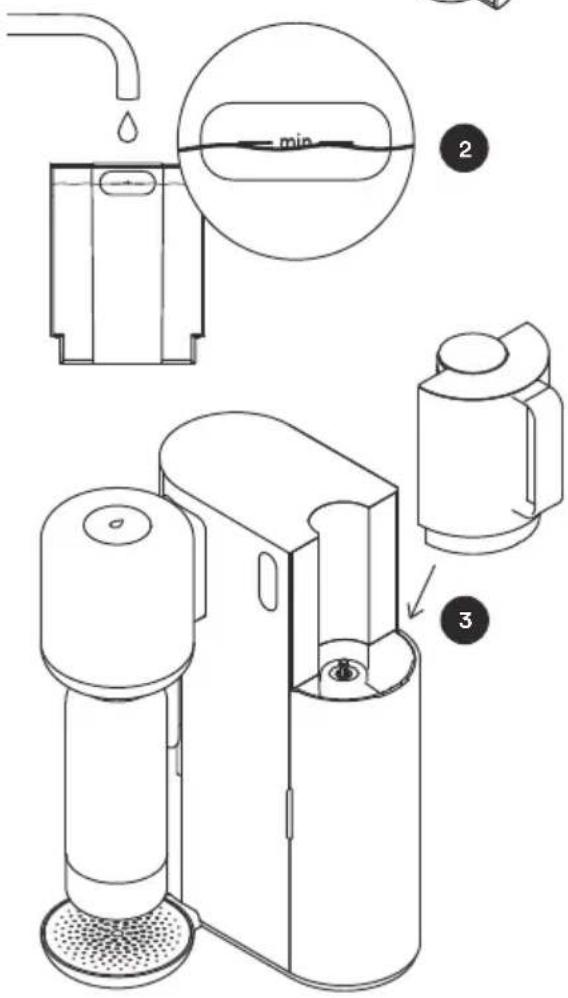
natural_image
Line drawing of a two-tiered smart device with a base and top, no text or symbols present2
natural_image
Simple line drawing of a spray bottle and a droplet with cross mark (no text or symbols)flowchart
graph TD
    A["Water Purification Device"] --> B["Add Water to Dish"]
    B --> C["Check for Dish with Dropping"]
    C --> D["Clean Water in Dish"]
    D --> E["Recycling to Dish"]
    E --> F["Final Collection"]
    style A fill:#f9f,stroke:#333
    style F fill:#bbf,stroke:#333
7. Onderhoud
2.1. General Safety Instructions
2.2. Environmental Conditions
2.3. Warnings
3. Device Description
3.1. Intended Use
3.2. Improper Use
3.3. Scope of Delivery
3.4. Device Overview
3.5. Functional Description 3
3.6. Mitte App 40
3.7. Type Plate 40
4. Installation 41
4.1. Unboxing 41
4.2. Account and Pairing (Optional) 42
4.3. Inserting the Mitte Cartridge 43
4.4. Inserting the Mitte CO₂ Cylinder 44
4.5. Inserting the Bottle 45
4.6. Filling the Water Tank 47
4.7. Activating the Mitte Cartridge 48
5. Operation 49
6. Notification overview 51
7. Maintenance 54
7.1. Cleaning 54
7.2. Flushing the Mitte Cartridge 54
7.3. Changing the Mitte Cartridge 55
7.4. Storing the Mitte Cartridge 55
7.5. Changing the Mitte CO₂ Cylinder 56
8. Disposal 56
9. Warranty Information 57
10. Technical Specifications 57
11. Current Manual version 58
EN
1. About This Manual
This manual provides you with information about Mitte Home.
You will find information on:
- Safety
- Functionality
- Use
- Maintenance
- Disposal
The storage of this document is the responsibility of the owner and/or user to ensure the document is available when needed. Store this document somewhere accessible and safe.
2. Safety
2.1. General Safety Instructions
The device may only be used by individuals who have read and understood these operating instructions and/or have been instructed in the operation of the device.
This device can be used by children aged 8 years and older as well as persons with reduced physical, sensory or mental capabilities or lack of experience and knowledge if they have been given supervision or instruction concerning use of the device in a safe way and understand the hazards involved.
Children shall not play with the device.
Cleaning and user maintenance shall not be carried out by children without supervision.
Even if the device has been designed, built, and equipped with safety precautions, the device may still pose a hazard during operation, especially if specified procedures and safety regulations are disregarded.
Only carry out activities that are described in this manual.
Pay attention to unusual noises occurring during the operation of the device. This could indicate the start of a malfunction that could result in a dangerous situation.
An increased risk of injury exists with some components of the product, due to crushing or jamming of moving parts. Therefore, existing safety mechanisms must never be dismantled, bypassed, or rendered unusable.
Before each use, check the device for damage to ensure a smooth operation.
The Mitte Home device should only be used in conjunction with accessories sold exclusively by Mitte.
If the power cord is damaged, please stop using the device. A damaged power cord must be replaced by the manufacturer, its service agent or similarly qualified persons in order to avoid a potential hazard.
2.2. Environmental conditions
The Mitte Home device should only be operated in a dry, indoor environment.
• Temperature range: 4 – 40°C
- Relative humidity: 40 – 60%
• Supporting surface should be water resistant
• Supporting surface load capacity: ≥ 8 kg
• Room volume: ≥7,3 m ^4
- No direct sunlight
- No direct proximity to fireplaces or heat sources
- Level installation site (max. 2^ inclination)
2.3. Warnings
The warnings in this manual are highlighted with pictograms and signal words. The severity of a hazard is indicated by the pictogram and signal word. The warnings that precede each action are shown as follows:
 | DANGER |
| Type and source of the hazard, possible consequencesMeasures to avoid the hazard |
Meaning of the signal words
| DANGER Immediate danger to life or risk of severe physical injury |
| WARNING Possible risk of severe physical injury |
| CAUTION Possible risk of minor physical injury |
| NOTICE Possible damage to property |
EN
Meaning of the Pictograms
 | General warning sign |
 | Electricity hazard |
 | Pressurized cylinder |
 | Risk of suffocation |
 | Risk of hand injuries |
 | NOTICE: damage to property |
 | Refer to instruction manual |
3. Device Description
3.1. Intended Use
This device uses tap water to create filtered and mineralized, still, lightly sparkling or sparkling drinking water.
Mitte Home is not intended for commercial use.
3.2. Improper Use
Any improper use of the device is prohibited, in particular:
- the use under conditions and prerequisites other than those specified by the manufacturer in these operating instructions
• the unattended use of the device - the use of non Mitte cartridges from other brands
- the use without the water tank or bottle, or the removal of any components during the dispense process
- the use of water other than of drinking quality tap water (rainwater, sewage, contaminated water) or the use of additives
• the use by children without adult supervision - the use by individuals who are not able to operate the device correctly and safely
-
the use of the device outdoors and/or under strong, direct sunlight or heat
-
the use of the device in small (<7,3 m ^3 ), unventilated rooms
- the use of the device when the power cord is damaged
- the use of the device when it is leaking
- the use of the device after a fall or similar incident – it may be defective
- moving the device during operation
- the use of metal objects in the water tank or bottle
Any use other than the intended use is prohibited. The manufacturer is not liable for any resulting damages. All warranty claims are void if changes are made to the device, also during the course of assembly and installation.
3.3. Scope of Delivery
The starter kit includes:
- one Mitte Home device – including the removable Water Tank
- one Drip Tray
- one Mitte Cartridge
• one Mitte CO _2 Cylinder
• one reusable bottle with a lid
• one quick start guide
Further Mitte cartridges, Mitte CO_2 cylinders, and additional accessories can be ordered individually via the Mitte webshop or via the Mitte app.
We strongly recommend the use of the CO_2 cylinders provided by Mitte. While other CO_2 cylinders may also fit, their performance might not be optimal.
3.4. Device Overview
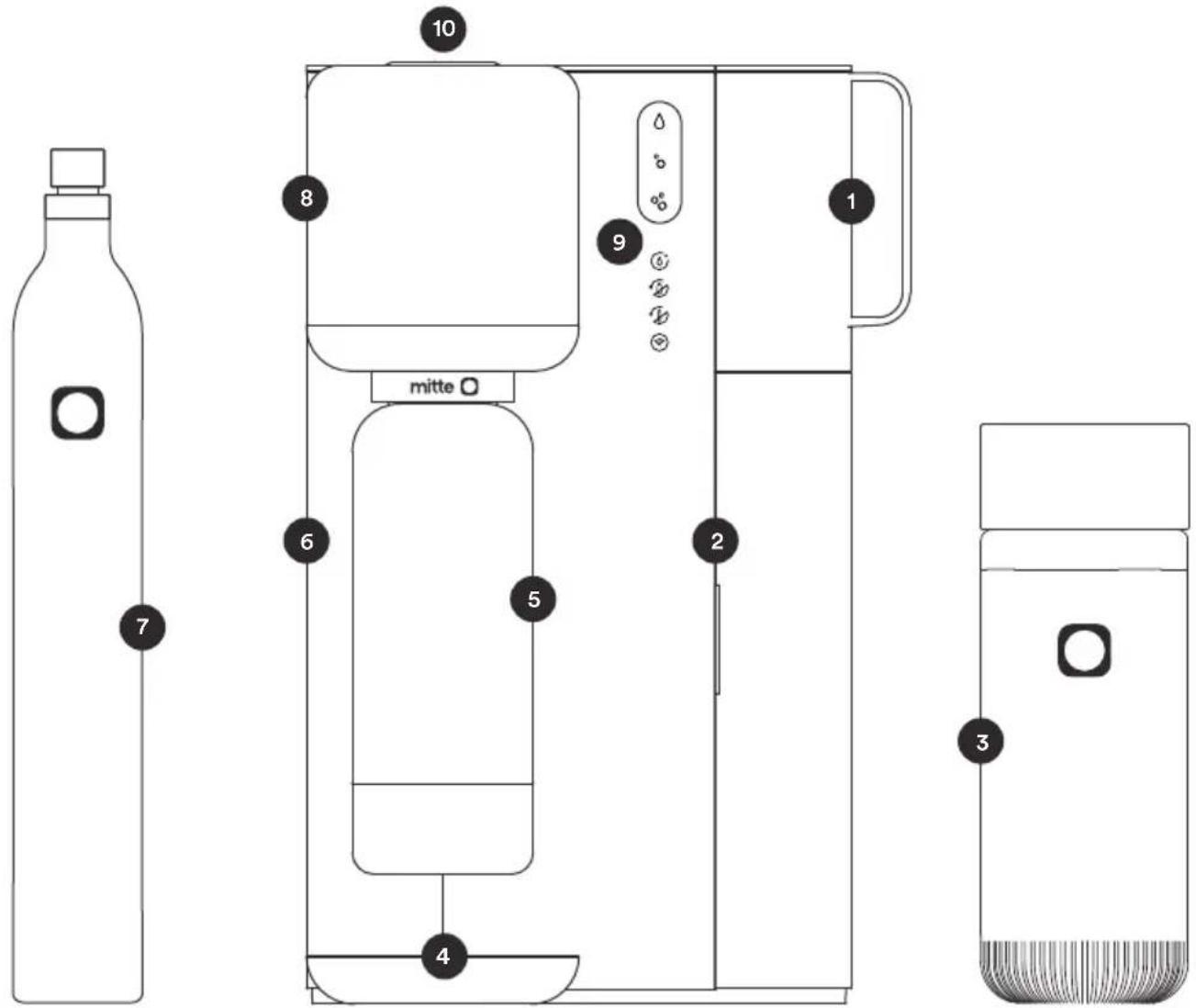
| 1 Water Tank 2 Cartridge Door | ||
| 3 Mitte Cartridge 4 Drip Tray | ||
| 5 Mitte Bottle | 6 | CO_2 Cylinder Door |
| 7 Mitte CO_2 Cylinder 8 Dispense Head | ||
| 9 Control Panel (Carbonation Level) | 10 | Water Quality Indicator |
Control Panel (Carbonation Level)
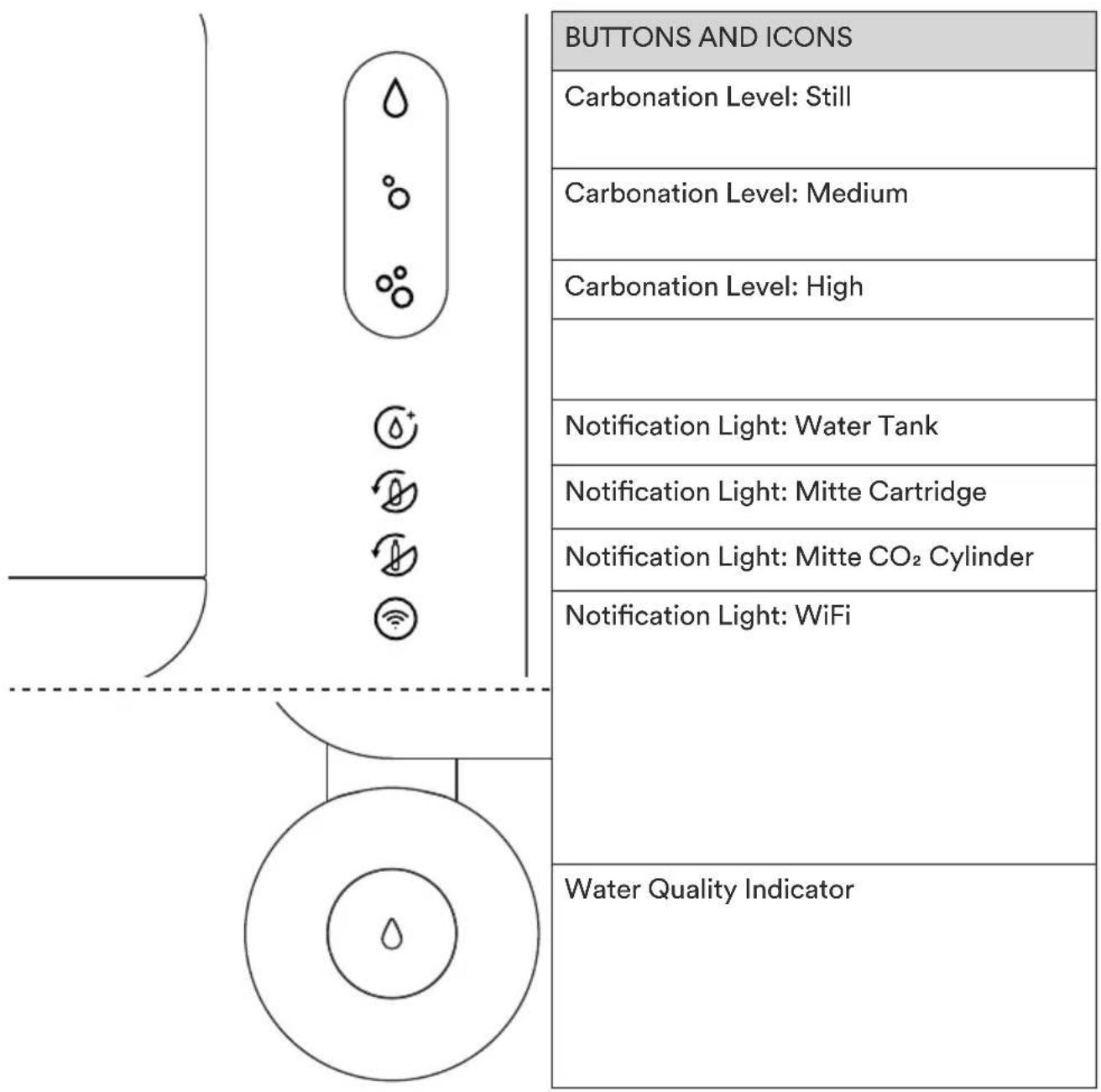
3.5. Functional Description
This device uses tap water to create filtered and mineralized, still, lightly sparkling, or sparkling drinking water.
The main functions of the device are:
- Water Filtration
• Water Mineralization
• Water Carbonation
The water filtration and mineralization occurs mainly through the filtration technology in the Mitte cartridge.
EN
The carbonation happens through the CO_2 cylinder. The CO_2 cylinder also supports the mineralization function. This means that a CO_2 cylinder is needed even to dispense still water. The Mitte CO_2 Cylinder is also a consumable that must be exchanged regularly according to its carbonation capacity.
For the best experience, connect the device to the internet, using the Mitte app. All essential functions of the device can be performed independently from internet connectivity.
3.6. Mitte App
The Mitte app helps you stay on top of your cartridges and cylinders by notifying you when your consumables are running low.
- Receive order reminders
- Order additional cartridges, CO_2 cylinders and other accessories anytime, easily via the Mitte app
- Shipping is free of charge via DHL GoGreen
- Track the delivery of your order conveniently in the app
- Receive notifications to aid during device usage
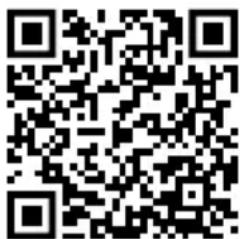
Download the Mitte app here

3.7. Type Plate
The type plate is on the back of the device and contains the following information:
- type designation
- serial number
- manufacturer
- CE marking
Always keep the type plate clean and legible.
4. Installation
| WARNING | |
 | Risk of suffocationDo not use the device in small (<7,3 m3), unventilated rooms. |
 | Electrical hazardConnect the device only to grounded wall sockets.The power cable and plug must be dry. |
 | Risk of hand injuriesBe careful when inserting the cartridge, cylinder, and bottle. |
| CAUTION | |
 | Contaminated drinking water can cause various diseasesDo not touch the dispenser tap, the hinged cartridge port, or the cartridge inlet and outlet with dirty hands or dirty objects.Only clean these components with a clean, disposable cloth. |
4.1. Unboxing
We recommend setting up your Mitte Home using the Mitte app.
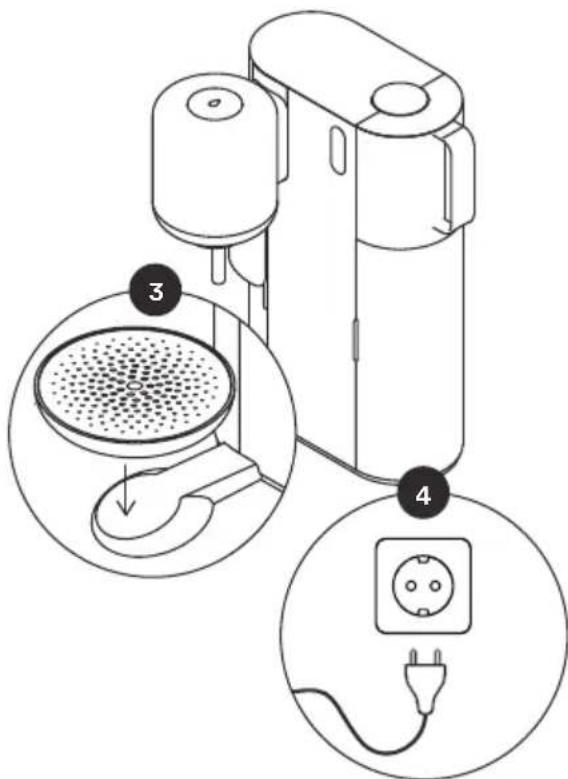
- Unbox the Mitte Home device and all the components.
- Place the device on your countertop within range of a WiFi signal. Do not place it on water-sensitive surfaces.
- Install the drip tray as shown in the image.
- Plug your device into an electrical outlet to get started.
EN
4.2. Account and Pairing (optional)
We recommend setting up your Mitte Home using the Mitte app.
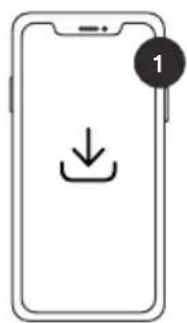
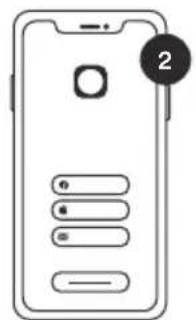
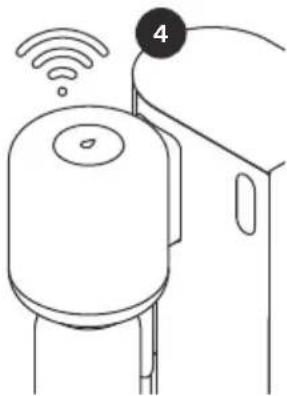
- Download the app using the QR code below and open the Mitte app on your smartphone.

natural_image
Line drawing of a water dispenser with wireless signal icon above (no text or symbols)-
Create an account or login to your existing account which you created when purchasing the Mitte Home Device.
-
If you decide to connect to the Mitte app, please follow the step-by-step instructions in the app to continue onboarding your device. In that case, you can disregard the next steps outlined in this section of the user guide.
-
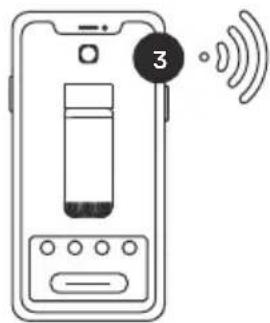
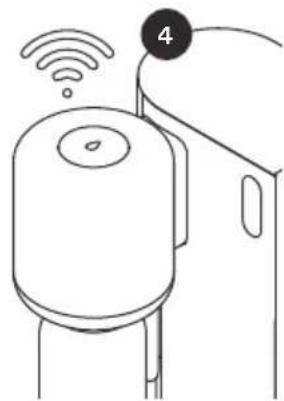
The Mitte app will prompt you to pair your phone with the device via Bluetooth and connect to WiFi for a smart and integrated experience.
Mitte Home can also be used separately from the app. To do so, follow the steps in this manual.
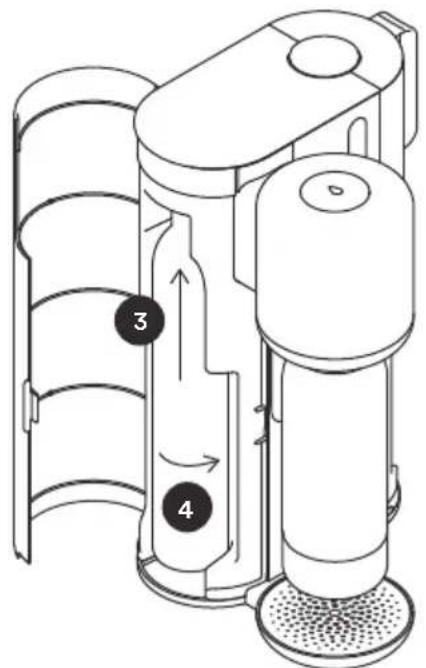
4.3. Inserting the Mitte Cartridge
| NOTICE | |
 | Please check the indicators on the Mitte cartridge and the hinged port to ensure you insert it correctly. |
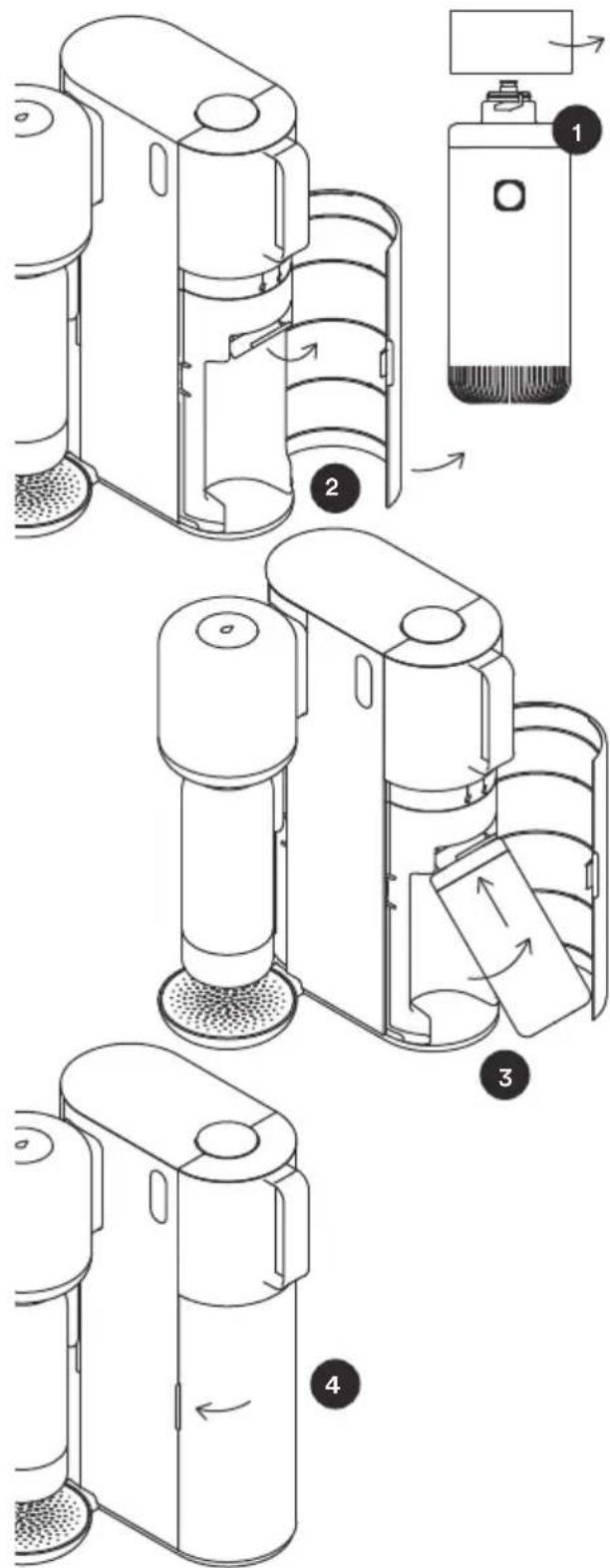
- Remove the cap from the Mitte cartridge. Hold onto the cap for the sake of storing and returning the cartridge.
- Open the cartridge door on the right. Locate the hinged docking mechanism. The port can be hinged up in order to make it easier for the user to remove and insert the cartridge.
- Line up the two arrows and push the cartridge into the connection point. Rotate it a 14 turn to the right until the arrow meets the lock icon.
- Hinge the cartridge down and close the cartridge door
EN
4.4. Inserting the Mitte CO_2 Cylinder
| WARNING | |
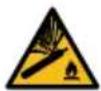 | Risk of explosion: The CO_2 cylinder is under pressureBe careful when handling it.Do not shake the CO_2 cylinder immediately before inserting it. |
natural_image
Simple line drawing of a bottle with a small object on top and a numbered label '1' in the corner (no text or symbols on the bottle itself)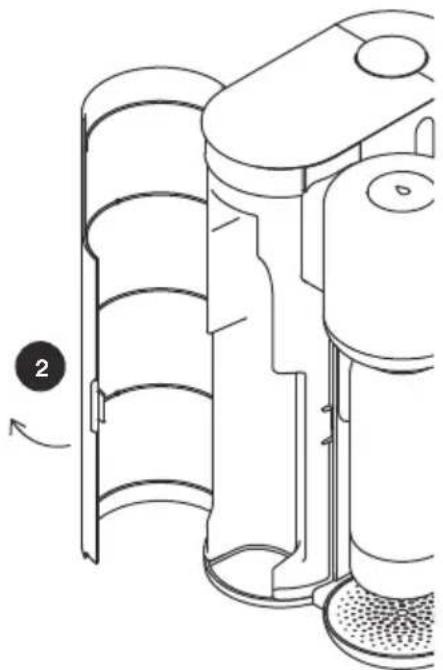
natural_image
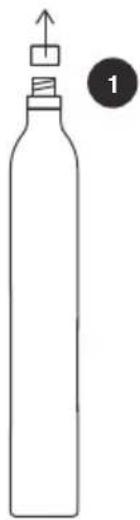
Technical line drawing of a mechanical device with layered components and a circular arrow indicating rotation (no text or symbols)- Remove the plastic seal and cap from the valve at the top of the Mitte CO_2 cylinder.
- Open the CO_2 cylinder door on the left.
- Place the cylinder vertically in the device.
- Raise the cylinder until it meets the connection point and insert the cylinder valve into the port. Screw in the cylinder to the right until it is tight.
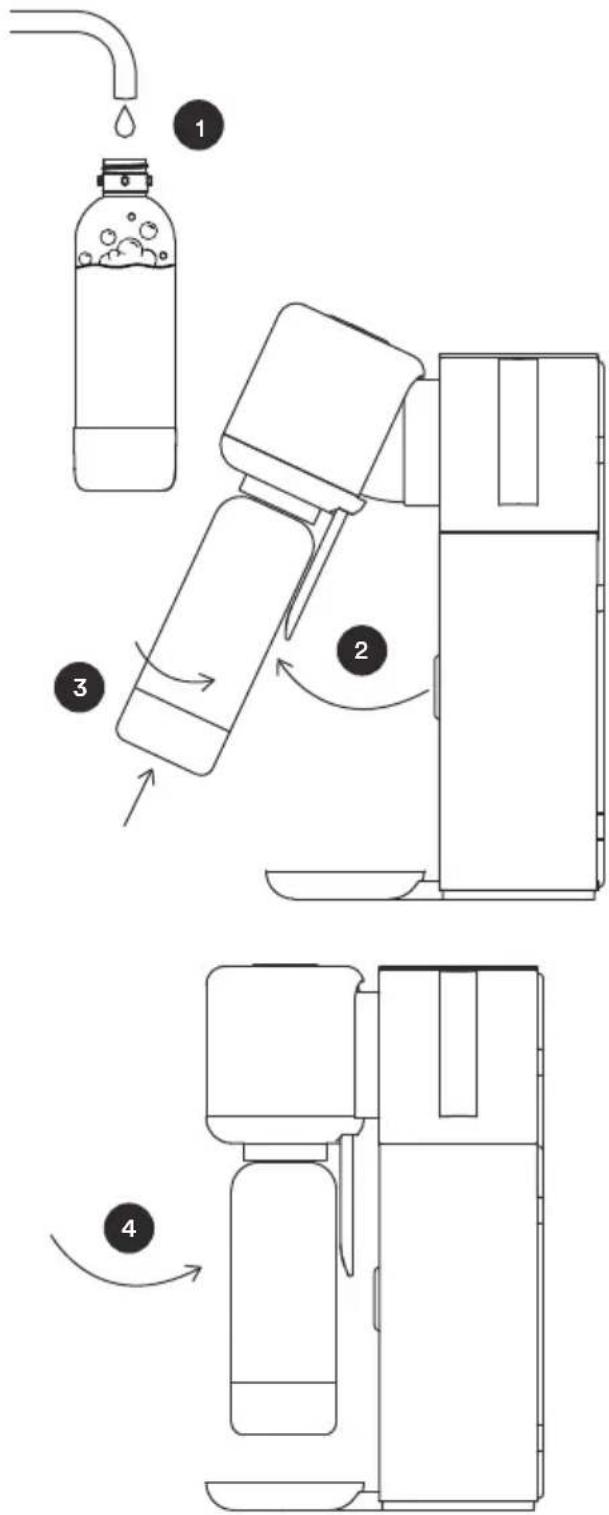
4.5. Inserting the Water Bottle
Mitte PET Bottle
| NOTICE | |
 | The bottle is not dishwasher safe. Clean the bottle and the lid with warm running water (max. 40°C) and mild detergent.The bottle must not be used after its expiration date. |
Mitte Glass Bottle
| CAUTION | |
 | The bottle is dishwasher safe.Clean the lid with warm running water (max. 40°C) and mild detergent.WarningsWhen using the carbonation function, the glass bottle must be in its protective sleeve.Do not freeze the glass bottle.Do not use the glass bottle if it is cracked, chipped or otherwise slightly damaged. Replace and dispose the glass bottle if it is damaged.Do not use the glass bottle if it was dropped on the floor or otherwise exposed to any substantial impacts.Check the glass bottle before each use for cracks or other damages.Do not expose the glass bottle to strong temperature fluctuations.Avoid temperature changes of over 40°C and do not fill glass bottle with hot water. Do not put glass bottle in the freezer.Compatible temperatures: max 40°C; min 1°C |
EN

flowchart
graph TD
    A["1: Washing Bottle with bubbles"] --> B["2: Lifting device"]
    B --> C["3: Presser or filter unit"]
    C --> D["4: Cleaning unit"]
- Clean the water bottle with warm tap water and mild detergent, ideally using a bottle brush.
- Pull the hinged dispense head outwards using the handle and insert the bottle. The bottle should be empty.
- Rotate to the right until the bottle is locked securely in place.
- Push the dispense head and bottle back towards the device, returning them to a vertical position.
4.6. Filling the Water Tank
| NOTICE | |
 | The water tank is not dishwasher safe. Clean the water tank with warm running water (max. 40°C) and mild detergent.Do not fill the Water Tank while it is attached to the device.Do not fill the Water Tank during the dispensing process. |
natural_image
Diagram of a pipe pouring liquid into a cylindrical container (no text or symbols)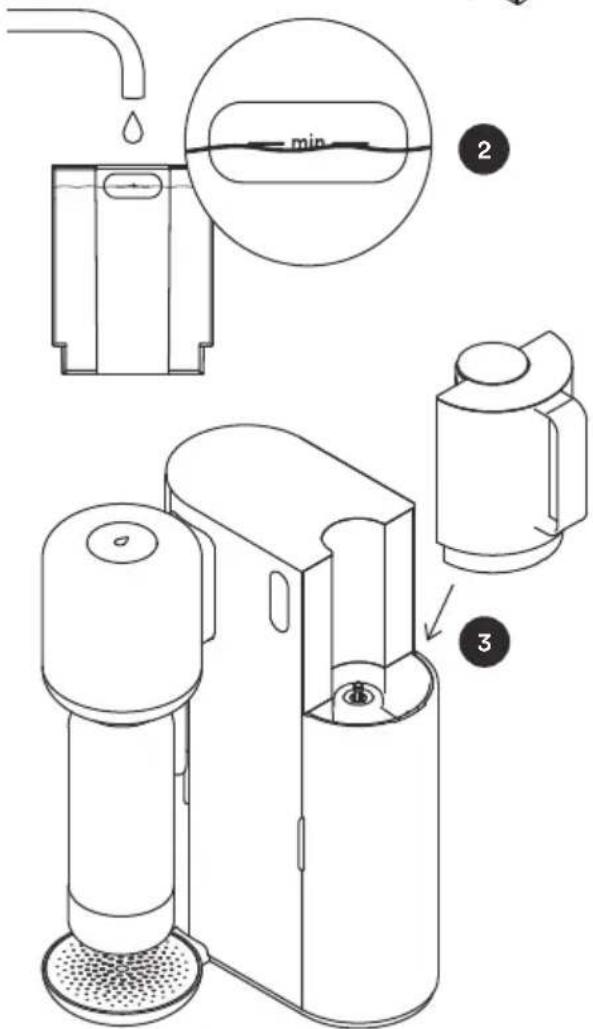
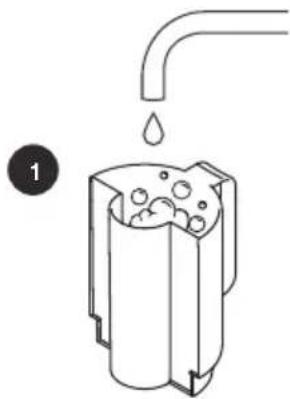
- Remove the water tank and clean it before use with warm tap water and mild detergent.
- Fill the water tank with cold tap water up to the minimum fill line. In order to get the best carbonation results, it is important to always fill above the line so that the carbonation nozzle on the dispense head is submerged in water while carbonating.
- Return the water tank into place on the top right of the device.
EN
4.7. Activating the Mitte Cartridge
| NOTICE | |
 | Before the device is ready for use, the Mitte cartridge must be activated.If a cartridge has not been in use a flush may be recommended or required, see chapter 7.2. |
natural_image
Technical line drawing of a mechanical device with a base and side view (no text or symbols)2
natural_image
Pure geometric diagram of concentric circles with a central star-like pattern and radial lines (no text or symbols)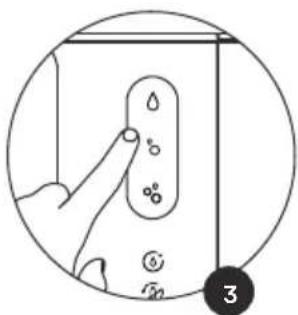
natural_image
Simple line drawing of a spray bottle and a droplet with cross mark, no text or symbols present-
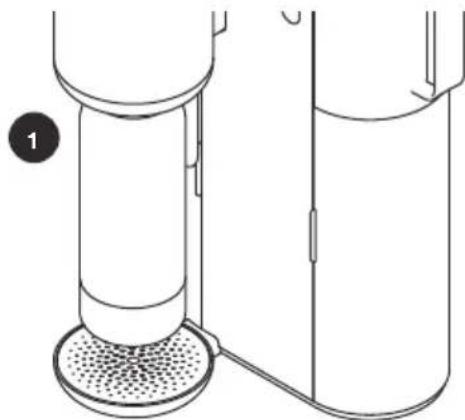
Ensure that the bottle is empty and locked into the dispense head.
-
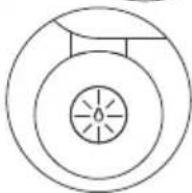
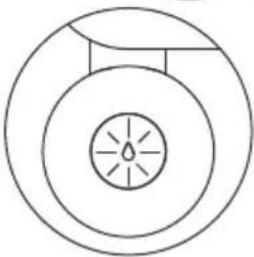
The water quality indicator, on top of the dispense head, should be steady orange in order to remind you to discard the water from this dispense.
-
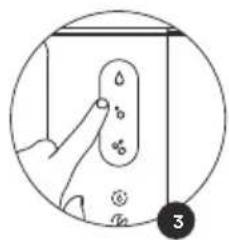
All carbonation levels will pulse fast white. Touch any carbonation level to begin the activation. The water flow will begin.
- The cartridge activation will take 1 - 2 minutes. It's normal that the first dispense does not produce a full bottle of water.
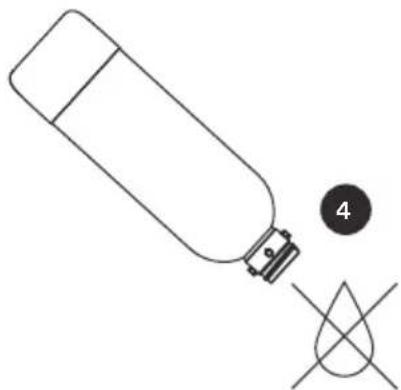
- Wait until the water quality indicator light stops pulsing, then remove the bottle and discard the water.
5. Operation
| WARNING | |
 | Risk of suffocationDo not use the device in small (<7,3 m3), unventilated rooms. |
| CAUTION | |
 | Contaminated drinking water can cause various diseasesDo not touch the dispenser tap, the hinged cartridge port, or the cartridge inlet and outlet with dirty hands or dirty objects.Only clean these components with a clean, disposable cloth. |
| NOTICE | |
 | Do not fill the water tank with anything other than tap water.Do not add any substances into the bottle prior to dispensing: any additives such as juices, syrups, fruits, etc. should only be added after the dispensing process has completed.Always empty the water tank and bottle completely. Do not leave residual water in the device for a long period of time. |
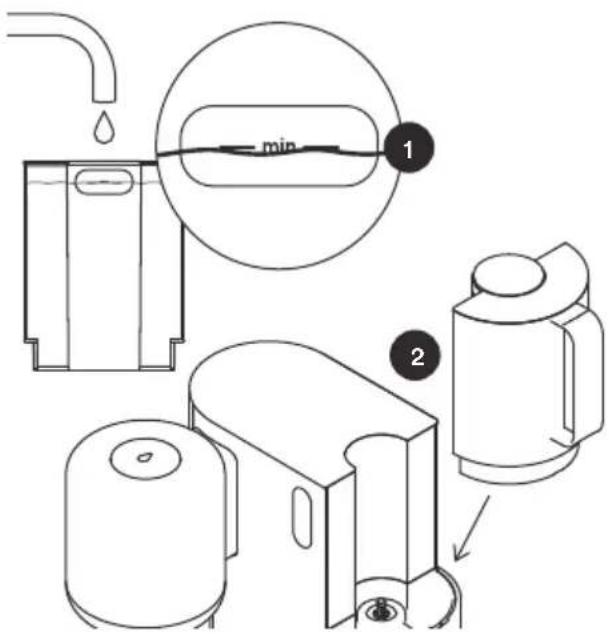
- Remove the water tank and fill it with cold tap water up to the minimum fill line.
- Install the water tank on the top right of the device.
EN

flowchart
graph TD
    A["Water Bottle"] --> B["Add Water Droplets"]
    B --> C["Add Air Bag"]
    C --> D["Add Dish & Cover"]
    D --> E["Add Water Tank"]
    E --> F["Add Toilet Down"]
    F --> G["Add Toilet Up"]
    G --> H["Add Toilet Down & Cover"]
    H --> I["Add Toilet Down & Cover"]
-
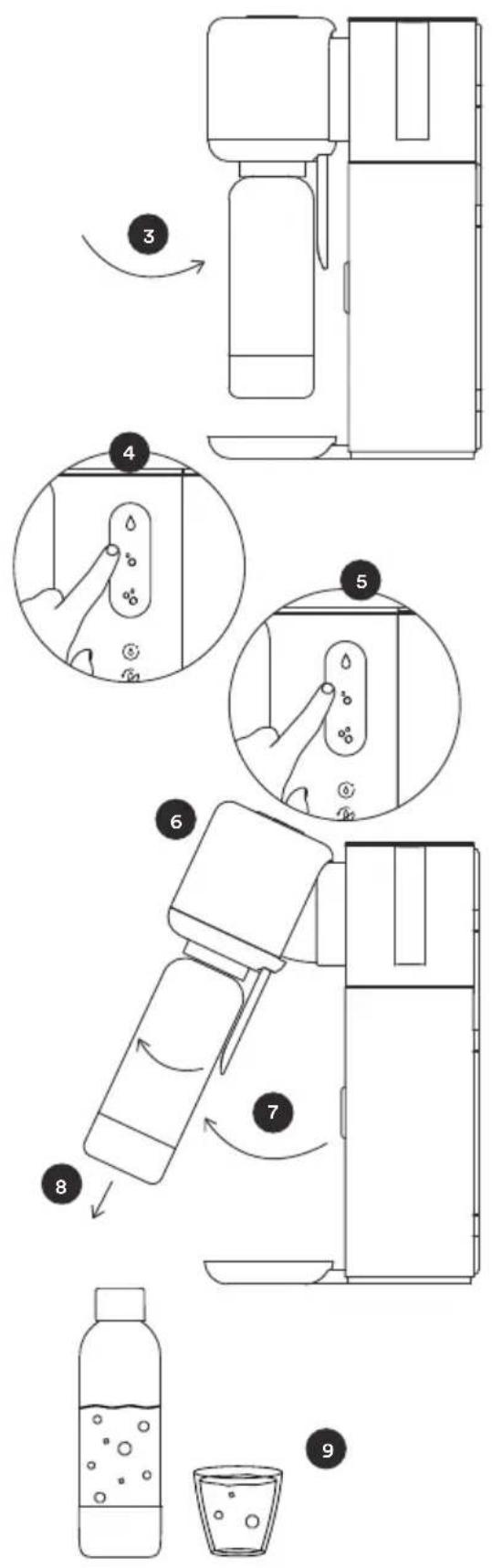
Ensure that the bottle is empty and locked into the dispense head.
-
Select your desired carbonation level in the touch menu.
- The notification light for the selected carbonation level will begin a fast white pulse and the water quality indicator will show a steady white light.
- Touch the carbonation level again.
- The carbonation level will show a steady white light and the water quality indicator on the top will begin a slow white pulse. - The selected water is dispensed into the bottle.
-
Wait until the water quality indicator light turns off.
-
Lift the dispense head to a hinged position using the handle.
-
Remove the bottle.
-
Enjoy your Mitte Water immediately or store in a refrigerator for a maximum of 1-2 days.
Note:
The water dispensing should only be interrupted if necessary, as each dispense is deducted from the cartridge capacity.
To interrupt a dispense, touch any carbonation level.
Before initiating another dispense, please make sure the bottle is empty.
Sleep Mode: The device will go into Sleep Mode after a few minutes. You can wake up your Mitte Home by pressing any button.
6. Notification overview
| Notification Meaning | Action | ||
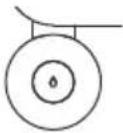 | Steady orange light | Mitte cartridge needs to be activated or flushed (usually after inserting a new Mitte cartridge, or if the cartridge has not been used for a long period of time). | Activate or flush the Mitte cartridge.See chapter 4.7 or 7.2. |
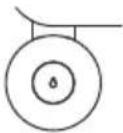 | Steady white light | A carbonation level has been selected and the device is ready for dispense. | Start dispense. See chapter 5. |
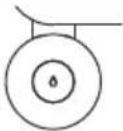 | flashes orange and white alternately | Best before date exceeded. | Change cartridge to ensure the best water quality. |
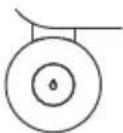 | Slow orange pulse | Mitte cartridge is being activated or flushed | Discard the water from the bottle once the process is complete. |
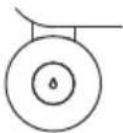 | Slow white pulse | Water dispense in progress | Remove bottle once dispense is complete. |
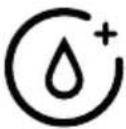 | Fast orange pulse | The water tank is empty at the start of the dispense. | Fill water tank, select desired carbonation level. Touch the same carbonation level button again, to start dispense. |
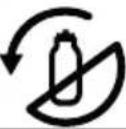 | Slow orange pulse | Mitte cartridge is almost empty. | Mitte cartridge needs to be replaced soon. |
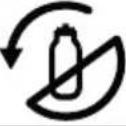 | Fast orange pulse | Mitte cartridge is depleted. | Replace Mitte cartridge.See chapter 7.3. |
EN
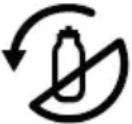 | Steady orange light | Mitte cartridge is inserted incorrectly or is missing. | Ensure that a Mitte cartridge is in place and that it is inserted correctly (lock and arrow symbols are aligned). |
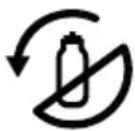 | Flashes orange three times after water selection | Best before date exceeded. | Change cartridge to ensure the best water quality. |
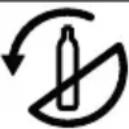 | Slow orange pulse | CO_2 cylinder is almost empty. | Mitte CO_2 cylinder needs to be replaced soon.Note: It is also necessary to have a full CO_2 cylinder to dispense still water. |
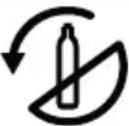 | Fast orange pulse | Mitte CO_2 cylinder is empty. | Replace the Mitte CO_2 cylinder. See chapter 7.5.Note: It is also necessary to have a full CO_2 cylinder to dispense still water. |
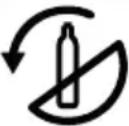 | Steady orange light | The Mitte CO_2 cylinder is inserted incorrectly or is missing. | Make sure that a Mitte CO_2 cylinder is installed and that it is inserted correctly. |
| All symbols | flash 5 times rapidly | The dispense head is not in the vertical position when the dispense starts. | Move the dispense head to the vertical position and restart water dispense by touching the selected carbonation level again. |
| All symbols | Slow pulse | Restart after reset: Device is being reset.OrNew firmware: Firmware is being updated. | No action necessary.Please wait until the reboot or update is complete before continuing to use the device. All icons will flash 5 times quickly when the reboot or update is complete. |
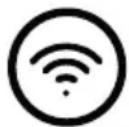 | Slow orange pulse | Device in pairing mode Device is ready to be connected via Bluetooth and WiFi | |
 | Fast orange pulse | WiFi connection issue. Use | Mitte app to troubleshoot. To put the device into pairing mode, all 3 water selection touch keys must be touched at the same time. |
| Control | one carbon-ation level symbol is pulsing fast white | Carbonation level chosen Start dispense. See chapter 5. | |
| Control | one carbon-ation level symbol is showing a steady white light | Dipsense ongoing Start dispense. See chapter 5. | |
| Control | all carbon-ation level are pulsing fast white | Mitte cartridge needs to be activated or flushed (usually after inserting a new Mitte cartridge, or if the cartridge has not been used for a long period of time). | Activate or flush the Mitte cartridge.See chapter 4.7. |
| Control | all carbon-ation level button are showing a steady white light | Mitte cartridge is being activated or flushed. | Discard the water from the bottle once the process is complete. |
For all other problems or malfunctions, please contact customer success:
support@mitte.co
EN
7. Maintenance
| WARNING | |
 | Electrical hazardPlease switch off the device before cleaning. |
 | Risk of hand injuriesBe careful when inserting the Mitte cartridge, cylinder, and bottle. |
7.1. Cleaning
| NOTICE | |
 | Do not use harsh or abrasive cleaning agents.Never clean the device under running water.Do not immerse the device in water.Only clean accessible surfaces. Do not disassemble the device. |
If necessary, clean the outer surfaces using a slightly damp cloth with a small amount of mild detergent. Then, fully dry the device.
Clean the bottle and the lid after each use with warm running water (up to max. 40^ C) and mild detergent. We recommend the use of a bottle brush. The glass bottle is dishwasher safe.
If necessary, clean the Water Tank with warm running water (up to max. 40^ C) and mild detergent.
7.2. Flushing the Mitte Cartridge
From time to time, your Mitte Cartridge should be flushed to ensure optimal performance.
- If you have not used your cartridge for more than 2 days, we recommend that you flush the cartridge. Dispense still water and discard of the water. This bottle of water will not be deducted from the cartridge capacity.
- If you have not used the cartridge for 7 days, your cartridge will need to be flushed. This mandatory flush works exactly like a cartridge activation, see chapter 4.7. This bottle of water will not be deducted from the cartridge capacity.
- If your water smells or tastes unpleasant, we recommend discarding the water.
7.3. Changing the Mitte Cartridge
| NOTICE | |
 | Please check the indicators on the Mitte cartridge and the hinged port to ensure the cartridge is inserted correctly. |
Mitte Cartridges should be used within 180 days. For optimal mineralization and filtration results, we recommend that you use up your cartridge within this period.
After the 180 days have passed, the water quality indicator will flash orange and white alternately.
When the Mitte cartridge is running low, a slow pulsing orange notification light will indicate that the cartridge is nearly empty. This warning is also displayed in the Mitte app under “Cartridge & CO _2 ”.
When the Mitte cartridge has depleted, the cartridge notification light will display a fast orange pulse indicating it is time to change the cartridge. Mitte Home will stop dispensing when the cartridge is empty.
In order to change the Mitte cartridge, open the cartridge door and rotate the cartridge by a 14 turn to the left, disengaging it from the hinged docking mechanism.
Replace it with a new Mitte cartridge (refer to chapter 4.3). Activate the new cartridge (refer to chapter 4.7) by filling the water tank to the minimum fill line followed by selecting any carbonation level and then discarding the water after dispense.
7.4. Storing the Mitte Cartridge
If you would like to switch between cartridges or if you are not using the device for an extended period of time (e.g. you are on holiday), please:
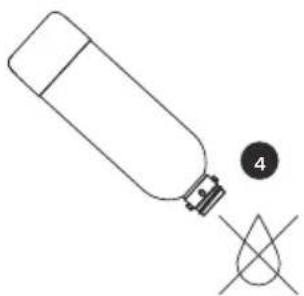
- drain the excess water by turning it upside down over the sink;
- If the cartridge is not used for more than 2 days, we recommend that you cap the cartridge and store it in the refrigerator.
EN
7.5. Changing the CO₂ Cylinder
| WARNING | |
 | Risk of explosion: the CO_2 cylinder is under pressureBe careful when handling it.Do not shake the CO_2 cylinder immediately before inserting it. |
The Mitte CO _2 Cylinder needs to be replaced based on usage.
When the CO_2 cylinder is running low, a slow pulsing orange notification light will indicate that it is nearly empty. This warning is also displayed within the Mitte app under Device Status and on the Home Screen.
When the Mitte CO_2 Cylinder is empty, the device will display a fast pulsing orange notification light indicating it is time to change the CO_2 cylinder.
In order to change the Mitte CO_2 Cylinder, open the cylinder door and unscrew the CO_2 cylinder to the left. It is normal to experience small amounts of CO_2 discharge when removing it.
Install the new Mitte CO_2 Cylinder by threading it into the valve (refer to chapter 4.4). Store empty CO_2 cylinders until all cylinders from the pack are empty. As soon as all cylinders are empty, they must be returned to Mitte. Any cylinders that are not returned will be invoiced.
Store new and used Mitte CO_2 Cylinders in a dry, cool environment and in a vertical position. Please also follow the storage instructions on the CO_2 cylinder and its packaging.
8. Disposal
| NOTICE | |
 | According to the European Directive 2012/19/EU (WEEE), the Mitte Home and its consumables must not be disposed of in household waste.Return the device to the manufacturer or dispose of it at suitable collection points. |
Keep the original packaging of the Mitte cartridges and CO_2 cylinders for return shipping.
The device, accessories, and transport packaging are largely made of recyclable raw materials.
You can dispose of the transport packaging at collection points.
Ensure that the used device and any accessories are properly disposed of. Observe the applicable local and national regulations.
All packaging materials, such as plastic bags, must be kept out of the reach of children.
9. Warranty Information
Mitte guarantees that its products are free from defects and deficiencies in material and workmanship. The warranty is valid for a period of 24 months from the date of purchase and is subject to this limited warranty and its general terms and conditions.
10. Technical Specifications
| COMPONENT TECHNICAL DATA | ||
| Mitte Home Device W | Weight 5.5 kg | |
| Dimensions (H x D x W) 430mm x 267mm x 277mm | ||
| Voltage 230VA | ||
| Frequency 50Hz | ||
| Power 60W | ||
| Stand-by consumption 0,5W | ||
| Tank capacity 930 ml (860 ml until filling line) | ||
| Connections WiFi, Bluetooth | ||
| Mitte Cartridge Weight Dry: 722 g (without cap, 765 g with Cap) | ||
| Mitte CO2 Cylinder Weight Empty CO2 Cylinder: 760g Full CO2 Cylinder: 1185 g | ||
| Mitte PET Bottle Weight | 240 g | |
| Dimensions (H x diameter) 270 mm x 85mm | ||
| Capacity 1000 ml (860 ml until filling line) | ||
| Material Plastic | ||
| Dishwasher safe Yes | ||
| Expiry period 2 years | ||
| Mitte Glass Bottle Weight | 580 g | |
| Dimensions (H x diameter) 265 mm x 85 mm | ||
| Capacity 1000 ml (860 ml until filling line) | ||
| Material Glass | ||
| Dishwasher safe No | ||
11. Current manual version
For the most current version, head to https://static.mitte.co/downloads/mh-user-manual.pdf
Imprint
mittemitte GmbH
Sonnenallee 224a
12059 Berlin
Germany
support@mitte.co
Copyright © 2023
All technical information, drawings and photos are protected by copyright. The contents of this document may not be passed on to third parties, even in part, without the written permission of mittemitte GmbH.
EN
mitte O
Versie | Version:
MHDE-UM-13-B