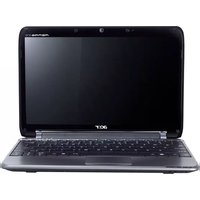
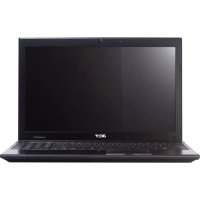
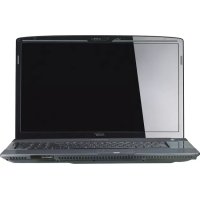
ASPIRE 5830G - Laptop ACER - Free user manual and instructions
Find the device manual for free ASPIRE 5830G ACER in PDF.

 FR
FR
 BG
BG
 CS
CS
 DA
DA
 DE
DE
 EL
EL
 EN
EN
 ES
ES
 ET
ET
 FI
FI
 HU
HU
 ID
ID
 IT
IT
 JA
JA
 KO
KO
 LT
LT
 LV
LV
 NL
NL
 NO
NO
 PL
PL
 PT
PT
 RO
RO
 RU
RU
 SK
SK
 SL
SL
 SV
SV
 TR
TR
 ZH
ZH
User questions about ASPIRE 5830G ACER
0 question about this device. Answer the ones you know or ask your own.
Ask a new question about this device
Download the instructions for your Laptop in PDF format for free! Find your manual ASPIRE 5830G - ACER and take your electronic device back in hand. On this page are published all the documents necessary for the use of your device. ASPIRE 5830G by ACER.
USER MANUAL ASPIRE 5830G ACER
Aspire Notebook Series
Quick Guide
Acer recommends...
Productivity Software
Work Great with Microsoft Office 2010 - Express your ideas, solve problems and simplify everyday projects with Office 2010.
Photo editing - Easily edit and print your photos with Windows Live Photo Gallery. Then share them on Facebook, YouTube or Windows Live.
Search & Decide with Bing -- Find and organize the answers you need using Bing ^TM , so you can make faster, more informed decisions.
Model number:
Serial number:
Date of purchase:
Place of purchase:
First things first
We would like to thank you for making an Acer notebook your choice for meeting your mobile computing needs.
Your guides
To help you use your Acer notebook, we have designed a set of guides:
First off, the setup poster helps you get started with setting up your computer.
The Aspire Generic User Guide contains useful information applying to all models in the Aspire product series. It covers basic topics such as using the keyboard and audio, etc. Please understand that due to its nature, the Generic User Guide will occasionally refer to functions or features which are only contained in certain models of the series, but not necessarily in the model you purchased. Such instances are marked in the text with language such as "only for certain models".
The Quick Guide introduces you to the basic features and functions of your new computer. For more on how your computer can help you to be more productive, please refer to the Aspire Generic User Guide. This guide contains detailed information on such subjects as system utilities, data recovery, expansion options and troubleshooting. In addition it contains warranty information and the general regulations and safety notices for your notebook. It is available in Portable Document Format (PDF) and comes preloaded on your notebook. Follow these steps to access it:
1 Click on Start > All Programs > AcerSystem.
2 Click on Aspire Generic User Guide.

Note: Viewing the file requires Adobe Reader. If Adobe Reader is not installed on your computer, clicking on Aspire Generic User Guide will run the Adobe Reader setup program first. Follow the instructions on the screen to complete the installation. For instructions on how to use Adobe Reader, access the Help and Support menu.
Your Acer notebook tour
After setting up your computer as illustrated in the setup poster, let us show you around your new Acer notebook.
Top view

| # | Icon | Item | Description |
| 1 | Microphone | Internal microphone for sound recording. | |
| 2 | Display screen | Also called Liquid-Crystal Display (LCD), displays computer output (configuration may vary by model). | |
| 3 | Power button / indicator | Turns the computer on and off. Indicates the computer's power status. | |
| 4 | Keyboard | For entering data into your computer. | |
| 5 | Touchpad | Touch-sensitive pointing device which functions like a computer mouse. | |
| 6 | Click buttons (left and right) | The left and right buttons function like the left and right mouse buttons. | |
| 7 | NumLk indicator | Lights up when Num Lock is activated. | |
| Caps Lock indicator | Lights up when Caps Lock is activated. | ||
| 8 | P | Acer PowerSmart button | Puts your computer into power-saving mode (configuration may vary by model). |
| P key | Programmable key (configuration may vary by model). | ||
| 9 | Speakers | Deliver stereo audio output. | |
| 10 | Integrated webcam | Web camera for video communication. |
Hotkeys
The computer employs hotkeys or key combinations to access most of the computer's controls like screen brightness and volume output.
To activate hotkeys, press and hold the <Fn> key before pressing the other key in the hotkey combination.
| Hotkey | Icon | Function | Description |
| +Fn> + <F3> | ((1)) | Communication | Enables/disables the computer's communication devices. |
| <Fn> + <F4> | Z² | Sleep | Puts the computer in Sleep mode. |
| <Fn> + <F5> | □□ | Display toggle | Switches display output between the display screen, external monitor (if connected) and both. |
| <Fn> + <F6> | □□□ | Screen blank | Turns the display screen backlight off to save power. Press any key to return. |
| +Fn> + <F7> | Touchpad toggle | Turns the internal touchpad on and off. | |
| +Fn> + <F8> | Speaker toggle | Turns the speakers on and off. | |
| +Fn> + <F7> | Brightness up | Increases the screen brightness. | |
| +Fn> + <F8> | Brightness down | Decreases the screen brightness. | |
| +Fn> + <F7> | Volume up | Increases the sound volume. | |
| +Fn> + <F7> | Volume down | Decreases the sound volume. | |
| +Fn> + <Home> | /II | Play/Pause | Play or pause a selected media file. |
| +Fn> + <Pg Up> | ■ | Stop | Stop playing the selected media file. |
| +Fn> + <Pg Dn> | ■ | Previous | Return to the previous media file. |
| +Fn> + <End> | ■ | Next | Jump to the next media file. |
Closed front view

| # | Icon | Item | Description |
| 1 | IIIIMM MULTIMEDIAID SD PRO | Multi-in-1 card reader | Accepts Secure Digital (SD), MultiMediaCard (MMC), Memory Stick PRO (MS PRO), xD-Picture Card (xD). Note: Push to remove/install the card. Only one card can operate at any time. |
| 2 | III | Battery indicator button | Press to indicate the computer's battery status. |
| Note: Also functions when the computer is turned off. | When plugged in: Blue: Fully charged Amber: Charging When on battery power: Blue: >30% battery charge remaining Amber: Remaining charge is between 10% and 30% Red: <10% charge remaining | ||
| 3 | Power indicator | Indicates the computer's power status. | |
| HDD indicator | Indicates when the hard disk drive is active. | ||
| Communication indicator | Indicates the computer's wireless connectivity device status. |
Rear view

| # | Item | Description |
| 1 | SIM card slot | Accepts a 3G SIM card (configuration may vary by model). |
Left view

| # | Icon | Item | Description |
| 1 | K | Kensington lock slot | Connects to a Kensington-compatible computer security lock. Note: Wrap the computer security lock cable around an immovable object such as a table or handle of a locked drawer. Insert the lock into the notch and turn the key to secure the lock. Some keyless models are also available. |
| 2 | □□□ | Ethernet (RJ-45) port | Connects to an Ethernet 10/100/1000-based network. |
| 3 | □ | External display (VGA) port | Connects to a display device (e.g., external monitor, LCD projector). |
| 4 | HDMI | HDMI port | Supports high-definition digital video connections. |
| 5 | + | USB 3.0 port | Connects to USB devices. A USB 3.0 port can be distinguished by its blue connector. |
| 6 | SPDIF | Microphone jack | Accepts inputs from external microphones. |
| Headphones/speaker jack | Connects to audio devices (e.g., speakers, headphones). |
Information on USB 3.0
Supports power-off USB charging, allowing you to charge mobile devices while the notebook is switched off.
- Defined by the USB 3.0 (SuperSpeed USB) specification.
Devices without USB 3.0 certification may not be compatible.
Right view

| # | Icon | Item | Description |
| 1 | USB 2.0 ports | Connect to USB 2.0 devices (e.g., USB mouse, USB camera). | |
| 2 | Optical drive | Internal optical drive; accepts CDs or DVDs. | |
| 3 | Optical disk access indicator | Lights up when the optical drive is active. | |
| 4 | Optical drive eject button | Ejects the optical disk from the drive. | |
| 5 | Emergency eject hole | Ejects the optical drive tray when the computer is turned off. Note: Insert a paper clip to the emergency eject hole to eject the optical drive tray when the computer is off. | |
| 6 | DC-in jack | Connects to an AC adapter. |
Base view

| # | Icon | Item | Description |
| 1 | Battery reset pinhole | Insert a paperclip into the hole to reset the computer (simulates removing and reinstalling the battery). |
Environment
Temperature:
- Operating: 5^ C to 35^ C
Non-operating: -20^ to 65^
Humidity (non-condensing):
- Operating: 20% to 80% .
Non-operating: 20% to 80%
Gamage de notebook Aspire
Guide rapide
Pour commencer
Acer notebook is bundled with the approved telecom modules for your networking. Those modules' model number and specific homologation number refers to below:
[Modem]
| Modelo: RD02-D330 | CNC 54-4512 |
| Modelo: Delphi D40 (AM5) | CNC 54-5681 |
[Bluetooth]
| Modelo: BCM92046 | CNC 16-6735 |
| Modelo: BCM92070MD_REF | CNC 16-7165 |
| Modelo: T77H056 | CNC 16-7788 |
| Modelo: AR5BBU12 | CNC 16-7946 |
[Bluetooth+802.11bgn]
| Modelo: BCM943225HMB | CNC C-7497 |
[802.11AGN]
| Modelo: 512AN_MMW | CNC C-6399 |
| Modelo: 533AN_MMW | CNC C-6385 |
| Modelo: 512AN_HMW | CNC C-7612 |
| Modelo: 533AN_HMW | CNC C-7618 |
| Modelo: 622ANHMW | CNC C-7682 |
| Modelo: 633ANHMW | CNC C-7681 |
[802.11BGN]
| Modelo: AR5B95 | CNC C-7152 |
| Modelo: AR5B93 | CNC C-7151 |
| Modelo: 112BNHMW | CNC C-7470 |
| Modelo: 112BNMMW | CNC C-7471 |
| Modelo: RTL8192SE | CNC C-7495 |
| Modelo: BCM943225HM | CNC C-7395 |
| Modelo: AR5B97 | CNC C-7781 |
| Modelo: BCM94313HMG2L | CNC C-7881 |
[802.11BG]
| Modelo: BCM94312HMG | CNC 16-6180 |
[3G]
| Modelo: UNDP-1 | CNC 17-6334 |
| Modelo: Gobi2000 | CNC 17-7291 |
[Brasil] Noticia adicional de regulamento Anatel
Acer notebook is bundled with the approved telecom modules for your networking. Those modules' model number and specific homologation number refers to below:
[Modem]
| Modelo: RD02-D330 | COFETEL: TTDCORD06-536 |
| Modelo: Delphi_D40 (AM5) | COFETEL: TTDAGDE07-056 |
[Bluetooth]
| Modelo: BCM92046 | COFETEL: RCPFOBC08-0472 |
| Modelo: BCM92070MD_REF | COFETEL: RCPBRBC09-0213 |
| Modelo: T77H056 | COFETEL: RCPATT709-1049 |
| Modelo: AR5BBU12 | COFETEL: RCPATAR10-0064 |
[Bluetooth+802.11BGN]
| Modelo: BCM943225HMB | COFETEL: RCPBRBC09-0574 |
[802.11AGN]
| Modelo: 512AN_HMW | COFETEL:RCPIN5108-0260 |
| Modelo: 512AN_MMW | COFETEL:RCPIN5108-0260-A3 |
| Modelo: 533AN_HMW | COFETEL:RCPIN5108-0260-A2 |
| Modelo: 533AN_MMW | COFETEL:RCPIN5108-0260-A1 |
| Modelo: 622ANHMW | COFETEL:RCPIN6209-1009 |
| Modelo: 633ANHMW | COFETEL:RCPIN6309-1010 |
[802.11BGN]
| Modelo: AR5B95 | COFETEL:RCPATAR09-0168 |
| Modelo: AR5B93 | COFETEL: RCPATAR09-0167 |
| Modelo: 112BNHMW | COFETEL: RCPIN1109-0613-A1 |
| Modelo: 112BNMMW | COFETEL: RCPIN1109-0613 |
| Modelo: RTL8192SE | COFETEL: RCPRERT09-0751 |
| Modelo: BCM943225HM | COFETEL: RCPBRBC09-0464 |
| Modelo: AR5B97 | COFETEL: RCPATAR09-1103 |
| Modelo: BCM94313HMG2L | COFETEL: RCPBRBC09-1196 |
[802.11BG]
| Modelo: BCM94312HMG | COFETEL: RCPBRBC08-0015 |
[3G]
| Modelo: UNDP-1 | COFETEL:RTIQUUN08-0253 |
| Modelo: Gobi2000 | COFETEL:RTIQUGO09-0555 |
| Modelo: EM770W | COFETEL:RTIHUEM10-0096 |
[WiMax]
| Modelo: 622ANXHMW | COFETEL: RCPIN6210-0219 |
Mby pa3pa6oTaII npI dy pyKOBoIDCTB, KOToPbIe NOMOryT Bam B IcNoIb3OBAHIN HoyT6yka Acer:
3TOT nIaKaT IIMOKeT BbINOJIHHTb NepBOHaJaIbHyIO HacTPOIky KOMNbIOTepa.
TInnoBOe pyKOoCTBO nOlb3OBaTeJI KOMbIoTepa cepIN Aspire coJepKNT
nIOJIe3Hyo INΦopMaIuIIO, INPIMeHNMyIO KO BcEM MoJeIeM cepIN Aspire. B HEM
ONICbIBaHOCTC OCHOBHbIE TeMbI, TaKHe KaK pa6Ota C KJIaBnAtypO, 3ByKOM I T.D.
UHTNE, YTO TInnoBOe pyKOoCTBO nOlb3OBaTeJI AByIeTcra OObSeHHbIM,
No3TOMy B HEM INHOgda 6bydY T ONICbIBaTbc cyHKcNIN JIN CBOiCTBa,
peAJIIN3OBAHHbIe He B KUYIeHNHO BamN MOJeIIN, a JINsB B ONPeJeHENbIX MoJeIAX
3ToI cepIN B Taknx Cnyuayx B TeKCTe DaetcN POMeTKa "ToIbKO dIra ONpeJeHENbIX
MOJeIe".
KpaTkoe pyKOBOCTBO 3HaKOMIT BAC C OCHOBbIMN XapakTePncTnKaMn IN ΦyHKUaMn BaWero HOBOro KOMNbHTope. YTO6bl y3HaTb 6OJIbWe O TOM, KaC NOMOuBIO KOMNbHTope naOBICNTb IPOdyKTNBHOCTb CBOe paBOtbl, CM. TInNOBoe pyKOBOCTBO nOJIb3OBAteJRA KOMNbHTope a cepm Aspire. 3TO pyKOBOCTBO COdepXHTI NOpO6HyIO INΦOpMaunIO O CNCTeMHbIX ΦyHKUaNX, BOCCTAHOBJIeHN N daHHbIX, BO3MOxHocTEx paUwpeHn I yCTpaHeHN HeNCnPabHOcteB. B hem TaKke npINBeDeHa INΦOpMaunr O rapaHTNIHOM oCbnykBaHN, a TAKKe obUne npEiNcAHHN I npABUNa 6eONaCHOCn I pR paBote c HOYt6yKom. 3TO pyKOBOCTBO B VIne PaIIa PDF n3NaUaNbHO 3arpyKeHo B KOMNbHTope. YTO6bl OTKpbITb erO, BBINOHNTE cNeDyUoiee:
1 ⅢeIKNHTe KHOINK
![ACER ASPIRE 5830G - [Brasil] Noticia adicional de regulamento Anatel - 1](/content/2020/04/111472/images/cd26bad95d5d1b90f468f6e9a713ed5e451ae02397c1d988ff893f10e1f13010.jpg)
Ipyck > Bce nporpamMbI > AcerSystem.
2 Μεπκητe Aspire Generic User Guide.
![ACER ASPIRE 5830G - [Brasil] Noticia adicional de regulamento Anatel - 2](/content/2020/04/111472/images/388b30f3947638c667f45352769b82d6eadf694d3b89ffc0b50daec7df47951e.jpg)
![ACER ASPIRE 5830G - [Brasil] Noticia adicional de regulamento Anatel - 3](/content/2020/04/111472/images/1f2a5c5af2a5a83350139e5a6465a5c87f6b341fc6f10473535398b28566b919.jpg)
Примочи: Д�� посмогра зтою сайla hyжна роррамma Adobe Acrobat Reader.Есни роррамma Adobe Acrobat Reader He yctahOBJIeHa в Baшем KOMпьЮтetime,TOпocné Нжатяpyнкta Aspire Generic User Guide Chачада ЗанустTCЯ утЛNTа уCTaHOBК nporpamMb Acrobat Reader.Д�� заBERPseHЯ уСТанOBКВ bIлОЛНITE oTo6paKaembile Ha Зкразе Инстукци.УkaЗаня по paБOTe C nporpAMMO Adobe Acrobat Reader CM.В MEнJO CnpabKa n noDdEprKka.
3HaKOMCTBO C HoyT6ykom Acer
Tenepb, KOrda BbI BbINHnHn HacToPouKn, KaK nOKa3aHO Ha nJaKaTe no HacToPoiKe, daBaIte NoBnIXe No3HaKOMMmC b BaIIM HObIM HoYbYKom Acer.
BnD cBepxu

BnD cpeeni C 3aKpbIToi KpbIshkoI

1 23
Acer 不豆膝部将从朝朝朝朝朝朝朝朝朝朝朝朝朝朝朝朝朝朝朝朝朝朝朝朝朝朝朝朝朝朝朝朝朝朝朝朝朝朝朝
賊公道的是
Nnuuue: nnuuWauuuuauuauu Adobe Reader lunuunu uuuuuuauu Adobe Reader "luuuaa uuuuuuauuuu Aspire Generic User Guide aunu uuuuuuuuuu Adobe Reader uuuuuuuuuuuuuuuuuuuuuuuuuuuuuuuuuuuuuuuuuuuuuuuuuuuuuuuuuuuuuuuuuuuuuuuuuuuuuuuuuuuuuuuuuuuuuuuuuuuuuuuuuuuuuuuuuuuuuuuuuuuuuuuuuuuuuuuuuuuuuuuuuuuuuuuuuUU
Acer yavn
nannnnnnnnnnnnnnnnnnnnnnnnnnnnnnnnnnnnnnnnnnnnnnnnnnnnnnnnnnnnnnnnnnnnnnnnnnnnnnnnnnnnnnnnnnnnnnnnnnnnnnnnnnnnnnnnnnnnnnnnnnnnnnnnnnnnnnnnnnnnnnnn
2

| # | laanu | laanu | laanu |
| 1 | laanu | laanu | laanu |
| # | luyan | luyan | luyan |
| 2 | Liquid-Crystal Display (LCD) | ||
| 3 | |||
| 4 | |||
| 5 | |||
| 6 | |||
| 7 | NumLk | Num Lock | |
| A | Caps Lock | Caps Lock | |
| 8 | P | Acer PowerSmart | |
| P | |||
| 9 | |||
| 10 |
1
20% 80%
yulwlu: 20% 80%