
R 500 U - Radio ECG - Free user manual and instructions
Find the device manual for free R 500 U ECG in PDF.


| Product type | FM radio with MP3 player and alarm functions |
| Brand | ECG |
| Model | R 500 U |
| Power supply | External battery 1200 mAh, 3.7 Vdc; charging via USB 5 Vdc |
| Charging time | Approximately 3 hours (500 mAh source) |
| FM frequency range | 88–108 MHz |
| Output power | 2 × 3 W |
| Frequency response | 80 Hz ~ 18 kHz, distortion < 10% |
| Signal-to-noise ratio | 70 dB |
| Display | LCD screen with date and time |
| Main functions | FM radio, USB/SD/TF playback (MP3), AUX IN/OUT, alarm, clock |
| Controls | Buttons: Power On/Off, Play/Pause, Volume +/-, Previous/Next navigation, Mode (M) |
| Connectivity | USB port, MicroSD slot, SD slot, AUX 3.5 mm input, AUX 3.5 mm output, Micro USB charging |
| FM antenna | AUX 3.5 mm cable used as antenna |
| Maintenance and cleaning | Clean with a soft dry cloth; avoid alcohol, ammonia, abrasives |
| Safety | Do not open the casing; avoid water and splashes; do not expose to heat sources |
| Repairability | Have repairs carried out by qualified personnel only |
| General information | Complies with European EMC and electrical safety directives |
Frequently Asked Questions - R 500 U ECG
User questions about R 500 U ECG
0 question about this device. Answer the ones you know or ask your own.
Ask a new question about this device
Download the instructions for your Radio in PDF format for free! Find your manual R 500 U - ECG and take your electronic device back in hand. On this page are published all the documents necessary for the use of your device. R 500 U by ECG.
USER MANUAL R 500 U ECG
R 500
CZ
PŘENOSNÉ RÁDIO
NÁVOD K OBSLUZE
SK
PRENOSNÉ RÁDIO
NÁVOD NA OBSLUHU
PL
RADIO PRZENOŚNE
INSTRUKCJA OBSŁUGI
HU
HORDOZHATÓ RÁDIÓ
HASZNÁLATI ÚTMUTATÓ
DE
TRAGBARES RADIO
BEDIENUNGSANLEITUNG
GB
PORTABLE RADIO
INSTRUCTION MANUAL
HR/BIH
PRIJENOSNI RADIO
UPUTE ZA UPORABU
SI
PRENOSNI RADIO
NAVODILA
SR/MNE
PRENOSNI RADIO
UPUTSTVO ZA UPOTREBU
FR
RADIO PORTABLE
MODE D'EMPLOI
IT
RADIO PORTATILE

CZ
- LCD display
-
II Play/Pause
- V- Set volume
- I<< USB/SD/TF mode – Previous track
5.1 Switch -
I USB/SD/TF mode - Next track
- V+ Set volume
- M Press briefly to switch among FM/AUX/USB/SD
- Handle
- AUX input
- AUX output
- MicroSD card slot
- SD card slot
- USB connector
- Charging connector
HR/BIH
-
LCD zaslon
-
II Reprodukcija/pauza
-
V- Podešavanje glasnoće
-
I<< U načinu rada USB/SD/TF – prethodni zapis
-
1 Prekidač
-
I U načinu rada USB/SD/TF – sljedeći zapis
-
V+ Podešavanje glasnoće
-
M Kad je kratko pritisnuto, odabire između FM/AUX/ USB/SD
-
Ručka
-
Ulaz AUX
-
Izlaz AUX
-
Utor za MicroSD karticu
-
Utor za SD karticu
-
USB priključak
-
Priključak za punjenje
SI
To prevent the risk of fire and injury from electric shock, do not remove the cover of the device. Have a qualified service technician perform repairs on the device.

WARNING
The exclamation mark symbol alerts the user to important operation instructions in the manual.

WARNING
The device including the accessories should not be exposed the dripping or splashing water and you should not place on it any objects containing liquids, e.g. vases. You will reduce the risk of electric shock or damage to the device.
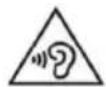
To prevent possible hearing damage, avoid prolonged listening at high volume.

Read carefully and store for future use!
- Before you plug in the device and start using it, read this manual carefully and follow the instructions provided here. Keep the manual for eventual future reference.
• Follow all warnings on the product and in the documentation supplied with the appliance.
- Unplug the device before cleaning. Do not use liquid cleaners or spray cleaners for cleaning. Use wet cloth for cleaning.
• Use only accessories recommended by the manufacturer. Otherwise there is a risk of injury or damage to the device.
- Do not use the device near water and in wet locations such as near a pool, bathtub, kitchen sink, in a damp cellar, laundry room and so on. The device must not be exposed to dripping or splashing water, do not place containers filled with liquids on the device.
- Place the device on an even, flat and firm surface with good ventilation. Never cover the ventilation openings, the device could be damaged due to overheating. Do not place the device in a confined space with poor ventilation, for example, in glass cabinets or on tight shelves.
- The appliance should be powered only from a power sources indicated on the product label. If you are unsure of your power network parameters, consult your vendor or your electricity provider. If the device is powered by battery, follow the instructions in user's manual.
- Protect the device against infiltration of liquids or foreign objects and do not insert any object into the ventilation openings, with potentially hazardous contact with voltage inside the device.
- Do not open the device box. There are no elements inside that can be configured by the user. Have a qualified service technician perform repairs on the device.
- Do not expose the batteries to excessive heat, e.g. direct sunlight, fire, etc.
- Do not expose the device to heat sources such as radiators, heating or other heat-producing appliances such as amplifiers.
• Changes or modifications not expressly approved by the responsible authority can lead to loss of authorization to use the device.
• Excessive sound pressure from earphones can cause hearing damage.
OPERATION
Turning the device on
- Set the device on a flat, stable surface, with controls easily accessible.
- Switch the device on by pressing and holding the button ⏻.
Charging the device:
- Connect to the device the cable with microUSB connector and the other end of the USB cable to a computer or charger.
• Charging voltage: 5 V DC ±5% - Charging time: 3 hours (500 mAh source)
Setting date and time
- Switch on the device.
- Press M to switch to the time mode, press briefly >II and select setting of year, month, day, hour and minute.
- Press briefly I<< or >>I to change the value of the displayed data.
- After you set minutes, end the setting of date and time by pressing >II.
Clock display mode
- Press V- to switch between 12h and 24h time display format.
Setting alarm
- Switch on the device.
- Press M to switch to the time mode, hold the button >II to switch to alarm setting mode.
- Press I<< or >>I to set the hour of the alarm.
- Press briefly >II to go to minutes setting.
- Press I<< or >>I to set the minutes of the alarm.
-
After you set the required time of the alarm, end the setting by pressing >II.
-
When the alarm time is reached, the alarm sounds four times, always in five minutes interval. Switch off the alarm by pressing any button.
- You can activate/deactivate the alarm, when you press and hold the button M in the time mode (when the alarm is active, an alarm clock symbol appears in the top right corner of the display).
Modes description
USB mode and SD/TF card mode:
- When the device is in USB/SD/TF mode, you can play tracks in the MP3 format directly using the built-in speaker.
- Press V-/V+ to adjust the volume, control the playback using buttons I<<, >>I and >II.
FM radio mode
- First, plug in the AUX IN jack cable with 3.5mm connector, which serves as an antenna.
- Press the button M to switch to FM mode.
- Press >>II to search automatically for all accessible stations and store them in memory.
• You can adjust volume by pressing V-/V+, using I<</>>I you move between the various FM stations. - If you first switch to FM mode and then plug the cable into the AUX IN jack, the cable will not be recognized as an antenna. You have to switch the device again into FM mode by pressing the button M.
AUX IN mode
- You can play music from external sources connected to the AUX IN connector. You can control the volume using V-/V+.
AUX OUT mode
You can play music on an external device from this device using the connector AUX OUT or you can connect headphones to this jack.
MAINTENANCE AND CLEANING OF THE DEVICE
- Clean the surface of the device with soft, dry cloth. Prevent moisture penetrating the device.
- Do not use cleaning agents containing alcohol, ammonia or abrasive ingredients.
- Any stains may be cleaned with slightly damp cloth. Dry thoroughly after cleaning.
TECHNICAL DATA
Model R 500
Power Internal battery 1200 mAh
Operating voltage 3,7 V DC
Charging using USB 5V dc
Frequencies range FM 88–108 MHz
Output power 2 × 3 W
Frequency characteristic 80 Hz \~18 kHz, distortion < 10%
Signal-to-noise ratio 70 dB

USE AND DISPOSAL OF WASTE
Wrapping paper and corrugated paperboard – deliver to scrapyard. Packing foil, PE bags, plastic elements – throw into plastic recycling containers.
DISPOSAL OF PRODUCTS AT THE END OF LIFETIME
Disposal of electric and electronic equipment (valid in EU member countries and other European countries with an implemented recycling system)
The represented symbol on the product or package means the product shall not be treated as domestic waste. Hand over the product to the specified location for recycling electric and electronic equipment. Prevent negative impacts on human health and the environment by properly recycling your product.
Recycling contributes to preserving natural resources. For more information on the recycling of this product, refer to your local authority, domestic waste processing organization or store, where you purchased the product.
This product complies with EU directive requirements on electromagnetic compatibility and electrical safety.

08/05

The instruction manual is available at website www.ecg-electro.eu.
Changes in text and technical parameters reserved.
SIGURNOSNA UPOZORENJA
CAUTION
RISK OF ELECTRIC SHOCK DO NOT OPEN
UPOZORENJE
PEČAT I POTPIS PRODAVATELJA
K+B Progres
PROIZVAJALEC ali DAJALEC GARANCIJE:
K+B Progres, a.s.; MBS: 61860123
250 69 Klíčany, Czech Rep. e-post: ECG@kbexpert.cz
LT
K+B Progres, a.s.
U Expertu 91 tel.: +420 272 122 111
250 69 Klíčany, Czech Rep. el. paštas: ECG@kbexpert.cz
LV
K+B Progres, a.s.
U Expertu 91 tel.: +420 272 122 111
250 69 Kličany, Czech Rep. e-pasts: ECG@kbexpert.cz


- R 500
- CZ
- HR/BIH
- SI
- WARNING
- READ CAREFULLY AND STORE FOR FUTURE USE
- OPERATION
- TURNING THE DEVICE ON
- CHARGING THE DEVICE
- SETTING DATE AND TIME
- CLOCK DISPLAY MODE
- SETTING ALARM
- MODES DESCRIPTION
- USB MODE AND SD/TF CARD MODE
- FM RADIO MODE
- AUX IN MODE
- AUX OUT MODE
- MAINTENANCE AND CLEANING OF THE DEVICE
- TECHNICAL DATA
- USE AND DISPOSAL OF WASTE
- DISPOSAL OF PRODUCTS AT THE END OF LIFETIME
- SIGURNOSNA UPOZORENJA
- CAUTION
- UPOZORENJE
- PEČAT I POTPIS PRODAVATELJA
- K+B PROGRES
- LT
- LV
Brand : ECG
Model : R 500 U
Category : Radio