Wi8G - Tablet Allview - Free user manual and instructions
Find the device manual for free Wi8G Allview in PDF.


| Product Type | Tablet |
| Brand | Allview |
| Model | Wi8G |
| Display Size | 8 inches |
| Display Resolution | 1280 x 800 pixels |
| Operating System | Android 6.0 Marshmallow |
| Processor | Quad-core 1.3 GHz Cortex-A7 |
| RAM | 1 GB |
| Internal Storage | 16 GB |
| Expandable Storage | microSD up to 64 GB |
| Rear Camera | 2 MP |
| Front Camera | 0.3 MP |
| Battery Capacity | 4000 mAh |
| Dimensions | 210 x 125 x 9 mm |
| Weight | 350 g |
| Connectivity | WiFi 802.11 b/g/n, Bluetooth 4.0 |
| Ports | microUSB 2.0, 3.5mm headphone jack |
| Power Adapter | 5V/2A |
| Maintenance | Clean with soft dry cloth; avoid liquids |
| Safety | Do not expose to water or extreme temperatures |
| Spare Parts | Battery and screen available from authorized service |
| Repairability | Serviceable by qualified technician only |
Frequently Asked Questions - Wi8G Allview
User questions about Wi8G Allview
0 question about this device. Answer the ones you know or ask your own.
Ask a new question about this device
Download the instructions for your Tablet in PDF format for free! Find your manual Wi8G - Allview and take your electronic device back in hand. On this page are published all the documents necessary for the use of your device. Wi8G by Allview.
USER MANUAL Wi8G Allview
natural_image
Illustration of a tablet device with two vertical gradient shades (no text or symbols)Foreword
Thank you for purchasing our product.
These operational guidelines for the user, to ensure you a quick and convenient use, read the instructions carefully.
This device is a specialized top quality portable table product with a series of remarkable functions. There will be no separate notice in the case of any change in content of this text.
This company will continue to provide new functions for the development of the product, and there will be no separate notice in the case of any change in the product's performance and functions. While this unit is used as a mobile storage device, this company will not be held liable for the security of files saved in the disk.
If the actual setup and the application methods are not identical to those as set forth in this manual, please access the latest product information of this company's website.
Contents
Foreword....2
Contents 3
Points for Attention 4
Shapes and Keys 5
Buttons description and application....6
Desktop introduction....7
App interface introduction....9
Specifications....13
Declaration of conformity....14
Points for Attention
- Do not use the tablet in exceptionally cold or hot, dusty, damp or dry environments.
- Do not allow the tablet to fall down while using it.
- Please charge your battery when:
A. Battery symbol shows an empty icon;
B. The system automatically shuts down and the power is soon off when you switch on the unit once again;
C. There is no response if you operate on any key
- Please do not disconnect power when the tablet is being formatted or in the process of uploading or downloading. Otherwise it may lead to the error in the program.
- When this unit is used as a moving disk, the user shall store or export files in the proper file management operation method. Any improper operation method may lead to the loss of files, for which this Company will be held no liable.
- Please do not disassemble this unit by yourself. If you encounter any malfunction, please contact the dealer.
- There will be no separate notice in the case of any change in the functions and performance of this product.
To avoid the problems that might occur with the service shops approved by Visual Fan Ltd. (because Visual Fan reserves the right to stop the collaboration with any service shop which was previously approved and mentioned in the warranty card on the date on which the product batch was sold on the market), before taking a product to the service shop, please check the updated list of approved service shops on Allview website at the section: “Support&Service – Approved service”.
We do not assume the responsibility in case the product is used other way than stated in the user guide. Our company reserves the right to bring modifications in the content of the user guide without making this fact public.
All the modifications will be listed on the company website (www.allviewmobile.com) in the section dedicated to the specific product which is subject to modifications. The content of this guide may vary from the one existing in electronic format within the product. In such case the latter one will be taken into consideration.
Shapes and Keys
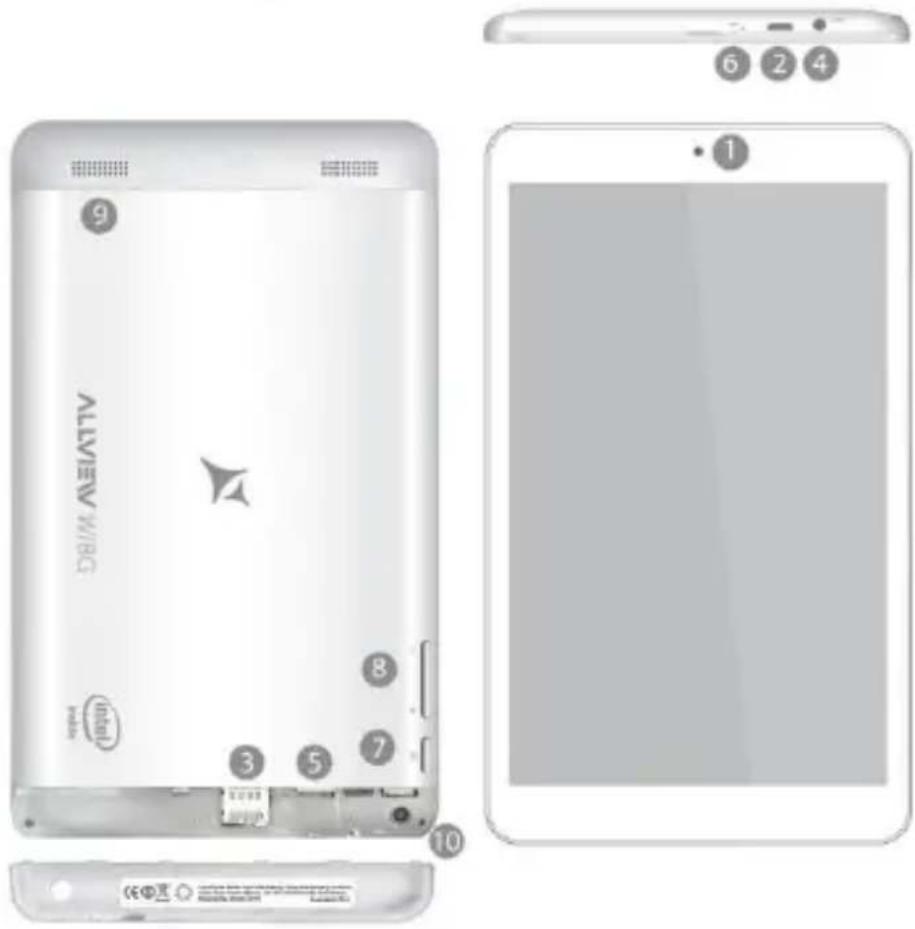
- Front camera
- Earphone socket
- Power switch
-
Rear camera
-
USB socket
- SD card socket
-
Volume key
-
SIM socket
- MIC
- Loudspeaker
Buttons description and application
Note: The keyboard is optional (not included) and will be used according to product configuration.

natural_image
Top-down view of a beige tablet keyboard with labeled parts (①, ②, ③), no visible text or symbols on the keys themselves.1、Fixed tablet: easy alignment and fixed tablet.
2、 Keyboard form: provide a QWERTY keyboard set of buttons and provide excellent typing comfort.
3、Base: folding base of tablets.
The use of tablet with the keyboard

natural_image
White foldable tablet with black keyboard and open status tray (no visible text or symbols)Desktop
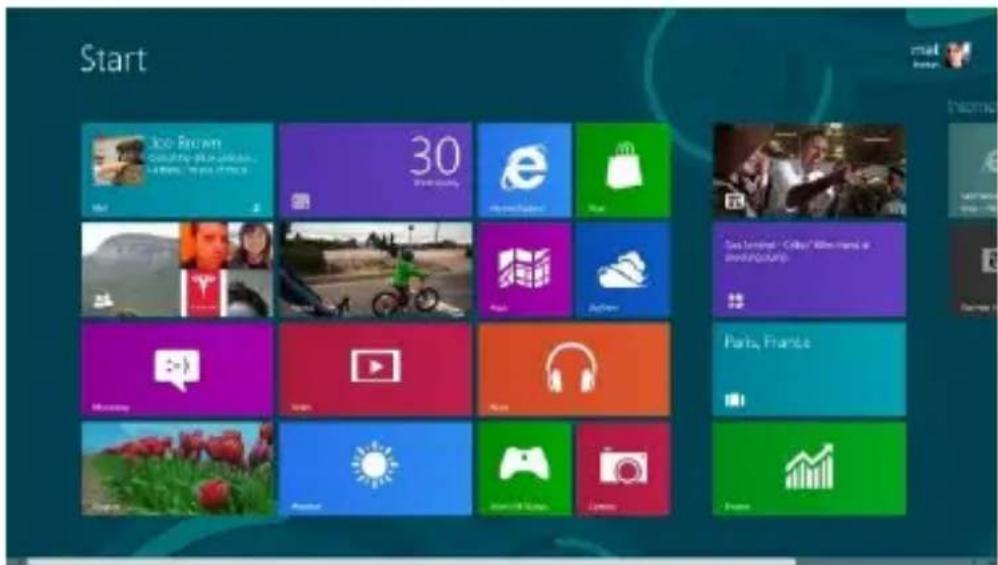
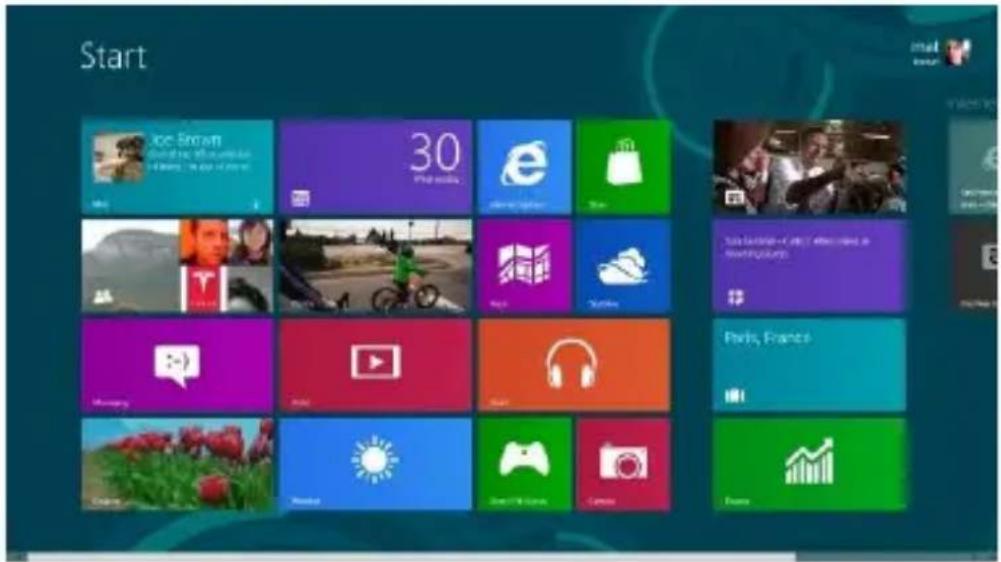
1、The desktop is introduced: In Windows 8.1 start screen you can see many applications in fixed positions as in the picture that will display in form of "magnet", with easy access of one click.
Before using applications in full need to login to your Microsoft account first
2、Picture slide application
Slide to the right
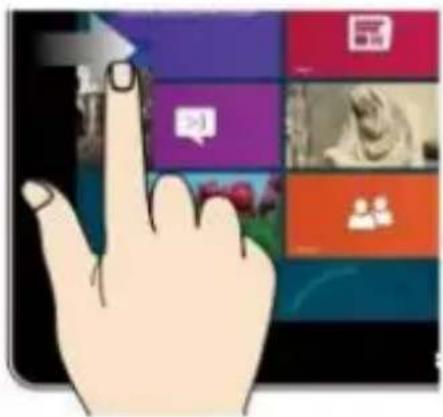
Slide from the left side to the rightside of the screen in order to open
Slide to the left

natural_image
Hand interacting with a touchscreen device displaying colorful app icons (no readable text or symbols)the running application screen.
Slide from the right side to the left
side of the screen to open the menu bar.
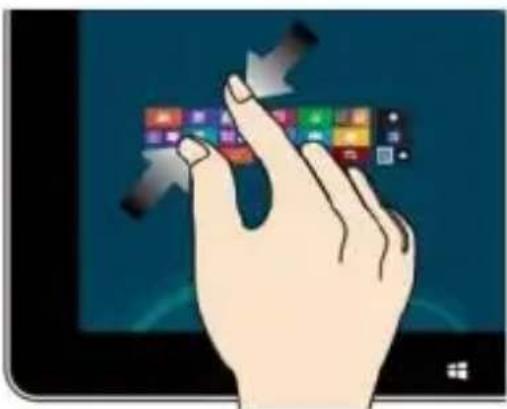
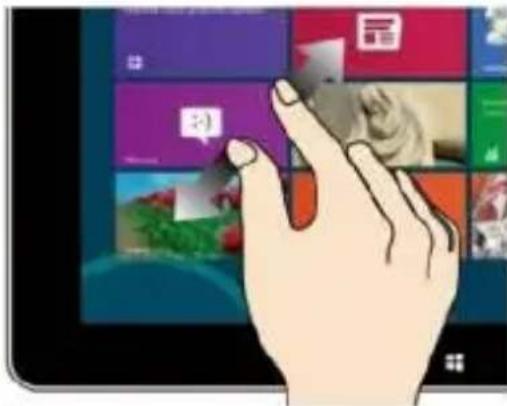
Zoom Out
natural_image
Illustration of a hand interacting with a touchscreen display (no text or symbols visible)Two fingers together on the touch screen to shrink.
Slide down sliding

natural_image
Illustration of a hand pointing upward on a tablet screen with colorful app icons (no readable text)In the start screen, slide down from the top to display customization options.
Zoom In

Separate two fingers on the touch screen to zoom in.
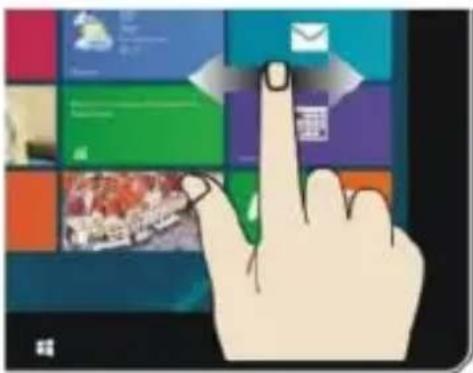
Fingers sliding

natural_image
Illustration of a hand interacting with a colorful digital interface displaying a grid of app icons (no text or symbols visible)Slide from the center of the screen to the left or to the right to mode around the screens.
Slide down sliding
At the start of the screen, from underneath the screen sliding upwards to show the application or screen options.
App interface introduce
In start screen you can also expand to see all applications available if slide upwards.

If you want to fix more applications in start screen, please light touch as in (1) and hold the application magnet for about 1 second, let go, select (2) and now application
is fixed to the start screen.
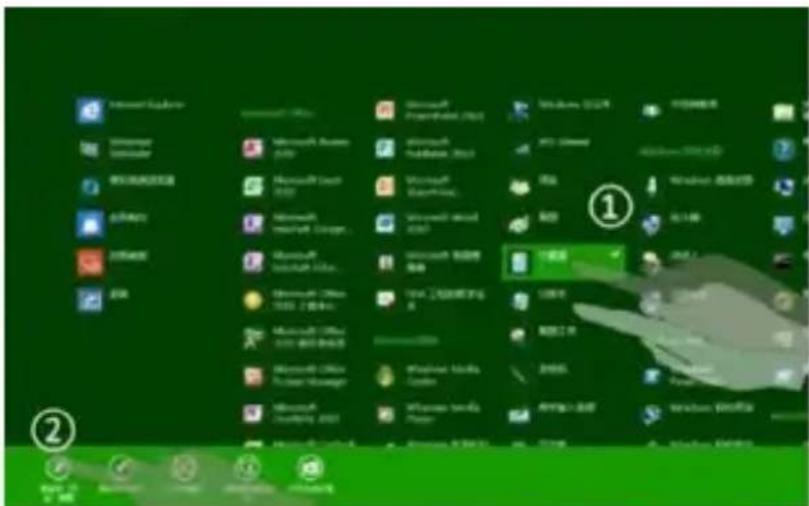
In start screen if you want to remove, or delete an application, (1) light touch and hold the application magnet for about 1 second, and then

let go run, select (2) attribute column, remove fixed, delete, etc. The application can be completed.
Charm menu bar
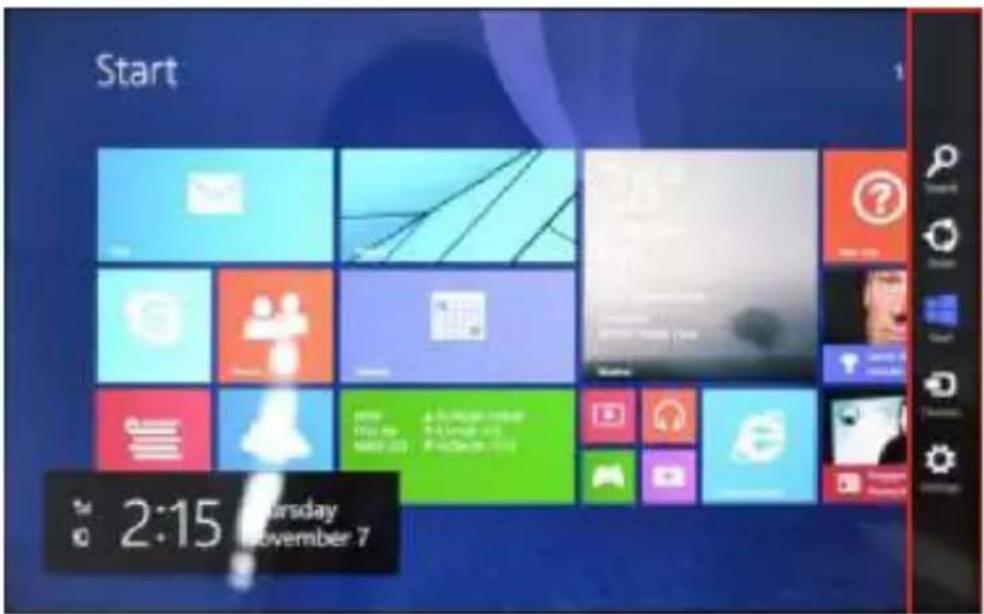
Slide from the right side of the screen to the left, to unlock Charm menu bar including: start, equipment, share, search program.


Allows you to search for files or applications in tablet.

Allows you to share through social networks or email program.

Can return to the start screen; From the start screen you can also use this
function to return to recently opened applications.

Allows you to connect to the tablet devices to read and write and share files, an external screen or printer.

Allows you to enter tablet PC Settings.
Search menu

Share menu

Equipment menu

Settings menu

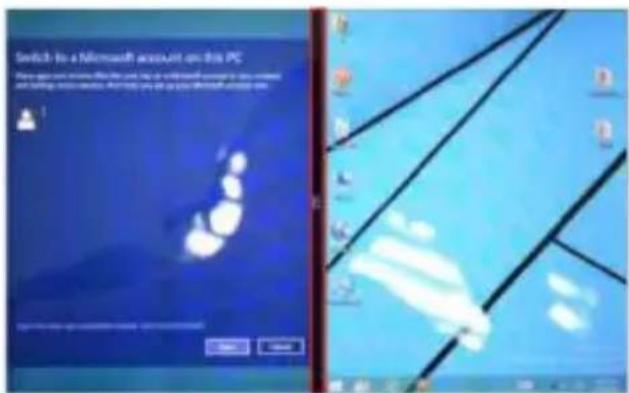
Double screen app
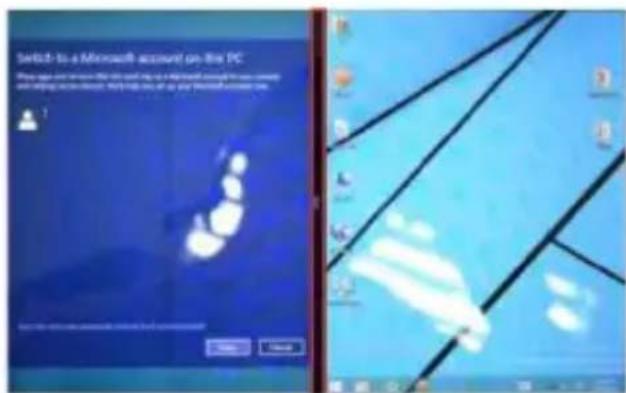
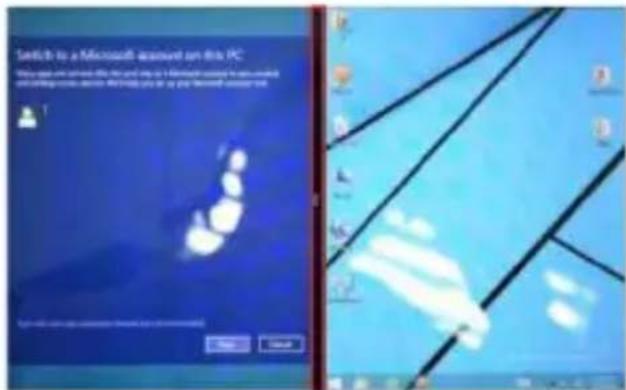
1、As in (figure 1) in the left picture, from the left side of the screen if stall in sliding you can open double interface.
2、As in (Figure 2), press and hold the middle button dividing line and split, drag, and dual display scale can be divided.

natural_image
Desktop computer interface with a landscape photo and timeline, showing a bare tree in a field under a cloudy sky (no text or symbols on the scene itself)11
(Figure 1)
(Figure 2)
Basic operation
1、Standby, restart, turning off

2、Safety management
User and password

Fast method Settings:
Click on the "Charm" set the "set" button, select "more PC Settings". Choose "user" on the left of the Settings, and click the "your account" on the right side of "create the local account". After input complete Windows live ID account password, enter the user name, password and confirm password.
Specifications
| General | Dimensions | 206,5x122,5x9 mm |
| Weight | 351 g | |
| Network | 2G : 900/1800 Mhz3G: UMTS 900/2100 Mhz HSPA | |
| Display | Type | 8" IPS LCD, 1280x800 px |
| Characteristics | OS | Windows 8.1 |
| CPU Intel Atom Z3735G | 1,33GHz up to 1.83 GHz Quad Core | |
| GPU | Intel HD Graphics | |
| Flash memory | 16GB | |
| RAM memory | 1GB DDR3 | |
| Connectivity | WLAN | WiFi 802.11 b/g/n |
| Bluetooth | Yes v4.0 | |
| PC connectivity | Yes, USB 2.0 | |
| 3G | Yes | |
| Multimedia | Camera | 2Mpx / 2Mpx |
| Sound | One speaker | |
| Earphones plug | ||
| Integrated microphone | ||
| Ports | Audio out | Jack 3,5 mm |
| Card reader | MicroSD | |
| Usb | MicroUSB | |
| Battery | Battery type | 3,7V Litiu-Polimer |
| Capacity | 3800 mAh | |
| Charger type | DC 5V, 2A |
DECLARATION OF CONFORMITY
We, SC VISUAL FAN SRL, importer located in Brasov, 61 Brazilor STR., 500313, registered at the Commerce Chamber Brasov no. J08/818/2002, CUI 14724950, assures, guarantee and declare on our own responsibility, in accordance with art.4 from HG nr. 1.022/2002 regarding the statute of the products and services that can jeopardize life, health, work security and environmental protection, that:
The product WI8G tablet PC, ALLVIEW brand and the accessories that came with the product: 220V charger, headphones and battery don't jeopardize life, health, work security and environmental protection and they are according to:
- The Stipulations of HG nr.982/2007 witch transpose the essential requirements specified in Direction 2004/108/CE, regarding electromagnetically compatibility;
- The Direction regarding the low voltage equipment users assurance 73/32/CEE, modified by Direction 93/68/CEE (HG 457/2003) and tests EN
55013:2001+A1:2003+A2:2006, EN 55020:2007, EN 610000-3-2:2006, EN 61000-3-3:1995+A1:2001+A2:2005;
- The Direction regarding the radio and telecommunication equipments R&TTE 1999/5/CE (HG 88/303).
- The safety requirements of the European Directive 2001/95/EC and of EN standards 60065:2002/A12:2011 and EN 60950-1:2006/A12:2011, EN62209-1(2006), EN62311(2008) of the decibels level emitted by the sold devices.
The Product described upstairs in this Declaration and all the accessories are according to the next standards:
- Health EN 50360, EN 50361;
- Safety EN 60950-1;
- EMC EN 301 489-1-7/17;
- Radio spectrum EN 301511 EN 300328;
After the performed tests emerge that the samples comply with the upstairs specification, as the test results show. Documentation is stored on VISUAL FAN LTD - Brasov, 61 Brazilor STR.
Also available on web: http://allviewmobile.com
SAR:1.634 W/kg
Director Cotuna Gheorghe


natural_image
Abstract black and red geometric shape (no text or symbols)ALLVIEW®
WI8G
Manual de utilizare

natural_image
Illustration of a tablet device with a blank screen and side panel (no text or symbols)Cuvânt înainte
natural_image
Top-down view of a beige electronic device with a white keyboard and three labeled parts (①, ②, ③) showing front, side, and top views.natural_image
White foldable tablet with black keyboard and open base (no visible text or symbols)Desktop
natural_image
Hand interacting with a touchscreen device displaying various app icons (no readable text or symbols)natural_image
Illustration of a hand interacting with a touchscreen display (no text or symbols visible)natural_image
Illustration of a hand pointing upward on a tablet screen with colorful app icons in the background (no readable text)natural_image
Illustration of a hand interacting with a colorful digital interface displaying a grid of app icons (no text or symbols visible)
Meniu de setări

natural_image
Desktop computer interface with landscape photo and UI elements (no readable text or symbols)(Figura 1)
(Figura 2)
Operatiuni de bază
1、Hibernare, repornire, oprire

Director Cotuna Gheorghe


natural_image
Abstract black and red triangular shapes on white background (no text or symbols)ALLVIEW®
WI8G
natural_image
Illustration of a tablet device with a split screen showing grayscale shading (no text or symbols)Predgovor
natural_image
Top-down view of a beige tablet keyboard with labeled buttons (①, ②, ③), no visible text or symbols on the main body.natural_image
White foldable tablet with black keyboard and open status tray (no visible text or symbols)Radna površina
1、Prezentacija radne površine: U početnom ekranu Windows 8.1 možete vidjeti mnoge aplikacije u fiksiranim pozicijama kao na slici koje će se pojaviti u formi magneta, kojima se može lako pristupiti jednim klikom. Prije upotrebe aplikacija u potpunsti potrebno je da se ulogujete na vaš Microsoft korisnički nalog.
natural_image
Hand interacting with a touchscreen device displaying colorful app icons (no readable text or symbols)natural_image
Illustration of a hand interacting with a touchscreen display (no text or symbols visible)Iskoristite dva prsta na ekranu kao na slici da umanjite isti.
Prevlačenje na dole

natural_image
Illustration of a hand pointing upward on a tablet screen with colorful app icons in the background (no readable text)Na početnom ekranu, prevucite prema dole za prikaz opcija za prilagođavanje.
Prevlačenje na gore
Na početnom ekranu, prevucite sa dna ekrana prema gore za prikaz aplikacije ili opcija vezanih za ekran.
Uvećajte
Iskoristite dva prsta na ekranu kao na slici da uvećate isti.
Prevlačenje prstima
natural_image
Illustration of a hand interacting with a touchscreen displaying a grid of app icons (no text or symbols visible)Ukoliko želite da postavite više aplikacija na početni ekran, potrebno je da lakim dodirom kao na slici (1) pritisnete i držite magnet aplikacije jednu sekundu, pustite,
izaberete opciju prikazanu na slici (2) i nakon toga magnet aplikacije će biti fiksiran na početnom ekranu.

Ukoliko želite da odstranite ili obrišete aplikaciju sa početnog ekrana, laganim dodirom na (1) na slici izaberite aplikaciju, držite jednu sekundu te odaberite

nakon puštanja jednu od opcija kao što su odstraniti, izbrisati, itd. na liniji (2) na slici.
Aplikacija može biti kopmletirana.
„Charm“ meni
Prevucite sa desne strane početnog ekrana prema lijevoj za pristupanje „Charm“ meniju koji sadrži programe Start, oprema, podjeli, i pretraži.

Omogućuje vam pretragu za podacima i aplikacijama u uređaju.

Meni postavki

natural_image
Computer desktop with landscape background, cloud sky, and calendar icons (no readable text or symbols)(Slika 1)
![Send to a Microsoft account on this PC This image contains a file that is not being used to any other computer. It is also used to create a new desktop application in the Windows system. [ ] [ ] [ ] [ ] [ ] [ ] [ ] [ ] [ ] [ ] [ ] [ ] [ ] [ ] [ ] [ ] [ ] [ ] [ ] [ ] [ ] [ ] [ ] [ ] [ ] [ ] [ ] [ ] [ ] [ ] [ ] [ ] [ ] [ ] [ ] [ ] [ ] [ ] [ ] [ ] [ ] [ ] [ ] [ ] [ ] [ ] [ ] [ ] [ ] [ ] [ ]](/content/2026/05/1071785/images/ac0ac197882ad2d9dcb8e34d00459274e50d676e1216c21c5f1a4fc91e20c3c7.jpg)
(Slika 2)
Osnovne operacije
2、Upravljanje bezbjednosnim postavkama
Korisničko ime i lozinka

Brza podešavanja:
Kliknite na „Charm“ dugme, postavite „set“ (postavi) dugme, izaberite „više PC podešavanja“. Izaberite „korisnik“ na lijevoj strani opcija, i kliknite „vaš nalog“ na dsnoj strani od „kreiraj lokalni nalog“. Nakon toga, unesite Windows live ID lozinku, unesite korisničko ime i lozinku, koju treba dva puta unijeti radi potvrđivanja iste.
Specifikacije
| Osnovne | Dimenzije | 206,5x122,5x9 mm |
| Težina | 351 g | |
| Mreža | 2G: 900/1800 MHz3G: UMTS 900/2100 MHz HSPA | |
| Zaslon | Tip | 8" IPS LCD, 1280x800 px |
| Karakteristike | Operativni sistem | Windows 8.1 |
| Mikroprocesor Intel Atom Z3735G1,33GHz up to1.83 GHz Quad Core | ||
| Grafički procesor | Intel HD grafika | |
| Fleš memorija | 16GB | |
| RAM memorija | 1GB DDR3 | |
| Povezivanje | Bežična mreža | WiFi 802.11 b/g/n |
| Blutut | Da v4.0 | |
| Povezivanje sa personalnim kompjuterom | Da, USB 2.0 | |
| 3G | Da | |
| Multimediji | Kamera | 2Mpx / 2Mpx |
| Zvuk | Jedan zvučnik | |
| Ulaz za slušalice | ||
| Ugrađeni mikrofon | ||
| Ulazi | Zvučni | Ulaz 3,5 mm |
| Memorijske kartice | MicroSD | |
| Usb | MicroUSB | |
| Baterija | Tip baterije | 3,7V Li-Po |
| Kapacitet | 3800 mAh | |
| Tip punjača | DC 5V, 2A | |
natural_image
Abstract black and red geometric shape (no text or symbols)ALLVIEW®
WI8G
natural_image
Illustration of a tablet device with a blank screen and side panel (no text or symbols)Wstep
natural_image
Top-down view of a beige tablet keyboard with labeled buttons (no text or symbols on the main body)natural_image
White foldable tablet with black keyboard and open status tray (no visible text or symbols)natural_image
Illustration of a hand pointing at a colorful app interface with icons (no text or symbols on the device)Przesuń w lewo

natural_image
Hand interacting with a touchscreen device displaying app icons (no readable text or symbols)natural_image
Illustration of a hand interacting with a touchscreen display (no text or symbols visible)natural_image
Illustration of a hand pointing upward on a tablet screen with colorful app icons in the background (no readable text or symbols)natural_image
Illustration of a hand interacting with a colorful digital interface displaying a webpage (no text or symbols visible)
Menu narzędzi

Menu ustawień

Podwójny ekran
natural_image
Desktop computer with landscape background and weather icons, no readable text or symbols on the scene itself(Rys. 1)
(Rys. 2)
2、 Bezpieczeństwo


- Foreword
- Contents
- Points for Attention
- Shapes and Keys
- Buttons description and application
- The use of tablet with the keyboard
- Desktop
- 2、Picture slide application
- Zoom Out
- Slide down sliding
- Zoom In
- Fingers sliding
- App interface introduce
- Charm menu bar
- Double screen app
- Basic operation
- Fast method Settings:
- DECLARATION OF CONFORMITY
- ALLVIEW®
- WI8G
- Manual de utilizare
- Cuvânt înainte
- Operatiuni de bază
- Predgovor
- Radna površina
- Prevlačenje na gore
- Aplikacija može biti kopmletirana.
- „Charm“ meni
- Osnovne operacije
- 2、Upravljanje bezbjednosnim postavkama
- Brza podešavanja:
- Wstep
- Podwójny ekran
- 2、 Bezpieczeństwo
Brand : Allview
Model : Wi8G
Category : Tablet