Allbook X - Tablet Allview - Free user manual and instructions
Find the device manual for free Allbook X Allview in PDF.


| Product Type | Tablet with detachable keyboard (Notebook PC mode) |
| Operating System | Microsoft Windows 10 |
| Processor | Intel Atom (estimated) |
| Memory (RAM) | 2 GB (estimated) |
| Internal Storage | 32 GB (estimated) |
| Display Size | 10.1 inches (estimated) |
| Display Resolution | 1280 x 800 pixels (estimated) |
| Front Camera | Yes (specifications not detailed in manual) |
| Connectivity | Wi-Fi, Bluetooth (estimated) |
| Ports | USB, headphone jack (estimated) |
| Battery | Lithium-ion, rechargeable (estimated) |
| Power Supply | AC adapter (included) |
| Dimensions (approx.) | 10.2 x 6.8 x 0.4 inches (estimated) |
| Weight (approx.) | 1.2 lbs / 544 g (estimated) |
| Keyboard | Detachable, configured per model |
| Audio | Built-in speakers and microphone |
| Sensors | Accelerometer (estimated) |
| Maintenance & Cleaning | Clean with dry soft cloth; avoid chemical detergents |
| Safety Precautions | Do not expose to extreme temperatures, moisture, or magnetic fields; use only original batteries |
| Warranty | Standard manufacturer warranty; unauthorized disassembly voids warranty |
Frequently Asked Questions - Allbook X Allview
User questions about Allbook X Allview
0 question about this device. Answer the ones you know or ask your own.
Ask a new question about this device
Download the instructions for your Tablet in PDF format for free! Find your manual Allbook X - Allview and take your electronic device back in hand. On this page are published all the documents necessary for the use of your device. Allbook X by Allview.
USER MANUAL Allbook X Allview
natural_image
Black laptop with a Windows logo on the screen, no visible text or symbols on the device itself.Contents
I. Precautions before Use....3
II. Key Layout and Definitions.... 8
III. Descriptions of Keys....10
IV. Introduction to Desktop 10
- Image Slide Application .... 10
- Cortana....11
- Introduction to app Interface......12
- Start Menu .... 15
- Multitasking operating interface......17
V. Basic Operations....18
- Sleep, Shut down and Restart...... 18
I. Precautions before Use
- This product is suitable for use in non-tropic areas below 2,000 meters.
- Prevent the Notebook PC from falling to the ground or being strongly impacted otherwise.
- Do not use it in the long term in any environment where the air is too cold, too hot, too much humidity or with too much dust. Do not expose the Notebook PC to direct sunlight.
- Avoid using it in the strong magnetic and strong static environment as much as possible.
- Once any water or other liquid splashes onto the Notebook PC, close it immediately and do not use it until it dries out.
- For your own safety it is recommended not to keep the device close to your body during charging and to place it on a non flammable surface.
-
Do not clean the Notebook PC with any detergent containing chemical element or other liquid to avoid causing damage due to corrosion and becoming damp. If cleaning is really necessary, clean it with dry soft cloth tissue paper.
-
Our company shall not bear any and all responsibilities for loss or deletion of material inside the machine caused due to abnormal software and hardware operation, maintenance or any other accident.
- Please back up your important material at any time to avoid loss.
- Please do not disassemble the Notebook PC by yourself; otherwise you will lose the right to warranty.
- User manual and the relevant software shall be updated at any time. For updated software version, visit www.allviewmobile.com to download by yourself, and no notice shall be given otherwise. If any anything is found to be inconsistent with the User Manual, the online version shall prevail.
- Replacement with incorrect type batteries may cause explosion. Make sure to use original batteries.
To be taken into consideration:
In order to avoid any issues that may appear with services that are no longer accepted by S.C. Visual Fan S.R.L. (because S.C. Visual Fan S.R.L. reserves its right to cease collaboration with any
formerly-accepted service, existent on the warranty certificate on the launching date of the product lot), before taking a product to the service, please consult the updated list of the existent accepted services from the Allview website at the “Support & Service – Authorized Service” section.
We do not take responsibility for the situation in which the product is used in any way other that the one specified in the manual. Our company reserves its right to bring modifications in the content of the guide, without public announcement.
These modifications will be listed on the company's website (www.allviewmobile.com) in the section dedicated to the product.
The content of this guide may be different from the one in electronic format, from the website. In this case, the latter will be taken into consideration.
The applications destined for the product usage, and provided by third parties, may be stopped or interrupted at any moment. S.C. Visual Fan S.R.L. explicitly denies any responsibility or any accountability regarding the modification, stopping or
suspension of the services/content made available by third parties, through this device. For more details about the product, go to www.allviewmobile.com.
In the following cases, the product stops benefiting from warranty:
- Lack of tag or warranty seals;
- Unauthorized interventions, including repairs executed by people or firms that are unauthorized by the producer;
- The buyer not following the handling, transportation, maintenance, installation, starting and usage conditions;
- Thermic, mechanic and plastic deteriorations of the products caused by hits, exposure to heat sources, fires, accidents, vibrations, weather conditions or neglect in usage;
- Usage of batteries, power sources or other accessories other than those approved by the producer;
- In the case in which the product has traces of food or evidence of contact with any type of liquid (water, solvents, oils, paints, acids and others) and this contact is proven through traces of oxidation or through the presence of liquids on any part of the product;
- No match between the serial number written on the warranty certificate and the one on the product;
- Using it with other purposes other than those for which it was conceived;
- Usage in inadequate conditions (wrong power tension, higher level of humidity than the accepted one, dust);
- The seller is not accountable for the possible issues of compatibility with the accessories purchased from other companies and does not take any responsibility for the sub-ensembles used on the systems, which do not correspond, performance wise, with the specs of the producer.
II. Key Layout and Definitions
Front camera


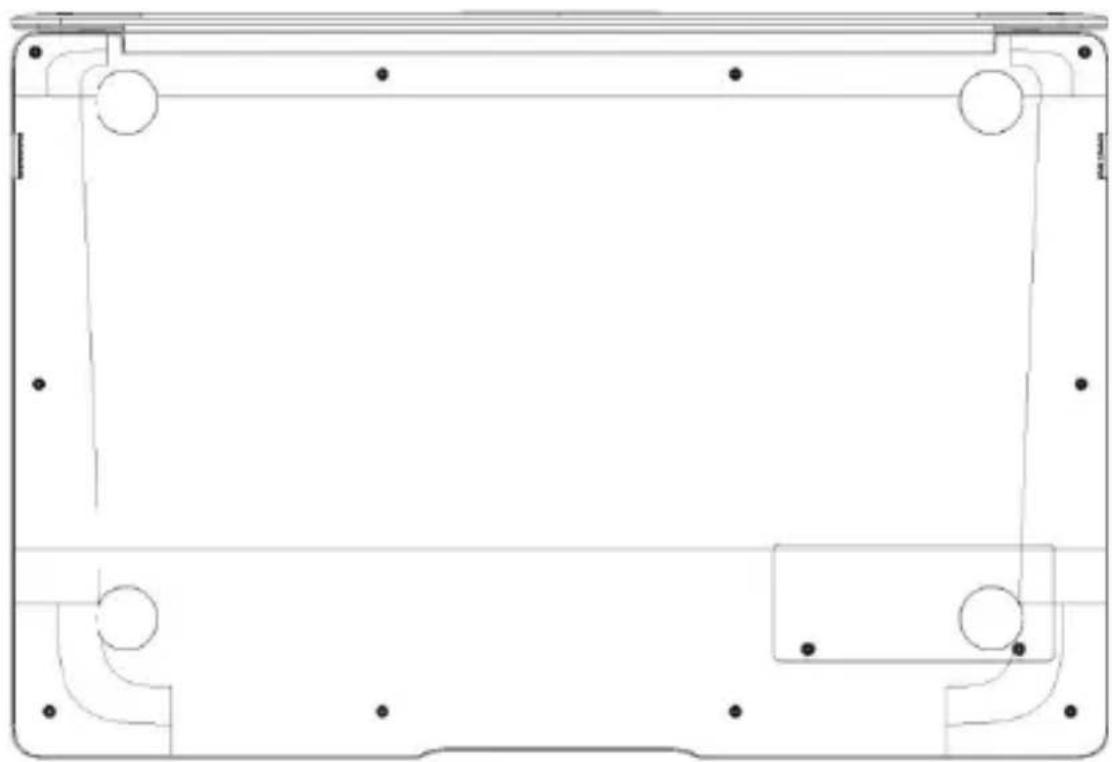
III. Descriptions of Keys
Attention: Keyboard is configured according to the specific type of the Notebook PC you have bought.
natural_image
Pure technical line drawing of a rectangular frame with corner supports and mounting holes (no text or symbols)IV. Introduction to Desktop
1. Image Slide Application
Windows 10 start image: On the start screen, you can see many programs fixed in the image.
These application programs are displayed in the form of "magnet". As you click them, you can easily access them.
You need to log on your Microsoft account before the application program completely runs.

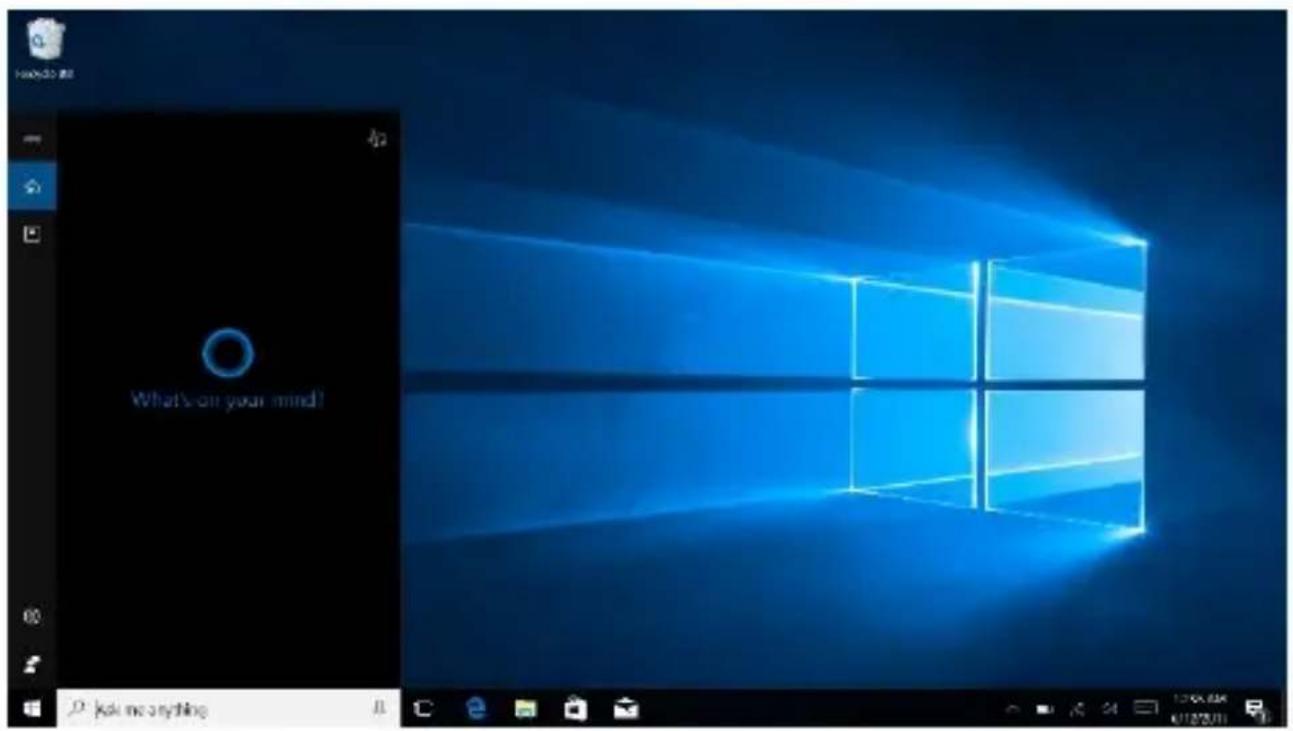
2. Cortana
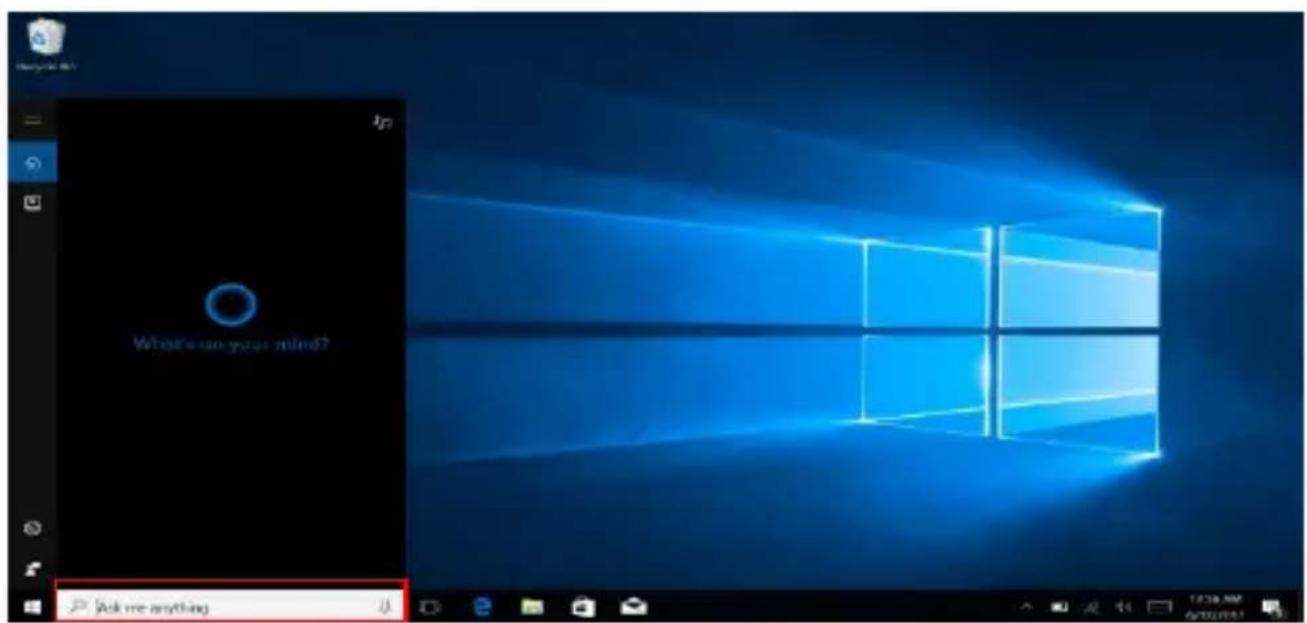
Use Cortana for fast smart searching.
3. Introduction to app Interface
Besides the application programs already fixed on the "start" screen, you can also fix other applications, programs, folders, a.s.o. to the "start" screen.
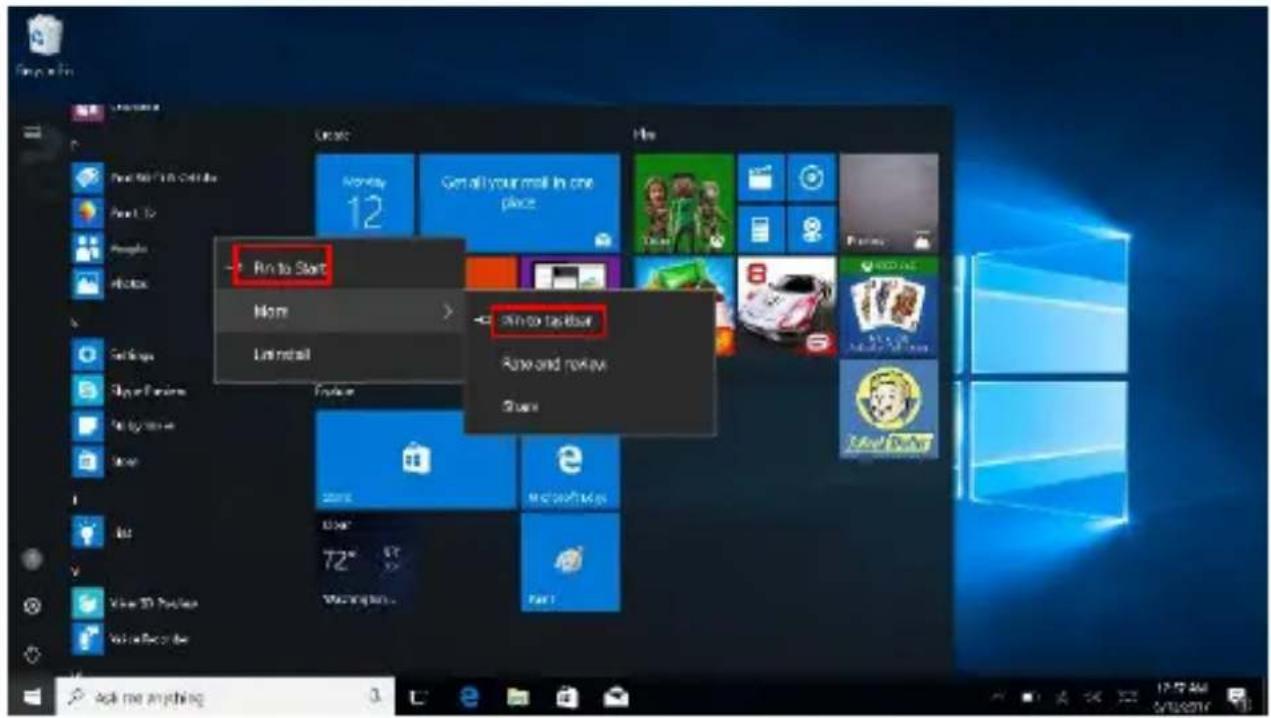
3.1. If you want to fix more application programs on the start interface, see the operation in the figure below.
In the start menu, right-click the application you want to fix and select "Pin to Start". You can also drag the application onto the "start" screen, as follows:

Conversely, if you want to cancel or delete a certain application in the start screen, (1) Right-Click the application, (2) Click the “Unpin from Start”.

3.2. If you want to fix more application programs on the taskbar, see the operation in the figure below.
In the start menu, right-click the application you want to fix and select "More" and then select "Pin to taskbar". You can also drag the application onto the taskbar, as follows:
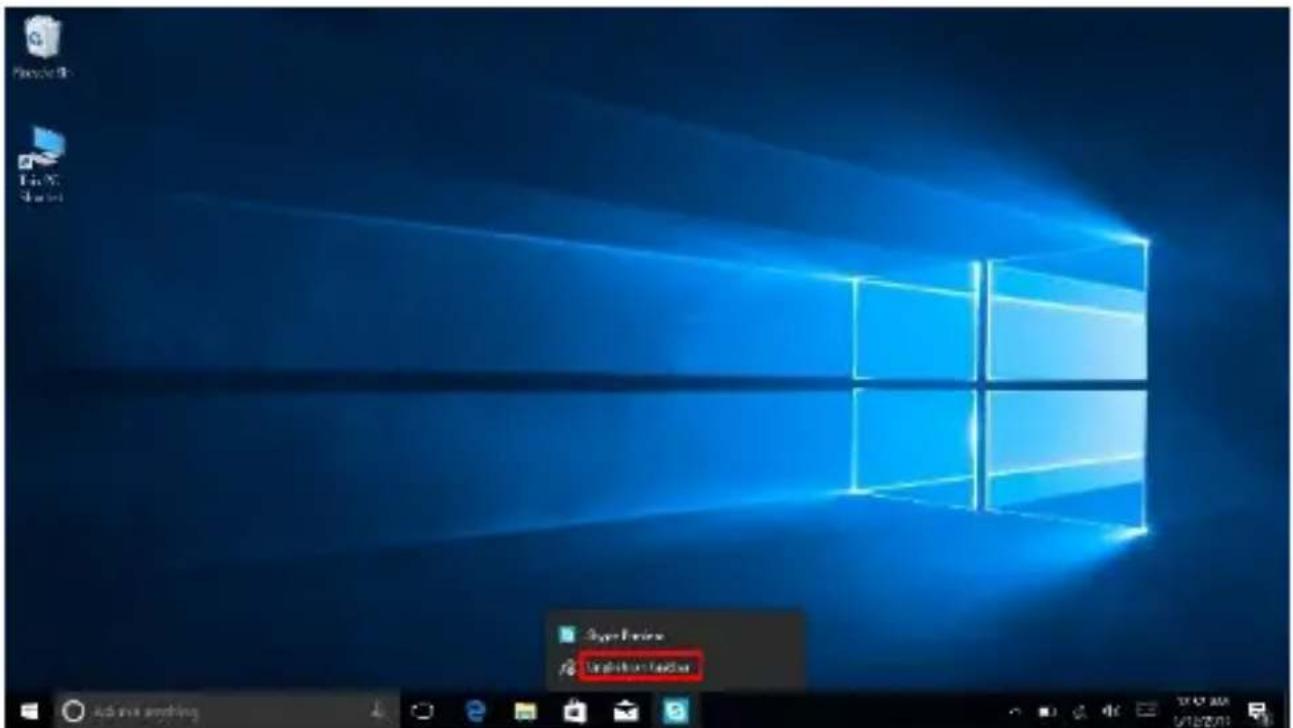
Conversely, if you want to cancel or delete a certain application in the taskbar, (1) Right-Click the application, (2) Click the “Unpin this program from taskbar”.
4. Start Menu
Under PC mode, press Start icon, Start Menu will display including: Start, Device, Setup, Share, and Search.

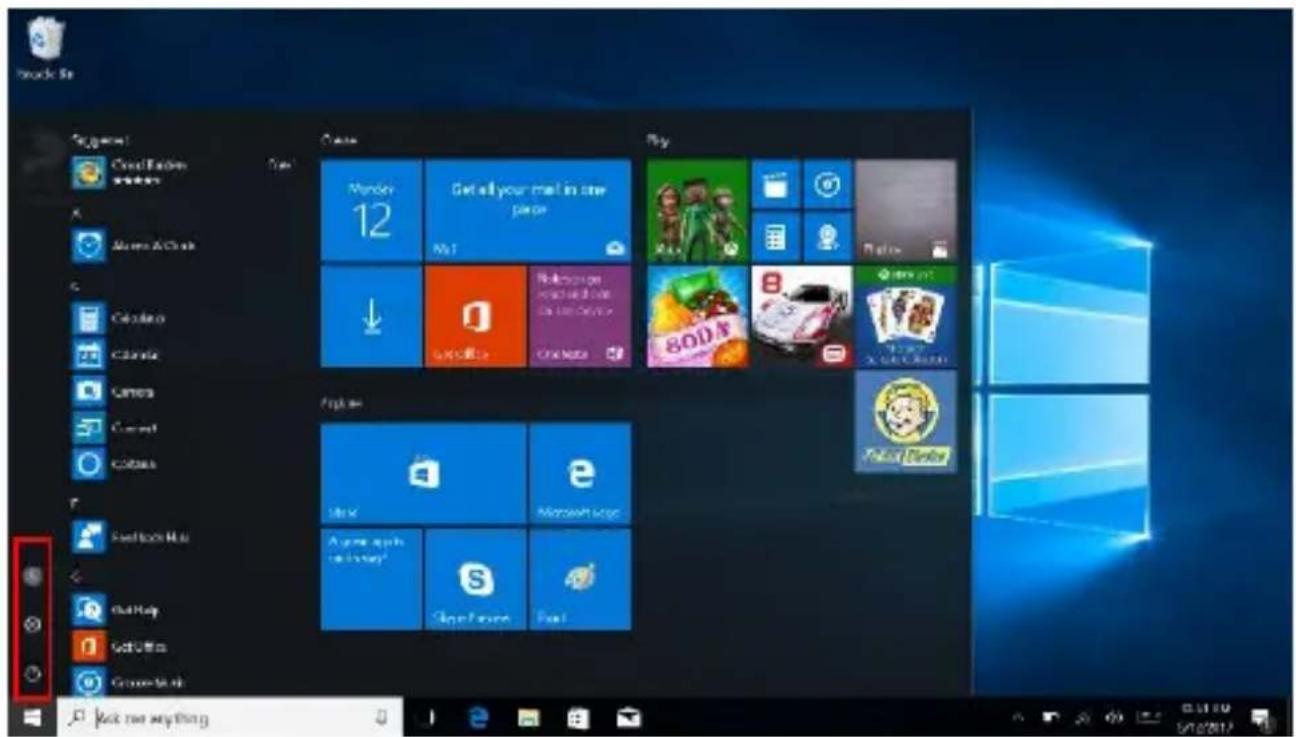
Usually: Power, Settings and Account.

Change account setting/Lock/Sign out.

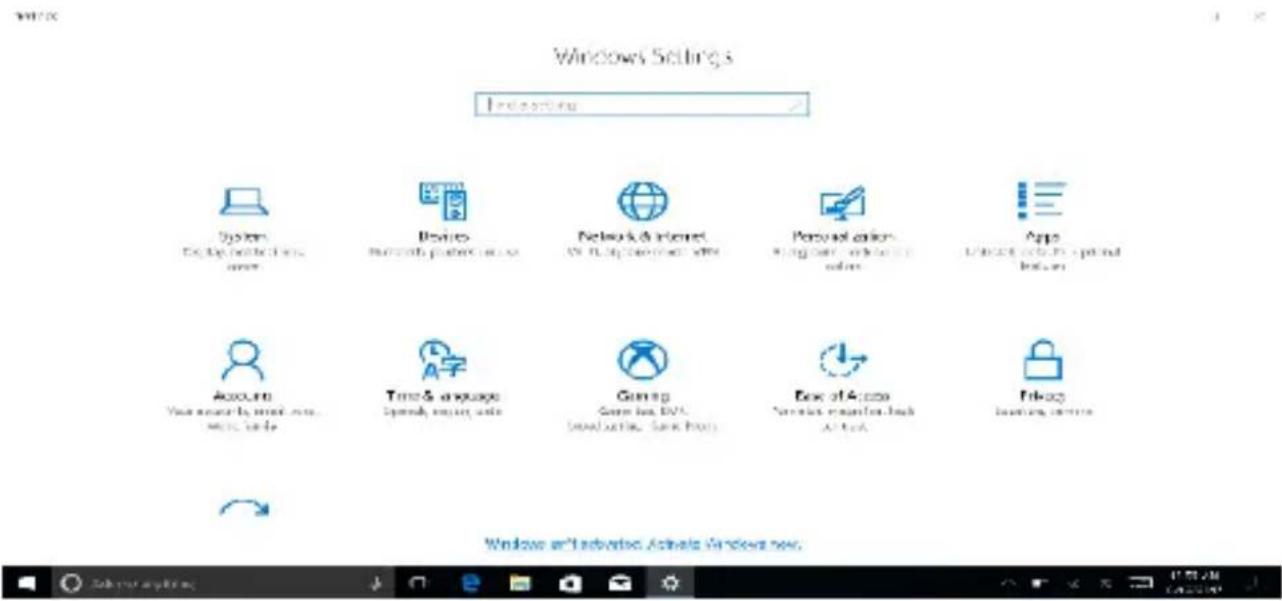
Let you set up the Table PC.

Sleep/Shut down/Restart the Notebook PC

Search menu

Setup menu
Action Center

Action Center is a notification center which also allows quick settings like Tablet / PC mode, Wi-Fi, BT a.s.o.
5. Multitasking operating interface
If you Click the Task View (or press the icon), running applications will be displayed.

V. Basic Operations
1.Sleep, Shut down and Restart


DECLARATION OF CONFORMITY
No.1493
We, S.C. Visual Fan S.R.L., with the headquarters in Brasov, 61, Brazilor St., PO 500313 Romania, registered at the Trade Commerce Brasov under no. J08/818/2002, CUI RO14724950, as the importer, assure, guarantee and declare on our own responsibility, according to the provisions from article 4 HG no. 1.022 / 2002, regarding the regime of the products and services, which can be harmful for life and health, security and labor protection, that the product ALLBOOK X from ALLVIEW, does not jeopardize the life, health and labor protection, does not produce a negative impact over the environment and is in accordance with:
- Directive no. 2011/65/UE, modified by 2014/8/UE regarding the usage restrictions of certain dangerous substances in electric and electronic equipment
- Directive regarding the radio and telecommunication equipment RED 2014/53/CEE (HG 487/2016)
- Directive 2014/35/UE regarding the assurance of users of low voltage equipment ;
- Directive regarding the electromagnetic compatibility 89/336/CEE, modified by Directive 92/31/CEE and 93/68/CEE (HG982/2007); RoHS: EN50581:2012; 2014/30/EU(HG 487/2016)
- The safety requests of the European Directive 2001/95/EC and the EN 60065:2002/A12:2011 and EN 60950-1:2006/ A1:2010 /A11:2009/A12:2011 standards, regarding the level of decibels emitted by the sold appliances.
The product has been assessed according to the following standards:
Health: 2014/35/EU; EN 50360:2001, EN 50361; EN 62209-1 : 2006;
Safety: 2014/35/EU; EN 60950-1 : 2001 +A11:2004; EMC EN 301 489-01 V1.6.1 (09-2005) EN 301 489-07 V1.3.1 (11-2005); EN 301 489-17 V1.2.1 (08-2002);
Radio spectrum: 2014/35/EU; EN 300 328 V1.7.1 (10-2006);
The evaluation procedure of the conformity was made according to Directive 2014/53/CEE, the documentation being stored at S.C. Visual Fan S.R.L., Brasov, 61, Brazilor St., PO 500313, Romania and will be offered at request.
The product has the CE mark on it.
The declaration of conformity is available at www.allviewmobile.com.
Brasov
31.07.2017
Director
Gheorghe Cotuna
ALLBOOK X
MANUAL DE UTILIZARE

natural_image
Black laptop with a Windows logo on the screen, no visible text or symbols on the device itself.Cuprins
natural_image
Pure technical line drawing of a rectangular frame with corner cutouts and mounting holes (no text or symbols)2. Cortana

Sleep/Shut down/Restart Notebook PC Meniu de căutare
Meniu de setare
Centru de Actiuni


DECLARATIE DE CONFORMITATE
No.1493
natural_image
Black laptop with a Windows logo on the screen, no visible text or symbols on the device itself.Índice
natural_image
Pure technical line drawing of a rectangular frame with corner cutouts and mounting holes (no text or symbols)Suspender/Apagar/Reiniciar Notebook PC
Menú buscar

Action Center


- Directive regarding the radio and telecommunication equipment RED 2014/53/CEE (HG 487/2016)
Gheorghe Cotuna

ALLBOOK X
INSTRUKCJA OBSŁUGI

natural_image
Black laptop with a Windows logo on the screen, no visible text or symbols on the device itself.Spis treści
natural_image
Pure technical line drawing of a rectangular frame with corner supports and mounting holes (no text or symbols)2. Cortana
Menu konfiguracji

Centrum aktywności


DEKLARACJA ZGODNOŚCI №1493


- Contents
- Precautions before Use
- To be taken into consideration:
- In the following cases, the product stops benefiting from warranty:
- Key Layout and Definitions
- Descriptions of Keys
- Introduction to Desktop
- Image Slide Application
- Cortana
- Introduction to app Interface
- If you want to fix more application programs on the start interface, see the operation in the figure below.
- Start Menu
- Action Center
- Multitasking operating interface
- Basic Operations
- 1.Sleep, Shut down and Restart
- DECLARATION OF CONFORMITY
- No.1493
- ALLBOOK X
- MANUAL DE UTILIZARE
- Cuprins
- Centru de Actiuni
- DECLARATIE DE CONFORMITATE
- Índice
- INSTRUKCJA OBSŁUGI
- Spis treści
- Centrum aktywności
- DEKLARACJA ZGODNOŚCI №1493
Brand : Allview
Model : Allbook X
Category : Tablet