
Viva 803G - Tablet Allview - Free user manual and instructions
Find the device manual for free Viva 803G Allview in PDF.


| Product Type | Tablet |
| Brand | Allview |
| Model | Viva 803G |
| Display Size | 8 inches |
| Display Resolution | 1024 x 768 pixels |
| Operating System | Android 4.4 KitKat |
| Processor | Quad-core 1.3 GHz |
| RAM | 1 GB |
| Internal Storage | 8 GB |
| Expandable Storage | microSD up to 32 GB |
| Connectivity | 3G, Wi-Fi 802.11 b/g/n, Bluetooth 4.0 |
| Camera Rear | 2 MP |
| Camera Front | 0.3 MP |
| Battery Capacity | 4000 mAh |
| Dimensions (W x H x D) | 210 x 125 x 10 mm |
| Weight | 350 g |
| GPS | Yes |
| Sensors | Accelerometer, light sensor |
| Power Supply | 5V/2A via microUSB |
| Cleaning Instructions | Wipe with a soft, dry cloth. Do not use liquid cleaners. |
| Safety Precautions | Do not expose to extreme temperatures or moisture. |
| Reparability | Spare parts available online. Disassembly requires care. |
Frequently Asked Questions - Viva 803G Allview
User questions about Viva 803G Allview
0 question about this device. Answer the ones you know or ask your own.
Ask a new question about this device
Download the instructions for your Tablet in PDF format for free! Find your manual Viva 803G - Allview and take your electronic device back in hand. On this page are published all the documents necessary for the use of your device. Viva 803G by Allview.
USER MANUAL Viva 803G Allview
natural_image
Front view of a black tablet device with glossy surface and screen (no visible text or symbols)User manual 3
Manual de utilizare 11
Thank you for purchasing our product.
These operational guidelines for the user are to ensure you a quick and convenient use. Read the instructions carefully before use.
There will be no separate notice in the case of any change in the content of this text.
This company will continue to provide new functions for the development of the product and there will be no separate modification in case of any change in the product's performance and functions. While this unit is used as a mobile hard disk, this company will not be held liable for the security of the files saved on the disk.
If the actual setup and the application methods are not identical to those as set forth in this manual, please access the latest product information from the company's website.
Basic Operations
Power on
In the shutdown state, long press the Power button.
Power off
In the power on state, long press the Power key 3 seconds, then, from the pop-up device options, select "Power off" for shut down.
Sleep
Under normal operating conditions, short press the power button to put into standby. Now, the screen will close. Short press the power button again to resume the normal mode. You can set the device to automatically enter in sleep mode after a desired time of non-operation.
Power reset
If you experience a slow operation of the device in normal use, you can shut down and power on again to reset the operating system.
Screen time out
If you do not touch the player within the set time, and do no activate it from the button, the screen will be automatically turned off.
In any state, short press Power button for activation; Then slide the lock upwards to the green spot, which will give access to the upper interface.
If it is necessary to deactivate the screen timeout function, you can set the [Screen timeout] option under [Display] function into "Never".
Using the Micro SD card
After this unit is connected to the computer, you will find two moving disks. The first one is the built-in memory disk for this unit and the other is the disk for the MicroSD card. If no card is inserted, the second disk cannot be opened. This unit supports the extension of the MicroSD card from 128MB to 128GB.
Inserting and Unmounting the Micro SD card
Inserting:
Put the Micro SD card face up (side with words), and slightly force the card into the socket of the card, i.e. connecting the unit. Under this state, you can play the content in the Micro SD card.
Unmounting:
Slightly push the Micro SD, and it will bounce by a section, and then you can take it out.
Caution:
Please perform inserting and unmounting operations when power is off! Otherwise, it will lead to the loss or damage of the files within the unit! If no card is inserted, the device will be unable to perform read and write operations for the disk notes of the later removable disk (Micro SD card).
Battery:
High capacity Polymer battery is used for this unit.
The available duration of the battery power depends on volume, types of playing files and operation of batteries. The player can be set up by the user as "user define power off time" or "display setup" to save batteries.
Charging:
This unit can be recharged by USB port, and you can also use DC Charger:
- take out the DC charger, plug it into the wall outlet with AC 220V, then plug in the charging jack into the device USB plug.
Warnings for charging:
A new battery may be empty and not charged before you get the device.
If the device is not used for a long time, it is better to charge it to full capacity every 2 or 3 months during storage.
The power adapter is a key component of the portable player, which plays a crucial role in keeping the portable player's normal work and protecting your security, when using the player. A long-term customer survey and after-sales service practice shows that the malfunction of the portable player, in many cases was caused by using inappropriate accessories, in particular the power adapter.
Using a substandard power adapter will considerably shorten the life of the portable player, the voltage instability will seriously affect the normal work of the portable player and bring permanent damage to the player's performance and reliability. Using a substandard power adapter will also reduce the sound quality of
the players and shut down the player when you use it. In addition, using a substandard power adapter will cause combustion and explosion which will disserve the safety of the consumers.
Return to main interface
In any interface, touch icon "O" to access the main interface.
Return to upper interface or menu
In any interface, touch icon "◀", click the " 🔊" key to access the upper interface or menu. You can also short press the " 🔊" key for that.
Points for Attention
Do not use the player in exceptionally cold or hot, dusty, damp or dry environments;
Do not drop the player while using it.
Please charge your battery when:
A. Battery power icon shows an empty icon;
B. The system automatically shuts down and the power is soon off when you switch on the unit once again;
C. There is no response if you operate on any key;
Please do not disconnect power abruptly when the player is being formatted or in the process of uploading or downloading. Otherwise it may lead to errors in the program;
When this unit is used as a mobile disk, the user shall store or export files in the proper file management operation method. Any improper operation method may lead to the loss of files, for which this Company will not be held liable;
Please do not disassemble this unit by yourself. If there is any issue, please contact the dealer;
There will be no separate notice in the case of any change in the functions and performance of this product;
To avoid the problems that might occur with the service shops approved by Visual Fan Ltd. (because Visual Fan reserves the right to stop the collaboration with any service shop which was previously approved and mentioned in the warranty card on the date on which the product batch was sold on the market), before taking a product to the service shop, please check the updated list of approved service shops on Allview website at the section: "Support&Service – Approved service".
Warning: We take no responsibility for situations where the device is used other than as provided in the manual.
Our company reserves the right to make changes in the content of the manual without making this public.
These changes will be posted on the company website to the product it amends. Also, we are not responsible for any printing errors. The contents of this manual may be different from that in the product. In this last case will be considered.
Do not cover the antenna with your hand or other objects. Failure to comply results in connectivity issues and rapid discharge of the battery.
All applications provided by third parties and installed on this device may be modified and/or stopped at any moment. Visual Fan Ltd will not be responsible in any way for modifications of the services or content of these applications. Any request or question regarding third party applications may be addressed to owners of these applications.
For more product details visit www.allviewmobile.com
Due to the used enclosure material, the product shall only be connected to a USB interface of version 2.0 or higher. The connection to a so called power USB is prohibited.
The adapter shall be installed near the equipment and shall be easily accessible. It is recommended that the tablet is kept at a minimum of 25mm away from any body part.
Do not use the device in an environment with too high or too low temperature, never expose it under strong sunshine or in a too wet environment.
The maximum operating ambient temperature of the equipment is 40^ C
CAUTION! RISK OF EXPLOSION IF BATTERY IS REPLACED WITH AN INCORRECT TYPE. DISPOSE OF USED BATTERIES ACCORDING TO THE INSTRUCTIONS
This device has been tested and meets applicable limits for Radio Frequency (RF) exposure. Specific Absorption Rate (SAR) refers to the rate at which the body absorbs RF energy. SAR limits are 1.6 Watts per kilogram (over a volume containing a mass of 1 gram of tissue) in countries that follow the United States FCC limit and 2.0 W/kg (averaged over 10 grams of tissue) in countries that follow the European Council limit. Tests for SAR are conducted using standard operating positions, with the device transmitting at its highest certified power level, in all tested frequency bands. To reduce exposure to RF energy, use a hands-free accessory or other similar options to keep this device away from your head and body. Carry this device at least 25 mm away from your body to ensure exposure levels remain at or below the as-tested levels. Choose the belt clips, holsters, or other similar body-worn accessories which do not contain metallic components to support operation in this manner. Cases with metal parts may change the RF performance of the device, including its compliance with RF exposure guidelines, in a manner that has not been tested or certified, and the use such accessories should be avoided.
For your safety, it is recommended that, during charging, you don't keep the device near your body, and that you place it on an inflammable stand. We recommend that, during nighttime, you put the device away, at a minimal distance of meter.
Settings
In the main menu, select the "Settings" option to be able to access the System Settings folder. Directly click to get into the set options interface.
Description of functions:
WiFi
Wi-Fi: Open/close the wireless connection
Data usage
Display data usage
Sound setting
Volumes: set the notification, the media and the alarm clock volume.
Default notification: click to open notifications settings menu.
Touch sounds: if checked, pressing the touch screen will make a sound
Display settings
Brightness: adjust brightness of the screen.
Wallpaper: you can choose wallpaper from Gallery and Wallpaper
Sleep: Setting screensaver standby time.
When the device is in stand-by the Wi-Fi function will be deactivated to save battery.
Font size: set the font size
Storage
Check the PMP memory and available storage.
Battery
Shows information about battery status and usage
Apps
Here you can view and manage the installed applications
Accounts and sync
Information and sync settings for your user accounts.
Location services
Contains settings for activation or deactivation of the localization options.
Security
Screen lock: set screen lock method: slide, pattern, PIN, password.
Make passwords visible: if marked you may see the letters typed in the password box.
Unknown sources: allows you to install applications that do not come from Google Play.
Language & input
Set language and area, input method etc.
Backup & reset
Can backup and restore the device settings and data
Date & time
Set the date, time, time zone and time display format
Accessibility
Options for screen rotation, text magnifier, password spelling etc.
Developer options
Settings and options for Android ^™ developers.
About device
Check the device software version and other information.
Connect to the computer
This device can be connected to a PC through the USB cable, by which the data is copied or deleted. The specific procedure is as follows.
- Connect the device through the USB cable to the PC's USB port and you will get the notification "USB already connected".
- Click "USB already connected" notice options, and choose the "open USB storage devices", and you can manage the files from the memory of your device.
Factory data reset
If this device has a bug, or third party software installed to run this device is unusual, choose the recovery factory Settings, remove the third party software, and restore the state out by default. Go to "Settings"- "Privacy", select "Factory data reset" item, confirm, and it will remove all the data.
Common troubleshooting
What is the APK file? What is the connection between the APK file and Andorid PMP?
A: APK is the abbreviation of Android Package. APK files can be installed and executed directly into the Android system of the device.
How do I get the APK application?
A: You can download via PC-side installation, you can also download and install it from Google Play.
Why is the WIFI connection breaking?
A: If the "screen time" option is set, when the player is in standby for a certain amount of time, the WIFI function will be closed, for battery purposes; When you reactivate it, the WIFI function takes about 5 seconds to resume automatic connection.
Why some downloaded APK programs do not work properly?
A: The hardware and software of the Android system have certain requirements. Some APK programs have not been tested to see if they meet those requirements. If you download an untested APK program, it might not operate as it should and it
also might damage the device.
Why doesn't the device show the charging state?
A: When the battery is extremely low, you need to use a DC charger. It must charge at least half an hour to show charging status.
Why doesn't the gravity sensor work?
A: This device has a gravity sensor, so that the screen can switch. However, some applications do not support the gravity induction function. Thus, when this type of application is activated, the device cannot perform the screen switching.
Device can't boot
1) Check the battery level
2) After checking the battery, reconnect the ac adapter
3) If after charging it is still unable to boot, please contact our customer service I can't hear the sound in the headset
1) Please check that the volume is not set to 0
2) Please check whether the headphones are connected
Device charging shows abnormalities
1) Please confirm that the use of the equipment complies with the charger of the device charger requirements
2) If charging through USB, please do not connect to computers lead USB interface
Why some downloaded videos cannot be played?
This device is compatible with formats of video files from the internet but due to the fact that video formats may vary, there is a possibility not to be compatible with some of them. In these cases, it is recommended to use the PC and some video conversion software to get to a compatible format.
DECLARATION OF CONFORMITY No. 1608
We, S.C. Visual Fan S.R.L., with the headquarters in Brasov, 61, Brazilor St., CP 500313 Romania, registered at the Trade Commerce Brasov under no. J08/818/2002, CUI RO14724950, as the importer, assure, guarantee and declare on our own responsibility, according to the provisions from article 4 HG no. 325/2017, regarding the regime of the products and services, which can be harmful for life and health, security and labor protection, that the product Viva 803G from ALLVIEW, does not jeopardize the life, health and labor protection, does not produce a negative impact over the environment and is in accordance with:
- Directive no. 2011/65/UE, modified by 2014/8/UE regarding the usage restrictions of certain dangerous substances in electric and electronic equipment
- Directive regarding the radio and telecommunication equipment RED 2014/53/EU (HG 487/2016)
- Directive 2014/35/UE regarding the assurance of users of low voltage equipment
- Directive regarding the electromagnetic compatibility 89/336/EU, modified by Directive 92/31/EU and 93/68/EU (HG982/2007); RoHS: EN50581:2012; 2014/30/EU(HG 487/2016)
- The safety requests of the European Directive 2001/95/EC and IEC/EN 62368-1
- The safety requests of the European Directive 2001/95/EC and the standard EN 62368-1:2015
The product has been assessed according to the following standards:
Health: 2014/35/EU; EN50360:2001+A1:2012, EN 50361; EN 62209-1 : 2006
Safety: IEC/EN 62368-1
EN 301 489-07 V1.3.1 (11-2005); EN 301 489-17 V1.2.1 (08-2002)
Radio spectrum: 2014/35/EU; EN 300 328 V1.7.1 (10-2006)
The evaluation procedure of the conformity was made according to Directive 2014/53/EU, the documentation being stored at S.C. Visual Fan S.R.L., Brasov, 61, Brazilor St., CP 500313, Romania and will be offered at request.
The product has the CE mark on it. The declaration of conformity is available at www.allviewmobile.com.

SAR: max. 1.729W/kg Brasov 27.11.2019
Director Gheorghe Cotuna
Manual de utilizare Viva 803G
Prefata
De luat in considerare
Director COTUNA GHEORGHE
Allview Viva 803G
DEKLARACJA ZGODNOŚCI WE No. 1608
SPECIFICATIONS / SPECIFICATII / СПЕЦИФИКАЦИИ / SPECIFIKACE / ESPECIFICACIONES / MÜSZAKI ADATOK / DANE TECHNICZNE / ТЕХНИЧЕСКИЕ ХАРАКТЕРИСТИКИ
| General /General / общ /Všeobecné /General /Általános /Ogólne /генеральный | Language / Limba / Език / Jazyk /Idioma / Nyelv / Język / Язык | EN, BG, DE, ES, HU, PL, RO,a.s.o. |
| Network / Retea / мрежа / Sít'ovéparametry / Red / Hálózat / Sieć /сеть | 2G: 850/900/1800/1900 MHz;3G:UMTS:900/ 2100 MHz | |
| SIM | nano SIM | |
| Dimensions /Dimensiuni /Размери /Rozměry/Dimensiones /Méretek /Wymiary /Размеры | Dimensions / Dimensiuni / Размери /Rozměry / Dimensiones/ Méretek/Wymiary / Размеры | 208x124x9.5mm |
| Weight / Greutate / Terло/ Hmotnost/Peso/ Súly/ waga / Bec | 376 g | |
| Display / Display/ монитор /Displej / Display/ Kijelző /Wystawa /дисплей | Resolution / Rezolutie резолюция /Rezoluce / Resolución / Felbontás /Uchwała | 1280x800px |
| Touchscreen / Ecran tactil / Тъчскрийн / Dotyková obrazovka /Pantalla táctil / Érintőkijelző / Ekrandotykowy / Сенсорный экран | Capacitive touchscreenmultitouch / Ecranmulti-tactil capacitiv /Сенсорный сенсорныймультитан/ Kapacitnídotykový multitouch/Pantalla tactil capacitivaMultitáctil / Kapacitívérintőképernyőtöbb ponton érzékelő /Pojemnościowy ekrandotykowywielodotykowy /Емкостный сенсорныйэкран мультитач | |
| Type / Tip / тип / Typ / Tipo / Gépel /Typ / тип | 8" LCD IPS | |
| Characteristics /Caracteristici /Характеристики/ Vlastnosti/Características /Jellemzők / | Operating system / Sistem de operare/ Операционна система / Operačnísystem / Sistema operativo /Operációs rendszer / Systemoperacyjny / Операционная система | AndroidTM 9 (Go edition) |
| Processor / Procesor / процессор / | Cortex®-A7 1.3GHz Quad-Core | |
| Właściwość/ Характеристики | Processor / Procesador / Processzor / Procesor / процессor | |
| Graphic processor / Procesor grafic / Графичен процесор / Grafický processor / Procesador gráfico / Grafikus processzor / Procesor graficzny / графический процессор | Mali 400 | |
| Flash memory / Memorie flash / Флаш памет/ Flash paměť / Memoria flash/ Flashmemória/ Pamięć flash / флэш-память | 16GB | |
| RAM memory / Memorie RAM /Ram памет / RAM paměť / Memoria RAM / Ram memória / Pamięć RAM / Оперативная память | 1GB | |
| Micro SD | <128GB | |
| Multitasking / Multitasking / Мултитаскинг / Multitasking / Multitarea / Többfeladatos / Wielozadaniowość / многозадачность | Yes / Da / да / Ano / Igen / Si / Tak / да | |
| Widget / Widget / виджет / Widget / Widget / Widget / Widget / виджет | Yes / Da / да / Ano / Igen / Si / Tak / да | |
| GPS | Yes / Da / да / Ano / Igen / Si / Tak / да | |
| AGPS | Yes / Da / да / Ano / Igen / Si / Tak / да | |
| Call function / Functie de apelare / Функция за повикване / Funkce volání / Función de llamada / Hívásfunkció / Wywołanie funkcji / Функция вызова | Yes / Da / да / Ano / Igen / Si / Tak / да | |
| Radio FM | Yes / Da / да / Ano / Igen / Si / Tak / да | |
| Sound / Sunet / Звук / Zvuk / Tono/ Hang / Dźwięk / Звук | 3.5mm jack | Yes / Da / да / Ano / Igen / Si / Tak / да |
| Alert type / Tip alerta / Тип предупреждение / Typ upozornění / Tipo de alerta / Riasztás típusa / Typ alertu / Тип оповещения | Vibration, ringtone / Vibratie, sunet / Вибрация, тон на звънене / Vibrace, vyzvánění / Vibracion, tono de llamada / Rezgés, csengőhang / Wibracje, dzwonek / Вибрация, рингтон | |
| Speaker / Difuzor / високоговорител / Reproduktor / Altavoz / Hangszóró / Głośnik / Оратор | Yes / Da / да / Ano / Igen / Si / Tak / да | |
| Video / Video / Видео / Video / Video / Video / | Render / Redare / Направи / Vykreslení / Render / Render / Renderowanie / Оказывать | HD720p |
| Wideo / Видео | Internet render / Redare de pe internet / Интернет направи / Internet Vykreslení / Render de internet / Internet render / Internet renderowanie / Интернет рендер | HD720p |
| Camera / Camera / Камера / Kamera / Cámara / Kamera / Aparat / Камера | Camera resolution / Rezolutie camera / Резолюция на камерата / Rozdzielczość kamery / Resolución de la cámara / Kamera felbontása / Rozdzielczość aparatu / Разрешение камеры | 0.3MP / 2MP |
| Video recording / Inregistrare video / Видеозапис / Nahrávání videa / Grabación de video / Videofelvétel / Nagrywanie wideo / Запись видео | HD 720p | |
| LED flash | Yes / Da / да / Ano / Igen / Si / Tak / да | |
| Geotagging | Yes / Da / да / Ano / Igen / Si / Tak / да | |
| Data / Date / данни/ Data / Datos / Adat / Dane / Данные | 3G | HSDPA 21,1Mbps/HSUPA 5.76Mbps |
| EDGE | Class 10 | |
| GPRS | Class 10 | |
| WLAN | WiFi 802.11 b/g/n | |
| Bluetooth | 4.0 | |
| USB | Yes / Da / да / Ano / Igen / Si / Tak / да 2.0 micro USB | |
| Sensors / Senzori / Сензори / Senzory / Sensores / Érzékelők / Czujniki / Датчиков | Rotation sensor / Senzor rotatie / Сензор за въртене / Snímač otáčení / Sensor de rotación / Forgásérzékelő / Obrót czujnika / Датчик вращения | Yes / Da / да / Ano / Igen / Si / Tak / да |
| Internet | Social networking / Retele de socializare / Социални мрежи / Sociální síť / Redes Sociales / A közösségi hálón való kommunikáció / Sieć społecznościowa / социальная сеть | Yes / Da / да / Ano / Igen / Si / Tak / да |
| Yes / Da / да / Ano / Igen / Si / Tak / да | ||
| Applications / Aplicatii / Приложения / Aplikace / Aplicaciones / Alkalmazások / Aplikacje / Приложения | Yes / Da / да / Ano / Igen / Si / Tak / да | |
| Hotspot | Tethering WiFi / Bluetooth | |
| Battery / Acumulator / Батерия / Baterie / Bateria / Akkumulátor / Bateria / Аккумулятор | Capacity / Capacitate / капацитет / Kapacita / Capacidad / Kapacitás / Pojemność / Вместимость | Li-Polymer 3600 mAh |
| Running time / Timp utilizare / Разговор / Doba běhu / Conversación / Beszélgetés / Czas trwania / Продолжительность | 240min | |
| Standby / Timp asteptare / Време на готовност / Čas nečinnosti / Tiempo en espera / Készenlét / Czuwania / Время ожидания | <400h | |
| Charger/ alimentator/ адаптер за захранване/ napájecí adapter/ adaptador de corriente/ hálózati adapter/ zasilacz/ руководство пользователя | Charger type / Tip incarcator / тип на зарядно / Typ nabíječky / Tipo de cargador / A töltő tipusa / Typ ładowarki /Тип зарядного устройства | DC 5V, 2A |
| Output power/ Putere lesire/ Изходяща мощност/ Výstupní výkon/ Potencia de salida/ Kimeneti teljesítmény/ Moc wyjściowa/ Выходная мощность | 7.5W | |
| Average efficiency in active mode/ Randament mediu în mod active/ Средна ефективност в активен режим/ Průměrná účinnost v aktivním režimu/ Eficiencia media en modo activo/ Atlagos hatékonyság aktív módban/ Średnia wydajność w trybie aktywnym/ Средняя эффективность в активном режиме | 0.735 | |
| Absorbed power in a no load regime/ Puterea absorbită în regim fără sarcină/ Погълната мощност в режим без натоварване/ Absorbovaný výkon v režimu bez zatížení/ Potencia absorbida en un régimen sin carga/ Felvett teljesítmény terhelés nélküli üzemmódban/ Pobór mocy w trybie bez obciażenia/ Поглощенная мощность в режиме без нагрузки | 0.1W | |
| Box content / Continut pachet / съдържание кутия / Obsah krabice / Contenido de la caja / A doboz tartalma / Zawartość pudełka / Содержимое коробки | Tablet, user manual, warranty card, power adapter, USB data Cable / Tableta, manual utilizare, certificate garantie, alimentator, cablu de date USB / Таблет, ръководство за потребителя, гаранционен сертификат, захранващо устройство, USB кабел за данни / Tablet, uživatelská příručka, záruční list, napájecí adaptér, datový kabel USB / Tableta PC, manual de usuario, tarjeta de garantia, cargador, cable USB / Tablet, felhasználói kézikönyv, jótállási jegy, hálózati adapter, USB adatkábel / Tablet, instrukcja obsługi, karta gwarancyjna, zasilacz, kabel USB / Планшет, руководство пользователя, гарантийный талон, адаптер питания, USB-кабель для передачи данных | |
| Model | Viva 803G | |
| WWAN | Supported Bands (MHz) : | Max Power: |
| GSM900 : Tx 880~915, Rx 925~960 | 34.52 dbm | |
| GSM1800 : Tx 1710~1785, Rx 1805~1880 | 31.19 dbm | |
| WCDMA Band I :Tx 1920~1980,Rx 2110~2170 | 24.09dbm | |
| WCDMA Band VIII : Tx 880~915, Rx 925~960 | 24.26dbm | |
| WLAN | Frequency (MHz) : 2412~2472 | 15.74dbm |
| BT | Frequency (MHz) : 2402~2480 | 4.27dbm |
| SAR | Head: 0.162 W/kg Body:1.729 W/kg | |

natural_image
Black and white icon of an exclamation mark on a stylized book (no text or symbols)| AT | BA | BE | BG | CH | CY |
| CZ | DE | DK | EE | EL | ES |
| FI | FR | GR | HR | HU | IE |
| IS | IT | LT | LU | LV | ME |
| MK | MT | NL | NO | PL | PT |
| RO | SE | SI | SK | TR | UK |
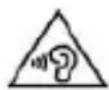
Excessive sound pressure from earphones and headphones can cause hearing loss. To prevent possible hearing damage, do not listen at high volume levels for long periods. The device is restricted to indoor use only when operating in the 5150 to 5350 MHz frequency range.

Android and Google Play are trademarks of Google LLC.
Romanian (ro)

- Basic Operations
- Power on
- Power off
- Sleep
- Power reset
- Screen time out
- Using the Micro SD card
- Inserting and Unmounting the Micro SD card
- Inserting:
- Unmounting:
- Caution:
- Battery:
- Charging:
- Warnings for charging:
- Return to main interface
- Return to upper interface or menu
- Points for Attention
- Settings
- Description of functions:
- WiFi
- Data usage
- Sound setting
- Display settings
- Storage
- Battery
- Apps
- Accounts and sync
- Location services
- Security
- Language & input
- Backup & reset
- Date & time
- Accessibility
- Developer options
- About device
- Connect to the computer
- Factory data reset
- Common troubleshooting
- DECLARATION OF CONFORMITY No. 1608
- Manual de utilizare Viva 803G
- Prefata
- De luat in considerare
- Allview Viva 803G
- DEKLARACJA ZGODNOŚCI WE No. 1608
- Romanian (ro)
Brand : Allview
Model : Viva 803G
Category : Tablet