S400 - Hi-Fi System Vankyo - Free user manual and instructions
Find the device manual for free S400 Vankyo in PDF.


| Product Type | Hi-Fi System |
| Brand | Vankyo |
| Model | S400 |
| Dimensions (W x H x D) | 21.5 x 14.0 x 25.0 cm |
| Weight | 2.1 kg |
| Power Supply | AC 100-240V, 50/60Hz |
| Bluetooth Version | 5.0 |
| Supported Audio Formats | MP3, WMA, WAV |
| Radio Band | FM (87.5-108 MHz) |
| USB Playback | Yes (up to 32 GB) |
| AUX Input | 3.5 mm jack |
| Remote Control | Included |
| Speaker Output Power | 20W RMS |
| Impedance | 4 ohms |
| Cleaning Instructions | Wipe with a soft, dry cloth. Do not use liquid cleaners. |
| Safety Precautions | Keep away from water and heat sources. Do not disassemble. |
| Spare Parts Availability | Contact Vankyo support or authorized dealers. |
| Repairability | Only qualified personnel should perform repairs. |
Frequently Asked Questions - S400 Vankyo
User questions about S400 Vankyo
0 question about this device. Answer the ones you know or ask your own.
Ask a new question about this device
Download the instructions for your Hi-Fi System in PDF format for free! Find your manual S400 - Vankyo and take your electronic device back in hand. On this page are published all the documents necessary for the use of your device. S400 by Vankyo.
USER MANUAL S400 Vankyo
natural_image
Line drawing of a smart home device with two front panels labeled L and R, no text or symbols presentUSER MANUAL
Please read this manual carefully before use and keep it for future reference.
V1.01
| Contents | |
| CAUTIONS | 01 |
| TROUBLESHOOTING GUIDE | 02 |
| WHAT'S INCLUDED | 04 |
| PRODUCT OVERVIEW | 05 |
| Charging Case | 05 |
| Earbuds | 05 |
| CHARGE | 06 |
| Charging Case | 06 |
| Earbuds | 07 |
| POWER ON | 07 |
| CONNECT AND DISCONNECT WITH A MOBILE | |
| DEVICE | 09 |
Connect 09
Disconnect 10
WEAR THE EARBUDS 10
FUNCTIONS 12
Volume 12
Music 12
Call 13
Activate Voice Assistant 14
LOW BATTERY WARNING 14
POWER OFF 14
RESET 15
SPECIFICATIONS 16

CAUTIONS
01 Do not try to disassemble the product by yourself. If you need any further assistant, please contact us at support@ivankyo.com (US)/support.uk@ivankyo.com (UK).
02 Do not use the product in high temperature, and near heat or fire.
03 Please use the Type-C cable provided to charge the product.
04 Please keep the earbuds out of the reach of children to avoid choking hazard for the small parts contained in the product.
05 Long exposure to loud volume may cause hearing damage. It's advised you adjust the volume to a proper level for use.
06 Please always pay attention to the surroundings to avoid potential risks caused by using the product.
07 Please keep the Charging Case away from water to avoid corrosion or a short circuit.
08 For any earbuds, it is not recommended to be soaked underwater for too long, since it may affect the battery life.
TROUBLESHOOTING GUIDE
Q1: What should I do when the earbuds can't be paired with my mobile device?
* You need to reset your earbuds (see page 15) and then pair the earbuds with your mobile device again.
Q2: What to do when the earbuds can't be charged?
* The Charging Case may run out of power. Please charge it for at least one hour, then put the earbuds into it to charge.
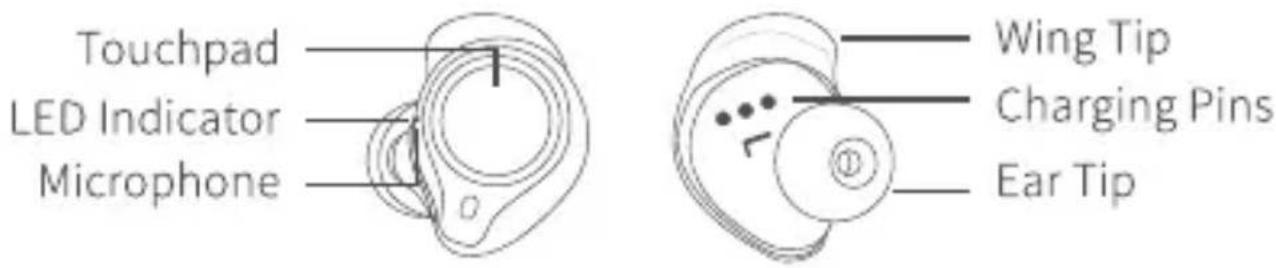
* Try to take out the earbuds and clean the Charging Pins, then put the earbuds into the Charging Case to see if the LED Indicators on the earbuds stay solid red.
* There may be some malfunction with your Charging Case. If your Charging Case can't charge for earbuds after many attempts, please contact our customer service team for help.
Q3: What Bluetooth device can the earbuds be connected to?
* Android or iOS devices with Bluetooth version over 4.2.
Q4: Can my earbuds be simultaneously paired with multiple devices?
* The earbuds don't support this function currently.
Q5: Can I use one earbud at a time?
* Yes. After connecting the earbuds to your mobile device, you can use them together or just use one earbud alone.
Q6: Can I activate voice assistant through my earbuds?
* Yes. You can wake up voice assistant by tapping the Touchpad of either earbud for 3 times after pairing the earbud with your mobile device.
Q7: What should I do if there is no sound from one earbud?
* Turn off the Bluetooth of your mobile device and turn it on again, then pair your earbuds with the mobile device.
* For Android device, if there is no sound from one earbud after connecting, you need to check whether the phone volume is too low. If the phone volume is normal, it may be that the volume of the earbud has been turned to the minimum. Please try to adjust the volume of the earbud.
* Reset your earbuds (see page 15) and pair them with your mobile device again.

WHAT'S INCLUDED
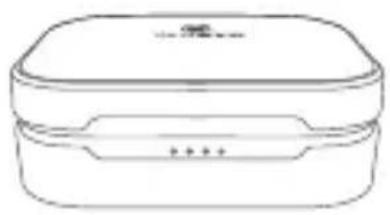
natural_image
Line drawing of a rectangular container with lid and side compartments (no text or symbols)Charging Case
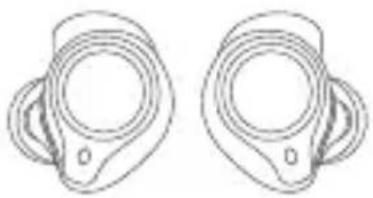
natural_image
Two identical line drawings of a mechanical component with circular features and side brackets (no text or symbols)True Wireless Earbuds
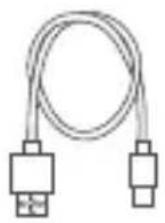
Type-C Cable
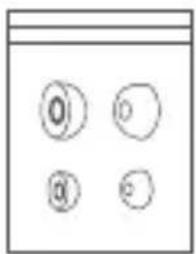
Spare Ear Tips (Sx2, Lx2)
natural_image
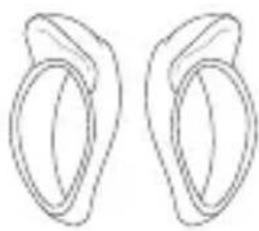
Simple line drawing of two symmetrical, looped shapes resembling a stylized ear or lens (no text or symbols)Spare Wing Tips (Sx2, Lx2)
User Manual
Quick Guide
Tip: About Medium Size
The ear tips and wing tips in medium size have been installed on the earbuds in advance.

PRODUCT OVERVIEW
Charging Case
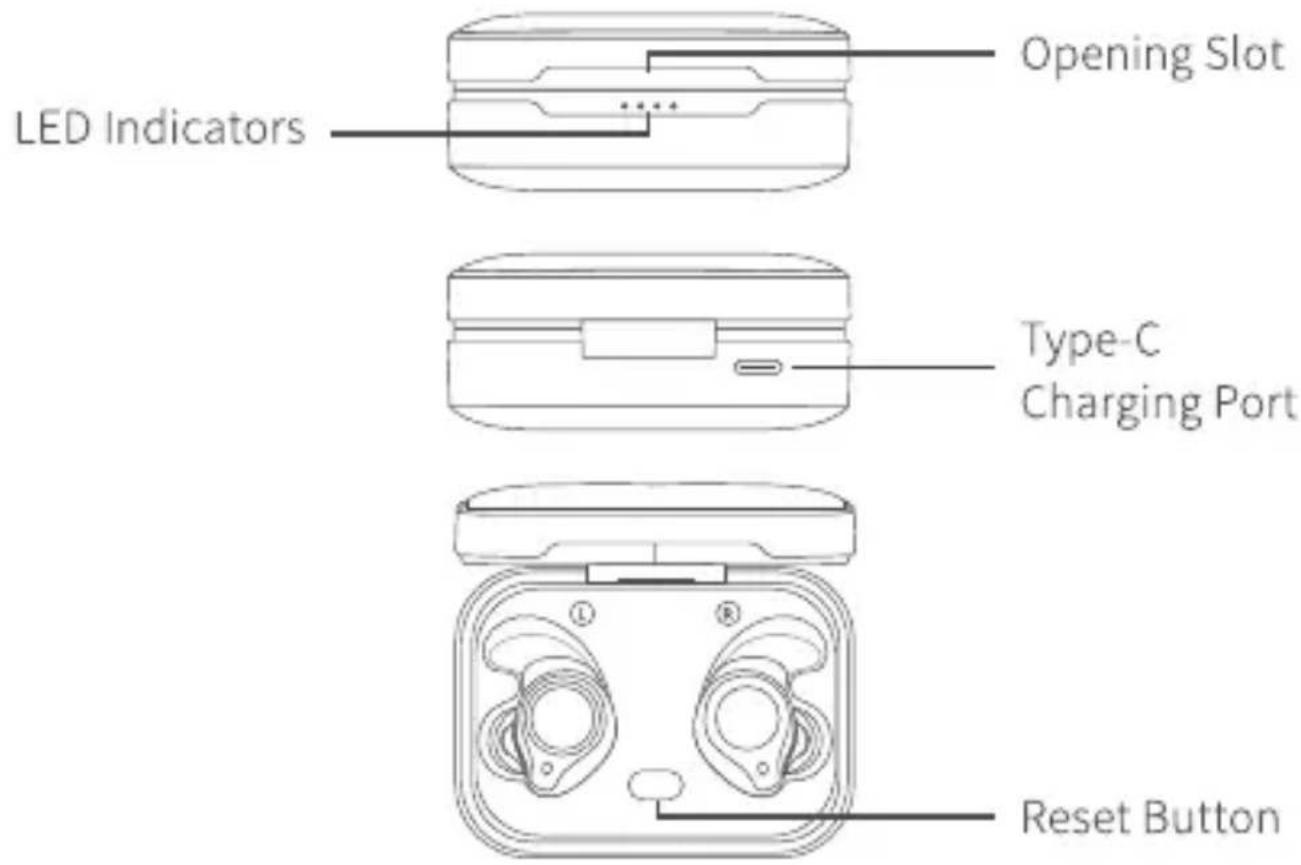
Earbud

CHARGE
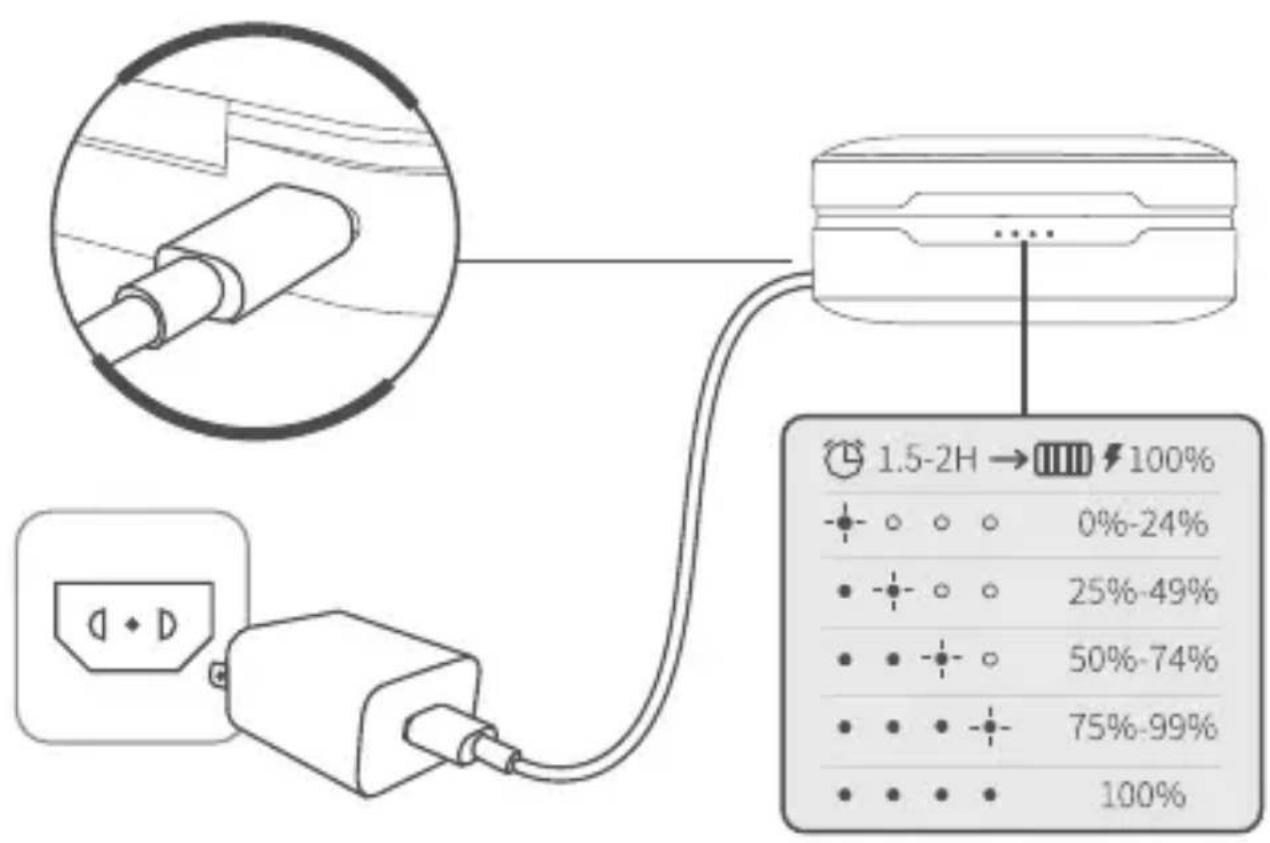
Fully charge the Charging Case and earbuds before your first use.
Charging Case
Connect the Charging Case to a compatible adapter (not included) with the Type-C Cable, then plug the adapter into a socket.
Earbuds
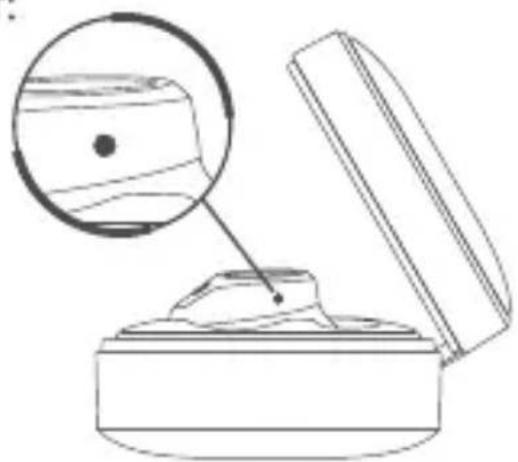
Align the Charging Pins on the earbuds with those in the case, then place the earbuds into the case until they magnetically snap into the Charging Slots. They will be charged automatically.
The Explanation of the LED Indicator:
Charging:
The LED Indicators will be solid red.
Fully Charged:
The LED Indicators will be off.
natural_image
Line drawing of a closed container with an open lid, showing a magnified inset of a wooden object (no text or symbols)
POWER ON
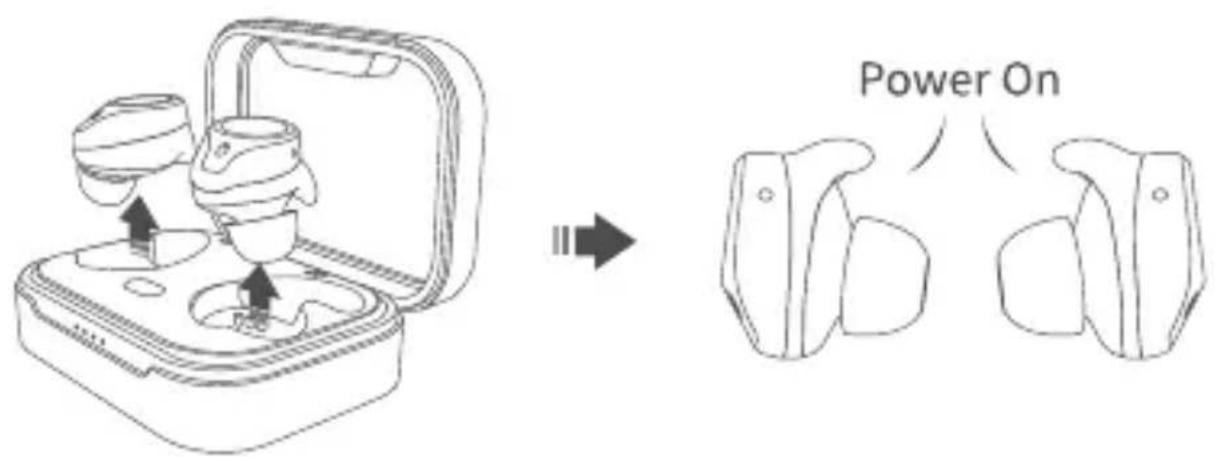
Option 1 :
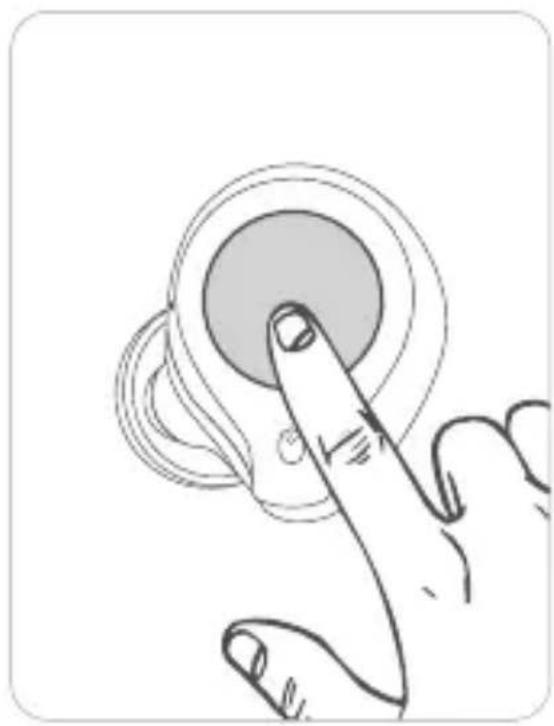
Take out the earbuds from the Charging Case to power them on. The LED Indicators on both earbuds will simultaneously flash red and white. You will hear a voice prompt of "Power On" from the earbud.
Option 2 :
When the earbud is in power-off status, please touch and hold the Touchpad for 1.5 seconds to power on.
Note:
To hear the voice prompts, please make sure you are wearing the earbuds.
natural_image
Illustration of a finger pressing a button on a circular device (no text or symbols)
CONNECT AND DISCONNECT WITH A MOBILE DEVICE
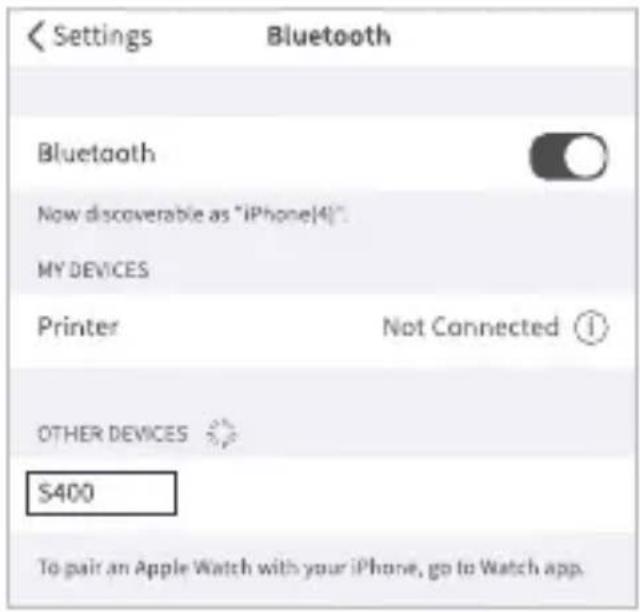
After earbuds pairing, the LED Indicator on one earbud flashes red and white alternately while the other flashes white every 5 seconds, and there is a voice prompt of "Pairing" from the earbud, which indicates the earbuds are ready for connecting with a mobile device.
Connect
Turn on the Bluetooth on your device, then search and connect to S400.
The LED Indicators on both earbuds will flash white every 5 seconds, and you will hear a voice prompt of "Connected" from the earbuds if the connection is successful.
Notes:
- The earbuds will automatically power off if they are not connected with any device within 5 minutes.
- If you turned off the earbuds, it will take around 8 seconds to automatically reconnect the earbuds with the device after you turn on the earbuds again.
Disconnect
Go to the Bluetooth interface of your mobile device, select S400 and Disconnect/Unpair to disconnect the earbuds. You will hear a voice prompt of "Disconnected".

WEAR THE EARBUDS
If the ear tips don't fit your ears, you can replace them with the new ones we provided.
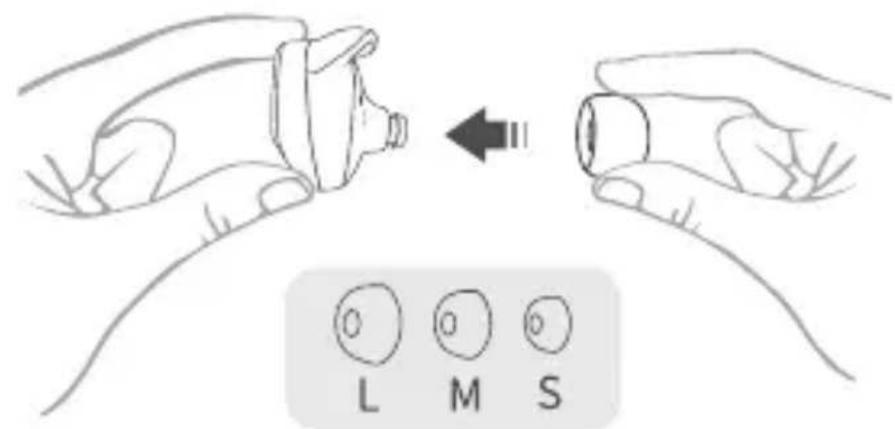
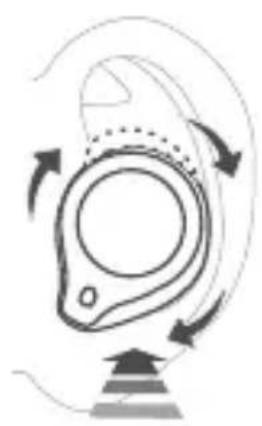
Fit the earbuds into your ears.
natural_image
Diagram of a mechanical or fluidic component with curved arrows indicating motion, no text or symbols present.
FUNCTIONS
Volume
 Volume Up Volume Up | Touch and hold the Touchpad of the Right (R)Earbud for around 1 second |
 Volume Down Volume Down | Touch and hold the Touchpad of the Left (L)Earbud for around 1 second |
Music
 Play/Pause Play/Pause | Tap the Touchpad of either earbud once |
 Previous Previous | Tap the Touchpad of the Left (L) Earbud twice |
 Next Next | Tap the Touchpad of the Right (R) Earbud twice |
Call
 Accept / End Accept / End | Tap the Touchpad of either earbud once |
 Decline Decline | Touch and hold the Touchpad of either earbud for 1 second |
 Hold & Accept Hold & Accept | Tap the Touchpad of either earbud twice |
 End & Accept End & Accept | Tap the Touchpad of either earbud once |
 Swap Swap | Tap the Touchpad of either earbud twice |
Activate Voice Assistant
Tap the Touchpad of either earbud for 3 times to wake up voice assistant.

LOW BATTERY WARNING
When the battery of the earbud gets low, the LED Indicators on the earbuds will flash red every 5 seconds, and you will hear a voice prompt of "Please charging" from the earbud.

POWER OFF
Option 1 :
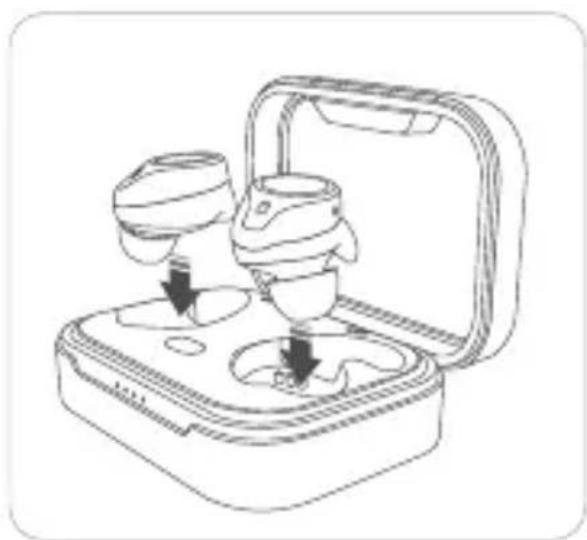
Place the earbuds into the Charging Case to automatically power off.
The LED Indicators on the earbuds will flash red once.
natural_image
Line drawing of a medical device with two cups and a tray, shown in open and closed views (no text or symbols)Option 2 :
Touch and hold the Touchpad for 3 seconds to power off the earbuds when they are not connected with a mobile device.
Option 3 :
The earbuds will power off automatically if there is no connection with a Bluetooth device within 5 minutes after powering on.

RESET
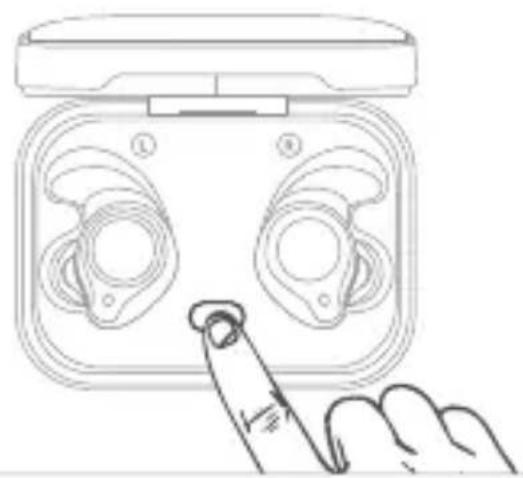
If the earbud works abnormally, please try to reset it. To reset the earbud, please place the earbuds into the Charging Case, then press the Reset button in the Charging Case for around 10 seconds until the LED Indicators on the Charging Case all flash twice.
natural_image
Line drawing of a hand inserting a device into a device housing (no text or symbols)
SPECIFICATIONS
| Power Supply | 5V=0.5A |
| BT Version | V5.0 |
| Frequency Range | 2402~2480MHz |
| Transmit Power (EIRP) | <10dBm (for CE) |
| Battery Capacity of the Charging Case | 800mAh |
| Charging Time for the Earbud | 1.5H |
| Charging Time for the Charging Case | 1.5-2H |
| Call Time | 3.5H |
| Playtime | 4H (with 80% volume) |
| Standby Time | 480H |
FCC Caution
Any Changes or modifications not expressly approved by the party responsible for compliance could void the user's authority to operate the equipment.
This device complies with part 15 of the FCC Rules. Operation is subject to the following two conditions:
(1) This device may not cause harmful interference, and
(2) This device must accept any interference received, including interference that may cause undesired operation.
Note:
This equipment has been tested and found to comply with the limits for a Class B digital device, pursuant to part 15 of the FCC Rules. These limits are designed to provide reasonable protection against harmful interference in a residential installation. This equipment generates, uses and can radiate radio frequency energy and, if not installed and used in accordance with the instructions, may cause harmful interference to radio communications. However, there is no guarantee that interference will not occur in a particular installation. If this equipment does cause harmful interference to radio or television reception, which can be determined by turning the
equipment off and on, the user is encouraged to try to correct the interference by one or more of the following measures:
— Reorient or relocate the receiving antenna.
— Increase the separation between the equipment and receiver.
— Connect the equipment into an outlet on a circuit different from that to which the receiver is connected.
— Consult the dealer or an experienced radio/TV technician for help.
This equipment complies with FCC radiation exposure limits set forth for an uncontrolled environment.
This transmitter must not be co-located or operating in conjunction with any other antenna or transmitter.
ISEDC Warning
This device complies with Industry Canada licence-exempt RSS standard(s). Operation is subject to the following two conditions:
(1) This device may not cause interference, and
(2) This device must accept any interference, including interference that may cause undesired operation of the device.
RISK OF EXPLOSION IF BATTERY IS REPLACED BY AN INCORRECT TYPE. DISPOSE OF USED BATTERIES ACCORDING TO THE INSTRUCTIONS
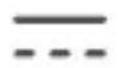
The symbol indicates DC voltage
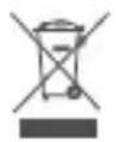
RECYCLING
This product bears the selective sorting symbol for Waste electrical and electronic equipment (WEEE). This means that this product must be handled pursuant to European directive 2012/19/EU in order to be recycled or dismantled to minimize its impact on the environment. This product can be used across EU member states.
EU Compliance Statement:
Shenzhen VanTop Technology & Innovation Co., Ltd. hereby declares that this device is in compliance with the essential requirements and other relevant provisions of the Directive 2014/53/EU.
A copy of the EU Declaration of Conformity is available online at https://doc.vantop.com.
NOTES :
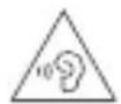
- High Sound Pressure
- Hearing Damage Risk
- Do not listen at high volume levels for long periods.
Manufacturer:
Shenzhen VanTop Technology & Innovation Co., Ltd.
Manufacturer address:
502, 5th Flr. BLDG 4, MinQi Technology Park, No. 65 Lishan Road, Taoyuan Street, Nanshan District, Shenzhen, China.
EC
REP
C&E Connection E-Commerce (DE) GmbH
Zum Linnegraben 20, 65933, Frankfurt am Main, Germany
Info@ce-connection.de
CUSTOMER SUPPORT
North America
support@ivankyo.com
United Kingdom
support.uk@ivankyo.com

www.lvankyo.com

@VankyoOfficial

VANKYO