 ManualGo.com
CZRWST3 - Air-conditioner PANASONIC - Free user manual and instructions
Find the device manual for free CZRWST3 PANASONIC in PDF.



Download the instructions for your Air-conditioner in PDF format for free! Find your manual CZRWST3 - PANASONIC and take your electronic device back in hand. On this page are published all the documents necessary for the use of your device. CZRWST3 by PANASONIC.
USER MANUAL CZRWST3 PANASONIC
Authorized representative in EU Panasonic Testing Centre Panasonic Marketing Europe GmbH Winsbergring 15, 22525 Hamburg, Germany © Panasonic Corporation 2014 Printed in China DC1110-81214
Wireless Remote Control System Operating Instructions
Panasonic Corporation 1006 Kadoma, Kadoma City, Osaka, Japan CV6233312194 2014/12/09 17:48:42 ADDRESS 1 ADDRESS 2 ADDRESS 3
REM SUB/MAIN
OPERATION TIMER STANDBY
Front side Rear side
00̲OI̲072023̲cover.indd 2 Important Safety Instructions ...............................................EN-2 Names and Operations ........................................................EN-3 Installing Batteries ................................................................EN-5 Setting the Current Time ......................................................EN-6 Operation .............................................................................EN-7 Timer Operation ...................................................................EN-9 Adjusting the Wind Direction ..............................................EN-11 Operating Multiple In/Outdoor Units Simultaneously .........EN-12 Using the Remote Control ..................................................EN-13 For Best Results .................................................................EN-13 Addresses ..........................................................................EN-14 Emergency Operation ........................................................EN-17 Miscellaneous Settings ......................................................EN-19 Before Requesting Service ................................................EN-20 Specifications .....................................................................EN-21
EN-1 EN-1 2014/12/19 10:23:57 OI_072023_all.indb
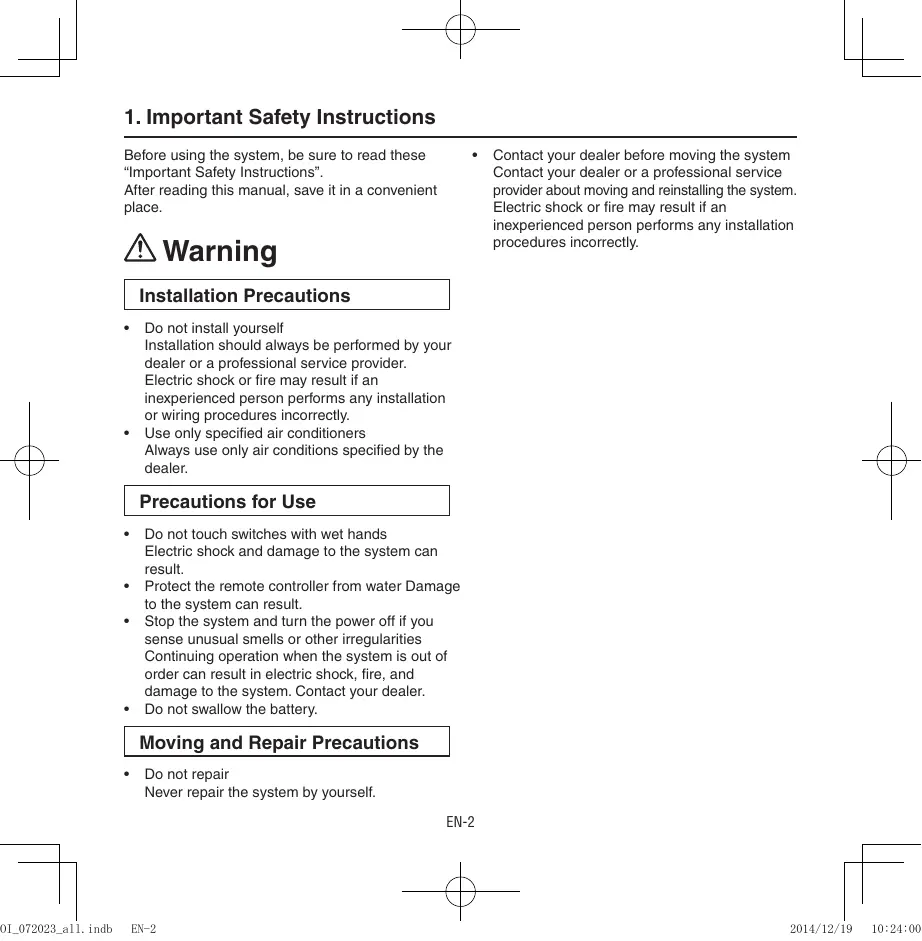
1. Important Safety Instructions
Before using the system, be sure to read these “Important Safety Instructions”. After reading this manual, save it in a convenient place. Warning Contact your dealer before moving the system Contact your dealer or a professional service provider about moving and reinstalling the system. Electric shock or fire may result if an inexperienced person performs any installation procedures incorrectly. Installation Precautions
Do not install yourself Installation should always be performed by your dealer or a professional service provider. Electric shock or fire may result if an inexperienced person performs any installation or wiring procedures incorrectly. Use only specified air conditioners Always use only air conditions specified by the dealer. Precautions for Use
Do not touch switches with wet hands Electric shock and damage to the system can result. Protect the remote controller from water Damage to the system can result. Stop the system and turn the power off if you sense unusual smells or other irregularities Continuing operation when the system is out of order can result in electric shock, fire, and damage to the system. Contact your dealer. Do not swallow the battery. Moving and Repair Precautions
Do not repair Never repair the system by yourself. EN-2 EN-2 2014/12/19 10:24:00 OI_072023_all.indb
2. Names and Operations
REMOTE CONTROL One remote control can control a group of up to eight indoor units. (See Page EN-12)
Operation Display Displays the operation status. (The figure shows all the statuses.)
- The auto-flap display may be different, depending on the installed unit. (See Page EN-11)
2. Start/Stop button
Pressing this button once starts and pressing again stops the operation.
3. Fan speed button
4. Swing/Wind Direction button
5. Timer setting button
Use for operating with a timer.
6. Reset button
Use this button after changing the batteries.
7. Cover
Press at the top center and then slide down.
8. Transmitter
9. Remote control sensor
Detects the temperature at the remote controller when detection has been switched to the remote control by the sensor button.
10. Temperature setting buttons
11. Filter button
CZ-RWSC3 Press to turn off the filter lamp on the receiver.
12. Mode Select button
Press to switch the operation mode.
13. Ventilation button
Use this when connected to an aftermarket fan. Pressing this button starts and stops the fan. When the air conditioner is started or stopped, the fan starts or stops at the same time. ( appears on the display of the remote control when the fan is operating.)
14. Address button
15. Sensor button
Use this when switching to detect the temperature at the remote control. At shipping the default setting is set to detect the temperature at the unit. At this time shown on the display.
16. Clock button
Use this when setting the clock.
raises the temperature setting 1 °C at From this page on the names of remote control buttons will be abbreviated as the illustration of the “button”. E.g.: Start/Stop button a time. lowers the temperature setting 1 °C at a time. EN-3 EN-3 2014/12/19 10:24:02 OI_072023_all.indb
2. Names and Operations (Cont.)
Receiver Receives the signal sent from the remote control. Emergency operation button Display lamps When an error occurs, one of the lamps flashes. When a display lamp is blinking, refer to “14. Before Requesting Service”.
OPERATION lamp This lamp is lit when the unit is operating. TIMER lamp This lamp is lit when the timer is set. STANDBY lamp
- When the heater is working, the lamp lights at the following times. When the thermostat has operated during defrosting at the time of the startup.
- The lamp flashes when an error occurs. FILTER lamp This lamp is for notifying you when the filter needs to be cleaned. in conjunction with a wired remote control (sold separately). (Consult with the dealer where the product was purchased about making the settings.) Test/On switch This is used during service. It is not for normal use. Test Run/On switch This is used during service. It is not for normal use.
9. Address switch
Differentiate between incoming and outgoing signals. Note
Swing button Normal/Stop All switch Use in the Normal position. It does not operate in the Stop All position. Remote control, main / remote control, secondary, switch In normal use this should be on remote control, main. It is also possible to use both If a heat pump model is being used, it will beep twice and the operating lamp will light up on the display; if the timer and standby lamps blink alternately, a conflict between the heating and cooling exists, so the unit cannot operate in the desired mode. (On models that do not have an Auto function, even if Auto is selected, it works in the same way.) When the local operation is disabled by such as the centralized control, and if the Start, Stop, Mode or Temperature setting buttons are pressed, the unit will beep five times and the change will not be made. EN-4 EN-4 2014/12/19 10:24:03 OI_072023_all.indb
3. Installing Batteries
1. Remove the cover.
2. Insert two AAA alkaline batteries.
Put the batteries in with the polarity [+/–] as shown in the figure.
3. Gently insert one end of an unfolded paper clip
(or a similar object that can fit) into the Reset hole and press the reset button inside the hole and then put the cover back on. Reset hole Note
Change the batteries when the display of the remote control gets weak or if it will not work unless close to the receiver. (Alkaline batteries generally last about one year.) When changing batteries, always use two fresh batteries of the same make. If the remote control will not be used for a long period of time, remove the batteries. Please dispose of batteries appropriately. After changing the batteries, follow the procedures on the next page to reset the current time. Cover
HOW TO REMOVE BATTERIES
1. Remove the cover.
2. Press the battery toward the negative end and
lift it out by its positive end. (As shown at right)
3. Remove the other battery in the same way.
Dispose of the used batteries at the designated location in compliance with the applicable local ordinances.
Do not swallow the battery. After removing the battery from remote control unit, keep it away from the reach of children. The battery can cause death by suffocation if swallowed. When inserting the battery, make sure the polarities (+ and -) are correct. Warning
EN-5 EN-5 2014/12/19 10:24:03 OI_072023_all.indb
4. Setting the Current Time
After changing the batteries and pressing reset, be sure to reset the current time. (When reset is pressed, the current time reverts to [
1. Press
for two seconds or more. Once the clock displays starts blinking, the clock can be set.
2. Set the hour with
If you press and hold the button, the time changes quickly.
3. Set the minutes with
If you press and hold the button, the time changes quickly.
4. Pressing
completes the time setting.
- While you are setting the current time, the time display flashes but the colon does not.
- If the buttons are not pressed for three minutes while setting the current time, it is set to the displayed time. Note
- When reset is pressed, the timer settings are deleted.
1, 4 EN-6 EN-6 2014/12/19 10:24:03 OI_072023_all.indb
5. Operation
Auto Models that only provide the cooling function cannot operate in the auto or heating modes. Power: Turn on the power of the indoor unit at least 14 hours before operation.
1. Press .
2. Press
and select from among Auto , Heat , Dry , Cool and Fan .
3. Press and select the desired speed.
If set to Auto , the fan speed switches automatically. (Auto does not work when in the Fan mode.)
4. Press one of the
temperature. MAX MIN Auto
buttons and set the desired Temperature settings cannot be made when in the Fan mode. Dry
When the unit is stopped with the remote control, even though the compressor of the outdoor unit stops, the fan on the outdoor unit may continue to run for a while. EN-7 EN-7 2014/12/19 10:24:05 OI_072023_all.indb
5. Operation (Cont.)
If the unit is not heating very effectively with a Low fan speed speed to High Medium. Depending on the indoor unit being used, it may indicate a function that it does not have. (The fan speed is set.) If you cannot turn the air conditioner off in the normal way. Disconnect the power to the indoor unit and contact the dealer where the product was purchased. <Auto Operation> If all the indoor units are identical in a cooling system and are under control as one group, it heats or cools automatically via the differences between the set temperature and the room temperature. <Dry Operation>
- Depending on the indoor unit used, the remote control may have a [Dry] indicator on its display even though the unit does not have the Dry function. (Same as cooler operation)
- When the room temperature approaches the temperature setting, the unit continues to start up or stop automatically.
- When the drying mode stops operating, the indoor unit’s fan blows a gentle breeze in order to keep the moisture from returning to the room at a minimum.
- Depending on the indoor unit used, and/or the temperature in the room, the fan speed may not be adjustable.
- Depending on the unit used, when the outside air temperature is 15 °C or less, the dry function will not operate. EN-8 EN-8 2014/12/19 10:24:07 OI_072023_all.indb
6. Timer Operation
- When setting the timer, make sure the current time on the remote control is accurate.
- The timer’s clock can only be set when the display of the remote control is ON.
- After setting the timer, put the remote control in a place where its signal will reach the receiver of the indoor unit. (When the time set for the timer is reached, a signal is sent from the remote control to Start/Stop the unit.) Using the Timer
1. Press either
of the being displayed, if you press be set.
, and while the time is again, a scheduled time can The time last set on the timer is displayed. “--:--“ indicates time to change the batteries.
2. Press either
and set the timer to the Every time you press , the time changes in 10 minute increments. If you press and hold the button, the time changes quickly.
3. After setting the timer, if you press
, the time you set changes to a steady display, indicating settings are complete. After the timer setting is displayed for three seconds, the display reverts to the current time.
1, 2 EN-9 EN-9 2014/12/19 10:24:08 OI_072023_all.indb
6. Timer Operation (Cont.)
Combining ON and OFF Timers
- Setting the ON and OFF timers, respectively. Checking the timer setting
- If you press either for the or the , the scheduled time is displayed for four seconds.
- When no timer setting has been made, it displays --:--. (Initial Setting) Changing a timer setting
- Press for the for the timer again. or the , and then when the timer setting is displayed, press
Canceling a timer setting
- If you press [CANCEL], the timer setting is canceled.
- If you wish to cancel the setting for either the or the timer, press timer and when the scheduled time is displayed, press [CANCEL].
or the desired Using the same timer setting every day
- If you press for 2 or more seconds, “ ” is displayed and the ON timer or the OFF timer will operate the unit at the same time every day.
- If you press fagain for two seconds or more, “ ” goes off and the timer operates just once. EN-10 EN-10 2014/12/19 10:24:09 OI_072023_all.indb
7. Adjusting the Wind Direction
- Never try to manually move the flap (up-down wind direction plate) that is operated by the remote control.
- When the unit stops, the flap (up-down wind direction plate) automatically faces downwards.
- When the unit is in heating standby, the flap (up-down wind direction plate) faces upward. Also, bear in mind that the flap starts swinging after the heating standby mode is released, but the display on the remote control indicates Auto Flap during standby heating as well.
CZ-RWSU2/CZ-RWST2/CZ-RWSL2/CZ-RWSY2/
Indoor Unit (CZ-RWSK2)/CZ-RWST3 Setting the Wind Direction While the unit is operating, every time you press direction the flap faces changes. , the Setting Flap to Swing If you press to set the flap (up-down wind direction plate) in its most downward facing position, and then press again, is displayed and the flap swings automatically up and down. Stopping Flap Swing If you press again while the flap is swinging, you can stop the flap from swinging and set it in place as desired. Thereafter, if you press , you can set the wind direction starting from the most upward position.
When the unit is in the Cool or Dry modes, the flap cannot stop facing downwards. If you try to stop the flap from swinging while it is facing downwards, it will continue moving until it is in the third position from the top. In the Heat Mode Please face the flap (up-down wind direction plate) downwards. If it faces upwards, the warm air will not reach the floor level. Initial Setting In the Cool and Dry Modes Please face the flap (up-down wind direction plate) upwards. If the plate faces downwards, condensation may form and drip from around the air outlet. In the Fan Mode Initial Setting
In All Modes Moves Constantly Displays with Swing Stopped Fan/Heat Modes Cool/Dry Modes EN-11 EN-11 2014/12/19 10:24:10 OI_072023_all.indb
7. Adjusting the Wind Direction (Cont.)
CZ-RWSC3 The available functions differ depending on the indoor unit being used. The wind direction cannot be set via remote control for any models other than those noted below. For more information, please refer to the users’ manual that came with your indoor unit. Four-direction Ceiling Cassette Models, Bi-directional Ceiling Cassette Models, Unidirectional Cassette Models for High Ceilings, Ceiling Suspended Models, Wall Models Please refer to Setting the Wind Direction and Stopping Flap Swing.
8. Operating Multiple In/Outdoor Units Simultaneously
Group control works well for providing air conditioning to one, large room with more than one air conditioning units. (Group Control) Indoor Unit
- One remote control can operate up to eight indoor units.
- All the indoor units have identical settings. Receiver
- Set temperature sensing to the indoor unit (Main Sensor). (See Pages I and II) Indoor Unit Signal Line Wireless Remote Control EN-12 EN-12 2014/12/19 10:24:11 OI_072023_all.indb
9. Using the Remote Control
- Point the transmitter of the remote control at the receiver. When the signal is received correctly it will beep once. (It beeps twice only when the unit starts operating.)
- The signal can be received at a distance of about 6 meters. This distance should be used only as a guide. It depends on battery strength.
- Make sure nothing is between the remote control and the receiver that could block the signal.
- Do not leave the remote in direct sunlight, where the wind from the air conditioner can blow directly on it, or near any other heat source.
- Take care not to drop, throw or wash the remote control with water.
- The signal from the remote control may not be received in rooms with rapid start fluorescent lighting, inverter lights, plasma displays, LCD televisions (monitor), etc. For more information, please contact the dealer where the product was purchased. Wall Mount Use
- Press from the location you wish to mount the remote and make sure the signal is received correctly.
- Pull the remote control forward to remove it. Fasten the remote control mount with screws. Fitting the remote control in the mount.
2 Press 1 Put in Remote control mount
10. For Best Results
Don’t get the remote control too far away from the receiver. This may cause a malfunction. Be sure to keep the remote control in the same room as the receiver. Point the remote control at the receiver. When the signal is received correctly it will beep one time. Avoid locating the remote control where it is covered, such as behind a curtain. Keep it out in the open. EN-13 EN-13 2014/12/19 10:24:11 OI_072023_all.indb
11. Addresses
In both multi and single unit installations, when more than one indoor unit is installed in the same room with a compatible remote control, addresses can be set up to avoid crosstalk. By setting the address switches on the receivers and matching them with the number of addresses on the remote control, up to six indoor units can be controlled separately with the remote control. (When using units in a flexible combination or operating multiple units simultaneously, as they are operated at the same time, they cannot be controlled individually.) There are separate address settings, receiver addresses for the receivers*1 and transmitter addresses for the remote control. For more information, please contact the dealer where the product was purchased.
- The setting procedure is different for CZ-RWSY2 and Indoor Unit (CZ-RWSK2). (See Page EN-16)
- These settings are saved in nonvolatile memory in the remote control, so even when its batteries are changed, the settings do not have to be made again. *1 CZ-RWST2/CZ-RWST3 is of receivers (Inside the indoor unit); CZ-RWSL2 is of an operation panel. (Inside the indoor unit) Checking Addresses When you press on the remote control, its current address is shown in the display. If this address corresponds to the address of a receiver*2, the buzzer sounds. (If it is on ALL, the buzzer will always sound.) If it is on ALL, it can be operated regardless of receiver addresses. Point the remote control at the receiver you wish to operate and transmit. *2 CZ-RWSL2 is a receiver (Indoor unit) Matching up Addresses Setting Remote Control Addresses and at the same time, “
1. If you press
down, every time you press
2. While holding
6ALL. ” will blink. , it cycles from ALL123… Set it to the receiver address switch of the indoor unit you wish to operate.
3. When you release
, the address that was displayed is set. When you do this, if it corresponds to the receiver’s address setting, the buzzer sounds. EN-14 EN-14 2014/12/19 10:24:12 OI_072023_all.indb Wireless remote controller address display
CZ-RWSU2 Address switch position Receiving is possible at all address positions For 1, 2 and 3, set the switch on the right and for 4, 5 and 6, to the left. S001 S001 S002 S002
Address switch position Receiving is possible at all address positions
S001 S001 S002 For 1, 2 and 3, set the switch on the left and for 4, 5 and 6, to the right.
S002 S001 S002 CZ-RWSL2 Address switch position Receiving is possible at all address positions
For 1, 2 and 3, set the switch on the left and for 4, 5 and 6, to the right.
CZ-RWSC3 Address ALL Address switch position Receiving is possible at all address positions Address Address Address Address Address
EN-15 EN-15 2014/12/19 10:24:12 OI_072023_all.indb
11. Addresses (Cont.)
Setting Addresses (CZ-RWSY2/CZ-RWSK2) (Setting the address of the indoor unit)
1. First of all, set the address for the remote control with Setting Remote Control Address
(See Page EN-14). of the indoor unit for four seconds or more.
2. Press [Emergency Operation]
When you do this, the lamps of the display will blink one after another.
3. Press
on the remote control.
4. The buzzer will sound and the address of the indoor unit will change to the address
displayed on the remote control. of the indoor unit once, the lamps on the indoor
5. If you press [Emergency Operation]
unit’s display will turn off. Note
Please do not hold the [Emergency Operation] button of the indoor unit down while the indoor unit’s display lamps are blinking one after another. Make sure to operate while the indoor unit is stopped. The address of indoor unit is set to "ALL" at the time of the shipment. EN-16 EN-16 2014/12/19 10:24:17 OI_072023_all.indb
12. Emergency Operation
Use [Emergency Operation] in the following situations when there is an urgent need.
- When the remote control’s batteries have failed.
- When the remote control is broken.
- When the remote control is lost. *1 Figures: CZ-RWSU2, CZ-RWSY2 and CZ-RWST2/CZ-RWST3 are of receivers (inside indoor unit), CZ-RWSL2 is of the operation panel (inside indoor unit) and Indoor Unit (CZ-RWSK2) is of its front panel. CZ-RWSU2/CZ-RWST2/CZ-RWSY2/Indoor Unit (CZ-RWSK2)/CZ-RWST3 Start: press [Emergency Operation] of the receiver. If the indoor temperature is 24 °C or greater when the unit starts running, it will act as a cooler. If the indoor temperature is less than 24 °C when the unit starts running, it will act as a heater. Stop: press [Emergency Operation] CZ-RWSU2 of the receiver again. CZ-RWST2 Start/Stop
12. Emergency Operation (Cont.)
The Test Run/On and Test/On switches are for use when the unit is installed and test run. It is not for normal use. If the [Normal/Stop ALL] switch is on Stop ALL, the unit cannot receive signals from the remote control.
1. Press [Emergency Operation]
of the receiver. If the indoor temperature is 24 °C or greater when the unit starts running, it will act as a cooler. If the indoor temperature is less than 24 °C when the unit starts running, it will act as a heater.
2. If you press , the wind direction automatically oscillates up and down.
of the receiver again. Stop: press [Emergency Operation] CZ-RWSL2 CZ-RWSC3
The Test Run/On and Test/On switches are for use when the unit is installed and test run. It is not for normal use. If the [Normal/Stop ALL] switch is on Stop ALL, the unit cannot receive signals from the remote control. EN-18 EN-18 2014/12/19 10:24:19 OI_072023_all.indb
13. Miscellaneous Settings
A variety of changes can be made to settings, depending on the indoor unit being used. Operation mode indicator, time display (24 hour, AM/PM), Heat Max Temp
(These settings are saved in nonvolatile memory in the remote control, so even when its batteries are changed, the settings do not have to be made again.) First check the display of the remote control when the unit is stopped and then make any desired settings. How to Operate
While holding down the buttons below, every time Whatever is being displayed when you release Setting Item Remote control operation mode display setting when is pressed is pressed the remote control’s display changes. is set. Operation Button Setting Content Remote Control Display Heat Pump (with Auto) Press Heat Pump (without Auto) while pressing Dedicated air conditioner
Press 24 Hour while pressing AM/PM Max possible temperature setting in the Heat mode Press while pressing Maximum heating temperature range is 26 °C – 30 °C EN-19 EN-19 2014/12/19 10:24:19 OI_072023_all.indb
14. Before Requesting Service
Before requesting service, please check the followings. Problem The unit doesn’t work even when is pressed on the remote control. The air conditioner starts and stops on its own. Cause Solution The power to the indoor unit is not ON. Make sure the power to the indoor unit is ON. Is the Normal/Stop All switch in the Stop All position? (See Page EN-4) Switch it to the Normal position and cancel operation. Are the remote control’s batteries dead? Change the batteries. Is there a mismatch between the display lamp and cooling/heating or is it set to something other than Auto? (The operating lamp stays lit, while the timer lamp and the standby lamp blink alternately.) Change the operating mode. Do the addresses match one another? Check the addresses of the receiver and the remote control. (See Page EN-13) Has the timer been set to repeat? Check the timer settings. (See Page EN-9) ” is displayed on the remote An error has occurred in the non-volatile control when the unit is stopped. memory. Please contact your sales outlet. Although the unit is for air conditioning only, either Auto or Heat is indicated in the display. Make settings to the remote control’s operation mode display. (See Page EN-19) After putting the batteries in the remote control, even when it is operated, the display does not change. Press the reset button on the remote control. (See Page EN-5) The timer cannot be set. Make the settings when the remote control is in Operation Display. (See Page EN-9) If the problem persists even after you check the foregoing items, stop the unit, disconnect the power to the indoor unit and contact the dealer where the product was purchased with the model number and problem you are having. As it is dangerous, under no circumstances should you undertake repairs yourself. Further, when the receiver’s lamps are blinking; please contact your retailer with that information. EN-20 EN-20 2014/12/19 10:24:21 OI_072023_all.indb
15. Specifications
CZ-RWSU2/CZ-RWST2/CZ-RWSC3/CZ-RWSY2/CZ-RWSL2/CZ-RWSK2/CZ-RWST3 Dimensions Wireless Remote Control Power source Clock Accuracy 182 mm (H) X 61 mm (W) X 18.5 mm (D) Two AAA alkaline batteries ±30 seconds per month (at 25 °C) 200 mm (H) X 200 mm (W) X 25 mm (D) CZ-RWST2 65 mm (H) X 130 mm (W) X 22 mm (D) CZ-RWSC3 120 mm (H) X 70 mm (W) X 20 mm (D) CZ-RWSY2 108 mm (H) X 108 mm (W) X 20 mm (D) CZ-RWST3 65 mm (H) X 141 mm (W) X 22.5 mm (D) Power source 16 V DC (Supplied from the terminal strip of the indoor unit’s remote control)
CZ-RWSL2 Dimensions 37 mm (H) X 70 mm (W) X 22 mm (D) Display Power source 5 V DC (supplied from the operation panel) Operation Panel Dimensions 55 mm (H) X 120 mm (W) X 16 mm (D) Power source 16 V DC (Supplied from the terminal strip of the indoor unit’s remote control) EN-21 EN-21 2014/12/19 10:24:21 OI_072023_all.indb EN-22 2014/12/19 10:24:21 OI_072023_all.indb 200 mm (H) X 200 mm (l) X 25 mm (P) CZ-RWST2 65 mm (H) x 130 mm (l) x 22 mm (P) CZ-RWSC3 120 mm (H) x 70 mm (l) x 20 mm (P) CZ-RWSY2 108 mm (H) X 108 mm (l) X 20 mm (P) 37 mm (H) x 70 mm (l) x 22 mm (P) 55 mm (H) x 120 mm (l) x 16 mm (P) 200 mm (H) X 200 mm (B) X 25 mm (T) CZ-RWST2 65 mm (H) X 130 mm (B) X 22 mm (T) 120 mm (H) X 70 mm (B) X 20 mm (T) 200 mm (A) X 200 mm (L) X 25 mm (P) CZ-RWST2 65 mm (A) X 130 mm (L) X 22 mm (P) CZ-RWSC3 120 mm (A) X 70 mm (L) X 20 mm (P) CZ-RWSY2 108 mm (A) X 108 mm (L) X 20 mm (P) 37 mm (A) X 70 mm (L) X 22 mm (P) 55 mm (A) X 120 mm (L) X 16 mm (P)
182 mm (A) X 61 mm (L) X 18,5 mm (P) 200 mm (A) X 200 mm (L) X 25 mm (P) CZ-RWST2 65 mm (A) X 130 mm (L) X 22 mm (P) CZ-RWSC3 120 mm (A) X 70 mm (L) X 20 mm (P) CZ-RWSY2 108 mm (A) X 108 mm (L) X 20 mm (P) 37 mm (A) X 70 mm (L) X 22 mm (P) 55 mm (A) X 120 mm (L) X 16 mm (P) 182 mm (Υ) X 61 mm (Π) X 18,5 mm (Δ) 200 mm (Υ) X 200 mm (Π) X 25 mm (Δ) CZ-RWST2 65 mm (Υ) X 130 mm (Π) X 22 mm (Δ) CZ-RWSC3 120 mm (Υ) X 70 mm (Π) X 20 mm (Δ) CZ-RWSY2 108 mm (Υ) X 108 mm (Π) X 20 mm (Δ) CZ-RWST3 65 mm (Υ) X 141 mm (Π) X 22,5 mm (Δ) Πηγή τροφοδοσίας 182 mm (Al) X 61 mm (An) X 18,5 mm (P) 200 mm (Al) X 200 mm (An) X 25 mm (P) CZ-RWST2 65 mm (Al) X 130 mm (An) X 22 mm (P) CZ-RWSC3 120 mm (Al) X 70 mm (An) X 20 mm (P) CZ-RWSY2 108 mm (Al) X 108 mm (An) X 20 mm (P) 37 mm (Al) X 70 mm (An) X 22 mm (P) 55 mm (Al) X 120 mm (An) X 16 mm (P)