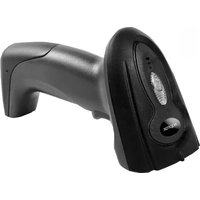
APPLS01 - Barcode scanners Approx - Free user manual and instructions
Find the device manual for free APPLS01 Approx in PDF.


| Product Type | Handheld Barcode Scanner |
| Brand | Approx |
| Model | APPLS01 |
| Interface | USB |
| Scan Type | 1D Laser |
| Scan Speed | 100 scans per second |
| Resolution | 4 mil |
| Depth of Field | 0 to 200 mm |
| Light Source | Visible Laser Diode 650 nm |
| Dimensions | 170 x 70 x 95 mm |
| Weight | 150 g |
| Cable Length | 1.5 m |
| Operating System Compatibility | Windows, Mac, Linux |
| Power Supply | USB powered (5V) |
| Operating Temperature | 0°C to 45°C |
| Storage Temperature | -20°C to 60°C |
| Humidity | 5-95% non-condensing |
| Material | ABS plastic |
| Color | Black |
| Buttons | Trigger button |
| LED Indicator | Green/Red |
| Certification | CE, FCC |
| Included Accessories | USB cable, user manual |
| Warranty | 1 year limited warranty |
Frequently Asked Questions - APPLS01 Approx
User questions about APPLS01 Approx
0 question about this device. Answer the ones you know or ask your own.
Ask a new question about this device
Download the instructions for your Barcode scanners in PDF format for free! Find your manual APPLS01 - Approx and take your electronic device back in hand. On this page are published all the documents necessary for the use of your device. APPLS01 by Approx.
USER MANUAL APPLS01 Approx
Thank you for choosing the barcode reader APPLS01.
Product Description
The APPLS01 is a USB barcode reader with an ergonomic design that makes it easy to handle. No drivers needed and automatically detected by the PC once connected. It is configurable and supports more than 30 different keyboard layouts and includes LED and buzzer to indicate different reading status. Reads the barcode at high speed and supports up to 128 ASCII barcodes. It is 98 % efficient. Includes support.
Make it your best tool for reading barcodes!
Package Contents
APPLS01
Support
Quick installation guide
Note: Make sure your package contains the elements described above. If you find any items are missing or damaged, please contact your dealer.
System Requirements
Computer with free USB port
Installation and Configuration
Connect the APPLS01 to a free USB port on your PC, the drivers will be installed automatically.
To read a bar code, press the trigger and position the laser line over the code to be read.
Automatic function
To enable automatic press the trigger for 10 seconds you will hear a buzzer sound issuing the following sound “di, di, di” which means that the auto start is enabled and the reader can be used as automatic reader. When not using this function please press the trigger for 10 seconds and the automatic feature will be disabled.
Configuration Using Bar Codes
Through scanning of the corresponding bar codes found below you can program the barcode reader manually. Ensure only to scan one bar code at a time.
Exit Mode

Language Setting

America
Belgium

Brazil
Canada-Frech
Croatia

Czech Republic

Slovakia

Denmark

Finland

France

Germany

Hungary

Italy

Latin America

Netherlands

Norway
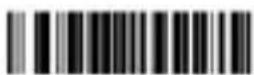
Polan
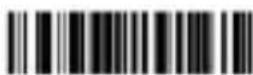
Portugal

Yugoslavia/Serbia
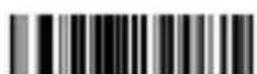
Slovenia

Spain
English

Sweden
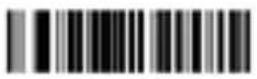
Switzerland-French

Switzerland-German
England

General

Turkey-F

Turkey-Q
Buzzer Setting

Close Sound

Open Sound
Serial Port Setting
baud rate
2400

4800

9600
19200
handshake negotiation

None
XON/OFF

RTS/CTS

ACK/NAK

Handshake Signal Time React-2seconds

Handshake Signal Time React-5seconds
Data bits

8-bit

7-bit

1-bit
stop bit

2-bit
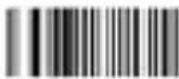
None
check bit

Odd Check
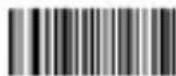
Even Check

Mark Check
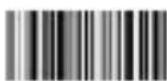
Blank

Reset
Transform Case Sensitive
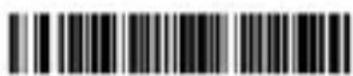
Small Letter
Capital Letter

Recover
Setting barcode type

Close The ID
Previous Barcode

Open The ID
Previous Barcode
Close The ID
Behind Barcode
Open The ID
Behind Barcode

Show The Barcode Type
Behind Barcode

Not Show The Barcode Type
Behind Barcode
Setting UPC / EAN code
Close UPC/EAN Attached Code
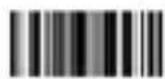
UPC/BAN Add 2-bit Attached Code

UPC/BAN Add 5-bit Attached Code

UPC/BAN add 2-bit and 5-bit attached code
Line break Setting
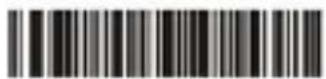
Enter

Line Feed

Cancel Enter
1.Add Prefix
First read the configuration code "Add Prefix" (This step will erase the previous code before setting)

Add Prefix
Second read the "prefix and suffix" necessary (can add 32 characters).
2.Add Suffix
First read the configuration code "Add Prefix" (This step will erase the previous suffix before setting)

Add Suffix
Second read the "prefix and suffix" necessary (can add 32 characters).
3.Hide frontal character
First read the code "Hide Previous Character" (this step will erase the previous configuration)

Hide Previous Character
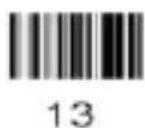
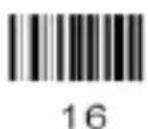
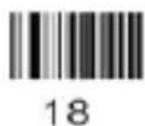
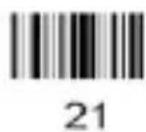
Second, read "amount of code to hide" (can hide 32 characters).
4. Hide rear character
First read the code "Hide Behind Character" (this step will erase the previous configuration)

Hide Behind Character
Second, read "amount of code to hide" (can hide 32 characters).
Prefix and Suffix Codes

English


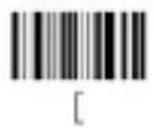


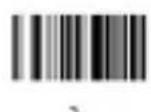


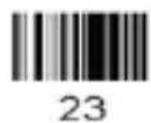
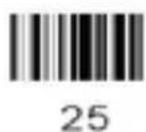
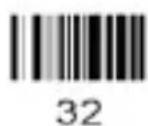
Codes to hide numbers











Technical Support
For more information on installing and configuring this product please visit our website, support section web support www.approx.es or write an email to the following address: soporte@approx.es
Introducción
handshake negotiation

None

XON/OFF

RTS/CTS

ACK/NAK

Handshake Signal Time React-2seconds

Handshake Signal Time React-5seconds
Data bits
8-bit

7-bit
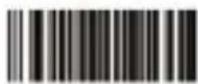
1-bit
stop bit

2-bit
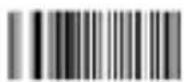
None
check bit
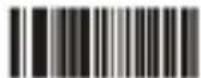
Odd Check

Even Check
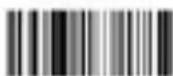
Mark Check

Blank

Reset

Open The ID
Previous Barcode
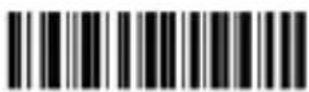
Close The ID
Behind Barcode

Open The ID
Behind Barcode

Show The Barcode Type
Behind Barcode

Not Show The Barcode Type
Behind Barcode
Close UPC/EAN Attached Code
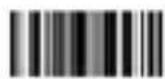
UPC/BAN Add 2-bit Attached Code

UPC/BAN Add 5-bit Attached Code

UPC/BAN add 2-bit and 5-bit attached code
Hide Previous Character
Hide Behind Character
EC DECLARATION OF CONFORMITY
We declare under our sole responsibility that the product:
Brand name: APPROX IBERIA S.L.
Model no: APPLS01
Product description: Bar-Code Scanner
The measurements shown in this test report were made in accordance with the procedures given in the:
- EMC DIRECTIVE: 2004/108/EC
- RoHS DIRECTIVE: 2011/65/EU
To which this declaration is based on with full conformance to the following European norms and standards:
- EN 55022:2010 + AC:2011
- EN 61000-4-2:2009
- EN 61000-4-3:2006+A2:2010
- EN 55024:2010
Signed Mar 5, 2015

natural_image
Simple line drawing of a curved line intersecting a triangle (no text or symbols)Jose Luis Ruiz Gómez
Managing Director
APPROX IBERIA SL.
ADD: Polígono Industrial Guadalquivir
Gelves (Sevilla), Spain.
Website: www.approx.es

aqprox
Do not expose the unit to direct sunlight and other heat sources.
Do not handle liquids near or on the unit.
Never spill liquid of any kind on the unit.
Do not place the unit near devices that generate magnetic fields.
Do not place heavy objects on top of the unit
ERGONOMICS
Use the scanner straight up to avoid damages.
Do not point the laser directly to the eyes, risk of eye injuries.
TEMPERATURE
Do not place the unit near radiators or heaters.
MOISTURE
Do not expose the machine to rain, moisture or place near water.
Make sure the room is dry and cool.
VENTILATION
Keep openings free.
Make sure the drive has enough space for ventilation.
Never cover the device.
Importado por / Imported by:
APPROX IBERIA S. L.
CIF: B-91202499
Soporte técnico / Technical support:
soporte@approx.es
MADE IN PRC
El contenido de esta guía está sujeto a errores tipográficos The content of this guide is subject to typographical errors
aqprox
www.approx.es


- Product Description
- Package Contents
- System Requirements
- Installation and Configuration
- Automatic function
- Configuration Using Bar Codes
- English
- Buzzer Setting
- Serial Port Setting
- Setting UPC / EAN code
- Line break Setting
- 1.Add Prefix
- 2.Add Suffix
- 3.Hide frontal character
- Hide rear character
- Technical Support
- Introducción
- EC DECLARATION OF CONFORMITY
- aqprox
- ERGONOMICS
- TEMPERATURE
- MOISTURE
- VENTILATION
Brand : Approx
Model : APPLS01
Category : Barcode scanners