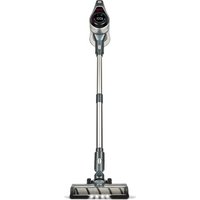
AP25 - Vacuum Cleaner GIRMI - Free user manual and instructions
Find the device manual for free AP25 GIRMI in PDF.


Pick your language and provide your email: we'll send you a specifically translated version.
| Product Type | Vacuum Cleaner |
| Brand | Girmi |
| Model | AP25 |
| Dimensions (L x W x H) | Approx. 30 x 25 x 40 cm |
| Weight | Approx. 4.5 kg |
| Power Cord Length | Approx. 5 m |
| Motor Power | Approx. 800 W |
| Suction Power | Adjustable |
| Dust Capacity | Approx. 2 L |
| Filtration System | Washable HEPA filter |
| Noise Level | Approx. 75 dB |
| Main Functions | Dry vacuuming for carpets and hard floors |
| Included Accessories | Crevice tool, brush, floor nozzle |
| Maintenance | Empty dust container after each use; clean filters monthly |
| Safety Features | Overheat protection, automatic shut-off |
| Spare Parts Availability | Filters and bags available online |
| Repairability | User-replaceable filters and bags |
| Warranty | 2 years |
| Manual Languages | EN, ES, IT, PT |
Frequently Asked Questions - AP25 GIRMI
How do I empty the dust container?
Press the release button to remove the dust container, then open the lid over a trash bin. Wash the container with water if needed and let it dry completely before reinstalling.
How often should I clean the filter?
Clean the HEPA filter at least once a month. If you use the vacuum frequently, clean it every two weeks. Tap off loose dust or wash gently with water and air dry for 24 hours.
Can I use the vacuum for wet spills?
No, this model is designed for dry vacuuming only. Using it on wet surfaces can damage the motor and void the warranty.
Why is the suction power weak?
Check if the dust container is full, the filter is clogged, or there is a blockage in the hose. Clean or replace the filter and remove any obstructions.
How do I change the bag?
This model is bagless; it uses a washable dust container. No bag replacement is needed. Simply empty and clean the container.
What accessories are included?
The package includes a floor nozzle, a crevice tool, and a brush attachment for furniture and upholstery.
Can I use the vacuum on hardwood floors?
Yes, but use the floor nozzle without the brush to avoid scratching. For delicate surfaces, adjust the suction to a lower setting.
What does the overheat protection do?
If the motor becomes too hot, the vacuum automatically shuts off to prevent damage. Wait 30 minutes for it to cool down before restarting.
How do I store the vacuum?
Wrap the power cord around the cord hooks. Store the vacuum upright in a dry place. Keep accessories in a nearby drawer or use the onboard clip if available.
Where can I find replacement filters?
Replacement HEPA filters are available on the Girmi website or from authorized retailers. Use only genuine parts to maintain performance.
User questions about AP25 GIRMI
0 question about this device. Answer the ones you know or ask your own.
Ask a new question about this device
No questions yet. Be the first to ask one.
Download the instructions for your Vacuum Cleaner in PDF format for free! Find your manual AP25 - GIRMI and take your electronic device back in hand. On this page are published all the documents necessary for the use of your device. AP25 by GIRMI.