UT8200 - Pregnant Bazooka - Free user manual and instructions
Find the device manual for free UT8200 Bazooka in PDF.


| Product Type | Portable Bluetooth Speaker |
| Brand | Bazooka |
| Model | UT8200 |
| Dimensions (W x H x D) | 10.2 x 6.5 x 4.3 inches |
| Weight | 2.4 lbs |
| Power Source | Rechargeable lithium-ion battery (12V, 2.2Ah) |
| Charging Time | Approximately 3 hours |
| Battery Life | Up to 8 hours |
| Output Power | 20W RMS |
| Frequency Range | 60Hz - 20kHz |
| Connectivity | Bluetooth 5.0, Aux-in 3.5mm |
| Water Resistance | IPX5 (splash-proof) |
| Audio Inputs | 1 x 3.5mm AUX, 1 x USB (for charging) |
| Controls | Power, Volume +/-, Play/Pause, Bluetooth pairing |
| LED Indicators | Power, Bluetooth, Charging |
| Package Contents | Speaker, Micro USB Charging Cable, User Manual |
| Compatible Devices | Smartphones, Tablets, Laptops, MP3 players |
| Speaker Drivers | Dual 3-inch full-range drivers + passive radiator |
| Housing Material | ABS plastic with fabric cover |
| Cleaning Instructions | Wipe with dry, soft cloth; do not use abrasive cleaners |
| Safety Warnings | Do not expose to extreme heat or moisture; keep away from children |
| Spare Parts Availability | Contact Bazooka customer service for replacement parts |
| Repair Information | Only authorized technicians should open the device; no user-serviceable parts |
Frequently Asked Questions - UT8200 Bazooka
User questions about UT8200 Bazooka
0 question about this device. Answer the ones you know or ask your own.
Ask a new question about this device
Download the instructions for your Pregnant in PDF format for free! Find your manual UT8200 - Bazooka and take your electronic device back in hand. On this page are published all the documents necessary for the use of your device. UT8200 by Bazooka.
USER MANUAL UT8200 Bazooka
UT6200 / UT6200RL UT8200 / UT8200RL

Installation Instructions
POWER RAIL

READY!
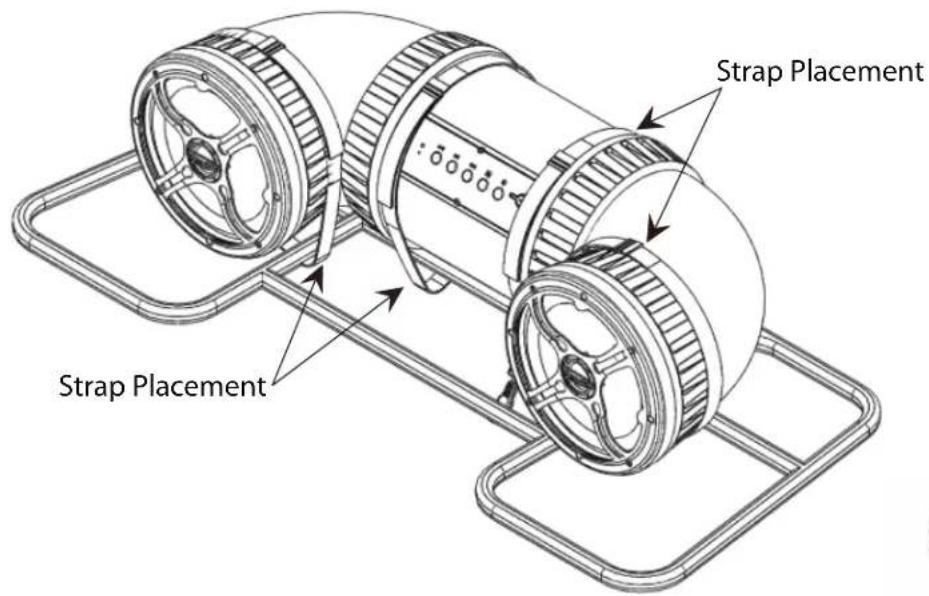
Path of strap
natural_image
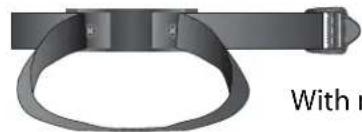
Close-up of a black mechanical belt with a circular end, labeled 'With r' (no other text or symbols visible)With mounting base

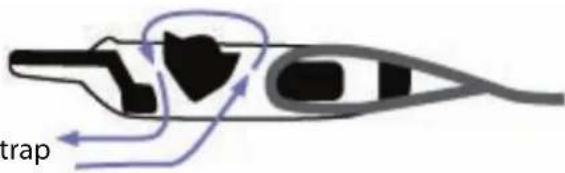
Place the Bazooka UTube on the ATV rack. If being mounted to a flat surface use the mounting bases. Remove bases from strap if being used on a bar rack or if you do not want to mount strap bases. Wrap strap around the UTube then adjust strap to correct length. Fasten the buckles as Illustrated. The strap should loop through the buckle and be tightened securely by holding the strap in place with one hand and pulling the loose end away from the buckle, but against the cabinet. Then secure the hook & loop ends to the strap. Repeat with the 3 remaining straps.
natural_image
Technical line drawing of a mechanical assembly with no visible text or symbols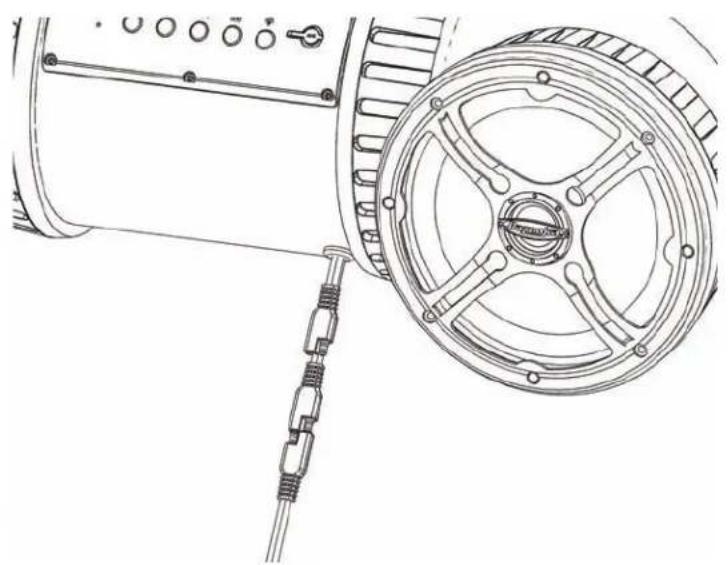
natural_image
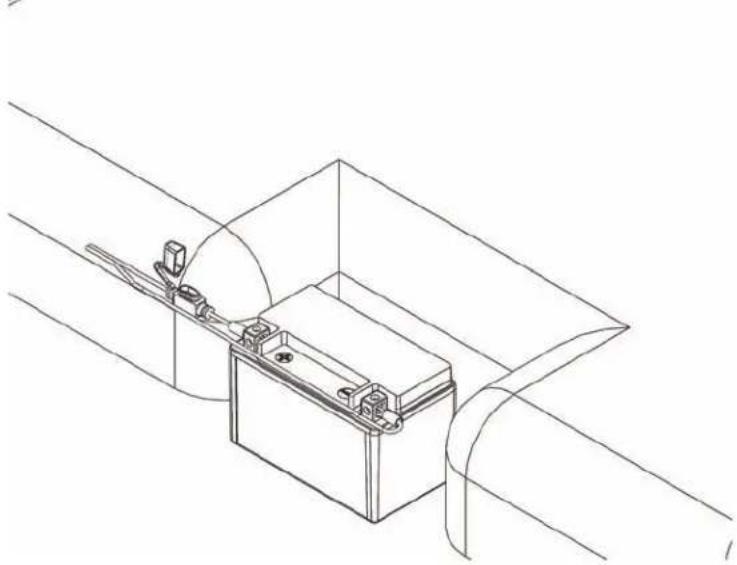
Technical line drawing of a mechanical assembly with gears and linkages (no text or symbols)Remove fuse from 6 ft power cable. Attach the red wire to the positive battery terminal. Attach the black wire to the negative battery terminal. Run power cable to the location of the UTube. making sure power wire does not hinder the safe operation of the vehicle. Plug the red power cable end into the UTube's red input power plug. The black 12vdc accessory plug can be used to power any 12vdc accessory up to 15 amps. Use the black accessory pigtail to wire your accessories.
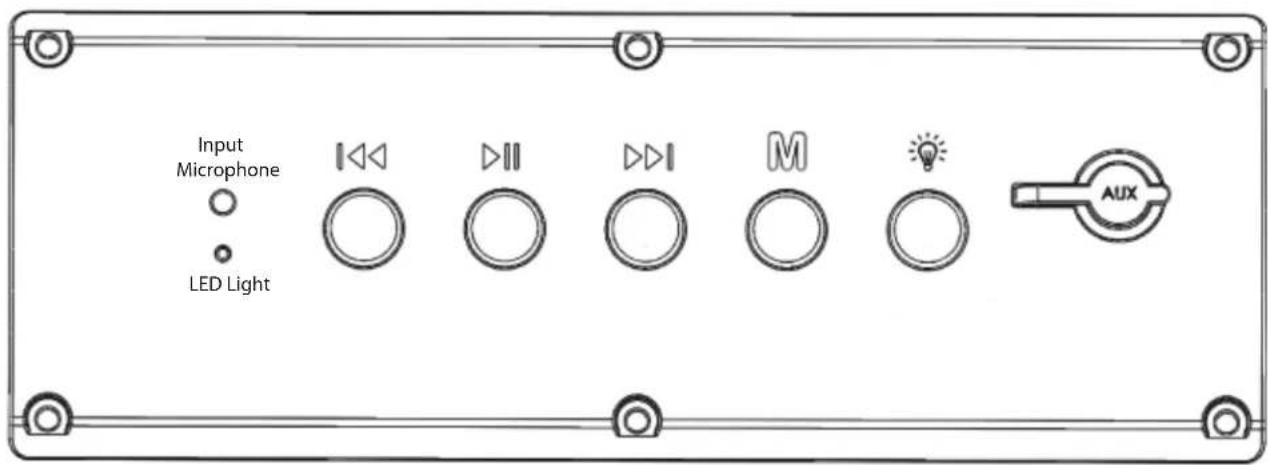
Button 1 ☐ Press to go back one track, Press and hold to decrease volume.
Button 2 ▷ Press to play/pause, Press to answer/hang up phone, Double press for last number radial or open Siri on Iphone, Press and hold to unpair bluetooth device.
Button 3 ▶▶▶ Press to go forward one track, Press and hold to increase volume.
Button 4 M Press to power on, press while power is on to switch input between aux. and bluetooth inputs, Press and hold to power off.
Button 5 📋 Auxiliary 12vdc output on/off switch.
AUX Socket Used for a 1/8" audio cable
LED light status indicator:
LED Light Description
Blinking: Bluetooth module is pairing
Solid blue: Bluetooth module is paired
Blue/Red: Bluetooth module is in AUX input mode
Bluetooth module audio indicators:
Audio Response Description
Power on: Module is turned on
Power off: Module is turned off
Beep: After LED light stops blinking means module is paired
Beep: When play/pause button is pressed and held means module is unpaired from Bluetooth device.
Double Beep: When forward button is pressed and held means module has reached maximum volume.
RF fuctions and the RF remote are only available the UT6200RL and UT8200RL models
MUSIC
FUNCTIONS
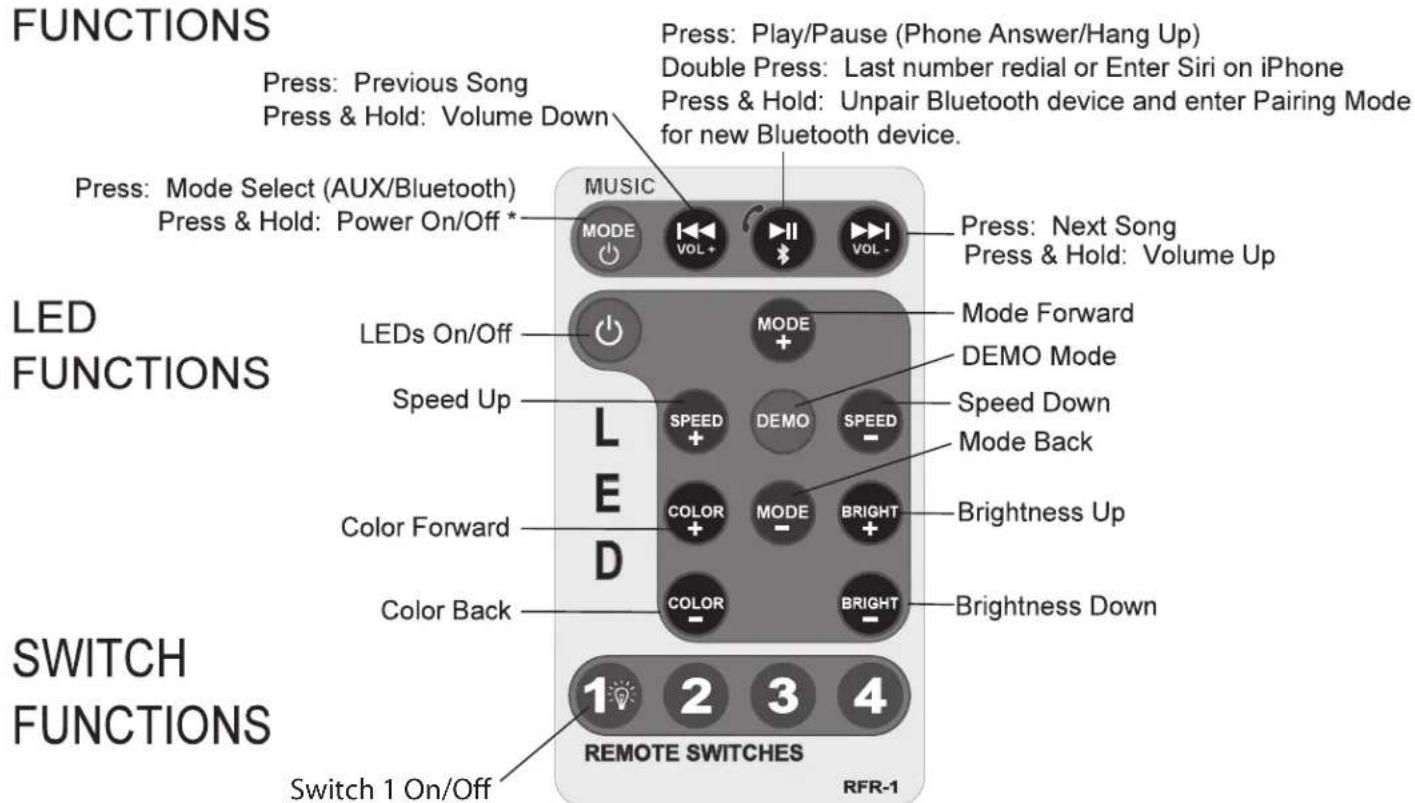

Switch aux. 12vdc (15 amp) ouput.
Remote switch buttons 2-4 are not used with the UT6200RL or the UT8200RL models
Note: * When pressing for Power Off, be sure to hold until Power Off is indicated (audible). Failure to do so may toggle the Bluetooth Receiver into AUX/BT Mode and it will remain in this mode on subsequent Power on/off. If this occurs, press button again to select BT/AUX mode. Receiver should automatically pair with the last device it was paired with. To pair with a new device press and hold the Play/Pause button.

Southern Audio Services, Inc., warrants all products to be free from defects in material and workmanship for a period of one (1) year from the date of purchase. In the event the product is not as warranted, SAS's sole obligation shall be to repair or replace the defective product at SAS's option: SAS limits its obligation under any implied warranties under state laws to a period not to exceed the limited warranty period. SAS and its authorized dealers specifically disclaim liability for any incidental or consequential damages. Some states do not allow limitations on how long an implied warranty lasts, and some states do not allow the exclusion or limitation of incidental or consequential damages, so the above limitation or exclusions may not apply to you. This warranty gives you specific legal rights, and you may have other rights, which vary from state to state.
What is covered: This warranty covers all defects in materials or workmanship (parts and labor) in the product.
What is not covered: This warranty does not cover the following:
- Damages occurring during shipment of the product to SAS for repair (Claims must be presented to the carrier).
- Damages caused by accident, abuse, negligence, misuse or improper Operation or installation.
- Damages caused by an act of God, including without limitation, fire, flood Storm or other acts of nature.
- Any product, which has a serial number, defaced, altered, modified, or removed.
- Any product that has been altered or modified without SAS's consent.
How to obtain warranty services:
- You are responsible for delivery of the product to SAS or contact SAS at 1-800-THE TUBE for a Return Authorization number. The Return Authorization number must be clearly written on the outside of the box. Freight must be prepaid to SAS. Warranty replacement parts will be returned freight prepaid. The entire product may be returned for warranty service, but return will be freight collect.
- You must provide proof of the date of purchase of the product. If proof of purchase is not provided, original date of manufacture will be used to determine warranty period.
- You must package the product securely to avoid damage during shipment.
- After acquiring a Return Authorization number, ship to the address below. Please complete this section and retain for your records.
Southern Audio Services
14763 Florida Blvd.
Baton Rouge La. 70819
Model(s) purchased
Serial number(s)
Date Purchased
Place of Purchase