
BPB24-G3 - Loudspeaker Bazooka - Free user manual and instructions
Find the device manual for free BPB24-G3 Bazooka in PDF.


| Product Type | Portable Party Speaker |
| Model | BPB24-G3 |
| Brand | Bazooka |
| Dimensions (Approx.) | 24 inches length |
| Weight (Approx.) | 15 lbs |
| Power Source | Rechargeable battery (internal) |
| Input Sources | Bluetooth, AUX, USB |
| LED Lighting | Built-in LED lights with beat-to-music mode and multiple sequences |
| Party Mode | DJ Broadcast (Purple), DJ Listening (Red), Single Listener (Blue) |
| Control Buttons | Mode, LED, ACC, Play/Pause, Volume +/-, Track Forward/Back, Party |
| Accessory Output | 12V pigtail for external LED light bar or accessory |
| Bluetooth Range | Approximately 30 feet (typical) |
| Battery Life (Approx.) | Up to 6 hours at moderate volume |
| Charging Time (Approx.) | 4-5 hours |
| Water Resistance | Not specified, assume indoor use |
| Cleaning Instructions | Wipe with a soft, dry cloth. Do not use liquids or solvents. |
| Safety Warnings | Do not expose to rain or moisture. Keep away from heat sources. |
| Spare Parts / Repair | Contact Bazooka support for replacement parts or service. |
| Additional Features | Wireless multi-speaker pairing (Party mode) |
Frequently Asked Questions - BPB24-G3 Bazooka
User questions about BPB24-G3 Bazooka
0 question about this device. Answer the ones you know or ask your own.
Ask a new question about this device
Download the instructions for your Loudspeaker in PDF format for free! Find your manual BPB24-G3 - Bazooka and take your electronic device back in hand. On this page are published all the documents necessary for the use of your device. BPB24-G3 by Bazooka.
USER MANUAL BPB24-G3 Bazooka
- Long-press the Mode button to turn the Party Bar ON/OFF.
- Click-press LED to turn on/off beat to music mode.
- Long-press the LED button to turn the LED lights On/Off. Then, click press the LED button to cycle through stored LED sequences.
-
ACC button turns ON/OFF the accessory 12v pig tail for an external LED light bar or other accessory.
-
Click-press the Mode button to toggle between Bluetooth/Aux/USB listening modes.
- Press >|| to Pause/Play/mute music.
- Press Vol +/- to raise and lower the volume of the Party Bar.
- Press |<< and >>| buttons to track forward/reverse on songs.
Detailed instructions can be found at www.bazooka.com
Unleash the Sound and Illuminate Your Adventure
Party Button: Click-Press cycles through the below modes.
Blue: Single Listener Mode
Purple: DJ Broadcast Mode
Red: DJ Listening Mode (rejoins previous
"Party" if available).
SETTING UP A PARTY:
① Decide who will DJ the Party and who will Listen
②DJ: Click the Party button on the designated DJ bar until it turns PURPLE and then long-press the Party button to enter "Broadcast Pairing" mode (Party button will blink while in Broadcast Pairing mode.
Multiple Listener bars can join simultaneously while the DJ bar is in Broadcast Pairing mode and the Party Button is still blinking.)
③ Listeners: Click the Party Button on the Listener bar until it turns RED and then long-press the Party button to enter "Broadcast Pairing" mode.
④ The bars will automatically sync and all Listener bars will yield music and LED lighting control to the DJ bar.
⑤ Repeat steps above for any NEW "Listener" that wants to join an ongoing party. Only the DJ will need to enter Broadcast Pairing mode while a Party is in progress to allow the Listener to join. All other Listeners will remain in the Party while the new Listener joins.

natural_image
Purple circular icon with a stylized 'P' symbol, no text or numbers present.DJ Broadcast Mode

natural_image
Circular red logo with stylized 'P' inside, no text or symbols presentDJ Listening Mode

natural_image
Blue circular icon with a stylized 'P' logo, no text or symbols present.Single Listening Mode
Listeners can leave an existing Party by switching to Single Listener Mode, as well as rejoin the Party by switching back to DJ Listening Mode.
Listeners can control the local volume on their bar using the Vol +/- buttons or mute their bar by clicking the Play/Pause (=/>) button. However, anytime the DJ adjusts the volume of the DJ bar it will reset all Listener bars to the current volume of the DJ bar.
All G3 Party Bars remember their last Party. Once a Party has been established it can easily be recreated provided the original DJ bar is going to be the DJ again. To recreate the last Party simply turn the bars ON and click the Party Button on each bar to put that respective bar back into DJ Broadcast or DJ Listening mode. The last Party will automatically be recreated provided the original DJ bar is present and turned ON in DJ Broadcast Mode.
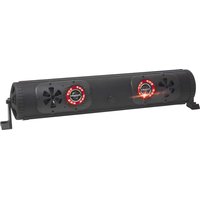
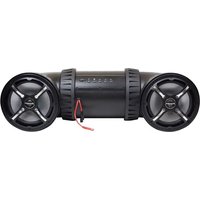
Brand : Bazooka
Model : BPB24-G3
Category : Loudspeaker