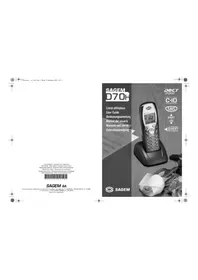
D18T - Phone SAGEM - Free user manual and instructions
Find the device manual for free D18T SAGEM in PDF.


Pick your language and provide your email: we'll send you a specifically translated version.
| Type of product | Cordless DECT telephone |
| Brand | Sagem |
| Model | D18T |
| Dimensions (handset) | Approximately 160 x 50 x 25 mm |
| Weight (handset) | Approximately 120 g |
| Power supply | 2x AAA Ni-MH rechargeable batteries (handset), AC adapter (base) |
| Standby time | Up to 100 hours |
| Talk time | Up to 12 hours |
| Display | Monochrome LCD with backlight |
| Phonebook | Up to 100 contacts |
| Caller ID | Yes |
| Redial | Last 10 numbers |
| Ringer volume control | Yes |
| Keypad lock | Yes |
| Intercom | Yes (between multiple handsets) |
| Range (outdoor) | Up to 300 m |
| Cleaning | Wipe with a soft, dry cloth. Do not use solvents or abrasive cleaners. |
| Safety warnings | Do not use near water or in wet environments. Unplug during thunderstorms. |
| Spare parts | Rechargeable batteries, power adapter, handset. Contact Sagem support for availability. |
| Repairability | Designed for professional repair. Do not disassemble yourself. |
Frequently Asked Questions - D18T SAGEM
How do I set the date and time on my Sagem D18T?
Press the Menu key, navigate to Settings > Date/Time. Use the keypad to enter the correct date and time, then press OK.
Why is my handset not ringing?
Check if the ringer volume is set to off or low. Press the Menu key, go to Sounds > Ringer Volume and increase it. Also ensure the handset is registered to the base.
How can I store a contact in the phonebook?
Press the Phonebook key, then Add new. Enter the name and number using the keypad, then press Save. The contact will be stored in the memory.
What should I do if the display shows 'No base'?
The handset is out of range or not registered. Place the handset on the base to recharge and re-register. If the problem persists, press the Menu key, go to Registration and follow the instructions.
Can I use the phone during a power outage?
No, the base requires mains power. However, if you have a model with a backup battery (not standard), check the manual. Otherwise, the phone will not work without electricity.
How do I adjust the handset earpiece volume?
During a call, press the Volume up or Volume down keys on the side of the handset. The volume level will adjust temporarily. To set a permanent level, go to Settings > Audio > Earpiece Volume.
The phone emits a beeping sound during a call. What does it mean?
A beep usually indicates low battery. Place the handset on the base to recharge. If the beep continues, the battery may need replacing.
How do I reset the phone to factory settings?
Press and hold the Menu key for 5 seconds, then enter the PIN (default 0000). Navigate to Reset and confirm. All settings will be cleared.
Can I use the D18T with a VoIP adapter?
Yes, the D18T is a standard analog phone. It can be connected to a VoIP adapter via the base's phone line port. Ensure the adapter is configured for tone dialing.
What type of batteries does the handset use?
The handset uses two AAA Ni-MH rechargeable batteries. Do not use non-rechargeable batteries. Replace with the same type for optimal performance.
User questions about D18T SAGEM
0 question about this device. Answer the ones you know or ask your own.
Ask a new question about this device
No questions yet. Be the first to ask one.
Download the instructions for your Phone in PDF format for free! Find your manual D18T - SAGEM and take your electronic device back in hand. On this page are published all the documents necessary for the use of your device. D18T by SAGEM.