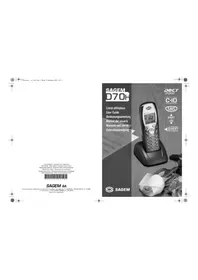
D18V - Phone SAGEM - Free user manual and instructions
Find the device manual for free D18V SAGEM in PDF.


Pick your language and provide your email: we'll send you a specifically translated version.
| Product Type | Corded Telephone |
| Brand | Sagem |
| Model | D18V |
| Dimensions (approx.) | 210 x 170 x 70 mm |
| Weight (approx.) | 500 g |
| Power Supply | Powered via telephone line (no batteries required) |
| Speakerphone | Yes |
| Caller ID | Yes |
| Memory Dialing | Up to 10 numbers |
| Redial Function | Last number redial |
| Mute Function | Yes |
| Ringer Volume Control | Adjustable (high/low/off) |
| Wall-Mountable | Yes (bracket included) |
| Hearing Aid Compatible | Yes (HAC rating) |
| Display | LCD with date/time and caller info |
| Connection Type | Standard RJ11 phone jack |
| Handset Cord Length | Approx. 2.5 meters |
| Base Unit Cord Length | Approx. 1.5 meters |
| Maintenance | Clean with soft dry cloth; avoid liquids |
| Safety | For indoor use only; compatible with analog phone lines |
| Spare Parts Available | Contact Sagem support for handset cords or base units |
Frequently Asked Questions - D18V SAGEM
How do I connect the phone?
Plug the handset cord into the base and the phone cord into a standard RJ11 wall jack. The phone will power on automatically.
How to adjust the ringer volume?
Locate the ringer switch on the base of the phone. Slide it to high, low, or off position.
How to store a number in memory?
Press and hold the STORE button, dial the number, then press a memory location (e.g., M1-M10). Release to save.
No dial tone - what should I do?
Check that the phone cord is securely plugged into both the base and the wall jack. Try a different phone jack to isolate the issue.
How to use the speakerphone?
During a call, press the SPEAKER button to activate hands-free mode. Press again to switch back to the handset.
Can I mount the phone on a wall?
Yes, use the included wall mounting bracket. Attach it to the wall, then slide the base onto the bracket.
How to change the display language?
This model does not support language selection; the display is set to English.
The keys are not responding - what now?
Check if the child lock is enabled (often by holding the * key). If not, clean the keypad with a dry cloth.
Is the phone compatible with an answering machine?
Yes, it works with standard analog answering machines. Connect the answering machine to the same line in series.
How to clean the phone?
Unplug the phone and wipe surfaces with a soft, dry cloth. Do not use liquids, sprays, or abrasive cleaners.
User questions about D18V SAGEM
0 question about this device. Answer the ones you know or ask your own.
Ask a new question about this device
No questions yet. Be the first to ask one.
Download the instructions for your Phone in PDF format for free! Find your manual D18V - SAGEM and take your electronic device back in hand. On this page are published all the documents necessary for the use of your device. D18V by SAGEM.