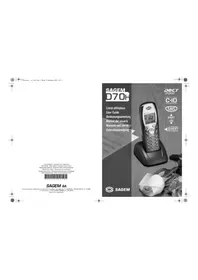
D16V - Phone SAGEM - Free user manual and instructions
Find the device manual for free D16V SAGEM in PDF.


Pick your language and provide your email: we'll send you a specifically translated version.
| Product Type | Cordless Phone (DECT) |
| Brand | Sagem |
| Model | D16V |
| Dimensions (approx.) | 150 x 50 x 30 mm (handset) |
| Weight (approx.) | 100 g (handset) |
| Power Supply | Rechargeable NiMH AAA battery (2x), 1.2V |
| Talk Time | Up to 10 hours |
| Standby Time | Up to 100 hours |
| Range (indoor) | Up to 50 m |
| Range (outdoor) | Up to 300 m |
| Display | Backlit LCD, 1.5-inch monochrome |
| Keypad | Silver numeric keys, soft keys |
| Phonebook | Up to 100 entries |
| Caller ID | Supported (may require network service) |
| Handsfree | Built-in speakerphone |
| Ringer Tones | 10 polyphonic tones |
| Redial | Last 10 numbers |
| Paging | Base-to-handset paging |
| Intercom | Between multiple handsets (if registered) |
| Maintenance | Wipe with a dry, soft cloth; do not use solvents |
| Safety | Use only approved NiMH batteries; do not expose to water |
| Spare Parts / Repairability | Replacement battery, charger (not included in all packages) |
| Package Contents | Handset, base, charging cradle, NiMH batteries, power adapter, telephone line cord, user manual |
Frequently Asked Questions - D16V SAGEM
How do I register a new handset to the base?
Place the handset on the base and press the paging button on the base for about 3 seconds. The handset will display 'Registration' and connect automatically.
What type of batteries does the D16V use?
It uses NiMH AAA rechargeable batteries, typically 1.2V, 600-800 mAh. Rechargeable batteries are included.
Can I use the phone without a landline?
No, the Sagem D16V is a cordless phone designed for use with a traditional analog landline (PSTN) or VoIP ATA. It does not support cellular networks.
How do I change the ringer tone?
Press the Menu key, select Settings > Tones > Ringer, then choose from 10 polyphonic tones. Confirm with OK.
What is the maximum range?
Indoor range is up to 50 meters; outdoor range up to 300 meters (depending on obstacles and interference).
How do I set the date and time?
Go to Menu > Settings > Date & Time. Enter the correct date and time using the keypad and press OK. The phone may also update automatically if the network sends CID info.
Why is my handset not charging?
Check that the charging contacts on the handset and cradle are clean and making contact. Verify the power adapter is plugged in. If still not charging, try replacing the batteries.
How many handsets can I register?
The base supports up to 5 handsets. You can purchase additional handsets and register them following the registration procedure.
Can I use the phone while it is charging?
Yes, you can use the handsfree or normal mode while the handset is on the charging cradle. However, moving the handset may disconnect the call if the cradle is disturbed.
How do I perform a factory reset?
Go to Menu > Settings > Reset and enter the PIN (default is 0000 or 1234). This will erase all saved settings and contacts.
User questions about D16V SAGEM
0 question about this device. Answer the ones you know or ask your own.
Ask a new question about this device
No questions yet. Be the first to ask one.
Download the instructions for your Phone in PDF format for free! Find your manual D16V - SAGEM and take your electronic device back in hand. On this page are published all the documents necessary for the use of your device. D16V by SAGEM.