
JG6000TS - Tablet LEXIBOOK - Free user manual and instructions
Find the device manual for free JG6000TS LEXIBOOK in PDF.


| Product type | Interactive video game tablet |
| Brand | LEXIBOOK |
| Model | JG6000TS |
| Universe | Toy Story (Disney) |
| Power supply | 3 AA/LR6 1.5V batteries (not included) |
| TV connection | A/V (RCA) jacks with color cables |
| Number of built-in games | 10 games |
| Game controller | Removable multidirectional controller with START, MENU/RESET buttons |
| Included accessories | Inflatable rocket, air pump, repair kit, instruction manual |
| Dimensions (inflated rocket) | Maximum length: 135 cm |
| Maximum supported weight (rocket) | 40 kg |
| Recommended age | 3 years and up (not suitable for children under 3 years) |
| Maintenance and cleaning | Wipe with a slightly damp cloth, without detergent |
| Safety | Complies with FCC Section 15; epilepsy warning |
| Country of manufacture | China |
| Copyright | ©2010 LEXIBOOK, ©2010 Disney |
Frequently Asked Questions - JG6000TS LEXIBOOK
User questions about JG6000TS LEXIBOOK
0 question about this device. Answer the ones you know or ask your own.
Ask a new question about this device
Download the instructions for your Tablet in PDF format for free! Find your manual JG6000TS - LEXIBOOK and take your electronic device back in hand. On this page are published all the documents necessary for the use of your device. JG6000TS by LEXIBOOK.
USER MANUAL JG6000TS LEXIBOOK
Toy Story Inflatable Interactive Rocket Fusée Gonflable Interactive Toy Story
www.lexibook.com
INSTRUCTION MANUAL
MODE D'EMPLOI
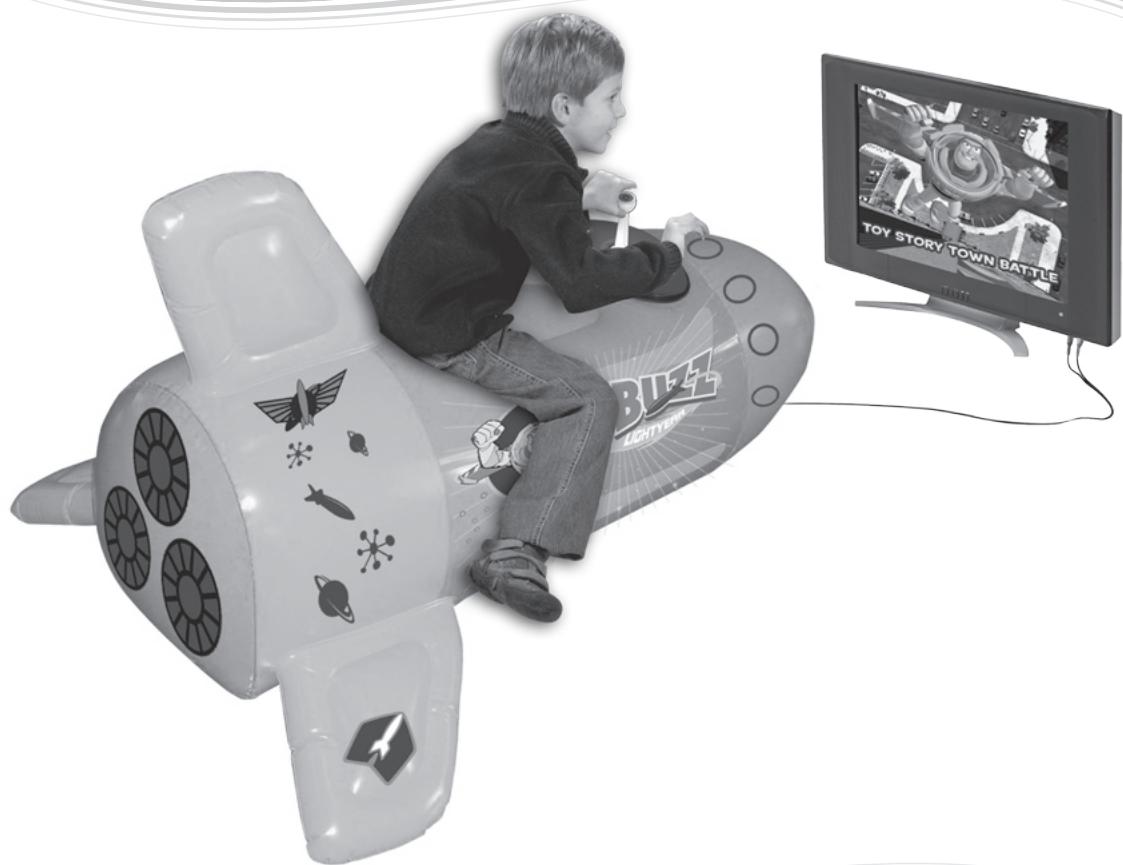
Take the command of the Toy Story Interactive Rocket for a thrilling interactive experience! Discover 10 exciting games all happening in Disney Toy Story's universe and enjoy endless hours of fun. The Toy Story Interactive Rocket can easily be connected to the A/V outlets of all televisions. In the following section you will find all the necessary information regarding the initialization and use of your rocket. It is strongly recommended that you read the user guide in its entirety to take note of all the enclosed instructions and safety precautions.
- Using a screwdriver, open the battery compartment located under the joystick. Install the 3 × LR6/AA 1,5V = type batteries (not included). Close back the battery compartment and tighten the screw.
- Fix the joystick to the rocket by fitting it into the specially adapted support. Turn the joystick counter clockwise then press the "▶" button to lock it firmly into place. To dismantle the joystick, press the "▶" button to unlock it, turn clockwise then slide it upwards.
- Inflating the rocket:
1- Unpack the air pump provided.
2- Open the valve cap situated under the rocket and insert the large valve of the air pump inside. While firmly maintaining the valve in place, alternately press and release the air pump until the rocket and its wings are firm. Close the valve cap.
WARNING:
- Do not overinflate the product. You may damage the rocket (maximum recommended length: 135cm / Maximum static loading: 40kg).
-
This product is not intended as a floatation device or pool toy. Do not use it in or around water.
-
Connect the joystick's cables into the A/V outlets of your television by matching the corresponding colours of the cables and A/V outlets.
- Switch on the television and select the correct input source. Press the ON/OFF button on the joystick to turn on the Toy Story Interactive Rocket.
- Move the joystick to select one of the ten activities available. Move the joystick to the right to display the next game, or to the left to display the previous game. Press the or START button to launch the activity. Use the joystick, the and buttons to play the games.
To return to the activity menu, press the MENU/RESET button.
Contents of the packaging
1 x Toy Story Interactive Rocket
1 x 8-direction joystick
1 x repair kit
1 x air pump
1 x instruction manual
WARNING: All packaging materials, such as tape, plastic sheets, wire ties and tags are not part of this toy and should be discarded for your child's safety.
Battery information
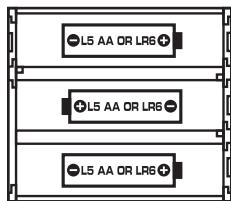
The Toy Story Interactive Rocket operates with 3 X 1.5 V AA/LR6 type batteries --- (not included).
- Use a screwdriver to open the battery compartment located under the joystick.
- Install the 3 × LR6/AA type batteries (not included) observing carefully the polarity indicated at the bottom of the battery compartment and as per the diagram shown opposite.
- Close back the battery compartment and tighten the screw.
Non rechargeable batteries are not to be recharged. Rechargeable batteries are to be removed from the toy before being charged. Rechargeable batteries are only to be charged under adult supervision. Different types of batteries or new and used batteries are not to be mixed. Only batteries of the same or equivalent type as recommended are to be used. Batteries are to be inserted with the correct polarity. Exhausted batteries are to be removed from the toy. The supply terminals are not to be short circuited. Do not throw batteries into a fire. Remove the batteries if you are not going to use the game for a long period of time.
NOTE: Do not mix alkaline, standard (carbon-zinc), or rechargeable (nickel-cadmium) batteries.
WARNING: Mal-function or loss of memory may be caused by strong frequency interference or electrostatic discharge. Should any abnormal function occur, press the MENU/RESET button or remove the batteries and insert them again.
Discover the Toy Story Interactive Rocket

Press this button to turn on the toy. Press the button again to switch it off.

Press this button to access an activity, play another round of the game, to pause the game.
During a game, press the button once to pause it. Use the joystick to select the green arrow and resume the game. Or select the red cross to quit the game and go back to the activity menu. Press the button to confirm your choice.

Press this button to return to the game menu.


Use these buttons to play the games.
Note:
- When you win a game, a winning animation is displayed. To exit this screen, press or START.
- When you lose a game, a game over icon is displayed. To exit this screen, press or START (you will start the same game again) or MENU/RESET (you will go back to the menu).
List of games
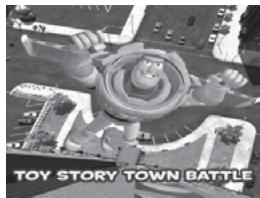
Game 1 - Toy Story Town Battle
Use the 8-direction joystick to fly Buzz over town! Press to shoot down the flying water balloons and enemy vessels with your laser. Grab 3 of these goodies to upgrade your weapon or 1 of these goodies to win 1 life. Reach one of Lotso's band toys flying in air bubbles at the end of each level and beat it to access the next level. To win the game, reach the end of Level 9 and beat Lotso himself!
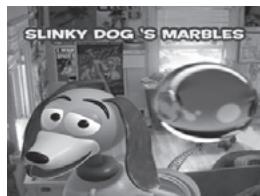
Game 2 - Slinky Dog's Marbles
Slinky Dog is playing marbles! Help him to drop the marbles in the right location. Move the joystick left and right to move the marbles dispenser. Press to release the marble. You have 3 lives.
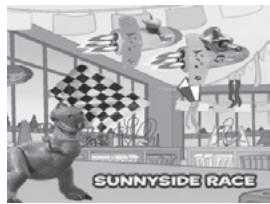
Game 3 - Sunnyside Race
It's playtime in the day care! Race Buzz space rocket against other toys space ships. Arrive first at the finish line! Press to move your space ship forward. Move the joystick left or right to move the space ship left or right. Press to brake and stop. You have to race one full lap to reach the finish line. Try to arrive first!
Game 4 - Alien Treasure Hunt
Lotso and his gang have stolen space ships from the little green aliens! They need your help to collect them back. Move the joystick left or right to move the alien at the bottom of your screen. Press to grab the toy space ships. Watch out and don't grab the green radio-active balls! You can check how many toy space ships you still have to grab to reach the end of the level by looking at the number in the box next to the icon. You have 3 lives to clear all the 9 levels.
Game 5 - Whack Lotso
Lotso is attacking Woody! Help him to fight back by shooting water at Lotso with a toy water gun. Move the joystick to aim at Lotso. Press to shoot water. You have 3 lives.
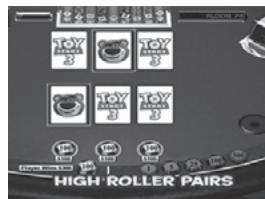
Game 6 - High Roller Pairs
Enter the vending machine and join the toys! Challenge your memory and flip over the right card to make the pairs. Move the joystick to select a card and press ⑨ to flip it over. When starting the game, you have 3 lives. If you don't make any mistake in a game round, you will receive 1 extra life! Try to complete all 6 levels.
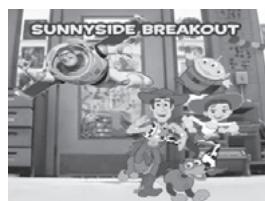
Game 7 - Sunnyside Breakout
Help Buzz to escape Sunnyside day care! Move the joystick to fly Buzz anywhere on the screen. Press to shoot with your laser and burst the flying balloons and enemy vessels. Catch the green or red goodies to upgrade your shooting weapon. Catching a yellow goody will get you 1 more special weapon (you can accumulate up to 9 special weapons). Press to use your special weapon. Reach one of Lotso's band toys at the end of each level and beat it to go to the next level and come closer to the exit. Reach and beat Lotso himself to exit the day care! You start the game with 3 lives and there are 3 levels to clear!


Game 8 - Woody's Great Escape
It's time for Woody to escape the day care! Use the joystick to move Woody and press ⑨ to make him jump. Try to reach the bathroom window to escape. Watch out and don't let him fall on the floor or jump on burning platforms! You have 10 lives but if you lose one, avoid touching the flames for 10 seconds and you can get it back! You must jump 50 floors to reach the window and escape the day care centre.

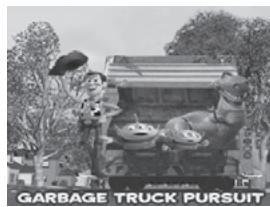
Game 9 - Garbage Truck Pursuit
It's time for an amazing truck ride! Race your garbage truck carrying Woody, Rex and the Aliens against other trucks carrying Lotso band's toys. Move the joystick left or right to move the truck left or right. Press to move forward and use to brake and stop.
You have to race one full lap to reach the finish line. Try to finish first!
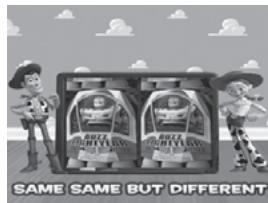
Game 10 - Same Same But Different
Keep your eyes wide open to spot the 5 differences! Watch out for the time! Move the joystick to point at the difference on either picture. Press ⑨ to highlight the difference or press ⑨ to get a hint. You have 5 lives and you can use 5 hints. There are 8 levels to clear.
Epilepsy warning
To be read before attempting to use a video game, either by you or your child.
Some people are susceptible to suffer epileptic seizures or to loose consciousness when looking at certain types of flashing lights or elements commonly present in our everyday environment. These people are exposed to seizures when watching certain images on television or when they play some video games. This phenomenon can become apparent even if the person has no previous medical history of such, or has never suffered an epileptic fit. If you or a member of your family has shown in the past any symptom linked to epilepsy (either a seizure or loss of consciousness) when exposed to "luminous" stimulation, please consult with your doctor prior to any attempt to use this game.
We warn parents to be vigilant with their children while they play with video games. If you or your child experience any of the following symptoms: dizziness, altered vision, eye or muscle twitches, loss of awareness, disorientation or involuntary movement or convulsions, stop immediately playing the game and consult a doctor.
Precautions to take in any case while using a video game
When you use a video game which can be connected to a TV screen, stand or sit relatively far from the TV screen and as far as the connection cable allows it. Use preferably video games which have a small screen. Avoid playing video games if you are tired or lack some sleep. Make sure to play in room which is well lit. While playing video games, take 10 to 15 minute breaks every hour.
FCC NOTICE
This device complies with Part 15 of the FCC Rules. Operation is subject to the following two conditions:
(1) this device may not cause harmful interference, and
(2) this device must accept any interference received, including interference that may cause undesired operation.
NOTE:
This equipment has been tested and found to comply with the limits for a Class B digital device, pursuant to Part 15 of the FCC Rules. These limits are designed to provide reasonable protection against harmful interference in a residential installation. This equipment generates, uses and can radiate radio frequency energy and, if not installed and used in accordance with the instructions, may cause harmful interference to radio communications. However, there is no guarantee that interference will not occur in a particular installation. If this equipment does cause harmful interference to radio or television reception, which can be determined by turning the equipment off and on, the user is encouraged to try to correct the interference by one or more of the following measures:
- Reorient or relocate the receiving antenna.
- Increase the separation between the equipment and receiver.
- Connect the equipment into an outlet on a circuit different from that to which the receiver is connected.
- Consult the dealer or an experienced radio/TV technician for help.
Warning: Changes of modifications to this unit not expressly approved by the party responsible for compliance could void the user authority to operate the equipment.
Only use a soft, slightly damp cloth to clean the unit. Do not use detergent. Do not to expose the unit to direct sunlight or any other heat source. Do not immerse the unit in water. Do not dismantle or drop the unit. Do not try to twist or bend the unit. If the unit malfunctions, try to change the batteries first. If this proves to be ineffective, read the instruction manual again.
NOTE: please keep this instruction manual, it contains important information.
It is recommended to keep the packaging for any further reference. Warning! Not suitable for children under 3 years. Contains small parts. In a bid to keep improving our services, we could implement modification on the colours and the details of the product shown on the packaging.
This Class B digital apparatus complies with Canadian ICES-003.
Reference: JG6000TS
©2010 LEXIBOOK®
©2010 Disney
Designed and developed in Europe – Made in China
LEXIBOOK Limited
17 Wang Chiu Road, 8th Floor,
Kowloon Bay, Kowloon,
Hong Kong SAR
Lexibook America
C/O NATIXIS Pramex International
1251 Avenue of the Americas, 34th Fl.
New York, NY10020
U.S.A.
Environmental Protection:
Unwanted electrical appliances can be recycled and should not be discarded along with regular household waste! Please actively support the conservation of resources and help protect the environment by returning this appliance to a collection centre (if available).
Guide de prise en main
17 Wang Chiu Road, 8th Floor,
Kowloon Bay, Kowloon,
Hong Kong SAR
17 Wang Chiu Road, 8th Floor,
Kowloon Bay, Kowloon,
Hong Kong SAR
- Toy Story Inflatable Interactive Rocket Fusée Gonflable Interactive Toy Story
- WARNING:
- Contents of the packaging
- Battery information
- Discover the Toy Story Interactive Rocket
- Note:
- List of games
- Game 1 - Toy Story Town Battle
- Game 2 - Slinky Dog's Marbles
- Game 3 - Sunnyside Race
- Game 4 - Alien Treasure Hunt
- Game 5 - Whack Lotso
- Game 6 - High Roller Pairs
- Game 7 - Sunnyside Breakout
- Game 8 - Woody's Great Escape
- Game 9 - Garbage Truck Pursuit
- Game 10 - Same Same But Different
- Epilepsy warning
- Precautions to take in any case while using a video game
- FCC NOTICE
- This Class B digital apparatus complies with Canadian ICES-003.
- Environmental Protection:
- Guide de prise en main
Brand : LEXIBOOK
Model : JG6000TS
Category : Tablet