
ZS-8010 - Iron Concept - Free user manual and instructions
Find the device manual for free ZS-8010 Concept in PDF.


| Product Type | Steam Iron |
| Brand | Concept |
| Model | ZS-8010 |
| Power Consumption | 2400 W |
| Voltage | 220-240 V ~ 50-60 Hz |
| Dimensions (L x W x H) | 30 x 15 x 20 cm |
| Weight | 1.5 kg |
| Soleplate Material | Stainless Steel |
| Water Tank Capacity | 300 ml |
| Steam Output | Up to 40 g/min (continuous), 120 g/min (burst) |
| Temperature Control | Adjustable thermostat with fabric selector |
| Functions | Spray, steam burst, vertical steam, anti-drip, self-clean, auto shut-off |
| Cord Length | 2 m |
| Safety Features | Auto shut-off after 8 minutes of inactivity, thermal fuse |
| Maintenance | Regular descaling with self-clean function |
| Spare Parts | Soleplate replacement, water tank cap, spray nozzle (available on request) |
| Reparability | User-replaceable soleplate and power cord; servicing by authorized center |
| Included Accessories | Measuring cup |
Frequently Asked Questions - ZS-8010 Concept
User questions about ZS-8010 Concept
0 question about this device. Answer the ones you know or ask your own.
Ask a new question about this device
Download the instructions for your Iron in PDF format for free! Find your manual ZS-8010 - Concept and take your electronic device back in hand. On this page are published all the documents necessary for the use of your device. ZS-8010 by Concept.
USER MANUAL ZS-8010 Concept
NÁVOD K OBSLUZE
natural_image
Close-up of a hand using a power iron to press down a white iron, with a black arrow indicating the process (no text or symbols visible)Obr. 1
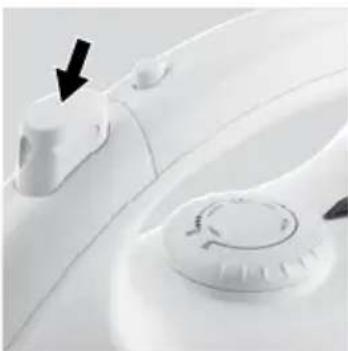
natural_image
Close-up of a white automotive air conditioner fan with a black arrow pointing to the handle (no text or symbols visible)Obr. 2
NÁVOD NA OBSLUHU
natural_image
Close-up of a hand using a power iron to press down a white iron, with a black arrow indicating the process (no text or symbols visible)Obr. 1
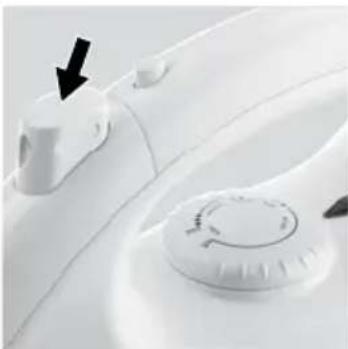
natural_image
Close-up of a white industrial fan dial with a black arrow pointing to the control knob (no text or symbols visible)Obr. 2
INSTRUKCJA OBSŁUGI
natural_image
Close-up of a hand using a power tool to press down a white iron on a surface, with a black arrow indicating the process (no text or symbols visible)Rys. 1
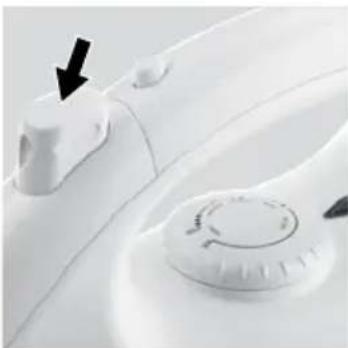
natural_image
Close-up of a white appliance with a circular dial and a black arrow pointing to a button (no text or symbols visible)Rys. 2
PRASOWANIE
HASZNÁLATI UTASÍTÁS
natural_image
Close-up of a hand using a power iron to press down a piece of paper, with a black arrow indicating the process (no text or symbols visible)- ábra
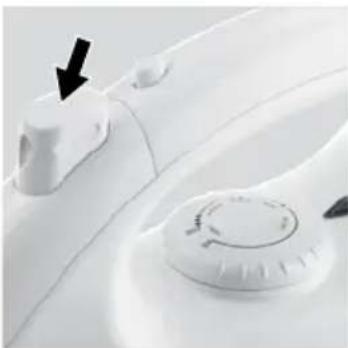
natural_image
Close-up of a white appliance with a knob and handle, showing a black arrow pointing to a button (no text or symbols visible)- ábra
VASALÁS
natural_image
Close-up of a hand using a power tool to press down a white iron on a surface, with a black arrow indicating the process (no text or symbols visible)Рис. 1
natural_image
Close-up of a white appliance with a black arrow pointing to a knob (no text or symbols visible)Рис. 2
Глажение
Thank you for purchasing a Concept product. We hope you will be satisfied with our product throughout its service life.
Please study the entire Operating Manual carefully before you start using the product. Keep the manual in a safe place for future reference. Make sure other people using the product are familiar with these instructions.
| Technical parameters | |
| Voltage 230 V ~ 50 | Hz |
| Power input 1100 | W |
IMPORTANT SAFETY PRECAUTIONS:
- Use the unit only as described in this operating manual.
- Make sure the mains voltage corresponds to the values on the rating plate. Use grounded wall outlets only.
- The unit reaches high temperatures during operation and remains hot for some time after being turned off. Do not touch the hot surfaces. Use the handles and buttons. There is a risk of being burned.
- Do not leave the unit unattended while it is turned on, or even only plugged into the wall outlet.
- Unplug the unit from the wall outlet if not in use.
- When disconnecting the unit from the wall outlet, never pull the power cord. Grasp the plug and disconnect it by pulling.
- Do not allow children or unskilled people to handle the unit. Use the unit out of the reach of these individuals.
• Take extra care when using the unit near children. - Don't let anyone use the appliance as a toy.
- Use only accessories recommended by the manufacturer.
- Never use an appliance with a damaged power cord or plug. Contact an authorized service center immediately to have the defective components repaired or replaced.
- Keep the appliance away from heat sources such as radiators, ovens, etc. Do not expose the product to direct sunlight or moisture.
- Do not touch the unit with wet or damp hands.
- The unit is suitable for domestic use only. It is not designed for commercial operation.
- Do not immerse the power cord, plug, or appliance into water or any other liquid.
- Check the appliance and its power cord for damage regularly. Do not switch on a damaged unit.
- Turn the unit off, unplug the power cord from the wall outlet, and let the unit cool down before cleaning and after use.
- Unplug the unit from the power source before filling the water tank.
• The filling hole cannot be open during operation. - When connecting and unplugging the unit, set the temperature regulator to the minimum.
- The unit must be used and stored on a stable surface.
- Make sure the surface on which the stand is placed is stable, when putting the unit on the stand.
- Do not use the unit if it has been dropped, if there is any visible damage, or if it does not seal.
- Do not repair the appliance yourself. Contact an authorized service center.
- Prevent any contact of the power cord with hot surfaces.
• The high temperature during operation can cause burns.
• Make sure the power cable does not overhang the working area, and that children cannot reach it. - Store the unit in a vertical standing position. Let the unit cool down before storing it. Do not touch the hot surfaces.
Failure to follow the manufacturer's instructions may lead to refusal of warranty repair.
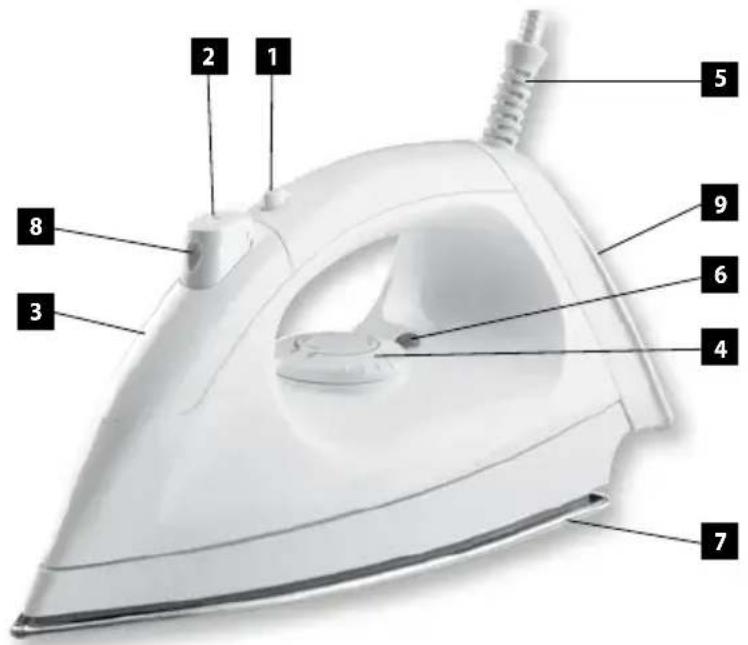
PRODUCT DESCRIPTION
- Water tank release latch
- Spray button
- Water tank
- Temperature controller
- Supply cable joint
- Heating indicator
- Ironing surface
- Spray nozzle
- Standing surface
OPERATING INSTRUCTIONS
Do not leave the unit unattended if it is connected to a power source.
Remove all stickers and packaging from the ironing surface before the first use.
Before the first use, try the unit on a piece of old fabric to make sure the ironing surface and water tank are perfectly clean.
The unit may emit a slight odor during the first use. This smell will vanish after a short time.
FILLING THE WATER
- Unplug the unit from the power source.
- Push the water tank release latch to loosen the front part of the unit with the water tank, spray button and nozzle.
- Remove the water tank and fill it with water. The capacity of the tank is about 30 ml.
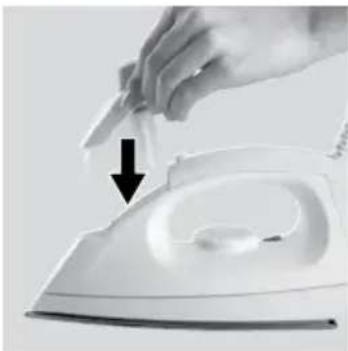
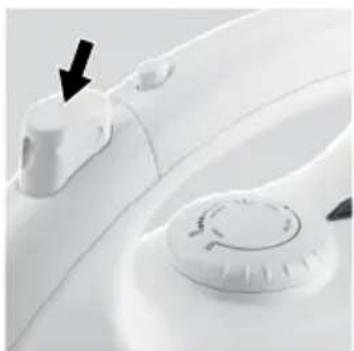
- Follow the reverse procedure to assemble the front part, and put it back. Continue pushing until you hear a clicking sound, which indicates that the correct position has been reached (Fig. 1).
SPRAYING
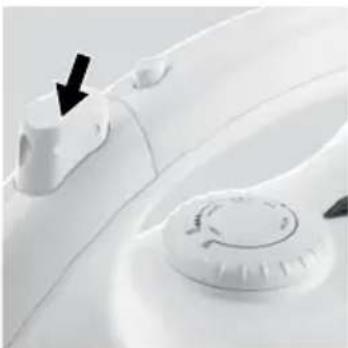
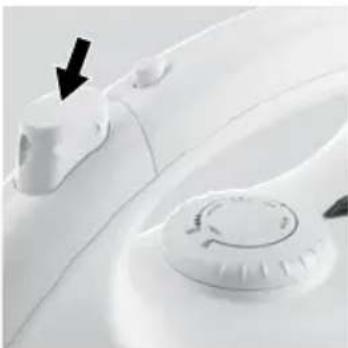
Push the spray button (Fig. 2), the water is released through the spray nozzle. You will need a sufficient volume of water in the tank to activate this function.
IRONING
- If you want to use the spray or steam function, fill the tank with water (see Filling with Water).
natural_image
Hand using a power iron to press down a piece of paper, with a black arrow indicating the process (no text or symbols visible)Fig. 1
natural_image
Close-up of a white appliance with a circular control knob and a black arrow pointing to a button (no text or symbols visible)Fig. 2
- Set the temperature controller to the minimum.
- Insert the plug into the mains outlet.
- Set the temperature controller to the value that corresponds to the material to be ironed (according to the international textile codes). The heating indicator will be illuminated.
Note: Iron the fabrics that require a lower temperature first, then those at higher temperatures. Most of the textile materials are marked according to international codes – see the table below.
| Note:The icon [IMAGE] on the label means „Do not iron this fabric!“ | ||
| Ironing information label Fabric type Temperature | ||
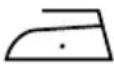 | SyntheticPolypropylenePolyurethanePolyamidePolyesterViscose | MIN. |
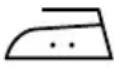 | SilkWool | |
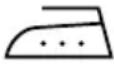 | Cotton | MAX. |
| Linen | ||
- Wait until the heating indicator light stops shining. Only then is the ironing surface at the right temperature. The ironing surface will be heated during ironing. The heating indicator will turn on and off.
- After use, set the temperature controller to the minimum, unplug the unit from the power source, and let it cool down. Then pour the remaining water out of the tank.
STORAGE
Keep the cooled unit in a vertical and stable position in a safe and dry place, out of the reach of children.
CLEANING AND MAINTENANCE
Unplug the unit from the power source.
Remnants of fabric fibers may adhere to the ironing surface. Remove them with a slightly rough cloth soaked in water with vinegar. Then wipe the surface with a dry cloth.
Do not use any abrasives or steel wool to clean the ironing surface. Keep the ironing surface smooth; prevent it from coming into contact with hard metal objects. Make sure the ironing surface is not scratched or damaged.
Clean the body with a wet cloth. Do not use aggressive substances for cleaning, such as solvents or abrasives!
Do not immerse the power cord, plug, or appliance into water or any other liquid.
REPAIR & MAINTENANCE
Any extensive maintenance or repair that requires access to the inner parts of the product must be performed by an expert service centre.
REPAIR & MAINTENANCE
Any extensive maintenance or repair that requires access to the inner parts of the product must be performed by an expert service centre.
ENVIRONMENTAL PROTECTION
- Packaging materials and obsolete appliances should be recycled.
- The transport box may be disposed of as sorted waste.
- Polyethylene bags shall be handed over for recycling.
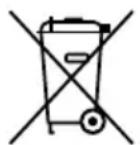
Appliance recycling at the end of its service life:
A symbol on the product or its packaging indicates that this product should not go into household waste. It must be taken to the collection point of an electric and electronic equipment recycling facility. By making sure this product is disposed of properly, you will help prevent the negative effects on the environment
and human health that would otherwise result from inappropriate disposal of this product. You can learn more about recycling this product from your local authorities, a household waste disposal service or in the shop where you bought this product.
DANKE FÜR IHR VERTRAUEN
BEDIENUNGSANLEITUNG
natural_image
Close-up of a hand using a power iron to press down a white iron, with a black arrow indicating the process (no text or symbols visible)Abb. 1
natural_image
Close-up of a white appliance with a black arrow pointing to a knob (no text or symbols visible)Abb. 2
BÜGELN
INSTRUCCIONES DE USO
natural_image
Close-up of a hand using a power iron to press down a component, with a black arrow indicating the process (no text or symbols visible)Fig. 1
natural_image
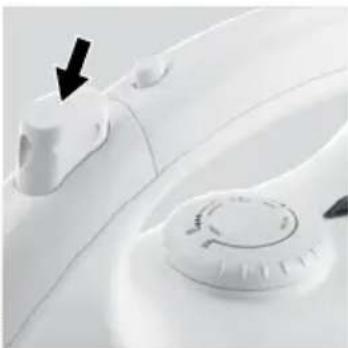
Close-up of a white appliance with a black arrow pointing to a control knob (no text or symbols visible)Fig. 2
PLANCHADO
INSTRUCTIUNI DE UTILIZARE
natural_image
Close-up of a hand using a power iron to press down a white iron, with a black arrow indicating the process (no text or symbols visible)Fig. 1
natural_image
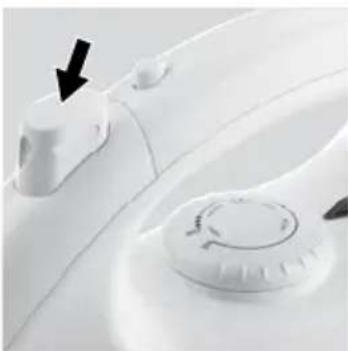
Close-up of a white car interior with a black arrow pointing to the left side of the door (no text or symbols visible)Fig. 2

- NÁVOD K OBSLUZE
- NÁVOD NA OBSLUHU
- INSTRUKCJA OBSŁUGI
- PRASOWANIE
- HASZNÁLATI UTASÍTÁS
- VASALÁS
- Глажение
- IMPORTANT SAFETY PRECAUTIONS:
- PRODUCT DESCRIPTION
- OPERATING INSTRUCTIONS
- FILLING THE WATER
- SPRAYING
- IRONING
- STORAGE
- CLEANING AND MAINTENANCE
- REPAIR & MAINTENANCE
- ENVIRONMENTAL PROTECTION
- Appliance recycling at the end of its service life:
- DANKE FÜR IHR VERTRAUEN
- BEDIENUNGSANLEITUNG
- BÜGELN
- INSTRUCCIONES DE USO
- PLANCHADO
- INSTRUCTIUNI DE UTILIZARE
Brand : Concept
Model : ZS-8010
Category : Iron