
WorkForce Pro WF-8090 - принтер EPSON - Безкоштовний посібник користувача
Знайдіть посібник до пристрою безкоштовно WorkForce Pro WF-8090 EPSON у форматі PDF.


| Тип продукту | Принтер |
| Бренд | Epson |
| Модель | WorkForce Pro WF-8090 |
| Технологія друку | Струменевий |
| Максимальний розмір паперу | A3 (11.7 x 16.5 дюймів) |
| Ємність лотка 1 | До 50 аркушів (звичайний папір) |
| Підключення | Wi-Fi, Ethernet, USB |
| Мобільний друк | Apple AirPrint, Google Cloud Print, Epson iPrint, Epson Email Print, Epson Remote Print |
| Дисплей | РК-екран з панеллю керування |
| Еко-режим | Так, налаштовуваний таймер сну та таймер вимкнення |
| Двосторонній друк | Автоматичний та ручний |
| Операційні системи | Windows, OS X |
| Система чорнила | Окремі картриджі з чорнилом, заміна обслуговуючого блоку |
| Додаткові аксесуари | Шафа, до 3 додаткових лотків для паперу |
| Підтримувані типи паперу | Звичайний, глянцевий, матовий, конверти, картон |
| Безпека | Відповідає вимогам FCC |
| Джерело живлення | 100-240 В змінного струму |
Часті запитання - WorkForce Pro WF-8090 EPSON
Питання користувачів про WorkForce Pro WF-8090 EPSON
0 питання про цей пристрій. Дайте відповідь на ті, що знаєте, або поставте власне.
Поставити нове питання про цей пристрій
Завантажте інструкції для вашого принтер у форматі PDF безкоштовно! Знайдіть свій посібник WorkForce Pro WF-8090 - EPSON і поверніть собі контроль над електронним пристроєм. На цій сторінці опубліковані всі документи, необхідні для використання вашого пристрою. WorkForce Pro WF-8090 бренду EPSON.
ПОСІБНИК КОРИСТУВАЧА WorkForce Pro WF-8090 EPSON
EPSON®
EXCEED YOUR VISION
WF-8090User'sGuide
Contents
WF-8090 User's Guide.... 11
Product Basics 12
Using the Control Panel 12
Control Panel Buttons and Lights 12
Status Icons 13
Setting a Password and Locking the Control Panel 14
Entering Characters on the LCD Screen 15
Changing LCD Screen Language 15
Adjusting the Screen Contrast 16
Product Parts Locations 17
Product Parts - Front 18
Product Parts - Inside 20
Product Parts - Back 21
Using Eco Mode 22
Changing the Eco Settings 22
Changing the Sleep Timer Settings 23
Changing the Power Off Timer Settings 24
EpsonConnectSolutionsforSmartphones,Tablets,andMore....25
Using Epson Email Print 25
Using the Epson iPrint Mobile App 25
Using Epson Remote Print 26
Using AirPrint 26
Using Google Cloud Print 27
Setting Up Google Cloud Print on a Chromebook 28
Wi-Fi or Wired Networking.... 30
Wi-Fi Infrastructure Mode Setup.... 30
SelectingWirelessNetworkSettingsFromtheControlPanel....31
Wi-Fi Direct Mode Setup 33
Enabling Wi-Fi Direct Mode 34
Wi-Fi Protected Setup (WPS) 36
Using WPS to Connect to a Network 36
Printing a Network Status Sheet.... 37
Changing or Updating Network Connections 38
Accessing the Web Config Utility 38
ChangingaUSBConnectiontoaWi-FiConnection....39
ChangingaWi-FiConnectiontoaWiredNetworkConnection....39
Connecting to a New Wi-Fi Router 39
Disabling Wi-Fi Features 40
Enabling Epson Universal Print Driver (PCL) or PostScript Printing.... 41
Selecting PDL (Page Description Language) Settings 41
PDL Print Configuration Options 42
Selecting Printer Language and Interface Settings 45
Printer Language and Interface Options 46
Printing a PS3 (PostScript) Status Sheet 46
Loading Paper 48
Loading Paper in the Cassette 48
Loading Paper and Envelopes in the Rear Paper Feed Slot 51
Loading Paper in the Front Paper Feed Slot 55
Paper Loading Capacity 57
Available Epson Papers 59
Paper or Media Type Settings - Printing Software 61
Selecting the Paper Settings for Each Source - Control Panel 62
Paper Type Settings - Control Panel 63
Selecting Default Paper Settings - Administrator.... 63
Selecting the Paper Source Settings - Administrator 64
Paper Source Settings Options....65
Selecting Universal Print Settings.... 65
Universal Print Settings Options 66
Installing the Optional Cabinet and Paper Cassettes 67
Installing the Optional Cabinet.... 67
Installing the Optional Paper Cassette Units 75
EnablingtheOptionalPaperCassettes-Windows....82
EnablingtheOptionalPaperCassettes-OSX....83
Printing from a Computer 85
Printing with Windows 85
Selecting Basic Print Settings - Windows 85
Paper Source Options - Windows 88
Print Quality Options - Windows 88
Multi-Page Printing Options - Windows 89
Selecting Double-sided Printing Settings - Windows 89
Double-sided Printing Options - Windows 92
Print Density Adjustments - Windows 92
SelectingAdditionalLayoutandPrintOptions-Windows....93
CustomColorCorrectionOptions-Windows....95
ImageOptionsandAdditionalSettings-Windows....96
Header/Footer Settings - Windows 97
Selecting a Printing Preset - Windows 98
Selecting Extended Settings - Windows 99
Extended Settings - Windows 100
Printing Your Document or Photo - Windows.... 101
Locking Printer Settings - Windows 102
Administrator Lock Settings 104
Selecting Default Print Settings - Windows.... 105
ChangingtheLanguageofthePrinterSoftwareScreens....106
Changing Automatic Update Options 107
Printing with OS X 108
Selecting Basic Print Settings - OS X 109
Paper Source Options - OS X 113
Print Quality Options - OS X.... 113
Print Options - OS X.... 113
Selecting Page Setup Settings - OS X.... 114
Selecting Print Layout Options - OS X 115
Selecting Double-sided Printing Settings - OS X 116
Double-sidedPrintingOptionsandAdjustments-OSX....117
Managing Color - OS X.... 118
Color Matching and Color Options - OS X.... 119
Selecting Printing Preferences - OS X 120
Printing Preferences - OS X.... 121
Printing Your Document or Photo - OS X.... 122
Checking Print Status - OS X 122
Printing with the Epson Universal Print Driver - Windows.... 124
Installing the Epson Universal Print Driver - Windows 124
SynchronizingPrinterSettings-EpsonUniversalPrintDriver-Windows....128
SelectingBasicPrintSettings-EpsonUniversalPrintDriver-Windows....130
SelectingAdditionalLayoutandPrintOptions-EpsonUniversalPrintDriver-Windows......132
SelectingMaintenanceOptions-EpsonUniversalPrintDriver-Windows....134
ExtendedSettings-EpsonUniversalPrintDriver-Windows....135
SelectingDefaultPrintSettings-EpsonUniversalPrintDriver-Windows....136
LockingPrinterSettings-EpsonUniversalPrintDriver-Windows....138
Epson Universal Print Driver Lock Settings 140
AddingNetworkPrinters-EpsonUniversalPrintDriver-Windows....141
Printing with the PostScript (PS3) Printer Software - Windows 144
InstallingthePostScript(PS3)PrinterSoftware-Windows....144
EnablingtheOptionalPaperCassettes-PostScriptPrinterSoftware-Windows....144
SelectingBasicPrintSettings-PostScriptPrinterSoftware-Windows....146
SelectingAdditionalLayoutandPrintOptions-PostScriptPrinterSoftware-Windows......149
SelectingDefaultPrintSettings-PostScriptPrinterSoftware-Windows....150
Printing with the PostScript (PS3) Printer Software - OS X 151
Installing the PostScript (PS3) Printer Software - OS X 152
EnablingtheOptionalPaperCassettes-PostScriptPrinterSoftware-OSX....152
SelectingBasicPrintSettings-PostScriptPrinterSoftware-OSX....153
SelectingPageSetupSettings-PostScriptPrinterSoftware-OSX....158
SelectingPrintLayoutOptions-PostScriptPrinterSoftware-OSX....159
SizingPrintedImages-PostScriptPrinterSoftware-OSX....160
Managing Color - PostScript Printer Software - OS X 160
PrintingYourDocumentorPhoto-PostScriptPrinterSoftware-OSX....161
CheckingPrintStatus-PostScriptPrinterSoftware-OSX....161
Cancelling Printing Using a Product Button 162
Replacing Ink Cartridges and Maintenance Boxes.... 163
Check Cartridge and Maintenance Box Status.... 163
Checking Cartridge Status on the LCD Screen.... 163
CheckingCartridgeandMaintenanceBoxStatuswithWindows....164
CheckingCartridgeandMaintenanceBoxStatuswithOSX....167
Purchase Epson Ink Cartridges and Maintenance Box 169
InkCartridgeandMaintenanceBoxPartNumbers....169
Removing and Installing Ink Cartridges.... 170
Printing with Black Ink and Expended Color Cartridges 173
Printing with Expended Color Cartridges - Windows 173
Printing with Expended Color Cartridges - OS X 174
Conserving Low Black Ink with Windows 176
Replacing the Maintenance Box 176
Adjusting Print Quality.... 179
Print Head Maintenance.... 179
Print Head Nozzle Check 179
CheckingtheNozzlesUsingtheProductControlPanel....180
CheckingtheNozzlesUsingaComputerUtility....182
Print Head Cleaning 183
CleaningthePrintHeadUsingtheProductControlPanel....184
CleaningthePrintHeadUsingaComputerUtility....185
Print Head Alignment 187
AligningthePrintHeadUsingtheProductControlPanel....187
Aligning the Print Head Using a Computer Utility 189
Cleaning the Paper Guide 191
Cleaning and Transporting the Product 193
Cleaning the Product.... 193
Transporting Your Product 193
Solving Problems 196
Checking for Software Updates.... 196
Product Status Messages 197
Running a Product Check 198
Resetting Control Panel Defaults 199
Solving Setup Problems.... 200
Product Does Not Turn On or Off.... 201
Noise After Ink Installation.... 201
Software Installation Problems 201
Solving Network Problems 202
ProductCannotConnecttoaWirelessRouterorAccessPoint....202
NetworkSoftwareCannotFindProductonaNetwork....203
ProductDoesNotAppearinOSXPrinterWindow....204
Cannot Print Over a Network 205
Solving Paper Problems.... 206
Paper Feeding Problems.... 206
Paper Jam Problems in the Front Cover (A) 208
PaperJamProblemsintheRearPaperFeedSlot(B1)....209
PaperJamProblemsintheFrontPaperFeedSlot(B2)....209
PaperJamProblemsintheCassette(C1/C2/C3/C4)....212
Paper Jam Problems in the Rear Cover 1 (D1)....213
PaperJamProblemsintheRearCover(E)oftheOptionalPaperCassetteUnit....216
Paper Ejection Problems 217
Solving PostScript Printing Problems 218
Nothing Prints Using the Postscript Printing Software 218
DocumentsPrintIncorrectlyUsingthePostscriptPrintingSoftware....219
Accessing Printer Properties - Postscript - Windows 219
Solving Problems Printing from a Computer.... 220
Nothing Prints 220
ProductIconDoesNotAppearinWindowsTaskbar....221
Printing is Slow 222
Solving Page Layout and Content Problems.... 223
Inverted Image.... 223
Too Many Copies Print 224
Blank Pages Print 224
Incorrect Margins on Printout 224
Incorrect Characters Print 225
Incorrect Image Size or Position 225
Slanted Printout 226
Solving Print Quality Problems 226
White or Dark Lines in Printout 227
Blurry or Smeared Printout 227
Faint Printout or Printout Has Gaps 229
Grainy Printout.... 230
Incorrect Colors 231
When to Uninstall Your Product Software 231
UninstallingPrintingSoftware-StandardEpsonPrinterSoftware-Windows....232
Uninstalling Product Software - OS X 232
Where to Get Help.... 233
Technical Specifications 235
Windows System Requirements 235
OS X System Requirements.... 236
Paper Specifications 236
Printable Area Specifications 237
Ink Cartridge Specifications.... 239
Dimension Specifications 239
Electrical Specifications 240
Environmental Specifications 241
Interface Specifications 241
Network Interface Specifications 241
Safety and Approvals Specifications 243
PS3 Mode Fonts 243
PCL5 Mode Fonts 245
PCL6 Mode Fonts 248
Symbol Sets 250
Notices 258
General Printer Safety Instructions.... 258
Ink Cartridge Safety Instructions.... 260
LCD Screen Safety Instructions.... 260
Wireless Connection Safety Instructions 261
Cabinet Safety Instructions.... 261
FCC Compliance Statement.... 261
Software Notice 262
Trademarks 310
Copyright Notice.... 311
libTIFF Software Acknowledgment.... 311
ANoteConcerningResponsibleUseofCopyrightedMaterials....312
DefaultDelayTimesforPowerManagementforEpsonProducts....312
Copyright Attribution.... 312
WF-8090User'sGuide
Welcome to the WF-8090 User's Guide.
For a printable PDF copy of this guide, click here.
ProductBasics
Seethesectionstolearnaboutthebasicfeaturesofyourproduct.
UsingtheControlPanel
ProductPartsLocations
UsingEcoMode
EpsonConnectSolutionsforSmartphones,Tablets,andMore
UsingAirPrint
UsingGoogleCloudPrint
UsingtheControlPanel
Seethesectionstolearnaboutthecontrolpanelandselectcontrolpanelsettings.
ControlPanelButtonsandLights
SettingaPasswordandLockingtheControlPanel
ChangingLCDScreenLanguage
AdjustingtheScreenContrast
Parenttopic:ProductBasics
ControlPanelButtonsandLights

1 The powerbuttonandlight
2ThePaperSetupbutton
3TheErrorlight
4TheDatalight
5TheLCDscreen
6 TheBackbutton
7ThearrowbuttonsandtheOKbutton
8 TheStopbutton
StatusIcons
Parenttopic: UsingtheControlPanel
StatusIcons
StatusiconsmaybedisplayedontheLCDscreendependingontheproduct'sstatus.
| IconsDescription | |
| ThereisnoEthernetconnection. | |
| AnEthernetconnectionhasbeenestablished. | |
| AWi-Finetworkerrorhasoccurredortheproductissearchingforaconnection. | |
| AWi-Ficonnectionhasbeenestablished.Thenumberofbarsindicatesthe connection'ssignalstrength. | |
| AnAdhocconnectionhasbeenestablished. | |
| AWi-FiDirectmodeconnectionhasbeenestablished. | |
| ASimpleAPmodeconnectionhasbeenestablished. | |
| OneoftheEcoModesettingsisenabled. |
Parenttopic: ControlPanelButtonsandLights
SettingaPasswordandLockingtheControlPanel
Youcansetanadministratorpasswordtolockthefollowingcontrolpanelsettings:
•SystemAdministrationSetupsettings
•Ecomodesettings
Whenthecontrolpanelislocked, you must enter the password to access any of the locked settings.
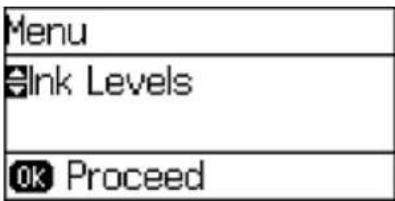
1.PressthearowbuttonstoselectMenuandpresstheOKbutton.
Youseeascreenlikethis:
- SelectAdminSettingsandpresstheOKbutton.
- SelectAdminPasswordandpresstheOKbutton.
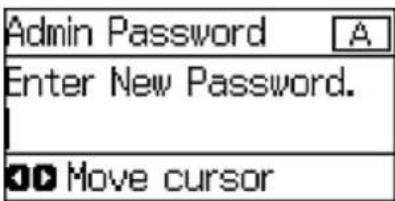
- SelectRegisterandpresstheOKbutton.
Youseeascreenlikethis:
-
UsethecontrolpanelbuttonstoenterapasswordandpresstheOKbutton.
-
Enteryourpasswordagaintoconfirm.
7.PresstheOKbutton. - SelectLockSetting and press the OK button.
- SelectOnandpresstheOKbutton.
Note: If you forget your password, contact Epson support for assistance.
EnteringCharactersontheLCDScreen
Parenttopic: UsingtheControlPanel
EnteringCharactersontheLCDScreen
Followtheseguidelinstoentercharactersforpasswordsandothersettings.

• To enter letters or symbols, press the upordown arrow button to scroll through characters, and press the right arrow button to select one.
• Toenternumbersorchangethecaseofletters, press the Stopbutton.
- Todeletethepreviouscharacter, presstheleftarrowbutton.
• Toenteraspace, presstherightarrowbutton.
Parenttopic: SettingaPasswordandLockingtheControlPanel
ChangingLCDScreenLanguage
YoucanchangethelanguageusedontheLCDscreen.
Note: This setting can be locked by an administrator. If you cannot access or change this setting, contact your administrator for assistance.
- PressthearowbuttonstoselectMenuandpresstheOKbutton.
- Select System Administration and press the OK button. Enter the administrator password, if necessary.
Youseeascreenlikethis:

- SelectCommonSettingsandpresstheOKbutton.
- SelectLanguageandpresstheOKbutton.
- SelectalanguageandpresstheOKbutton.
Parenttopic: UsingtheControlPanel
AdjustingtheScreenContrast
YoucanadjustthecontrastoftheLCDscreen.
- PressthearowbuttonstoselectMenuandpresstheOKbutton.
- Select System Administration and press the OK button. Enter the administrator password, if necessary.
Youseeascreenlikethis:

- SelectCommonSettingsandpresstheOKbutton.
- Select LCDContrastandpresstheOKbutton.
5.Presstheupordownarrowbuttonstoadjustthescreencontrast.
6.PresstheOKbuttontoexit.
Parenttopic: UsingtheControlPanel
ProductPartsLocations
Seethesesectionstoidentifythepartsonyourproduct.
ProductParts-Front
ProductParts-Inside
ProductParts-Back
Parenttopic:ProductBasics
ProductParts-Front

1Edgeguides
2Frontpaperfeedslot(B2)
3Papercassette1(C1)
4Optionalpapercassettes2to4(C2toC4)
5Optionalcabinet

1Edgeguides
2Papersupport
3Rearpaperfeedslot(B1)
4Feederguard
5Outputtray
6Edgeguides
7 Papercassette
Parenttopic:ProductPartsLocations
ProductParts-Inside

1Controlpanel
2Printhead
3Frontcover(A)
Parenttopic:ProductPartsLocations
ProductParts-Back

1Rearcover2(D2)
2ACinlet
3Rearcover1(D1)
4Rearcover(E)
5ServiceUSBport(donotremovesticker)
6USBport
7LANport
Parenttopic:ProductPartsLocations
UsingEcoMode
YourproductentersleepmodeautomaticallyandturnsofftheLCDscreenifitisnotusedforaperiod oftime.Youcanmakethetimeperiodshorterandselectotheroptionstosaveenergyandresources.
ChangingtheEcoSettings
ChangingtheSleepTimerSettings
ChangingthePowerOffTimerSettings
Parenttopic:ProductBasics
ChangingtheEcoSettings
YoucanusetheproductcontrolpaneltochangetheEcosettings.
Note: The Sleep Timer setting in Eco Mode overrides the Sleep Timer setting in Common Settings. This setting can be locked by an administrator. If you cannot access or change this setting, contact your administrator for assistance.
-
PressthearowbuttonstoselectMenuandpresstheOKbutton.
-
Select System Administration and press the OK button. Enter the administrator password, if necessary.
-
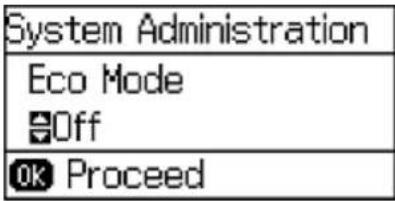
SelectEcoModeandpresstheOKbutton.
Youseeascreenlikethis:
- SelectOnandpresstheOKbutton.
5.Presstheuparrowbutton. - Changesettingsasnecessary.
7.PresstheOKbuttontoexit.
YouseetheiconontheLCDscreentoindicatethatEcosettingsareenabled.
Parenttopic: UsingEcoMode
Relatedtasks
ChangingtheSleepTimerSettings
ChangingtheSleepTimerSettings
You can adjust the time period before your product enters sleep mode and turn off the LCD screen.
Note: The Sleep Timer setting in Eco Mode overrides the Sleep Timer setting in Common Settings. This setting can be locked by an administrator. If you cannot access or change this setting, contact your administrator for assistance.
- PressthearowbuttonstoselectMenuandpresstheOKbutton.
- Select System Administration and press the OK button. Enter the administrator password, if necessary.
- SelectCommonSettingsandpresstheOKbutton.
- Select SleepTimer and press the OK button.
Youseeascreenlikethis:

5.Presstheupordownarrowbuttonstoincreaseorreducethenumberofminutes.
6.Presstheleftorrightarrowbuttonstomovethecursor.
7.PresstheOKbuttontoexit.
Parenttopic: UsingEcoMode
Relatedtasks
ChangingtheEcoSettings
ChangingthePowerOffTimerSettings
Youcan havethe product turnoff automatically if it is not used for as specified period of time.
Note: This setting can be locked by an administrator. If you cannot access or change this setting, contact your administrator for assistance.
- PressthearowbuttonstoselectMenuandpresstheOKbutton.
- Select System Administration and press the OK button. Enter the administrator password, if necessary.
Youseeascreenlikethis:

- SelectCommonSettingsandpresstheOKbutton.
- SelectPowerOffTimerandpresstheOKbutton.
- Select a time period between 30minutes and 12h (12 hours), and press the OK button.
Parenttopic: UsingEcoMode
EpsonConnectSolutionsforSmartphones,Tablets,andMore
Youcanprintdocuments,photos,emails,andwebpagesfromyourhome,office,orevenacrossthe globe. Youcanuseyoursmartphone,tablet,orcomputer.Epsonoffersthesesolutionstoprintfrom anywhere:EpsonEmailPrint,EpsoniPrintMobileApp,andEpsonRemotePrint.
UsingEpsonEmailPrint
UsingtheEpsoniPrintMobileApp
UsingEpsonRemotePrint
Parenttopic:ProductBasics
UsingEpsonEmailPrint
WithEpsonEmailPrint,youcanprintfromanydevicethatcansendemail,suchasyoursmartphone, tablet,orlaptop.Justactivateyourproduct'suniqueemailaddress.Whenyouwanttoprint,attacha PDF,MicrosoftOfficedocument,orphototoanemailandsendittoyourproduct.
-
Setup your product for network printing as described in this manual. Seethelink below.
-
If you did not already setup Email Print when you installed your product software, visit epson.com/connect to learn more about Email Print, check compatibility, and get detailed setup instructions.
-
Sendanemail with attachment to your product's Email Printaddress.
Note: Both the email and any attachments print by default. You can change these printing options by logging into your EpsonConnect account.
Parenttopic: EpsonConnectSolutionsforSmartphones, Tablets, and More
Relatedtopics
Wi-FiorWiredNetworking
UsingtheEpsoniPrintMobileApp
UsethisfreeAppleandAndroidapptoprinttonearbyEpsonnetworkedproducts. The EpsoniPrint MobileAppletsoyouprintPDFs, MicrosoftOfficedocuments, photos, and webpagesoverawireless network.
-
Setup your product on an network as described in this manual. Seethelink below.
-
Visit epson.com/connect to learn more about Epson iPrint and check the compatibility of your mobile device.
-
Download Epsoni Print from the Apple App Store or Google Play.
- Connect your mobile device to the same wireless network that your product is using.
5.PrintfromyourmobiledevicetoyourEpsonproduct.
Parenttopic: EpsonConnectSolutionsforSmartphones, Tablets, and More
Relatedtopics
Wi-FiorWiredNetworking
UsingEpsonRemotePrint
WithEpsonRemotePrintsoftwareonyourWindowscomputerorlaptop,youcanprinttoanEpson Email-enabledproductanywhereintheworld.
- Setup your product for network printing as described in this manual. Seethelink below.
- Visitepson.com/connecttolearnmoreaboutRemotePrintandhowtodownloadthesoftware.
- Download and install the Remote Print software.
- Obtain the email address and optional access key of the Epson product you want to use for printing, and enter this address during Remote Print setup.
- Select the print command in your application and choose the Remote Print driver for your Epson product.
Parenttopic: EpsonConnectSolutionsforSmartphones, Tablets, and More
Relatedtopics
Wi-FiorWiredNetworking
UsingAirPrint
AirPrintallowsyoutowirelesslyprinttoyourAirPrint-enabledproductfromyouriOSdevicerunningthe latestversionofiOS,andfromyourMacrunningOSX10.7orlater.

- Setup your product for wireless printing as described in this manual. Seethelink below.
- Connect your Apple device to the same wireless network that your product is using.
3.Printfromyourdevicetoyourproduct.
Note: Fordetails, seetheAirPrintpageontheApplewebsite.
Parenttopic:ProductBasics
Relatedtopics
Wi-FiorWiredNetworking
UsingGoogleCloudPrint
WithaGoogleAccount,youcanprintfromyourAppleorAndroiddevicetoyourEpsonproduct.Youcan alsoprintfromChromebooksandtheGoogleChromebrowserwithoutdriversorcables.
SetupyourEpsonproductfornetworkprintingasdescribedinthismanual.Seethelinkbelow.
Note: Make sure your Epson printer and computer are connected to the same network before starting the Google Cloud Print setup.
- Connect your device to the same network that your Epson product is using.
2.Printanetworkstatussheet. - Locate your product's IP address on thenetwork status sheet.
4.EntertheIPaddressintotheaddressbarofawebbrowser. - SelecttheGoogleCloudPrintServicesoption.
Note: If you don't see the Google Cloud Print Services option, turn your product off and back on. If the option still doesn't appear, select the Firmware Update option and follow the on-screen instructionstoupdateyourproduct.
6.ClickRegister.
7. Select the checkbox to agree to the Usage Advisory and click Next.
8.ClickOKtolaunchthesign-inpage.
Aseparatebrowserwindowopens.
- Enter your Google Account username and password and click Sign in, or, if you don't have an account, click SignupforanewGoogleAccountandfollowtheon-screeninstructions.
- ClickFinishprinterregistrationtocompletesetupandprintatestpage.
YourproductisnowlinkedtoyourGoogleAccountandcanbeaccessedfromanyChromebook, computer, Apple or Android device with Internet access. Visit Epson Support for more information on using Google Cloud Print, or the Google Cloud Print website for a list of supported apps.
SettingUpGoogleCloudPrintonaChromebook
Parenttopic:ProductBasics
Relatedtopics
Wi-FiorWiredNetworking
SettingUpGoogleCloudPrintonaChromebook
WithaGoogleAccount, you can print from a Chromebook without drivers or cables.
SetupyourEpsonproductfornetworkprintingasdescribedinthismanual.Seethelinkbelow.
Note: Make sure your Epson product is connected to your wireless network before starting the Google CloudPrintsetup.
- TurnonyourChromebook and connectittothesamewirelessnetworkasyourproduct.
Note: SeeyourChromebook's documentation for detail on connecting to anNetwork.
2.Dooneofthefollowing:
- ClickAddtoCloudPrintinthenotificationthatappearsinthecornerofyourChromebook screen.
Note: If you do not see a notification, check to see if a number appears in the status area at the lower-right corner of the screen. Click this number to open the notifications menu, then click Add toCloudPrint.
- Openawebbrowserandenterchrome://devicesintheaddressbar.Skiptostep4.
3.ClickAddDevice.
-
ClicktheRegisterbuttonthatappearsnexttoyourproduct.
-
Click Register on the confirmation screen. Your product's LCD screen displays a confirmation message.
-
Select OK or press the OK button on your product to confirm the Google Cloud Print connection and printatestpage.
YourproductisnowlinkedtoyourGoogleAccountandcanbeaccessedfromanyChromebook, iPhone,orAndroidphonewithInternetaccess.FormoreinformationonusingGoogleCloudPrint, visitEpsonSupport.
Parenttopic: UsingGoogleCloudPrint
Relatedtopics
Wi-FiorWiredNetworking
Wi-FiorWiredNetworking
SeethesesectionstouseyourproductonaWi-Fiorwirednetwork.
Wi-Fi Infrastructure Mode Setup
Wi-FiDirectModeSetup
Wi-FiProtectedSetup(WPS)
PrintingaNetworkStatusSheet
ChangingorUpdatingNetworkConnections
Wi-FiInfrastructureModeSetup
Youcan setup your product to communicate with your computer using wireless router or access point. The wireless router or access point can be connected to your computer over wireless or wired network.
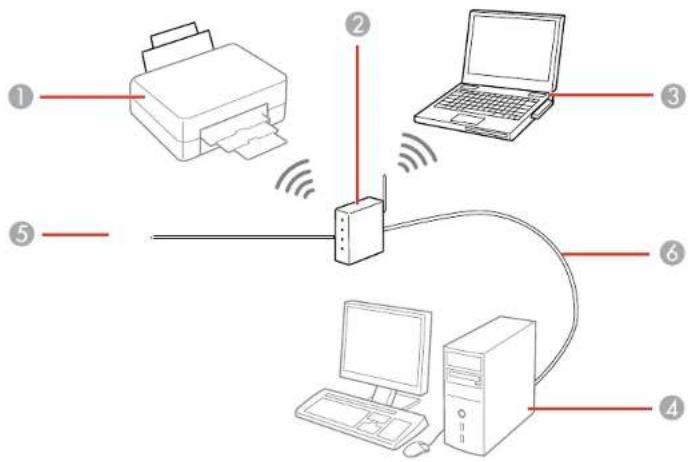
1Epsonproduct
2Wirelessrouteroraccesspoint
3Computerwithawirelessinterface
4Computer
5Internet
6Ethernetcable(usedonlyforwiredconnectiontothewirelessrouteroraccesspoint)
SelectingWirelessNetworkSettingsFromtheControlPanel
Parenttopic:Wi-FiorWiredNetworking
SelectingWirelessNetworkSettingsFromtheControlPanel
Youcanselectorchangewirelessnetworksettingsusingyourproductcontrolpanel.
To install your product on a wireless network, follow the instructions on the Start Here sheet and install thenecessarysoftware. Theinstallerprogramguidesyouthroughnetworksetup.
Note: Breakdown or repair of this product may cause loss of network data and settings. Epson is not responsible for backing up or recovering data and settings during or after the warranty period. We recommend that you make your own backup or print out your network data and settings.
- Press the arrow buttons to select Wi-Fi Setup and press the OK button.
Youseethisscreen:

- SelectWi-FiSetupWizardandpresstheOKbutton.
Note: If you need to disable the wireless network to set up your product on an Ethernet network, press the down arrow button, select Disable Wi-Fi, and press the OK button. Then follow the instructions on changing to a wired network connection in this guide.
- SelectthenameofyourwirelessnetworkandpresstheOKbutton.
Note: To enter the wireless network name manually, select Other Networks and press the OK button. Use the printer's button to enter your network name.
- Enteryourwirelesspasswordusingthecontrolpanelbuttons.

Note: The network name and password are case sensitive. Be sure to correctly enter uppercase and lowercase letters, and numeric special characters.
- Toenterlettersorsymbols, presstheupordownarrowbuttonstoscrollthroughcharacters, and presstherightarrowbuttontoselectone.
• Toenternumbersorchangethecaseofletters, press the Stopbutton. -
Todeletethepreviouscharacter, presstheleftarrowbutton.
• Toenteraspace, presstherightarrowbutton. -
PresstheOKbuttonwhenyou'refinishedenteringyourpassword.
-
ConfirmthedisplayednetworksettingsandpresstheOKbuttontosavethem.
Note: If you need to change a setting, press the Back button.
- If you want to print a network setup report, press the down arrow button, select Print connection report, and press the OK button. (Otherwise, press the OK button.) IftheWi-Ficonnectionsymbolisn'tlitordoesnotappearontheLCDscreen,youmayhaveselected thewrongnetworknameorenteredthepasswordincorrectly.Repeatthesestepstotryagain.
Parenttopic:Wi-FilInfrastructureModeSetup
Relatedreferences
StatusIcons
Wi-FiDirectModeSetup
Youcan setup your product to communicate directly with your computer or another device without requiring wireless router or access point.
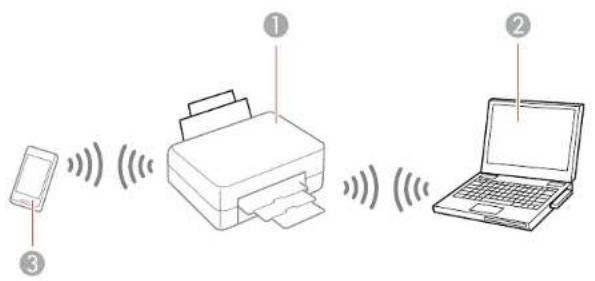
1Epsonproduct
2Computerwithawirelessinterface
3Otherwirelessdevice
Yourproductautomaticallyselectsoneofthesemodestocommunicatewithyourcomputerordevice:
Accesspointmode
If your product is not already connected to a wireless network, it enters access point mode and the product itself acts as then network access point for up to 4 devices. When operating in this mode, your product displays an AP connections symbol on the LCD screen.
Peer-to-peermode
If your product is already connected to a wireless network, it enters peer-to-peer mode and disconnects from any other networks. This also disables any other product features requiring access to the Internet. When operating in this mode, your product displays a Direct or D connection symbol on the LCD screen.
Note: Todisconnectapeer-to-peermodeconnection, releasetheconnectiontoyourproductfrom yourcomputerorotherdevice. Yourproductwillreconnecttothepreviouslyusednetwork.
EnablingWi-FiDirectMode
Parenttopic:Wi-FiorWiredNetworking
Relatedreferences
StatusIcons
EnablingWi-FiDirectMode
YoucanenableWi-FiDirectmodetoallowdirectcommunicationbetweenyourproductandacomputerorotherdeviceswithoutawirelessrouteroraccesspoint.
Note: You may need to enable the Wi-Fi Direct setting in the Advanced Settings menu before you can enableWi-FiDirectmode.
- Press the arrow buttons to select Wi-Fi Setup and press the OK button.
Youseethisscreen:
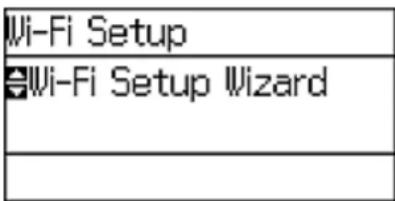
- SelectWi-FiDirectSetupandpresstheOKbutton.
- SelectConnectionSetupandpresstheOKbutton.
- SelectChangePasswordandpresstheOKbutton.
5.PresstheOKbutton.
Note: If you have already connected devices or computers to your product via Wi-Fi Direct, they will be disconnected when you can get the password.
6.EnteranewWi-FiDirectpasswordusingthecontrolpanelbuttons.
Note: Yourpasswordmustbeatleast8andnomorethan22characterslong.

• To enter letters symbols, press the upordown arrow button to scroll through characters, and press the right arrow button to select one.
• Toenternumbersorchangethecaseofletters, press the Stopbutton.
- Todeletethepreviouscharacter, presstheleftarrowbutton.
• Toenteraspace, presstherightarrowbutton.
- PresstheOKbuttonwhenyou'refinishedenteringyourpassword.
8.Presstheuparrowbutton.
Youseethisscreen:

9.PresstheOKbuttontoviewtheSSID(Wi-Finetworkname)andpassword.
10. Use your computer or wireless device to select the Wi-Fi networkname (SSID) displayed on the LCD screen, and enter the password shown.
- PresstheBackbuttontoexit.
You see either the AP or D connection symbol on the LCD screen and should be able to print directly to your product from your computer or device.
Note: If the AP or D connection symbol is not displayed on the LCD screen, Wi-Fi Direct mode is not enabled. Repeat these stepstotry again.
Parenttopic:Wi-FiDirectModeSetup
Relatedreferences
StatusIcons
Wi-FiProtectedSetup(WPS)
If your network uses a WPS-enabled wireless router or access point, you can quickly connect your product to thenetwork using Wi-Fi Protected Setup (WPS).
Note: To check if your router is WPS-enabled, look for a button labeled WPS on your router or access point. If there is no hardware button, therem maybe virtual WPS button in the software forth the device. Check your network product documentation for details.
UsingWPStoConnecttoaNetwork
Parenttopic:Wi-FiorWiredNetworking
UsingWPStoConnecttoaNetwork
If you have a WPS-enabled wireless router or access point, you can use Wi-Fi Protected Setup (WPS) to connect your product to then network.
- Press the arrow buttons to select Wi-Fi Setup and press the OK button.
Youseethisscreen:

- SelectPushButtonSetup(WPS) and pressthe OK button.
- Follow the instructions on the LCD screen to complete WPS setup.
4.PresstheBackbuttontoexit.
Yourproductshouldnowbeconnectedtothenetwork.
Parenttopic:Wi-FiProtectedSetup(WPS)
PrintingaNetworkStatusSheet
Youcanprintanetworkstatussheettohelpyoudeterminethecausesofanyproblemsyoumayhave usingyourproductonanetwork.
- PressthearowbuttonstoselectMenuandpresstheOKbutton.
Youseethisscreen:

- SelectNetworkStatusandpresstheOKbutton.
- SelectWi-Fi/NetworkStatusandpresstheOKbutton.
Youseeascreenlikethis:

- PresstheOKbuttontoprintthenetworkstatussheet.
- Presstheuparrowbuttontobeginprintingthenetworkstatussheet.
Examinethesettingsshownonthenetworkstatussheettodiagnoseanyproblemsyouhave.
Parenttopic:Wi-FiorWiredNetworking
ChangingorUpdatingNetworkConnections
Seethesectionstochangeorupdatehowyourproductconnectstoanetwork.
AccessingtheWebConfigUtility
ChangingaUSBConnectiontoaWi-FiConnection
ChangingaWi-FiConnectiontoaWiredNetworkConnection
ConnectingtoaNewWi-FiRouter
DisablingWi-FiFeatures
Parenttopic:Wi-FiorWiredNetworking
AccessingtheWebConfigUtility
You can select your product's network settings and confirm its operating status using a web browser.
Youdothisbyaccessingyourproduct'sbuilt-inWebConfigutilityfromacomputerorotherdevicethatis connectedtothesamenetworkasyourproduct.
Note: For more information on the Web Config utility see the Administrator's Guide.
1.Printanetworkstatussheet.
2. LocatetheIPAddressforyourproductthatislistedonthenetworkstatussheet.
3. Onacomputerorotherdeviceconnectedtothesamenetworkasyourproduct, openaweb browser.
4. Enteryourproduct'sIPaddressintotheaddressbar.
YouseetheavailableWebConfigutilityoptions.
Parenttopic: ChangingorUpdatingNetworkConnections
Relatedtasks
PrintingaNetworkStatusSheet
ChangingaUSBConnectiontoaWi-FiConnection
If you have already connected your product to your computer using a USB connection, you can change to a Wi-Fi connection or add a Wi-Fi connection to print wirelessly.
-
Dooneofthefollowing:
-
IfyouwanttouseonlyaWi-Ficonnection, disconnecttheUSBcablefromyourproduct. With Windows,alsouninstallyourproductsoftware.
-
If you want to add a Wi-Fi connection in addition to a USB connection, leave the USB cable connected to your product.
-
Download and install your product software from the Epson website using the instructions on the StartHeresheet.
Parenttopic: ChangingorUpdatingNetworkConnections
ChangingaWi-FiConnectiontoaWiredNetworkConnection
If you have already connected your product to your computer wirelessly, you can change to a wired network connection if necessary.
- Disable your product's Wi-Fi features.
- ConnectoneendofanEthernetnetworkcabletotheproduct'sLANport.
- Connect the other end to any available LAN port on your router or access point.
- Uninstall your product software.
- Download and install your product software from the Epson website.
6.Followtheon-screeninstructionstoinstallthesoftware. - When you see the Select Your Connections screen, select Wired network connection.
- If you see a Select Setup Options screen, select Setup printer for the first time.
- Continue following the rest of the on-screen instructions.
Parenttopic: ChangingorUpdatingNetworkConnections
Relatedtasks
DisablingWi-FiFeatures
ConnectingtoaNewWi-FiRouter
If you chan gethewireless routery you have been using on your network, you need to update your product's Wi-Ficon connection to thenew router.
Note: If you switch to a 5 GHz wireless router, set the router to operate in dual band (2.4 GHz and 5 GHz)mode.Seeyourrouterdocumentationforinstructions.
- Dooneofthefollowing:
•Windows:Uninstallyourproductsoftware.
- OSX:Gotothenextstep.
- Download and install your product software from the Epson website using the instructions on the StartHeresheet.
Parenttopic: ChangingorUpdatingNetworkConnections
Relatedtasks
UninstallingPrintingSoftware-StandardEpsonPrinterSoftware-Windows
DisablingWi-FiFeatures
Youmayneedtodisableyourproduct'sWi-Fifeaturesifyouchangeyournetworkconnectiontypeor needtosolveaproblemwithyournetworkconnection.
Note: Before disabling Wi-Fi features, make a note of your product's SSID (network name) and password, and any network settings selected for the Epson Connect services you may use.
- Press the arrow buttons to select Wi-Fi Setup and press the OK button.
Youseethisscreen:

- SelectDisableWi-FiandpresstheOKbutton.
3.PresstheuparrowbuttontodisableWi-Fi.
Parenttopic: ChangingorUpdatingNetworkConnections
EnablingEpsonUniversalPrintDriver(PCL)orPostScript Printing
BeforeenablingEpsonUniversalPrintDriver(PCL)orPostScriptprintingonyourproduct,makesure youhaveinstalledthesoftwareasdescribedontheStartHeresheet.
To download the Epson Universal Print Driver or PostScript drivers, go to epson.com/support/wf8090.
SelectingPDL(PageDescriptionLanguage)Settings
SelectingPrinterLanguageandInterfaceSettings
PrintingaPS3(PostScript)StatusSheet
SelectingPDL(PageDescriptionLanguage)Settings
YoucanselectsettingsforPCLandPostScriptprintingusingthecontrolpanelontheproduct.
Note: These settings can be locked by an administrator. If you cannot access these settings, contact your administratorforassistance.
- PressthearowbuttonstoselectMenuandpresstheOKbutton.
Youseeascreenlikethis:

- Select System Administration and press the OK button. Enter the administrator password, if necessary.
- SelectUniversalPrintSettingsandpresstheOKbutton.
- SelectPDLPrintConfigurationandpresstheOKbutton.
Youseeascreenlikethis:

- Selectanoption, thenselectthesettingsyouwanttouse.
PDLPrintConfigurationOptions
Parenttopic: Enabling Epson Universal Print Driver (PCL) or PostScript Printing
PDLPrintConfigurationOptions
SelectthePDLPrintConfigurationoptionsyouwanttouseforPCLorPostScriptprinting.
| PDLPrintConfigurationA optionsettings | availableDescription | |
| CommonSettings | ||
| PaperSizeVarioussizesSet | stthedefaultpapersizeforPCLorPostScript printing. | |
| PaperTypeVariouspaperS | setsthedefaultpapertypeforPCLorPostScript typesprinting. | |
| OrientationPortraitSetsth | edefaultorientationforPCLorPostScript printing. | |
| Landscape | ||
| QualityDraftSetsthequality | forPCLorPostScriptprinting. | |
| Standard | ||
| Best | ||
| InkSaveModeOn/Off | Savesinkbyreducingprintdensity. | |
| PDLPrintConfigurationAoptionsettings | AvailableDescription | |
| PrintOrderLastPageonSt | startsprintingfromthefTop | firstpageofafile. |
| FirstPageonStartsTop | printingfromthelastpageofafile. | |
| NumberofCopies1to999S | Selectsthenumberofopiestoprint. | |
| BindingMarginLeftEdge$ | Specifiesthebindinged | edgefordouble-sideddocuments. |
| TopEdge | ||
| AutoPaperEjectionOn/Off | ffEjectspaperautomaticallywhenprintingisstoppedduringaprintjob. | |
| 2-SidedPrintingOn/OffSe | lectsduplexprinting. | |
| PCLMenu | ||
| FontSourceResidentUse | safontpreinstalledontheprinter. | |
| Download | Usesafontyouhavedownloaded. | |
| Font Number | 1 to 111 | Selects the default font number for the default font source. |
| Pitch | 0.44 to 99.99 cpi | Selects the default font pitch if the font is scalable and fixed-pitch(availabilitydependsonfontsourceand numbersettings). |
| Height | 4.00 to 999.75 pt | Selects the default font height if the font is scalable and proportional(availabilitydependsonfontsourceand numbersettings). |
| Symbol Set | Various | Selects the default symbol set. If the selected font is not availablefortheselectedsymbolset,thefontsource andnumberarereplacedwithIBM-US(thedefault setting). |
| Form | 5 to 128 lines | Sets the number of lines for the selected paper size and orientation.Changesthelinespacing(VMI)storedin theprinter.Laterchangesinpagesizeorientation causechangesintheFormvaluebasedonthestored VMI. |
| CRFunctionCRSelectsthe | linefeedcommandw | whenprintingwitha driverfromaspecificoperatingsystem. |
| CR+LF | ||
| LFFunctionLF | ||
| CR+LF | ||
| PaperSourceAssign4Makesthepapersources | selectcommandcompatible withHPLaserJet4 | |
| 4KMakesthepapersourceselectcommandcompatible withHPLaserJet4000,5000,and8000 | ||
| 5SMakesthepapersourceselectcommandcompatible withHPLaserJet5S | ||
| PS3Menu | ||
| ErrorSheetOn/OffPrintsasheetshowingthestatuswhenerrorsoccur duringPostScriptorPDFprinting. | ||
| ColorationColorSelectsthecolormodeforPostScriptprinting. | ||
| ImageProtectOn/OffDisableletolowertheprintqu | alityautomaticallyifthe printer'smemorybecomesfull. | |
| Binary | On/OffEnablewhenprintingfilesthatcontainbinaryimages (availablewhentheproductisconnectedtothe network).Allowsyoutoprintbinaryimagesevenifthe driverissettoASCII. | |
| Text Detection | On/Off | Converts a text file to a PostScript file when printing (availablewhenPrintingLanguageissettoPS3). |
| PDF Page Size | Various sizes | Selects the paper size when printing a PDF file. If Auto isselected,thepapersizeisdeterminedbasedonthe sizeofthefirstpage. |
Parenttopic: SelectingPDL(PageDescriptionLanguage)Settings
SelectingPrinterLanguageandInterfaceSettings
Youcanselectprinterlanguageandinterfacesettingsusingthecontrolpanelontheproduct.
Note: These settings can be locked by an administrator. If you cannot access these settings, contact your administratorforassistance.
- PressthearowbuttonstoselectMenuandpresstheOKbutton.
Youseeascreenlikethis:
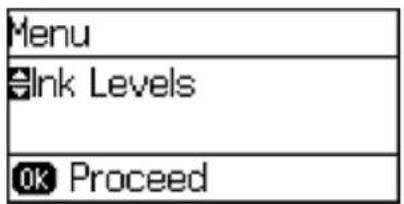
-
Select System Administration and press the OK button. Enter the administrator password, if necessary.
-
SelectPrinterSettings.
Youseeascreenlikethis:
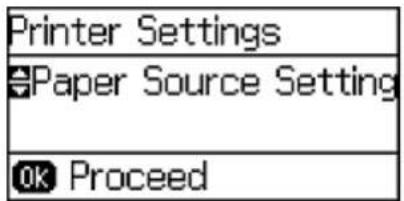
- Select the Printing Language and other settings you want to use.
PrinterLanguageandInterfaceOptions
Parenttopic: Enabling Epson Universal Print Driver (PCL) or PostScript Printing
PrinterLanguageandInterfaceOptions
Selectthesettingsyouwanttouse.
| PrinterSettingsoption | availableDescriptionsettings | |
| USBI/FTimeoutSetting0.5 | sto300Specifythelersecondscommunication | gthoftimebeforeendingUSBationfromacomputerusingthePCLorPostScriptdriver.ThissettingisnecessarytoavoidendlessUSBcommunication. |
| PrintingLanguageAuto | Selectthelanguagefor | theUSBornetworkinterface. |
| PCL | ||
| PS3 | ||
| PCConnectionviaUSBEn | ableSelectwhether | allowUSBcommunicationwiththeproduct. |
| Disable |
Parenttopic: SelectingPrinterLanguage and Interface Settings
PrintingaPS3(PostScript)StatusSheet
YoucanprintaPS3(PostScript)statussheettoconfirmthecurrentfontinformationandPostScript printingsoftwareversion.
- PressthearowbuttonstoselectMenuandpresstheOK.
Youseethisscreen:

- SelectPrintStatusSheetandpresstheOKbutton.
- SelectPS3StatusSheetandpresstheOKbutton.
4.Presstheuparrowbuttontobeginprintingthenetworkstatussheet.
Parenttopic: Enabling Epson Universal Print Driver (PCL) or PostScript Printing
LoadingPaper
Beforeyouprint,loadpaperforthetypeofprintingyouwilldo.
Note: LoadonlyplainpaperwhenprintingwiththePostScript(PS3)printersoftware.
LoadingPaperintheCassette
LoadingPaperandEnvelopesintheRearPaperFeedSlot
LoadingPaperintheFrontPaperFeedSlot
PaperLoadingCapacity
AvailableEpsonPapers
PaperorMediaTypeSettings-PrintingSoftware
SelectingthePaperSettingsforEachSource-ControlPanel
SelectingDefaultPaperSettings-Administrator
InstallingtheOptionalCabinetandPaperCassettes
LoadingPaperintheCassette
Youcanloadpaperuptothissizeinthepapercassette:A3(11.7×16.5inches[297×420mm])
Note: If the optional paper cassette units are installed, do not remove more than one cassette at a time.
- Makesuretheproductisnotoperatingandpulloutthepapercassette.
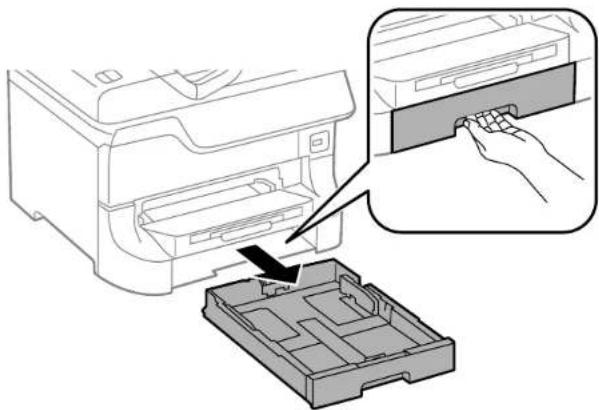
natural_image
Diagram showing a printer inserting into a plastic case, with an inset close-up of the printer's internal structure (no text or symbols present)2.Slidethefrontedgeguideoutwardalltheway,thenslidethesideedgeguidestothepapersizeyou areusing.
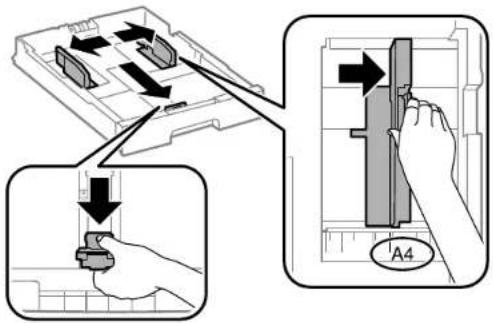
- Loadpaper with the printables side facedowns and slides the front edge guide against the paper.

natural_image
Diagram showing a hand inserting a device into a tray, with an inset close-up of the component (no text or symbols present)Note: Makesurethepaperfitsbeneaththearrowmarkinsidetheedgeguides.
- Makesurethepapersizelabelmatchesthesizeofthepaperloadedinthepapercassette. If necessary, removethelabelholderandchangethepapersizeindicatedonthelabel.

natural_image
3D diagram of a mechanical component with an upward arrow indicating direction (no text or symbols)-
Insert the papercassette all the way into the product.
-
Extend the output tray.

natural_image
Line drawing of a printer with a paper feed insert (no text or symbols)- Selectthesize and type of paperyouloaded on the product LCD screen.
Alwaysfollowthesepaperloadingguidelines:
- Loadonlytherecommendednumberofsheets.
- Loadpapershortedgefirst,nomatterwhichwayyourdocumentfaces.
- Loadtheprintablesidefacedown.
- Loadletterheaderpre-printedpapertopedgefirst.
- Donotloadpaperabovethearrowmarkinsidetheedgeguides.
- Checkthepaperpackageforanyadditionalalloadinginstructions.
Parenttopic:LoadingPaper
Relatedreferences
PaperLoadingCapacity
Relatedtasks
LoadingPaperandEnvelopesintheRearPaperFeedSlot
LoadingPaperintheFrontPaperFeedSlot
LoadingPaperandEnvelopesintheRearPaperFeedSlot
Youcanprintenvelopesordocumentsinavarietyofpapertypesandsizesintherearpaperfeedslot.
- Openthefeederguardandpullupthepapersupport.

2.Slidetheedgeguidesoutward.
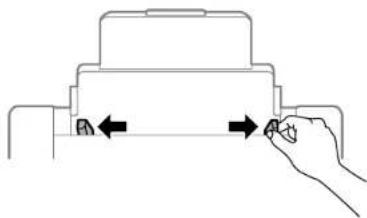
natural_image
Diagram of a hand pressing down on a mechanical component with arrows indicating movement (no text or symbols)- If you are inserting a stack of paper, the sheets and the stack of a flat surface to even the edges.
Note: You can load one sheet of binder paper with holes on one of the long edges as shown. Do not select automatic2-sided printing forthistypeofpaper.

4.Dooneofthefollowing:
- Insertpaper, glossyorprintablesideupandshortedgefirst,inthecenteroftheslot.

natural_image
Pure mechanical component diagram without any text, numbers, or symbolsCaution: Topreventpaperfeedingproblems, makesureyoudonotloadpaperabovethearrow marksinsidetheedgeguides.
- Loadenvelopesshortedgefirst, with the flap facing down and the flapedgetothe left, in the center of the slot.

natural_image
Diagram showing a mechanical or electrical component with arrows indicating direction (no text or symbols)5.Slidetheedgeguidesagainstthepaper, but not tootightly.

natural_image
Diagram of a hand pressing down on a mechanical component with arrows indicating force direction (no text or symbols)- Extend the output tray.

natural_image
Line drawing of a printer with paper feed and paper clip (no text or symbols)- SelectthesizeandtypeofpaperyouloadedinthePaperSetupmenu.
Alwaysfollowthesepaperloadingguidelines:
- Loadonlytherecommendednumberofsheets.
- Loadpapershortedgefirst,nomatterwhichwayyourdocumentfaces.
- Loadtheprintablesidefaceup.
- Loadletterheaderpre-printedpapertopedgefirst.
- Donotloadpaperabovethearrowmarkinsidetheedgeguides.
- If you have trouble loading a stack of envelopes, press each envelope flat before loading its load one envelope at time.
- If print quality declines when printing multiple envelopes, try loading one envelope at time.
- Donotloadenvelopesthatarecurled, folded, ortoothin.
- Checkthepaperpackageforanyadditionalalloadinginstructions.
Parenttopic: Loading Paper
Relatedreferences
PaperLoadingCapacity
Relatedtasks
LoadingPaperintheCassette
LoadingPaperintheFrontPaperFeedSlot
LoadingPaperintheFrontPaperFeedSlot
Youcanloadonesheetofpaperinthefrontpaperfeedslot.
Note: You cannot load paper while printing from the front paper feed slot. Paper that is too stiff may not load correctly even if it is within the product's paper thickness specifications.
- Extend the output tray.

natural_image
Line drawing of a printer with a paper feed insert (no text or symbols)2.Slidetheedgeguidestothepapersizeyouareusing.
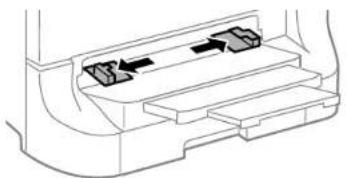
natural_image
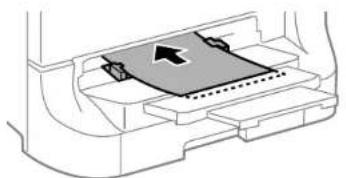
Diagram of a vehicle rearview system showing internal compartments with arrows indicating flow or movement (no text or labels)- Insert the paper with the printables side faced down until the product pulls it in partially.
natural_image
Diagram of a car interior showing a highlighted rectangular component with an arrow indicating direction (no text or symbols)Note: Keep the paper straight to prevent it from loading at an angle.
Alwaysfollowthesepaperloadingguidelines:
- Loadonlyonesheetatatime.
- Loadpapershortedgefirst,nomatterwhichwayyourdocumentfaces.
- Loadtheprintablesidefacedown.
- Loadletterheaderpre-printedpapertopedgefirst.
- Checkthepaperpackageforanyadditionalalloadinginstructions.
Parenttopic: Loading Paper
Relatedreferences
PaperSpecifications
PaperLoadingCapacity
Relatedtasks
LoadingPaperintheCassette
LoadingPaperandEnvelopesintheRearPaperFeedSlot
PaperLoadingCapacity
| PapertypeLoadingcapacity | |||
| PapercassettesRearpaper | feedslotFrontpaper | feedslot | |
| Plainpaper1 | A3(11.7×16.5inches50sheet[297×420mm])Uptothearrowmark | ets1 | |
| Letter(8.5×11inches80sheet[216×279mm]),A4(8.3×11.7inches[210×297mm]),andLegal(8.5×14inches[216×356mm])Uptothearrowmark | ets1 | ||
| EpsonBrightWhitePaper1 | 200sheets(cassette1)50sheet400sheets(cassettes2to4) | heets1 | |
| EpsonPresentationPaperMatte—A3(11.7×16.5inches— | [297×420mm])and larger 50sheets | ||
| Letter(8.5×11inches [216×279mm])and smaller 70sheets | |||
| EpsonPhotoPaperGlossy—20EpsonPremiumPhotoPaperGlossy | |||
| EpsonPremiumPhotoPaper Semi-glossEpsonUltraPremiumPhoto PaperGlossyEpsonPremiumPresentation PaperMatteEpsonPremiumPresentation PaperMatteDouble-sidedEpsonBrochure&FlyerPaper MatteDouble-sided | —A3(11.7×16.5inches— | [297×420mm])and larger 10sheets | |
| Letter(8.5×11inches [216×279mm])and smaller 20sheets | |||
| Thickpaper(cardstockupto68lb—A3(11.7×16.5inches—[256g/m ^2 ]) ^2 | [297×420mm]),Letter (8.5×11inches [216×279mm])andA4 (8.3×11.7inches [210×297mm]) 10sheets | ||
| Envelopes—10envelopes— | |||
^1 Youcanprint2-sidedprintjobsautomaticallyormanually.Youcanonlyprint2-sidedprintjobs manuallyintherearpaperfeedslot.Loadupto30sheetsformanual2-sidedprintjobs.
^2 Youcanloadupto5sheetsformanual2-sidedprintjobs.
Parenttopic:LoadingPaper
AvailableEpsonPapers
YoucanpurchasegenuineEpsoninkandpaperatEpsonSuppliesCentralatepson.com/ink3(U.S. sales) or epson.ca (Canadian sales). You can also purchase supplies from an Epson authorized reseller. Tofindthenarestone, call800-GO-EPSON(800-463-7766).
| PaperTypeSizePartnumberSheetcount | |||
| EpsonBrightWhitePaperLetter(8.5×11inchesS041586500[216×279mm]) | |||
| EpsonBrochure&FlyerPaperLetter(8.5×11inchesS042384150MatteDouble-sided[216×279mm]) | |||
| EpsonPresentationPaperMatteLetter(8.5×11inchesS041062100[216×279mm]) | |||
| Legal(8.5×14inchesS041067100[216×356mm]) | |||
| 11×17inchesS041069100(279×432mm) | |||
| 13×19inchesS041070100(330×483mm) | |||
| EpsonPremiumPresentation8×10inches(203×254mm)S04146750PaperMatte | |||
| Letter(8.5×11inchesS04125750[216×279mm]) | S042180100 | ||
| 11×14inchesS04146850(279×356mm) | |||
| A3(11.7×16.5inchesS04126050[297×420mm]) | |||
| 13×19inchesS04126350(330×483mm) | |||
| EpsonPremiumPresentationLetter(8.5×11inchesS04156850 PaperMatteDouble-sided[216×279mm]) | |||
| EpsonPhotoPaperGlossy4×6inches | (102×152mm)S04180950 | S042038100 | |
| Letter(8.5×11inchesS04114120 [216×279mm]) | S04164950 S041271100 | ||
| 11×17inchesS04115620 (279×432mm) | |||
| 13×19inchesS04114320 (330×483mm) | |||
| EpsonPremiumPhotoPaper4×6inches Glossy | es(102×152mm)S04180840 | S041727100 | |
| 16:9wide(4×7.1inchesS042109 [102×181mm]) | 20 | ||
| 5×7inches(127×178mm)S0414 | 6420 | ||
| 8×10inches(203×254mm)S041 | 46520 | ||
| Letter(8.5×11inchesS04218325 [216×279mm]) | S04166750 | ||
| 11×14inchesS04146620 (279×356mm) | |||
| 11×17inchesS04129020 (279×432mm) | |||
| A3(11.7×16.5inchesS04128820 [297×420mm]) | |||
| 13×19inchesS04128920 (330×483mm) | |||
| EpsonUltraPremiumPhotoPaper4×6Glossy | inches(102×152mm)S04218160 | S042174100 | |
| 5×7inches(127×178mm)S04194520 | |||
| 8×10inches(203×254mm)S04194620 | |||
| Letter(8.5×11inchesS04218225[216×279mm]) | S04217550 | ||
| EpsonPremiumPhotoPaper4×6inches Semi-gloss | es(102×152mm)S04198240 | ||
| Letter(8.5×11inchesS04133120[216×279mm]) | |||
| 13×19inchesS04132720(330×483mm) | |||
Parenttopic: LoadingPaper
PaperorMediaTypeSettings-PrintingSoftware
| ForthispaperSelectthispaperTypeorMediaTypes | setting |
| PlainpaperPlainPaper/BrightWhitePaperEpsonBrightWhitePaper | |
| LetterheadpaperLetterhead | |
| RecycledpaperRecycled | |
| Colorpaper | Color |
| Preprintedpaper | Preprinted |
| Envelopes | Envelope |
| EpsonUltraPremiumPhotoPaperGlossy | UltraPremiumPhotoPaperGlossy |
| EpsonPremiumPhotoPaperGlossy | PremiumPhotoPaperGlossy |
| EpsonPhotoPaperGlossy | PhotoPaperGlossy |
| EpsonPremiumPhotoPaperSemi-gloss | PremiumPhotoPaperSemi-Gloss |
| ForthispaperSelectthispaperTypeorMediaTypesetting | |
| EpsonPresentationPaperMattePremiumPresentationPaperMatteEpsonPremiumPresentationPaperMatteDouble-sidedEpsonBrochure&FlyerPaperMatteDouble-sided | PaperMatte |
| Cardstockupto68lb(256g/m ^2 )CardStock | |
Parenttopic: Loading Paper
SelectingthePaperSettingsforEachSource-ControlPanel
You can change the default paper size and paper type for each paper source using the control panel on the product.
- PressthePaperSetupbutton.
- Select the papers source you want to change and press the OK button.
Youseeascreenlikethis:
| Paper Setup |
| Paper Cassette □/ |
- Select the papers size you loaded and press the OK button.
- Select the papertype you loaded and press the OK button.
- SelectanotherpapersourcetochangeorpresstheBackbuttontoexit.
PaperTypeSettings-ControlPanel
Parenttopic: Loading Paper
PaperTypeSettings-ControlPanel
SelectaPaperTypesettingthatmatchsthepaperyouloaded.
| PapertypeloadedPaperTypesetting | |
| PlainpaperPlainPaperEpsonBrightWhitePaper | |
| LetterheadpaperLetterhead | |
| RecycledpaperRecycled | |
| ColorpaperColor | |
| PreprintedpaperPreprinted | |
| EnvelopesEnvelope | |
| EpsonUltraPremiumPhotoPaperGlossyUltraGlossy | |
| EpsonPremiumPhotoPaperGlossyPrem.Glossy | |
| EpsonPhotoPaperGlossyGlossy | |
| EpsonPremiumPhotoPaperSemi-glossPrem.Semi-Gloss | |
| EpsonPresentationPaperMattePrem.MatteEpsonPremiumPresentationPaperMatteEpsonPremiumPresentationPaperMatteDouble-sidedEpsonBrochure&FlyerPaperMatteDouble-sided | |
| Cardstockupto68lb(256g/m ^2 )CardStock |
Parenttopic: SelectingthePaperSettingsforEachSource-ControlPanel
SelectingDefaultPaperSettings-Administrator
Asanadministrator, you can adjust default paper settings that apply to all print job sent to the product.
Note: These settings can be locked by an administrator. If you cannot access these settings, contact your administratorforassistance.
SelectingthePaperSourceSettings-Administrator
SelectingUniversalPrintSettings
Parenttopic:LoadingPaper
SelectingthePaperSourceSettings-Administrator
You can change default papers or source settings using the control panel on the product.
Note: These settings can be locked by an administrator. If you cannot access these settings, contact your administratorforassistance.
-
PressthearowbuttonstoselectMenuandpresstheOKbutton.
-
Select System Administration and press the OK button. Enter the administrator password, if necessary.
Youseethisscreen:

-
SelectPrinterSettingsandpresstheOKbutton.
-
SelectPaperSourceSettingsandpresstheOKbutton.
Youseeascreenlikethis:

- Select the papers or source options you want to use.
- When you are finished, press the Back button to exit.
PaperSourceSettingsOptions
Parenttopic:SelectingDefaultPaperSettings-Administrator
PaperSourceSettingsOptions
SelectthePaperSourceSettingsoptionsyouwanttouseforyourprintedjobs.
| PaperSourceAvail Settingsoption | ablesettingsDescription | on |
| Rear Paper Feed Priorityrearpaperfeedslot. | Normal | Select Normal to give printing priority to paper loaded in the |
| Last | ||
| A4/Letter Auto Switchingloadedpaper | On paper(LetterorA4)ifthew | Select On to switch the selected paper size to match the ongsizeisselected. |
| Off | ||
| Error Notice | Paper Size Notice | Select On for either of these settings to display an error messagewhentheselectedpapertypeorsizedoesnot matchtheloadedpaper. |
| PaperTypeNotice |
Parenttopic: SelectingthePaperSourceSettings-Administrator
SelectingUniversalPrintSettings
Youcanchangethedefaultuniversalprintsettingsusingtheproductcontrolpanel.
Note: These settings can be locked by an administrator. If you cannot access these settings, contact your administratorforassistance.
- PressthearowbuttonstoselectMenuandpresstheOKbutton.
- Select System Administration and press the OK button. Enter the administrator password, if necessary.
Youseethisscreen:
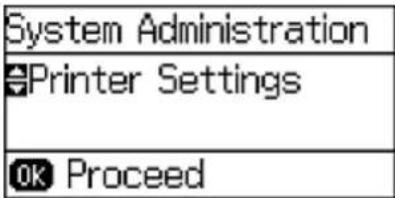
- SelectUniversalPrintSettingsandpresstheOKbutton.
Youseethisscreen:
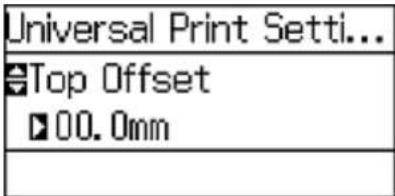
-
Adjust the settings as necessary.
-
When you are finished, press the Backbutton to exit.
UniversalPrintSettingsOptions
Parenttopic:SelectingDefaultPaperSettings-Administrator
UniversalPrintSettingsOptions
Selecttheuniversalprintsettingsyouwanttouse.
| UniversalPrintAvailableSettingsoptionsettings | ableDescription | |
| TopOffset—Adjustthetoporleftmargin. | ||
| LeftOffset | ||
| TopOffsetinBack—Adjustthetoporleftm | arginofthebackpagewhenperforming double-sidedprinting. | |
| LeftOffsetinBack | ||
| Check Paper Width | On | Select On to check the paper width before printing. This preventsprintingbeyondtheedgesofthepaperwhenthe papersizesettingsarewrong,butmayreducetheprinting speed. |
| Off | ||
| DryTimeStandardSelectthedryingtimew | whenprintingdouble-sided. | |
| SkipBlankPageOnSelectOntoskipblankpagesautomatically. | ||
| PDLConfigurationCommonSelectsthesettingsforprintingwithPCLandPostScriptPage SettingsDescriptionLanguagedrivers. | ||
Parenttopic: SelectingUniversalPrintSettings
InstallingtheOptionalCabinetandPaperCassettes
Followtheseinstructionstoaddtheoptionalcabinetandpapercassettetoyourproduct.Ifyouare installingtheoptionalcabinet,installthecabinetunderthebottomoftheoptionalcassetteunitfirst.
InstallingtheOptionalCabinet
InstallingtheOptionalPaperCassetteUnits
Parenttopic: Loading Paper
InstallingtheOptionalCabinet
Youcaninstalltheoptionalcabinettoprovidemobilityandextrastoragespace.
- Turnoff the product, and unplug the power cord and any connected cables.
Warning: To avoidelectricshock, makesureyouunplugthepowercord.
- Removethecabinetfromitspackagingandremoveanyprotectivematerials.
- Makesureyouhavealltheitemsshownhere:
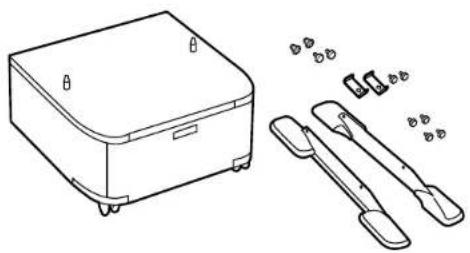
natural_image
Line drawing of a small electronic device with a lid and two accessories (no text or symbols)- Placethecabinetonaflatsurface and lock the front casters.

natural_image
Line drawing of a device with a magnified inset showing a mechanical component (no text or symbols)- Attachandsecurethestandstothecabinetwiththeincludedscrews.
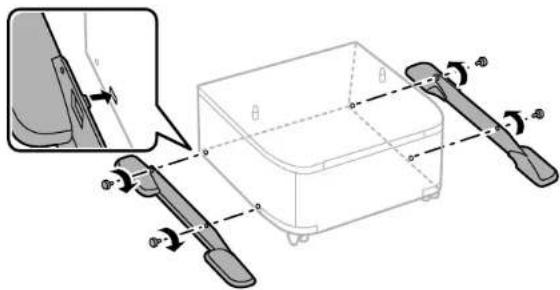
Caution: Makesurethestandsaresecurelyattachedortheproductmayfallover.
- Removetheoutputtrayandpapercassettefromtheproduct.

natural_image
Diagram showing a printer's internal structure with arrows indicating assembly or component (no text or symbols present)Note: If you installed the optional paper cassette unit, remove the paper cassette from the optional cassetteunitinstead.

natural_image
Diagram showing a device housing with an arrow pointing to a component inside a plastic casing (no text or symbols present)- Liftup your product and gently lower it to the cabinet with the corners aligned. Secure the product to the cabinet with the included screws.
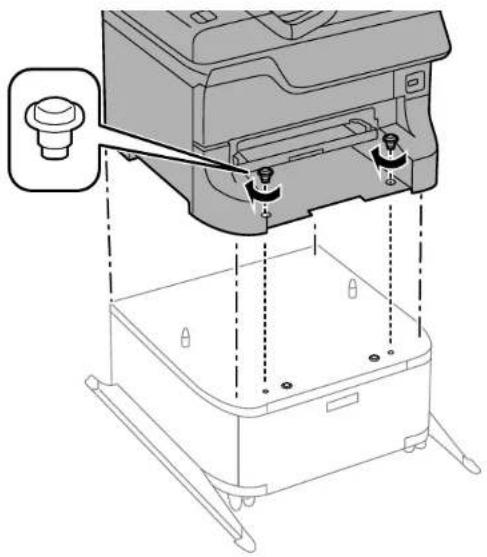
natural_image
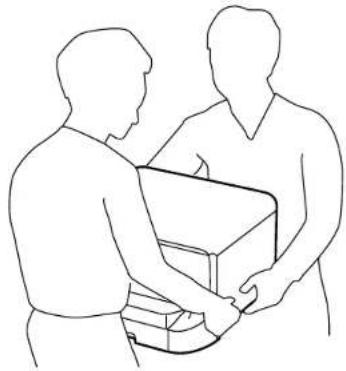
Technical line drawing of a mechanical device with mounting base and adjustment knobs (no text or symbols)Warning: To lift the product, have two or more people hold it as shown here. Lifting from other areas may cause the product to fallor causey outopinch your fingers when placing the product down.

natural_image
Line drawing of two people exchanging a box together (no text or symbols)Note: Securetheoptionalcassettetothecabinetasshownhere.

natural_image
Technical line drawing of a mechanical device with mounting base and control panel (no text or symbols)- Secure the back of the product or paper cassette unit to the cabinet using the included brackets and screws.

natural_image
Diagram showing a mechanical assembly with a magnified inset highlighting a component (no text or symbols present)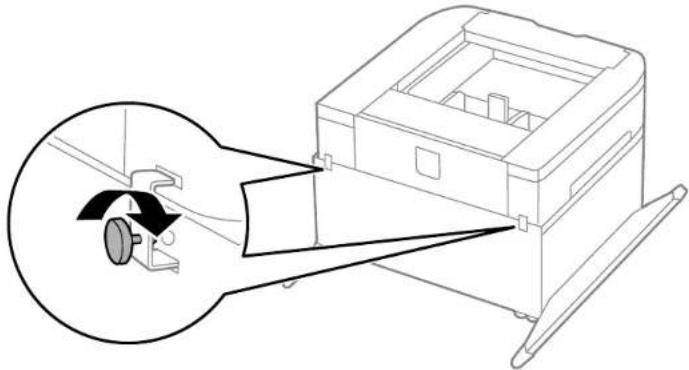
natural_image
Diagram of a mechanical device with a magnified inset showing internal components (no text or symbols)-
Insert the papercassette you removed and attach the output tray.
-
Connect the power cord and other connection cables, then plugin the product.
Parenttopic:InstallingtheOptionalCabinetandPaperCassettes
InstallingtheOptionalPaperCassetteUnits
Youcaninstalluptothreeoptionalpapercassetteunitstoprovidemorepapercapacity. If you are using the optional cabinet, install the cabinet under the bottom of the cassette unit first.
- Turnoff the product, and unplug the power cord and any connected cables.
Warning: Toavoidelectricshock, makesureyouunplugthepowercord.
- Uninstallanyoptionalcassetteunitsalreadyinstalledontheproduct.
Note: Touninstallanyoptionalcassetteunits,turnofftheproduct,unplugthepowercord, disconnectanycables,andfollowtherestoftheseinstructionsinreverse.
-
Removethepapercassetteunitfromitspackagingandremoveanyprotectivematerials.
-
Makesureyouhavealltheitemsshownhere:

natural_image
Technical line drawing of a mechanical housing with internal compartments and mounting features (no text or symbols)- Removetheoutputtrayandpapercassettefromtheproduct.

natural_image
Diagram showing printer internal structure with arrows indicating assembly or process (no text or symbols)- Removethepapercassettefromtheoptionalpapercassetteunit.
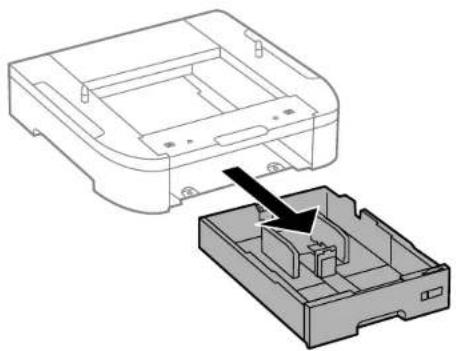
natural_image
Diagram of a device housing with an arrow indicating a component or assembly (no text or symbols present)- Stackalloptionalpapercassetteunitsontopofeachotherandsecurethemtoeachotherwiththe includedscrews.

natural_image
Technical diagram of a device housing with internal components and mounting points (no text or symbols)- Liftup your product and gently lower to the papercassette unit with the corners aligned. Secure the product to the papercassette unit with the included screws using a screw driver.

natural_image
Technical line drawing of a printer internal structure showing top and bottom views (no text or symbols)Warning: To lift the product, have two people hold it as shown here. Lifting from other areas may cause the product to fall or cause you to top in each your fingers when placing the product down.
natural_image
Line drawing of two people exchanging a box together (no text or symbols)- Secure the back of the papercassette unit stoeach other and to the product using the included brackets and screws.

natural_image
Diagram showing a mechanical component being inserted into a housing, with an inset magnified view highlighting the component (no text or symbols present)- Insertalabelintotheholderindicatingthepapersizetobeloadinthepapercassette.

flowchart
graph TD
    A["Port A3"] --> B["Port V"]
    B --> C["Port A3"]
- Placethecorrectstickeronthecassetteunittoindicatethecassettenumber.

- Connect the power cord and other connection cables, then plugin the product.
- Turnon the product.
- Pulloutandreinsertthepapercassetteintheoptionalpapercassetteunittoconfirmthecassette unitisdisplayedonthePaperSetupscreen.
- Enabletheoptionalpapercassetteunitsintheprintersoftware.
EnablingtheOptionalPaperCassettes-Windows
EnablingtheOptionalPaperCassettes-OSX
Parenttopic:InstallingtheOptionalCabinetandPaperCassettes
Relatedtasks
EnablingtheOptionalPaperCassettes-Windows
SynchronizingPrinterSettings-EpsonUniversalPrintDriver-Windows
EnablingtheOptionalPaperCassettes-PostScriptPrinterSoftware-Windows
EnablingtheOptionalPaperCassettes-OSX
EnablingtheOptionalPaperCassettes-PostScriptPrinterSoftware-OSX
EnablingtheOptionalPaperCassettes-Windows
Youneedtoenabletheoptionalpapercassetteunitsbeforeyoucanusethemwiththeprintersoftware.
Note: If you are using the Epson Universal Print Driver or PostScript (PS3) printer software, see the sectionscoveringthatsoftwareinthismanualtoenabletheoptionalcassetteunits.
1. Dooneofthefollowing:
- Windows 8.x: Navigate to the Apps screen and select Control Panel > Hardware and Sound > Devices and Printers. Right-click your product name and select Printer properties.
- Windows 7: Click and select Devices and Printers. Right-click your printer name and select Printerproperties.
- Windows Vista: Click 📋 and select Control Panel. Click Printer under Hardware and Sound, thenright-clickyourprintnameandselectProperties.
- Windows XP: Click Start and select Printers and Faxes. Right-click your product name and selectProperties.
2. ClicktheOptionalSettingstab.
Youseeawindowlikethis:

- MakesureAcquirefromPrinterisselected,thenclickGet.
TheoptionalpapersourcesarelistedintheCurrentPrinterInformationsection.
4.ClickOK.
Theoptionalpapercassettesarenowenabled.
Parenttopic: InstallingtheOptionalPaperCassetteUnits
Relatedtasks
SynchronizingPrinterSettings-EpsonUniversalPrintDriver-Windows
EnablingtheOptionalPaperCassettes-PostScriptPrinterSoftware-Windows
EnablingtheOptionalPaperCassettes-OSX
Youneedtoenabletheoptionalpapercassetteunitsbeforeyoucanusethemwiththeprintersoftware.
Note: If you are using the PostScript (PS3) printer software, see the section covering that software in this manual to enable the optional cassette units.
-
IntheApplemenuortheDock, selectSystemPreferences.
-
Select Print & Fax, Print & Scan, or Printers & Scanners, select your product, and select Options & Supplies.
-
SelectDriverorOptions.
Youseeascreenlikethis:
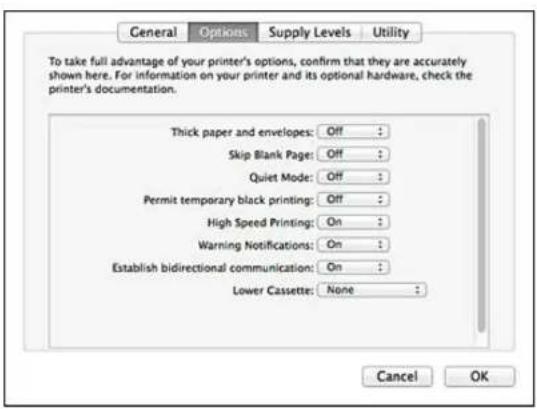
- SelectthenumberofoptionalcassetteunitsinstalledfortheLowerCassettesetting.
5.ClickOK.
Theoptionalpapercassettesarenowenabled.
Parenttopic:InstallingtheOptionalPaperCassetteUnits
Relatedtasks
EnablingtheOptionalPaperCassettes-PostScriptPrinterSoftware-OSX
PrintingfromaComputer
Beforeprintingfromyourcomputer, makesureyouhavesetupyourproductandinstalleditssoftware asdescribedontheStartHeresheet.
Note: If you have an Internet connection, it is a good idea to check for updates to your product software on Epson's support website. If you see a Software Update screen, select Enable automatic checking and click OK. The update scans your system to see if you have the latest product software. Follow the on-screen instructions.
PrintingwithWindows
PrintingwithOSX
PrintingwiththeEpsonUniversalPrintDriver-Windows
PrintingwiththePostScript(PS3)PrinterSoftware-Windows
PrintingwiththePostScript(PS3)PrinterSoftware-OSX
CancellingPrintingUsingaProductButton
PrintingwithWindows
YoucanprintwithyourproductusinganyWindowsprintingprogram,asdescribedinthesesections.
SelectingBasicPrintSettings-Windows
SelectingDouble-sidedPrintingSettings-Windows
SelectingAdditionalLayoutandPrintOptions-Windows
SelectingaPrintingPreset-Windows
SelectingExtendedSettings-Windows
PrintingYourDocumentorPhoto-Windows
LockingPrinterSettings-Windows
SelectingDefaultPrintSettings-Windows
ChangingAutomaticUpdateOptions
Parenttopic: PrintingfromaComputer
SelectingBasicPrintSettings-Windows
Selectthebasicsettingsforthedocumentorphotoyouwanttoprint.
-
Openaphotoordocumentforprinting.
-
Selecttheprintcommandinyourapplication.
Note: You may need to select a print icon on your screen, the Print option in the File menu, or another command. See your application's help utility for details.
- If necessary, select your product name as the printery you want to use.
Note: You may also need to select Properties or Preferences to view your print settings.
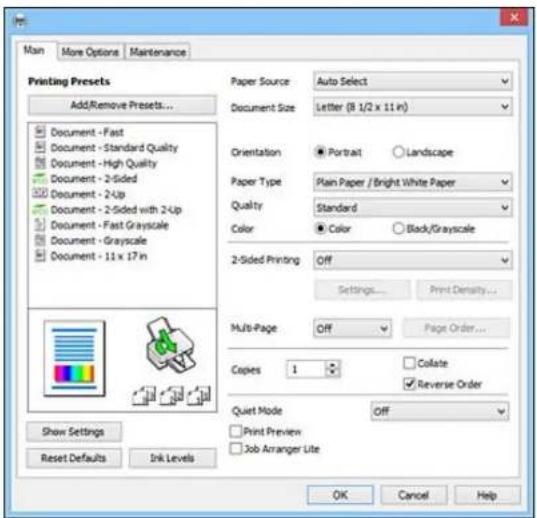
YouseetheMaintabofyourprintersettingswindow:
-
For the Paper Sources setting, select where you loaded the papery you want to print on.
-
SelectthesizeofthepaperyouloadedastheDocumentSizesetting.
-
Select the orientation of your document.
Note: If you are printing an envelope, select Landscape.
- Select the type of papery you loaded as the Paper Types setting.
Note: The setting may not exactly match the name of your paper. Check the paper type settings list for details.
- Select the Quality setting that match the print quality you want to use.
9.SelectaColoroption:
- Toprintacolordocumentorphoto,selecttheColorsetting.
-
Toprinttextandgraphicsinblackorshadesofgray,selecttheBlack/Grayscalesetting.
-
To print on both sides of the paper, select the 2-Sided Printing checkbox and select the options you want.
-
Toprintmultiplepagesononesheetofpaper, orprintoneimageonmultiplesheetsofpaper, select oneofthesettingsintheMulti-Pagemenuandselecttheprintingoptionsyouwant.
- Toprintmultiplecopiesandarrangetheirprintorder,selecttheCopiesoptions.
- Topreview your job before reprinting, select PrintPreview.
- Tosaveyourprintjobasaprojectthatcanbemodifiedandcombinedwithotherprintjobs,select JobArrangerLite.
- To reduce noise during printing when you select Plain Paper/Bright White Paper, select On in the QuietModemenu.
PaperSourceOptions-Windows
PrintQualityOptions-Windows
Multi-PagePrintingOptions-Windows
Parenttopic: PrintingwithWindows
Relatedreferences
PaperorMediaTypeSettings-PrintingSoftware
Relatedtasks
SelectingDouble-sidedPrintingSettings-Windows
PrintingYourDocumentorPhoto-Windows
PaperSourceOptions-Windows
YoucanselectanyoftheavailableoptionsinthePaperSourcemenutoprintonthepaperloadedinthat source.
Note: Paper Cassette 2 through Paper Cassette 4 are available only if you have installed the optional cassettes.
AutoSelect
Automaticallyselectsthepapersourcebasedontheselectedpapersize.
PaperCassette1
Selectsthepaperincassette1asthepapersource.
PaperCassette2
Selectsthepaperincassette2asthepapersource.
PaperCassette3
Selectsthepaperincassette3asthepapersource.
PaperCassette4
Selectsthepaperincassette4asthepapersource.
RearPaperFeedSlot
Selectsthepaperintherearfeedslotasthepapersource.
FrontPaperFeedSlot
Selectsthepaperinthefrontfeedslotasthepapersource.
Parenttopic: Selecting Basic Print Settings - Windows
PrintQualityOptions-Windows
YoucanselectanyoftheavailableQualityoptionstofine-tunethequalityofyourprint.Somesettings maybeunavailable,dependingonthepapertypeandbordersettingyouhavechosen.
Draft
Fordraftprintingonplainpaper.
Standard
Foreverydaytextandimageprinting.
Standard-Vivid
Fortextandgraphicswithgoodqualityandprintspeed.
High
Forphotosandgraphicswithhighprintquality.
MoreSettings
Opensawindowthatletsyouchooseamonglevelsofspeedandquality.
Parenttopic: Selecting Basic Print Settings-Windows
Multi-PagePrintingOptions-Windows
YoucanselectanyoftheavailableoptionsintheMulti-Pagemenutosetupyourmulti-pageprintjob.
2-Upand4-Up
Prints 2 or 4 pages on one sheet of paper. Click the Page Order button to select page layout and borderoptions.
2×1Poster, 2×2Poster, 3×3Poster, 4×4Poster
Prints one image on multiple sheets of paper to create a larger poster. Click the Settings button to selectimagelayoutandguidelineoptions.
Parenttopic: Selecting Basic Print Settings-Windows
SelectingDouble-sidedPrintingSettings-Windows
You can print on both sides of the paper by selecting one of the 2-Sided Printing options on the Main tab.
Note: Some options may be pre-selected or unavailable, depending on other settings you have chosen orifyouareaccessingtheproductoveranetwork.

1. Selectoneofthefollowingoptionsfor2-SidedPrinting:
- Auto (Long-edge binding) to print your double-sided print job by automatically flipping the paper onthelongedge.
- Auto (Short-edge binding) to print your double-sided print job by automatically flipping the paper ontheshortedge.
- Manual(Long-edgebinding)toprintyourdouble-sidedprintjobbyprintingonesideand promptingyoutoflipthepaperoveronthelongedgetoprinttheotherside(recommendedfor papertypesthatdonotsupportautomaticduplexing).
- Manual(Short-edgebinding)toprintyourdouble-sidedprintjobbyprintingonesideand promptingyoutoflipthepaperoverontheshortedgetoprinttheotherside(recommendedfor papertypesthatdonotsupportautomaticduplexing).
2. ClicktheSettingsbutton.
Youseethiswindow:
![2-Sided Printing Settings Binding Edge Left Long-edge Top Short-edge Right Long-edge Binding Margin Front Page 0.00 [0.00 ... 1.18] Back Page 0.00 [0.00 ... 1.18] Unit mm inch Start Page From Front From Back Create Folded Booklet Booklet Center Binding Side Binding OK Cancel Help](/content/2026/05/816750/images/f06529a786bae18e243ba4e3e62865beed54cb564525a0c7111f6e4f6de9314f.jpg)
- Select the double-sided printing options you want to use.
4.ClickOKtoreturntotheMaintab. - ClickthePrintDensitybutton.
Youseethiswindow:

- Select the type of document you are printing as the Document Types setting. Thesoftware automatically set the Adjustment options for that document type.
- If necessary, select the Adjustments options you want to use.
8.ClickOKtoreturntotheMaintab. - Printatestcopy of your double-sided document to test these selected settings.
- Followanyinstructionsdisplayonthescreenduringprinting.
Double-sidedPrintingOptions-Windows
PrintDensityAdjustments-Windows
Parenttopic: PrintingwithWindows
Relatedtasks
SelectingBasicPrintSettings-Windows
Double-sidedPrintingOptions-Windows
Youcanselectanyoftheavailableoptionsonthe2-SidedPrintingSettingswindowtosetupyour double-sidedprintjob.
BindingEdgeOptions
Selectasettingthatorientsdouble-sidedprintbindinginthedesireddirection.
BindingMarginOptions
Selectionsthatdefineawidermargintoallowforbinding.
StartPage
Selectswhetherprintingstartsonthefrontorbackpage.
CreateFoldedBookletOptions
SelecttheBookletcheckboxandabindingoptiontoprintdouble-sidedpagesasabooklet.
Parenttopic: Selecting Double-sided Printing Settings-Windows
PrintDensityAdjustments-Windows
YoucanselectanyoftheavailableoptionsonthePrintDensityAdjustmentwindowtoadjusttheprintqualityofyourdouble-sidedprintjob.
PrintDensity
Setsthelevelofinkcoveragefordouble-sidedprinting.
IncreaseInkDryingTime
Setstheamountoftimerequiredfordryinginkafterprintingononesideofthepaperbeforeprinting theothersideindouble-sidedprintingtopreventinksmearing.
Parenttopic: Selecting Double-sided Printing Settings-Windows
SelectingAdditionalLayoutandPrintOptions-Windows
YoucanselectvarietyofadditionallayoutandprintingoptionsforyourdocumentorphotoontheMore Optionstab.

-
Tochangethesizeofyourprinteddocumentorphoto,selecttheReduce/EnlargeDocument checkboxandselectoneofthesesizingoptions:
-
Select the Fit to Page option to size your image to fit the paper you loaded. Select the size of the your document or photo as the Document Size setting, and the size of your paper as the Output Paper setting. If you want to center your image on the paper, select the Center option.
-
Select the Zoom to option to reduce or enlarge your document or photo by a specific percentage. Selectthepercentageinthe%menu.
-
SelectoneofthefollowingColorCorrectionoptions:
- Select Automatic to automatically adjust the sharpness, brightness, contrast, and color saturation for your image.
- Select Custom and click the Advanced button to manually adjust the color correction settings or turnoffcolormanagementinyourprintersoftware.
-
SelectImageOptionstoaccessadditionalsettingsforimprovingprintedimages.
-
To add the following features, click the Watermark Features button:
-
Anti-CopyPattern:addsawatermarkthatonlyappearswhenyourprintoutiscopied.
•Watermark:addsvisiblewatermarktoyourprintout.
Note: Click the Add/Delete button to create your own watermark, and click the Settings button to customizethewatermark.
- Header/Footer: adds information such as the date and time to the top or bottom of your printout.
Note: Click the Settings button to customize the text and location of the header or footer.
- To add a password to your print job, select the Confidential Job checkbox, then enter a password. Confidentialjobsarestoredintheproduct'smemorywithoutbeingprinted.Toprintthejob,enterthepasswordfortheconfidentialjobontheproduct'scontrolpanel.
Note: Confidential print jobs are cleared from the product's memory after printing.
- SelectanyoftheAdditionalSettingsoptionstocustomizeyourprint.
CustomColorCorrectionOptions-Windows ImageOptionsandAdditionalSettings-Windows Header/FooterSettings-Windows
Parenttopic: PrintingwithWindows
Relatedtasks
PrintingYourDocumentorPhoto-Windows
CustomColorCorrectionOptions-Windows
YoucanselectanyoftheavailableoptionsintheColorCorrectionwindowtocustomizetheimagecolors foryourprintjob.

ColorControls
Lets you select a Color Mode setting, individual settings for Brightness, Contrast, Saturation, and Density, and individual color tones. Depending on the selected color mode, you can also adjust the midtonedensityusingtheGammasetting.
FixPhoto
Improvesthecolor, contrast, and sharpness of flawed photos.
Note: Fix Photo uses a sophisticated face recognition technology to optimize photos that include faces. Forthistowork, botheyesandthenosemustbevisibleinthesubject'sface. If your photo includes a face with an intentional color cast, such as a statue, you may want to turn off Fix Photo to retain the special coloreffects.
ICM
Letsyoumanagecolorusinginstalledcolorprintingprofiles.
NoColorAdjustment
Turnsoffcolormanagementinyourprintersoftwaresoyoucanmanagecolorusingonlyyour applicationsoftware.
Parenttopic: SelectingAdditionalLayoutandPrintOptions-Windows
ImageOptionsandAdditionalSettings-Windows
YoucanselectanyofthImageOptionsandAdditionalSettingstocustomizeyourprint.Someoptions maybepre-selectedorunavailable,dependingonothersettingsyouhavechosen.
ImageOptions
EmphasizeText
Adjuststheweightofprintedtexttoincreasereadability.
EmphasizeThinLines
Adjuststheweightofprintedlinestoincreasevisibility.
EdgeSmoothing
Smoothsjaggededgesinlow-resolutionimagessuchasscreencapturesorimagesfromtheWeb.
FixRed-Eye
Reducesorremovesred-eyeinphotos.
PrintTextinBlack
Printscoloredtextinblack.
ForColorText
Printscoloredtextonabackgroundpatternorunderlined.
ForColorGraphsandImages
Printscoloredgraphicsandimageswithoverlaypatterns.
ForColorText, Graphs, and Images
Printscoloredtext,graphics,andimageswithoverlaypatterns.
EnhancementOptions
SpecifiesColorUniversalPrintenhancementsettingsfortext,graphics,andimages.
AdditionalSettingsOptions
Rotate180°
Printstheimagerotated180°fromitsoriginalorientation.
HighSpeed
Speedsupprintingbutmayreduceprintquality.
MirrorImage
Flipstheprintedimagelefttoright.
Parenttopic: SelectingAdditionalLayoutandPrintOptions-Windows
Header/FooterSettings-Windows
YoucanselectanyoftheHeader/FooterSettingsoptionstoaddheadersorfooterswhenyouprint. The itemsareavailabletoprintatthetoporbottomofyourpages,ineithertheleft,right,orcenterofthe page.
Note: Thesesettingsarenotsavedwithyourdocument.

Youcanselecttoprintthefollowinginformation:
-UserName
-ComputerName
- Date
- Date/Time
•CollateNumber(copynumber)
Note: The username, computername, date, and time come from the Windows Control Panel on your computer.
Parenttopic: SelectingAdditionalLayoutandPrintOptions-Windows
SelectingaPrintingPreset-Windows
For quick access to common group of print settings, you can select a printing preset on the Main or More Option stab.
Note: You can create your own preset by clicking the Add/Remove Presets button.
1. ClicktheMainorMoreOptionstab.
YouseetheavailablePrintingPresetsontheleft:

- PlaceyourcursoroveroneofthePrintingPresetstoviewitslistofsettings.
- Click on apresettochangeitssettings, or use any of the available options on the screento control your printing presets.
- To choose apreset for printing, select it.
5.ClickOK.
Parenttopic: PrintingwithWindows
SelectingExtendedSettings-Windows
Youcanselectadditionalsettingsthatapplytoalltheprintjobsyousendtoyourproduct.
- AccesstheWindowsDesktopandright-clicktheproducticonintheWindowstaskbar.
- SelectPrinterSettings.
- ClicktheMaintenancetab.
Youseethemaintenanceoptions:

- ClicktheExtendedSettingsbutton.
Youseethiswindow:
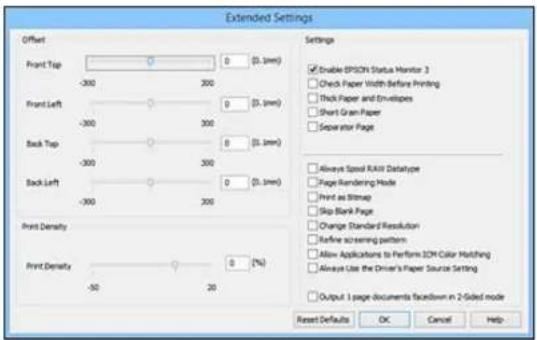
- Selectanyoftheextendedsettingstocustomizeyourprint.
6.ClickOKtoclosetheExtendedSettingswindow.
7.ClickOKtoclosetheprintersoftwarewindow.
ExtendedSettings-Windows
Parenttopic: PrintingwithWindows
ExtendedSettings-Windows
YoucanselectfromthesesettingsontheExtendedSettingswindow.
EnableEPSONStatusMonitor3
Enablesproductmonitoringforinkandpapersuppliesandotherissues.
CheckPaperWidthBeforePrinting
Preventsprintingbeyondtheedgesofthepaperifthepapersizesettingisincorrect;mayreduceprint speed.
ThickPaperandEnvelopes
Preventsinkfromsmearingwhenyouprintonenvelopesorotherthickpaper.
ShortGrainPaper
Prevents ink from smearing when you print on envelopes or other thick paper, and the Thick Paper settingdoesnothelp.
SeparatorPage
Beforeeachdocument, printsaseparatorpagecontainingthetitle, user, date, and time.
AlwaysSpoolRAWDatatype
Increasesprintspeedandmaysolveotherprintingproblems.
PageRenderingMode
Increasesprintspeedwhenprintingisextremelyslowortheprintheadstopsduringprinting.
PrintasBitmap
Increasesprintspeedwhenprintingisextremelyslowortheprintheadstopsduringprinting,and othersettingsdonothelp.
SkipBlankPage
Ensure that your product does not print page that contain not text or images.
ChangeStandardResolution
Reducestheresolutionofprintdatatocorrectprintingproblems.
Refinescreeningpattern
Printsgraphicswithafinerscreeningpattern.
AllowApplicationstoPerformICMColorMatching
AllowsapplicationstoperformICMcolormatching.
AlwaysUsetheDriver'sPaperSourceSetting
Printsusingthepapersourcesettingintheprinterdriver,ratherthanthesettinginyourapplication.
Output1pagedocumentsfacedownin2-Sidedmode
Outputssingle-sidedpagesina2-sidedprintjobfacedowninsteadoffaceup.
Parenttopic:SelectingExtendedSettings-Windows
PrintingYourDocumentorPhoto-Windows
Onceyouhaveselectedyourprintsettings,youarereadytosaveyoursettingsandprint.
- ClickOKtosaveyoursettings.
Youseeyourapplication'sPrintwindow,suchasthisone:

- Click OKorPrinttostartprinting.
Parenttopic: PrintingwithWindows
LockingPrinterSettings-Windows
Administratorscanlocksomeprintersettingstopreventunauthorizedchanges. The followingsettings canbelocked:
•Anti-copypattern
•Watermark
- Header/footer
•Colorprinting
•2-sidedprinting
•Multi-pageprinting
- Alldocumentsettings
1. Dooneofthefollowing:
- Windows 8.x: Navigate to the Apps screen and select Control Panel > Hardware and Sound > Devices and Printers. Right-click your product and select Printer properties.
- Windows 7: Click 📋 and select Devices and Printers. Right-click your product and select Printerproperties.
- Windows Vista: Click and select Control Panel. Click Printer under Hardware and Sound, thenright-clickyourproductandselectProperties.
- Windows XP: Click Start and select Printers and Faxes. Right-click your product and select Properties.
2. ClicktheOptionalSettingstab.
Note: You can prevent access to the Optional Settings tab by changing the user or group permissionsintheSecuritytab.
3.ClickDriverSettings.
Youseethiswindow:

- Select the checkbox for the function or functions you want to lock. To lock all print settings, select All DocumentSettings.
5.UnderAdvancedSettings,selectthesettingyouwantforeachselectedfunction.
6.ClickOK.
AdministratorLockSettings
Parenttopic: PrintingwithWindows
AdministratorLockSettings
Selectthesettingsyouwanttouseforlockingprintfunctions.
| PrintingfunctionA | availablesettingsDescription | |
| Anti-CopyVariousPatternanti-copypatterns) | dataitemsLetsyouselecttthedatatouseforthepattern(orprohibit patterns) | |
| Add/DeleteLetsyouadd(ordelete)acustomizedanti-copypattern | ||
| SettingsLetsyouselectthearrangement,size,andothersettingsfor thecustomanti-copypattern | ||
| WatermarkVarious | textLetsyouselectthetextforthewatermark(orprohibit watermarkswatermarks) | |
| Add/DeleteLetsyouadd(ordelete)acustomizedtextorimage-based watermark | ||
| Settings | Letsyouselectthesize,position,colorandotherwatermark settings | |
| Header/FooterOff | Prohibitsheadersorfooters | |
| OnAllowsheadersandfooters | ||
| SettingsLetsyouselectthetextandpositionforprintingheaders and/orfooters | ||
| ColorColorAllows | colorprinting | |
| Grayscale | Printsinblackorshadesofgrayonly | |
| 2-sidedprinting | OffAllowsprintingononesideofthepaperonly | |
| OnAllowsprintingonbothsidesofthepaper | ||
| Multi-Page | OffProhibitsmulti-pagesettings | |
| 2-Up | Prints2pagesononesheetofpaper | |
| 4-Up | Prints4pagesononesheetofpaper | |
Parenttopic:LockingPrinterSettings-Windows
Selecting Default Print Settings - Windows
When you change your print settings in a program, the changes apply only while you are printing in that program session. If you want to change the print settings you use in all your Windows programs, you can select new default print settings.
- AccesstheWindowsDesktopandright-clicktheproducticonintheWindowstaskbar.
2. SelectPrinterSettings.
Youseetheprintersettingswindow:

- SelecttheprintsettingsyouwanttouseasdefaultsinallyourWindowsprograms.
4.ClickOK.
Thesesettingsarenowthedefaultsselectedforprinting.Youcanstillchangethemasneededfor printinginanyprogramsession.
ChangingtheLanguageofthePrinterSoftwareScreens
Parenttopic: PrintingwithWindows
ChangingtheLanguageofthePrinterSoftwareScreens
YoucanchangethelanguageusedontheWindowsprintersoftwarescreens.
-
AccesstheWindowsDesktopandright-clicktheproducticonintheWindowstaskbar.
-
SelectPrinterSettings.
Youseetheprintertsettingswindow.
- ClicktheMaintenancetab.
Youseethemaintenanceoptions:

- Select the language you want to use as the Languages setting.
5.ClickOKtoclosetheprintersoftwarewindow.
Theprintersoftwarescreensappearinthelanguageyouselectedthenexttimeyouaccessthem.
Parenttopic:SelectingDefaultPrintSettings-Windows
ChangingAutomaticUpdateOptions
YourprintersoftwareforWindowsautomaticallychecksforupdatestotheproductsoftware.Youcan changehowoftenthesoftwarechecksforupdatesordisablethisfeature.
- AccesstheWindowsDesktopandright-clicktheproducticonintheWindowstaskbar.
2. SelectSoftwareUpdateSettings.
Youseethiswindow:

3.Dooneofthefollowing:
• To change how often the software checks for updates, select a setting in the Check every menu.
- Todisabletheautomaticupdatefeature,selecttheNeveroption.
4.ClickOKtoexit.
Note: If you choose to disable the automatic update feature, you can check for updates manually.
Parenttopic: PrintingwithWindows
Relatedtasks
CheckingforSoftwareUpdates
PrintingwithOSX
YoucanprintwithyourproductusinganyOSXprintingprogram,asdescribedinthesesections.
Note: If you have an Internet connection, it is a good idea to check for updates to your product software on Epson's support website.
SelectingBasicPrintSettings-OSX
SelectingPageSetupSettings-OSX
SelectingPrintLayoutOptions-OSX
SelectingDouble-sidedPrintingSettings-OSX
ManagingColor-OSX
SelectingPrintingPreferences-OSX
PrintingYourDocumentorPhoto-OSX
Parenttopic: PrintingfromaComputer
SelectingBasicPrintSettings-OSX
Selectthebasicsettingsforthedocumentorphotoyouwanttoprint.
-
Openaphotoordocumentforprinting.
-
Selecttheprintcommandinyourapplication.
Note: You may need to select a print icon on your screen, the Print option in the File menu, or another command. See your application's help utility for details.
- Select your product as the Printersetting.

- If necessary, click the arrow next to the Printer setting or the Show Details button to expand the printwindow.
Youseetheexpandedprintertsettingswindowforyourproduct:
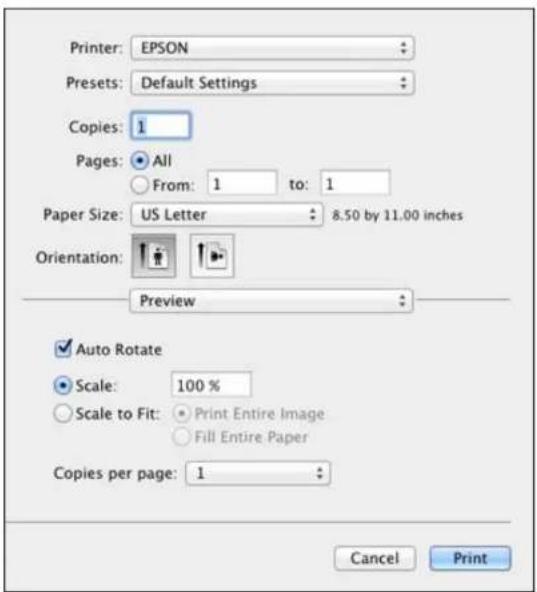
Note: The print window may look different, depending on the version of OSX and the application you are using.
5. SelecttheCopiesandPagessettingsasnecessary.
Note: If you do not see these settings in the print window, check for them in your application before printing.
- Select the pages setup options: PaperSize and Orientation.
Note: If you do not see these settings in the print window, check for them in your application before printing. They maybe accessible by selecting PageSetup from the Filemenu.
-
Selectanyapplication-specificsettingsthatappearonthescreen, suchasthoseshownintheimage aboveforthePreviewapplication.
-
SelectPrintSettingsfromthepop-upmenu.
| Preview |
| Layout |
| Color Matching |
| Paper Handling |
| Cover Page |
| Print Settings |
| Color Options |
| Two-sided Printing Settings |
| Supply Levels |
Youseethesesettings:

- SelectthePaperSourceyouwishtoprintfrom.
- SelectthetypeofpaperyouloadedastheMediaTypesetting.
Note: The setting may not exactly match the name of your paper. Check the paper type settings list for details.
- SelectthePrintQualitysettingyouwanttouse.
- Selectanyoftheavailableprintoptions.
PaperSourceOptions-OSX
PrintQualityOptions-OSX
PrintOptions-OSX
Parenttopic: PrintingwithOSX
Relatedreferences
PaperorMediaTypeSettings-PrintingSoftware
Relatedtasks
SelectingPageSetupSettings-OSX
PrintingYourDocumentorPhoto-OSX
PaperSourceOptions-OSX
YoucanselectanyoftheavailableoptionsinthePaperSourcemenutoprintonthepaperloadedinthat source.
AutoSelect
Automaticallyselectsthepapersourcebasedontheselectedpapersize.
Cassette1
Selectsthepaperincassette1asthepapersource.
Cassette2
Selectsthepaperincassette2asthepapersource.
RearPaperFeedSlot
Selectsthepaperintherearfeedslotasthepapersource.
Parenttopic:SelectingBasicPrintSettings-OSX
PrintQualityOptions-OSX
YoucanselectanyoftheavailablePrintQualityoptionstofine-tunethequalityofyourprint.Some settingsmaybeunavailable,dependingonthepapertypesettingyouhavechosen.
Draft
Fordraftprintingonplainpaper.
Normal
Foreverydaytextandimageprinting.
Normal-Vivid
Foreverydaytextandimageprintingwithgoodqualityandprintspeed.
Fine
Fortextandgraphicswithgoodqualityandprintspeed.
Quality
Fortextandgraphicswithincreasedqualityandprintspeed.
BestQuality
Forthebestprintquality, but the slowest printspeed.
Parenttopic: SelectingBasicPrintSettings-OSX
PrintOptions-OSX
Youcanselectanyoftheprintoptionstocustomizeyourprint.Someoptionsmaybeunavailable, dependingonothersettingsyouhavechosen.
Grayscale
Printstextandgraphicsinblackorshadesofgray.
MirrorImage
Letsyoufliptheprintedimagehorizontally.
Parenttopic: Selecting Basic Print Settings-OSX
SelectingPageSetupSettings-OSX
Depending on your application, you maybe able to select the paper size and orientation settings from the print window.
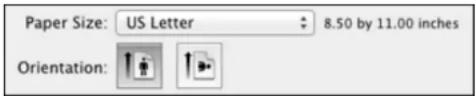
Note: If you do not see these settings in the print window, check for them in your application before printing. They maybe accessible by selecting PageSetup from the Filemenu.
- SelectthesizeofthepaperyouloadedasthePaperSizesetting.
- Select the orientation of your document or photo as shown in the print window.
Note: If you are printing an envelope, select the icon.
Note: You can reduce or enlarge the size of the printed image by selecting Paper Handling from the pop-upmenuandselectingascalingoption.
Parenttopic: PrintingwithOSX
SelectingPrintLayoutOptions-OSX
You can select a variety of layout options for your document or photo by selecting Layout from the pop-upmenuontheprintwindow.

- To print multiple pages on one sheet of paper, select the number of pages in the Pages per Sheet pop-upmenu.Toarrangetheprintorderofthepages,selectaLayoutDirectionsetting.
• To print borders around each page on the sheet, select a line setting from the Border pop-up menu. - To invert or flip the printed image, select the Reverse page orientation or Flip horizontally settings.
Parenttopic: PrintingwithOSX
SelectingDouble-sidedPrintingSettings-OSX
You can print on both sides of the paper by selecting Two-sided Printing Settings from the pop-up menuontheprintwindow.

Note: Some options may be pre-selected or unavailable, depending on other settings you have chosen orifyouareaccessingtheproductoveranetwork. Thisscreenmaybedifferent,dependingonthe versionofOSXyouareusing.
-
SelectoneoftheTwo-sidedPrintingoptions.
-
Select the type of document you are printing as the Document Types setting. Thesoftware automatically sets the Adjustments options for that document type.

- If necessary, customizetheAdjustmentssettingsasinstructedonthescreen.
- Printatestcopyofyourdouble-sideddocumenttotesttheselectedsettings.
- Followanyinstructionsdisplayonthescreenduringprinting.
Double-sidedPrintingOptionsandAdjustments-OSX
Parenttopic: PrintingwithOSX
Double-sidedPrintingOptionsandAdjustments-OSX
You can select any of the available options in the Two-sided Printing Settings or Output Settings pop-upmenutosetupyourdouble-sidedprintjob.
Two-sidedPrintingOptions
Long-Edgebinding
Orientsdouble-sidedprintedpagestobeboundonthelongedgeofthepaper.
Short-Edgebinding
Orientsdouble-sidedprintedpagestobeboundontheshortedgeofthepaper.
Adjustments
PrintDensity
Setsthelevelofinkcoveragefordouble-sidedprinting.
IncreasedInkDryingTime
Setstheamountoftimerequiredfordryinginkafterprintingononesideofthepaperbeforeprinting theothersideindouble-sidedprinting.
Parenttopic: Selecting Double-sided Printing Settings-OSX
ManagingColor-OSX
You can adjust the Color Matching and Color Options setting to fine-tunethe colors in your printout, or turn off color management in your printers software.
- SelectColorMatchingfromthepop-upmenuintheprintwindow.

-
Selectoneoftheavailableoptions.
-
SelectColorOptions from the pop-up menu in the print window.

Note: The available settings on the Color Options menu depend on the option you selected on the Color Matching menu.
- Selectoneoftheavailableoptions.
ColorMatchingandColorOptions-OSX
Parenttopic: PrintingwithOSX
ColorMatchingandColorOptions-OSX
You can select from these settings on the Color Matching and Color Options menus.
ColorMatchingSettings
EPSONColorControls
Letsyoumanagecolorusingcontrolsinyourprintersoftwareorturnoffcolormanagement.
ColorSync
Printsusingstandardcolorprofilesforyourproductandpapertohelpmatchimagecolors.Youcan customizetheconversionmethodandfiltersettingsontheColorSyncpop-upmenuintheprint window.
ColorOptionsSettings
ManualSettings
Letsyouselectmanualcoloradjustments.ClickthearrownexttoAdvancedSettingsandselect settings for Brightness, Contrast, Saturation, and individual color tones. You can also select a color Mode setting for printing photos and graphics and the Fix Red-Eye setting to reduce or remove red-eyeinphotos.Dependingontheselectedcolormode,youcanalsoadjustthemidtonedensityusing theGammasetting.
FixPhoto
Improvesthecolor, contrast, and sharpness offlawed photos. Click the arrown next to Advanced Settings and select the Fix Red-Eye setting to reduce or remove red-eye in photos.
Note: Fix Photo uses a sophisticated face recognition technology to optimize photos that include faces. Forthistowork, botheyesandthenosemustbevisibleinthesubject'sface. If your photo includes a face with an intentional color cast, such as a statue, you may want to turn off Fix Photo to retain the special coloreffects.
Off(NoColorAdjustment)
Turnsoffcolormanagementinyourprintersoftwaresoyoucanmanagecolorusingonlyyour applicationsoftware.
Parenttopic: ManagingColor-OSX
SelectingPrintingPreferences-OSX
Youcanselectprintingpreference that apply to all the print jobs you send to your product.
-
In the ApplemenuortheDock, select System Preferences.
-
Select Print & Fax, Print & Scan, or Printers & Scanners, select your product, and select Options & Supplies.
-
SelectDriverorOptions.
Youseeascreenlikethis:

- Selectanyoftheavailableprintingpreferences.
5.ClickOK.
PrintingPreferences-OSX
Parenttopic: PrintingwithOSX
PrintingPreferences-OSX
YoucanselectfromthesesettingsontheOptionsorDrivertab.
ThickPaperandEnvelopes
Preventsinkfromsmearingwhenyouprintonenvelopesorotherthickpaper.
SkipBlankPage
Ensure that your product does not print pages that contain not text or images.
QuietMode
Lessensnoiseduringprintingbutmaydecreaseprintspeed.
Permittemporaryblackprinting
Allowsyoutoprintusingblackinkwhencolorinkisexpended.
HighSpeedPrinting
Speedsupprintingbutmayreduceprintquality.
WarningNotifications
Letsyouchoosewhetherornottoreceivewarningnotificationsfromtheprintersoftwareforvarious operatingconditions.
Establishbidirectionalcommunication
Allowstheproducttocommunicatewiththecomputer.Donotchangethedefaultsettingunlessyou experienceissueswhenusingasharedprintingpool.
Parenttopic: Selecting Printing Preferences-OSX
PrintingYourDocumentorPhoto-OSX
Onceyouhaveselectedyourprintsettings,youarereadytoprint.
ClickPrintatthebottomoftheprintwindow.

CheckingPrintStatus-OSX
Parenttopic: PrintingwithOSX
CheckingPrintStatus-OSX
Duringprinting,youcanviewtheprogressofyourprintjob,controlprinting,andcheckinkstatus.
- ClicktheprintericonwhenitappearsintheDock.
Youseetheprintstatuswindow:
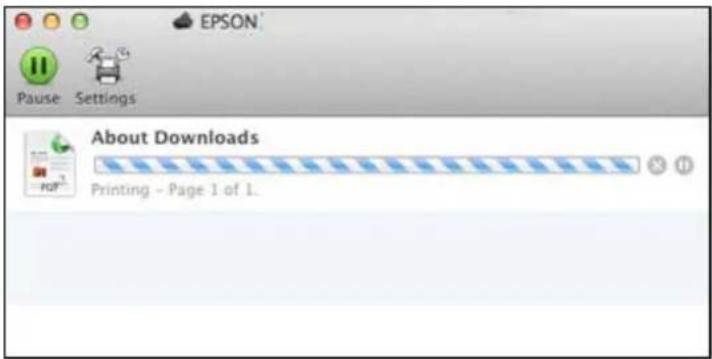
- Select the following options as necessary:
OSX10.5/10.6/10.7:
- Tocancelprinting, clicktheprintjobandclicktheDeleteicon.
- To pause a print job, click the print job and click the Hold icon. To resume a print job, click the print jobmarked "Hold" and click the Resume icon.
- Topauseprintingforallqueuedprintjobs, clickthePausePrintericon.
• Tocheckinkstatus, clicktheSupplyLevelsicon.
OSX10.8/10.9:
- Tocancelprinting, clickthebuttonnexttotheprintjob.
- Topauseaprintjob, clickthebutton nexttotheprintjob. Toresumeaprintjob, clickthe button.
- Topauseprintingforallqueuedprintjobs, clickthelargePausebutton.
- To check ink status, click the Settings icon, then click the Supply Levels tab.
Parenttopic: Printing Your Documentor Photo-OSX
PrintingwiththeEpsonUniversalPrintDriver-Windows
YoucanprintwiththeEpsonUniversalPrintDriverusinganyWindowsprintingprogram,asdescribedin thesesections.
InstallingtheEpsonUniversalPrintDriver-Windows
SynchronizingPrinterSettings-EpsonUniversalPrintDriver-Windows
SelectingBasicPrintSettings-EpsonUniversalPrintDriver-Windows
SelectingAdditionalLayoutandPrintOptions-EpsonUniversalPrintDriver-Windows
SelectingMaintenanceOptions-EpsonUniversalPrintDriver-Windows
SelectingDefaultPrintSettings-EpsonUniversalPrintDriver-Windows
LockingPrinterSettings-EpsonUniversalPrintDriver-Windows
AddingNetworkPrinters-EpsonUniversalPrintDriver-Windows
Parenttopic: PrintingfromaComputer
InstallingtheEpsonUniversalPrintDriver-Windows
TheEpsonUniversalPrintDriversupportsmultipleprinterlanguages,suchasPCLandESC/P-R,and canbeinstalledonaWindowscomputer.
Note: Make sure your product is turned on and connected to the same network as your computer before installingtheprintersoftware.
-
Download the EPSON Universal Print Driver from epson.com/support/wf8090.
-
Double-clickthedownloadedpackage.
-
Followtheon-screen instructions until you use the eethescreen below.

- SelectYes: NetworkconnectionandclickOK.
Note: Select the Set Default of Printer Control Language to PCL6 checkbox if you want to set the default printer language to PCL6. Leavethisoptiondeselectedtosettheprinter language to ESC/P-R. (You can change this setting later as needed.)
After the software finishes searching for products, you see a screen like this:

5.Dooneofthefollowing:
- If you are installing one product, make sure Add EPSON Universal Print Driver is selected, and continue with then next step.
- If you are installing more than one product, select Addfoundprinters, and got step 9.
Note: You can customize and filter your product search results by clicking Display Settings.
- Open the Select a port to connect a printer pop-up menu and select an existing printer port if necessary. Otherwise, skip this option to have an new port created automatically.
- Select the product you want to install from the Found Printers list.
Note: Deselect the Set as default printer checkbox if you do not want the product to be set as your defaultprinter.
- ClickOK, thenskiptheremainingsteps.
- SelecteachproductyouwanttoinstallandclickAddtoPrinterFolder.

Theselectedproductsappearinthelowersectionofthescreen.
- Select the checkbox next to a product to make your default printer if necessary.
11.ClickOK.
Parenttopic: PrintingwiththeEpsonUniversalPrintDriver-Windows
SynchronizingPrinterSettings-EpsonUniversalPrintDriver-Windows
Youmayneedtosynchronizetheprinterdriverwiththeproductiftheprinterdriverdoesnotdetectthe correctinformationorsettingsfromtheproduct.
Note: You must sync the printer driver before you can use any optional equipment installed on the product, such as an optional cassette unit.
-
Dooneofthefollowing:
-
Windows 8.x: Navigate to the Apps screen and select Control Panel > Hardware and Sound > Devices and Printers. Right-click EPSON Universal Print Driver and select Printer properties.
- Windows 7: Click and select Devices and Printers. Right-click EPSON Universal Print DriverandselectPrinterproperties.
- Windows Vista: Click and select Control Panel. Click Printer under Hardware and Sound, then right-click EPSON Universal Print Driver and select Properties.
-
Windows XP: Click Start and select Printers and Faxes. Right-click EPSON Universal Print DriverandselectProperties.
-
ClicktheOptionalSettingstab.
Youseethiswindow:

- MakesureAcquirefromPrinterisselectedandclickGet.
Note: Select the Only Optional Information checkbox if you only want to enable optional equipment, such as an optional cassette unit.
Theproduct'ssettingsandotherinformationappearsintheCurrentPrinterInformationarea.
4.ClickOK.
Parenttopic: PrintingwiththeEpsonUniversalPrintDriver-Windows
Relatedtasks
EnablingtheOptionalPaperCassettes-Windows
EnablingtheOptionalPaperCassettes-PostScriptPrinterSoftware-Windows
SelectingBasicPrintSettings-EpsonUniversalPrintDriver-Windows
Selectthebasicsettingsforthedocumentorphotoyouwanttoprint.
- Openaphotoordocumentforprinting.
- Selecttheprintcommandinyourapplication.
Note: You may need to select a print icon on your screen, the Print option in the File menu, or another command. See your application's help utility for details.
- If necessary, select EPSON Universal Print Driver as the printery you want to use.
Note: You may also need to select Properties or Preferences to view your print settings.
YouseetheMaintabofyourprintertsettingswindow:

Note: For more information about a setting, right-click it and select Help.
- For the Paper Sources setting, select where you loaded the papery you want to print on.
- SelectthesizeofthepaperyouloadedastheDocumentSizesetting.
Note: You can also select the User-Defined setting to create a custom paper size.
- Select the orientation of your document.
Note: If you are printing an envelope, select Landscape.
- Select the type of papery you loaded as the Paper Types setting.
Note: The setting may not exactly match the name of your paper. Check the paper type settings list for details.
-
Select the Quality setting that match the print quality you want to use.
9.SelectaColoroption: -
Toprintacolordocumentorphoto,selecttheColorsetting.
-
Toprinttextandgraphicsinblackorshadesofgray,selecttheGrayscalesetting.
-
Toprintonbothsidesofthepaper, selectoneofthe2-SidedPrintingsettings.
-
Toprintmultiplepagesononesheetofpaper, orprintoneimageonmultiplesheetsofpaper, select oneofthesettingsintheMulti-Pagemenuandselecttheprintingoptionsyouwant.
- Toprintmultiplecopiesandarrangetheirprintorder,selecttheCoplesoptions.
- Topreview your job before printing, select PrintPreview.
- Tosaveyourprintjobasaprojectthatcanbemodifiedandcombinedwithotherprintjobs,select JobArrangerLite.
Parenttopic: PrintingwiththeEpsonUniversalPrintDriver-Windows
Relatedreferences
PaperorMediaTypeSettings-PrintingSoftware
PaperSourceOptions-Windows
PrintQualityOptions-Windows
Multi-PagePrintingOptions-Windows
SelectingAdditionalLayoutandPrintOptions-EpsonUniversalPrintDriver-Windows
YoucanselectvarietyofadditionallayoutandprintingoptionsforyourdocumentorphotoontheMore Optionstab.
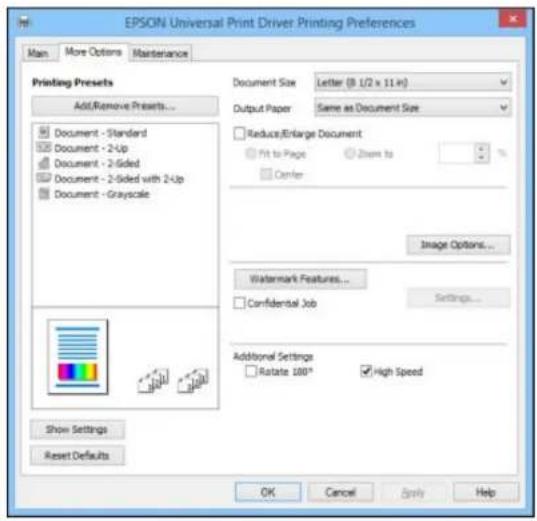
Note: For more information about a setting, right-click it and select Help.
-
Tochangethesizeofyourprinteddocumentorphoto,selecttheReduce/EnlargeDocument checkboxandselectoneofthesesizingoptions:
-
Select the Fit to Page option to size your image to fit the paper you loaded. Select the size of the your document or photo as the Document Size setting, and the size of your paper as the Output Paper setting. If you want to center your image on the paper, select the Center option.
-
Select the Zoom to option to reduce or enlarge your document or photo by a specific percentage. Selectthepercentageinthe%menu.
-
Selectone of the following Color Correction options:
-
Select Automatic to automatically adjust the sharpness, brightness, contrast, and color saturation for your image.
- Select Custom and click the Advanced button to manually adjust the color correction settings or turnoffcolormanagementinyourprintersoftware.
-
SelectImageOptionstoaccessadditionalsettingsforimprovingprintedimages.
-
To add the following features, click the Watermark Features button:
•Watermark:addsvisiblewatermarktoyourprintout.
Note: Click the Add/Delete button to create your own watermark, and click the Settings button to customizethewatermark.
- Header/Footer: adds information such as the date and time to the top or bottom of your printout.
Note: Click the Settings button to customize the text and location of the header or footer.
- To add a password to your print job, select the Confidential Job checkbox, then enter a password. Confidentialjobsarestoredintheproduct'smemorywithoutbeingprinted.Toprintthejob,enterthepasswordfortheconfidentialjobontheproduct'scontrolpanel.
Note: Confidential print jobs are cleared from the product's memory after printing.
- SelectanyoftheAdditionalSettingsoptionstocustomizeyourprint.
Parenttopic: PrintingwiththeEpsonUniversalPrintDriver-Windows
Relatedreferences
CustomColorCorrectionOptions-Windows
ImageOptionsandAdditionalSettings-Windows
Header/FooterSettings-Windows
SelectingMaintenanceOptions-EpsonUniversalPrintDriver-Windows
YoucanselectmaintenanceandotheroptionalsettingsontheMaintenancetab.
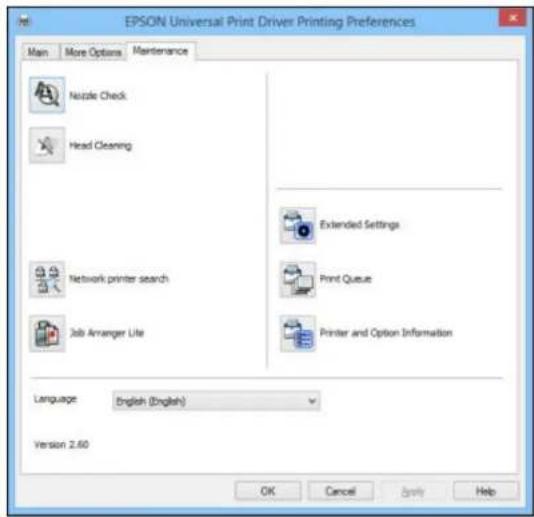
Note: For more information about a setting, right-click it and select Help.
- NozzleCheckletsyouprintanozzlecheckpatterntocheckforcloggednozzles.
•HeadCleaningletsyoucleantheprinthead.
•Networkprintersearchletsyousearchforandconnecttoaproductonthenetwork.
- Job Arranger Lite lets you save your print job as a project that can be modified and combined with otherprintjobs.
- ExtendedSettingsletsyouchangeavarietyofprintsettings.
- PrintQueuedisplaysalltheprintjobsinqueue.Youcanalsocancelorrestartprintjobs.
- PrinterandOptionInformationdisplaysinformationontheprintersettingsandanyoptional equipmentinstalled.
•Languageletsyouchangethelanguageoftheprintersoftwarescreens.
ExtendedSettings-EpsonUniversalPrintDriver-Windows
Parenttopic: PrintingwiththeEpsonUniversalPrintDriver-Windows
Relatedconcepts
PrintHeadNozzleCheck
PrintHeadCleaning
ExtendedSettings-EpsonUniversalPrintDriver-Windows
You can select from these settings on the Extended Settings window.

PrinterControlLanguage
Letsyouselecttheprintercontrollanguage.
GraphicsMode
LetsyouselectthemodebywhichtooutputPDLcommandstotheproduct.
TrueTypeFont
LetsyouselecthowyouwanttoprintTrueTypefonts.
OffsetSettings
Letsyoumakefine-tuneadjustmentstotheprintpositionofdataonyourprintout.
SkipBlankPage
Ensure that your product does not print pages that contain not text or images.
AlwaysSpoolRAWDatatype
Increasesprintspeedandmaysolveotherprintingproblems.
PrintasBitmap
Increasesprintspeedwhenprintingisextremelyslowortheprintheadstopsduringprinting,and othersettingsdonothelp.
Refinescreeningpattern
Printsgraphicswithafinerscreeningpattern.
AlwaysUsetheDriver'sPaperSourceSetting
Printsusingthepapersourcesettingintheprinterdriver,ratherthanthesettinginyourapplication.
Usesthecollatesettingsspecifiedintheapplication
Printsusingthecollatesettinginyourapplication.
PageRenderingMode
Increasesprintspeedwhenprintingisextremelyslowortheprintheadstopsduringprinting.
CollateUsingPrinterDriver
Printsandcollatesmulti-pagedocumentsusingtheprinterdriver. Deselectthischeckboxtousethe producttocollateyourprintjobsinstead. (Thissettingisautomaticallyenabledifthereisnotenough memoryontheproducttocollateyourprintjob.)
Output1pagedocumentsfacedownin2-Sidedmode
Outputssingle-sidedpagesina2-sidedprintjobfacedowninsteadoffaceup.
Parenttopic: SelectingMaintenanceOptions-EpsonUniversalPrintDriver-Windows
SelectingDefaultPrintSettings-EpsonUniversalPrintDriver-Windows
When you change your print settings in a program, the changes apply only while you are printing in that program session. If you want to change the print settings you use in all your Windows programs, you can select new default print settings.
1. Dooneofthefollowing:
- Windows 8.x: Navigate to the Apps screen and select Control Panel > Hardware and Sound > Devices and Printers. Right-click EPSON Universal Print Driver and select Print Preferences.
- Windows 7: Click and select Devices and Printers. Right-click EPSON Universal Print DriverandselectPrintingPreferences.
- Windows Vista: Click and select Control Panel. Click Printer under Hardware and Sound, right-click EPSON Universal Print Driver, and select Printing Preferences.
- Windows XP: Click Start and select Printers and Faxes. Right-click EPSON Universal Print DriverandselectPrintingPreferences.
Youseetheprintersettingswindow:

Note: For more information about a setting, right-click it and select Help.
- SelecttheprintsettingsyouwanttouseasdefaultsinallyourWindowsprograms.
3.ClickOK.
Thesesettingsarenowthedefaultsselectedforprinting.Youcanstillchangethemasneededfor printinginanyprogramsession.
Parenttopic: PrintingwiththeEpsonUniversalPrintDriver-Windows
LockingPrinterSettings-EpsonUniversalPrintDriver-Windows
Administratorscanlocksomeprintersettingstopreventunauthorizedchanges. The followingsettings canbelocked:
•Watermark
- Header/footer
•Colorprinting
•2-sidedprinting
- Multi-pageprinting
- Alldocumentsettings
-
Dooneofthefollowing:
-
Windows 8.x: Navigate to the Apps screen and select Control Panel > Hardware and Sound > Devices and Printers. Right-click EPSON Universal Print Driver and select Printer properties.
- Windows 7: Click and select Devices and Printers. Right-click EPSON Universal Print DriverandselectPrinterproperties.
- Windows Vista: Click and select Control Panel. Click Printer under Hardware and Sound, thenright-clickEPSONUniversalPrintDriverandselectProperties.
-
Windows XP: Click Start and select Printers and Faxes. Right-click EPSON Universal Print DriverandselectProperties.
-
ClicktheOptionalSettingstab.
Youseethiswindow:

Note: You can prevent access to the Optional Settings tab by changing the user or group permissionsintheSecuritytab.
3.ClickDriverSettings.
Youseethiswindow:

- Select the checkbox for the function or functions you want to lock. To lock all print settings, select All DocumentSettings.
5.UnderAdvancedSettings,selectthesettingyouwantforeachselectedfunction.
6.ClickOK.
EpsonUniversalPrintDriverLockSettings
Parenttopic: PrintingwiththeEpsonUniversalPrintDriver-Windows
EpsonUniversalPrintDriverLockSettings
Selectthesettingsyouwanttouseforlockingprintfunctions.
| PrintingfunctionA | AvailablesettingsDescription | |
| WatermarkVarious | textLetsyouselectthetextforthewatermark(orprohibitwatermarkswatermarks) | |
| Add/DeleteLetsyouadd(ordelete)acustomizedtextorimage-basedwatermark | ||
| Settings | Letsyouselectthesize,position,colorandotherwatermarksettings | |
| Header/FooterOff | Prohibitsheadersorfooters | |
| OnAllowsheadersandfooters | ||
| SettingsLetsyouselectthetextandpositionforprintingheadersand/orfooters | ||
| ColorColorAllows | colorprinting | |
| GrayscalePrintsinblackorshadesofgrayonly | ||
| 2-sidedprintingOff | Allowsprintingononlyonesideofthepaper | |
| OnAllowsprintingonbothsidesofthepaper | ||
| Multi-PageOffProhibitsmulti-pagesettings | ||
| 2-Up | Prints2pagesononesheetofpaper | |
| 4-Up | Prints4pagesononesheetofpaper | |
Parenttopic:LockingPrinterSettings-EpsonUniversalPrintDriver-Windows
Adding Network Printers - Epson Universal Print Driver - Windows
YoucanusetheEpsonUniversalPrintDrivertofindandaddnetworkprinters.
-
Dooneofthefollowing:
-
Windows 8.x: Navigate to the Apps screen and select Control Panel > Hardware and Sound > Devices and Printers. Right-click EPSON Universal Print Driver and select Printer properties.
- Windows 7: Click and select Devices and Printers. Right-click EPSON Universal Print DriverandselectPrinterproperties.
- Windows Vista: Click and select Control Panel. Click Printer under Hardware and Sound, thenright-clickEPSONUniversalPrintDriverandselectProperties.
- Windows XP: Click Start and select Printers and Faxes. Right-click EPSON Universal Print DriverandselectProperties.
2. ClicktheOptionalSettingstab.
Youseethiswindow:
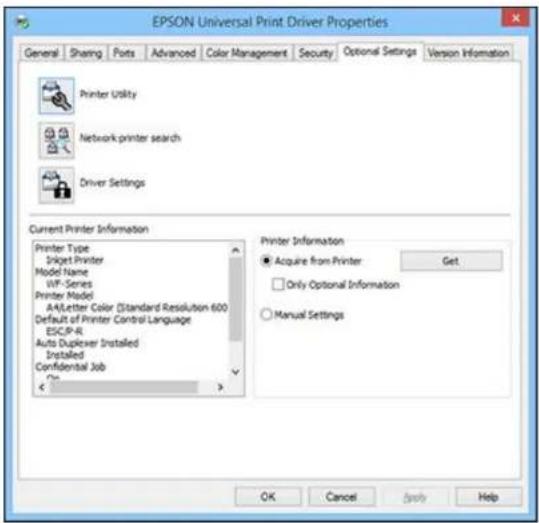
- ClickNetworkprintersearch.
- When you seethesearch results, select Addfoundprinters.
Youseeascreenlikethis:

- Selecttheprinterorprintersyouwanttoadd.
6.ClickAddtoPrinterFolder.
Theselectedprinterorprintersappearinthelowersectionofthescreen.
7.ClickOK.
Parenttopic: PrintingwiththeEpsonUniversalPrintDriver-Windows
PrintingwiththePostScript(PS3)PrinterSoftware-Windows
YoucanprintwiththePostScript(PS3)printersoftwareusinganyWindowsprintingprogram,as describedinthesesections.
InstallingthePostScript(PS3)PrinterSoftware-Windows
EnablingtheOptionalPaperCassettes-PostScriptPrinterSoftware-Windows
SelectingBasicPrintSettings-PostScriptPrinterSoftware-Windows
SelectingAdditionalLayoutandPrintOptions-PostScriptPrinterSoftware-Windows
SelectingDefaultPrintSettings-PostScriptPrinterSoftware-Windows
Parenttopic: PrintingfromaComputer
InstallingthePostScript(PS3)PrinterSoftware-Windows
If you did not install the standard Epson printers software, you need to install the PostScript(PS3) printer software before you can adjust the print settings and print your own network printer.
Note: Make sure your product is turned on and connected to the same network as your computer before installingtheprintersoftware.
-
Download the Drivers and Utilities Combo Package-PS3 PostScript from epson.com/support/wf8090.
-
Double-clickthedownloadedpackage.
3.ClickOK.
4.ClickAccept.
5.ClickInstall.
6.ClickNextandfollowtheon-screeninstructions.
Parenttopic: PrintingwiththePostScript(PS3)PrinterSoftware-Windows
EnablingtheOptionalPaperCassettes-PostScriptPrinterSoftware-Windows
If you installed optional papercassette units, you need to enable the optional cassette units before you can use them with the PS3 printers software.
- Dooneofthefollowing:
- Windows 8.x: Navigate to the Apps screen and select Control Panel > Hardware and Sound > Devices and Printers. Right-click your product name and select Printer properties.
- Windows 7: Click and select Devices and Printers. Right-click your product name and select PrinterProperties.
- Windows Vista: Click and select Control Panel. Click Printer under Hardware and Sound, thenright-clickyourproductname,andselectProperties.
- Windows XP: Click Start and select Printers and Faxes. Right-click your product name and selectProperties.
2. ClicktheDeviceSettingstab.
Youseeawindowlikethis:

- SelectthenumberofoptionalcassettesinstalledastheLowerCassetteUnitsetting.
4.ClickOK.
Theoptionalpapercassettesarenowenabled.
Parenttopic: PrintingwiththePostScript(PS3)PrinterSoftware-Windows
Relatedtasks
EnablingtheOptionalPaperCassettes-Windows
SynchronizingPrinterSettings-EpsonUniversalPrintDriver-Windows
SelectingBasicPrintSettings-PostScriptPrinterSoftware-Windows
Selectthebasicsettingsforthedocumentorphotoyouwanttoprint.
-
Openaphotoordocumentforprinting.
-
Selecttheprintcommandinyourapplication.
Note: You may need to select a print icon on your screen, the Print option in the File menu, or another command. See your application's help utility for details.
- If necessary, select your product name as the printery you want to use, and then click the Preferences button.
YouseetheLayouttabofyourprintertsettingswindow:

- Select the orientation of your document.
- Toprintonbothsidesofthepaper,selectoneofthePrintonBothSidessettings.
- Tochangetheprintingorderofthepages, selectoneofthePageOrdersettings.
- Toprintmultiplepagesononesheetofpaper, adjustthePagesperSheetsetting.
- Tocreateafoldedbookletoutofyourphotoordocument, selecttheBookletoption.
- ClickthePaper/Qualitytab.
Youseethiswindow:
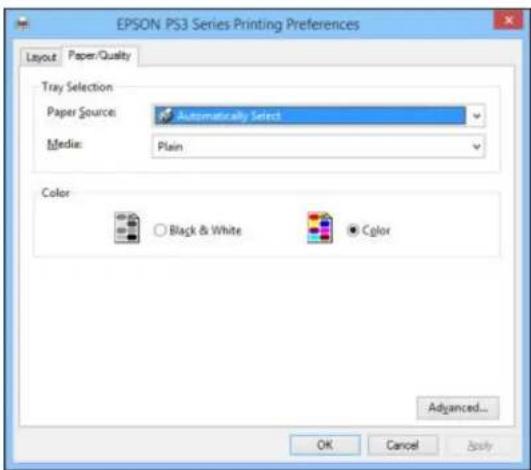
- Select the Paper Source that matches where you loaded the papery you want to print on.
- SelectPlainastheMediasetting.
-
SelectoneofthefollowingastheColorsetting:
-
Toprintacolordocumentorphoto,selecttheColorsetting.
- Toprinttextandgraphicsinblackonly,selecttheBlack&Whitesetting.
Parenttopic: PrintingwiththePostScript(PS3)PrinterSoftware-Windows
SelectingAdditionalLayoutandPrintOptions-PostScriptPrinterSoftware-Windows
Youcanselectavarietyofadditionallayoutandprintingoptionsforyourdocumentorphotobyclicking theAdvancedbutton.
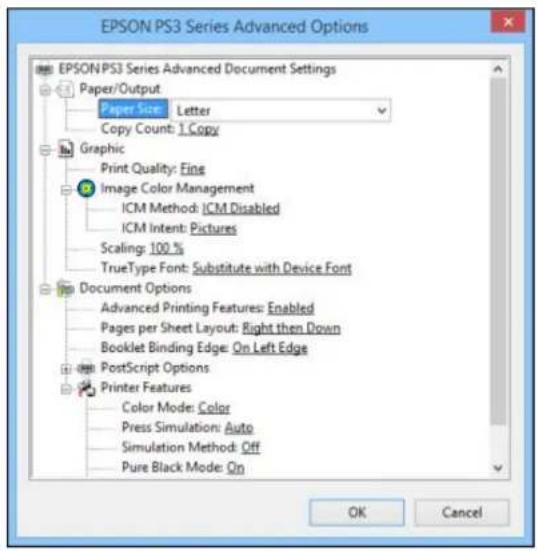
- SelectthesizeofthepaperyouloadedasthePaperSizesetting.
- SelectthePrintQualityoptionthatmatchestheprintqualityyouwanttouse.
- Adjust the Scaling setting to reduce or enlarge your document or photo by a specific percentage.
- To utilize the Windows Image Color Management system, set the ICM Method option to one of the ICM Handling options and select the ICM Intent setting you want to use.
- Adjust the Pages Per Sheet Layout setting to change the order of multiple pages on a single sheet of paper when you have adjusted the Pages Per Sheet setting on the Layout tab.
- Adjust the Booklet Binding Edgesetting to change the orientation of your printed booklet.
7.ExpandthePostScriptOptionsheadingtoaccesstheadvancedPostScriptprintersoftwarefeatures.
8. SelectanyoftheremainingPrinterFeaturesoptionstocustomizeyourprintouts.
Parenttopic: PrintingwiththePostScript(PS3)PrinterSoftware-Windows
SelectingDefaultPrintSettings-PostScriptPrinterSoftware-Windows
When you change your print settings in a program, the changes apply only while you are printing in that program session. If you want to change the print settings you use in all your Windows programs, you can select new default print settings.
-
Dooneofthefollowing:
-
Windows 8.x: Navigate to the Apps screen and select Control Panel > Hardware and Sound > Devices and Printers. Right-click your product name and select Print Preferences.
- Windows 7: Click 📋 and select Devices and Printers. Right-click your product name and select PrintingPreferences.
- Windows Vista: Click and select Control Panel. Click Printer under Hardware and Sound, right-click your product name, and select Printing Preferences.
- Windows XP: Click Start and select Printers and Faxes. Right-click your product name and selectPrintingPreferences.
Youseetheprintertsettingswindow:

- SelecttheprintsettingsyouwanttouseasdefaultsinallyourWindowsprograms.
3.ClickOK.
Thesesettingsarenowthedefaultsselectedforprinting.Youcanstillchangethemasneededfor printinginanyprogramsession.
Parenttopic: PrintingwiththePostScript(PS3)PrinterSoftware-Windows
PrintingwiththePostScript(PS3)PrinterSoftware-OSX
YoucanprintwiththePostScript(PS3)printersoftwareusinganyOSXprintingprogram,asdescribed inthesesections.
InstallingthePostScript(PS3)PrinterSoftware-OSX
EnablingtheOptionalPaperCassettes-PostScriptPrinterSoftware-OSX
SelectingBasicPrintSettings-PostScriptPrinterSoftware-OSX
SelectingPageSetupSettings-PostScriptPrinterSoftware-OSX
SelectingPrintLayoutOptions-PostScriptPrinterSoftware-OSX
SizingPrintedImages-PostScriptPrinterSoftware-OSX
ManagingColor-PostScriptPrinterSoftware-OSX
PrintingYourDocumentorPhoto-PostScriptPrinterSoftware-OSX
Parenttopic: PrintingfromaComputer
InstallingthePostScript(PS3)PrinterSoftware-OSX
If you did not install the standard Epson printers software, you need to install the PostScript(PS3) printer software before you can adjust the print settings and print your network printer.
Note: Make sure your product is turned on and connected to the same network as your computer before installingtheprintersoftware.
-
Download the Drivers and Utilities Combo Package-PS3 PostScript from epson.com/support/wf8090.
-
Double-clickthedownloadedpackage.
-
Double-click EPSON.
4.ClickContinueonthenexttwoscreens.
5.ClickAgree.
6.ClickInstall.
-
If necessary, enter the administrator password.
-
ClickStartandfollowtheon-screeninstructions.
Parenttopic: PrintingwiththePostScript(PS3)PrinterSoftware-OSX
EnablingtheOptionalPaperCassettes-PostScriptPrinterSoftware-OSX
If you installed optional papercassette units, you need to enable the optional cassette units before you can use them with the PS3 printers software.
-
In the ApplemenuortheDock, select System Preferences.
-
Select Print & Fax, Print & Scan, or Printers & Scanners, select your product, and select Options & Supplies.
-
SelectDriverorOptions.
Youseeascreenlikethis:

- SelectthenumberofoptionalcassettesinstalledastheLowerCassetteUnitsetting.
5.ClickOK.
Theoptionalpapercassettesarenowenabled.
Parenttopic: PrintingwiththePostScript(PS3)PrinterSoftware-OSX
Relatedtasks
EnablingtheOptionalPaperCassettes-OSX
SelectingBasicPrintSettings-PostScriptPrinterSoftware-OSX
Selectthebasicsettingsforthedocumentorphotoyouwanttoprint.
-
Openaphotoordocumentforprinting.
-
Selecttheprintcommandinyourapplication.
Note: You may need to select a print icon on your screen, the Print option in the File menu, or another command. See your application's help utility for details.
- Select your product as the Printersetting.

- If necessary, click the arrow next to the Printer setting or the Show Details button to expand the printwindow.
Youseetheexpandedprintertsettingswindowforyourproduct:

Note: The print window may look different, depending on the version of OSX and the application you are using.
- Select the Two-Sided, Copies, and Pages settings as necessary.
Note: If you do not see these settings in the print window, check for them in your application before printing.
- Select the pages setup options: PaperSize and Orientation.
Note: If you do not see these settings in the print window, check for them in your application before printing. They maybe accessible by selecting PageSetup from the Filemenu.
-
Selectanyapplication-specificsettingsthatappearonthescreen, suchasthosheshownintheimage aboveforthePreviewapplication.
-
SelectPaperFeedfromthepop-upmenu.
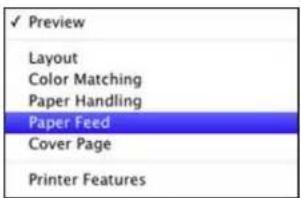
Youseethesesettings:

-
Select All Pages From or First Page From and select the paper source you want to print from.
-
SelectPrinterFeaturesfromthepop-upmenu.
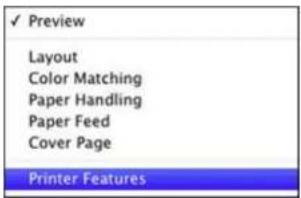
Youseethesesettings:

- SelectPlainastheMediaTypesetting.
Note: The PostScriptprintersoftwaresupportsplainpaperprintingonthesepaperandenvelope sizes:
•A4(8.3×11.7inches[210×297mm])
•Letter(8.5×11inches[216×279mm])
•No.10(4.1×9.5inches[105×241mm])
-
SelectoneofthefollowingPrintQualityoptions:
-
Forfastprintingwithreducedquality,selectFast.
- Forprintingtextandgraphicswithgoodqualityandprintspeed,selectFine.
-
Forthebestprintingwithreducedspeed,selectMaximum.
-
SelectColorfromtheFeatureSetspop-upmenu.
Youseethesesettings:

14.SelectaColorModeoption:
- Toprintacolordocumentorphoto,selecttheColorsetting.
-
Toprinttextandgraphicsinblackonly,selecttheMonochromesetting.
-
Selectanyoftheavailableprintoptions.
Parenttopic: PrintingwiththePostScript(PS3)PrinterSoftware-OSX
Relatedreferences
PaperSourceOptions-Windows
Relatedtasks
SelectingPageSetupSettings-PostScriptPrinterSoftware-OSX
SelectingPrintLayoutOptions-PostScriptPrinterSoftware-OSX
PrintingYourDocumentorPhoto-PostScriptPrinterSoftware-OSX
SelectingPageSetupSettings-PostScriptPrinterSoftware-OSX
Depending on your application, you maybe able to select the paper size and orientation settings from the print window.
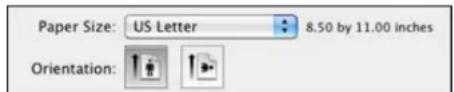
Note: If you do not see these settings in the print window, check for them in your application before printing. They maybe accessible by selecting PageSetup from the Filemenu.
-
Select the size of the paper you loaded as the Paper Size setting. You can also select a custom setting to create acustompapersize.
-
Select the orientation of your document or photo as shown in the print window.
Note: You can reduce or enlarge the size of the printed image by selecting Paper Handling from the pop-upmenuandselectingascalingoption.
Parenttopic: PrintingwiththePostScript(PS3)PrinterSoftware-OSX
Relatedtasks
SelectingBasicPrintSettings-PostScriptPrinterSoftware-OSX
SelectingPrintLayoutOptions-PostScriptPrinterSoftware-OSX
You can select a variety of layout options for your document or photo by selecting Layout from the popup menu on the print window.

- To print multiple pages on one sheet of paper, select the number of pages in the Pages per Sheet pop-upmenu.Toarrangetheprintorderofthepages,selectaLayoutDirectionsetting.
- To print borders around each page on the sheet, select a line setting from the Border pop-up menu.
- Toprintonbothsidesofthepage,selectoneoftheTwo-Sidedsettings.
- To invert or flip the printed image, select the Reverse page orientation or Flip horizontally settings.
Parenttopic: PrintingwiththePostScript(PS3)PrinterSoftware-OSX
SizingPrintedImages-PostScriptPrinterSoftware-OSX
You can adjust the size of the image as you print it by selecting Paper Handling from the pop-up menu onthePrintwindow.

- To print only selected pages in a multi-page document, select an option from the Pages to Print popup menu.
- To adjust the order in which pages are printed, select an option from the Page Order pop-up menu.
- To scale the image to fit on a specific paper size, select the Scale to fit paper size checkbox and selectapapersizefromtheDestinationPaperSizepop-upmenu.
Parenttopic: PrintingwiththePostScript(PS3)PrinterSoftware-OSX
ManagingColor-PostScriptPrinterSoftware-OSX
YoucanadjusttheColorMatchingsettingstofine-tunethecolorsinyourprintout.
- SelectColorMatchingfromthepop-upmenuintheprintwindow.

2.Dooneofthefollowing:
- Toprintusingstandardcolorprofilesforyourproductandpapertohelpmatchimagecolors, select ColorSync. Select one of the available Profile options to change the active color profile.
- Tousetheproduct'sdefaultcolormatching,selectInprinter.
Parenttopic: PrintingwiththePostScript(PS3)PrinterSoftware-OSX
PrintingYourDocumentorPhoto-PostScriptPrinterSoftware-OSX
Onceyouhaveselectedyourprintsettings,youarereadytoprint.
ClickPrintatthebottomoftheprintwindow.
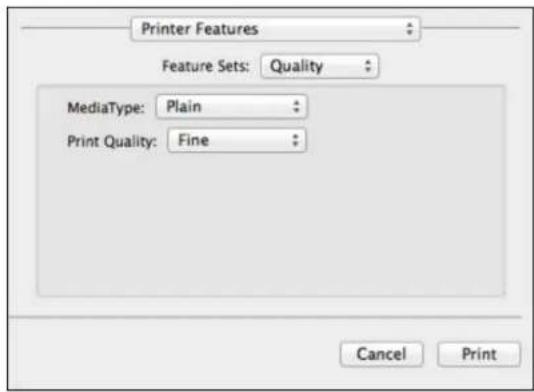
CheckingPrintStatus-PostScriptPrinterSoftware-OSX
Parenttopic: PrintingwiththePostScript(PS3)PrinterSoftware-OSX
CheckingPrintStatus-PostScriptPrinterSoftware-OSX
Duringprinting,youcanviewtheprogressofyourprintjob,controlprinting,andcheckinkstatus.
- ClicktheprintericonwhenitappearsintheDock.
Youseetheprintstatuswindow:

- Select the following options as necessary:
OSX10.5/10.6/10.7:
- Tocancelprinting, clicktheprintjobandclicktheDeleteicon.
- To pause a print job, click the print job and click the Hold icon. To resume a print job, click the print jobmarked "Hold" and click the Resume icon.
- Topauseprintingforallqueuedprintjobs, clickthePausePrintericon.
• Tocheckinkstatus, clicktheSupplyLevelsicon.
OSX10.8/10.9:
- Tocancelprinting, clickthebuttonnexttotheprintjob.
- Topauseaprintjob, clickthebuttonnexttotheprintjob. Toresumeaprintjob, clickthe button.
- Topauseprintingforallqueuedprintjobs, clickthelargePausebutton.
- To check ink status, click the Settings icon, then click the Supply Levels tab.
Parenttopic: Printing Your Documentor Photo-PostScript Printer Software-OSX

CancellingPrintingUsingaProductButton
If you need to cancel printing, press the Stop Button on your product.
Parenttopic: PrintingfromaComputer
ReplacingInkCartridgesandMaintenanceBoxes
Themaintenanceboxstoresinkthatgetsflushedfromthesystemduringprintheadcleaning.Whenan inkcartridgeisexpendedorthemaintenanceboxisattheendofitsservicelife,youneedtoreplaceit.
Youmayalsoneedtoreplaceacartridgethatismorethansixmonthsoldifyourprintoutsdonotlook theirbest,evenaftercleaningandaligningtheprinthead.
Note: Please dispose of your used Epson branded ink cartridges and maintenance boxes responsibly and in accordance with local requirements. If you would likely return your used ink cartridges and maintenance boxes to Epson for proper disposal, please go to epson.com/recycle for more information.
CheckCartridgeandMaintenanceBoxStatus
PurchaseEpsonInkCartridgesandMaintenanceBox
Removing and Installing Ink Cartridges
PrintingwithBlackInkandExpendedColorCartridges
ConservingLowBlackInkwithWindows
ReplacingtheMaintenanceBox
CheckCartridgeandMaintenanceBoxStatus
Your printer and its software will let you know when an ink cartridge is slow to be expended, or when the maintenance box need to be replaced.
Note: When using the Epson Universal Print Driver or PostScript (PS3) printer software with the product, youcancheckinkcartridgeandmaintenanceboxstatusbyusingtheprinterbuttonsortheutilities includedwiththestandardEpsonprintersoftware.TodownloadthestandardEpsonprintersoftware,go toepson.com/support/wf8090.
CheckingCartridgeStatusontheLCDScreen
CheckingCartridgeandMaintenanceBoxStatuswithWindows
CheckingCartridgeandMaintenanceBoxStatuswithOSX
Parenttopic:ReplacingInkCartridgesandMaintenanceBoxes
CheckingCartridgeStatusontheLCDScreen
Whenoneofyourcartridgesislow,theorangeErrorlightflashes.
Whenacartridgeisexpended, theorangeErrorlightstayson.
YoucanusetheInkLevelsoptiontocheckthestatusofthecartridgesandmaintenancebox.
- PressthearowbuttonstoselectMenuandpresstheOKbutton.
- SelectInkLevelsandpresstheOKbutton.
Youseeascreenlikethis:
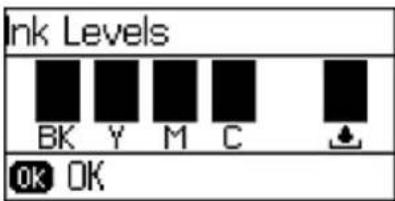
Note: Thedisplayedinkandmaintenanceboxlevelsareapproximate.
- To exit, pressthe OK button.
Parenttopic:CheckCartridgeandMaintenanceBoxStatus
Relatedtasks
Removing and Installing Ink Cartridges
ReplacingtheMaintenanceBox
CheckingCartridgeandMaintenanceBoxStatuswithWindows
Alowinkreminderappearsifyoutrytoprintwheninkislow, andyoucancheckyourcartridgeor maintenanceboxstatusatanytimeusingautilityonyourWindowscomputer.
- To check your status, access the Windows Desktop, double-click the product icon in the Windows taskbar, and click Details.
Youseethiswindow:
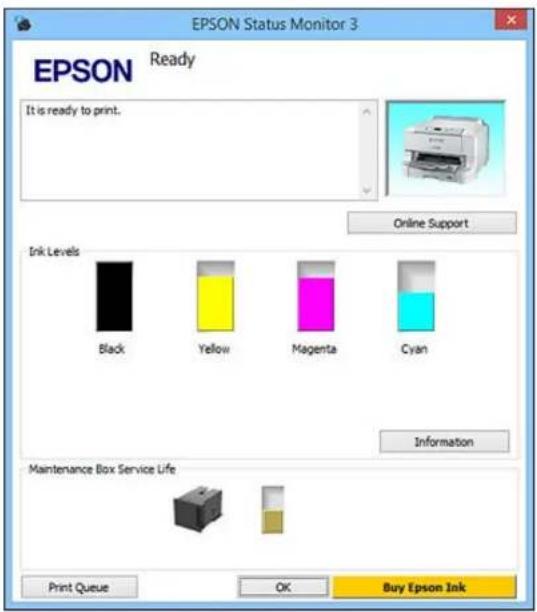
- Replaceorreinstallthemaintenanceboxoranyinkcartridgeasindicatedonthescreen.
Note: If any of the cartridges installed in the product is broken, incompatible with the product model, orimproperlyinstalled, EpsonStatusMonitorwillnotdisplayanaccuratecartridgesstatus.
- Todisablethelowinkreminder, right-click the product icon in the Window task bar and select Monitoring Preferences.
Youseethiswindow:

-
DeselecttheSeeLowInkReminderalertscheckboxatthebottomofthescreen.
-
Todisable promotional offers, deselect the Display Epson Offers checkbox.
6.ClickOK.
Parenttopic: Check Cartridge and Maintenance Box Status
Relatedtasks
Removing and Installing Ink Cartridges
ReplacingtheMaintenanceBox
CheckingCartridgeandMaintenanceBoxStatuswithOSX
YoucancheckthestatusofyourinkcartridgesandmaintenanceboxusingautilityonyourMac.
-
Dooneofthefollowing:
-
OS X 10.6/10.7/10.8/10.9: In the Apple menu or the Dock, select System Preferences. Select Print & Fax, Print & Scan, or Printers & Scanners, select your product, and select Options & Supplies. Select Utility and select Open Printer Utility.
-
OS X 10.5: In the Apple menu or the Dock, select System Preferences. Select Print & Fax, select your product, and select OpenPrintQueue.SelectUtility.
-
SelectEPSONStatusMonitor.
Youseethiswindow:

3.Dothefollowingasnecessary:
- YoucanupdatetheinkcartridgeandmaintenanceboxstatusbyclickingUpdate.
-Replaceorreinstallthemaintenanceboxoranyinkcartridgeasindicatedonthescreen.
Note: If any of the cartridges installed in the product is broken, incompatible with the product model, orimproperlyinstalled, EpsonStatusMonitorwillnotdisplayanaccuratecartridgesstatus.
Parenttopic: Check Cartridge and Maintenance Box Status
Relatedtasks
Removing and Installing Ink Cartridges
ReplacingtheMaintenanceBox
PurchaseEpsonInkCartridgesandMaintenanceBox
YoucanpurchasegenuineEpsonink,maintenanceboxes,andpaperatEpsonSuppliesCentralatepson.com/ink3 (U.S. sales) or epson.ca (Canadian sales). You can also purchase supplies from an Epsonauthorizedreseller.Tofindthenarestone,call800-GO-EPSON(800-463-7766).
Note: This product uses only genuine Epson-brand cartridges. Other brands of ink cartridges and ink supplies are not compatible and, even if described as compatible, may not function properly.
Thecartridgesincludedwiththeprinteraredesignedforprintersetupandnotforresale. Aftersomeink isusedforpriming,therestisavailableforprinting. Yieldsvaryconsiderablybasedonimagesprinted, printsettings,papertype,frequencyofuse,andtemperature.Forprintquality,avariableamountofink remainsinthecartridgeafterthe"replacecartridge"indicatorcomeson.
InkCartridgeandMaintenanceBoxPartNumbers
Parenttopic:ReplacingInkCartridgesandMaintenanceBoxes
InkCartridgeandMaintenanceBoxPartNumbers
Usethesepartnumberswhenyouorderorpurchaseanewmaintenanceboxorinkcartridges.
Maintenanceboxpartnumber:T671200
Note: For best printing results, use up a car tridgewithin 6 months after installing it.
| InkcolorPartnumber | |||
| Black748748 | XL748XXL | ||
| Cyan748748 | XL748XXL | ||
| Magenta748 | 748XL748XXL | ||
| Yellow748748 | XL748XXL | ||
Parenttopic: Purchase Epson Ink Cartridges and Maintenance Box
RemovingandInstallingInkCartridges
Makesureyouhaveyourreplacementcartridgeshandybeforeyoubegin. Youmustinstallnew cartridgesimmediatelyafterremovingtheoldones.
Caution: Leave your old cartridges in the printer until you are ready to replace them to prevent the print headnozzlesfromdryingout.Donotopeninkcartridgepackagesuntilyouarereadytoinstalltheink.Cartridgesarevacuumpackedtomaintainreliability.
- Turnonyourproduct.
- Ifaninkcartridgeisloworexpended, amessageappearsonyourproductandonyourcomputer screen. Notewhichcartridgesneedtobereplaced.
- Openthefrontcover.

natural_image
Diagram of a printer's internal structure showing a tray and printer casing with an arrow indicating rotation (no text or symbols present)- Pushintheinkcartridge that you want to replace.
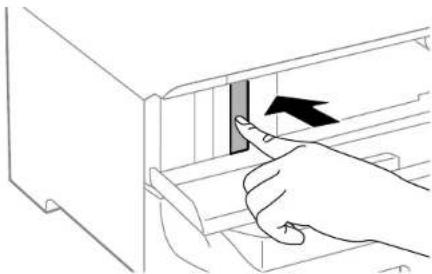
natural_image
Illustration of a hand inserting a component into a file drawer (no text or symbols visible)Theinkcartridgepopsoutslightly.
- Pulltheinkcartridgeoutoftheslot.

natural_image
Line drawing of a hand inserting a rectangular object into a filing cabinet (no text or symbols)Note: Dispose of used cartridges carefully. Do not take the used cartridge apart or try to refill it.
Warning: If ink gets on your skin, wash it thoroughly with soap and water. If ink gets into your eyes, flush them immediately with water. If ink gets into your mouth, spit out and see a doctor right away. Keep pink cartridges out of thereach of children.
- Removethecartridge from the package.

natural_image
Simple line drawing of a trash bin with an arrow indicating rotation, next to a separate 3D block (no text or symbols)Caution: Do not touch the green chip on the cartridge. Install the new cartridge immediately after removing the old one; if you donot, the printhead may dry out and be unable to print.

- Gentlyshaketheinkcartridgehorizontallyforaboutfivesecondsasshown.

natural_image
Illustration of a hand holding a rectangular object with a curved handle, no text or symbols presentCaution: Donotremoveanylabelsorseals, orinkwillleak.
-
Insertthenewcartridge into the holder and push it in until clicks in to place.
-
If the Cartridge Check option is displayed on the LCD screen, press the OK button to make sure the cartridges are installed correctly.
Caution: If necessary, press in the ink cartridge until it clicks into place.
- When you are finished, closethefrontcover.
Theproductstartsprimingtheinkandreturnstoitspreviousstatewhenfinished.
Note: Donotturnofftheprinterduringinkreplacement.
Caution: If you remove an ink cartridge for later use, protect the ink supply area from dirt and dust and storeitinthesameenvironmentastheprinter. Thevalveintheinksupplyportisdesignedtocontain anyexcessink, but donottouchtheinksupplyportorsurroundingarea. Alwaysstoreinkcartridgeswith thelabelfacingup; donotstorecartridgesupside-down.
Parenttopic:ReplacingInkCartridgesandMaintenanceBoxes
Relatedconcepts
PurchaseEpsonInkCartridgesandMaintenanceBox
PrintingwithBlackInkandExpendedColorCartridges
When acolorinkcartridge is expended, you can temporarily continue printing from your computer using blackink. Replace the expended color cartridge as soon as possible for future printing.
PrintingwithExpendedColorCartridges-Windows
PrintingwithExpendedColorCartridges-OSX
Parenttopic:ReplacingInkCartridgesandMaintenanceBoxes
PrintingwithExpendedColorCartridges-Windows
If you see a message during printing telling youth that you can temporarily print in black ink with an expended color cartridge, you can cancel your print job and select setting stop print on plain paper or an envelope.
Note: Tousethisfeature, EpsonStatusMonitormustbeenabled.
- ClickCancelorCancelPrinttocancelyourprintjob.
Note: If the messages screen appear on another computer on an network, you may need to cancel the print job using the product control panel.
-
Loadplainpaperoranenvelope in your product.
-
Accesstheprintsettingsinyourprintapplication.
-
ClicktheMaintab.
-
Select Plain Paper/Bright White Paper or Envelope as the paper type setting.
-
SelecttheBlack/Grayscalecheckbox.
7.ClickOK.
8.Printyourdocument.
EpsonStatusMonitor3displaysaprintmessage.
9.ClickPrintinBlacktoprintyourdocument.
Parenttopic: PrintingwithBlackInkandExpendedColorCartridges
PrintingwithExpendedColorCartridges-OSX
Ifprintingstops,youcancancelyourprintjobandselectsettingstotemporarilyprintwithonlyblackink onplainpaperoronanenvelope.
-
ClicktheprintericonintheDock.
-
If you see a message telling you that you can temporarily print with only black ink, click the Delete icon to cancel your print job. (OS X 10.8/10.9: Click the 📋 icon to cancel your print job. If an error message is displayed, click OK.)
Note: If them messages screen appear on another computer on an network, you may need to cancel the print job using the product control panel.
-
In the ApplemenuortheDock, select System Preferences.
-
Select Print & Fax, Print & Scan, or Printers & Scanners, select your product, and select Options & Supplies.
-
SelectDriverorOptions.
Youseeascreenlikethis:
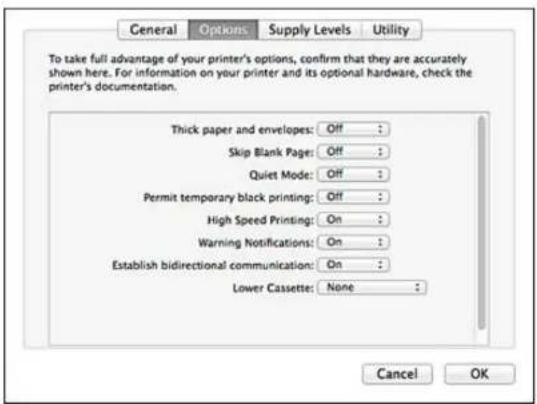
- SelectOnasthePermittemporaryblackprintingsetting.
7.ClickOK.
8.Closetheutilitywindow.
9.Loadplainpaperoranenvelopeinyourproduct. - Accesstheprintsettingsinyourprintapplication.
- SelectPrintSettingsfromthepop-upmenu.
- Select Plain Paper/Bright White Paper or Envelope as the paper type setting.
- SelecttheGrayscaleoption.
14.ClickPrinttoprintyourdocument.
Parenttopic: PrintingwithBlackInkandExpendedColorCartridges
ConservingLowBlackInkwithWindows
The following window appears when blackink run slow and there is more colorink.

Note: The window appears only when you have selected Plain Paper/Bright White Paper as the paper typesetting, and dependsonotherselectedprintsettings. Tousethisfeature, EpsonStatusMonitor mustbeenabled.
- Click Yes to use a mixture of color inks to create black, or No to continue using the remaining black ink forthedocumentyouareprinting.
- ClickDisablethisfeaturetocontinueusingtheremainingblackink.
Note: If you disable this feature, it remains disabled until you install a new black ink cartridge.
Parenttopic:ReplacingInkCartridgesandMaintenanceBoxes
ReplacingtheMaintenanceBox
Makesureyouhaveanewmaintenanceboxbeforeyoubegin.
Caution: Do not reuse a maintenance box that has been removed and left uninstalled for more than a week. Keep them maintenance box away from direct sunlight.
-
Makesuretheproductisnotprinting.
-
Removethenewmaintenanceboxfromitspackage.
Caution: Do not touch the green chip on the maintenance box. Do not remove the film on the box, or inkmayleak.
- Opentherearcover1(D1).

natural_image
Diagram of a computer case with a black arrow indicating a download or transfer process (no text or symbols present)- Graspthemaintenanceboxasshownandpullitoutofitsholder.
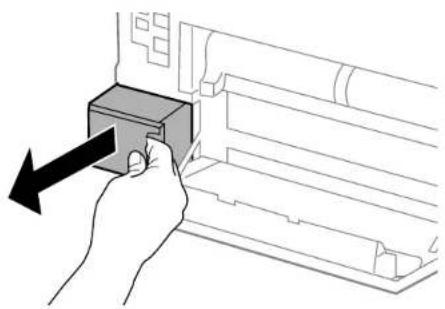
natural_image
Hand inserting a component into a device (no text or symbols visible)Note: Donottilttheusedmaintenanceboxortakeitapart.
Warning: If ink gets on your skin, wash it thoroughly with soap and water. If ink gets into your eyes, flush them immediately with water. Ifink gets into your mouth, spit out and see a doctor right away. Keep them maintenance box out of there achof children and donot drink the ink.
- Placetheusedmaintenanceboxintheplasticbagthatcamewiththenewmaintenancebox.Seal thebaganddisposeofitcarefully.

natural_image
Simple line drawing of a printer placed on top of a cloth (no text or symbols)- Insertthenewmaintenanceboxintotheholderandpushitallthewayin.
- Closetherearcover1(D1).
Parenttopic:ReplacingInkCartridgesandMaintenanceBoxes
Relatedconcepts
PurchaseEpsonInkCartridgesandMaintenanceBox
AdjustingPrintQuality
If your print quality declines, you may need to run a utility to clean an align the print head.
Note: When using the PostScript (PS3) printer software with the product, you can clean and align the printheadandrunanozzlecheckbyusingtheprinterbuttonsortheutilitiesincludedwiththestandardEpsonprintersoftware.TodownloadthestandardEpsonprintersoftware.gotoepson.com/support/wf8090.
Ifrunningtheseutilitiesdoesnotsolvetheproblem,youmayneedtoreplacetheinkcartridges.
PrintHeadMaintenance
PrintHeadAlignment
CleaningthePaperGuide
PrintHeadMaintenance
If your printoutsbecometoolight, or you seed dark or light bands across them, you may need to clean the printhead nozzles. Cleaning uses sink, so clean then nozzles only if print quality declines.
Youcancheckforcloggednozzlesbeforeyoucleanthemsoyoudon'tcleanthemunnecessarily.
Note: You cannot clean the print head if an ink cartridge is expended, and may not be able to clean it when acartridgeislow. Youmustreplacethecartridgefirst.
PrintHeadNozzleCheck
PrintHeadCleaning
Parenttopic: AdjustingPrintQuality
Relatedtopics
ReplacingInkCartridgesandMaintenanceBoxes
PrintHeadNozzleCheck
Youcanprintanozzlecheckpatterntocheckforcloggednozzles.
CheckingtheNozzlesUsingtheProductControlPanel
CheckingtheNozzlesUsingaComputerUtility
Parenttopic: PrintHeadMaintenance
CheckingtheNozzlesUsingtheProductControlPanel
Youcanchecktheprintheadnozzlesusingthecontrolpanelonyourproduct.
-
Loadafewsheetsofplainpaperintheproduct.
2.PressthearowbuttonstoselectMenuandpresstheOKbutton. -
SelectMaintenanceandpresstheOKbutton.
Youseethisscreen:
| Maintenance |
| Print Head Nozzle Che |
- SelectPrintHeadNozzleCheckandpresstheOKbutton.
Youseeascreenlikethis:

5.Presstheuparrowbutton.
Thenozzlepatternprints.
- Check the printed pattern to see if there are gaps in the lines.
Printheadisclean

natural_image
Abstract pattern of horizontal wavy lines in blue, pink, and black on a light yellow background (no text or symbols)Printheadneedscleaning

natural_image
Abstract pattern of vertical lines in blue and pink tones, no text or symbols present7.Dooneofthefollowing:
- If there are no gaps, press the down arrow button, select Finish and press the OK button.
-
If there are gaps or the pattern is faint, select Clean the print head and press the OK button.
-
Follow the instructions on the screent oclean the printhead, check thenozzles, and repeat the process as necessary.
Caution: Never turn off the product or open the front cover during a cleaning cycle or you may not beabletoprint.
Ifyoudon'tseeanyimprovementaftercleaningtheprintheadupto4times,waitatleast6hourswithout printingorlongerifprinting.Thentrycleaningtheprintheadagain.Ifqualitystilldoesnotimprove,one oftheinkcartridgesmaybeoldordamagedandneedstobereplaced.
Parenttopic: PrintHeadNozzleCheck
Relatedconcepts
PrintHeadCleaning
Relatedtopics
LoadingPaper
CheckingtheNozzlesUsingaComputerUtility
YoucanchecktheprintheadnozzlesusingautilityonyourWindowsorMaccomputer.
- Loadafewsheetsofplainpaperintheproduct.
2.Dooneofthefollowing:
- Windows:AccesstheWindowsDesktopandright-clicktheproducticonintheWindowstaskbar.
- OS X 10.6/10.7/10.8/10.9: In the Apple menu or the Dock, select System Preferences. Select Print & Fax, Print & Scan, or Printers & Scanners, select your product, and select Options & Supplies. Select Utility and select Open Printer Utility.
- OS X 10.5: In the Apple menu or the Dock, select System Preferences. Select Print & Fax, select your product, and select OpenPrintQueue. Select Utility.
3.SelectNozzleCheck.
Youseeawindowlikethis:
![Nozzle Check To perform a nozzle check, make sure that the printer is on and connected to the computer. Also make sure that A4 or Letter size plain paper is loaded in the rear paper feed or the paper cassette. Click [Print] to print a nozzle check pattern or click [Cancel] to quit. Cancel Print](/content/2026/05/816750/images/e44b509c4a46f6bcb476c6fe95e86594e7fa34d4fefb63237f0c701b94699ed0.jpg)
4.ClickPrint.
5. Check the printed pattern to see if there are gaps in the lines.
Printheadisclean

natural_image
Abstract pattern of horizontal wavy lines in shades of blue, pink, black, and yellow (no text or symbols)Printheadneedscleaning

natural_image
Abstract pattern of horizontal wavy lines in shades of blue and pink, no text or symbols present- If there are no gaps, click Finish.
Iftherearegapsorthepatternisfaint,cleantheprinthead.
Parenttopic: PrintHeadNozzleCheck
Relatedconcepts
PrintHeadCleaning
Relatedtopics
LoadingPaper
PrintHeadCleaning
If print quality has declined and thenozzlecheck pattern indicates clogged nozzles, you can clean the printhead.
Note: You cannot clean the print head if an ink cartridge is expended, and may not be able to clean it when acartridge is slow. You must replace the cartridge first.
CleaningthePrintHeadUsingtheProductControlPanel
CleaningthePrintHeadUsingaComputerUtility
Parenttopic: PrintHeadMaintenance
Relatedtasks
Removing and Installing Ink Cartridges
CleaningthePrintHeadUsingtheProductControlPanel
Youcancleantheprintheadusingthecontrolpanelonyourproduct.
- Loadafewsheetsofplainpaperintheproduct.
2.PressthearowbuttonstoselectMenuandpresstheOKbutton. -
SelectMaintenanceandpresstheOKbutton.
-
SelectPrintHeadCleaningandpresstheOKbutton.
Youseethisscreen:
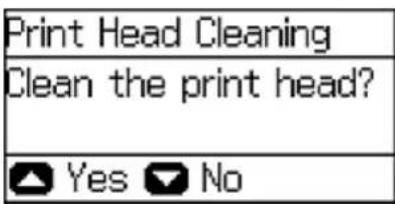
5.Presstheuparrowbutton.
Note: Usethenozzlecheckpatterntodeterminewhichcolorsneedcleaning. Youcansaveinkby cleaningonlyselectedcolors.
Whenthecleaningcycleisfinished,youseeamessageonthescreen.
Caution: Never turn off the product or open the front cover during a cleaning cycle or you may not beabletoprint.
- SelectPrintNozzleCheckPatternandpresstheOKbutton.
7.Presstheuparrowbutton.
- Select Finish and press the OK button to confirm that the print head is clean.
If you don't see any improvement after cleaning the printhead up to 4 times, wait at least 6 hours without printing or longer if printing. Thentry cleaning the printhead again. If quality still does not improve, one of the ink cartridges maybe oldordamaged and need to be replaced.
Parenttopic: PrintHeadCleaning
Relatedtasks
CleaningthePrintHeadUsingaComputerUtility
Relatedtopics
LoadingPaper
CleaningthePrintHeadUsingaComputerUtility
YoucancleantheprintheadusingautilityonyourWindowsorMaccomputer.
- Loadafewsheetsofplainpaperintheproduct.
2.Dooneofthefollowing:
- Windows:AccesstheWindowsDesktopandright-clicktheproducticonintheWindowstaskbar.
- OS X 10.6/10.7/10.8/10.9: In the Apple menu or the Dock, select System Preferences. Select Print & Fax, Print & Scan, or Printers & Scanners, select your product, and select Options & Supplies. Select Utility and select Open Printer Utility.
-
OS X 10.5: In the Apple menu or the Dock, select System Preferences. Select Print & Fax, select your product, and select OpenPrintQueue. Select Utility.
-
SelectHeadCleaning.
Youseeawindowlikethis:
![Head Cleaning Click [Start] to clean the print head nozzles. Because cleaning consumes some ink, only clean the print head when faint areas or gaps appear in your printout. Use the "Nozzle Check" utility first to confirm that the print head needs to be cleaned. If the ink is low or expended, replace the cartridge first. Start Cancel](/content/2026/05/816750/images/30804e834528474d178d5bba02001ebb42e962581939cab2a294db864573bfcf.jpg)
- ClickStarttobeginthecleaningcycle.
Caution: Never turn off the product or open the front cover during a cleaning cycle or you may not beabletoprint.
-
When the cleaning cycle is finished, you can check to see if the nozzles are clean; click Print Nozzle CheckPatternandclickPrint.
-
Check the printed pattern to see if there are gaps in the lines.
Printheadisclean

natural_image
Abstract pattern of vertical wavy lines in blue, pink, black, and purple (no text or symbols)Printheadneedscleaning

natural_image
Abstract pattern of horizontal lines in blue, pink, and black on a light background (no text or symbols)- Iftherearenogaps,clickFinish.
- Iftherearegapsorthepatternisfaint,clickCleantocleantheprintheadagain.
If you don't see any improvement after cleaning the printhead up to 4 times, wait at least 6 hours without printing or longer if printing. Thentry cleaning the printhead again. If quality still does not improve, one of the ink cartridges maybe oldordamaged and need to be replaced.
Parenttopic: PrintHeadCleaning
Relatedtasks
CleaningthePrintHeadUsingtheProductControlPanel
Relatedtopics
LoadingPaper
PrintHeadAlignment
If your printouts become grainy or blurry, you notice misalignment of vertical lines, or you seed a long horizontal bands, you may need to align the printhead.
Note: Banding may also occur your printhead nozzles need cleaning.
AligningthePrintHeadUsingtheProductControlPanel
AligningthePrintHeadUsingaComputerUtility
Parenttopic:AdjustingPrintQuality
AligningthePrintHeadUsingtheProductControlPanel
Youcanaligntheprintheadusingthecontrolpanelonyourproduct.
- Loadafewsheetsofplainpaperintheproduct.
2.PressthearbuttonstoselectMenuandpresstheOKbutton. -
SelectMaintenanceandpresstheOKbutton.
-
SelectPrintHeadAlignmentandpresstheOKbutton.
5.Dooneofthefollowing: -
If vertical lines are misaligned, select Ruled Line Alignment and press the OK button.
- If your printouts look blurry, select Vertical Alignment and press the OK button.
-
If you see horizontal bands at regular intervals, select Horizontal Alignment and press the OK button.
-
Presstheuparrowbuttontoprintanalignmentsheet.
Note: Donotcancelprintingwhileyouareprintingheadalignmentpatterns.
- Check the printed pattern on the alignments sheet and do one of the following:
- If you printed a rounded line alignments sheet, select the number representing the pattern with the least misaligned vertical line.

- If you printed a vertical alignments sheet, select then number representing them most solid printed pattern foreach set on the LCD screen.
1


- If you printed a horizontal alignment sheet, select then number representing the pattern with the least amount of separation or overlap on the LCD screen.
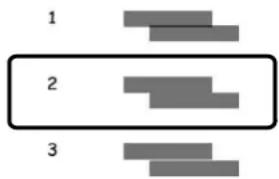
flowchart
graph TD
    A["1"] --> B["2"]
    B --> C["3"]
- After you have selected the number for all these sets, press the OK button.
Parenttopic: PrintHeadAlignment
Relatedtopics
LoadingPaper
AligningthePrintHeadUsingaComputerUtility
YoucanaligntheprintheadusingautilityonyourWindowsorMaccomputer.
- Loadafewsheetsofplainpaperintheproduct.
2.Dooneofthefollowing:
- Windows:AccesstheWindowsDesktopandright-clicktheproducticonintheWindowstaskbar.
- OS X 10.6/10.7/10.8/10.9: In the Apple menu or the Dock, select System Preferences. Select Print & Fax, Print & Scan, or Printers & Scanners, select your product, and select Options & Supplies. Select Utility and select Open Printer Utility.
-
OS X 10.5: In the Apple menu or the Dock, select System Preferences. Select Print & Fax, select your product, and select OpenPrintQueue. Select Utility.
-
SelectPrintHeadAlignment.
-
ClickNext, then click Print to print an alignments sheet.
Note: Donotcancelprintingwhileyouareprintingaheadalignmentpattern.
Youseeawindowlikethis:
![Print Head Alignment Look at the alignment sheet. Find the square without any visible bands in sets #1 through #4. Select the number that corresponds to that square from the list below for all sets. Then click [Next >]. If every square contains a band, select the square with the thinnest band or bands. Then click [Realignment]. #1 4 # #2 4 # #3 4 # #4 4 # Realignment Cancel Next >](/content/2026/05/816750/images/d84125a552c2c0e7bfe9a1f003efad6095d27b0eb48b7765b6fbe45b6b307c90.jpg)
- Check the printed pattern and follow the instructions on the screent to choose the number representing the best printed pattern foreach set.
Verticalalignment
1


Horizontalalignment

•Afterchoosingeachpatternnumber,clickNext.
- Ifnopatternsarealignedinoneormoreofthesets,choosetheclosestoneineachsetandclick
Realignment. Thenprintanotheralignmentsheetandcheckit.
Note: Click Skip (where available) if you want to skip a particular alignment sheet.
- When you are done, click Finish.
Parenttopic: PrintHeadAlignment
Relatedtopics
LoadingPaper
CleaningthePaperGuide
If you see ink on the back of a print out, you can clean the paper guider roller to move any excess sink. If paper does not feed correctly from the rear paper feed slot, you can use cleanings sheet to clean the rollers.
-
Dooneofthefollowing:
-
Ifprintoutsaresmearedorscuffed,loadplainpaperinthepapersourcethatyouwanttocleanin thissize:A3(11.7×16.5inches[297×420mm])
- Ifpaperdoesnotfeedcorrectlyfromtherearpaperfeedslot,loadthecleaningsheetthatcomes withgenuineEpsonpaperintherearpaperfeedslot.
2.PressthearowbuttonstoselectMenuandpresstheOKbutton.
- SelectMaintenanceandpresstheOKbutton.
Youseethisscreen:
| Maintenance |
| Print Head Nozzle Che |
- SelectPaperGuideCleaningandpresstheOKbutton.
- Select the papers source you want to clean and press the OK button.
6.Presstheuparrowbutton. - If you are cleaning the paper guides, repeatas necessary until the paper comes out clean. If you are using a cleaningsheet, repeat these steps up to 3 times.
Note: If the paper is not clean after cleaning several times, try cleaning the other paper sources.
Parenttopic:AdjustingPrintQuality
Relatedtopics
LoadingPaper
CleaningandTransportingtheProduct
If your product gets dirty yoryou need to move its ome distance, follow the instructions in these sections.
CleaningtheProduct
TransportingYourProduct
CleaningtheProduct
Tokeep your product working at its best, you should clean it several times a year.
Caution: Do not use a hard brush, alcohol, or paint thinner to clean the product or you may damage it. Donotuseoilorotherlubricantsinsidetheproductorletwatergetinsideit.
- Turnoff the product.
- Unplugthepowercord.
- Disconnectanyconnectedcables.
- Remove all the paper from the product.
5.Cleanthepapercassettesusingasoftbrush. - Cleantheoutercase and control panel with asoft, drycloth. Donotuseliquidorchemical cleansers.
Parenttopic: Cleaning and Transporting the Product
TransportingYourProduct
If you need to store your product or transport, prepare it for transportation as described here.
Caution: During transportation and storage, follow these guidelines:
- Usetwoormorepeopletolifttheproduct.
- When lifting the product, hold it as shown here. Holding other areas may cause the product to fall or cause you to open your fingers when placing the product down.

natural_image
Line drawing of two people exchanging a box together (no text or symbols)-Leavethemaintenanceboxinstalled;otherwiseinkmayleak.
- Whenplacingtheproductontheoptionalcabinet,lockthecastersonthecabinetfirst.
- Avoidtiltingtheproduct,placingitvertically,orturningitupsidedown;otherwiseinkmayleak.
- Leavetheinkcartridgesinstalled.Removingthecartridgescandryouttheprintheadandmayprevent theproductfromprinting.
- Turnoff the product.
2.Unplugthepowercord. - Disconnectanyconnectedcables.
- Remove all the paper from the product.
- Closethepapersupportandoutputtray.
- If you transporting the product short distance, remove the optional cabinet and papercassettes (if they are installed) before lifting the product.
Note: If the optional cabinet is installed, you can use the casters on the cabinet to roll the product instead of lifting it. Removethecabinetstands and unlock the casters before removing the product. Do not roll the product over uneven or rough surface to avoid harsh impact to the product.
- If you are transporting the product over a long distance, placethe product in its original packing materials, if possible, or use equivalent materials with cushioning around the product. Makes sure the box adequately protect the product control panel.
Keep the product level during transportation. If print quality has declined when you print again, clean and align the print head.
Parent topic: CleaningandTransportingtheProduct
Related concepts
PrintHeadCleaning
PrintHeadAlignment
Related tasks
Removing and Installing Ink Cartridges
SolvingProblems
Checkthesesectionsforsolutionstoproblemsyoumayhaveusingyourproduct.
CheckingforSoftwareUpdates
ProductStatusMessages
RunningaProductCheck
ResettingControlPanelDefaults
SolvingSetupProblems
SolvingNetworkProblems
SolvingPaperProblems
SolvingPostScriptPrintingProblems
SolvingProblemsPrintingfromaComputer
SolvingPageLayoutandContentProblems
SolvingPrintQualityProblems
WhentoUninstallYourProductSoftware
WheretoGetHelp
CheckingforSoftwareUpdates
Periodically, it's sagoodideatocheckEpson's support website for free update to your product software. Visit the driver download site at (U.S. downloads or Canadian downloads).
- Windows: Your printer software automatically checks for updates. You can also manually update the softwarebyselectingSoftwareUpdatehere:
- AccessingtheWindowsDesktopandright-clickingtheproducticonintheWindowstaskbar
•OntheMaintenancetabintheprintersettingswindow
You can also update the software by selecting EPSON Software Updater in the EPSON or EPSON Software program group, accessible by the Start button, or on the Start or Apps screens, depending on your version of Windows.
- OS X: You can manually update the software by opening the Applications > Epson Software folder andselectingEPSONSoftwareUpdater.
Parenttopic:SolvingProblems
ProductStatusMessages
YoucanoftendiagnoseproblemswithyourproductbycheckingthemessagesonitsLCDscreen.
| LCDscreenmessageCondition/solution | |
| Printererror.TurnthepoweroffandTurntheproductoffandthenbackonagain.Iftheerroronagain.continues,checkforandremoveanypaperjamsorprotectivematerialsfromtheproduct.Iftheerrorisstilldisplayed,contactEpsonforsupport. | |
| ToomanypapercassetteunitsareYoucaninstalluptothreeoptionalpapercassetteunits.installed.TurnthepoweroffandRemoveanyextraunits.uninstalltheextraunits. | |
| CannotprintbecauseXXisoutofTurntheproductoffandthenbackonagain.Reinserttheorder.Youcanprintfromanotherindicatedpapercassette. | |
| MaintenancerollersonXXareThemaintenancerollersneedtobereplacedperiodicallyfornearingtheendoftheirservicelife.optimalperformance.(Papermaynotfeedcorrectlyfromthepapercassettewhenthemaintenancerollerisneartheendofitsservicelife.) | |
| MaintenancerollersonXXareattheContactyourdealertoreplacethemaintenancerollers.Resetendoftheirservicelife.themaintenancerrollercounterandselectthepapercassetteforwhichyoureplacedthemaintenancerollers. | |
| YouneedtoreplacethefollowinginkRepacetheinkcartridgeindicatedontheLCDscreen.cartridge(s). | |
| MemoryfullReducethesizeoftheprintjob. | |
| InvalidIPaddressandsubnetmask.Thereisaproblemwiththenetworkconnectiontoyourproduct. | |
| Recoverymode | Aerrorhasoccurredduringfirmwareupdating.ConnectyourproductusingaUSBcableandtrydownloadingtheFirmwareUpdatefromtheEpsonsupportsite.Ifyoustillneedhelp,contactEpsonforsupport. |
Parenttopic: Solving Problems
Relatedreferences
WheretoGetHelp
Relatedtasks
CheckingforSoftwareUpdates
Relatedtopics
ReplacingInkCartridgesandMaintenanceBoxes
SolvingPaperProblems
Wi-FiorWiredNetworking
RunningaProductCheck
Runningaproductcheckhelpsyoudetermineifyourproductisoperatingproperly.
- Disconnectanyinterfacecablesconnectedtoyourproduct.
- Loadplainpaperintheproduct.
3.PressthearbuttonstoselectMenuandpresstheOKbutton. - SelectMaintenanceandpresstheOKbutton.
Youseethisscreen:
| Maintenance |
| Print Head Nozzle Che |
- SelectPrintHeadNozzleCheckandpresstheOKbutton.
Youseeascreenlikethis:

6.Presstheuparrowbutton.
Thenozzlepatternprints.
-
Dooneofthefollowing, dependingontheresultsoftheproductcheck:
-
If the page prints and then ozzle check pattern is complete, the product is operating properly. Any operation problemy you may have could be caused by your computer, cable, software, or selected settings. Check the others solutions in this book or try uninstalling and reinstalling your printer software.
- Ifthepageprintsbutthenozzlecheckpatternhasgaps,cleanoraligntheprinthead.
- Ifthepagedoesnotprint, theproductmayhaveaproblem. Checktheothersolutionsinthis manual. Iftheydonotwork, contactEpson.
Parenttopic:SolvingProblems
Relatedconcepts
PrintHeadCleaning
PrintHeadAlignment
WhentoUninstallYourProductSoftware
Relatedreferences
WheretoGetHelp
ResettingControlPanelDefaults
If you have a problem with settings on the product control panel, you can reset them to their factory defaults. You can choose which setting stores to reset them all.
Note: This setting can be locked by an administrator. If you cannot access or change this setting, contact your administrator for assistance.
- PressthearowbuttonstoselectMenuandpresstheOKbutton.
- Select System Administration and press the OK button. Enter the administrator password, if necessary.
- SelectRestoreDefaultSettingsandpresstheOKbutton.
Youseethisscreen:

- SelectoneoftheseoptionsandpresstheOKbutton:
•Wi-Fi/NetworkSettings: Resetsallnetworksettings.
- ClearAllDataandSettings: Resetsallcontrolpanelsettings.
Youseeaconfirmationscreen.
- Presstheuparrowbuttontoresettheselectedsettings. (Pressthedownarrowbuttonifyouwantto canceltheoperation.)
Parenttopic: Solving Problems
SolvingSetupProblems
Checkthesesectionsifyouhaveproblemswhilesettingupyourproduct.
ProductDoesNotTurnOnorOff
NoiseAfterInkInstallation
SoftwareInstallationProblems
Parenttopic:SolvingProblems
ProductDoesNotTurnOnorOff
If you cannot turn the product on or off, try these solutions:
- If you cannot turn your product, makes sure the power cord is securely connected and holddown the power buttonal little longer.
- If you cannot turn off your product, hold the power button down a little longer. If you still cannot turn off your product, un plug the power cord. Top prevent the printhead from drying out, plug the power cord back in, then turn your product on and off again using the power button.
Parenttopic: Solving Setup Problems
NoiseAfterInkInstallation
If you hear noises from your product after installing ink, check the following:
- The first time you install the ink cartridge, the product must prime its printhead. Wait until priming finishes before y out turn off the product, or it may prime improperly and use excess ink then next time y out runiton.
- If the product's printhead stopsmovingormaking noise, and the charging process has not finished after approximately 5 minutes, turn off your product. Turn it back on and check to see if charging is still in progress. If it is still in progress, contact Epson for help.
Parenttopic: Solving Setup Problems
SoftwareInstallationProblems
If you have problems while installing your product software, try thesesolutions:
- Makesureyourproductisturnedonandanynecessarycablesaresecurelyconnectedatbothends. If youstillhaveproblemsinstallingsoftware, disconnectthecableandcarefullyfollowtheinstructionson the Start Here sheet. Also make sure your system meets the requirements for your operating system.
- Closeanyotherprograms, includingscreensaversandvirusprotectionsoftware, and installyour productsoftwareagain.
•InWindows, makesureyourproductisselectedasthedefaultprinterandthecorrectportisshownin theprinterproperties. - If you see any error message your software does not install correctly in Windows, you may not have software installation privileges. Contact your System Administrator.
Parenttopic: Solving Setup Problems
Relatedconcepts
WhentoUninstallYourProductSoftware
Relatedreferences
WindowsSystemRequirements
OSXSystemRequirements
SolvingNetworkProblems
Checkthesesolutionsify you have problems setting up or using your product on an network.
Note: Breakdown or repair of this product may cause loss of network data and settings. Epson is not responsible for backing up or recovering data and settings during or after the warranty period. We recommend that you make your own backup or print out your network data and settings.
ProductCannotConnecttoaWirelessRouterorAccessPoint
NetworkSoftwareCannotFindProductonaNetwork
ProductDoesNotAppearinOSXPrinterWindow
CannotPrintOveraNetwork
Parenttopic: Solving Problems
ProductCannotConnecttoaWirelessRouterorAccessPoint
If your product a strouble finding or connecting to a wireless router or access point, try thesesolutions:
- If you are connecting the product via Wi-Fi Protected Setup (WPS) and the Wi-Fi icon your product's LCD screen is not lit, does not appear, makes sure you select one of the WPS options from the product control panel within 2 minutes of pressing the WPS button on your router.
- Makesuretoplaceyourproductwithincontactrangeofyour2.4GHzrouteroraccesspoint.Avoid placingyourproductnearamicrowaveoven,2.4GHzcordlessphone,orlargemetalobject,suchasa filingcabinet.
Note: If you are using a 5 GHz wireless router, set the router to operate in dual band (2.4 GHz and 5 GHz) mode. See your router documentation for instructions.
- Verify that your router or access point is operating correctly by connecting to it from your computer or another device.
- Youmayneedtodisablethefirewallandanyanti-virussoftwareonyourwirelessrouteroraccess point.
- Checktoseeifaccessrestrictions,suchasMACaddressfiltering,aresetontherouteroraccess point. Ifaccessrestrictionsareset,addyourproduct'sMACaddressstoyourrouter'saddresslist.To
obtainyourproduct'sMACaddress,printanetworkstatussheet.Thenfollowtheinstructionsinyour routeroraccesspointdocumentationtoaddtheaddressstothelist.
- If your router or access point does not broadcast its network name (SSID), follow the instruction that camewith your product to enter your wireless network namemannually.
- If your router or access point has security enabled, determin the kind of security is using and any required password or passphrase for connection. Then makes sure to enter the exact WEP key or WPA passphrase correctly.
- Checkify our computer is restricting the available wireless channels. If so, verify that your wireless access point is using one of the usable channels and can get a usable channel, if necessary.
- If you are using a Wi-Fi Direct connection that suddenly disconnects, the Wi-Fidirect password on your device may have been changed. If necessary, delete the existing DIRECT-xxxxxxxx connection settings from your device and enter anew password. Se your device documentation for instructions.
- If you connected your product to a Windows computer using Wi-Fi Direct and it automatically selected AccessPointMode, you may have trouble accessing low-priority Internet connection. Check the network connection or adapter settings in the Windows Control Panel and the Internet metric setting to 100 for your version of the Internet Protocol.
Parenttopic: Solving Network Problems
Relatedconcepts
Wi-FiDirectModeSetup
Relatedtasks
SelectingWirelessNetworkSettingsFromtheControlPanel
PrintingaNetworkStatusSheet
Relatedtopics
Wi-FiorWiredNetworking
NetworkSoftwareCannotFindProductonaNetwork
If Epson Net Setup cannot find your product on an network, try thesesolutions:
- Makesureyourproductisturnedonandconnectedtoyournetwork.Verifyconnectionusingyour productcontrolpanel.
- Checkifyournetworkname(SSID)containsnon-ASCIIcharacters. Yourproductcannotdisplaynon-ASCIIcharacters.
- Makesureyourproductisnotconnectedtoaguestnetwork.
- Ifnecessary,reinstallyourproductsoftwareandtryrunningEpsonNetSetupagain:
- Resetyourproduct'snetworksettingstotheirfactorydefaults.
- Windowsonly: uninstall your product software.
- Initialize your router following the instructions in your router documentation.
Note: If you are reading these instructions online, you will lose your Internet connection when you initialize your router, sonotethenextstep before initializing it.
- Download your product software from the Epson website using the instructions on the Start Here sheet.
- If you have replaced your router, reinstall your product software to connect to the new router.
Note: If you are using a 5 GHz wireless router, set the router to operate in dual band (2.4 GHz and 5 GHz) mode. See your router documentation for instructions.
Parenttopic: Solving Network Problems
Relatedconcepts
WhentoUninstallYourProductSoftware
Relatedtopics
Wi-FiorWiredNetworking
ProductDoesNotAppearinOSXPrinterWindow
If your product does not appear in the OSX printer window, try these solutions:
- Turnyourproductoff, wait30seconds, thenturnitbackonagain.
- If you are connecting the product via Wi-Fi Protected Setup (WPS) and the Wi-Fi condition does not appear on your product's LCD, makes sure you select one of the WPS options from the product control panel within 2 minutes of pressing the WPS button on your router.
- If you are connecting the product wirelessly via Epson Net Setup and the Wi-Fi condition does not appear on your LCD screen, makes sure your product software was installed correctly. If necessary, reinstall your software.
Note: If you are using a 5 GHz wireless router, set the router to operate in dual band (2.4 GHz and 5 GHz) mode. Seeyourrouterdocumentationforinstructions.
Parenttopic: Solving Network Problems
Relatedconcepts
WhentoUninstallYourProductSoftware
CannotPrintOveraNetwork
If you cannot print over an network, try thesesolutions:
• Makesurethatyourproductisturnedon.
- Makesureyouinstallyourproduct'snetworksoftwareasdescribedinyourproductdocumentation.
- Printanetworkstatussheetandverifythatthenetworksettingsarecorrect.Ifthenetworkstatusis Disconnected,checkanycableconnectionsandturnyourproductoffandthenonagain.
- If you are using TCP/IP, makes sure the product's IP address is correct by your own network. If your network does not assign IP addresses using DHCP, set the IP address manually.
- Makesureyourcomputerandproductarebothusingthesamewirelessnetwork.
• Ifnetworkprintingisslow, printanetworkstatussheet and check the signal strength. If it is poor, place your product closest to your router or access point. Avoid placing your product near a microwave oven, 2.4 GHz cordless phone, or largemetal object, such as a filing cabinet.
Note: If you are using a 5 GHz wireless router, set the router to operate in dual band (2.4 GHz and 5 GHz)mode.Seeyourrouterdocumentationforinstructions.
- ChecktoseeifyourwirelessrouteroraccesspointhasanenabledPrivacySeparatorfunctionthatis preventingprintingfromadeviceoverthenetwork.Seeyourrouteroraccesspointdocumentationfor instructionsondisablingthePrivacySeparatorfunction.
- If you are connecting the product via Wi-Fi Protected Setup (WPS) and the Wi-Fi condition does not appear on your product's LCD screen, makes sure you select one of the WPS options from the product control panel within 2 minutes of pressing the WPS button on your router.
- CheckyourwiredLANrouteroraccesspointtoseeiftheLEDfortheporttowhichyourproductis connectedisonorflashing.IfthelinkLEDisoff,trythefollowing:
- MakesuretheEthernetcableissecurelyconnectedtoyourproductandtoyourrouter,access point,switch,orhub.
- Tryconnectingyourproducttoadifferentportoradifferentrouter,accesspoint,switch,orhub.
- TryconnectingwithadifferentEthernetcable.
- Tryprintingtoyourproductfromanothercomputeronthenetwork.
Note: If you are using a 5 GHz wireless router, set the router to operate in dual band (2.4 GHz and 5 GHz) mode. Seeyourrouterdocumentationforinstructions.
• If you are connecting the product via Epson Net Setup and the Wi-Fi condition does not appear on the LCD, makes sure your product software was installed correctly. If necessary, reinstall your software.
Parenttopic: Solving Network Problems
Relatedconcepts
WhentoUninstallYourProductSoftware
Relatedtasks
PrintingaNetworkStatusSheet
Relatedtopics
Wi-FiorWiredNetworking
SolvingPaperProblems
Checkthesesectionsifyuhaveproblemsusingpaperwithyourproduct.
PaperFeedingProblems
PaperJamProblemsintheFrontCover(A)
PaperJamProblemsintheRearPaperFeedSlot(B1)
PaperJamProblemsintheFrontPaperFeedSlot(B2)
PaperJamProblemsintheCassette(C1/C2/C3/C4)
PaperJamProblemsintheRearCover1(D1)
PaperJamProblemsintheRearCover(E)oftheOptionalPaperCassetteUnit
PaperEjectionProblems
Parenttopic:SolvingProblems
PaperFeedingProblems
If you have problems feeding paper, try thesesolutions:
• If paper does not feed for printing, remove it from therear feed slot or cassette. Reload it, then adjust the edge guides. Makes sure the paper stack is not above the abon the edge guides inside the cassette or rear feed slot.
- Besuretoinsertthepapercassetteallthewayintoyourproduct.
- If multiple pages feed at once, remove the paper, fan the edge gestose separate the sheets, and reload it.
- Donotloadmorethantherecommendednumberofsheets.
- Makesureyourpapermeetsthespecificationsforyourproduct.
- Ifpaperjamswhenyouprintonbothsidesofthepaper,tryloadingfewersheets.
• Makesurethepapersizeandpapertypesettingsarecorrectforthepapersource.
- Loadandejectpaperwithoutprintingtocleanthepaperpath.
- Ifpaperdoesnotfeedcorrectlyafterreplacingthemaintenancerollers,makesureyouinstalledthe maintenancerollerscorrectly.
- If you installed an optional papercassette unit, besureto enable the cassette unit in the printing software.
- If your product pauses during printing, makes sure the front cover is closed.
- Themaintenancerollersmaybetheendoftheirservicelife.Checkthemaintenancerollerstatus andreplacethemifnecessary.
•Forbestresults,followtheseguidelines:
- Usenew, smooth, high-quality paper that is not curled, creased, old, toothin, ortoothick.
- Loadpaperinthecassetteprintablesidedown.
- Donotloadbinderpaperwithholesinthecassette.
- Followanyspecialloadinginstructionsthatcamewiththepaper.
Parenttopic: Solving Paper Problems
Relatedreferences
PaperJamProblemsintheFrontCover(A)
PaperJamProblemsintheRearPaperFeedSlot(B1)
PaperJamProblemsintheFrontPaperFeedSlot(B2)
PaperJamProblemsintheCassette(C1/C2/C3/C4)
PaperJamProblemsintheRearCover1(D1)
PaperJamProblemsintheRearCover(E)oftheOptionalPaperCassetteUnit
PaperLoadingCapacity
PaperSpecifications
Relatedtasks
CleaningthePaperGuide
Relatedtopics
LoadingPaper
PaperJamProblemsintheFrontCover(A)
Ifpaperhasjammedinthefrontcover,followthestepsheretoclearthejam.
- Canceltheprintjob, if necessary.
- Openthefrontcover.
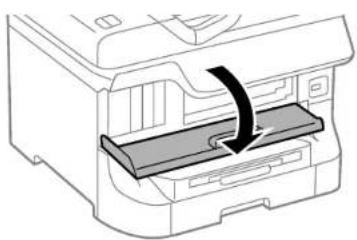
natural_image
Diagram of a printer's internal structure showing a tray and printer casing with an arrow indicating rotation (no text or symbols present)- Removeanypaperinside, including tornpieces.

natural_image
Diagram of a printer printer with a paper feeding into a slot, showing internal structure and page loading (no text or symbols)Caution: Becarefultonottouchanypartsinsidetheproducttopreventdamagetoit.
- Closethefrontcover.
Note: If any torn pieces of paper remain in the product, select Menu > Maintenance > Remove Paperafterclearingthepaperjamerror.
- FollowthepromptsontheLCDscreentoclearanyerrormessages.Ifyoustillseeapaperjam message,checktheotherpaperjamsolutions.
Parenttopic: Solving Paper Problems
Relatedreferences
PaperJamProblemsintheRearPaperFeedSlot(B1)
PaperJamProblemsintheFrontPaperFeedSlot(B2)
PaperJamProblemsintheCassette(C1/C2/C3/C4)
PaperJamProblemsintheRearCover1(D1)
PaperJamProblemsintheRearCover(E)oftheOptionalPaperCassetteUnit
PaperJamProblemsintheRearPaperFeedSlot(B1)
Ifpaperhasjammedintherearpaperfeedslot,carefullyremovethepaper.

natural_image
Cross-sectional diagram of a mechanical component with an upward arrow indicating force or direction (no text or symbols)Parenttopic: Solving Paper Problems
Relatedreferences
PaperJamProblemsintheFrontCover(A)
PaperJamProblemsintheFrontPaperFeedSlot(B2)
PaperJamProblemsintheCassette(C1/C2/C3/C4)
PaperJamProblemsintheRearCover1(D1)
PaperJamProblemsintheRearCover(E)oftheOptionalPaperCassetteUnit
PaperJamProblemsintheFrontPaperFeedSlot(B2)
Ifpaperhasjammedinthefrontpaperfeedslot,followthestepsheretoclearthejam.
- Canceltheprintjob, if necessary.
2.Closetheoutputray.
- Removetheoutputtrayandpulloutthepapercassette.

natural_image
Diagram showing a printer's internal structure with arrows indicating assembly or process (no text or symbols present)- Pullthelevertolowerthecover.
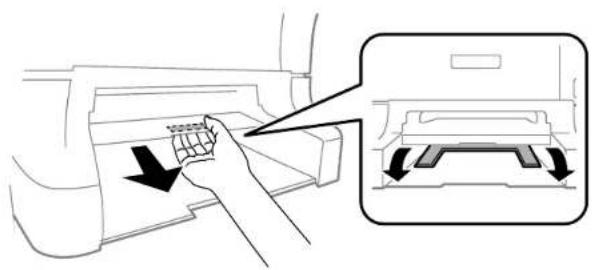
natural_image
Illustration of a hand inserting a grid into a printer case, with an inset showing the same device (no text or symbols present)- Carefully remove an nypaper jammed insidethe product.

natural_image
Diagram of a mechanical component with a downward arrow indicating force or direction (no text or symbols)6.Raisethecover.
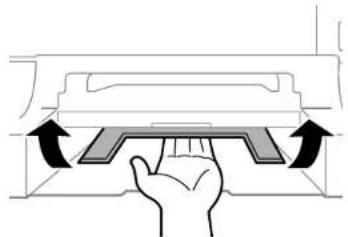
natural_image
Diagram of a hand pressing down on a mechanical component with directional arrows indicating motion (no text or symbols)-
Reattachtheoutputtrayandinsertthepapercassette.
-
FollowthepromptsontheLCDscreentoclearanyerrormessages.Ifyoustillseeapaperjam message,checktheotherpaperjamsolutions.
Parenttopic: Solving Paper Problems
Relatedreferences
PaperJamProblemsintheFrontCover(A)
PaperJamProblemsintheRearPaperFeedSlot(B1)
PaperJamProblemsintheCassette(C1/C2/C3/C4)
PaperJamProblemsintheRearCover1(D1)
PaperJamProblemsintheRearCover(E)oftheOptionalPaperCassetteUnit
PaperJamProblemsintheCassette(C1/C2/C3/C4)
Ifpaperhasjammedinthecassette, followthestepsheretoclearthejam.
Note: If the optional paper cassette units are installed, do not remove more than one paper cassette at a time.
- Canceltheprintjob, if necessary.
- Pulloutthepapercassette.
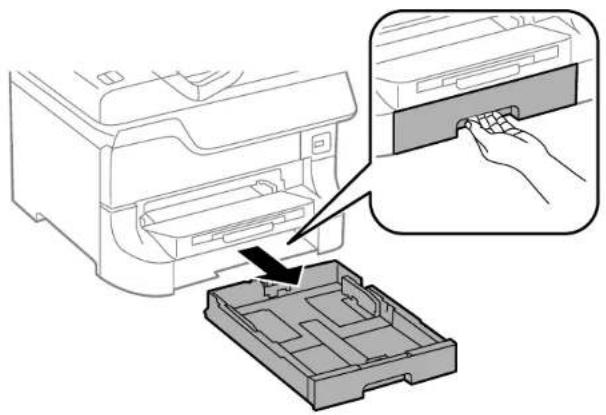
natural_image
Diagram showing a printer's internal structure being inserted into a plastic case, with an inset close-up of the printer's handle (no text or symbols present)- Carefully remove an nypaper jammed insidethe product.

natural_image
Line drawing of a printer with a paper patch being inserted, showing no text or symbols- Carefully follow wallpaper loading instructions and reload the paper.
- Keep the cassette flatasy you gently insert it.
- FollowthepromptsontheLCDscreentoclearanyerrormessages.Ifyoustillseeapaperjam message,checktheotherpaperjamsolutions.
Parenttopic:SolvingPaperProblems
Relatedreferences
PaperJamProblemsintheFrontCover(A)
PaperJamProblemsintheRearPaperFeedSlot(B1)
PaperJamProblemsintheFrontPaperFeedSlot(B2)
PaperJamProblemsintheRearCover1(D1)
PaperJamProblemsintheRearCover(E)oftheOptionalPaperCassetteUnit
PaperJamProblemsintheRearCover1(D1)
Ifpaperhasjammedintherearcover1,followthestepsheretoclearthejam.
- Canceltheprintjob, if necessary.
2.Openrearcover1(D1).

natural_image
Diagram of a printer's internal structure showing a clamped paper feed with a black arrow indicating compression (no text or symbols present)- Carefully remove any jammed paper.

4.Pulloutrearcover2(D2).

natural_image
Illustration of hands inserting a printer into a machine (no text or symbols visible)- Removeanyjammedpaperfromtheduplexer.

natural_image
Diagram of a printer's internal structure showing paper feeding into a slot (no text or symbols)- Insertrearcover2(D2).
7.Closerearcover1(D1). - Follow the prompts on the LCD screen to clear any error messages. If you still see a paper jam message, check the other paper jams solutions.
Parenttopic: Solving Paper Problems
Relatedreferences
PaperJamProblemsintheFrontCover(A)
PaperJamProblemsintheRearPaperFeedSlot(B1)
PaperJamProblemsintheFrontPaperFeedSlot(B2)
PaperJamProblemsintheCassette(C1/C2/C3/C4)
PaperJamProblemsintheRearCover(E)oftheOptionalPaperCassetteUnit
PaperJamProblemsintheRearCover(E)oftheOptionalPaperCassetteUnit
Ifpaperhasjammedinanyoftheoptionalpapercassettes,followthestepsheretoclearthejam.
- Canceltheprintjob, if necessary.
2.Openrearcover(E)ontheoptionalpapercassetteunitwiththejammedpaper.
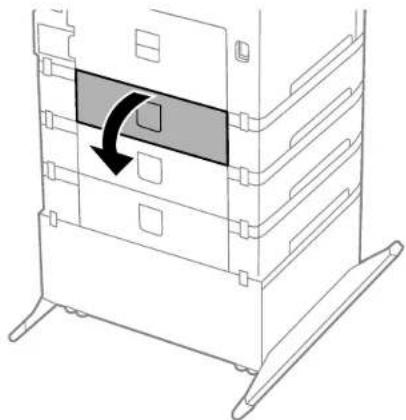
natural_image
Diagram of a server rack with a highlighted internal component and directional arrow (no text or symbols)- Carefully remove an nypaper jammed inside.

natural_image
Line drawing of a multi-tiered storage or rack unit with a black arrow indicating a component (no text or symbols present)4.Closerearcover(E).
- Follow the prompts on the LCD screen to clear any error messages. If you still see a paper jam message, check the other paper jams solutions.
Parenttopic: SolvingPaperProblems
Relatedreferences
PaperJamProblemsintheFrontCover(A)
PaperJamProblemsintheRearPaperFeedSlot(B1)
PaperJamProblemsintheFrontPaperFeedSlot(B2)
PaperJamProblemsintheCassette(C1/C2/C3/C4)
PaperJamProblemsintheRearCover1(D1)
PaperEjectionProblems
If you have problems with paperejecting properly, try thesesolutions:
- Ifpaperdoesnotejectfully,youmayhavesethewrongpapersize.Cancelprintingtoejectthepaper.Selectthecorrectpapersizewhenyoureprint.
- Ifpaperiswrinkledwhenitejects,itmaybedamportoothin.Loadnewpaperandbesuretoselect thecorrectpapertypesettingwhenyoureprint.
Parenttopic: Solving Paper Problems
Relatedreferences
PaperorMediaTypeSettings-PrintingSoftware
Relatedtasks
CancellingPrintingUsingaProductButton
Relatedtopics
LoadingPaper
SolvingPostScriptPrintingProblems
Checkthesesolutionsify you have problems using the PostScript printing software.
NothingPrintsUsingthePostscriptPrintingSoftware
DocumentsPrintIncorrectlyUsingthePostscriptPrintingSoftware
AccessingPrinterProperties-Postscript-Windows
Parenttopic: Solving Problems
NothingPrintsUsingthePostscriptPrintingSoftware
If your document doesn't print, try thesesolutions:
- Makesureyourproductisturnedonandproperlyconnected.
- Makesuretheprintinglanguagesettingonthecontrolpaneliscorrect.
- If Text Detection is enabled on the control panel and you cannot print text, set the printing language to PS3.
- Makesureyourproductisselectedastheprinterinyourprintingprogram.
- In Windows, the product may not print if a large number of print jobs are sent. Try selecting Print directlytotheprinterontheAdvancedtabintheprinterproperties.
Parenttopic: Solving PostScript Printing Problems
Relatedtopics
PrintingwiththeEpsonUniversalPrintDriver-Windows
DocumentsPrintIncorrectlyUsingthePostscriptPrintingSoftware
If your document does not print correctly, try thesesolutions:
- If the file you are printing was created in an application that allows you to change the data format, such as Adobe Photoshop, makes sure these settings in the application match the printer driver settings.
- EPSfilescreatedinbinaryformatmaynotprintcorrectly.TrycreatingthefileinASCIIformatinstead.
- InWindows, the product cannot print binary data if it is connected to the computer using a USB cable. Try selecting ASCII or TBCP as the Output Protocol setting on the Device Settings tab in the printer properties.
- InWindows, select the appropriate substitution font on the Device Setting stabin the printer properties.
- If the printed colors are incorrect, try adjusting the Color Mode setting on the Advanced tab of the printingsoftware.
- If printing is slow, try selecting Fast as the Print Quality setting on the Advanced tab of the printing software.
Parenttopic: Solving PostScript Printing Problems
Relatedtasks
AccessingPrinterProperties-Postscript-Windows
AccessingPrinterProperties-Postscript-Windows
Youcanaccesstheprinterpropertiestoviewandchangeproductsettings.
-
Dooneofthefollowing:
-
Windows 8.x: Navigate to the Apps screen and select Control Panel > Hardware and Sound > DevicesandPrinters.Right-clickthepostscriptdriverforyourproduct,andselectPrinter properties.
- Windows 7: Click and select Devices and Printers. Right-click the postscript driver for your productandselectPrinterproperties.
- Windows Vista: Click and select Control Panel. Click Printer under Hardware and Sound, then right-click the postscript driver for your product and select Properties.
-
Windows XP: Click Start and select Printers and Faxes. Right-click the postscript driver for your productandselectProperties.
-
Clickanytabtoviewandchangetheprinterpropertysettings.
Parenttopic: Solving PostScript Printing Problems
SolvingProblemsPrintingfromaComputer
Checkthesesectionsifyuhaveproblemswhileprintingfromyourcomputer.
Note: When printing using AirPrint, the available print settings are different from those covered in this manual.SeetheApplewebsitefordetails.
Note: For problems while printing with the Epson Universal Print Driver or PostScript (PS3) printer software, seethesectionscoveringthatsoftwareinthismanual.
NothingPrints
ProductIconDoesNotAppearinWindowsTaskbar
PrintingisSlow
Parenttopic: Solving Problems
NothingPrints
If you have sent a print job and nothing prints, try thesesolutions:
• Makesureyourproductisturnedon.
- Makesureanyinterfacecablesareconnectedsecurelyatbothends.
- If you connected your product to a USB hub, makes sure it is first-tier hub. If it still does not print, connect your product directly to your computer instead of the hub.
- Runaproductchecktoseeifatestpageprints.Ifthetestpageprints,checktoseeifyourproduct softwareisinstalledcorrectly.
- If you are printing a large image, the computer may not have enough memory. Print the image at a lower resolution or smaller filesize.
- In Windows, click Print Queue on the Maintenance tab in the printer settings window and check for the following:
- Checkforanystalledorpausedprintjobs.Cancelorunpauseanyjobsasnecessary.
- OpenthePrintermenuandmakesuretheproductisnotoffline.
- OpenthePrintermenuandsettheproductasthedefaultprinter,ifnecessary.
- In OS X, select System Preferences from the Apple menu or Dock, select Print & Scan or Printers & Scanners, then double-click your printer icon. Check to see if any jobs are paused. Cancel or unpauseanyjobsasnecessary.
- If you are using AirPrint, makes sure AirPrint is enabled with the correct settings using WebConfig.
Parenttopic: Solving Problems Printing from a Computer
Relatedtasks
RunningaProductCheck
UsingAirPrint
ProductIconDoesNotAppearinWindowsTaskbar
If you donot see your product icon in the Window task bar, first try restarting your computer. If that does not work, try this solution:
- Dooneofthefollowing:
- Windows 8.x: Navigate to the Apps screen and select Control Panel > Hardware and Sound > DevicesandPrinters.
- Windows7: ClickandselectDevicesandPrinters.
- Windows Vista: Click 📋, select Control Panel, and click Printer under Hardware and Sound.
-
Windows XP: Click Start and select Printers and Faxes. (Or open the Control Panel, select PrintersandOtherHardware,ifnecessary,andPrintersandFaxes.)
-
Right-click your product name, select Printing Preferences, and select your product name again if necessary.
-
ClicktheMaintenancetab.
- ClicktheExtendedSettingsbutton.
- SelectEnableEPSONStatusMonitor3, thenclickOK.
- Click the Monitoring Preferences button.
- Click the checkbox for the option that add st heshort cuticontothetaskbar.
8.ClickOKtoclosetheopenprogramwindows.
Parenttopic: Solving Problems Printing from a Computer
PrintingisSlow
Ifprintingbecomesslow, trythesesolutions:
- Makesureyoursystemmeetstherequirementsforyouroperatingsystem.Ifyouareprintingahigh-resolutionimage,youmayneedmorethantheminimumrequirements.Ifnecessary,increaseyour system'smemory.
- If you are using Windows7, closet the Devices and Printers window before you print.
•MakesureQuietModeisturnedoff.
-Clearspaceonyourharddriveorrunadefragmentationutilitytofreeupexistingspace.
- Closeanyprogramsyouarenotusingwhenyouprint.
- If your product is connected to a USB hub, connect it directly to your computer instead.
• Ifprintingbecomesslowerafterprintingcontinuouslyforalongtime, theproductmayhave automaticallysloweddowntoprotecttheprintmechanismfromoverheatingorbecomingdamaged. Lettheproductrestwiththepoweronfor30minutes, thentryprintingagain.
Forthefastestprinting,selectthefollowingsettingsinyourproductsoftware:
- Makesurethepapertypesettingmatchesthetypeofpaperyouloaded.
- Turnonanyhighspeedsettingsinyourproductsoftware.
- Selectalowerprintqualitysetting.
- Makesuretheinkdryingtimehasnotbeenincreasedfordouble-sidedprinting.
- Windows: Click the Maintenance tab, select Extended Settings, and select the following settings:
•HighSpeedCopies
•AlwaysSpoolRAWDatatype
•PageRenderingMode
-PrintasBitmap
Parenttopic: Solving Problems Printing from a Computer
Relatedreferences
WindowsSystemRequirements
OSXSystemRequirements
PaperorMediaTypeSettings-PrintingSoftware
Relatedtasks
SelectingBasicPrintSettings-Windows
SelectingExtendedSettings-Windows
SelectingBasicPrintSettings-OSX
SolvingPageLayoutandContentProblems
Checkthesesectionsify you have problems with the layout or content of your printed pages.
Note: When printing using AirPrint, the available print settings are different from those covered in this manual.SeetheApplewebsitefordetails.
InvertedImage
TooManyCopiesPrint
BlankPagesPrint
IncorrectMarginsonPrintout
IncorrectCharactersPrint
IncorrectImageSizeorPosition
SlantedPrintout
Parenttopic: Solving Problems
InvertedImage
If your printed image is inverted unexpectedly, try thesesolutions:
- Turnoffanymirrororinversionsettingsinyourprintingapplication.
- Turn off the Mirror Image, Flip horizontally, or Reverse page orientation settings in your printer software.(Thisoptionhasdifferentnames,dependingonyouroperatingsystemversion.)
Note: Leave these options turned on when you print on Epson Iron-on Cool Peel Transfer paper, if available for your product.
Parenttopic: Solving PageLayoutandContentProblems
Relatedtasks
SelectingAdditionalLayoutandPrintOptions-Windows
SelectingBasicPrintSettings-OSX
TooManyCopiesPrint
Make sure that the Copies setting in your printing program or printer software is not set for multiple copies.
Parenttopic: Solving PageLayoutandContentProblems
Relatedtasks
SelectingBasicPrintSettings-Windows
SelectingBasicPrintSettings-OSX
BlankPagesPrint
Ifblankpagesprintunexpectedly, trythesesolutions:
- Makesureyouselectedthecorrectpapersizesettingsinyourprintingprogramandprintersoftware.
- If a blank page exists in a document you are printing and you want to skip printing it, select the Skip BlankPagesettinginyourprintersoftware.
- Runaprintheadnozzlechecktoseeifanyofthenozzlesareclogged. Thencleantheprinthead, if necessary.
- Makesureyourproductisselectedastheprinterinyourprintingprogram.
Parenttopic: Solving PageLayout and Content Problems
Relatedconcepts
PrintHeadNozzleCheck
PrintHeadCleaning
Relatedtasks
SelectingBasicPrintSettings-Windows
SelectingExtendedSettings-Windows
SelectingBasicPrintSettings-OSX
SelectingPrintingPreferences-OSX
IncorrectMarginsonPrintout
If your printed page has incorrect margins, try thesesolutions:
- Makesureyouselectedthecorrectpapersizesettingsinyourprintingprogramandprintersoftware.
- Makesureyouselectedthecorrectmarginsforyourpapersizeinyourprintingprogram.
- Makesureyourpaperispositionedcorrectlyforfeedingintotheprinter.
Youcanusethepreviewoptioninyourprintersoftwaretocheckyourmarginsbeforeyouprint.
Parenttopic: Solving PageLayout and Content Problems
Relatedtasks
SelectingBasicPrintSettings-Windows
SelectingBasicPrintSettings-OSX
Relatedtopics
LoadingPaper
IncorrectCharactersPrint
If incorrect characters appear in your prints, try thesesolutions before eprinting:
- Makesureanycablesaresecurelyconnectedatbothends.
- In Windows, delete all jobs from the Windows Spooler. Click Print Queue on the Maintenance tab in the printersettingswindow, and cancel an unstalled print jobs.
- If your product is connected to a USB hub, connect it directly to your computer instead.
- If your computer entered sleep modethelasttime you printed, then next print job after your computer exit sleep modemay containing arbled characters. Print your document again.
- If incorrect characters still appear in your prints, try connecting your product using a different cable.
Parenttopic: Solving PageLayoutandContentProblems
IncorrectImageSizeorPosition
If your printed image is the wrong size or in the wrong position, try these solutions:
- Makesureyouselectedthecorrectpapersizeandlayoutsettingsinyourprintingprogramandprinter software.
- Makesureyouselectedthecorrectpapersizeonthecontrolpanel.
- Makesureyourpaperispositionedcorrectlyforfeedingintotheprinter.
Youcanusethepreviewoptioninyourprintersoftwaretocheckyourmarginsbeforeyouprint.
Parenttopic: Solving PageLayout and Content Problems
Relatedtasks
SelectingBasicPrintSettings-Windows
SelectingAdditionalLayoutandPrintOptions-Windows
SelectingBasicPrintSettings-OSX
SelectingPageSetupSettings-OSX
SlantedPrintout
If your printoutsareslanted, try thesesolutions:
- Slidetheedgeguidesagainsttheedgesofthepaper.
- Selectahigherprintqualitysettinginyourprintersoftware.
- Turnoffanyhighspeedsettingsinyourproductsoftware.
- Aligntheprinthead.
- Makesuretheproductisnotprintingwhiletiltedoratanangle.
Parenttopic: Solving PageLayout and Content Problems
Relatedtasks
SelectingBasicPrintSettings-Windows
SelectingBasicPrintSettings-OSX
Relatedtopics
LoadingPaper
SolvingPrintQualityProblems
Checkthesesectionsifyourprintoutshaveproblemswithprintquality,butyourimagelooksfineonyour computerscreen.
Note: When printing using AirPrint, the available print settings are different from those covered in this manual.SeetheApplewebsitefordetails.
WhiteorDarkLinesinPrintout
BlurryorSmearedPrintout
FaintPrintoutorPrintoutHasGaps
GrainyPrintout
IncorrectColors
Parenttopic: Solving Problems
WhiteorDarkLinesinPrintout
If you notice whiteordarklines in your prints (also called banding), try thesesolutions before you reprint:
- Runanozzlechecktoseeifanyoftheprintheadnozzlesareclogged. Thencleantheprinthead, if necessary.
•Makesurethepapertypesettingmatchesthetypeofpaperyouloaded.
- Makesureyouloadedtheprintablesideofthepapercorrectlyforyourproduct.
•Turnoffanyhighspeedsettingsinyourproductsoftware.
•Aligntheprinthead.
- Youmayneedtoreplacetheinkcartridges.
Parenttopic: Solving Print Quality Problems
Relatedconcepts
PrintHeadNozzleCheck
PrintHeadCleaning
PrintHeadAlignment
Relatedreferences
PaperorMediaTypeSettings-PrintingSoftware
Relatedtasks
SelectingAdditionalLayoutandPrintOptions-Windows
SelectingPrintingPreferences-OSX
Relatedtopics
LoadingPaper
ReplacingInkCartridgesandMaintenanceBoxes
BlurryorSmearedPrintout
If your printouts are blurryorsmeared, try thesesolutions:
- Makesureyourpaperisnotdamp,curled,old,orloadedincorrectlyinyourproduct.
- Useasupportsheetwithspecialpaper,orloadspecialpaperonesheetatatime.
- Makesureyourpapermeetsthespecificationsforyourproduct.
• Use Epsonpaperstoensurepropersaturation and absorption of genuine Epsoninks.
- Makesurethepapertypesettinginyourproductsoftwarematchesthetypeofpaperyouloaded.
- Makesureyouloadedtheprintablesideofthepapercorrectlyforyourproduct.
- If you are printing on thick paper or envelopes, turn on the Thick Paper setting from the control panel or select Thick Paper and Envelopes in the Extended Settings of the printer software. (Turning this settingonwilldecreaseprintspeed.)
- In Windows, if the paper is still smeared after selecting the Thick Paper and Envelopes setting, selecttheShortGrainPapersettingintheExtendedSettingsoftheprintersoftware.
- Remove each sheet from the output tray as it is printed.
- Avoidhandlingprintoutsonglossypaperrightafterprintingtoallowtheinktoset.
• Turnoffanyhighspeedsettingsinyourproductsoftware.
- Ifyouprintonbothsidesofasheetofpaper,smudgesmayappearonthereversesideofheavily saturatedordarkimages.Ifonesideofasheetwillcontainalighterimageortext,printthatsidefirst. AdjustthePrintDensityand/orIncreaselnkDryingTimesettings.
- Runanozzlechecktoseeifanyoftheprintheadnozzlesareclogged. Thencleantheprinthead, if necessary.
•Aligntheprinthead.
•Cleanthepaperpath.
Note: Your product will not operate properly while tilted at an angle. Place it on a flat, stable surface that extendsbeyondthebaseoftheproductinalldirections.
Parenttopic: Solving Print Quality Problems
Relatedconcepts
PrintHeadCleaning
PrintHeadAlignment
Relatedreferences
AvailableEpsonPapers
PaperSpecifications
Double-sidedPrintingOptions-Windows
Relatedtasks
SelectingBasicPrintSettings-Windows
SelectingAdditionalLayoutandPrintOptions-Windows
SelectingBasicPrintSettings-OSX
SelectingDouble-sidedPrintingSettings-OSX
SelectingPrintingPreferences-OSX
CleaningthePaperGuide
Relatedtopics
LoadingPaper
FaintPrintoutorPrintoutHasGaps
If your printouts are faint or have gaps, try thesesolutions:
- Runanozzlechecktoseeifanyoftheprintheadnozzlesareclogged. Thencleantheprinthead, if necessary.
•Theinkcartridgesmaybeoldorlowonink, andyoumayneedtoreplacethem.
- Makesurethepapertypesettingmatchesthetypeofpaperyouloaded.
- Makesureyourpaperisnotdamp,curled,old,orloadedincorrectlyinyourproduct.
- Aligntheprinthead.
- Cleanthepaperpath.
Parenttopic: Solving Print Quality Problems
Relatedconcepts
PrintHeadNozzleCheck
PrintHeadCleaning
PrintHeadAlignment
Relatedreferences
PaperorMediaTypeSettings-PrintingSoftware
Relatedtasks
SelectingBasicPrintSettings-Windows
SelectingBasicPrintSettings-OSX
CleaningthePaperGuide
Relatedtopics
ReplacingInkCartridgesandMaintenanceBoxes
LoadingPaper
GrainyPrintout
If your printouts are grainy, try thesesolutions:
- Makesureyouloadedtheprintablesideofthepapercorrectlyforyourproduct.
- Selectahigherprintqualitysettingandturnoffanyhighspeedsettingsinyourproductsoftware.
- Runanozzlechecktoseeifanyoftheprintheadnozzlesareclogged. Thencleantheprinthead, if necessary.
•Aligntheprinthead.
- Youmayneedtoincreasetheimageresolutionorprintasmallersize;seeyoursoftware documentation.
Note: ImagesfromtheInternetmaybelowresolutionandnotresultinahighqualityprintout.
- If you en larged the image in an image editing program, you need to increase the resolution setting to retain a high image quality. Increase the resolution by the same amount you increased the imagesize. Forex example, if the resolution is 300 dpi (dots per inch) and you will double the images sit later, change the resolution setting to 600 dpi.
Note: Higher resolution settings result in larger file sizes, which take longer to process and print. Considerthelimitationsofyourcomputersystemwhenselectingaresolution,andselectthelowest possibleresolutionthatproducesacceptablequalitytokeepfilesizesmanageable.
Parenttopic: SolvingPrintQualityProblems
Relatedconcepts
PrintHeadNozzleCheck
PrintHeadCleaning
PrintHeadAlignment
Relatedtasks
SelectingBasicPrintSettings-Windows
SelectingAdditionalLayoutandPrintOptions-Windows
SelectingBasicPrintSettings-Windows
SelectingBasicPrintSettings-OSX
Relatedtopics
LoadingPaper
IncorrectColors
If your print out have incorrect colors, try thesesolutions:
- Make sure the Black/Grayscale or Grayscale setting is not selected in your printer software.
- If you selected Standard-Vivid (Windows) or Normal-Vivid (OS X) as the quality setting in the printer software, tryselecting Standard (Windows) or Normal(OSX) instead.
- Runanozzlechecktoseeifanyoftheprintheadnozzlesareclogged. Thencleantheprinthead, if necessary.
•Theinkcartridgesmaybeoldorlowonink, andyoumayneedtoreplacethem. - Yourprintedcolorscanneverexactlymatchyouron-screencolors. However, you can use acolor managementsystemtogetascloseaspossible. Try using the color management options in your printersoftware.
- Forbestresults, usegenuineEpsoninkandpaper.
Parenttopic: SolvingPrintQualityProblems
Relatedconcepts
PrintHeadNozzleCheck
PrintHeadCleaning
Relatedreferences
AvailableEpsonPapers
Relatedtasks
SelectingBasicPrintSettings-Windows
SelectingAdditionalLayoutandPrintOptions-Windows
SelectingBasicPrintSettings-OSX
Relatedtopics
ReplacingInkCartridgesandMaintenanceBoxes
WhentoUninstallYourProductSoftware
If you have a problem that requires you to install and install your software, follow the instructions for your operating system.
UninstallingPrintingSoftware-StandardEpsonPrinterSoftware-Windows
UninstallingProductSoftware-OSX
Parenttopic: Solving Problems
UninstallingPrintingSoftware-StandardEpsonPrinterSoftware-Windows
Youcanuninstallandthenre-installyourprintersoftwaretosolvecertainproblems.
Note: You cannot uninstall the PostScriptprintersoftware.
- Turnoff the product.
- Disconnectanyinterfacecables.
3.Dooneofthefollowing:
- Windows 8.x: Navigate to the Apps screen and select Control Panel > Programs > Programs and Features. Select the uninstall option for your Epson product, then select Uninstall/Change.
Note: If you see a User Account Control window, click Yes or Continue.
Inthenextwindow, select your product, if necessary, and click OK. Then follow any on-screen instructions.
- Windows (other versions): Click 📄 or Start, and select All Programs or Programs. Select Epson, select your product, then click EPSON Printer Software Uninstall.
Note: If you see a User Account Control window, click Yes or Continue.
Inthenextwindow, select your product, if necessary, and click OK. Then follow any on-screen instructions.
- Restart your computer, then re-install your software.
Note: If you find that re-installing your product software does not solve a problem, contact Epson.
Parenttopic: WhentoUninstallYourProductSoftware
UninstallingProductSoftware-OSX
Inmostcases,youdonotneedtouninstallyourproductsoftwarebeforere-installingit.However,you candownloadtheUninstallerutilityfromtheEpsonsupportwebsitetouninstallyourproductsoftwareas describedhere.
Note: If you find that re-installing your product software does not solve a problem, contact Epson.
- To download the Uninstaller utility, visit the Epson download site (U.S. downloads or Canadian downloads).
- Follow the instructions on the screentoinstall the Uninstaller utility.
- Quitall applications currently running on your Mac.
- Double-click the Uninstallericon.
- Selectthecheckboxforeachsoftwareprogramyouwanttouninstall.
6.ClickUninstall. - Followtheon-screen instructionstouninstallthesoftware.
- Toreinstallyourproductsoftware,seetheStartHeresheetforinstructions.
Note: If you uninstall the printer driver and your product name remains in the Print & Fax, Print & Scan, or Printers & Scanners window, select your product name and click the – (remove) icon to remove it.
Parenttopic: WhentoUninstallYourProductSoftware
WheretoGetHelp
If you need to contact Epson for technical supports, use the following support options.
InternetSupport
Visit Epson's support website at epson.com/support (U.S.) or epson.ca/support (Canada) for solutions to commonproblems.Youcandownloadriversanddocumentation.getFAQsandtroubleshooting advice,ore-mailEpsonwithyourquestions.
SpeaktoaSupportRepresentative
BeforeyoucallEpsonforsupport,pleasehavethefollowinginformationready:
•Productname
•Productserialnumber(locatedonalabelontheproduct)
•Proofofpurchase(suchasastorereceipt)anddateofpurchase
•Computerconfiguration
•Descriptionoftheproblem
Thencall:
•U.S.:(562)276-7202,6AMto8PM,PacificTime,MondaythroughFriday,and7AMto4PM,PacificTime,Saturday
•Canada:(905)709-2567,6AMto8PM,PacificTime,MondaythroughFriday,and7AMto4PM,PacificTime,Saturday
Daysandhoursofsupportaresubjecttochangewithoutnotice. Tollerlongdistancechargesmay apply.
PurchaseSuppliesandAccessories
YoucanpurchasegenuineEpsoninkandpaperatEpsonSuppliesCentralatepson.com/ink3(U.S. sales) or epson.ca (Canadian sales). You can also purchase supplies from an Epson authorized reseller. Tofindthenarestone, call800-GO-EPSON(800-463-7766).
Parenttopic: Solving Problems
TechnicalSpecifications
Thesesectionslistthetechnicalspecificationsforyourproduct.
Note: Epson offers a recycling program for end of life products. Please go to this site for information on howtoreturnyourproductsforproperdisposal.
WindowsSystemRequirements
OSXSystemRequirements
PaperSpecifications
PrintableAreaSpecifications
InkCartridgeSpecifications
DimensionSpecifications
ElectricalSpecifications
EnvironmentalSpecifications
InterfaceSpecifications
NetworkInterfaceSpecifications
SafetyandApprovalsSpecifications
PS3ModeFonts
PCL5ModeFonts
PCL6ModeFonts
SymbolSets
WindowsSystemRequirements
Touseyourproductanditssoftware,yourcomputershoulduseoneoftheseMicrosoftoperating systems:
- Windows8.x
- Windows7
- WindowsVista
•WindowsXPProfessionalx64Edition
- WindowsXPSP3
•WindowsServer2012*
- WindowsServer2008R2*
- WindowsServer2008*
•WindowsServer2003R2*
•WindowsServer2003*
*Windows Serversupportsonlytheprinterdriver;anyadditionalincludedsoftwareisnotsupported.
Note: Visit Epson's support website at epson.com/support (U.S.) or epson.ca/support (Canada) for the latestincompatibilityanddriversforyourproduct.
Parenttopic: Technical Specifications
OSXSystemRequirements
Touseyourproductanditssoftware,yourMacshoulduseoneoftheseoperatingsystems:
-OSX10.9.x
-OSX10.8.x
-OSX10.7.x
-OSX10.6.x
-OSX10.5.8
Note: Visit Epson's support website at epson.com/support (U.S.) or epson.ca/support (Canada) for the latestincompatibilityanddriversforyourproduct.
Parenttopic: Technical Specifications
PaperSpecifications
Note: Since the quality of any particular brand or type of paper may be changed by the manufacturer at anytime, Epson cannot guarantee the equality of any non-Epson brand type of paper. Always stesta sample of paper stock before purchasing large quantities or printing large jobs.
Single-sheets
| SizeA3(11.7×16.5inches[297×420mm]) |
| A4(8.3×11.7inches[210×297mm]) |
| A5(5.8×8.2inches[148×210mm]) |
| A6(4.1×5.8inches[105×148mm]) |
| Letter(8.5×11inches[216×279mm]) |
| Legal(8.5×14inches[216×356mm]) |
| 4×6inches(102×152mm) |
| 5×7inches(127×178mm) |
| 8×10inches(203×254mm) |
| 3.5×5inches(89×127mm) |
| 11×17inches(279×432mm) |
| 13×19inches(330×483mm) |
| 16:9wide(4×7.1inches[102×181mm]) |
| HalfLetter(5.5×8.5inches[140×279mm]) |
| Executive(7.25×10.5inches[184×267mm]) |
PapertypesPlainpaperandpaperdistributedbyEpson
Weight17lb(64g/m) ^2 to68lb(256g/m) ^2
Envelopes
SizeNo.10(4.1×9.5inches[105×241mm])
PapertypesPlainbondpaper
Weight20lb(75g/m ^2 )to24lb(90g/m ^2 )
Parenttopic: Technical Specifications
PrintableAreaSpecifications
Note: Printquality may decline in the shaded area shown hereduetotheprimer mechanism.
Singlesheets

10.12inch(3mm)minimum
21.81 inch(46mm) minimum
32.01inch(51mm)minimum
Envelopes

10.12inch(3mm)minimum
20.20inch(5mm)minimum
30.71inch(18mm)minimum
41.81inch(46mm)minimum
Parenttopic:TechnicalSpecifications
InkCartridgeSpecifications
Note: This product uses only genuine Epson-brand cartridges. Other brands of ink cartridges and ink supplies are not compatible and, even if described as compatible, may not function properly.
Thecartridgesincludedwiththeprinteraredesignedforprintersetupandnotforresale. Aftersomeink isusedforpriming,therestisavailableforprinting.Yieldsvaryconsiderablybasedonimagesprinted, printsettings,papertype,frequencyofuse,andtemperature.Forprintquality,avariableamountofink remainsinthecartridgeafterthe"replacecartridge"indicatorcomeson.
ColorCyan, Magenta, Yellow, Black
CartridgeslifeOpenedpackage:6months
Unopenedpackage:donotuseifthedateonthepackagehas expired
TemperatureStorage:-4to104°F(-20to40°C)
1monthat104°F(40°C)
Inkfreezesat-9.4°F(-23°C)
Inkthawsandisusableafter3hoursat77°F(25°C)
Note: For best printing results, use up acar tridgewithin 6 months after installing it.
Parenttopic: Technical Specifications
DimensionSpecifications
HeightStored:14.9inches(378mm)
(printeronly)Printing:22.1inches(562mm)
HeightStored:41.1inches(1045mm)
(printwiththreeoptionalPrinting:48.4inches(1230mm) cassetteunitsandcabinet)
WidthStored:22.3inches(567mm)
(printeronly)Printing:22.3inches(567mm)
WidthStored:27.2inches(690mm)
(printwiththreeoptionalPrinting:27.2inches(690mm) cassetteunitsandcabinet)
DepthStored:22.4inches(570mm)
(printeronly)Printing:35.5inches(902mm)
DepthStored:31.5inches(800mm)
(printwiththreeoptionalPrinting:35.8inches(910mm) cassetteunitsandcabinet)
Weight*57.1lb(25.9kg)
(printeronly)
Weight*172.8lb(78.4kg)
(printerwiththreeoptional cassetteunitsandcabinet)
*Withoutinkcartridgesorpowercord
Parenttopic: Technical Specifications
ElectricalSpecifications
Powersupplyrating100to240V
220to240V
Ratedfrequencyrange50/60Hz
Ratedcurrent100to240Vmodel:1.0to0.5A
220to240Vmodel:0.8A
PowerconsumptionPrinting: Approx.37W(ISO/IEC24712) (100to240Vmodel)Readymode:8.1W
Sleepmode:2.1W Poweroffmode:0.4W
PowerconsumptionPrinting: Approx.37W(ISO/IEC24712) (220to240Vmodel)Readymode:8.1W
Sleepmode:2.7W Poweroffmode:0.5W
Parenttopic: Technical Specifications
EnvironmentalSpecifications
TemperatureOperating:50to95°F(10to35°C)
Storage: -4to104°F(-20to40°C) 1 month at 104°F(40°C)
HumidityOperating:20to80%RH
(withoutcondensation)Storage:5to85%RH
Parenttopic: Technical Specifications
InterfaceSpecifications
InterfacetypeHi-SpeedUSB(forcomputer)
Parenttopic: Technical Specifications
NetworkInterfaceSpecifications
Wi-Fi
Standards|IEEE802.11b/g/n;complieswitheither|IEEE802.11b/gor|IEEE 802.11b/g/n,dependingonpurchaselocation
WirelesssecurityWEP(64/128bit)
WPA-PSK(AES); complies with WPA2 with support for WPA/WPA2
Personal
WPA-2Enterprise
Frequencyrange2.4GHz
CoordinationmodesInfrastructuremode
Adhocmode(notsupportedforIEEE802.11n)
Wi-FiDirectmode(notsupportedforIEEE802.11borIEEE
802.11n)
Note:Wi-FiDirectSimpleAPmodeavailableevenifyouconnect
theproducttoanEthernetnetwork.
Ethernet
StandardsIEEE802.3i(10BASE-T)
IEEE802.3u(100BASE-TX)
IEEE802.3ab(1000BASE-T);topreventriskofradiointerference,
useaCategory-5eorhighershieldedtwistedpaircable
IEEE802.3az(EnergyEfficientEthernet);connecteddeviceshould
beIEEE802.3azcompliant
CommunicationmodeAuto,10MbpsFullduplex,10MbpsHalfduplex,100MbpsFull
duplex,100MbpsHalfduplex
ConnectorRJ-45
SecurityProtocol
- IEEE802.1X(requiresaconnecteddevicecompliantwithIEEE802.1X)
•IPsec/IPFiltering
- SSL/TLS;HTTPSServer/ClientandIPPS
•SNMPv3
Parenttopic: Technical Specifications
SafetyandApprovalsSpecifications
UnitedStatesSafety:UL60950-1
EMC:FCCpart15SubpartBclassB
CanadaSafety:CAN/CSAC22.2No.60950-1
EMC:CAN/CSA-CEI/IECCISPR22ClassB
Thisequipmentcontainsthefollowingwirelessmodule:
•Manufacturer:AskeyComputerCorporation.
•Type:WLU6117-D69(RoHS)
ThisproductconformstoPart15ofFCCRulesandRSS-210ofthelCRules.Epsoncannotaccept responsibilityforanyfailuretosatisfytheprotectionrequirementsresultingfromanon-recommended modificationoftheproduct.Operationissubjecttothefollowingtwoconditions:(1)thisdevicemaynot causeharmfulinterference,and(2)thisdevicemustacceptanyinterferencereceived,including interferencethatmaycauseundesiredoperationofthedevice.
Topreventradiointerferencetothelicensedservice, this device is intended to be operated indoors and away from window stop providemaximum shielding. Equipment (oritstransmitantenna) that is installed outdoors is subject to licensing.
Parenttopic: Technical Specifications
PS3ModeFonts
| Albertus,AlbertusItalic,AlbertusLight |
| AntiqueOliveRoman,AntiqueOliveItalic,AntiqueOliveBold,AntiqueOliveCompact |
| AppleChancery |
| ITCAvantGardeGothicBook,ITCAvantGardeGothicBookOblique,ITCAvantGardeGothicDemi,ITCAvantGardeGothicDemiOblique |
| Bodoni,Bodoniltalic,BodoniBold,BodoniBoldItalic,BodoniPoster,BodoniPosterCompressed |
| ITCBookmanLight,ITCBookmanLightItalic,ITCBookmanDemi,ITCBookmanDemiltalic |
| Carta |
| Chicago |
| Clarendon,ClarendonLight,ClarendonBold |
| CooperBlack,CooperBlackItalic |
| CopperplateGothic32BC,CopperplateGothic33BC |
| Coronet |
| Courier,CourierOblique,CourierBold,CourierBoldOblique |
| GillSans,GillSansItalic,GillSansBold,GillSansBoldItalic,GillSansCondensed,GillSansCondensed Bold,GillSansLight,GillSansLightItalic,GillSansExtraBold |
| Eurostile,EurostileBold,EurostileExtendedTwo,EurostileBoldExtendedTwo |
| Geneva |
| GoudyOldstyle,GoudyOldstyleItalic,GoudyBold,GoudyBoldItalic,GoudyExtraBold |
| Helvetica,HelveticaOblique,HelveticaBold,HelveticaBoldOblique,HelveticaCondensed,Helvetica CondensedOblique,HelveticaCondensedBold,HelveticaCondensedBoldOblique,Helvetica Narrow,HelveticaNarrowOblique,HelveticaNarrowBold,HelveticaNarrowBoldOblique |
| HoeflerText,HoeflerTextItalic,HoeflerTextBlack,HoeflerTextBlackItalic,HoeflerTextOrnaments |
| Joanna,Joannaltalic,JoannaBold,JoannaBoldItalic |
| LetterGothic,LetterGothicSlanted,LetterGothicBold,LetterGothicBoldSlanted |
| ITCLubalinGraphBook,ITCLubalinGraphBookOblique,ITCLubalinGraphDemi,ITCLubalinGraph DemiOblique |
| Marigold |
| Monaco |
| ITCMonaLisaRecut |
| NewCenturySchoolbookRoman,NewCenturySchoolbookItalic,NewCenturySchoolbookBold,New CenturySchoolbookBoldItalic |
| NewYork |
| Optima,OptimalItalic,OptimaBold,OptimaBoldItalic |
| Oxford |
| PalatinoRoman,PalatinolItalic,PalatinoBold,PalatinoBoldItalic |
| StempelGaramondRoman,StempelGaramondItalic,StempelGaramondBold,StempelGaramond BoldItalic |
| Symbol |
| Tekton |
| TimesRoman, TimesItalic, TimesBold, TimesBoldItalic |
| Univers, UniversOblique, UniversBold, UniversBoldOblique, UniversLight, UniversLightOblique |
| UniversCondensed, UniversCondensedOblique, UniversCondensedBold, UniversCondensedBoldOblique |
| UniversExtended, UniversExtendedOblique, UniversExtendedBold, UniversExtendedBoldOblique |
| Wingdings |
| ITCZapfChanceryMediumItalic |
| ITCZapfDingbats |
| Arial, ArialItalic, ArialBold, ArialBoldItalic |
| TimesNewRoman, TimesNewRomanItalic, TimesNewRomanBold, TimesNewRomanBoldItalic |
Parenttopic: Technical Specifications
PCL5ModeFonts
ScalableFonts
| FontnameFamilyHPequivalentSymbolset | |||
| FixedPitch810Medium,Bold,Italic,BoldCourier1Italic | |||
| FixedPitch850Regular,Bold,Italic,LetterGothic1 | |||
| FixedPitch810DarkMedium,Bold,Italic,BoldCourierPS3Italic | |||
| Dutch801Medium,Bold,Italic,BoldCGTimes2Italic | |||
| ZapfHumanist601Medium,Bold,Italic,BoldCGOmega3Italic | |||
| Ribbon131 | — | Coronet | 3 |
| Clarendon701 | — | ClarendonCondensed | 8 |
| Swiss742Medium,Bold,Italic,BoldUnivers2Italic | |||
| Swiss742CondensedMedium,Bold,Italic,BoldUniversItalic | Condensed3 | ||
| Incised901Medium,Bold,ItalicAntiqueOlive3 | |||
| Aldine430Medium,Bold,Italic,BoldGaramond3Italic | |||
| Calligraphic401—Marigold 3 | |||
| Flareserif821 | Medium,ExtraBoldAlbertus | 3 | |
| Swiss721SWM | Medium,Bold,Italic,BoldArialItalic | 3 | |
| Dutch801SWM | Medium,Bold,Italic,BoldTimeItalic | sNew 3 | |
| Swiss 721 SWA | Medium, Bold, Oblique,BoldOblique | Helvetica | 3 |
| Swiss 721 NarrowSWA | Medium, Bold, Oblique,BoldOblique | Helvetica Narrow | 3 |
| ZapfCalligraphic801SWA | Medium,Bold,Italic,BoldPalatino Italic | 3 | |
| Geometric 711 SWA | Medium, Bold, Oblique,BoldItalic | ITC Avant Garde Gothic | 3 |
| Revival 711 SWA | Light, Demi Bold, LightItalic,DemiBoldItalic | ITC Bookman | 3 |
| Century 702 SWA | Medium, Bold, Italic, BoldItalic | New Century Schoolbook | 3 |
| Dutch801SWA | Medium,Bold,Italic,BoldTimeItalic | 3 | |
| Chancery801MediumSWAltic | —ITCZapfChanceryMediumItalic | 3 | |
| SymbolSWM | —Symbol | 4 | |
| MoreWingBatsSWM—Wingdings5 | |||
| DingDingsSWA—ITCZapfDingbats6 | |||
| SymbolSWA—SymbolPS4 | |||
| DavidBTMedium,BoldDavid7 | |||
| NarkisTamBTMedium,BoldNarkis7 | |||
| MiryamBTMedium,Bold,Italic Miryam | 7 | ||
| KoufiBTMedium,BoldKoufi | 8 | ||
| NaskhBT | Medium,BoldNaskh8 | ||
| RyadhBT | Medium,BoldRyadh | 8 | |
BitmapFont
LinePrinter, Symbolset9
OCR/BarcodeBitmapFont
| Fontname | Family | Symbolset |
| OCRA | — | 10 |
| OCRB | — | 11 |
| Code39 | 9.37cpi,4.68cpi | 12 |
| EAN/UPC | Medium,Bold | 13 |
Note: Depending on the print density, or quality and color of the paper, the OCR/Barcode Bitmap fonts may not bereadable. Printasampleandcheckforreadabilitybeforeprintinglargequantities.
Parenttopic: Technical Specifications
PCL6ModeFonts
ScalableFonts
| FontnameFamilyHPequivalentSymbolset | |||
| FixedPitch810Medium, Bold,Italic,BoldCourier1Italic | |||
| FixedPitch850Regular, Bold,Italic,LetterGothic1 | |||
| FixedPitch810DarkMedi um,Bold,Italic,BoldCourierPS3Italic | |||
| Dutch801Medium,Bold,Italic,BoldCGTimes2Italic | |||
| ZapfHumanist601Medium, Bold,Italic,BoldCGOmega3Italic | |||
| Ribbon131 | — | Coronet | 3 |
| Clarendon701 | — | ClarendonCondensed | 3 |
| Swiss742Medium,Bold,Italic,BoldUniversItalic | 2 | ||
| Swiss742Condensed | Medium,Bold,Italic,BoldUniversCondensed | 3 | |
| Incised 901 | Medium, Bold, Italic | Antique Olive | 3 |
| Aldine430 | Medium,Bold,Italic,BoldGaramond | 3 | |
| Calligraphic401 | — | Marigold | 3 |
| Flareserif 821 | Medium, Extra Bold | Albertus | 3 |
| Swiss721SWM | Medium,Bold,Italic,BoldArial | 3 | |
| Italic | |||
| Dutch801SWM | Medium,Bold,Italic,BoldTime sNew | 3 | |
| Italic | |||
| Swiss721SWA | Medium,Bold,Oblique,HelveticaBoldOblique | 3 | |
| Swiss721NarrowMedium, Bold,Oblique,HelveticaNarrowSWABoldOblique | row3 | ||
| ZapfCalligraphic801Medium,Bold,Italic,BoldPalatino3SWAlitalic | |||
| Geometric711SWAMedium,Bold,Oblique,ITCAvantGardeGothic3BoldItalic | |||
| Revival711SWALight,DemiBold,LightITCBookman3Italic,DemiBoldItalic | |||
| Century 702 SWA | Medium, Bold, Italic, BoldItalic | New Century Schoolbook | 3 |
| Dutch801SWA | Medium,Bold,Italic,BoldTimeItalic | 3 | |
| Chancery 801 MediumSWAlitalic | — | ITC Zapf Chancery MediumItalic | 3 |
| SymbolSWM | — | Symbol | 4 |
| MoreWingBatsSWM | — | Wingdings | 5 |
| DingDingsSWA | — | TCZapfDingbats | 6 |
| SymbolSWA | — | SymbolPS | 4 |
| DavidBT | Medium,Bold | David | 7 |
| NarkisTamBT | Medium,Bold | Narkis | 7 |
| MiryamBTMedium,Bold,Italic Miryam | 7 | ||
| KoufiBTMedium,Bold | Koufi | 8 | |
| NaskhBT | Medium,Bold | Naskh | 8 |
| RyadhBT | Medium,Bold | Ryadh | 8 |
BitmapFont
LinePrinter, Symbolset9
Parenttopic: Technical Specifications
SymbolSets
Yourproductcanaccessavarietyofsymbolsets.Manyofthesesymbolsetsdifferonlyinthe internationalcharactersspecifictoeachlanguage.
Note: Since most software handles fonts and symbols automatically, you may never need to adjust your productsettings. However, if you write your own product control programs, or you use oldersoftware that cannot control fonts, referto the setables for details on the symbol sets.
When you consider which font to use, also consider which symbol sett to combinewith the font. Available symbol sets vary depending on them mode and font you choose.
PCL5ModeSymbolSets
| SymbolsetAnamete | attribuFontclassification | ||||||||||||
| 1234 | 56789 | 10111 | 213 | ||||||||||
| ISO60:0D—Danish/Norwegian | √ | √ | √ | ||||||||||
| Roman0E—Extension | √ | ||||||||||||
| ISO15:0I—Italian | √ | √ | √ | ||||||||||
| ISO8859/10N Latin1 | √ | √ | √ | √ | |||||||||
| ISO11:0S—Swedish | √ | √ | √ | ||||||||||
| ISO6:ASCII | 0U—— | √ | √ | √—— | √ | √ | |||||||
| ISO4:UnitedKingdom | 1E—— | √ | √ | √ | |||||||||
| ISO69:1F French | √ | √ | √—— | ||||||||||
| SymbolsetA namele | attribuFo | ntclassification | |||||||||||
| 1234 | 56789 | 10111 | 213 | ||||||||||
| ISO29:1G German | √ | √ | √ | ||||||||||
| Legal1U | √ | √ | √ | √ | |||||||||
| ISO8859/22N Latin2 | √ | √ | √ | √ | |||||||||
| ISO8859/44N Latin4 | √ | √ | √ | ||||||||||
| ISO17:2S Spanish | √ | √ | √ | ||||||||||
| Roman-94U | √ | √ | √ | ||||||||||
| PSMath5M | √ | √ | √— | √ | √ | ||||||||
| ISO8859/95N Latin5 | √ | √ | √ | √ | |||||||||
| Windows 3.1Latin5 | 5T | √ | √ | √ | —— | ||||||||
| Microsoft Publishing | 6J | √ | √ | √ | —— | ||||||||
| Ventura Math | 6M | √ | √ | √ | —— | ||||||||
| ISO 8859/10 Latin6 | 6N | √ | √ | √ | √ | ||||||||
| DeskTop | 7J | √ | √ | √ | —— | ||||||||
| Math-8 | 8M | √ | √ | √ | —— | √ | √ | —— | |||||
| Roman-88U | √ | √ | √ | √ | |||||||||
| Windows 3.1Latin2 | 9E | √ | √ | √ | |||||||||
| Pc1004 | 9J | √ | √ | √ | —— | ||||||||
| SymbolsetA namete | attribuFo | ntclassification | |||||||||||
| 1234 | 56789 | 10111 | 213 | ||||||||||
| ISO9N—8859/15 Latin9 | √ | √ | √ | √ | |||||||||
| PC-Turkish9T | √ | √ | √ | ||||||||||
| Windows9U 3.0Latin1 | √ | √ | √ | ||||||||||
| PSText10J | √ | √ | √ | ||||||||||
| PC-8,Code1 Page437 | 10U | √ | √ | √ | √ | ||||||||
| PC-8D/N Danish/Nor wegian | 11U | √ | √ | √ | √ | ||||||||
| MCText12J— | √ | √ | √ | ||||||||||
| PC-850 Multilingual | 12U | √ | √ | √ | √ | ||||||||
| Ventura13J International | — | √ | √ | √ | |||||||||
| PcEur858 | 13U | √ | √ | √ | |||||||||
| VenturaUS | 14J— | √ | √ | √ | |||||||||
| PiFont | 15U | √ | √ | √ | |||||||||
| PC852, Latin2 | 17U | √ | √ | √ | |||||||||
| Unicode3.01 | 8N | √ | √ | √ | √— | √— | |||||||
| Windows19L Baltic | √ | √ | √ | ||||||||||
| Windows19U 3.1 Latin/Arabic | √ | √ | √ | ||||||||||
| SymbolsetA namele | attribuFontclassification | ||||||||||||
| 123456789 | 10111213 | ||||||||||||
| PC-75526U | √ | √ | √ | ||||||||||
| PC-866,3R Cyrillic | √ | √ | |||||||||||
| Greek88G | √ | √ | |||||||||||
| Windows9G Greek | √ | √ | |||||||||||
| Windows9R Cyrillic | √ | √ | |||||||||||
| PC-851,10G Greek | √ | √ | |||||||||||
| ISO8859/510N Cyrillic | √ | √ | √ | ||||||||||
| PC-8, Greek | 12G | √ | √ | ||||||||||
| ISO8859/712N Greek | √ | √ | |||||||||||
| PC-86614R UKR | √ | √ | |||||||||||
| Hebrew7 | 0H | √ | √ | ||||||||||
| ISO8859/87H Hebrew | √ | —— | √ | ||||||||||
| Hebrew8 | 8H | √ | —— | √ | |||||||||
| PC-862,15H Hebrew | —— | √ | |||||||||||
| PC-862,15Q Hebrew | —— | √ | |||||||||||
| Arabic88V | —— | √ | |||||||||||
| HPWARA | 9V | —— | √ | ||||||||||
| SymbolsetA namete | attribuFo | ntclassification | |||||||||||
| 12345 | 6789 | 10111 | 213 | ||||||||||
| PC-864,10V Arabic | √ | ||||||||||||
| Wingdings57 | 9L—— | √ | |||||||||||
| Symbol19M | √ | ||||||||||||
| ZapfDigbats | 14L—— | √ | |||||||||||
| OCRA0O | √ | ||||||||||||
| OCRB1O | √ | ||||||||||||
| OCRB3Q Extension | √ | ||||||||||||
| Code3-9 | 0Y | √ | |||||||||||
| EAN/UPC | 8Y | ||||||||||||
PCL6ModeSymbolSets
| Symbolset name | Attribute | Fontclassification | ||||||||
| 1 | 2 | 3 | 4 | 5 | 6 | 7 | 8 | 9 | ||
| ISO Norwegian | 4 | ✓ | ✓ | ✓ | — | — | — | — | — | — |
| ISO Italian | 9 | ✓ | ✓ | ✓ | — | — | — | — | — | — |
| ISO 8859-1 Latin1 | 14 | ✓ | ✓ | ✓ | — | — | — | — | — | ✓ |
| ISO Swedish | 19 | ✓ | ✓ | ✓ | — | — | — | — | — | — |
| ASCII | 21 | ✓ | ✓ | ✓ | — | — | — | ✓ | ✓ | — |
| ISO United Kingdom | 37 | ✓ | ✓ | ✓ | — | — | — | — | — | — |
| ISO French | 38 | ✓ | ✓ | ✓ | — | — | — | — | — | — |
| ISO German | 39 | ✓ | ✓ | ✓ | — | — | — | — | — | — |
| Legal | 53 | ✓ | ✓ | ✓ | — | — | — | — | — | ✓ |
| SymbolsetAttrname | buteFontclassification | ||||||||
| 123456789 | |||||||||
| ISO8859-278—Latin2 | √ | √ | √ | √ | |||||
| ISOSpanish83— | √ | √ | √ | ||||||
| Roman-9149— | √ | √ | √ | ||||||
| PSMath173— | √ | √ | √ | √ | √ | ||||
| ISO8859-9174—Latin5 | √ | √ | √ | √ | |||||
| Windows3.1180—Latin5 | √ | √ | √ | ||||||
| Microsoft202—Publishing | √ | √ | √ | ||||||
| ISO8859/10206—Latin6 | √ | √ | √ | √ | |||||
| DeskTop | 234— | √ | √ | √ | |||||
| Math-8 | 269— | √ | √ | √ | √ | √ | |||
| Roman-8277— | √ | √ | √ | √ | |||||
| Windows3.1293—Latin2 | √ | √ | √ | ||||||
| Pc1004 | 298— | √ | √ | √ | |||||
| ISO8859-15Latin9 | 302— | √ | √ | √ | |||||
| PC-Turkish | 308— | √ | √ | √ | |||||
| Windows3.0309— | √ | √ | √ | ||||||
| PSText | 330— | √ | √ | √ | |||||
| PC-8 | 341— | √ | √ | √ | √ | ||||
| PC-8D/N | 373— | √ | √ | √ | √ | ||||
| MCText | 394— | √ | √ | √ | |||||
| PC-850405—— | —— | √ | √ | √ | √ | ||||
| PcEur858437—— | —— | √ | √ | √ | |||||
| PiFont501—— | —— | √ | √ | √ | |||||
| PC852565—— | —— | √ | √ | √ | |||||
| Unicode3.0590—— | —— | √ | √ | √ | √ | √ | |||
| WBALT620—— | —— | √ | √ | √ | |||||
| Windows3.1629Latin1—— | —— | √ | √ | √ | |||||
| PC-755853—— | —— | √ | √ | √ | |||||
| Wingdings18540—— | —— | —— | √ | ||||||
| Symbol | 621 | —— | —— | √ | |||||
| ZapfDigbats | 460 | —— | —— | √ | |||||
| PC-866,Cyrillic | 114 | √ | √ | —— | |||||
| Greek8 | 263 | √ | √ | —— | |||||
| WindowsGreek | 295 | √ | √ | —— | |||||
| WindowsCyrillic | 306 | √ | √ | —— | |||||
| PC-851,Greek | 327 | √ | √ | —— | |||||
| ISO8859/5Cyrillic | 334 | √ | √ | —— | |||||
| PC-8,Greek | 391 | √ | √ | —— | |||||
| ISO8859/7Greek | 398 | √ | √ | —— | |||||
| PC-866UKR | 466 | √ | √ | —— | |||||
| Hebrew78— | √ | ||||||||
| ISO8859/8232-Hebrew | √ | √ | |||||||
| Hebrew8264— | √ | √ | |||||||
| PC-862,488-Hebrew | √ | ||||||||
| Arabic8 | 278— | √ | |||||||
| HPWARA | 310— | √ | |||||||
| PC-864,Arabic | 342— | √ | |||||||
Parenttopic: Technical Specifications
Notices
Checkthesesectionsforimportantnoticesaboutyourproduct.
Note: Epson offers a recycling program for end of life products. Please go to this site for information on howtoreturnyourproductsforproperdisposal.
GeneralPrinterSafetyInstructions
FCCComplianceStatement
SoftwareNotice
Trademarks
CopyrightNotice
GeneralPrinterSafetyInstructions
- Besuretofollowwallwarningsandinstructionsmarkedontheprinter.
- Useonlythetypeofpowersourceindicatedontheprinter'slabel.
- Useonlythepowercordthatcomeswiththeprinter.Useofanothercordmaycausefiresorshock.Do notusethecordwithanyotherequipment.
- Placetheprinternearawalloutletwheretheplugcanbeeasilyunplugged.
- Avoidpluggingtheprinterintoanoutletonthesamecircuitasaphotocopieroraircontrolsystemthat regularlyswitchesonandoff, oronanoutletcontrolledbyawallswitchortimer.
- Donotletthepowercordbecomedamagedorfrayed.
• If you use an extension cord with the printer, makes sure the total amperating of the devices plugged into the extension cord does not exceed the cord's amperating. Also, makes sure the total ampere rating of all devices plugged into the wall outlet does not exceed the wall outlet's amperating. - Alwaysturnofftheprinterusingthepowerbutton, and wait until the powerlight stops flashing before unplugging the printer or cutting off power to the electrical outlet.
- Placetheprinteronaflat,stablesurfaceathatextendsbeyonditsbaseinalldirections.Itwillnot operateproperlyifitistiltedoratanangle.
- Makesurethebackoftheprinterisatleast4inches(10cm)awayfromthewall.
- Leaveenoughspaceinfrontoftheprinterforthepapertobefullyejected.
-
Avoidlocationsthataresubjecttorapidchangesinheatorhumidity,shocksorvibrations,ordust.
-
Donotplacetheprinterneararadiatororheatingventorindirectsunlight.
- Leaveenoughroomaroundtheprinterforsufficientventilation.Donotblockorcoveropeningsinthe caseorinsertobjectsthroughtheslots.
- Keep the printer away from potential sources of electromagnetic interference, such as loudspeakers or the base unit of cordless telephones.
- Whenconnectingtheprintertoacomputerorotherdevicewithacable,ensurethecorrectorientation oftheconnectors. Eachconnectorhasonlyonecorrectorientation.Insertingaconnectorinthewrong orientationmaydamagebothdevicesconnectedbythecable.
- Donottouchtheflatwhitecableinsidetheprinter.
- Donotmovetheprintheadbyhand; this may damage the printer.
• Donotspillliquidontheprinter. - Donotinsertobjectsintotheslotsintheprinter.
- Donotuseaerosolproductsthatcontainflammablegasesinsideoraroundtheprinter.Doingsomay causefire.
- Exceptasspecificallyexplainedinyourdocumentation,donotattempttoservicetheprinteryourself.
- Unplugtheprinterandreferservicingtoqualifiedservicepersonnelunderthefollowingconditions:if thepowercordorplugisdamaged;ifliquidhasenteredtheproduct;iftheproducthasbeendropped orthecasedamaged;iftheproductdoesnotoperatenormallyorexhibitsadistinctchangein performance.Adjustonlythosecontrolsthatarecoveredbytheoperatinginstructions.
- If damage occurs to the plug, replace the cord set or consulta qualified electrician. If there are refuses in the plug, makes sure you replace them with fuses of the correct size and rating.
- Leavetheinkcartridgesinstalled.Removingthecartridgescandehydratetheprintheadandmay preventtheprinterfromprinting.
- Before transporting the printer, makes sure that the print head is in the home (farright) position and the ink cartridges are in place.
- Whenstoringortransportingtheprinter, donottiltit, standitonitsside, orturnitupsidedown; otherwiseinkmayleakfromthecartridges.
InkCartridgeSafetyInstructions
LCDScreenSafetyInstructions
WirelessConnectionSafetyInstructions
CabinetSafetyInstructions
Parenttopic:Notices
InkCartridgeSafetyInstructions
- Keepinkcartridgesoutofthereachofchildrenanddonotdrinktheink.
- Becarefulwhenyouhandleusedinkcartridges;theremaybeinkremainingaroundtheinksupply port.lfinkgetsonyourskin,washitoffwithsoapandwater.lfitgetsinyoureyes,flushthem immediatelywithwater.
- Donotputyourhandinsidetheproductortouchanycartridgesduringprinting.
- Installanewinkcartridgeimmediatelyafterremovinganexpendedone.Leavingcartridges uninstalledcandryouttheprintheadandmaypreventtheproductfromprinting.
- Donotremoveortearthelabelonthecartridge; thiscancauseleakage.
- Donotremovethetransparentsealfromthebottomofthecartridge. This may cause the cartridge to become unusable.
- Donotbreakthehooksonthesideofthecartridgewhenremovingitfromthepackaging.
- DonottouchthegreenlCchiponthesideofthecartridge. This may prevent normal operation.
- Donotshakecartridgesafteropeningtheirpackages;thiscancausethemtoleak.
• If you remove an ink cartridge for later use, protect the inksupply area from dirt and dust and store it in the same environment at the product. Not that there is a valve in the inksupply port, making covers or plugs unnecessary, but care is needed to prevent the inks from staining item sthat the cartridge touches. Donottouch the ink cartridge inksupply portors surrounding area. - Useaninkcartridgebeforethedateprintedonitspackage.
- Donotdismantleaninkcartridge. This could damage the printhead.
- Storeinkcartridgesinacool,darkplace.
• After bringing an ink cartridge inside from acold storagesite, allow it to warm up at room temperature for at least three hours before using it. - Storeinkcartridgeswiththeirlabelsfacingupward.Donotstorecartridgesupsidedown.
Parenttopic: GeneralPrinterSafetyInstructions
LCDScreenSafetyInstructions
•Useonlyadry,softclothocleantheLCDscreen.Donotuseliquidorchemicalcleansers.
- IftheLCDscreenisdamaged,contactEpson.lftheliquidcrystalsolutiongetsonyourhands,wash themthoroughlywithsoapandwater.lftheliquidcrystalsolutiongetsintoyoureyes,flushthem immediatelywithwater.lfdiscomfortvisionproblemsremainafterathoroughflushing,seeadoctor immediately.
- DonotpresstoothardontheLCDscreen.
- Donotuseapointyorsharpobject,suchasapenoryourfingernail,tooperatetheLCDscreen.
Parenttopic: GeneralPrinterSafetyInstructions
WirelessConnectionSafetyInstructions
Radiowavesfromthisproductmayadverselyaffecttheoperationofmedicalequipmentorautomatically controlleddevices,suchaspacemakers,automaticdoorsorfirealarms.Whenusingthisproductnear suchdevicesorinsideamedicalfacility,followthedirectionsfromauthorizedstaffmembersatthe facility,andfollowallpostedwarningsanddirectionsonthedevicetoavoidcausinganaccident.
Parenttopic: GeneralPrinterSafetyInstructions
CabinetSafetyInstructions
- Donotinstallanyotherproductonthecabinetbesidestheprinterandpapercassettesmentionedin thismanual.
- Donotclimbonthecabinetorplaceheavyobjectsonit.
- Makesurethestandsaresecurelyattachedtothecabinetortheproductmayfallover.
- Makesurethecastersonthecabinetarelockedwhenusingtheprinter.
- Donotmovethecabinetwhenthecastersarelocked.
- Avoidrolling the cabinet over uneven or rough surfaces with the printer installed.
Parenttopic: GeneralPrinterSafetyInstructions
FCCComplianceStatement
ForUnitedStatesUsers
This equipment has been tested and found to comply with the limits for a Class B digital device, pursuant to Part 15 of the FCC Rules. These limits are designed to provide reasonable protection against harmful interference in a residential installation. This equipment generates, uses, and can radiater radio frequency energy and, if not installed and used in accordance with the instructions, may cause harmful interference or radio television reception. However, there is no guarantee that interference will not occur in particular installation. If this equipment does cause interference or radio and television reception, which can be determined by turning the equipment off and, the user is encouraged to try to correct the interference by one or more of the following measures:
• Reorientorrelocatethereceivingantenna.
- Increase these separation between the equipment and receiver.
- Connecttheequipmentintoanoutletonacircuitdifferentfromthattowhichthereceiverisconnected.
- Consultthedealeroranexperiencedradio/TVtechnicianforhelp.
WARNING
The connection of an on-shielded equipment interface cable to this equipment will invalidate the FCC Certification or Declaration of this device and may cause interference levels which exceed the limits established by the FCC forthise equipment. It is the responsibility of the userto obtain and use a shielded equipment interface cable with this device. If this equipment has more than one interface connector, do not leave cables connected to unused interfaces. Changes or modifications not expressly approved by the manufacturer could void the user's authority to operate the equipment.
ForCanadianUsers
CANICES-3(B)/NMB-3(B)
Parenttopic:Notices
SoftwareNotice
- This printer product includes open sourcesoftware programs according to the license terms of each open sourcesoftware program.
- Weprovidethesourcecodeofsomeoftheseopensoftwaresuntilfive(5)yearsafterthe discontinuationofsamemodelofthisprinterproduct. If youdesiretoreceivethesourcecodeabove, pleasecontactthecustomersupportofyourregion. You shall complywiththelicensetermsofeach opensourcesoftwareprogram.
- The opensourcesoftwareprograms are WITHOUT ANY WARRANTY; without event the implied warranty of MERCHANTABILITY AND FITNESS FOR APARTICULAR PURPOSE. Seethelicense agreements of each open sources software program formoredetails, which are described below.
GNUGENERALPUBLICLICENSE
Version2, June 1991
Copyright(C)1989,1991FreeSoftwareFoundation,Inc.,51FranklinStreet,FifthFloor,Boston,MA 02110-1301USAEveryoneispermittedtocopyanddistributeverbatimcopiesofthislicensedocument, butchangingitisnotallowed.
Preamble
The licenses form most software are designed to take away your freedom to share and change it. By contrast, the GNU General Public License is intended to guarantee your freedom to share and change free software--tomakesure the software is free for all its users. This General Public License applies to most of the Free Software Foundation's software and to any other program whose authors commit to
usingit.(SomeotherFreeSoftwareFoundationsoftwareiscoveredbytheGNULesserGeneralPublicLicenseinstead.)Youcanapplyittoyourprograms,too.
Whenwespeakoffreesoftware, wearereferringtofreedom, notprice. OurGeneralPublicLicensesare designedtomakesurethatyouhavethefreedomtodistributecopiesoffreesoftware(andchargefor thisserviceifyouwish), thatyoureceivesourcecodeorcangetitifyouwantit, thatyoucanchangethe softwareorusepiecesofitinnewfreeprograms; andthatyouknowyoucandothesethings.
Toprotectyourrights,weneedtomakerestrictionsthatforbidanyonetodenyyoutheserightsortoask youtsurrendertherights.Theserestrictionstranslatetocertainresponsibilitiesforyouifyoudistribute copiesofthesoftware,orifyoumodifyit.
Forexample, if youdistributecopiesofsuchaprogram, whethergratisorforafee, youmustgivethe recipientsalltherightsthatyouhave. Youmustmakesurethatthey, too, receiveorcangetthesource code. Andyoumustshowthemthesetermssotheyknowtheirrights.
Weprotectyourrightswithtwosteps:(1)copyrightthesoftware,and(2)offeryouthislicensewhich givesyoulegalpermissiontocopy,distributeand/ormodifythesoftware.
Also,foreachauthor'sprotectionandours,wewanttomakecertainthateveryoneunderstandsthatthereisnowarrantyforthisfreesoftware.Ifthesoftwareismodifiedbysomeoneelseandpassedon,wewantitsrecipientstoknowthatwhattheyhaveisnottheoriginal,sothatanyproblemsintroducedbyotherswillnotreflectonthoriginalauthors'reputations
Finally, anyfreeprogramisthreatenedconstantlybysoftwarepatents. Wewishtoavoidthedangerthat redistributorsofafreeprogramwillindividuallyobtainpatentlicenses,ineffectmakingtheprogram proprietary. Topreventthis, we havemadeitclearthatanypatentmustbelicensedforeveryone'sfree useornotlicensedatall.
Theprecisetermsandconditionsforcopying,distributionandmodificationfollow.
GNUGENERALPUBLICLICENSETERMSANDCONDITIONSFORCOPYING,DISTRIBUTIONAND MODIFICATION
- This License applies any program or other work which contains an notice placed by the copyright holders saying it may be distributed under the terms of this General Public License. The "Program", below, refer to any such program or work, and a work based on the Program "mean either the Program or any derivative work under copyright law that is today, a work containing the Program or portion of it, either by a victim or with modifications and/or translated into another language. (Hereinafter, translation is included without limitation in the term "modification".) Each licensee is addressed as "you".
Activitiesotherthancopying,distributionandmodificationarenotcoveredbythisLicense;theyare outsideitsscope.TheactofrunningtheProgramisnotrestricted,andtheoutputfromtheProgramis coveredonlyifitscontentsconstituteaworkbasedontheProgram(independentofhavingbeenmade byrunningtheProgram).WhetherthatistruedependsonwhattheProgramdoes.
- You may copy and distribute overbatim copies of the Program's source code easy to receive it, in any medium, provided that you conspicuously and appropriately publish one each copy an appropriate copyright notice and disclaimer of warranty; keep intact all then notice that refer to this License and to the absence of any warranty; and give any other recipients of the Program's copy of this License along with the Program.
Youmaychargeafeeforthephysicalactoftransferringacopy, andyoumayatyouroptionoffer warrantyprotectioninexchangeforafee.
- You may modify your copy or copies of the Program or any portion of it, thus forming a work based on the Program, and copy and distributes such modifications or work under the terms of Section 1 above, provided that you also meet all of these conditions:
a) You must cause the modified file to carry prominent notices stating that you changed the files and the date of any change.
b) Youmustcauseanyworkthatyoudistributeorpublish, thatinwholeorinpartcontainsorisderived fromtheProgramoranypartthereof,tobelicensedasawholeatnochargetoallthirdpartiesunderthe termsofthisLicense.
c) If themodifiedprogramnormallyreadscommandsinteractivelywhenrun,youmustcauseit,when startedrunningforsuchinteractiveuseinthemostordinaryway,toprintordisplayananannouncement includinganappropriatecopyrightnoticeandanoticethatthereisnowarranty(orelse,sayingthatyou provideawarranty)andthatusersmayredistributetheprogramundertheseconditions,andtellingthe userhowtoviewacopyofthisLicense. (Exception:iftheProgramitselfisinteractivebutdoesnot normallyprintsuchanannouncement,yourworkbasedontheProgramisnotrequiredtoprintan announcement.)
Theserequirementsapplytothemodifiedworkasawhole.lfidentifiablesectionsofthatworkarenot derivedfromtheProgram,andcanbereasonablyconsideredindependentandseparateworksin themselves,thenthisLicense,anditsterms,donotapplytothosesectionswhenyoudistributethemas separateworks.Butwhenyoudistributethesamesectionsaspartofawholewhichisaworkbasedon theProgram,thedistributionofthewholemustbeonthetermsofthisLicense,whosepermissionsfor otherlicenseesextendtotheentirewhole,andthustoeachandeverypartregardlessofwhowroteit.
Thus, it is not the intent of this section to claim rights or contest your right stowork written entirely by you; rather, the intent to exercise the right to control the distribution of derivative or collectiveworks based on the Program.
In addition, mere aggregation of another work not based on the Program with the Program (or with a work based on the Program) on a volume of fast storage or distribution medium does not bring the other work under the scope of this License.
- You may copy and distribute the Program (or a work based on it, under Section 2) in object code or executable form under the term of Sections 1 and 2 above provided that you also do one of the following:
a) Accompanyitwiththecompletecorrespondingmachine-readablesourcecode, which must be distributedunderthetermsofSections1 and2 aboveonamediumcustomarilyusedforsoftware interchange; or,
b) Accompanyitwithawrittenoffer, validforatleastthreeyears, togiveanythirdparty, forachargeno morethanyourcostofphysicallyperformingsourcedistribution, acompletemachine-readablecopy of thecorrespondingsourcecode, tobedistributedunderthetermsofSections1 and2 aboveona mediumcustomarilyusedforsoftwareinterchange; or,
c) Accompanyitwiththeinformationyoureceivedastotheoffertodistributecorrespondingsource code. (Thisalternativeisallowedonlyfornoncommercialdistributionandonlyifyoureceivedthe programinobjectcodeoreexecutableformwithsuchanoffer,inaccordwithSubsectionbabove.)
Thesourcecodeforaworkmeansthepreferredformoftheworkformakingmodificationstoit.Foran executablework,completesourcecodemeansallthesourcecodeforallmodulesitcontains,plusany associatedinterfacedefinitionfiles,plusthescriptsusedtocontrolcompilationandinstallationofthe executable.However,asaspecialexception,thesourcecodedistributedneednotincludeanythingthat isnormallydistributed(ineithersourceorbinaryform)withthemajorcomponents(compiler,kernel,and soon)oftheoperatingsystemonwhichtheexecutableruns,unlessthatcomponentitselfaccompanies theexecutable.
If distribution of executable or object code is made by offering access to copy from designated place, then offering equivalent access to copy the source code from the same place counts as distribution of the source code, even though third parties are not compelled to copy the source along with the object code.
-
You may not copy, modify, sublicense, ordistributethe Program except as expressly provided under this License. Any attempt other wisetocopy, modify, sublicense or distribute the Program is void, and will automatically terminate your rights under this License. However, parties who have received copies, or rights, from you under this License will no have their license terminated so long such parties remain in full compliance.
-
You are not required to accept this License, since you haven not signed it. However, nothing else grants your permission to modify the Program or its derivatives. These actions are prohibited by lawifying you on not accept this License. Therefore, by modifying the distribution the Program (or any work based on the Program), you indicate your acceptance of this License set to do so, and all its terms and conditions for copying, distributing or modifying the Program or works based on it.
-
Each time you are distributed the Program (or any work based on the Program), there is a automatically receiving a license from the original licensor to copy, distribute or modify the Program subject to these terms and conditions. You may not impose any further restrictions on their recipients' exercise of their rights granted herein. You are not responsible for enforcing compliance by third parties this License.
-
If, as a consequence of court judgment or allegation of patent infringement for any other reason (not limited to patent issues), conditions are imposed by you (whether by court order, agreement or otherwise) that contradict the condition of this License, they don't excuse you from the condition of this License. If you cannot distribute soastosatisfysimultaneously your obligations under this License and any other pertinent obligations, then a consequence you may not distribute the Program at all. For example, if a patent license would not permit royalty -freeder distribution of the Program by all those who receive copies directly or indirectly through you, then the only way you could satisfy both it and this License would before refrain entirely from distribution of the Program.
If any portion of this section is held invalid or unenforceable under any particular circumstance, the balance of these section is intended to apply and these section as a whole is intended to apply in other circumstances.
Itisnotthepurposeofthissectiontoinduceyoutoinfringeanypatentsorotherpropertyrightclaimsortocontestvalidityofanysuchclaims;thissectionhasthesolepurposeofprotectingtheintegrityofthefreesoftwaredistributionsystem,whichisimplementedbypubliclicensepractices.Manypeoplehavemadegenerouscontributionstothewiderangeofsoftwaredistributedthroughthatsysteminrelianceonconsistentapplicationofthatsystem;itisuptotheauthor/donortodecideifeheorsheiswillingtodistributesoftwarethroughanyothersystemandalicenseecannotimposethatchoice.
This section is intended to make through clearly clear what is believed to be a consequence of the rest of this License.
-
If the distribution and/or use of the Program is restricted in certain countries either by patents or by copyrighted interfaces, the original copyright holder who places the Program under this License may add an explicit geographical distribution limitation excluding those countries, so that distribution is permitted only in our country's not thus excluded. In such case, this License incorporates the limitation as if written in the body of this License.
-
The Free Software Foundation may publish revised and/or new version of the General Public License from timetotime. Such new versions will be similar to spirit to the present version, but may differ in detail to address new problems or concerns.
Eachversionisgivenadistinguishingversionnumber. If the Programs specifies a version number of this License which applies to and "any laterversion", you have the option off following the terms and condition either of that version or any laterversion published by the Free Software Foundation. If the Program does not specify a version number of this License, you may choose any version ever published by the Free Software Foundation.
- If you wish to incorporate part of the Program into other free programs, whose distribution conditions are different, writeto the author to ask for permission. For software which is copyrighted by the Free Software Foundation, writeto the Free Software Foundation; wesometimes make exceptions forth. Our decision will be guided by the two goals of preserving the freestatus of all derivatives of four free software and of promoting the sharing and reuse of software generally.
NOWARRANTY
11.BECAUSETHEPROGRAMISLICENSEDFREEOFCHARGE, THEREISNOWARRANTYFOR THEPROGRAM, TOTHEEXTENTPERMITTED BY APPLICABLE LAW. EXCEPT WHEN OTHERWISE STATED IN WRITING THE COPYRIGHT RIGHTHOLDERS AND/OR OTHER PARTIES PROVIDETHEPROGRAM "ASIS" WITHOUT WARRANTY OF ANY KIND, EITHER EXPRESSED OR IMPLIED, INCLUDING, BUT NOT LIMITED TO, THE IMPLIED WARRANTY OF MERCHANTABILITY AND FITNESS FOR APARTICULAR PURPOSE. THE ENTIRERISKASTO THE EQUALITY AND PERFORMANCE OF THE PROGRAM IS WITH YOU SHOULD THE PROGRAM PROVE DEFECTIVE, YOU ASSUMETHECOSTOFALL NECESSARY SERVICING, REPAIROR CORRECTION.
- INNOEVENTUNLESSREQUIRED BYAPPLICABLELAWORAGREEDTOINWRITINGWILL ANYCOPYRIGHTHOLDER, ORANYOTHERPARTYWHOMAYMODIFYAND/ORREDISTRIBUTE THEPROGRAMASPERMITTEDABOVE, BELIABLETOYOUFORDAMAGES, INCLUDINGANY GENERAL, SPECIAL, INCIDENTALORCONSEQUENTIALDAMAGESARISINGOUTOFTHEUSE ORINABILITYTOUSETHEPROGRAM (INCLUDINGBUTNOTLIMITEDTOLOSSOFDATAOR DATABASEINGRENDEREDINACCURATEORLOSSESSUSTAINEDBYYOUORTHIRDPARTIES ORAFAILUREOFTHEPROGRAMTOOPERATEWITHANYOTHERPROGRAMS), EVENIFSUCH HOLDEROROTHERPARTYHASBEENADVISEDOFTHEPOSSIBILITYOFSUCHDAMAGES.
ENDOFTERMSANDCONDITIONS
HowtoApplyTheseTermstoYourNewPrograms
If you develop an new program, and you want it to be of the greatest possible us to the public, the best way to achieve this is to make it free software which everyone can redistribute and change under these terms.
Todos, attach the following notice to the program. It's safest to attach them to the start of each source file to most effectively convey the exclusion of warranty; and each files should have at least the "copyright" line and a point to where the full notice is found.
Thisprogramisfreesoftware;youcanredistributeitand/ormodifyitunderthetermsoftheGNU GeneralPublicLicenseaspublishedbytheFreeSoftwareFoundation;eitherversion2oftheLicense,or (atyouroption)anylaterversion.
Thisprogramisdistributedinthehopethatitwillbeuseful,butWITHOUTANYWARRANTY;without eventheimpliedwarrantyofMERCHANTABILITYorFITNESSFORAPARTICULARPURPOSE.See theGNUGeneralPublicLicenseformoredetails.
YoushouldhavereceivedacopyoftheGNUGeneralPublicLicensealongwiththisprogram;ifnot, writetotheFreeSoftwareFoundation, Inc., 51 Franklin Street, Fifth Floor, Boston, MA02110-1301 USA.
Alsoaddinformationonhowtocontactyoubyelectronicandpapermail.
If the program is interactive, make it output a short notice likelihood this when it starts in an interactive mode:
Gnomovisionversion69, Copyright(C)yearnameofauthorGnomovisioncomeswithABSOLUTELY NOWARRANTY;fordetailstype'showw'.Thisisfreesoftware, andyouarewelcometoredistributeit undercertainconditions;type'showc'fordetails.
Thehypotheticalcommands'showw'and'showc'shouldshowtheappropriatepartsoftheGeneralPublicLicense.Ofcourse,thecommandsyouusemaybecalledsomethingotherthan'showw'and'showc';theycouldevenbemouse-clicksormenuitems--whateversuitsyourprogram.
Youshouldalsogetyouremployer(ifyouworkasaprogrammer)oryourschool,ifany,tosigna "copyrightdisclaimer"fortheprogram,ifnecessary.Hereisasample;alterthenames:
Yoyodyne, Inc., hereby disclaims all copyright interest in the program 'Gnomovision' (which makes passes at compilers) written by James Hacker.
ThisGeneralPublicLicenseddoesnotpermitincorporatingyourprogramintoproprietaryprograms.If yourprogramisasubroutinelibrary,youmayconsideritmoreusefultopermitlinkingproprietary applicationswiththelibrary.Ifthisiswhatyouwanttodo,usetheGNULesserGeneralPublicLicense insteadofthisLicense.
GNULESSERGENERALPUBLICLICENSE
Version2.1, February 1999
Copyright(C)1991,1999FreeSoftwareFoundation,Inc.51FranklinStreet,FifthFloor,Boston,MA 02110-1301USAEveryoneispermittedtocopyanddistributeverbatimcopiesofthislicensedocument, butchangingitisnotallowed.
[ThisisthefirstreleasedversionoftheLesserGPL.ItalsocountsasthesuccessoroftheGNULibraryPublicLicense,version2,hencetheversionnumber2.1.]
Preamble
The licenses formostsoftware are designed to take away your freedom to share and change it. By contrast, the GNU General Public Licenses are intended to guarantee your freedom to share and changefreesoftware --tomakesurethesoftware is free for all its users.
Thislicense,theLesserGeneralPublicLicense,appliestosomespeciallydesignatedsoftware packages--typicallylibraries--oftheFreeSoftwareFoundationandotherauthorswhodecidetouseit. Youcanuseittoo,butwesuggestyoufirstthinkcarefullyaboutwhetherthislicenseortheordinary GeneralPublicLicenseisthebetterstrategytouseinanyparticularcase,basedontheexplanations below.
Whenwespeakoffreesoftware, wearereferringtofreedomofuse, notprice. Our General Public Licensesaredesignedtomakesurethatyouhavethefreedomtodistributecopiesoffreesoftware(and chargeforthisserviceifyouwish); thatyoureceivesourcecodeorcangetitifyuwantit; thatyoucan changethesoftwareandusepiecesofitinnewfreeprograms; andthatyouareinformedthatyoucan dothesethings.
Toprotectyourrights,weneedtomakerestrictionsthatforbiddistributorstodenyyoutheserightsorto askyoutsurrendertheserights.Theserestrictionstranslatetocertainresponsibilitiesforyouifyou distributecopiesofthelibraryorifyoumodifyit.
Forexample, if youdistributecopiesofthelibrary, whethergratisorforafee, youmustgivethe recipientsalltherightsthatwegaveyou. Youmustmakesurethatthey, too, receiveorcangetthe sourcecode. If youlinkothercodewiththelibrary, youmustprovidecompleteobjectfilestothe recipients, sothattheycanrelinkthemwiththelibraryaftermakingchangestothelibraryand recompilingit. Andyoumustshowthemthesetermssotheyknowtheirrights.
Weprotectyourrightswithatwo-stepmethod:(1)wecopyrightthelibrary, and(2)weofferyouthis license, whichgivesyoulegalpermissiontocopy,distributeand/ormodifythelibrary.
Toprotecteachdistributor,wewanttomakeitveryclearthatthereisnowarrantyforthefreelibrary. Also,ifthelibraryismodifiedbysomeoneelseandpassedon,therecipientsshouldknowthatwhatthey haveisnottheoriginalversion,sothattheoriginalauthor'sreputationwillnotbeaffectedbyproblems thatmightbeintroducedbyothers.
Finally, softwarepatentspose a constant threat to the existence of any free program. Wewishtomake sure that a company cannot effectively restrict the users of a free program by obtaining a restrictive license from a patent holder. Therefore, we insist that any patent license obtained for aversion of the library must be consistent with the full freedom of us specified in this license.
MostGNUsoftware,includingsomelibraries,iscoveredbytheordinaryGNUGeneralPublicLicense. Thislicense,theGNULesserGeneralPublicLicense,appliestocertaindesignatedlibraries,andisquite differentfromtheordinaryGeneralPublicLicense.Weusethislicenseforcertainlibrariesinorderto permitlinkingthoselibrariesintonon-freeprograms.
Whenaprogramislinkedwithalibrary,whetherstaticallyorusingasharedlibrary,thecombinationof thetwoislegallyspeakingacombinedwork,aderivativeoftheoriginallibrary.TheordinaryGeneral PublicLicensethereforepermitssuchlinkingonlyiftheentirecombinationfitsitscriteriaoffreedom.The LesserGeneralPublicLicensepermitsmorelaxcriteriaforlinkingothercodewiththelibrary.
Wecallthislicensethe"Lesser"GeneralPublicLicensebecauseitdoesLesstoprotecttheuser's freedomthantheordinaryGeneralPublicLicense.ItalsoprovidesotherfreesoftwaredevelopersLess ofanadvantageovercompetingnon-freeprograms.Thesedisadvantagesarethereasonweusethe ordinaryGeneralPublicLicenseformanylibraries.However,theLesserlicenseprovidesadvantagesin certainspecialcircumstances.
Forexample,onrareoccasions,theremaybeaspecialneedtoencouragethewidestpossibleuseofacertainlibrary,sothatitbecomesade-factostandard.Toachievethis,non-freeprogramsmustbeallowedousethelibrary.Amorefrequentcaseisthatafreelibrarydoesthesamejobaswidelyusednon-freelibraries.Inthiscase,thereislittletogainbylimitingthefreelibrarytofreesoftwareonly,soweusetheLesserGeneralPublicLicense.
Inothercases, permissionouseaparticularlibraryinnen-freeprogramsenablesagreaternumberof peopletousealargebodyoffreesoftware. Forexample, permissionousetheGNUCLibraryinnen-freeprogramsenablesmanymorepeopletousethewholeGNUoperatingsystem, aswellasitsvariant, theGNU/Linuxoperatingsystem.
Although the Lesser General Public License is Less protective of the users' freedom, it does ensure that the user of a program that is linked with the Library has the freedom and the where with altorun that program using a modified version of the Library.
Theprecisetermsandconditionsforcopying,distributionandmodificationfollow.Paycloseattentionto thedifferencebetweena"workbasedonthelibrary"anda"workthatusesthelibrary".Theformer containscodederivedfromthelibrary,whereasthelattermustbecombinedwiththelibraryinorderto run.
GNULESSERGENERALPUBLICLICENSETERMSANDCONDITIONSFORCOPYING, DISTRIBUTIONANDMODIFICATION
- This License Agreement applies to any software library or other program which contains an notice placed by the copyright holder or other authorized part-saying it may be distributed under the terms of this Lesser General Public License (also called "this License"). Each licensee is addressed as "you".
A"library"meansacollectionofsoftwarefunctionsand/ordatapreparedsoastobeconvenientlylinked withapplicationprograms(whichusesomeofthosefunctionsanddata)toformexecutables.
The "Library", below, refer to an any such software library or work which has been distributed under these terms. A "work based on the Library" means either the Library or any derivative work under copyright law: that is to say, a work containing the Library or a portion of it, either verbatim or with modifications and/or translated straightforwardly into another language. (Hereinafter, translation is included without limitation in the term "modification".)
"Sourcecode"foraworkmeansthepreferredformoftheworkformakingmodificationstoit. Fora library, completesourcecodemeansallthesourcecodeforallmodulesitcontains, plusanyassociated interfacedefinitionfiles, plusthescriptsusedtocontrolcompilationandinstallationofthelibrary.
Activitiesotherthancopying,distributionandmodificationarenotcoveredbythisLicense;theyare outsideitsscope. TheactofrunningaprogramusingtheLibraryisnotrestricted, andoutputfromsucha programiscoveredonlyifitscontentsconstituteaworkbasedontheLibrary(independentoftheuseof theLibraryinatoolforwritingit).WhetherthatistruedependsonwhattheLibrarydoesandwhatthe programthatusesetheLibrarydoes.
- You may copy and distribute overbatim copies of the Library's completes source code as you receive it, in an medium, provided that you conspicuously and appropriately publish one each copy an appropriate copyright notice and disclaimer of warranty; keep intact all then notice that referto this License and to the absence of any warranty; and distribute a copy of this License along with the Library.
Youmaychargeafeeforthephysicalactoftransferringacopy, andyoumayatyouroptionoffer warrantyprotectioninexchangeforafee.
- You may modify your copy or copies of the Library or any portion of fit, thus forming a work based on the Library, and copy and distributes such modifications or work under the terms of Section 1 above, provided that you also meet all of these conditions:
a) Themodifiedworkmustitselfbeasoftwarelibrary.
b) Youmustcausethefilesmodifiedtocarryprominentnoticesstatingthatyouchangedthefilesandthe dateofanychange.
c) You must cause the whole of the work to be licensed at no charge to all third parties under the terms of this License.
d) If a facility in them modified Library refer to a function or a table of data to be supplied by an application program that uses the facility, other than an argument passed when the facility is invoked, then you must make a good faith for to ensure that, in the event an application does not supply such function or table, the facility still operates, and performs whatever part of its purposes meaningful.
(Forexample, afunctioninalibrarytocomputesquarerootshasapurposethatisentirelywell-defined independentoftheapplication. Therefore, Subsection2drequiresthatanyapplication-suppliedfunction ortableusedbythisfunctionmustbeoptional:iftheapplicationdoesnotsupplyit,thesquareroot functionmuststillcomputesquareroots.)
Theserequirementsapplytothemodifiedworkasawhole.Ifidentifiablesectionsofthatworkarenot derivedfromtheLibrary,andcanbereasonablyconsideredindependentandseparateworksin themselves,thenthisLicense,anditsterms,donotapplytothosesectionswhenyoudistributethemas separateworks.Butwhenyoudistributethesamesectionsaspartofawholewhichasaworkbasedon theLibrary,thedistributionofthewholemustbeonthetermsofthisLicense,whosepermissionsfor otherlicenseesextendtotheentirewhole,andthustoeachandeverypartregardlessofwhowroteit.
Thus, it is not the intent of this section to claim rights or contest your right stowork written entirely by you; rather, the intent to exercise the right to control the distribution of derivative or collectiveworks based on the Library.
In addition, mere aggregation of another work not based on the Library with the Library (or with a work based on the Library) on a volume of fast storage or distribution medium does not bring the other work under the scope of this License.
- You may opt to apply the terms of the ordinary GNU General Public License instead of this License to agivencopy of the Library. Todo this, you must alter all then notice that referto this License, so that
theyrefertotheordinaryGNUGeneralPublicLicense,version2,insteadoftothisLicense.(Ifanewer versionthanversion2oftheordinaryGNUGeneralPublicLicensehasappeared,thenyoucanspecify thatversioninsteadifyouwish.)Donotmakeanyotherchangeinthesenotices.
Oncethischangeismadeinagivency,itisirreversibleforthatcopy,sotheordinaryGNUGeneral PublicLicenseappliestoallsubsequentcopiesandderivativeworksmadefromthatcopy.Thisoptionis usefulwhenyouwishtocopypartofthecodeoftheLibraryintoaprogramthatisnotalibrary.
- You may copy and distribute the Library (or portion order derivative of fit, under Section 2) in object code or executable form under the terms of Sections 1 and 2 above provided that you accompany it with the complete corresponding machine-readable source code, which must be distributed under the terms of Sections 1 and 2 above on a medium customarily used for software interchange.
If distributionofobjectcodeismadebyofferingaccesstocopyfromadesignatedplace,thenofferingequivalentaccesstocopythesourcecodefromthesameplacesatisfiestherequirementtodistributethesourcecode,eventoughthirdpartiesarenotcompelledtocopythesourcealongwiththeobjectcode.
- A program that contains n oderivative of any portion of the Library, but is designed to work with the Library by being compiled or linked with it, is called a "work that uses the Library". Such a work, in isolation, is not a derivative of the library, and therefore falls outside the scope of this License.
However, linkinga "workthatusestheLibrary" with the Library creates an executable that is a derivative of the Library (because it contains portion of the Library), rather than a "workthatusesthe library". The executable is therefore recovered by this License. Section 6 state terms for distribution of such executables.
Whena"workthatusestheLibrary"usesmaterialfromaheaderfilethatispartoftheLibrary,theobject codefortheworkmaybeaderivativeworkoftheLibraryeventhoughthesourcecodeisnot.Whether thisistrueisespeciallysignificantiftheworkcanbelinkedwithouttheLibrary,oriftheworkisitselfa library.Thethresholdforthistobetrueisnotpreciselydefinedbylaw.
If such an object file uses only numerical parameters, data structure layouts and accessors, and small macros and small inline functions (ten lines or less in length), then the use of the object file is unrestricted, regardless of whether it is legally a derivative work. (Executables containing this object code plus portion of the Library will still fall under Section 6.)
Otherwise, iftheworkisaderivativeoftheLibrary, you may distribute the object code for the work under the terms of Section 6. Any executables containing that work also fall under Section 6, whether or not they are linked directly with the Library itself.
- AsanexceptiontotheSectionsabove, you may also combine or link a "work that uses the Library" with the Library to produce a work containing portion of the Library, and distribute that work under terms of your choice, provided that the terms permit modification of the work for the customer's own use and reverse engineering for debugging such modifications.
YoumustgiveprominentnoticewitheachcopyoftheworkthattheLibraryisusedinitandthattheLibraryanditsusearecoveredbythisLicense.YoumustsupplyacopyofthisLicense.Ifthework duringexecutiondisplayscopyrightnotices,youmustincludethecopyrightnoticefortheLibraryamong them,aswellasareferencedirectingtheusertothecopyofthisLicense.Also,youmustdooneof thesethings:
a)Accompanytheworkwiththecompletecorrespondingmachine-readablesourcecodefortheLibrary includingwhateverchangeswereusedinthework(whichmustbedistributedunderSections1 and2 above);and,iftheworkisanexecutablelinkedwiththeLibrary,withthecompletemachine-readable "workthatusestheLibrary",asobjectcodeand/orsourcecode,sothattheusercanmodifytheLibrary andthenrelinktoproduceamodifiedexecutablecontainingthemodifiedLibrary.(Itisunderstood that theuserwhochangesthecontentsofdefinitionsfilesintheLibrarywillnotnecessarilybeableto recompiletheapplicationousethemodifieddefinitions.)
b) UseasuitablesharedlibrarymechanismforlinkingwiththeLibrary.Asuitablemechanismisonethat (1) usesatruntimeacopyofthelibraryalreadypresentontheuser'scomputersystem, rather than copyinglibraryfunctionsintotheexecutable,and(2) willoperateproperlywithamodifiedversionofthe library,iftheuserinstallsone,aslongasthemodifiedversionisinterface-compatiblewiththeversion thattheworkwasmadewith.
c) Accompanytheworkwithawrittenoffer, validforatleastthreeyears, togivethesameuserthe materialsspecifiedinSubsection6a, above, forchargenomorethanthecostofperformingthis distribution.
d) If distribution of the work is made by offering access to copy from a designated place, offer equivalent access to copy the above specified materials from the same place.
e) Verify that the user has already received a copy of these materials that you have already sent this user's copy.
Foranexecutable, therequiredformofthe"workthatusestheLibrary"mustincludeanydataandutility programsneededforreproducingtheexecutablefromit. However, asaspecialexception, thematerials tobedistributedneednotincludeanythingthatisnormallydistributed(ineithersourceorbinaryform) withthemajorcomponents(compiler, kernel, andsoon)oftheoperatingsystemonwhichthe executableruns, unlessthatcomponentitselfaccompaniestheexecutable.
It may happen that this requirement contradict the licensor restrictions of other proprietary libraries that do not normally accompany the operating system. Such a contradiction means you cannot use both them and the Library together in an executable that you distribute.
- You may placelibraryfaciliesthatareaworkbasedontheLibraryside-by-sideinasinglelibrary together with other library facilities not covered by this License, and distributes such a combined library, provided that these separated distribution of the work based on the Library and of the other library facilities is otherwise permitted, and provided that you do the set two things:
a) Accompany the combined library with a copy of the same work based on the Library, uncombined with another library facilities. This must be distributed under the term so the Sections above.
b) Give prominent notice with the combined library of the fact that part of it is a work based on the Library, and explaining what to find the accompanying uncombined form of the homework.
8. Youmaynotcopy, modify, sublicense, linkwith, ordistributetheLibraryexceptasexpresslyprovided underthisLicense. Anyattemptotherwisetocopy, modify, sublicense, linkwith, ordistributetheLibrary isvoid, and will automatically terminate your rights under this License. However, parties who have received copies, or rights, from you under this License will nothavetheir licensesterminated solongas such parties remain infull compliance.
9. You are not required to accept this License, since you haven not signed. However, nothing else grants your permission to modify the library or its derivative works. These actions are prohibited by law if you don't accept this License. Therefore, by modifying or distributing the Library (or any work based on the Library), you indicate your acceptance of this License to do so, and all its terms and conditions for copying, distributing or modifying the Library or works based on it.
10. Each time you're distributed the Library (or any work based on the Library), there is a automatically receives a license from the original licensor to copy, distribute, link with or modify the Library subject to these terms and conditions. You may not impose any further restrictions on the recipients' exercise of the rights granted herein. You are not responsible for enforcing compliance by third parties with this License.
11. If, as a consequence of court judgment or allegation of patent infringement for any other reason (not limited to patent issues), conditions are imposed by you (whether by court order, agreement or otherwise) that contradict the condition of this License, they donot excuse you from the condition of this License. If you cannot distribute asbestosisimultaneously your obligations under this License and any other pertinent obligations, then as a consequence you may not distribute the Library at all. For example, if a patent license would not permit royalty -freered distribution of the Library by all those who receive copies directly or indirectly through you, then the only way you could satisfy both it and this License would before refrain entirely from distribution of the Library.
If any portion of this section is held invalid or unenforceable under any particular circumstance, the balance of these section is intended to apply, and these section as a whole is intended to apply in other circumstances.
Itisnotthepurposeofthissectiontoinduceyoutoinfringeanypatentsorotherpropertyrightclaimsortocontestvalidityofanysuchclaims;thissectionhasthesolepurposeofprotectingtheintegrityofthefreesoftwaredistributionsystemwhichisimplementedbypubliclicensepractices. Manyoplehavemadegenerouscontributionstothewiderangeofsoftwaredistributedthroughthatsysteminrelianceonconsistentapplicationofthatsystem;itisuptotheauthor/donortodecideifheorsheiswillingtodistributesoftwarethroughanyothersystemandalicenseecannotimposethatchoice.
This section is intended to make through clearly what is believed to be a consequence of the rest of this License.
-
If the distribution and/or use of the Library is restricted in certain countries either by patents or by copyrighted interfaces, the original copyright holder who places the Library under this License may add an explicit geographical distribution limitation excluding those countries, so that distribution is permitted only in among countries not thus excluded. In such case, this License incorporates the limitation as if written in the body of this License.
-
The Free Software Foundation may publish revised and/or new versions of the Lesser General Public License from timetotime. Such new versions will be similar to the present version, but may differ in detail to address new problems or concerns.
Eachversionisgivenadistinguishingversionnumber.IftheLibraryspecifiesaversionnumberofthisLicensewhichappliestoitand"anylaterversion",youhavetheoptionoffollowingthetermsandconditionseitherofthatversionorofanylaterversionpublishedbytheFreeSoftwareFoundation.IftheLibrarydoesnotspecifylicenseversionnumber,youmaychooseanyversioneverpublishedbytheFreeSoftwareFoundation.
- If you wish to incorporate part of the Library into other free programs whose distribution conditions are incompatible with these, writeto the authorto ask for permission. For software which is copyrighted by the Free Software Foundation, writeto the Free Software Foundation; wesometimes make exceptions forth this. Our decision will be guided by the wogoals of preserving the freestatus of all derivatives of four free software and of promoting the sharing and reuse of software generally.
NOWARRANTY
15.BECAUSETHELIBRARYISLICENSEDFREEOFCHARGE, THEREISNOWARRANTYFOR THELIBRARY, TOTHEEXTENTPERMITTEDBYAPPLICABLELAW.EXCEPTWHENOTHERWISE STATEDINWRITINGTHECOPYRIGHTHOLDERSAND/OROTHERPARTIESPROVIDETHE LIBRARY"ASIS"WITHOUTWARRANTYOFANYKIND,EITHEREXPRESSEDORIMPLIED, INCLUDING,BUTNOTLIMITEDTO,THEIMPLIEDWARRANTIESOFMERCHANTABILITYAND FITNESSFORAPARTICULARPURPOSE.THEENTIRERISKASTOTHEQUALITYAND PERFORMANCEOFTHELIBRARYISWITHYOU.SHOULDTHELIBRARYPROVEDEFECTIVE, YOUASSUMETHECOSTOFALLNECESSARYSERVICING,REPAIRORCORRECTION.
- INNOEVENTUNLESSREQUIRED BYAPPLICABLELAWORAGREEDTOINWRITINGWILL ANYCOPYRIGHTHOLDER, ORANYOTHERPARTYWHOMAYMODIFYAND/ORREDISTRIBUTE THELIBRARYASPERMITTEDABOVE, BELIABLETOYOUFORDAMAGES, INCLUDING ANY GENERAL, SPECIAL, INCIDENTALORCONSEQUENTIALDAMAGESARISINGOUTOFTHEUSE ORINABILITYTOUSETHELIBRARY (INCLUDINGBUTNOTLIMITEDTOLOSSOFDATAORDATA BEINGRENDEREDINACCURATEORLOSSESSUSTAINEDBYYOUORTHIRDPARTIESORA FAILUREOFTHELIBRARYTOOPERATEWITHANYOTHERSOFTWARE), EVENIFSUCH HOLDEROROTHERPARTYHASBEENADVISEDOFTHEPOSSIBILITYOFSUCHDAMAGES.
ENDOFTERMSANDCONDITIONS
HowtoApplyTheseTermstoYourNewLibraries
If you develop anewlibrary, and you want it to be of the greatest possible us to the public, we recommend making it free software that everyone can redistribute and change. You can do so by permitting redistribution under these terms (or, alternatively, under the term so for the ordinary General Public License).
Toapplytheseterms, attach the following notice to the library. It is a fest to attach them to the start of each source file to most effectively convey the exclusion of warranty; and each file should have at least the "copyright" line and a point to where the full notice is found.
Thislibraryisfreesoftware;youcanredistributeitand/ormodifyitunderthetermsoftheGNULesser GeneralPublicLicenseaspublishedbytheFreeSoftwareFoundation;eitherversion2.1oftheLicense, or(atyouroption)anylaterversion.
Thislibraryisdistributedinthehopethatitwillbeuseful,butWITHOUTANYWARRANTY;withouteven theimpliedwarrantyofMERCHANTABILITYorFITNESSFORAPARTICULARPURPOSE.Seethe GNULesserGeneralPublicLicenseformoredetails.
YoushouldhavereceivedacopyoftheGNULesserGeneralPublicLicensealongwiththislibrary;if not,writetotheFreeSoftwareFoundation,Inc.,51FranklinStreet,FifthFloor,Boston,MA02110-1301 USA
Alsoaddinformationonhowtocontactyoubyelectronicandpapermail.
Youshouldalsogetyouremployer(ifyouworkasaprogrammer)oryourschool,ifany,tosigna "copyrightdisclaimer"forthelibrary,ifnecessary.Hereisasample;alterthenames:
Yoyodyne, Inc., hereby disclaims all copyright interest in the library `Frob' (alibrary fortweaking knobs) written by James Random Hacker.
That'sallthereistoit!
ApacheLicense
Version2.0, January 2004
http://www.apache.org/licenses/
TERMSANDCONDITIONSFORUSE, REPRODUCTION, AND DISTRIBUTION
- Definitions.
"License" shall mean the terms and conditions for use, reproduction, and distribution as defined by Sections 1 through 9 of this document.
"Licensor" shall mean the copyright owner entity authorized by the copyright owner that is granting the License.
"LegalEntity" shall mean the union of the acting entity and all other entities that control, are controlled by, or are under common control with that entity. For the purposes of this definition, "control" means (i) the power, director indirect, to cause the direction or management of such entity, whether by contractor otherwise, or (ii) ownership of fifty percent (50%) or more of the outstanding shares, or (iii) beneficial ownership of such entity.
"You" (or "Your") shall mean an individual or Legal Entity exercising permissions granted by this License.
"Source"formshallmeanthepreferredformformakingmodifications,includingbutnotlimitedto softwaresourcecode,documentationsource,andconfigurationfiles.
"Object"formshallmeananyformresultingfrommechanicaltransformationortranslationofaSource form,includingbutnotlimitedtocompiledobjectcode,generateddocumentation,andconversionsto othermediatypes.
"Work" shall mean the work of authorship, whether in Source or Object form, made available under the License, as indicated by copyright notice that is included in or attached to the work (an example is provided in the Appendix below).
"DerivativeWorks" shall mean any work, whether in SourceObject form, that is based on (ordered from) the Work and for which the editorial revisions, annotations, elaborations, or other modifications represent, as a whole, an original work authorship. For the purposes of this License, Derivative Works shall not include work that remain separable from, or merely link (or bind by name) to the interfaces of, the Work and Derivative Work thereof.
"Contribution" shall mean any work of authorship, including the original version of the Work and any modifications or addition to that Work or Derivative Work thereof, that is intentionally submitted to Licensor for inclusion in the Work by the copyright owner or by an individual or Legal Entity authorized to submit on behalf of the copyright owner. For the purposes of this definition, "submitted" means any form of electronic, verbal, or written communications sent to the Licensor or its representatives, including but not limited to communication one electronic mailing lists, source code control systems, and dissuetetracking system that are managed by, or on behalf of the Licensor for the purpose of discussing and improving the Work, but excluding communication that is conspicuously marked or otherwise designated in writing by the copyright to itself as a Contribution."
"Contributor" shall mean Licensor and any individual legal entity on behalf of whom a Contribution has been received by Licensor and subsequently incorporated within the Work.
- Grant of Copyright License. Subject to the terms and conditions of this License, each Contributor hereby grant to You a perpetual, worldwide, non-exclusive, no-charge, royalty-free, irrevocable
copyrightlicensetoreproduce, prepare Derivative Worksof, publicly display, publicly perform, sublicense, and distribute the Work and such Derivative Works in Source or Object form.
-
GrantofPatentLicense. SubjecttothetermsandconditionsofthisLicense, eachContributorhereby grantstoYouaperpetual,worldwide,non-exclusive,no-charge,royalty-free,irrevocable(exceptas statedinthissection)patentlicensetomake,havemade,use,offertosell,sell,import,andotherwise transfertheWork,wheresuchlicenseappliesonlytothosepatentclaimslicensablebysuchContributor thatarenecessarilyinfringedbytheirContribution(s)aloneorbycombinationoftheirContribution(s)with theWorktowhichsuchContribution(s)wassubmitted.IfYouinstitutepatentlitigationagainstanyentity (includingacross-claimorcounterclaiminalawsuit)allegingthattheWorkoraContribution incorporatedwithintheWorkconstitutesdirectorcontributorypatentinfringement,thenanypatent licensesgrantedtoYouunderthisLicenseforthatWorkshallterminateasofthedatesuchlitigationis filed.
-
Redistribution. You may reproduce and distribute copies of the Work or Derivative Work thereof in anymedium, with or without modifications, and in Source or Object form, provided that You meet the following conditions:
(a) You must give any other recipients of the Work or Derivative Works as copy of this License; and
(b) You must cause an unmodified file to store a copy of the file that you change the files; and
(c) Youmustretain, in the Sourceformofany Derivative Work that You distribute, all copyright, patent, trademark, and attribution notices from the Sourceformofthe Work, excluding those notices that donot pertainto any part of the Derivative Works; and
(d) If the Work includes a NOTICE text file as part of its distribution, then any Derivative Work that You distributemust include are readable copy of the attribution notices contained with in such NOTICE file, excluding those notices that donot pertainto any part of the Derivative Works, in at least one of the following places: within a NOTICE text file distributed as part of the Derivative Works; within the Source form documentation, if provided along with the Derivative Works; or, within a display generated by the Derivative Works, if and where versus third-part notices normally appear. The content so the NOTICE file are for informational purposes only and donot modify the License. You may add Your own attribution notices within Derivative Work that You distribute, alongside or as an addendum to the NOTICE text from the Work, provided that such additional attribution notices cannot be construed as modifying the License.
YoumayaddYourowncopyrightstatementtoYourmodificationsandmayprovideadditionalordifferentlicensetermsandconditionsforuse,reproduction,ordistributionofYourmodifications,orforanysuchDerivativeWorksasawhole,providedYouruse,reproduction,anddistributionoftheWorkotherwisecomplieswiththeconditionsstatedinthisLicense.
- Submission of Contributions. Unless You explicitly state otherwise, any Contribution intentionally submitted for inclusion in the Work by Youtube the Licensor shall be under the terms and conditions of this License, without any additional terms or conditions. Notwithstanding the above, nothing herein shall
supersedeormodifythetermsofanyseparatelicenseagreementyoumayhaveexecutedwithLicensor regardingsuchContributions.
- Trademarks. This Licensed does not grant permission to set the tradenames, trademarks, service marks, or product names of the Licensor, except as required for reasonable and customary use in describing the origin of the Work and reproducing the content of the NOTICE file.
- DisclaimerofWarranty.Unlessrequiredbyapplicablelaworagreedtoinwriting,Licensorprovides theWork(andeachContributorprovidesitsContributions)onan"ASIS"BASIS,WITHOUT WARRANTIESORCONDITIONSOFANYKIND,eitherexpressorimplied,including,withoutlimitation, anywarrantiesorconditionsofTITLE,NON-INFRINGEMENT,MERCHANTABILITY,orFITNESSFOR APARTICULARPURPOSE.Youaresolelyresponsiblefordeterminingtheappropriatenessofusingor redistributingtheWorkandassumeanyrisksassociatedwithYoureexerciseofpermissionsunderthis License.
- Limitation of Liability. Innoevent and underno legal theory, whether intort (including negligence), contract, or otherwise, unless required by applicable law (such as deliberate and grossly negligent acts) or agreed to in writing, shall any Contributor be liable to You for damages, including any direct, indirect, special, incidental, or consequential damages of any character arising as a result of this License or out of the use or inability to set the work (including but not limited tod damages for loss of goodwill, work stoppage, computer failure or malfunction, or any and all other commercial damages or losses), even if such Contributor has been advised of the possibility of such damages.
- Accepting Warranty or Additional Liability. Whiler distributing the Work or Derivative Work thereof, You may choose to offer, and charge a fee for, acceptance of support, warranty, indemnity, or other liability obligations and/or rights consistent with this License. However, in accepting such obligations, You may act only on Your own behalf and on Yours responsibility, not on behalf of any other Contributor, and only if You agree to indemnify, defend, and hold each Contributor harmless for any liability incurred by, or claims asserted against, such Contributor by reason of your accepting any such warranty or additional liability.
ENDOFTERMSANDCONDITIONS
APPENDIX: How to apply the Apache License to your work.
ToapplytheApacheLicensetoyourwork,attachthefollowingboilerplatenotice,withthefields enclosedbybrackets["replacedwithyourownidentifyinginformation.(Don'tincludethebrackets!) Thetextshouldbeenclosedintheappropriatecommentsyntaxforthefileformat.Wealsorecommend thatafileorclassnameanddescriptionofpurposebeincludedonthesame"printedpage"asthe copyrightnoticeforeasieridentificationwithinthird-partyarchives.
Copyright[yyyy][nameofcopyrightowner]
LicensedundertheApacheLicense, Version2.0(the"License");youmaynotusethisfileexceptin compliancewiththeLicense.YoumayobtainacopyoftheLicenseat
http://www.apache.org/licenses/LICENSE-2.0
Unlessrequiredbyapplicablelaworagreedtoinwriting,softwaredistributedundertheLicenseis distributedonan"ASIS"BASIS,WITHOUTWARRANTIESORCONDITIONSOFANYKIND,either expressorimplied.SeetheLicenseforthespecificlanguagegoverningpermissionsandlimitations undertheLicense.
Copyright(c)2003-2004,AppleComputer,Inc.Allrightsreserved.
Redistributionanduseinsourceandbinaryforms,withorwithoutmodification,arepermittedprovided thatthefollowingconditionsaremet:
- Redistributionsofsourcecodemustretaintheabovecopyrightnotice, thislistofconditionsandthe followingdisclaimer.
- Redistributions in binary form must reproduce the above copyright notice, this list of conditions and the following disclaimer in the documentation and or other materials provided with the distribution.
- Neither the name of Apple Computer, Inc. ("Apple") nor then names of its contributors may be used to endorse or promote products derived from this software without specific prior written permission.
THISSOFTWAREISPROVIDEDBYAPPLEANDITSCONTRIBUTORS"ASIS"ANDANYEXPRESS ORIMPLIEDWARRANTIES, INCLUDING, BUT NOT LIMITED TO, THE IMPLIEDWARRANTIES OF MERCHANTABILITY AND FITNESS FOR APARTICULAR PURPOSE AREDISCLAIMED. INNO EVENT SHALL APPLEORITSCONTRIBUTORS BELIABLE FOR ANY DIRECT, INDIRECT, INCIDENTAL, SPECIAL, EXEMPLARY, OR CONSEQUENTIAL DAMAGES (INCLUDING, BUT NOT LIMITED TO, PROCUREMENT OF SUBSTITUTEGOODSORS SERVICES; LOSS OF USE, DATA, OR PROFITS; OR BUSINESSINTERRUPTION) HOWEVER CAUSED AND ON ANY THEORY OF LIABILITY, WHETHER INCONTRACT, STRICT LIABILITY, OR TORT (INCLUDING NEGLIGENCE OR OTHERWISE) ARISINGIN ANY WAYOUT OF THE USE OF THIS SOFTWARE, EVENIFADVISED OF THE POSSIBILITY OF SUCH DAMAGE.
----Part1:CMU/UCDcopyrightnotice:(BSDlike)----
Copyright1989,1991,1992byCarnegieMellonUniversity
DerivativeWork-1996,1998-2000
Copyright1996,1998-2000TheRegentsoftheUniversityofCalifornia
AllRightsReserved
Permissiontouse, copy, modify and distribute this software and its documentation for any purpose and without fee is hereby granted, provided that the above copyright notice appears in all copies and that both that copyright notice and this permission notice appears supporting documentation, and that the name of CMU and The Regents of the University of Californian not be used in advertising or publicity pertaining to distribution of these software without specific written permission.
CMUANDTHEREGENTSOFTHEUNIVERSITYOFCALIFORNIADISCLAIMALLWARRANTIES WITHREGARDTOTHISSOFTWARE, INCLUDINGALLIMPLIEDWARRANTIESOF MERCHANTABILITYANDFITNESS.INNOEVENTSHALLCMUORTHEREGENTSOFTHE UNIVERSITYOFCALIFORNIABELIABLEFORANYSPECIAL,INDIRECTORCONSEQUENTIAL DAMAGESORANYDAMAGESWHATSOEVERRESULTINGFROMTHELOSSOFUSE,DATAOR PROFITS,WHETHERINANACTIONOFCONTRACT,NEGLIGENCEOROTHERTORTIOUS ACTION,ARISINGOUTOFORINCONNECTIONWITHTHEUSEORPERFORMANCEFTHIS SOFTWARE.
----Part2:NetworksAssociatesTechnology,Inccopyrightnotice(BSD)----
Copyright(c)2001-2003, Networks Associates Technology, Inc All rights reserved.
Redistributionanduseinsourceandbinaryforms,withorwithoutmodification,arepermittedprovided thatthefollowingconditionsaremet:
*Redistributionsofsourcecodemustretaintheabovecopyrightnotice,thislistofconditionsandthe followingdisclaimer.
*Redistributionsinbinaryformmustreproducetheabovecopyrightnotice,thislistofconditionsandthe followingdisclaimerinthedocumentationand/orothermaterialsprovidedwiththedistribution.
*NeitherthenameoftheNetworksAssociatesTechnology,Incnorthenamesofitscontributorsmaybeusedtoendorseorpromoteproductsderivedfromthissoftwarewithoutspecificpriorwrittenpermission.
THISSOFTWAREISPROVIDEDBYTHECOPYRIGHTHOLDERSANDCONTRIBUTORS"ASIS" ANDANYEXPRESSORIMPLIEDWARRANTIES,INCLUDING,BUTNOTLIMITEDTO,THEIMPLIED WARRANTIESOFMERCHANTABILITYANDFITNESSFORAPARTICULARPURPOSEARE DISCLAIMED.INNOEVENTSHALLTHECOPYRIGHTHOLDERSORCONTRIBUTORSBELIABLE FORANYDIRECT,INDIRECT,INCIDENTAL,SPECIAL,EXEMPLARY,ORCONSEQUENTIAL DAMAGES(INCLUDING,BUTNOTLIMITEDTO,PROCUREMENTOFSUBSTITUTEGOODSOR SERVICES;LOSSOFUSE,DATA,ORPROFITS;ORBUSINESSINTERRUPTION)HOWEVER CAUSEDANDONANYTHEORYOFLIABILITY,WHETHERINCONTRACT,STRICTLIABILITY,ORTORT(INCLUDINGNEGLIGENCEOROTHERWISE)ARISINGINANYWAYOUTOFTHEUSEOF THISSOFTWARE,EVENIFADVISEDOFTHEPOSSIBILITYOFSUCHDAMAGE.
----Part3:CambridgeBroadbandLtd copyrightnotice(BSD)----
Portionsofthiscodearecopyright(c)2001-2003,CambridgeBroadbandLtd.Allrightsreserved.
Redistributionanduseinsourceandbinaryforms,withorwithoutmodification,arepermittedprovided thatthefollowingconditionsaremet:
*Redistributionsofsourcecodemustretaintheabovecopyrightnotice,thislistofconditionsandthe followingdisclaimer.
*Redistributionsinbinaryformmustreproducetheabovecopyrightnotice,thislistofconditionsandthe followingdisclaimerinthedocumentationand/orothermaterialsprovidedwiththedistribution.
*ThenameofCambridgeBroadbandLtd.maynotbeusedtoendorseorpromoteproductsderivedfrom thissoftwarewithoutspecificpriorwrittenpermission.
THISSOFTWAREISPROVIDEDBYTHECOPYRIGHTHOLDER"ASIS"ANDANYEXPRESSOR IMPLIEDWARRANTIES,INCLUDING,BUTNOTLIMITEDTO,THEIMPLIEDWARRANTIESOF MERCHANTABILITYANDFITNESSFORAPARTICULARPURPOSEAREDISCLAIMED.INNO EVENTSHALLTHECOPYRIGHTHOLDERBELIABLEFORANYDIRECT,INDIRECT,INCIDENTAL, SPECIAL,EXEMPLARY,ORCONSEQUENTIALDAMAGES(INCLUDING,BUTNOTLIMITEDTO, PROCUREMENTOFSUBSTITUTEGOODSORSERVICES;LOSSOFUSE,DATA,ORPROFITS; ORBUSINESSINTERRUPTION)HOWEVERCAUSEDANDONANYTHEORYOFLIABILITY, WHETHERINCONTRACT,STRICTLIABILITY,ORTORT(INCLUDINGNEGLIGENCEOR OTHERWISE)ARISINGINANYWAYOUTOFTHEUSEOFTHISSOFTWARE,EVENIFADVISED OFTHEPOSSIBILITYOFSUCHDAMAGE.
----Part4:SunMicrosystems,Inc.copyrightnotice(BSD)----
Copyright©2003Sun Microsystems, Inc., 4150NetworkCircle, Santa Clara, California 95054, U.S.A. All rights reserved.
Useissubjecttolicensetermsbelow.
This distribution may include materials developed by third parties.
Sun, Sun Microsystems, the Sun logo and Solaris are trademarks or registered trademark of Sun Microsystems, Inc. in the U.S. and other countries.
Redistributionanduseinsourceandbinaryforms,withorwithoutmodification,arepermittedprovided thatthefollowingconditionsaremet:
*Redistributionsofsourcecodemustretaintheabovecopyrightnotice,thislistofconditionsandthe followingdisclaimer.
*Redistributionsinbinaryformmustreproducetheabovecopyrightnotice,thislistofconditionsandthe followingdisclaimerinthedocumentationand/orothermaterialsprovidedwiththedistribution.
*NeitherthenameoftheSun Microsystems, Inc. northenamesofitscontributorsmaybeused to endorse or promote products derived from this software without specific prior written permission.
THISSOFTWAREISPROVIDEDBYTHECOPYRIGHTHOLDERSANDCONTRIBUTORS"ASIS" ANDANYEXPRESSORIMPLIEDWARRANTIES,INCLUDING,BUTNOTLIMITEDTO,THEIMPLIED WARRANTIESOFMERCHANTABILITYANDFITNESSFORAPARTICULARPURPOSEARE DISCLAIMED.INNOEVENTSHALLTHECOPYRIGHTHOLDERSORCONTRIBUTORSBELIABLE FORANYDIRECT,INDIRECT,INCIDENTAL,SPECIAL,EXEMPLARY,ORCONSEQUENTIAL DAMAGES(INCLUDING,BUTNOTLIMITEDTO,PROCUREMENTOFSUBSTITUTEGOODSOR
SERVICES:LOSSOFUSE,DATA,ORPROFITS;ORBUSINESSINTERRUPTION)HOWEVER CAUSEDANDONANYTHEORYOFLIABILITY,WHETHERINCONTRACT,STRICTLIABILITY,ORTORT(INCLUDINGNEGLIGENCEOROTHERWISE)ARISINGINANYWAYOUTOFTHEUSEOF THISSOFTWARE,EVENIFADVISEDOFTHEPOSSIBILITYOFSUCHDAMAGE.
-Part5:Sparta,Inccopyrightnotice(BSD)----
Copyright(c)2003-2004, Sparta, IncAllrightsreserved.
Redistributionanduseinsourceandbinaryforms,withorwithoutmodification,arepermittedprovided thatthefollowingconditionsaremet:
*Redistributionsofsourcecodemustretaintheabovecopyrightnotice,thislistofconditionsandthe followingdisclaimer.
*Redistributionsinbinaryformmustreproducetheabovecopyrightnotice,thislistofconditionsandthe followingdisclaimerinthedocumentationand/orothermaterialsprovidedwiththedistribution.
*NeitherthenameofSparta, Incnorthenamesofitscontributorsmaybeusedtoendorseorpromote productsderivedfromthissoftwarewithoutspecificpriorwrittenpermission.
THISSOFTWAREISPROVIDEDBYTHECOPYRIGHTHOLDERSANDCONTRIBUTORS"ASIS" ANDANYEXPRESSORIMPLIEDWARRANTIES,INCLUDING,BUTNOTLIMITEDTO,THEIMPLIED WARRANTIESOFMERCHANTABILITYANDFITNESSFORAPARTICULARPURPOSEARE DISCLAIMED.INNOEVENTSHALLTHECOPYRIGHTHOLDERSORCONTRIBUTORSBELIABLE FORANYDIRECT,INDIRECT,INCIDENTAL,SPECIAL,EXEMPLARY,ORCONSEQUENTIAL DAMAGES(INCLUDING,BUTNOTLIMITEDTO,PROCUREMENTOFSUBSTITUTEGOODSOR SERVICES;LOSSOFUSE,DATA,ORPROFITS;ORBUSINESSINTERRUPTION)HOWEVER CAUSEDANDONANYTHEORYOFLIABILITY,WHETHERINCONTRACT,STRICTLIABILITY,ORTORT(INCLUDINGNEGLIGENCEOROTHERWISE)ARISINGINANYWAYOUTOFTHEUSEOF THISSOFTWARE,EVENIFADVISEDOFTHEPOSSIBILITYOFSUCHDAMAGE.
LICENSEISSUES
TheOpenSSLtoolkitstaysunderaduallicense,i.e.boththeconditionsoftheOpenSSLLicenseandthe originalSSLeaylicenseapplytothetoolkit.Seebelowfortheactuallicensetexts.Actuallybothlicenses areBSD-styleOpenSourcelicenses.IncaseofanylicenseissuesrelatedtoOpenSSLpleasecontact openssl-core@openssl.org.
OpenSSLLicense
Copyright(c)1998-2011TheOpenSSLProject.Allrightsreserved.
Redistributionanduseinsourceandbinaryforms,withorwithoutmodification,arepermittedprovided thatthefollowingconditionsaremet:
- Redistributionsofsourcecodemustretaintheabovecopyrightnotice, thislistofconditionsandthe followingdisclaimer.
- Redistributions in binary form must reproduce the above copyright notice, this list of conditions and the following disclaimer in the documentation and/or other materials provided with the distribution.
- All advertising materials mentioning features or use of this software must display the following acknowledgment: "This product includes software developed by the OpenSSL Project for use in the OpenSSL Toolkit. (http://www.openssl.org/)
- Thenames "OpenSSLToolkit" and "OpenSSLProject" must not be used to endorse or promote products derived from this software without prior written permission. For written permission, please contact openssl-core@openssl.org.
- Products derived from this software may not be called "OpenSSL" normay "OpenSSL" appear in their names without prior written permission of the OpenSSL Project.
- Redistributionsofanyformwhatsoevermustretainthefollowingacknowledgment:"Thisproduct includessoftwaredevelopedbytheOpenSSLProjectforuseintheOpenSSLToolkit (http://www.openssl.org/)"
THISSOFTWAREISPROVIDEDBYTHEOpenSSLPROJECT"ASIS"ANDANYEXPRESSEDOR IMPLIEDWARRANTIES,INCLUDING,BUTNOTLIMITEDTO,THEIMPLIEDWARRANTIESOF MERCHANTABILITYANDFITNESSFORAPARTICULARPURPOSEAREDISCLAIMED.INNO EVENTSHALLTHEOpenSSLPROJECTORITSCONTRIBUTORSBELIABLEFORANYDIRECT, INDIRECT,INCIDENTAL,SPECIAL,EXEMPLARY,ORCONSEQUENTIALDAMAGES(INCLUDING, BUTNOTLIMITEDTO,PROCUREMENTOSUBSTITUTEGOODSORSERVICES;LOSSOFUSE, DATA,ORPROFITS;ORBUSINESSINTERRUPTION)HOWEVERCAUSEDANDONANYTHEORY OFLIABILITY,WHETHERINCONTRACT,STRICTLIABILITY,ORTORT(INCLUDINGNEGLIGENCE OROTHERWISE)ARISINGINANYWAYOUTOFTHEUSEOFTHISSOFTWARE,EVENIF ADVISEDOFTHEPOSSIBILITYOFSUCHDAMAGE.
ThisproductincludescryptographicsoftwarewrittenbyEricYoung(eay@cryptsoft.com).ThisproductincludessoftwarewrittenbyTimHudson(tjh@cryptsoft.com).
OriginalSSLeayLicense
Copyright(C)1995-1998 Eric Young (eay@cryptsoft.com) All rights reserved.
ThispackageisanSSLimplementationwrittenbyEricYoung(eay@cryptsoft.com). The implementation was written so astoconform with Netscapes SSL.
Thislibraryisfreeforcommercialandnon-commercialuseaslongasthefollowingconditionsare ahearedto. The following conditions apply to all code found in this distribution, be the RC4, RSA, Ihash, DES, etc., code; not just the SSL code. The SSL documentation included with this distribution is covered by the same copyright terms except that the holder is Tim Hudson (tjh@cryptsoft.com).
CopyrightremainsEricYoung's, and such any Copyright notices in the code are not to be removed. If this package is used in a product, Eric Young should begin an attribution as the author of the part of the library used. This can be in the form of textual message at program startup or indocumentation (online or textual) provided with the package.
Redistributionanduseinsourceandbinaryforms,withorwithoutmodification,arepermittedprovided thatthefollowingconditionsaremet:
-
Redistributionsofsourcecodemustretainhecopyrightnotice, thislistofconditionsandthefollowing disclaimer.
-
Redistributions in binary form must reproduce the above copyright notice, this list of conditions and the following disclaimer in the documentation and/or other materials provided with the distribution.
-
All advertising materials mentioning features or use of this software must display the following acknowledgement: "This product includes cryptographic software written by Eric Young (eay@cryptsoft.com)" The word cryptographic can be left to further you in the library being used are not cryptographic related: -).
-
If you include any Window specific code (or derivative thereof) from the apps directory (application code) you must include an acknowledgement: "This product includes software written by Tim Hudson (tjh@cryptsoft.com)"
THISSOFTWAREISPROVIDEDBYERICYOUNG"ASIS"ANDANYEXPRESSORIMPLIED WARRANTIES,INCLUDING,BUTNOTLIMITEDTO,THEIMPLIEDWARRANTIESOF MERCHANTABILITYANDFITNESSFORAPARTICULARPURPOSEAREDISCLAIMED.INNO EVENTSHALLTHEAUTHORONCONTRIBUTORSBELIABLEFORANYDIRECT,INDIRECT, INCIDENTAL,SPECIAL,EXEMPLARY,ORCONSEQUENTIALDAMAGES(INCLUDING,BUTNOT LIMITEDTO,PROCUREMENTOFSUBSTITUTEGOODSORSERVICES;LOSSOFUSE,DATA,OR PROFITS;ORBUSINESSINTERRUPTION)HOWEVERCAUSEDANDONANYTHEORYOF LIABILITY,WHETHERINCONTRACT,STRICTLIABILITY,ORTORT(INCLUDINGNEGLIGENCEOR OTHERWISE)ARISINGINANYWAYOUTOFTHEUSEOFTHISSOFTWARE,EVENIFADVISED OFTHEPOSSIBILITYOFSUCHDAMAGE.
The licence and distribution terms for any publicly available version or derivative of this code cannot be changed. i.e. this code cannot simply be copied and put under another distribution licence [including the GNU Public Licence.]
Copyright2002Sun Microsystems, Inc. ALLRIGHTSRESERVED. ECCciphersuitesupportin OpenSSLoriginallydeveloped by SUNMICROSYSTEMS, INC., and contributed to the OpenSSL project.
Copyright2005Nokia.Allrightsreserved.
The portion of the attached software ("Contribution") is developed by Nokia Corporation and is licensed pursuant to the Open SSL opens our license.
TheContribution,originallywrittenbyMikaKousaandPasiEronenofNokiaCorporation,consistsofthe "PSK"(Pre-SharedKey)ciphersuitessupport(seeRFC4279)toOpenSSL.
NopatentlicensesorothertrightsexceptthoseexpresslystatedintheOpenSSLopensourcelicense shallbedeemedgrantedorreceivedexpressly,byimplication,estoppel,orotherwise.
NoassurancesareprovidedbyNokiathattheContributiondoesnotinfringethepatentorother intellectualpropertyrightsofanythirdpartyorthatthelicenseprovidesyouwithallthenecessaryrights tomakeuseoftheContribution.
THESOFTWAREISPROVIDED"ASIS"WITHOUTWARRANTYOFANYKIND.INADDITIONTO THEDISCLAIMERSINCLUDEDINTHELICENSE,NOKIASPECIFICALLYDISCLAIMSANY LIABILITYFORCLAIMSBROUGHTBYYOUORANYOTHERENTITYBASEDONINFRINGEMENT OFINTELLECTUALPROPERTYRIGHTSOROTHERWISE.
Portionsoftheattachedsoftware("Contribution")aredevelopedbySUNMICROSYSTEMS,INC.,and arecontributedtotheOpenSSLproject.
Copyright(c)2004,RichardLevitterichard@levitte.orgAllrightsreserved.
Redistributionanduseinsourceandbinaryforms,withorwithoutmodification,arepermittedprovided thatthefollowingconditionsaremet:
-
Redistributionsofsourcecodemustretaintheabovecopyrightnotice,thislistofconditionsandthe followingdisclaimer.
-
Redistributions in binary form must reproduce the above copyright notice, this list of conditions and the following disclaimer in the documentation and/or other materials provided with the distribution.
THISSOFTWAREISPROVIDEDBYTHEREGENTSANDCONTRIBUTORS"ASIS"ANDANY EXPRESSORIMPLIEDWARRANTIES,INCLUDING,BUTNOTLIMITEDTO,THEIMPLIED WARRANTIESOFMERCHANTABILITYANDFITNESSFORAPARTICULARPURPOSEARE DISCLAIMED.INNOEVENTSHALLTHEREGENTSORCONTRIBUTORSBELIABLEFORANY DIRECT,INDIRECT,INCIDENTAL,SPECIAL,EXEMPLARY,ORCONSEQUENTIALDAMAGES (INCLUDING,BUTNOTLIMITEDTO,PROCUREMENTOFSUBSTITUTEGOODSORSERVICES; LOSSOFUSE,DATA,ORPROFITS;ORBUSINESSINTERRUPTION)HOWEVERCAUSEDANDON ANYTHEORYOFLIABILITY,WHETHERINCONTRACT,STRICTLIABILITY,ORTORT(INCLUDING NEGLIGENCEOROTHERWISE)ARISINGINANYWAYOUTOFTHEUSEOFTHISSOFTWARE, EVENIFADVISEDOFTHEPOSSIBILITYOFSUCHDAMAGE.
SunRPCisaproductofSunMicrosystems,Inc.andisprovidedforunrestricteduseprovidedthatthislegendisincludedonalltapemediaandasapartothesoftwareprograminwholeorpart.Usersmay
copyormodifySunRPCwithoutcharge,butarenotauthorizedtolicenseordistributeittoanyoneelse exceptaspartofaproductorprogramdevelopedbytheuser.
SUNRPCISPROVIDEDASISWITHNOWARRANTIESOFANYKINDINCLUDINGTHE WARRANTIESOFDESIGN,MERCHANTIBILITYANDFITNESSFORAPARTICULARPURPOSE,OR ARISINGFROMACOURSEOFDEALING,USAGEORTRADEPRACTICE.
SunRPC is provided with nosupport and without any obligation on the part of Sun Microsystems, Inc. to assist its use, correction, modification enhancement.
SUNMICROSYSTEMS, INC. SHALL HAVENOLIABILITY WITH RESPECTTOTHEINFRINGEMENT OF COPYRIGHTS, TRADESECRETSORANYPATENTSBYSUNRPCORANYPARTTHEREOF.
InnoeventwillSun Microsystems, Inc. reliable for any lost revenue or profits or others special, indirect and consequential damages, even if Sun has been advised of the possibility of such damages.
Sun Microsystems, Inc. 2550 Garcia Avenue Mountain View, California 94043
GenericDESdriverinterface
Keepthisfilehardwareindependent!
Copyright(c)1986bySunMicrosystems,Inc.
Copyright2002SunMicrosystems,Inc.ALLRIGHTSRESERVED.
TheEllipticCurvePublic-KeyCryptoLibrary(ECCCode)includedhereinisdevelopedbySUN MICROSYSTEMS,INC.,andiscontributedtotheOpenSSLproject.
TheECCCodeislicensedpursuanttotheOpenSSLopensourcelicenseprovidedbelow.
Inaddition, Suncovenantstoallicenseeswhoprovideareciprocalcovenantwithrespecttotheirown patentsifany, nottosueundecurrentandfuturepatentclaimsnecessarilyinfringedbythemaking, using, practicing, selling, offeringforsaleand/orotherwisedisposingoftheECCCodeasdelivered hereunder(orportionsthereof), providedthatsuchcovenantshallnotapply:
1) forcodethatalicenseedeletesfromtheECCCode;
2) separates from the ECCCode; or
3) forinfringementscaused by:
i)themodificationoftheECCCodeor
ii) the combination of the ECC Codewith othersoftware or devices where such combination cause the infringement.
ThesoftwareisoriginallywrittenbySheuelingChangShantzandDouglasStebilaofSunMicrosystems Laboratories.
NOTE: ThisfileislicensedpursuanttotheOpenSSLlicensebelowandmaybemodified;butafter modifications,theabovecovenantmaynolongerapply!Insuchcases,thecorrespondingparagraph["In addition,Suncovenants...causestheinfringement."]andthisnotecanbeeditedout;butpleasekeep theSuncopyrightnoticeandattribution.
CopyrightPatrickPowell1995
ThiscodeisbasedoncodewrittenbyPatrickPowellpapowell@astart.comItmaybeusedforany purposeaslongasthisnoticeremainsintactonallsourcecodedistributions.
Thiscodecontainsnumeriouschangesandenhancementswhichweremadebylotsofcontributorsover thelastyearstoPatrickPowell'soriginalcode:
oPatrickPowellpapowell@astart.com(1995)
oBrandonLongblong@fiction.net(1996,forMutt)
oThomasRoesslerroessler@guug.de(1998,forMutt)
oMichaelElkinsme@cs.hmc.edu(1998,forMutt)
oAndrewTridgelltridge@samba.org(1998,forSamba)
oLukeMewburnlukem@netbsd.org(1999,forLukemFTP)
oRalfS.Engelschallrse@engelschall.com(1999,forPth)
o...(forOpenSSL)
Copyright(c)2010-2010IntelCorp.
Author: Vinodh. Gopal@intel.com
JimGuilford
Erdinc.Ozturk@intel.com
Maxim.Perminov@intel.com
Ying.Huang@intel.com
Copyright(c)2002BobBeckbeck@openbsd.org
Copyright(c)2002TheodeRaadt
Copyright(c)2002MarkusFriedl
Allrightsreserved.
Redistributionanduseinsourceandbinaryforms,withorwithoutmodification,arepermittedprovided thatthefollowingconditionsaremet:
- Redistributionsofsourcecodemustretaintheabovecopyrightnotice, thislistofconditionsandthe followingdisclaimer.
- Redistributions in binary form must reproduce the above copyright notice, this list of conditions and the following disclaimer in the documentation and or other materials provided with the distribution.
THISSOFTWAREISPROVIDEDBYTHEAUTHORANDCONTRIBUTORS"ASIS"ANDANY EXPRESSORIMPLIEDWARRANTIES,INCLUDING,BUTNOTLIMITEDTO,THEIMPLIED WARRANTIESOFMERCHANTABILITYANDFITNESSFORAPARTICULARPURPOSEARE DISCLAIMED.INNOEVENTSHALLTHEAUTHORORCONTRIBUTORSBELIABLEFORANY DIRECT,INDIRECT,INCIDENTAL,SPECIAL,EXEMPLARY,ORCONSEQUENTIALDAMAGES (INCLUDING,BUTNOTLIMITEDTO,PROCUREMENTOFSUBSTITUTEGOODSORSERVICES; LOSSOFUSE,DATA,ORPROFITS;ORBUSINESSINTERRUPTION)HOWEVERCAUSEDANDON ANYTHEORYOFLIABILITY,WHETHERINCONTRACT,STRICTLIABILITY,ORTORT(INCLUDING NEGLIGENCEOROTHERWISE)ARISINGINANYWAYOUTOFTHEUSEOFTHISSOFTWARE, EVENIFADVISEDOFTHEPOSSIBILITYOFSUCHDAMAGE.
Copyright2011GoogleInc.
LicensedundertheApacheLicense, Version2.0(the"License");
youmaynotusethisfileexceptincompliancewiththeLicense.YoumayobtainacopyoftheLicenseat http://www.apache.org/licenses/LICENSE-2.0
Unlessrequiredbyapplicablelaworagreedtoinwriting,softwaredistributedundertheLicenseis distributedonan"ASIS"BASIS,WITHOUTWARRANTIESORCONDITIONSOFANYKIND,either expressorimplied.SeetheLicenseforthespecificlanguagegoverningpermissionsandlimitations undertheLicense.
Created960901byGertjanvanOosten,gertjan@West.NL,WestConsultingB.V.
Codeadaptedfrom
theoriginalcopyrightmessageis:
(C)CopyrightMicrosoftCorp.1993.Allrightsreserved.
Youhavearoyalty-freerighttouse,modify,reproduceanddistributetheSampleFiles(and/orany modifiedversion)inanywayyoufinduseful,providedthatyouagreethatMicrosofthasnowarranty obligationsorliabilityforanySampleApplicationFileswhicharemodified.
Copyright(c)2004KungligaTekniskaHögskolan
(RoyalInstituteofTechnology, Stockholm, Sweden).
Allrightsreserved.
Redistributionanduseinsourceandbinaryforms,withorwithoutmodification,arepermittedprovided thatthefollowingconditionsaremet:
- Redistribution of source codemust retain the above copyright notice, this list of conditions and the following disclaimer.
- Redistributions in binary form must reproduce the above copyright notice, this list of conditions and the following disclaimer in the documentation and/or other materials provided with the distribution.
- Neither the name of the Institutenorthenames of its contributors may be used to endorse or promote products derived from this software without specific prior written permission.
THISSOFTWAREISPROVIDEDBYTHEINSTITUTEANDCONTRIBUTORS"ASIS"ANDANY EXPRESSORIMPLIEDWARRANTIES,INCLUDING,BUTNOTLIMITEDTO,THEIMPLIED WARRANTIESOFMERCHANTABILITYANDFITNESSFORAPARTICULARPURPOSEARE DISCLAIMED.INNOEVENTSHALLTHEINSTITUTEORCONTRIBUTORSBELIABLEFORANY DIRECT,INDIRECT,INCIDENTAL,SPECIAL(EXEMPLARY,ORCONSEQUENTIALDAMAGES (INCLUDING,BUTNOTLIMITEDTO,PROCUREMENTOFSUBSTITUTEGOODSORSERVICES; LOSSOFUSE,DATA,ORPROFITS;ORBUSINESSINTERRUPTION)HOWEVERCAUSEDANDON ANYTHEORYOFLIABILITY,WHETHERINCONTRACT,STRICTLIABILITY,ORTORT(INCLUDING NEGLIGENCEOROTHERWISE)ARISINGINANYWAYOUTOFTHEUSEOFTHISSOFTWARE, EVENIFADVISEDOFTHEPOSSIBILITYOFSUCHDAMAGE.
Copyright2005Nokia.Allrightsreserved.
The portion of the attached software ("Contribution") is developed by Nokia Corporation and dislicensed pursuant to the Open SSL opens our license.
TheContribution,originallywrittenbyMikaKousaandPasiEronenofNokiaCorporation,consistsofthe "PSK"(Pre-SharedKey)ciphersuitessupport(seeRFC4279)toOpenSSL.
NopatentlicensesorotherrightsexceptthoseexpresslystatedintheOpenSSLopensourcelicense shallbedeemedgrantedorreceivedexpressly,byimplication,estoppel,orotherwise.
NoassurancesareprovidedbyNokiathattheContributiondoesnotinfringethepatentorother intellectualpropertyrightsofanythirdpartyorthatthelicenseprovidesyouwithallthenecessaryrights tomakeuseoftheContribution.
THESOFTWAREISPROVIDED"ASIS"WITHOUTWARRANTYOFANYKIND.INADDITIONTO THEDISCLAIMERSINCLUDEDINTHELICENSE,NOKIASPECIFICALLYDISCLAIMSANY LIABILITYFORCLAIMSBROUGHTBYYOUORANYOTHERENTITYBASEDONINFRINGEMENT OFINTELLECTUALPROPERTYRIGHTSOROTHERWISE.
Copyright(C)2006, NetworkResonance, Inc.
Copyright(C)2011,RTFM,Inc.
Copyright@2001BaltimoreTechnologiesLtd.
THISFILEISPROVIDEDBYBALTIMORETECHNOLOGIES"ASIS"ANDANYEXPRESSOR IMPLIEDWARRANTIES,INCLUDING,BUTNOTLIMITEDTO,THEIMPLIEDWARRANTIESOF MERCHANTABILITYANDFITNESSFORAPARTICULARPURPOSEAREDISCLAIMED.INNO EVENTSHALLBALTIMORETECHNOLOGIESBELIABLEFORANYDIRECT,INDIRECT, INCIDENTAL,SPECIAL(EXEMPLARY,ORCONSEQUENTIALDAMAGES(INCLUDING,BUTNOT LIMITEDTO,PROCUREMENTOFSUBSTITUTEGOODSORSERVICES;LOSSOFUSE,DATA,OR PROFITS;ORBUSINESSINTERRUPTION)HOWEVERCAUSEDANDONANYTHEORYOF LIABILITY,WHETHERINCONTRACT,STRICTLIABILITY,ORTORT(INCLUDINGNEGLIGENCEOR OTHERWISE)ARISINGINANYWAYOUTOFTHEUSEOFTHISSOFTWARE,EVENIFADVISED OFTHEPOSSIBILITYOFSUCHDAMAGE.
Copyright2000BroadcomCorporation
ThisfileisCopyright1998-2000nCipherCorporationLimited.
Redistributionanduseinsourceandbinaryforms,withoprwithoutmodification,arepermittedprovided thatthefollowingconditionsaremet:
- Redistribution of source codemustretain the copyright notice, this list of conditions, and the following disclaimer.
- Redistributionsin binaryformmustreproducetheabovecopyrightnotice, thislistofconditions, and the following disclaimer, inthedocumentationand/orothermaterialsprovidedwiththedistribution INNOEVENTSHALLNCIPHERCORPORATIONLIMITED('NCIPHER') AND/ORANYOTHER AUTHORSORDISTRIBUTORSOFTHISFILEBELIABLEforanydamagesarisingdirectlyorindirectly fromthisfile,itsuseorthislicence.Withoutprejudicetothegeneralityoftheforegoing:allliabilityshall beexcludedfordirect,indirect,special,incidental,consequentialorotherdamagesoranylossofprofits, business,revenuegoodwilloranticipated savings;liabilityshallbeexcludedevenifnCipheroranyone elsehasbeenadvisedofthepossibilityofdamage.Inanyevent,iftheexclusionofliabilityisnot effective,theliabilityofnCipheroranyauthorordistributorshallbelimitedtothelesserofthepricepaid and1,000poundssterling.Thislicenceonlyfailstoexcludeorlimitliabilityfordeathorpersonalinjury arisingoutofnegligence,andonlytotheextentthatsuchanexclusionorlimitationisnoteffective.
NCIPHERANDTHEAUTHORSANDDISTRIBUTORSSPECIFICALLYDISCLAIMALLANDANY WARRANTIES(WHETHEREXPRESSORIMPLIED),including,butnotlimitedto,anyimplied warrantiesofmerchantability,fitnessforaparticularpurpose,satisfactoryquality,and/ornon-infringementofanythirdpartyrights.
USGovernmentuse:ThissoftwareanddocumentationisCommercialComputerSoftwareandComputerSoftwareDocumentation,asdefinedinsub-paragraphs(a)(1)and(a)(5)ofDFAR252.227-7014,"RightsinNoncommercialComputerSoftwareandNoncommercialComputerSoftwareDocumentation."Use,duplicationordisclosurebytheGovernmentissubjecttothetermsandconditions specifiedhere.
By usingordistributingthisfileyouwillbeacceptingthesetermsandconditions,includingthelimitation ofliabilityandlackofwarranty.Ifyoudonotwishtoacceptthesetermsandconditions,DONOTUSE THEFILE.
The actualdynamicallyloadable plugin, and the library files for static linking, which are also provided in some distributions, are not covered by the licenced described above. You should have received a separate licence with terms and conditions forth the library files; if you received the library files without a licence, please contact nCipher.
Copyright(c)2005-2006CryptocomLTD
WrittenbyCorinneDive-Reclus(cdive@baltimore.com)
Redistributionanduseinsourceandbinaryforms,withorwithoutmodification,arepermittedprovided thatthefollowingconditionsaremet:
- Redistribution of source codemust retain the above copyright notice, this list of conditions and the following disclaimer.
- Redistributions in binary form must reproduce the above copyright notice, this list of conditions and the following disclaimer in the documentation and or other materials provided with the distribution.
- All advertising materials mentioning features or use of this software must display the following acknowledgment: "This product includes software developed by the OpenSSL Project for use in the OpenSSL Toolkit. (http://www.OpenSSL.org/)
- Thenames"OpenSSLToolkit"and"OpenSSLProject"mustnotbeusedtoendorseorpromote productsderivedfromthissoftwarewithoutpriorwrittenpermission.Forwrittenpermission,please contactlicensing@OpenSSL.org.
- Products derived from this software may not be called "OpenSSL" normay "OpenSSL" appear in their names without prior written permission of the OpenSSL project.
- Redistributionsofanyformwhatsoevermustretainthefollowingacknowledgment:"Thisproduct includessoftwaredevelopedbytheOpenSSLProjectforuseintheOpenSSLToolkit (http://www.OpenSSL.org/)
WrittenbyCorinneDive-Reclus(cdive@baltimore.com)
Copyright@2001BaltimoreTechnologiesLtd.AllrightReserved.
THISFILEISPROVIDEDBYBALTIMORETECHNOLOGIES"ASIS"ANDANYEXPRESSOR IMPLIEDWARRANTIES,INCLUDING,BUTNOTLIMITEDTO,THEIMPLIEDWARRANTIESOF MERCHANTABILITYANDFITNESSFORAPARTICULARPURPOSEAREDISCLAIMED.INNO EVENTSHALLBALTIMORETECHNOLOGIESBELIABLEFORANYDIRECT,INDIRECT, INCIDENTAL,SPECIAL,EXEMPLARY,ORCONSEQUENTIALDAMAGES(INCLUDING,BUTNOT LIMITEDTO,PROCUREMENTOFSUBSTITUTEGOODSORSERVICES;LOSSOFUSE,DATA,OR PROFITS;ORBUSINESSINTERRUPTION)HOWEVERCAUSEDANDONANYTHEORYOF
LIABILITY, WHETHERINCONTRACT, STRICTLIABILITY, ORTORT (INCLUDING NEGLIGENCE OR OTHERWISE) ARISINGINANYWAYOUTOFTHEUSEOFTHISSOFTWARE, EVENIFADVISED OFTHEPOSSIBILITY OF SUCHDAMAGE.
Copyright(c)TheRegentsoftheUniversityofCalifornia.Allrightsreserved.
Redistributionanduseinsourceandbinaryforms,withorwithoutmodification,arepermittedprovided thatthefollowingconditionsaremet:
-
Redistribution of source codemust retain the above copyright notice, this list of conditions and the following disclaimer.
-
Redistributions in binary form must reproduce the above copyright notice, this list of conditions and the following disclaimer in the documentation and/or other materials provided with the distribution.
-
Neither the name of the University nor then names of its contributors maybe used to endorse or promote products derived from this software without specific prior written permission.
THISSOFTWAREISPROVIDEDBYTHEREGENTSANDCONTRIBUTORS"ASIS"ANDANY EXPRESSORIMPLIEDWARRANTIES,INCLUDING,BUTNOTLIMITEDTO,THEIMPLIED WARRANTIESOFMERCHANTABILITYANDFITNESSFORAPARTICULARPURPOSEARE DISCLAIMED.INNOEVENTSHALLTHEREGENTSORCONTRIBUTORSBELIABLEFORANY DIRECT,INDIRECT,INCIDENTAL,SPECIAL,EXEMPLARY,ORCONSEQUENTIALDAMAGES (INCLUDING,BUTNOTLIMITEDTO,PROCUREMENTOFSUBSTITUTEGOODSORSERVICES; LOSSOFUSE,DATA,ORPROFITS:ORBUSINESSINTERRUPTION)HOWEVERCAUSEDANDON ANYTHEORYOFLIABILITY,WHETHERINCONTRACT,STRICTLIABILITY,ORTORT(INCLUDING NEGLIGENCEOROTHERWISE)ARISINGINANYWAYOUTOFTHEUSEOFTHISSOFTWARE, EVENIFADVISEDOFTHEPOSSIBILITYOFSUCHDAMAGE.
Copyright(C)SunMicrosystems,Inc.
SunRPCisaproductofSunMicrosystems, Inc. and is provided for unrestricted use provided that this legend is included on all tapemedia and as part of the software program whole or part. Users may copy or modify SunRPC without charge, but are not authorized to license or distribute it to any one else except as part of a productor program developed by the user or with the express written consent of Sun Microsystems, Inc.
SUNRPCISPROVIDEDASISWITHNOWARRANTIESOFANYKINDINCLUDINGTHE WARRANTIESOFDESIGN,MERCHANTIBILITYANDFITNESSFORAPARTICULARPURPOSE,OR ARISINGFROMACOURSEOFDEALING,USAGEORTRADEPRACTICE.
SunRPC is provided with nosupport and without any obligation on the part of Sun Microsystems, Inc. to assist its use, correction, modification enhancement.
SUNMICROSYSTEMS, INC. SHALL HAVENOLIABILITY WITH RESPECTTOTHEINFRINGEMENT OF COPYRIGHTS, TRADESECRETSORANYPATENTS BY SUNRPCORANYPARTTHEREOF.
InnoeventwillSun Microsystems, Inc. reliable for any lost revenue or profits or others special, indirect and consequential damages, even if Sun has been advised of the possibility of such damages.
Sun Microsystems, Inc. 2550 Garcia Avenue Mountain View, California 94043
Copyright(c)2001-2006, GerritPapeAllrightsreserved.
Redistributionanduseinsourceandbinaryforms,withorwithoutmodification,arepermittedprovided thatthefollowingconditionsaremet:
- Redistributionsofsourcecodemustretaintheabovecopyrightnotice, thislistofconditionsandthe followingdisclaimer.
- Redistributions in binary form must reproduce the above copyright notice, this list of conditions and the following disclaimer in the documentation and or other materials provided with the distribution.
- Thenameoftheauthormaynotbeusedtoendorseorpromoteproductsderivedfromthissoftware withoutspecificpriorwrittenpermission.
THISSOFTWAREISPROVIDEDBYTHEAUTHOR"ASIS"ANDANYEXPRESSORIMPLIED WARRANTIES,INCLUDING,BUTNOTLIMITEDTO,THEIMPLIEDWARRANTIESOF MERCHANTABILITYANDFITNESSFORAPARTICULARPURPOSEAREDISCLAIMED.INNO EVENTSHALLTHEAUTHORBELIABLEFORANYDIRECT,INDIRECT,INCIDENTAL,SPECIAL,EXEMPLARY,ORCONSEQUENTIALDAMAGES(INCLUDING,BUTNOTLIMITEDTO,PROCUREMENTOFSUBSTITUTEGOODSORSERVICES;LOSSOFUSE,DATA,ORPROFITS;ORBUSINESSINTERRUPTION)HOWEVERCAUSEDANDONANYTHEORYOFLIABILITY,WHETHERINCONTRACT,STRICTLIABILITY,ORTORT(INCLUDINGNEGLIGENCEOR OTHERWISE)ARISINGINANYWAYOUTOFTHEUSEOFTHISSOFTWARE,EVENIFADVISED OFTHEPOSSIBILITYOFSUCHDAMAGE.
Copyright1989-1991,JulianneFrancesHaughjockgrrl@austin.rr.comAllrightsreserved.
Redistributionanduseinsourceandbinaryforms,withorwithoutmodification,arepermittedprovided thatthefollowingconditionsaremet:
- Redistributions of source codemustretaintheabovecopyrightnotice, thislistofconditionsandthe followingdisclaimer.
- Redistributions in binary form must reproduce the above copyright notice, this list of conditions and the following disclaimer in the documentation and or other materials provided with the distribution.
- Neither then a name of Julianne F. Haughn or then names of its contributors may be used to endorse or promote products derived from this software without specific prior written permission.
THISSOFTWAREISPROVIDEDBYJULIEHAUGHANDCONTRIBUTORS"ASIS"ANDANY EXPRESSORIMPLIEDWARRANTIES,INCLUDING,BUTNOTLIMITEDTO,THEIMPLIED WARRANTIESOFMERCHANTABILITYANDFITNESSFORAPARTICULARPURPOSEARE DISCLAIMED.INNOEVENTSHALLJULIEHAUGHORCONTRIBUTORSBELIABLEFORANY
DIRECT, INDIRECT, INCIDENTAL, SPECIAL, EXEMPLARY, OR CONSEQUENTIAL DAMAGES (INCLUDING, BUT NOT LIMITED TO, PROCUREMENT OF SUBSTITUTEGOODSORSERVICES; LOSSOFUSE, DATA, OR PROFITS; OR BUSINESS INTERRUPTION) HOWEVER CAUSED AND ON ANYTHEORY OF LIABILITY, WHETHER INCONTRACT, STRICT LIABILITY, OR TORT (INCLUDING NEGLIGENCE OR OTHERWISE) ARISING IN ANY WAYOUT OF THE USE OF THIS SOFTWARE, EVENIFADVISED OF THE POSSIBILITY OF SUCH DAMAGE.
TheClarifiedArtisticLicense
Preamble
The intent of this document is to state the conditions under which a Packagem may be copied, such that the Copyright Holder maintains some semblance of artistic control over the development of the package, while giving the users of the package together with a distribution the Package in an more or less customary fashion, plus their right to make reasonable modifications.
Definitions:
"Package" referstothecollectionoffilesdistributedbytheCopyrightHolder, andderivativesofthat collectionoffilescreatedthroughtextualmodification.
"StandardVersion" referstosuchaPackageifithasnotbeenmodified,orhasbeenmodifiedin accordancewiththewishesoftheCopyrightHolderasspecifiedbelow.
"CopyrightHolder"iswhoeverisnamedinthecopyrightorcopyrightsforthepackage.
"You" is you, if you're thinking about copying or distributing this Package.
"Distributionfee"isafeeyouchargeforprovidingacopyofthisPackagetoanotherparty.
"FreelyAvailable"meansthatnofeeischargedfortherighttousetheitem,thoughtheremaybefees involvedinhandlingtheitem.Italsomeansthatrecipientsoftheitemmayredistributeitunderthesame conditionstheyreceivedit.
-
You may make and give away verbatim copies of the source form of the Standard Version of this Packagewithout restriction, provided that you duplicate all of the original copyright notices and associated disclaimers.
-
You may apply bug fixes, portability fixes and other modifications derived from the Public Domain, or those made Freely Available, or from the Copyright Holder. A packagemodified in such a way shall still be considered the Standard Version.
-
You may otherwise modify your copy of this Package in any way, provided that you insert a prominent notice each changed file stating how and when you changed that file, and provided that you do at least ONE of the following:
a) place your modifications in the Public Domain or other-wise makethem Freely Available, such as by postings and modification to Usenetoranequivalent medium, or placing them modifications on a major
networkarchivesiteallowingunrestrictedaccesstothem,orbyallowingtheCopyrightHoldertoinclude yourmodificationsintheStandardVersionofthePackage.
b) usethemodifiedPackageonlywithinyourcorporationororganization.
c) renameanynon-standardexecutablessothenamesdonotconflictwithstandardexecutables, which mustalsobeprovided, and provideaseparatemanualpageforeachnon-standardexecutable that clearlydocumentshowitdiffersfromtheStandardVersion.
d) makeotherdistributionarrangementswiththeCopyrightHolder.
e) permit and encourage any onewhoreceivesacopyofthemodifiedPackagepermissionto make your modifications Freely Available insomespecific way.
- You may distribute the program of this Package in object code to execute a form, provided that you do least ONE of the following:
a) distributeaStandardVersionoftheexecutablesandlibraryfiles,togetherwithinstructions(inthe manualpageorequivalent)onwheretogettheStandardVersion.
b) accompany the distribution with the machine-readable source of the Packagewith your modifications.
c) givenon-standardexecutablesnon-standardnames, and clearlydocumentthedifferencesinmanual pages(orequivalent), togetherwithinstructionsonwheretogettheStandardVersion.
d) makeotherdistributionarrangementswiththeCopyrightHolder.
e) offer them machine-readable source of the Package, with your modifications, by mail order.
-
YoumaychargeadistributionfeeforanydistributionofthisPackage.IfyouoffersupportforthisPackage,youmaychargeanyfeeyouchooseforthatsupport.Youmaynotchargealicensefeeforthe righttousethisPackageitself.YoumaydistributethisPackageinaggregatewithother(possibly commercialandpossiblynonfree)programsaspartofalarger(possiblycommercialandpossibly nonfree)softwaredistribution,andchargelicensefeesforotherpartsofthatsoftwaredistribution, providedthatyoudonotadvertisethisPackageasaproductofyourown.IfthePackageincludesan interpreter,YoumayembedthisPackage'sinterpreterwithinanexecutableofyours(bylinking);this shallbeconstruedasamereformofaggregation,providedthatthecompleteStandardVersionofthe interpreterissoembedded.
-
Thescriptsandlibraryfilessuppliedasinputtoorproducedasoutputfromtheprogramsofthis PackagedonotautomaticallyfallunderthecopyrightofthisPackage, butbelongtowhoevergenerated them, andmaybesoldcommercially, andmaybeaggregatedwiththisPackage. If suchscriptsorlibrary filesareaggregatedwiththisPackageviatheso-called"undump" or "unexec" methodsofproducinga binaryexecutableimage, thendistributionofsuchanimageshallneitherbeconstruedasadistribution of thisPackagenorshallitfallundertherestrictionsofParagraphs3and4, provided that youdonot represents suchanexecutableimageasaStandardVersionofthisPackage.
7.Csubroutines(orcomparablycompiledsubroutinesinotherlanguages)suppliedbyyouandlinked intothisPackageinordertoemulatessubroutinesandvariablesofthelanguagedefinedbythisPackage shallnotbeconsideredpartofthisPackage,butaretheequivalentofinputasinParagraph6,provided thesesubroutinesdonotchangethelanguageinanywaythatwouldcauseittofailtheregressiontests forthelanguage.
8.AggregationoftheStandardVersionofthePackagewithacommercialdistributionisalways permittedprovidedthattheuseofthisPackageisembedded;thatis,whennoovertattemptismadeto makethisPackage'sinterfacesvisibletotheenduserofthecommercialdistribution.Suchuseshallnot beconstruedasadistributionofthisPackage.
9. ThenameoftheCopyrightHoldermaynotbeusedtoendorseorpromoteproductsderivedfromthis softwarewithoutspecificpriorwrittenpermission.
10. THIS PACKAGE IS PROVIDED "ASIS" AND WITHOUT ANY EXPRESSOR IMPLIED WARRANTIES, INCLUDING, WITHOUT LIMITATION, THE IMPLIED WARRANTIES OF MERCHANTABILITY AND FITNESS FOR APARTICULAR PURPOSE.
TheEnd
Copyright(C)1991,1992,1993byChrisThewalt(thewalt@ce.berkeley.edu)
Permissiontouse, copy, modify, and distributethissoftwareforanypurposeandwithoutfeeishereby granted, provided that the abovecopyright notices appear in all copies and that both the copyright notice and this permission notice appear insupporting documentation. This software is provided "asis" without expressorimplied warranty.
Copyright(C)TheInternetSociety(2001).AllRightsReserved.
Thisdocumentandtranslationsofitmaybecopiedandfurnishedtoothers,andderivativeworksthat commentonorotherwiseexplainitorassistinitsimplementationmaybeprepared,copied,published anddistributed,inwholeorinpart,withoutrestrictionofanykind,providedthattheabovecopyright noticeandthisparagraphareincludedonallsuchcopiesandderivativeworks.However,thisdocument itselfmaynotbemodifiedinanyway,suchasbyremovingthecopyrightnoticeorreferencestothe InternetSocietyorotherInternetorganizations,exceptasneededforthepurposeofdevelopingInternet standardsinwhichcasetheproceduresforcopyrightsdefinedinthelInternetStandardsprocessmustbe followed,orasrequiredtotranslateitintolanguagesotherthanEnglish.
ThelimitedpermissionsgrantedaboveareperpetualandwillnotberevokedbytheInternetSocietyoritsuccessorsorassigns.
Thisdocumentandtheinformationcontainedhereinisprovidedonan"ASIS"basisandTHE INTERNETSOCIETYANDTHEINTERNETENGINEERINGTASKFORCEDISCLAIMSALL WARRANTIES,EXPRESSORIMPLIED,INCLUDINGBUTNOTLIMITEDTOANYWARRANTYTHAT THEUSEOFTHEINFORMATIONHEREINWILLNOTINFRINGEANYRIGHTSORANYIMPLIED WARRANTIESOFMERCHANTABILITYORFITNESSFORAPARTICULARPURPOSE.
Thisisversion2007-Mar-4oftheInfo-ZIPlicense. Thedefinitiveversionofthisdocumentsshouldbe availableatftp://ftp.info-zip.org/pub/infozip/license.htmlindefinitelyandacopyathttp://www.info-zip.org/pub/infozip/license.html.
Copyright©1990-2007Info-ZIP.Allrightsreserved.
Forthepurposesofthiscopyrightandlicense,"Info-ZIP"isdefinedasthefollowingsetofindividuals:
MarkAdler, John Bush, Karl Davis, Harald Denker, Jean-Michel Dubois, Jean-Ioup Gailly, Hunter Goatley, Ed Gordon, Ian Gorman, Chris Herborth, Dirk Haase, Greg Hartwig, Robert Heath, Jonathan Hudson, Paul Kienitz, David Kirschbaum, Johnny Lee, Onnovander Linden, Igor Mandrichenko, Steve P. Miller, Sergio Monesi, Keith Owens, George Petrov, Greg Roelofs, Kai Uwe Rommel, Steve Salisbury, Dave Smith, Steven M. Schweda, Christian Spieler, Cosmin Truta, Antoine Verheijen, Paul von Behren, Rich Wales, Mike White.
Thissoftwareisprovided"asis,"withoutwarrantyofanykind,expressorimplied.InnoeventshallInfo-ZIPoritscontributorsbeheldliableforanydirect,indirect,incidental,specialorconsequentialdamages arisingoutoftheuseoforinabilitytousethissoftware.
Permissionisgrantedtoanyonetousethissoftwareforanypurpose,includingcommercialapplications,andtoalteritandredistributeitfreely,subjecttotheabovedisclaimerandthefollowingrestrictions:
-
Redistributionsofsourcecode(inwholeorinpart)mustretaintheabovecopyrightnotice,definition,disclaimer,andthislistofconditions.
-
Redistributionsinbinaryform(compiledexecutablesandlibraries)mustreproducetheabove copyrightnotice,definition,disclaimer,andthislistofconditionsindocumentationand/orothermaterials providedwiththedistribution.Thesoleexceptiontothisconditionisredistributionofastandard UnZipSFXbinary(includingSFXWiz)aspartofaself-extractingarchive;thatispermittedwithout inclusionofthislicense,aslongasthenormalSFXbannerhasnotbeenremovedfromthebinaryor disabled.
-
Alteredversions--including, but not limited to, port stonew operatings systems, existing port swith new graphical interfaces, versions with modified or added functionality, and dynamic, shared, or static library versions not from Info-ZIP--must be plainly marked such and must not bemis represented as being the original source or, if binaries, compiled from the original source. Such altered versions also must not bemis represented as being Info-ZIP Preleases -- including, but not limited to, labeling of the altered versions with thenames "Info-ZIP" (or any variation thereof, including, but not limited to, different capitalizations), "Pocket UnZip," "WiZ" or "MacZip" without the explicit permission of Info-ZIP. Such altered versions are further prohibited from misrepresentative use of the Zip-Bugs or Info-ZIP e-mail addresses or the Info-ZIPURL(s), such as imply Info-ZIP will provide support for the altered versions.
-
Info-ZIP retains the right to use the names "Info-ZIP," "Zip," "UnZip," "UnZipSFX," "WiZ," "PocketUnZip," "PocketZip," and "MacZip" for its own source and binary releases.
Copyright(C)TheInternetSociety1999.AllRightsReserved.
Thisdocumentandtranslationsofitmaybecopiedandfurnishedtoothers,andderivativeworksthat commentonorotherwiseexplainitorassistinitsimplementationmaybeprepared,copied,published anddistributed,inwholeorinpart,withoutrestrictionofanykind,providedthattheabovecopyright noticeandthisparagraphareincludedonallsuchcopiesandderivativeworks.However,thisdocument itselfmaynotbemodifiedinanyway,suchasbyremovingthecopyrightnoticeorreferencestothe InternetSocietyorotherInternetorganisations,exceptasneededforthepurposeofdevelopingInternet standardsinwhichcasetheproceduresforcopyrightsdefinedinthelInternetStandardsprocessshallbe followed,orasrequiredtotranslateitintolanguagesotherthanEnglish.
ThelimitedpermissionsgrantedaboveareperpetualandwillnotberevokedbytheInternetSocietyoritsuccessorsorassigns. Thisdocumentandtheinformationcontainedhereinisprovidedonan"ASIS" basisandTHEINTERNETSOCIETYANDTHEINTERNETENGINEERINGTASKFORCEDISCLAIMS ALLWARRANTIES,EXPRESSORIMPLIED,INCLUDINGBUTNOTLIMITEDTOANYWARRANTY THATTHEUSEOFTHEINFORMATIONHEREINWILLNOTINFRINGEANYRIGHTSORANY IMPLIEDWARRANTIESOFMERCHANTABILITYORFITNESSFORAPARTICULARPURPOSE.
Copyright(c)2005JSON.org
Permissionisherebygranted,freeofcharge,toanypersonobtainingacopyofthissoftwareand associateddocumentationfiles(the"Software"),todealintheSoftwarewithoutrestriction,including withoutlimitationtherightstouse,copy,modify,merge,publish,distribute,sublicense,and/orsellcopies oftheSoftware,andtopermitpersonstowhomtheSoftwareisfurnishedtodoso,subjecttothe followingconditions:
Theabovecopyrightnoticeandthispermissionnoticeshallbeincludedinallcopiesorsubstantial portionsoftheSoftware.
TheSoftwareshallbeusedforGood,notEvil.
THESOFTWAREISPROVIDED"ASIS", WITHOUTWARRANTYOFANYKIND, EXPRESSOR IMPLIED, INCLUDING BUT NOT LIMITED TOTHEWARRANTIES OF MERCHANTABILITY, FITNESS FOR APARTICULAR PURPOSE AND NONINFRINGEMENT. INNOEVENT SHALL THE AUTHORS OR COPYRIGHT HOLDERS BELIABLE FOR ANY CLAIM, DAMAGES OTHER LIABILITY, WHETHER IN AN ACTION OF CONTRACT, TORTOR OTHERWISE, ARISING FROM OUTFORIN CONNECTION WITH THESOFTWARE OR THE USE OR OTHER DEALINGS IN THESOFTWARE.
Copyright(C)1991-2,RSADataSecurity,Inc.Created1991.Allrightsreserved.
Licensetocopyandusethissoftwareisgrantedprovidedthatitisidentifiedasthe"RSADataSecurity, Inc.MD5Message-DigestAlgorithm"inallmaterialmentioningorreferencingthissoftwareorthis function.
Licenseisalsograntedtomakeandusederivativeworksprovidedthatsuchworksareidentifiedas "derivedfromtheRSADataSecurity,Inc.MD5Message-DigestAlgorithm"inallmaterialmentioningor referencingthederivedwork.
RSADataSecurity, Inc. makes norepresentations concerning either the merchantability of this software or the suitability of this software for any particular purpose. It is provided "asis" without expressor implied warranty of any kind.
Thesenoticesmustberetainedinancopiesofanypartofthisdocumentationand/orsoftware.
Copyright(c)1998-2008,BrianGladman,Worcester,UK.Allrightsreserved.
LICENSETERMS
Theredistributionanduseofthissoftware(withorwithoutchanges)isallowedwithoutthepaymentof feesorroyaltiesprovidedthat:
- sourcecoded distributions include the above copyright notice, this list of conditions and the following disclaimer;
2.binary distributions include the above copyright notice, this list of conditions and the following disclaimer in their documentation; - thenameofthecopyrightholderisnotusedtoendorseproductsbuiltusingthissoftwarewithoutspecificwrittenpermission.
DISCLAIMER
Thissoftwareisprovided'asis'withnoexplicitorimpliedwarrantiesinrespectofitsproperties, including,butnotlimitedto,correctnessand/orfitnessforpurpose.
TheOpenLDAPPublicLicenseVersion2.8,17August2003
Redistributionanduseofthissoftwareandassociateddocumentation("Software"),withorwithout modification,arepermittedprovidedthatthefollowingconditionsaremet:
- Redistributionsinsourceformmustretaincopyrightstatementsandnotices,
- Redistributions in binary form must reproduce applicable copyright statements and notices, this list of conditions, and the following disclaimer in the documentation and or other materials provided with the distribution, and
- Redistributions must contain averbatim copy of this document.
TheOpenLDAPFoundationmayrevisethislicensefromtimetotime.Eachrevisionisdistinguishedbya versionnumber.YoumayusethisSoftwareundertermsofthislicenserevisionorunderthetermsof anysubsequentrevisionofthelicense.
THISSOFTWAREISPROVIDEDBYTHEOPENLDAPFOUNDATIONANDITSCONTRIBUTORS"AS IS"ANDANYEXPRESSEDORIMPLIEDWARRANTIES,INCLUDING,BUTNOTLIMITEDTO,THE IMPLIED WARRANTIESOFMERCHANTABILITYANDFITNESSFORAPARTICULARPURPOSE AREDISCLAIMED.INNOEVENTSHALLTHEOPENLDAPFOUNDATION,ITSCONTRIBUTORS,OR THEAUTHOR(S)OROWNER(S)OFTHESOFTWAREBELIABLEFORANYDIRECT,INDIRECT,
INCIDENTAL, SPECIAL, EXEMPLARY, OR CONSEQUENTIAL DAMAGES (INCLUDING, BUT NOT LIMITED TO, PROCUREMENT OF SUBSTITUTEGOODSORSERVICES; LOSSOFUSE, DATA, OR PROFITS; OR BUSINESS INTERRUPTION) HOWEVER CAUSED ANDONANY THEORY OF LIABILITY, WHETHER INCONTRACT, STRICT LIABILITY, OR TORT (INCLUDING NEGLIGENCE OR OTHERWISE) ARISINGIN ANY WAYOUT OF THE USE OF THIS SOFTWARE, EVENIFADVISED OF THE POSSIBILITY OF SUCH DAMAGE.
Thenamesoftheauthorsandcopyrightholdersmustnotbeusedinadvertisingorotherwisetopromote thesale,useorotherdealinginthisSoftwarewithoutspecific,writtenpriorpermission.Titletocopyright inthisSoftwareshallatalltimesremainwithcopyrightholders.
OpenLDAPisaregisteredtrademarkoftheOpenLDAPFoundation.
Copyright1999-2012TheOpenLDAPFoundation, RedwoodCity, California, USA. AllRightsReserved. Permission to copy and distribute overbatim copies of this document is granted.
Copyright(C)2000PierangeloMasarati,ando@sys-net.itAllrightsreserved.
Permissionisgrantedtoanyonetousethissoftwareforanypurposeonanycomputersystem,andto alteritandredistributeit,subjecttothefollowingrestrictions:
- The authoris not responsible for the consequences of use of this software, no matter how awful, even if they arise from flawsinit.
- The origin of this software must not be represented, either by explicit claim or by omission. Since few user severe read sources, credit should appear in the documentation.
- Altered versions must be plainly marked as such, and must not be represented as being the original software. Since few users ever read sources, credit should appear in the documentation.
- Thisnoticemaynotberemovedoraltered.
Copyright2004,2005,2011 Howard Chu, Symas Corp. All rights reserved.
Copyright(c)2009,2010MartinHedenfalkmartin@bzero.se
Permissionouse, copy, modify, and distributethissoftware for any purpose with or without fees is hereby granted, provided that the above copyright notice and this permission notice appear in all copies.
THESOFTWAREISPROVIDED"ASIS"ANDTHEAUTHORDISCLAIMSALLWARRANTIESWITH REGARDTOTHISSOFTWAREINCLUDINGALLIMPLIEDWARRANTIESOFMERCHANTABILITY ANDFITNESS.INNOEVENTSHALLTHEAUTHORBELIABLEFORANYSPECIAL,DIRECT, INDIRECT,ORCONSEQUENTIALDAMAGESORANYDAMAGESWHATSOEVERRESULTING FROMLOSSOFUSE,DATAORPROFITS,WHETHERINANACTIONOFCONTRACT, NEGLIGENCEOROTHERTORTIOUSACTION,ARISINGOUTOFORINCONNECTIONWITHTHE USEORPERFORMANCEOFTHISSOFTWARE.
PortionsCopyright(c)1990-1996RegentsoftheUniversityofMichigan.Allrightsreserved.
Redistributionanduseinsourceandbinaryformsarepermittedprovidedthatthisnoticeispreserved andthatduecreditisgiventotheUniversityofMichiganatAnnArbor. ThenameoftheUniversitymay notbeusedtoendorseorpromoteproductsderivedfromthissoftwarewithoutspecificpriorwritten permission. Thissoftwareisprovided"asis"withoutexpressorimpliedwarranty.
Copyright(c)2009byMatthewBackes,SymasCorp.Allrightsreserved.
PortionsCopyright1995,2001-2003IBMCorporation.Allrightsreserved.
PortionsCopyright(c)1996,1998byInternetSoftwareConsortium.
Permissiontouse, copy, modify, and distributethissoftware for any purpose with or without fee is hereby granted, provided that the above copyright notice and this permission notice appear in all copies.
THESOFTWAREISPROVIDED"ASIS"ANDINTERNETSOFTWARECONSORTIUMDISCLAIMS ALLWARRANTIESWITHREGARDTOTHISSOFTWAREINCLUDINGALLIMPLIEDWARRANTIES OFMERCHANTABILITYANDFITNESS.INNOEVENTSHALLINTERNETSOFTWARE CONSORTIUMBELIABLEFORANYSPECIAL,DIRECT,INDIRECT,ORCONSEQUENTIAL DAMAGESORANYDAMAGESWHATSOEVERRESULTINGFROMLOSSOFUSE,DATAOR PROFITS,WHETHERINANACTIONOFCONTRACT,NEGLIGENCEOROTHERTORTIOUS ACTION,ARISINGOUTOFORINCONNECTIONWITHTHEUSEORPERFORMANCEOFTHIS SOFTWARE.
Copyright1997, 1998, 1999, 2001 ComputingResearchLabs, NewMexicoStateUniversity
Permissionisherebygranted,freeofcharge,toanypersonobtainingacopyofthissoftwareand associateddocumentationfiles(the"Software"),todealintheSoftwarewithoutrestriction,including withoutlimitationtherightstouse,copy,modify,merge,publish,distribute,sublicense,and/orsellcopies oftheSoftware,andtopermitpersonstowhomtheSoftwareisfurnishedtodoso,subjecttothe followingconditions:
The abovecopyrightnoticeandthispermissionnoticeshallbeincludedinallcopiesorsubstantial portionsoftheSoftware.
THESOFTWAREISPROVIDED"ASIS", WITHOUT WARRANTY OF ANY KIND, EXPRESSOR IMPLIED, INCLUDING BUT NOT LIMITED TO THE WARRANTY OF MERCHANT ABILITIES, FITNESS FOR APARTICULAR PURPOSE AND NONINFRINGEMENT. INNO EVENT SHALL THE COMPUTING RESEARCH LABOR NEWMEXICOSTATE UNIVERSITY BELIABLE FOR ANY CLAIM, DAMAGES OR OTHER LIABILITY, WHETHER IN AN ACTION OF CONTRACT, TORTOR OTHERWISE, ARISING FROM, OUTFOR IN CONNECTION WITH THESOFTWARE OR THE USE OR OTHER DEALINGS IN THESOFTWARE.
UCDTermsofUse(http://www.unicode.org/Public/UNIDATA/UCD.html)
Disclaimer
TheUnicodeCharacterDatabaseisprovidedasisbyUnicode,Inc.Nocaimsaremadeastofitnessfor anyparticularpurpose.Nowarrantiesofanykindareexpressedorimplied.Therecipientagresto determineapplicabilityofinformationprovided.Ifthisfilehasbeenpurchasedonmagneticoroptical mediafromUnicode,Inc.,thesoleremedyforanyclaimwillbeexchangeofdefectivemediawithin90 daysofreceipt.
ThisdisclaimerisapplicableforallotherdatafilesaccompanyingtheUnicodeCharacterDatabase, someofwhichhavebeencompiledbytheUnicodeConsortium,andsomeofwhichhavebeensupplied byothersources.
LimitationsonRightstoRedistributeThisData
Recipientisgrantedtherighttomakecopiesinanyformforinternaldistributionandtofreelyusethe informationsuppliedinthecreationofproductssupportingtheUnicode(TM)Standard. Thefilesinthe UnicodeCharacterDatabasecanberedistributedtothirdpartiesorotherorganizations(whether for profitornot)aslongasthisnoticeandthedisclaimernoticeareretained.Informationcanbeextracted fromthesefilesandusedindocumentationorprograms,aslongasthereisanaccompanyingnotice indicatingthesource.
PortionsCopyright(C)1999,2000Novell,Inc.AllRightsReserved.
THISWORKISSUBJECTTOU.S.ANDINTERNATIONALCOPYRIGHTLAWSANDTREATIES.USE, MODIFICATION,ANDREDISTRIBUTIONOFTHISWORKISSUBJECTTOVERSION2.0.1OFTHE OPENLDAPPUBLICLICENSE,ACOPYOFWHICHISAVAILABLEAT HTTP://WWW.OPENLDAP.ORG/LICENSE.HTMLORINTHEFILE"LICENSE"INTHETOP-LEVEL DIRECTORYOFTHEDISTRIBUTION.ANYUSEOREXPLOITATIONOFTHISWORKOTHER THAN ASAAUTHORIZEDINVERSION2.0.1OFTHEOPENLDAPPUBLICLICENSE,OROTHERPRIOR WRITTENCONSENTFROMNOVELL,COULDSUBJECTTHEPERPETRATORTOCRIMINALAND CIVILLIABILITY.
Copyright1999, Juan C. Gomez, All rights reserved. This software is not subject to any license of Silicon Graphics Inc. or Purdue University.
Redistributionanduseinsourceandbinaryformsarepermittedwithoutrestrictionorfeeofanykindas longasthisnoticeispreserved.
PortionsCopyright(c)1987RegentsoftheUniversityofCalifornia.Allrightsreserved.
Redistributionanduseinsourceandbinaryformsarepermittedprovidedthattheabovecopyrightnotice andthisparagraphareduplicatedinallsuchformsandthatanydocumentation,advertisingmaterials, andothermaterialsrelatedtosuchdistributionanduseacknowledgethatthesoftwarewasdeveloped bytheUniversityofCalifornia,Berkeley. ThenameoftheUniversitymaynotbeusedtoendorseor promoteproductsderivedfromthissoftwarewithoutspecificpriorwrittenpermission.THISSOFTWARE ISPROVIDED"ASIS"ANDWITHOUTANYEXPRESSORIMPLIEDWARRANTIES,INCLUDING, WITHOUTLIMITATION,THEIMPLIEDWARRANTIESOFMERCHANTIBILITYANDFITNESSFORA PARTICULARPURPOSE.
Copyright(c)1991,1993TheRegentsoftheUniversityofCalifornia.Allrightsreserved.
Redistributionanduseinsourceandbinaryforms,withorwithoutmodification,arepermittedprovided thatthefollowingconditionsaremet:
- Redistributionsofsourcecodemustretaintheabovecopyrightnotice,thislistofconditionsandthe followingdisclaimer.
- Redistributions in binary form must reproduce the above copyright notice, this list of conditions and the following disclaimer in the documentation and or other materials provided with the distribution.
- Neither the name of the University nor then names of its contributors may be used to endorse or promote products derived from this software without specific prior written permission.
THISSOFTWAREISPROVIDEDBYTHEREGENTSANDCONTRIBUTORS"ASIS"ANDANY EXPRESSORIMPLIEDWARRANTIES,INCLUDING,BUTNOTLIMITEDTO,THEIMPLIED WARRANTIESOFMERCHANTABILITYANDFITNESSFORAPARTICULARPURPOSEARE DISCLAIMED.INNOEVENTSHALLTHEREGENTSORCONTRIBUTORSBELIABLEFORANY DIRECT,INDIRECT,INCIDENTAL,SPECIAL,EXEMPLARY,ORCONSEQUENTIALDAMAGES (INCLUDING,BUTNOTLIMITEDTO,PROCUREMENTOFSUBSTITUTEGOODSORSERVICES; LOSSOFUSE,DATA,ORPROFITS;ORBUSINESSINTERRUPTION)HOWEVERCAUSEDANDON ANYTHEORYOFLIABILITY,WHETHERINCONTRACT,STRICTLIABILITY,ORTORT(INCLUDING NEGLIGENCEOROTHERWISE)ARISINGINANYWAYOUTOFTHEUSEOFTHISSOFTWARE, EVENIFADVISEDOFTHEPOSSIBILITYOFSUCHDAMAGE.
PortionsCopyright2008PierangeloMasarati.Allrightsreserved.
Copyright(c)2000-2001, Aaron D. Gifford All rights reserved.
Redistributionanduseinsourceandbinaryforms,withorwithoutmodification,arepermittedprovided thatthefollowingconditionsaremet:
- Redistributionsofsourcecodemustretaintheabovecopyrightnotice, thislistofconditionsandthe followingdisclaimer.
- Redistributions in binary form must reproduce the above copyright notice, this list of conditions and the following disclaimer in the documentation and or other materials provided with the distribution.
- Neither then a name of the copyright holder nor then names of contributors may be used to endorse or promote products derived from this software without specific prior written permission.
THISSOFTWAREISPROVIDEDBYTHEAUTHORANDCONTRIBUTOR(S)"ASIS"ANDANY EXPRESSORIMPLIEDWARRANTIES,INCLUDING,BUTNOTLIMITEDTO,THEIMPLIED WARRANTIESOFMERCHANTABILITYANDFITNESSFORAPARTICULARPURPOSEARE DISCLAIMED.INNOEVENTSHALLTHEAUTHORORCONTRIBUTOR(S)BELIABLEFORANY DIRECT,INDIRECT,INCIDENTAL,SPECIAL,EXEMPLARY,ORCONSEQUENTIALDAMAGES (INCLUDING,BUTNOTLIMITEDTO,PROCUREMENTOFSUBSTITUTEGOODSORSERVICES;
LOSSOFUSE, DATA, ORPROFITS; ORBUSINESSINTERRUPTION) HOWEVER CAUSEDANDON ANYTHEORYOFLABILITY, WHETHERINCONTRACT, STRICTLIABILITY, ORTORT (INCLUDING NEGLIGENCEOROTHERWISE) ARISINGINANYWAYOUTOFTHEUSEOFTHISSOFTWARE, EVENIFADVISEDOFTHEPOSSIBILITY OFSUCHDAMAGE.
Copyright2011DevinJ.Pohly
PortionsCopyright2008,2009,2011HowardChu
Copyright2008EmmanuelDreyfus.Allrightsreserved.
Copyright2009JonathanClarkejonathan@phillipoux.net.Allrightsreserved.
PortionsCopyright2004byIBMCorporation.Allrightsreserved.
Copyright2004SangSeokLim, IBMCorp. AllRightsReserved.
PortionsCopyright2007Micha?Szulczy?ski.Allrightsreserved.
Copyright1991-1996KarlLehenbauerandMarkDiekhans.
Permissiontouse, copy, modify, and distributethissoftwareanditsdocumentationforanypurpose and withoutfeeisherebygranted, providedthattheabovecopyrightnoticeappearallcopies.Karl LehenbauerandMarkDiekhansmakenrepresentationsaboutthesuitabilityofthissoftwareforany purpose. It is provided "asis" withoutexpressorimpliedwarranty.
Copyright(c)1993TheRegentsoftheUniversityofCalifornia.
Copyright(c)1994-1995Sun Microsystems, Inc.
Copyright(c)1998-1999NeoSoft, Inc. AllRights Reserved.
Thissoftwaremaybeused, modified, copied, distributed, and sold, in both source and binary form provided that these copyrights are retained and their terms are followed.
UndernocircumstancesaretheauthorsorNeoSoftInc.responsiblefortheproperfunctioningofthis software,nordotheauthorsassumeanyliabilityfordamagesincurredwithitsuse.
Redistributionanduseinsourceandbinaryformsarepermittedprovidedthatthisnoticeispreserved andthatduecreditisgiventoNeoSoft,Inc.
NeoSoft, Inc. may not be used to endorse or promote products derived from this software without specific prior written permission. This software is provided "as is" without express or implied warranty.
RequestsforpermissionmaybesenttoNeoSoftInc,1770St.JamesPlace,Suite500,Houston,TX,77056.
PortionsCopyright1998-2003KurtD.Zeilenga.
PortionsCopyright1998-2001NetBooleanIncorporated.Allrightsreserved.
PortionsCopyright2008PierangeloMasarati,SysNetAllrightsreserved.
Copyright(C)1995,1996,1997,1998,and1999WIDEProject.Allrightsreserved.
Redistributionanduseinsourceandbinaryforms,withorwithoutmodification,arepermittedprovided thatthefollowingconditionsaremet:
- Redistributionsofsourcecodemustretaintheabovecopyrightnotice,thislistofconditionsandthe followingdisclaimer.
- Redistributions in binary form must reproduce the above copyright notice, this list of conditions and the following disclaimer in the documentation and or other materials provided with the distribution.
- Neither then a name of the project nor then names of its contributors may be used to endorse or promote products derived from this software without specific prior written permission.
THISSOFTWAREISPROVIDEDBYTHEPROJECTANDCONTRIBUTORS"ASIS"ANDANY EXPRESSORIMPLIEDWARRANTIES,INCLUDING,BUTNOTLIMITEDTO,THEIMPLIED WARRANTIESOFMERCHANTABILITYANDFITNESSFORAPARTICULARPURPOSEARE DISCLAIMED.INNOEVENTSHALLTHEPROJECTORCONTRIBUTORSBELIABLEFORANY DIRECT,INDIRECT,INCIDENTAL,SPECIAL,EXEMPLARY,ORCONSEQUENTIALDAMAGES (INCLUDING,BUTNOTLIMITEDTO,PROCUREMENTOFSUBSTITUTEGOODSORSERVICES; LOSSOFUSE,DATA,ORPROFITS;ORBUSINESSINTERRUPTION)HOWEVERCAUSEDANDON ANYTHEORYOFLIABILITY,WHETHERINCONTRACT,STRICTLIABILITY,ORTORT(INCLUDING NEGLIGENCEOROTHERWISE)ARISINGINANYWAYOUTOFTHEUSEOFTHISSOFTWARE, EVENIFADVISEDOFTHEPOSSIBILITYOFSUCHDAMAGE.
Copyright(C)2004-2006EmmanuelDreyfusAllrightsreserved.
Redistributionanduseinsourceandbinaryforms,withorwithoutmodification,arepermittedprovided thatthefollowingconditionsaremet:
- Redistributionsofsourcecodemustretaintheabovecopyrightnotice, thislistofconditionsandthe followingdisclaimer.
- Redistributions in binary form must reproduce the above copyright notice, this list of conditions and the following disclaimer in the documentation and or other materials provided with the distribution.
- Neither then a name of the project northen names of its contributors may be used to endorse or promote products derived from this software without specific prior written permission.
THISSOFTWAREISPROVIDEDBYTHEPROJECTANDCONTRIBUTORS"ASIS"ANDANY EXPRESSORIMPLIEDWARRANTIES,INCLUDING,BUTNOTLIMITEDTO,THEIMPLIED WARRANTIESOFMERCHANTABILITYANDFITNESSFORAPARTICULARPURPOSEARE DISCLAIMED.INNOEVENTSHALLTHEPROJECTORCONTRIBUTORSBELIABLEFORANY DIRECT,INDIRECT,INCIDENTAL,SPECIAL,EXEMPLARY,ORCONSEQUENTIALDAMAGES (INCLUDING,BUTNOTLIMITEDTO,PROCUREMENTOFSUBSTITUTEGOODSORSERVICES; LOSSOFUSE,DATA,ORPROFITS;ORBUSINESSINTERRUPTION)HOWEVERCAUSEDANDON ANYTHEORYOFLIABILITY,WHETHERINCONTRACT,STRICTLIABILITY,ORTORT(INCLUDING
NEGLIGENCEOROTHERWISE)ARISINGINANYWAYOUTOFTHEUSEOFTHISSOFTWARE, EVENIFADVISEDOFTHEPOSSIBILITYOFSUCHDAMAGE.
Copyright(C)1995,1996,1997,and1998WIDEProject.
Copyright(C)2008TimoTeras
Redistributionanduseinsourceandbinaryforms,withorwithoutmodification,arepermittedprovided thatthefollowingconditionsaremet:
- Redistributionsofsourcecodemustretaintheabovecopyrightnotice, thislistofconditionsandthe followingdisclaimer.
- Redistributions in binary form must reproduce the above copyright notice, this list of conditions and the following disclaimer in the documentation and or other materials provided with the distribution.
- Neither the name of the project nor then names of its contributors may be used to endorse or promote products derived from this software without specific prior written permission.
THISSOFTWAREISPROVIDEDBYTHEPROJECTANDCONTRIBUTORS"ASIS"ANDANY EXPRESSORIMPLIEDWARRANTIES,INCLUDING,BUTNOTLIMITEDTO,THEIMPLIED WARRANTIESOFMERCHANTABILITYANDFITNESSFORAPARTICULARPURPOSEARE DISCLAIMED.INNOEVENTSHALLTHEPROJECTORCONTRIBUTORSBELIABLEFORANY DIRECT,INDIRECT,INCIDENTAL,SPECIAL(EXEMPLARY,ORCONSEQUENTIALDAMAGES (INCLUDING,BUTNOTLIMITEDTO,PROCUREMENTOSUBSTITUTEGOODSORSERVICES; LOSSOFUSE,DATA,ORPROFITS;ORBUSINESSINTERRUPTION)HOWEVERCAUSEDANDON ANYTHEORYOFLIABILITY,WHETHERINCONTRACT,STRICTLIABILITY,ORTORT(INCLUDING NEGLIGENCEOROTHERWISE)ARISINGINANYWAYOUTOFTHEUSEOFTHISSOFTWARE, EVENIFADVISEDOFTHEPOSSIBILITYOFSUCHDAMAGE.
Copyright2000WasabiSystems, Inc. Allrightsreserved.
ThissoftwareaswrittenbyFrankvanderLindenofWasabiSystemsforZembuLabs,Inc. http://www.zembu.com/
Redistributionanduseinsourceandbinaryforms,withorwithoutmodification,arepermittedprovided thatthefollowingconditionsaremet:
- Redistributionsofsourcecodemustretaintheabovecopyrightnotice, thislistofconditionsandthe followingdisclaimer.
- Redistributions in binary form must reproduce the above copyright notice, this list of conditions and the following disclaimer in the documentation and/or other materials provided with the distribution.
- ThenameofWasabiSystems, Inc. may not be used to endorse or promote products derived from this software without specific prior written permission.
THISSOFTWAREISPROVIDEDBYWASABISYSTEMS, INC."ASIS"ANDANYEXPRESSOR IMPLIED WARRANTIES, INCLUDING, BUTNOTLIMITEDTO, THEIMPLIED WARRANTIES OF MERCHANTABILITY AND FITNESS FOR APARTICULAR PURPOSE AREDISCLAIMED. INNO EVENT SHALL WAS ABISYSTEMS, INC BELIABLE FOR ANY DIRECT, INDIRECT, INCIDENTAL, SPECIAL, EXEMPLARY, OR CONSEQUENTIAL DAMAGES (INCLUDING, BUT NOT LIMITED TO, PROCUREMENT OF SUBSTITUTEGOODSORSERVICES; LOSSOFUSE, DATA, OR PROFITS; OR BUSINESS INTERRUPTION) HOWEVER CAUSED ANDONANY THEORY OF FLIABILITY, WHETHER INCONTRACT, STRICT LIABILITY, OR TORT (INCLUDING NEGLIGENCE OR OTHERWISE) ARISING IN ANY WAY OUT OF THE USE OF THIS SOFTWARE, EVENIFADVISED OF THE POSSIBILITY OF SUCH DAMAGE.
Copyright(C)2004SuSELinuxAG,Nuernberg,Germany.
Contributedby:MichalLudvigmludvig@suse.cz,SUSELabsAllrightsreserved.
Redistributionanduseinsourceandbinaryforms,withorwithoutmodification,arepermittedprovided thatthefollowingconditionsaremet:
- Redistributionsofsourcecodemustretaintheabovecopyrightnotice,thislistofconditionsandthe followingdisclaimer.
- Redistributions in binary form must reproduce the above copyright notice, this list of conditions and the following disclaimer in the documentation and or other materials provided with the distribution.
- Neither then a name of the project northen names of its contributors may be used to endorse or promote products derived from this software without specific prior written permission.
THISSOFTWAREISPROVIDEDBYTHEPROJECTANDCONTRIBUTORS"ASIS"ANDANY EXPRESSORIMPLIEDWARRANTIES,INCLUDING,BUTNOTLIMITEDTO,THEIMPLIED WARRANTIESOFMERCHANTABILITYANDFITNESSFORAPARTICULARPURPOSEARE DISCLAIMED.INNOEVENTSHALLTHEPROJECTORCONTRIBUTORSBELIABLEFORANY DIRECT,INDIRECT,INCIDENTAL,SPECIAL,EXEMPLARY,ORCONSEQUENTIALDAMAGES (INCLUDING,BUTNOTLIMITEDTO,PROCUREMENTOFSUBSTITUTEGOODSORSERVICES; LOSSOFUSE,DATA,ORPROFITS;ORBUSINESSINTERRUPTION)HOWEVERCAUSEDANDON ANYTHEORYOFLIABILITY,WHETHERINCONTRACT,STRICTLIABILITY,ORTORT(INCLUDING NEGLIGENCEOROTHERWISE)ARISINGINANYWAYOUTOFTHEUSEOFTHISSOFTWARE, EVENIFADVISEDOFTHEPOSSIBILITYOFSUCHDAMAGE.
Copyright(C)2004SuSELinuxAG, Nuernberg, Germany.
Contributedby:MichalLudvigmludvig@suse.cz,SUSELabsAllrightsreserved.
Redistributionanduseinsourceandbinaryforms,withorwithoutmodification,arepermittedprovided thatthefollowingconditionsaremet:
-
Redistributionsofsourcecodemustretaintheabovecopyrightnotice, thislistofconditionsandthe followingdisclaimer.
-
Redistributions in binary form must reproduce the above copyright notice, this list of conditions and the following disclaimer in the documentation and/or other materials provided with the distribution.
- Neither then a name of the project nor then names of its contributors may be used to endorse or promote products derived from this software without specific prior written permission.
THISSOFTWAREISPROVIDEDBYTHEPROJECTANDCONTRIBUTORS"ASIS"ANDANY EXPRESSORIMPLIEDWARRANTIES,INCLUDING,BUTNOTLIMITEDTO,THEIMPLIED WARRANTIESOFMERCHANTABILITYANDFITNESSFORAPARTICULARPURPOSEARE DISCLAIMED.INNOEVENTSHALLTHEPROJECTORCONTRIBUTORSBELIABLEFORANY DIRECT,INDIRECT,INCIDENTAL,SPECIAL(EXEMPLARY,ORCONSEQUENTIALDAMAGES (INCLUDING,BUTNOTLIMITEDTO,PROCUREMENTOFSUBSTITUTEGOODSORSERVICES; LOSSOFUSE,DATA,ORPROFITS;ORBUSINESSINTERRUPTION)HOWEVERCAUSEDANDON ANYTHEORYOFLIABILITY,WHETHERINCONTRACT,STRICTLIABILITY,ORTORT(INCLUDING NEGLIGENCEOROTHERWISE)ARISINGINANYWAYOUTOFTHEUSEOFTHISSOFTWARE, EVENIFADVISEDOFTHEPOSSIBILITYOFSUCHDAMAGE.
Copyright(C)1995,1996,1997,and1998WIDEProject.
Copyright(C)2008TimoTeras.Allrightsreserved.
Redistributionanduseinsourceandbinaryforms,withorwithoutmodification,arepermittedprovided thatthefollowingconditionsaremet:
- Redistributionsofsourcecodemustretaintheabovecopyrightnotice,thislistofconditionsandthe followingdisclaimer.
- Redistributions in binary form must reproduce the above copyright notice, this list of conditions and the following disclaimer in the documentation and/or other materials provided with the distribution.
- Neither then a name of the project nor then names of its contributors may be used to endorse or promote products derived from this software without specific prior written permission.
THISSOFTWAREISPROVIDEDBYTHEPROJECTANDCONTRIBUTORS"ASIS"ANDANY EXPRESSORIMPLIEDWARRANTIES,INCLUDING,BUTNOTLIMITEDTO,THEIMPLIED WARRANTIESOFMERCHANTABILITYANDFITNESSFORAPARTICULARPURPOSEARE DISCLAIMED.INNOEVENTSHALLTHEPROJECTORCONTRIBUTORSBELIABLEFORANY DIRECT,INDIRECT,INCIDENTAL,SPECIAL,EXEMPLARY,ORCONSEQUENTIALDAMAGES (INCLUDING,BUTNOTLIMITEDTO,PROCUREMENTOFSUBSTITUTEGOODSORSERVICES; LOSSOFUSE,DATA,ORPROFITS;ORBUSINESSINTERRUPTION)HOWEVERCAUSEDANDON ANYTHEORYOFLIABILITY,WHETHERINCONTRACT,STRICTLIABILITY,ORTORT(INCLUDING NEGLIGENCEOROTHERWISE)ARISINGINANYWAYOUTOFTHEUSEOFTHISSOFTWARE, EVENIFADVISEDOFTHEPOSSIBILITYOFSUCHDAMAGE.
Copyright(C)2005InternationalBusinessMachinesCorporation
Copyright(c)2005byTrustedComputerSolutions,Inc.Allrightsreserved.
Redistributionanduseinsourceandbinaryforms,withorwithoutmodification,arepermittedprovided thatthefollowingconditionsaremet:
- Redistributionsofsourcecodemustretaintheabovecopyrightnotice, thislistofconditionsandthe followingdisclaimer.
- Redistributions in binary form must reproduce the above copyright notice, this list of conditions and the following disclaimer in the documentation and or other materials provided with the distribution.
- Neither then a name of the project nor then names of its contributors may be used to endorse or promote products derived from this software without specific prior written permission.
THISSOFTWAREISPROVIDEDBYTHEPROJECTANDCONTRIBUTORS"ASIS"ANDANY EXPRESSORIMPLIEDWARRANTIES,INCLUDING,BUTNOTLIMITEDTO,THEIMPLIED WARRANTIESOFMERCHANTABILITYANDFITNESSFORAPARTICULARPURPOSEARE DISCLAIMED.INNOEVENTSHALLTHEPROJECTORCONTRIBUTORSBELIABLEFORANY DIRECT,INDIRECT,INCIDENTAL,SPECIAL(EXEMPLARY,ORCONSEQUENTIALDAMAGES (INCLUDING,BUTNOTLIMITEDTO,PROCUREMENTOFSUBSTITUTEGOODSORSERVICES; LOSSOFUSE,DATA,ORPROFITS;ORBUSINESSINTERRUPTION)HOWEVERCAUSEDANDON ANYTHEORYOFLIABILITY,WHETHERINCONTRACT,STRICTLIABILITY,ORTORT(INCLUDING NEGLIGENCEOROTHERWISE)ARISINGINANYWAYOUTOFTHEUSEOFTHISSOFTWARE, EVENIFADVISEDOFTHEPOSSIBILITYOFSUCHDAMAGE.
Parenttopic:Notices
Trademarks
EPSON ^® and Supplies Central ^® areeregisteredtrademarks, EPSONExceedYourVisionisaregisteredlogomark,and EpsonConnect ^™ isatrademarkofSeikoEpsonCorporation.
EpsonStore ^SM isaservicemarkofEpsonAmerica, Inc.
EpsoniPrint ^TM and RemotePrint ^TM aretrademarksofSeikoEpsonCorporation.
Apple,iPad,iPhone,iPodtouch,Mac,andOSXaretrademarksofAppleInc.,registeredintheU.S.and othercountries.AirPrintandtheAirPrintlogoaretrademarksofAppleInc.
GoogleisaregisteredtrademarkandAndroid,Chromebook,GoogleChrome,GoogleCloudPrint,and GoogleDrivearetrademarksofGoogleInc.
Wi-FiDirect ^® isaregisteredtrademarkofWi-FiAlliance ^® .
GeneralNotice: Other product names used herein are for identification purposes only and maybe trademark of their respective owners. Epson disclaims any and all rights in those marks.
EPSON®
EXCEED YOUR VISION
Parenttopic:Notices
CopyrightNotice
Allrightsreserved. Nopartofthispublicationmaybereproduced, storedinaretrievalsystem, or transmittedinanyformorbyanymeans, electronic, mechanical, photocopying, recording, or otherwise, without the prior written permission of SeikoEpsonCorporation. The information contained herein is designed only for use with this Epsonproduct. Epsonis not responsible for any use of this information as applied to other products.
Neither Seiko Epson Corporation nor its affiliates shall be liable to the purchaser of this product or third parties for damages, losses, costs, expenses incurred by purchaser third parties as a result of: accident, misuse, or abuse of this product or unauthorized modifications, repairs, or alteration to this product, or (excluding the U.S.) failure to strictly comply with Seiko Epson Corporation's operating and maintenance instructions.
SeikoEpsonCorporationshallNotbeliableforanydamagesorproblemsarisingfromtheuseofany optionsoranyconsumableproductsotherthanthosedesignatedasOriginalEpsonProductsorEpson ApprovedProductsbySeikoEpsonCorporation.
SeikoEpsonCorporationshallnotbeheldliableforanydamageresultingfromelectromagneticinterferencethatoccursfromtheuseofanyinterfacecablesotherthanthosedesignatedasEpsonapprovedProductsbySeikoEpsonCorporation.
Thisinformationissubjecttochangewithoutnotice.
libTIFFSoftwareAcknowledgment
ANoteConcerningResponsibleUseofCopyrightedMaterials
DefaultDelayTimesforPowerManagementforEpsonProducts
CopyrightAttribution
Parenttopic:Notices
libTIFFSoftwareAcknowledgment
Copyright©1988-1997SamLeffler
Copyright©1991-1997SiliconGraphics,Inc.
Permissionouse, copy, modify, distribute, and sell this software and its documentation for any purpose is hereby granted without fee, provided that (I) the above copyright notices and this permission notice appear in all copies of these software and related documentation, and (ii) then names of Sam Leffler and Silicon Graphics may not be used in any advertising or publicity relating to these software without the specific, prior written permission of Sam Leffler and Silicon Graphics.
THESOFTWAREISPROVIDED"AS-IS"ANDWITHOUTWARRANTYOFANYKIND,EXPRESS,IMPLIEDOROTHERWISE,INCLUDINGWITHOUTLIMITATION,ANYWARRANTYOF MERCHANTABILITYORFITNESSFORAPARTICULARPURPOSE.
INNOEVENTSHALLSAMLEFFLERORSILICONGRAPHICSBELIABLEFORANYSPECIAL, INCIDENTAL, INDIRECTORCONSEQUENTIALDAMAGESOFANYKIND, ORANYDAMAGES WHATSOEVERRESULTINGFROMLOSSOFUSE, DATAORPROFITS, WHETHERORNOT ADVISEDOFTHEPOSSIBILITYOFDAMAGE, ANDONANYTHEORYOFLIABILITY, ARISINGOUT OFORINCONNECTIONWITHTHEUSEORPERFORMANCEOFTHISSOFTWARE.
Parenttopic: CopyrightNotice
ANoteConcerningResponsibleUseofCopyrightedMaterials
Epsonencourageseachusertoberesponsibleandrespectfulofthecopyrightlawswhenusingany Epsonproduct.Whilesomecountries'lawspermitlimitedcopyingorreuseofcopyrightedmaterialin certaincircumstances,thosecircumstancesmaynotbeasbroadassomepeopleassume.Contactyour legaladvisorforanyquestionsregardingcopyrightlaw.
Parenttopic: CopyrightNotice
DefaultDelayTimesforPowerManagementforEpsonProducts
Thisproductwillentersleepmodeafteraperiodofnonuse. Thisistoensurethattheproductmeets EnergyStarstandsofenergyefficiency. Moreenergysavingscanbeachievedbysettingthetimeto sleeptoashorterinterval.
Parenttopic: CopyrightNotice
CopyrightAttribution
©2015EpsonAmerica,Inc.
1/15
CPD-40369R1
Parenttopic: CopyrightNotice

- EPSON®
- WF-8090User'sGuide
- Contents
- Printing from a Computer 85
- Replacing Ink Cartridges and Maintenance Boxes.... 163
- Adjusting Print Quality.... 179
- Cleaning and Transporting the Product 193
- Solving Problems 196
- ProductBasics
- UsingtheControlPanel
- ControlPanelButtonsandLights
- StatusIcons
- SettingaPasswordandLockingtheControlPanel
- EnteringCharactersontheLCDScreen
- ChangingLCDScreenLanguage
- AdjustingtheScreenContrast
- ProductPartsLocations
- UsingEcoMode
- ChangingtheEcoSettings
- Relatedtasks
- ChangingtheSleepTimerSettings
- ChangingthePowerOffTimerSettings
- EpsonConnectSolutionsforSmartphones,Tablets,andMore
- UsingEpsonEmailPrint
- UsingtheEpsoniPrintMobileApp
- Relatedtopics
- UsingEpsonRemotePrint
- UsingAirPrint
- UsingGoogleCloudPrint
- SettingUpGoogleCloudPrintonaChromebook
- Wi-FiorWiredNetworking
- Wi-FiInfrastructureModeSetup
- SelectingWirelessNetworkSettingsFromtheControlPanel
- Relatedreferences
- Wi-FiDirectModeSetup
- Accesspointmode
- Peer-to-peermode
- EnablingWi-FiDirectMode
- Wi-FiProtectedSetup(WPS)
- UsingWPStoConnecttoaNetwork
- PrintingaNetworkStatusSheet
- ChangingorUpdatingNetworkConnections
- AccessingtheWebConfigUtility
- ChangingaUSBConnectiontoaWi-FiConnection
- ChangingaWi-FiConnectiontoaWiredNetworkConnection
- ConnectingtoaNewWi-FiRouter
- DisablingWi-FiFeatures
- EnablingEpsonUniversalPrintDriver(PCL)orPostScript Printing
- SelectingPDL(PageDescriptionLanguage)Settings
- PDLPrintConfigurationOptions
- SelectingPrinterLanguageandInterfaceSettings
- PrinterLanguageandInterfaceOptions
- PrintingaPS3(PostScript)StatusSheet
- LoadingPaper
- LoadingPaperintheCassette
- LoadingPaperandEnvelopesintheRearPaperFeedSlot
- LoadingPaperintheFrontPaperFeedSlot
- AvailableEpsonPapers
- PaperorMediaTypeSettings-PrintingSoftware
- SelectingthePaperSettingsforEachSource-ControlPanel
- PaperTypeSettings-ControlPanel
- SelectingDefaultPaperSettings-Administrator
- SelectingthePaperSourceSettings-Administrator
- PaperSourceSettingsOptions
- SelectingUniversalPrintSettings
- UniversalPrintSettingsOptions
- InstallingtheOptionalCabinetandPaperCassettes
- InstallingtheOptionalCabinet
- InstallingtheOptionalPaperCassetteUnits
- EnablingtheOptionalPaperCassettes-Windows
- Dooneofthefollowing:
- ClicktheOptionalSettingstab.
- PrintingfromaComputer
- PrintingwithWindows
- SelectingBasicPrintSettings-Windows
- PaperSourceOptions-Windows
- AutoSelect
- PaperCassette1
- PaperCassette2
- PaperCassette3
- PaperCassette4
- RearPaperFeedSlot
- FrontPaperFeedSlot
- PrintQualityOptions-Windows
- Draft
- Standard
- Standard-Vivid
- High
- MoreSettings
- Multi-PagePrintingOptions-Windows
- 2-Upand4-Up
- 2×1Poster, 2×2Poster, 3×3Poster, 4×4Poster
- SelectingDouble-sidedPrintingSettings-Windows
- Selectoneofthefollowingoptionsfor2-SidedPrinting:
- ClicktheSettingsbutton.
- Double-sidedPrintingOptions-Windows
- BindingEdgeOptions
- BindingMarginOptions
- StartPage
- CreateFoldedBookletOptions
- PrintDensityAdjustments-Windows
- PrintDensity
- IncreaseInkDryingTime
- SelectingAdditionalLayoutandPrintOptions-Windows
- CustomColorCorrectionOptions-Windows
- ColorControls
- FixPhoto
- ICM
- NoColorAdjustment
- ImageOptionsandAdditionalSettings-Windows
- ImageOptions
- EmphasizeText
- EmphasizeThinLines
- EdgeSmoothing
- FixRed-Eye
- PrintTextinBlack
- ForColorText
- ForColorGraphsandImages
- ForColorText, Graphs, and Images
- EnhancementOptions
- AdditionalSettingsOptions
- Rotate180°
- HighSpeed
- MirrorImage
- Header/FooterSettings-Windows
- SelectingaPrintingPreset-Windows
- ClicktheMainorMoreOptionstab.
- SelectingExtendedSettings-Windows
- ExtendedSettings-Windows
- EnableEPSONStatusMonitor3
- CheckPaperWidthBeforePrinting
- ThickPaperandEnvelopes
- ShortGrainPaper
- SeparatorPage
- AlwaysSpoolRAWDatatype
- PageRenderingMode
- PrintasBitmap
- SkipBlankPage
- ChangeStandardResolution
- Refinescreeningpattern
- AllowApplicationstoPerformICMColorMatching
- AlwaysUsetheDriver'sPaperSourceSetting
- Output1pagedocumentsfacedownin2-Sidedmode
- PrintingYourDocumentorPhoto-Windows
- LockingPrinterSettings-Windows
- - Alldocumentsettings
- 3.ClickDriverSettings.
- AdministratorLockSettings
- Selecting Default Print Settings - Windows
- SelectPrinterSettings.
- 4.ClickOK.
- ChangingtheLanguageofthePrinterSoftwareScreens
- ChangingAutomaticUpdateOptions
- SelectSoftwareUpdateSettings.
- 3.Dooneofthefollowing:
- 4.ClickOKtoexit.
- Parenttopic: PrintingwithWindows
- PrintingwithOSX
- SelectingBasicPrintSettings-OSX
- SelecttheCopiesandPagessettingsasnecessary.
- PaperSourceOptions-OSX
- Cassette1
- Cassette2
- PrintQualityOptions-OSX
- Normal
- Normal-Vivid
- Fine
- Quality
- BestQuality
- PrintOptions-OSX
- Grayscale
- SelectingPageSetupSettings-OSX
- SelectingPrintLayoutOptions-OSX
- SelectingDouble-sidedPrintingSettings-OSX
- Double-sidedPrintingOptionsandAdjustments-OSX
- Two-sidedPrintingOptions
- Long-Edgebinding
- Short-Edgebinding
- Adjustments
- IncreasedInkDryingTime
- ManagingColor-OSX
- ColorMatchingandColorOptions-OSX
- ColorMatchingSettings
- EPSONColorControls
- ColorSync
- ColorOptionsSettings
- ManualSettings
- Off(NoColorAdjustment)
- SelectingPrintingPreferences-OSX
- PrintingPreferences-OSX
- QuietMode
- Permittemporaryblackprinting
- HighSpeedPrinting
- WarningNotifications
- Establishbidirectionalcommunication
- PrintingYourDocumentorPhoto-OSX
- CheckingPrintStatus-OSX
- OSX10.5/10.6/10.7:
- OSX10.8/10.9:
- PrintingwiththeEpsonUniversalPrintDriver-Windows
- InstallingtheEpsonUniversalPrintDriver-Windows
- 5.Dooneofthefollowing:
- SynchronizingPrinterSettings-EpsonUniversalPrintDriver-Windows
- SelectingBasicPrintSettings-EpsonUniversalPrintDriver-Windows
- SelectingAdditionalLayoutandPrintOptions-EpsonUniversalPrintDriver-Windows
- SelectingMaintenanceOptions-EpsonUniversalPrintDriver-Windows
- Relatedconcepts
- ExtendedSettings-EpsonUniversalPrintDriver-Windows
- PrinterControlLanguage
- GraphicsMode
- TrueTypeFont
- OffsetSettings
- Usesthecollatesettingsspecifiedintheapplication
- CollateUsingPrinterDriver
- SelectingDefaultPrintSettings-EpsonUniversalPrintDriver-Windows
- LockingPrinterSettings-EpsonUniversalPrintDriver-Windows
- EpsonUniversalPrintDriverLockSettings
- Adding Network Printers - Epson Universal Print Driver - Windows
- PrintingwiththePostScript(PS3)PrinterSoftware-Windows
- InstallingthePostScript(PS3)PrinterSoftware-Windows
- EnablingtheOptionalPaperCassettes-PostScriptPrinterSoftware-Windows
- ClicktheDeviceSettingstab.
- SelectingBasicPrintSettings-PostScriptPrinterSoftware-Windows
- SelectingAdditionalLayoutandPrintOptions-PostScriptPrinterSoftware-Windows
- SelectingDefaultPrintSettings-PostScriptPrinterSoftware-Windows
- PrintingwiththePostScript(PS3)PrinterSoftware-OSX
- InstallingthePostScript(PS3)PrinterSoftware-OSX
- EnablingtheOptionalPaperCassettes-PostScriptPrinterSoftware-OSX
- SelectingBasicPrintSettings-PostScriptPrinterSoftware-OSX
- SelectingPageSetupSettings-PostScriptPrinterSoftware-OSX
- SelectingPrintLayoutOptions-PostScriptPrinterSoftware-OSX
- SizingPrintedImages-PostScriptPrinterSoftware-OSX
- ManagingColor-PostScriptPrinterSoftware-OSX
- PrintingYourDocumentorPhoto-PostScriptPrinterSoftware-OSX
- CheckingPrintStatus-PostScriptPrinterSoftware-OSX
- CancellingPrintingUsingaProductButton
- ReplacingInkCartridgesandMaintenanceBoxes
- CheckCartridgeandMaintenanceBoxStatus
- CheckingCartridgeStatusontheLCDScreen
- CheckingCartridgeandMaintenanceBoxStatuswithWindows
- CheckingCartridgeandMaintenanceBoxStatuswithOSX
- PurchaseEpsonInkCartridgesandMaintenanceBox
- InkCartridgeandMaintenanceBoxPartNumbers
- RemovingandInstallingInkCartridges
- PrintingwithBlackInkandExpendedColorCartridges
- PrintingwithExpendedColorCartridges-Windows
- PrintingwithExpendedColorCartridges-OSX
- ConservingLowBlackInkwithWindows
- ReplacingtheMaintenanceBox
- AdjustingPrintQuality
- PrintHeadMaintenance
- PrintHeadNozzleCheck
- CheckingtheNozzlesUsingtheProductControlPanel
- Printheadisclean
- Printheadneedscleaning
- CheckingtheNozzlesUsingaComputerUtility
- 3.SelectNozzleCheck.
- PrintHeadCleaning
- CleaningthePrintHeadUsingtheProductControlPanel
- CleaningthePrintHeadUsingaComputerUtility
- PrintHeadAlignment
- AligningthePrintHeadUsingtheProductControlPanel
- 1
- AligningthePrintHeadUsingaComputerUtility
- CleaningthePaperGuide
- CleaningandTransportingtheProduct
- CleaningtheProduct
- TransportingYourProduct
- SolvingProblems
- CheckingforSoftwareUpdates
- ProductStatusMessages
- RunningaProductCheck
- ResettingControlPanelDefaults
- SolvingSetupProblems
- ProductDoesNotTurnOnorOff
- NoiseAfterInkInstallation
- SoftwareInstallationProblems
- SolvingNetworkProblems
- ProductCannotConnecttoaWirelessRouterorAccessPoint
- NetworkSoftwareCannotFindProductonaNetwork
- ProductDoesNotAppearinOSXPrinterWindow
- CannotPrintOveraNetwork
- SolvingPaperProblems
- PaperFeedingProblems
- PaperJamProblemsintheFrontCover(A)
- PaperJamProblemsintheRearPaperFeedSlot(B1)
- PaperJamProblemsintheFrontPaperFeedSlot(B2)
- PaperJamProblemsintheCassette(C1/C2/C3/C4)
- PaperJamProblemsintheRearCover1(D1)
- PaperJamProblemsintheRearCover(E)oftheOptionalPaperCassetteUnit
- PaperEjectionProblems
- SolvingPostScriptPrintingProblems
- NothingPrintsUsingthePostscriptPrintingSoftware
- DocumentsPrintIncorrectlyUsingthePostscriptPrintingSoftware
- AccessingPrinterProperties-Postscript-Windows
- SolvingProblemsPrintingfromaComputer
- NothingPrints
- ProductIconDoesNotAppearinWindowsTaskbar
- PrintingisSlow
- SolvingPageLayoutandContentProblems
- InvertedImage
- TooManyCopiesPrint
- BlankPagesPrint
- IncorrectMarginsonPrintout
- IncorrectCharactersPrint
- IncorrectImageSizeorPosition
- SlantedPrintout
- SolvingPrintQualityProblems
- WhiteorDarkLinesinPrintout
- BlurryorSmearedPrintout
- FaintPrintoutorPrintoutHasGaps
- GrainyPrintout
- IncorrectColors
- WhentoUninstallYourProductSoftware
- UninstallingPrintingSoftware-StandardEpsonPrinterSoftware-Windows
- UninstallingProductSoftware-OSX
- WheretoGetHelp
- InternetSupport
- SpeaktoaSupportRepresentative
- PurchaseSuppliesandAccessories
- TechnicalSpecifications
- WindowsSystemRequirements
- OSXSystemRequirements
- PaperSpecifications
- Single-sheets
- Envelopes
- PrintableAreaSpecifications
- InkCartridgeSpecifications
- DimensionSpecifications
- ElectricalSpecifications
- EnvironmentalSpecifications
- InterfaceSpecifications
- NetworkInterfaceSpecifications
- Ethernet
- SecurityProtocol
- SafetyandApprovalsSpecifications
- PS3ModeFonts
- PCL5ModeFonts
- BitmapFont
- PCL6ModeFonts
- SymbolSets
- Notices
- GeneralPrinterSafetyInstructions
- InkCartridgeSafetyInstructions
- LCDScreenSafetyInstructions
- WirelessConnectionSafetyInstructions
- CabinetSafetyInstructions
- FCCComplianceStatement
- ForUnitedStatesUsers
- WARNING
- ForCanadianUsers
- SoftwareNotice
- Preamble
- GNUGENERALPUBLICLICENSETERMSANDCONDITIONSFORCOPYING,DISTRIBUTIONAND MODIFICATION
- NOWARRANTY
- GNULESSERGENERALPUBLICLICENSE
- GNULESSERGENERALPUBLICLICENSETERMSANDCONDITIONSFORCOPYING, DISTRIBUTIONANDMODIFICATION
- ENDOFTERMSANDCONDITIONS
- Definitions:
- LICENSETERMS
- DISCLAIMER
- Trademarks
- CopyrightNotice
- libTIFFSoftwareAcknowledgment
- ANoteConcerningResponsibleUseofCopyrightedMaterials
- DefaultDelayTimesforPowerManagementforEpsonProducts
- CopyrightAttribution
Марка : EPSON
Модель : WorkForce Pro WF-8090
Категорія : принтер