P-215II - Scanner CANON - Notice d'utilisation et mode d'emploi gratuit
Retrouvez gratuitement la notice de l'appareil P-215II CANON au format PDF.


| Intitulé | Valeur / Description |
|---|---|
| Type de produit | Scanner portable à alimentation USB |
| Résolution de numérisation | 600 x 600 dpi (optique) |
| Vitesse de numérisation | Jusqu'à 15 pages par minute (noir et blanc) |
| Formats de numérisation pris en charge | PDF, JPEG, TIFF, BMP |
| Connectivité | USB 2.0 |
| Dimensions approximatives | 300 x 105 x 60 mm |
| Poids | 1,5 kg |
| Compatibilités | Windows, Mac OS |
| Alimentation électrique | Alimentation par USB |
| Fonctions principales | Numérisation recto verso, numérisation de documents, cartes de visite et reçus |
| Entretien et nettoyage | Nettoyage régulier des rouleaux et de la vitre du scanner recommandés |
| Pièces détachées et réparabilité | Disponibilité de pièces de rechange limitée, consulter le service après-vente Canon |
| Sécurité | Utiliser uniquement avec l'alimentation spécifiée, éviter l'exposition à l'humidité |
| Informations générales | Scanner compact idéal pour les professionnels en déplacement, facile à transporter |
FOIRE AUX QUESTIONS - P-215II CANON
Questions des utilisateurs sur P-215II CANON
0 question sur cet appareil. Repondez a celles que vous connaissez ou posez la votre.
Poser une nouvelle question sur cet appareil
Téléchargez la notice de votre Scanner au format PDF gratuitement ! Retrouvez votre notice P-215II - CANON et reprennez votre appareil électronique en main. Sur cette page sont publiés tous les documents nécessaires à l'utilisation de votre appareil P-215II de la marque CANON.
MODE D'EMPLOI P-215II CANON
Productive scanning in the office, at home, and on the move
P-215II
Portable Document Scanner (with optional WU10 Wi-Fi unit)
you can
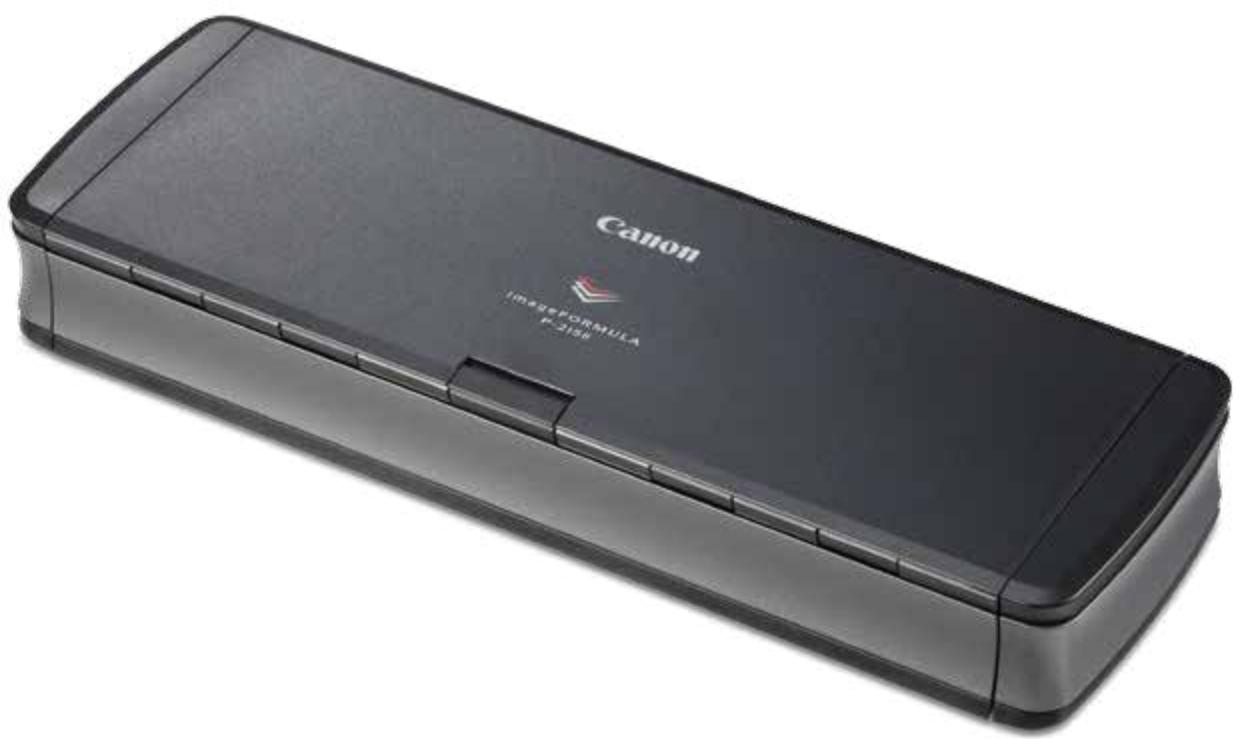

imageFORMULA
P-215II
Your essential partner for high-performance scanning, anywhere
The most productive USB-powered scanner in its class, the P-215II is true plug-and-scan for both Mac and Windows users.

B&W
SPEED
15ppm/30ipm

COLOUR
SPEED
10ppm/20ipm

DAILY DUTY
CYCLE
500 scans/day

AUTOMATIC
DOCUMENT FEEDER
20 sheets
Fast, USB-powered scanning
The sophisticated imageFORMULA P-215II offers the fastest USB-powered scanning in its class with duplex speeds of up to 30 images per minute, and can be achieved using just a single USB cable connection. Its 20-sheet Automatic Document Feeder enables fast batch scanning, ideal for executives who need to process signed contracts and close deals.
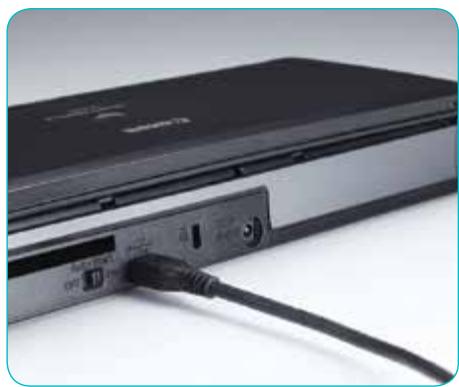
Space saving and lightweight
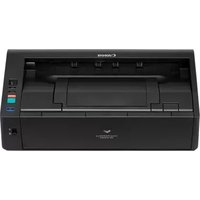
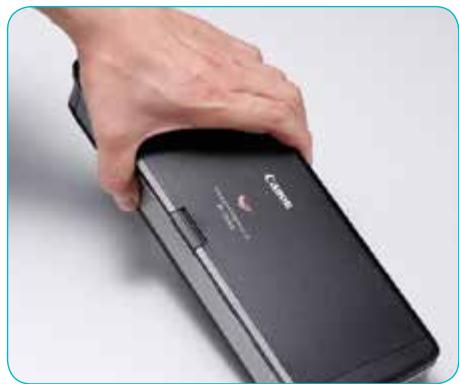
The P-215II is extremely stylish with a sleek black and silver design. Its small footprint makes it easy to place on busy desktops, in drawers or use in the home. Weighing approximately 1kg it is the perfect accessory for mobile executives to fit into a briefcase or laptop bag.
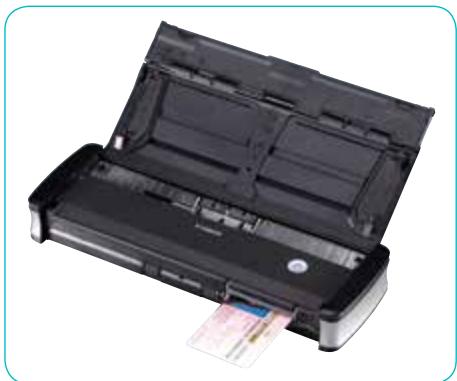
Versatile media handling
The P-215II can scan a variety of media ranging from traditional A4 to irregular sized documents and photos. It also features a front facing switch back card slot ideal for scanning plastic ID and embossed cards.
Plug-and-scan convenience with CaptureOnTouch Lite
The P-215II is extremely simple to use - just connect with a USB cable and start scanning! CaptureOnTouch Lite software is built into the P-215II so there is no need to download additional drivers or software, it's simply plug-and-scan.
High quality imaging
High quality imaging is made possible through Canon's proven image processing technology that allows for high resolution scanning up to 600dpi. Image clarity can be further enhanced by colour dropout, moire reduction and advanced text enhancement II - perfect to ensure superb scan quality and ideal for creating searchable PDFs.
Easily create new solutions
Software Development Kits for CaptureOnTouch and CaptureOnTouch Lite make it possible to build applications that integrate directly with the P-215II to create new workflow solutions.
Scan wirelessly to smart devices with the optional Wi-Fi unit WU10 - it's the perfect companion for the P-215II for scanning directly to mobile, tablet and PC devices.
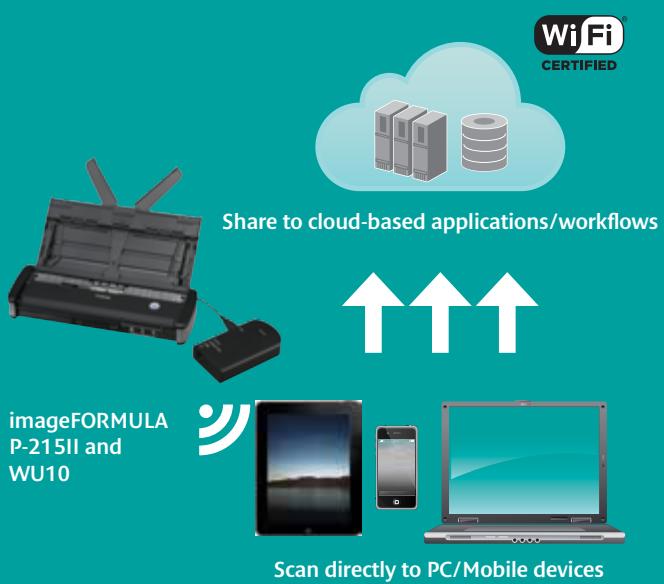
Optional Wi-Fi unit WU10
The Wi-Fi unit WU10 enables wireless scanning to mobile devices without the need to connect via cable to a network point. Businesses can also set-up wireless scanning to desktop PCs with the Wireless Connection Setup Tool and Network Monitor software. The WU10 comes with a rechargeable Lithium-ion battery and when fully charged you can scan up to 400 images. Simply connect via USB to your Canon mobile scanning device and enjoy fast mobile scanning anytime, anywhere.
CaptureOnTouch Mobile App
Scan direct to your iPhone®, iPad® and Android device with the free CaptureOnTouch Mobile App. It comes with advanced image processing tools such as automatic size detection, deskew and skip blank page – giving consistently superior image quality results.
Download the free CaptureOnTouch Mobile App from Google Play (Android user) or the Apple App Store (iOS user).
Software
The P-215II includes ISIS & TWAIN drivers for Windows, and TWAIN drivers for the Mac. These allow easy interaction with your standard imaging application. It also has a full-suite of software applications to help users work more effectively.
Capture OnTouch
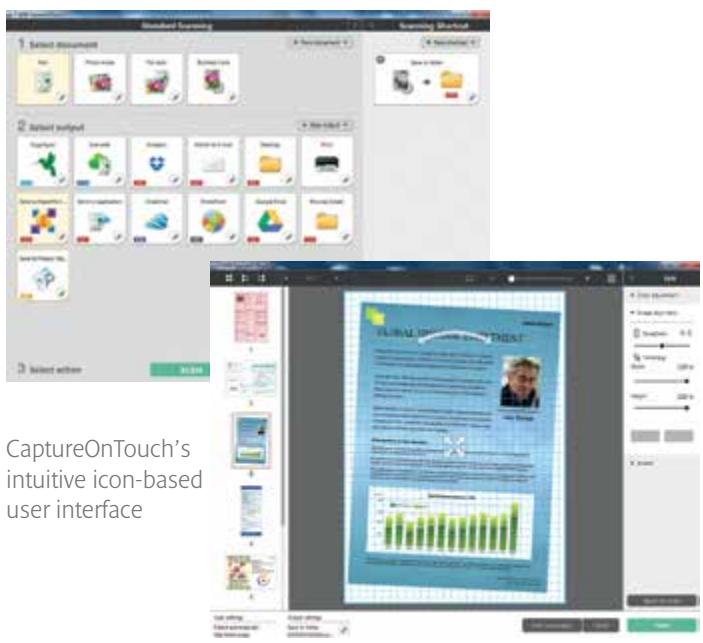
Intuitive capture software that makes it quick and simple to achieve premium quality results. CaptureOnTouch incorporates an icon-based user interface with scanning to multiple file formats including PDF, PDF-A, TIFF, JPEG, BMP, PPTX and PNG. CaptureOnTouch can also send captured information directly to data management systems and cloud-based applications (compatible with both Windows and Mac).
Capture OnTouch Lite
Offers unique portability and convenience on the move. The software is built into the P-215II allowing for fast and effortless connectivity without the need to install any drivers or application software (compatible with both Windows and Mac).
Preselit BizCard
Scan business cards to convert and organise important information into a searchable database (compatible with both Windows and Mac).
PaperPort
This file management application is renowned for being intuitive and user-friendly, making it easy to store, organise and retrieve your digital documents (compatible with Windows only).

Presto! PageManager
Simple but powerful filing software for Mac users that enables you to store, organise and edit your digital documents (compatible with Mac only).
Specifications for P-215II Personal Document Scanner
| Type | Desktop Type Sheet Fed Scanner | ||
| Document Reading Sensor | CMOS CIS 1 Line Sensor | ||
| Optical Resolution | 600dpi | ||
| Light Source | RGB LED | ||
| Reading Side | Front / Back / Duplex | ||
| Interface | High Speed USB 2.0 (USB 3.0 bus power also supported) | ||
| Dimensions | Tray Closed: 285 (W) x 95 (D) x 40 (H)mm | ||
| Tray Opened: 285 (W) x 257 (D) x 202 (H)mm | |||
| Weight | Approx. 1.0kg | ||
| Power Requirements | USB 2.0 bus power: 0.5A (1.0A in combination with power supply USB cable) | ||
| USB 3.0 bus power: 0.9A | |||
| Optional AC Adaptor DC6V. 0.8A | |||
| Power Consumption | Scanning: 7.0W (2 x USB 3.0), 4.5W (1 x USB 3.0), Sleep Mode: 1.5W, Power Turned Off: 0.1W | ||
| Operating Environment | 10 - 32.5°C (50 - 90.5°F), Humidity: 25 - 80% RH | ||
| Environmental Compliance | RoHS and ENERGY STAR | ||
| READING SPEED1 | P-215II | ||
| (A4, Portrait) | With USB 3.0 / AC Adaptor | USB 2.0 | |
| B&W / Greyscale | 200dpi / 300dpi | 15ppm / 30ipm | 12ppm / 14ipm |
| Colour | 200dpi | 10ppm / 20ipm | 10ppm / 10ipm |
| 300dpi | 6ppm / 12ipm | 6ppm / 6ipm | |
| DOCUMENT SPECIFICATIONS | |||
| Width | 50.8 - 216mm | ||
| Length | 70 - 356mm | ||
| Thickness | 52 - 128g/m2 (0.06 - 0.15mm) | ||
| Long Document | Up to 1,000mm | ||
| Card Scanning | 54 x 86 x 0.76mm (Embossed card scanning is supported) | ||
| Paper Separation | Separation Pad Method | ||
| Feeder Capacity | 20 sheets (64g/m2) | ||
| OUTPUT Resolution | 150 x 150dpi, 200 x 200dpi, 300 x 300dpi, 400 x 400dpi, 600 x 600dpi | ||
| Mode | Black & White, Error Diffusion, Advanced Text Enhancement II, 8-Bit Greyscale: (256-Level), 24-Bit Colour, Auto Colour Detection | ||
| SPECIAL FEATURES | Automatic Page Size Detection, Deskew, 3-Dimensional Colour Correction, Colour Dropout (RGB), Auto Colour Detection, Shading Correction, Text Enhancement, MultiStream, Preset Gamma Curve, Scan Panel, Prescan, Image Rotation, Skip Blank Page, Select Scanning Document Side, Scan Area Setting, Text Orientation, Continuous Scanning, Edge Enhancement, Moiré Reduction, Prevent Bleed Through / Remove Background, Contrast Adjustment, Colour Drift, Background Smoothing, Shadow Cropping (on / off switchable), Trimming, Corrections suitable for Photo Mode, Auto Resolution Setting |
| BUNDLED SOFTWARE For Windows OS | ISIS / TWAIN Driver (Windows XP Pro / XP Home / VISTA / 7 / 8) CaptureOnTouch² CaptureOnTouch Lite² Nuance PaperPort Presto! BizCard Reader Software plug-in to: Evernote, Google Drive™, SharePoint® SugarSync, Dropbox and OneDrive |
| For Mac OS | TWAIN Driver (Mac OS 10.5-10.9 / Supports OS X Lion) CaptureOnTouch² CaptureOnTouch Lite² Presto! PageManager Presto! BizCard Reader Software plug-in to: Evernote, Google Drive, SharePoint®, SugarSync and Dropbox |
| Options | Silex DS-4000U2 Scan-and-Print Server (convert USB to network interface), AC Adaptor, Carry Case, Optional Wi-Fi Unit WU10 |
| Consumables Suggested Daily Duty Cycle | Separation Pad, Feed Roller 500 scans/day |
| ¹The scanning speed (via USB) depends on the specification of PC / Mac and the setting of functions | |
| ²Software Developer Kits are available through the Canon Business Solutions Developer Programme - www.canon.europe.com/bsdp Some images are simulated for clarity of reproduction. All data is based on Canon's standard testing methods. This leaflet and the specifications of the product have been developed prior to the date of product launch. Final specifications are subject to change without notice. ™ and ®, All company and / or product names are trademarks and / or registered trademarks of their respective manufacturers in their markets and / or countries. | |
Specifications for Optional Wi-Fi Unit WU10
| TypeDimensions: (W x D x H)WeightInterface | Optional Wi-Fi and power supply unit125 x 71 x 31.7mmMain unit 125g / Battery 44.5gUSB host for scanner connectionIEEE802.11b/g/n |
| POWER SUPPLYScans per Charge:(A4, 200dpi, Colour)Power consumption | AC Adaptor or Lithium Ion battery400 images (at full charge)Maximum power: 12W / Power off mode: 0W |
| WI-FI SPECIFICATIONS Operation Mode Data Rate: (Theoretical Values) Frequency Wi-Fi Security | Access point mode / Station mode IEEE802.11b: Max 11Mbps IEEE802.11g: 54Mbps IEEE802.11n: 300Mbps 2.4GHz WPA-PSK (TKIP / AES) WPA2-PSK (TKIP / AES) WEP (64 / 128bit) WPS (Wi-Fi Protected set-up) Supported |
| BUNDLED SOFTWARE For Mac and Windows Mobile OS Support | Canon Wireless Connection Setup Tool, Network Monitor Mobile apps available for Android and Apple iOS |
Capture OnTouch Capture OnTouch
Presto!
BizCard
Capture OnTouch

Partner Programme
Presto! PageManager


PaperPort
Canon Electronics Inc. canon.com
Canon Europe canon-europe.com
English Edition
© Canon Europa N.V., 2014
Canon Europe Ltd
3 The Square
Stockley Park
Uxbridge
Middlesex
UB11 1ET
United Kingdom