
CLC 5151 - Imprimante multifonction laser CANON - Notice d'utilisation et mode d'emploi gratuit
Retrouvez gratuitement la notice de l'appareil CLC 5151 CANON au format PDF.


| Type de produit | Imprimante multifonction laser couleur |
| Fonctions principales | Impression, copie, numérisation, télécopie (en option) |
| Vitesse d'impression couleur | Jusqu'à 51 pages par minute (ppm) |
| Résolution d'impression | 600 x 600 dpi |
| Formats papier supportés | A3, A4, A5, SRA3, A6, enveloppes |
| Capacité papier standard | 2 x 550 feuilles (tiroirs) + 100 feuilles (bac multifonction) |
| Capacité papier maximale | Jusqu'à 5 000 feuilles avec options |
| Grammage supporté (tiroirs) | 60 à 209 g/m² |
| Grammage supporté (bac multifonction) | 60 à 253 g/m² |
| Recto-verso automatique | Oui |
| Cycle d'utilisation mensuel recommandé | 100 000 pages |
| Options de finition | Agrafage, pliage, livret, perforation (2 ou 4 trous) |
| Dimensions (L x P x H) | Environ 800 x 750 x 1 100 mm |
| Poids | Environ 150 kg |
| Alimentation | 220-240 V, 50/60 Hz |
| Consommation électrique (impression) | Environ 1 500 W |
| Consommation électrique (veille) | Moins de 200 W |
| Entretien courant | Nettoyage des rouleaux, remplacement des toners et tambours |
| Sécurité | Contrôle d'accès, sécurité réseau, chiffrement des données |
| Pièces détachées et réparabilité | Toner, tambour, fusible, rouleaux, kits d'entretien disponibles |
FOIRE AUX QUESTIONS - CLC 5151 CANON
Questions des utilisateurs sur CLC 5151 CANON
0 question sur cet appareil. Repondez a celles que vous connaissez ou posez la votre.
Poser une nouvelle question sur cet appareil
Téléchargez la notice de votre Imprimante multifonction laser au format PDF gratuitement ! Retrouvez votre notice CLC 5151 - CANON et reprennez votre appareil électronique en main. Sur cette page sont publiés tous les documents nécessaires à l'utilisation de votre appareil CLC 5151 de la marque CANON.
MODE D'EMPLOI CLC 5151 CANON
Canon
Light Production
Gamme de couleurs
Production d'impression couleur numérique flexible et productive
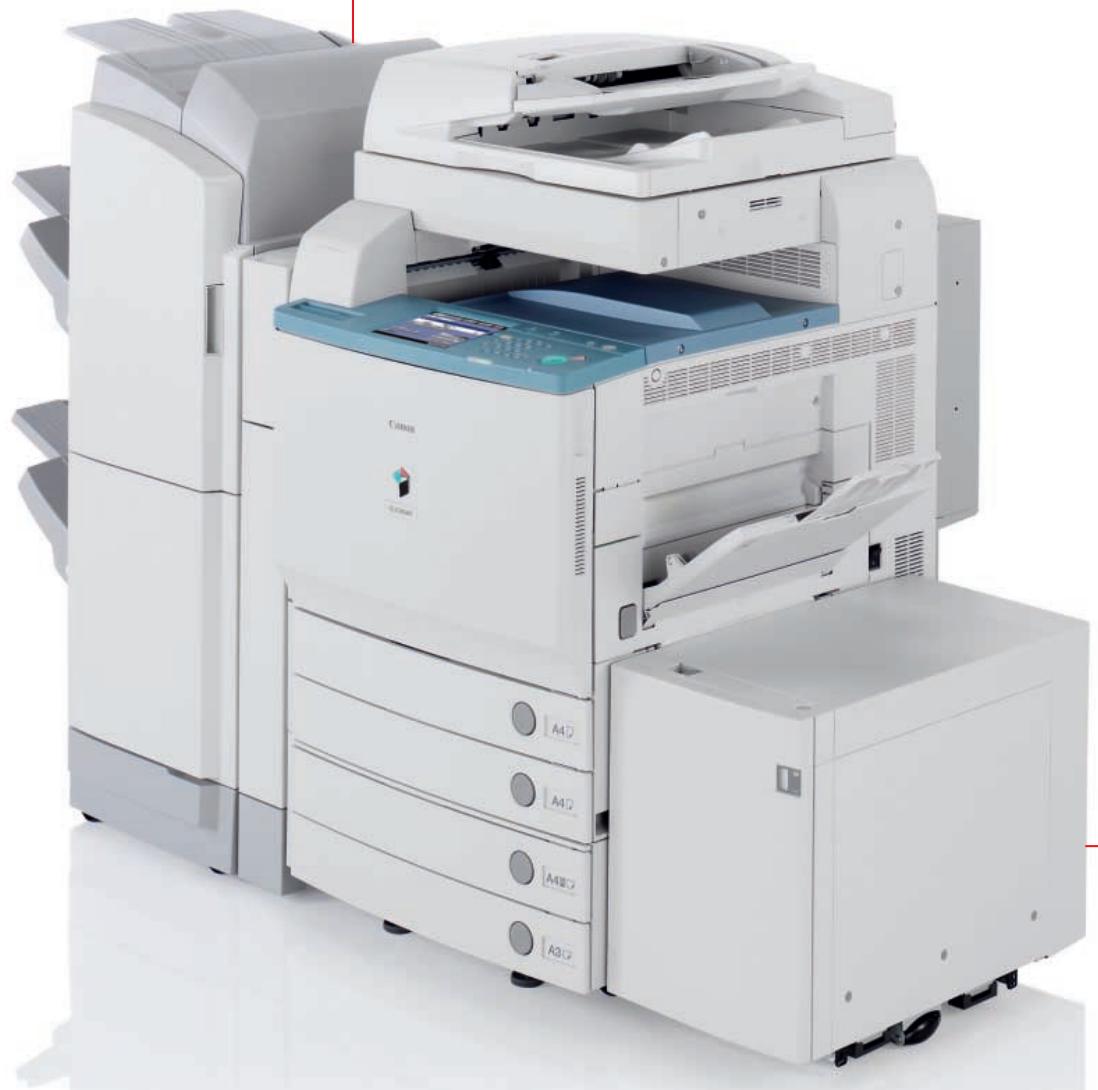
GAMME DE COULEURS LIGHT PRODUCTION
Pour les professionnels de l'impression qui apprécient les moindres détails.
Couleur exceptionnelle et performances fiables
Nous voulons vous permettre de produire des impressions couleur remarquables. Des impressions qui apportent netteté et clarté aux niveaux de détail les plus exceptionnels. La gamme Light Production Colour de Canon combine tous les attributs et fonctionnalités dont vous avez besoin pour d'excellentes performances d'impression.
Conçu pour la production couleur
La gamme Canon Light Production Colour est conçue pour les environnements qui ont besoin d'une production couleur numérique fiable, répondant au besoin toujours croissant d'impression couleur de haute qualité, en courts tirages et à la demande.
Conçu pour performer
Une fiabilité des couleurs exceptionnelle et des performances productives distinguent cette gamme. Des vitesses d'impression couleur allant jusqu'à 51 pages par minute, complétées par une fonctionnalité de recto-verso automatique productive. La capacité de charge mensuelle est idéale pour les environnements exigeants.
Impressions de qualité
Le toner sphérique unique de Canon produit une image vive et cohérente avec une finition de qualité supérieure agréable à l'œil. La qualité d'image pour les graphiques est exceptionnelle et le texte est simultanément rendu avec une précision remarquable.
Encombrement réduit
Un encombrement réduit signifie que la gamme Light Production Colour de Canon peut facilement être intégrée à votre installation de production existante. Même entièrement configurée, votre espace au sol disponible est optimisé.
La gamme Light Production de Canon pour une couleur exceptionnelle.
Il n'a jamais été aussi simple de produire exactement ce qui est requis.
Faites de l'un des appareils Light Production Colour de Canon le point central de vos capacités d'impression couleur numérique et libérez tout le potentiel de votre environnement d'impression.
Tirages courts en couleur
Qu'il s'agisse de 1 ou de 5 000 impressions, la gamme CLC offre une stabilité d'image exceptionnelle, d'une impression à l'autre. C'est la solution idéale pour les délais rapides des travaux de tirage court en couleur.
Impression à la demande
Les appareils CLC vous offrent une capacité d'impression à la demande rentable. Vous pouvez produire des supports de communication marketing, des revues et des livres, offrant une production professionnelle aux organisations comme aux particuliers. Imprimez et réimprimez à la demande, combiné à une présence Web efficace,

cela peut ouvrir de nouvelles sources de revenus pour votre entreprise.
Impression personnalisée
La gamme Light Production Colour porte la communication marketing à un niveau supérieur. Imaginez imprimer une brochure couleur pour l'envoyer à 3 000 entreprises. L'impression personnalisée signifie que la brochure peut être construite à l'aide de « règles de segmentation », en fonction du public cible. Par exemple, en utilisant une image différente pour représenter le message approprié pour chaque groupe ciblé, le tout imprimé superbement en une seule passe.
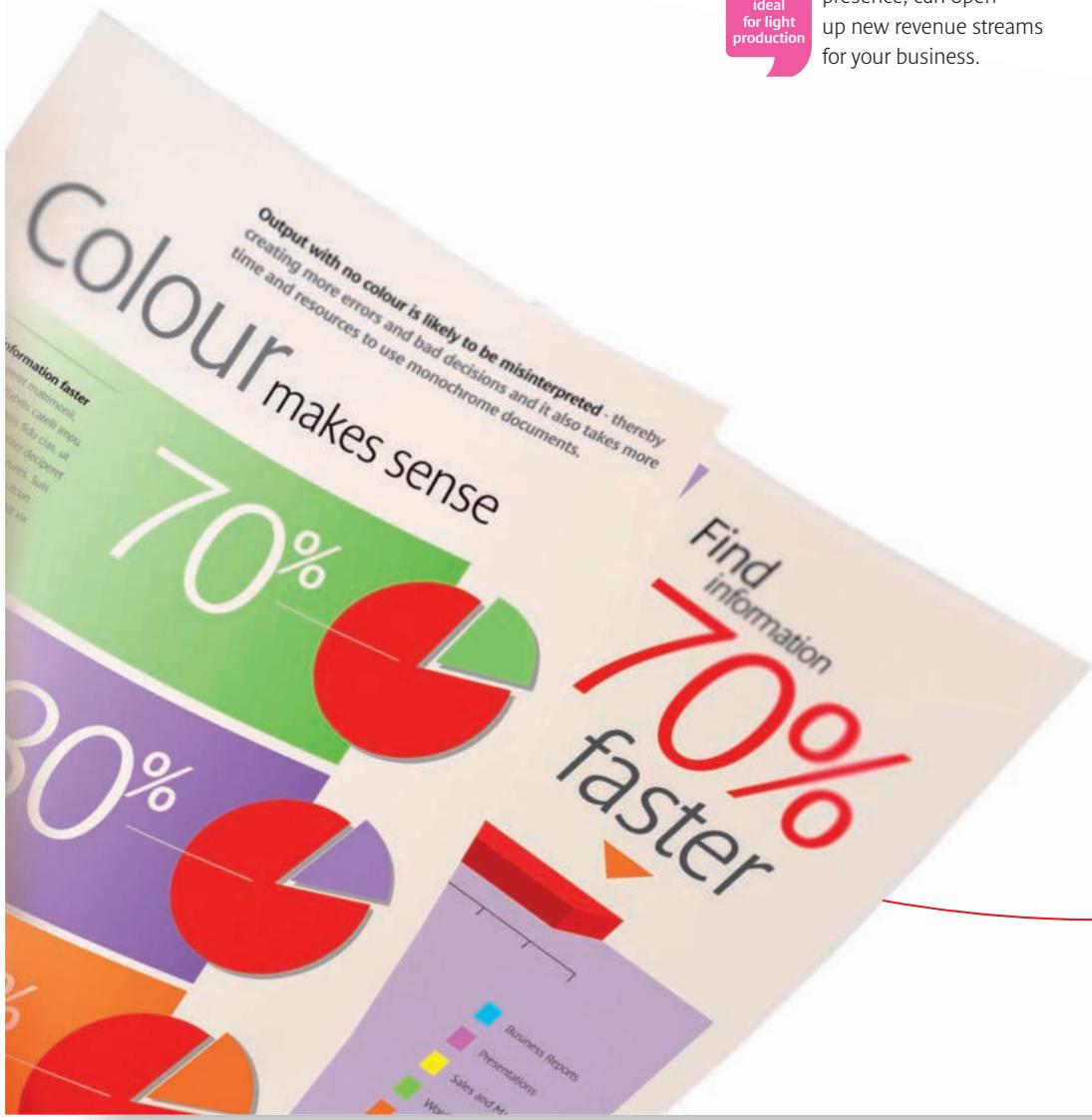
Impression personnalisée individuelle
Associée aux solutions logicielles de Canon telles que Canon Variable Data Printing (VDP), la gamme CLC offre une impression couleur personnalisée à grande vitesse. En combinant des images graphiques et des données variables, vous pouvez créer des campagnes marketing qui s'adressent directement aux individus. Cela génère de meilleurs taux de réponse et des opportunités améliorées pour vos clients.
Des capacités complètes pour ceux qui prennent l'impression au sérieux.
GAMME DE COULEURS DE PRODUCTION LÉGÈRE
Ajoutez la touche finale.
Une finition qui ne manque jamais d'impressionner
Une sortie couleur superbe est complétée par une gamme de capacités de finition en ligne qui vous donnent la flexibilité de dépasser les attentes de vos clients et de respecter tous vos délais.
Production totale
La gamme de couleurs de production légère de Canon vous offre une finition de documents de bout en bout sans intervention de l'utilisateur. Produisez des rapports couleur avec des intercalaires imprimés. Créez des livrets piqués à cheval exceptionnels jusqu'à 305 x 457 mm et livrez-les avec une simplicité sans effort.
Offrez tout
Vous ne devez plus jamais refuser une demande de travail client. La gamme CLC gère des supports de 209 g/m² dans les cassettes et de 253 g/m² dans le by-pass. Formulaires, dépliants, maquettes publicitaires, storyboards, newsletters, affiches, présentations, rapports, en-têtes de lettres, cartes de visite. Tout est possible avec la gamme CLC de Canon.
Finitions disponibles
Grouper et assembler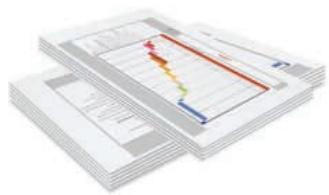
Empilage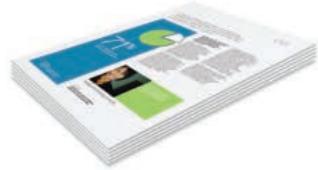
Agrafage
Impression d'intercalaires
Pliage en V
Piquage à cheval et création de livrets
Perforation (2 et 4 trous)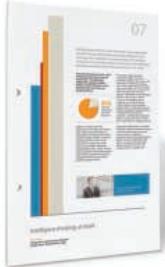
Réalisez des séries de production sans intervention de l'utilisateur.
GAMME DE COULEURS POUR PRODUCTION LÉGÈRE
Voyez les couleurs plus clairement.
Des applications supplémentaires signifient des opportunités supplémentaires
Une suite de solutions puissantes de flux de production et de gestion est disponible pour compléter la gamme de couleurs pour production légère de Canon et soutenir votre environnement d'impression. Attendez-vous à un contrôle accru et à une optimisation de l'efficacité de votre flux de production d'impression numérique.
Comment pouvons-nous garantir une couleur précise et de haute qualité à chaque fois ?
Le package Graphic Arts aide à optimiser le flux de travail pour les professionnels du design utilisant la gamme CLC. Il permet d'obtenir une cohérence des couleurs précise et d'effectuer une épreuve numérique précise pour accélérer les flux de travail. De plus, il offre une gestion sophistiquée de pré- et post-vol, pour une productivité accrue.
Comment pouvons-nous améliorer les performances et gagner du temps ?
Le package Production Printing est un ensemble d'outils pour l'environnement de production le plus exigeant. Il permet une composition de documents simple pour les travaux les plus sophistiqués. Les améliorations du flux de travail sont rapidement réalisables grâce à des fonctions puissantes de gestion des travaux qui encouragent les meilleures performances de votre environnement d'impression.
Comment pouvons-nous réduire les erreurs d'imposition pour améliorer l'efficacité ?
Impose est un outil intuitif WYSIWYG qui rationalise le processus d'imposition, ce qui réduit les erreurs de l'utilisateur et le gaspillage. Il rend même les travaux d'impression de données variables les plus sophistiqués simples à gérer. Un panneau de contrôle garantit qu'il est facile d'identifier les erreurs, de réduire le gaspillage et d'améliorer les délais d'exécution.
Comment réduire les erreurs et améliorer la gestion des travaux d'impression ?
Command Workstation établit la norme la plus élevée pour le contrôle des travaux d'impression numérique. Il rend la gestion centralisée sans effort et prend en charge plusieurs opérateurs. Une large gamme de fonctions faciles à utiliser, avec une interface personnalisable, aide à optimiser le flux de travail et à améliorer la productivité.
Soutien à votre environnement d'impression.
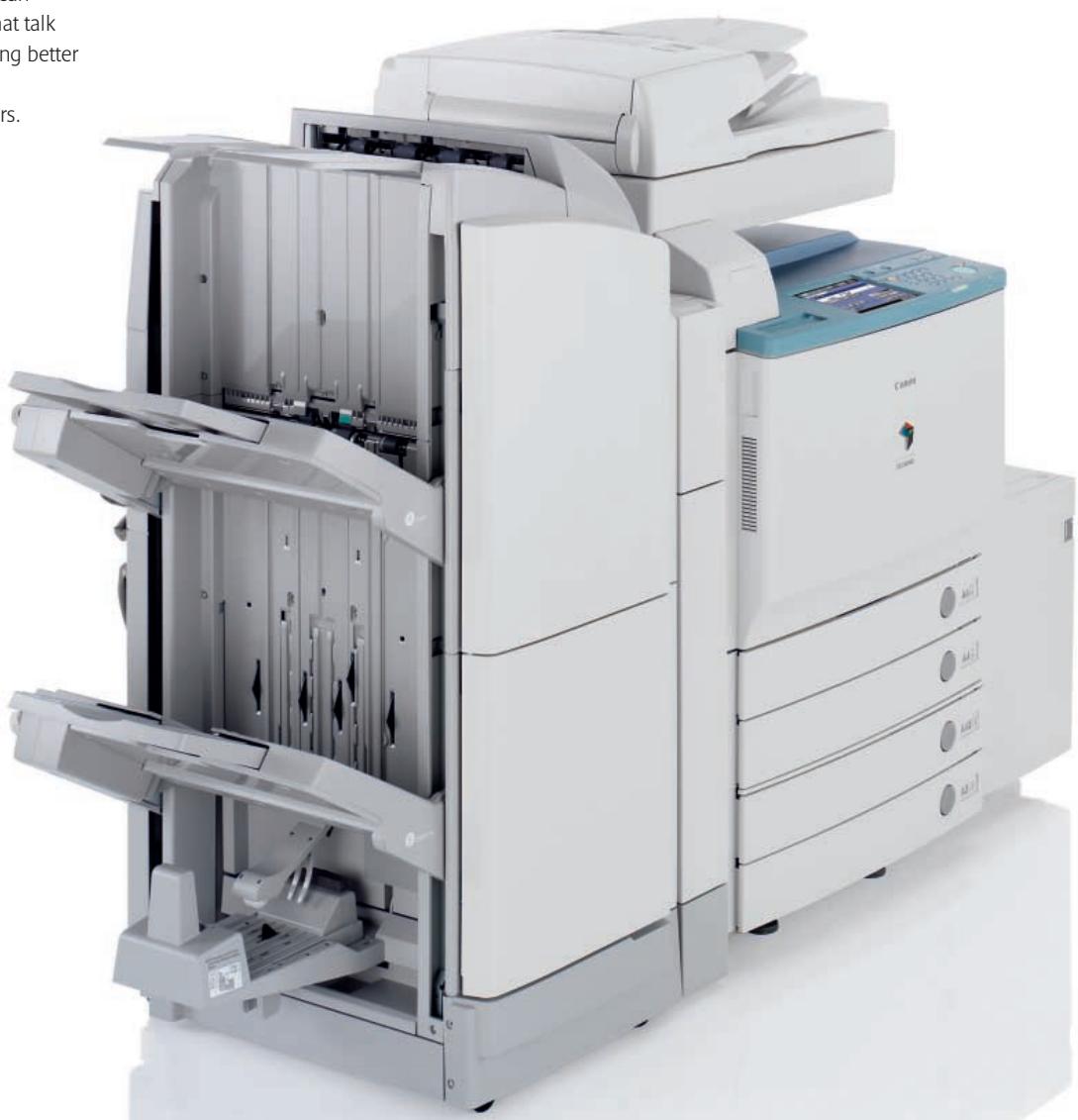
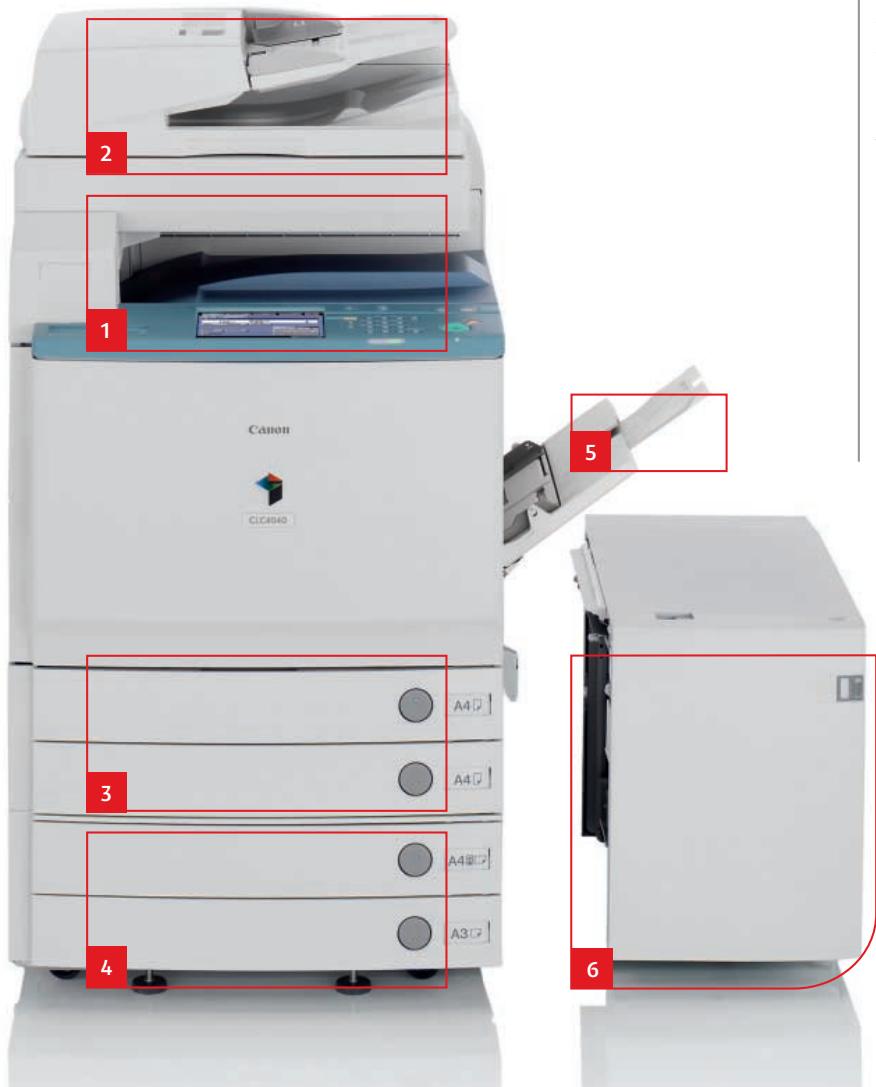
1 Scanner couleur
Le scanner couleur est un lecteur d'images couleur avancé qui accepte des formats de numérisation allant jusqu'au A3. Les documents numérisés peuvent être envoyés à des adresses e-mail, des emplacements de fichiers et même des applications de base de données.
3 Tiroir à papier
2 tiroirs de 550 feuilles sont fournis avec des formats modifiables par l'utilisateur (jusqu'à 209 g/m²) entre A6 et 305 x 457 mm.
4 Tiroir à papier (en option)
Une alimentation supplémentaire de 2 tiroirs de 550 feuilles augmente encore la capacité de production.
2 Chargeur de documents (en option)
Pour une numérisation et une impression rapides et faciles – y compris en recto verso – le DADF-F1 alimente automatiquement jusqu'à 70 ipm à 300 dpi et 51 ipm à 600 dpi. Il peut traiter des supports jusqu'à 128 g/m² et des formats jusqu'au A3.
Équipé pour faire face à tout
La gamme Light Production Colour de Canon apporte des performances d'impression couleur flexibles à votre exploitation d'impression. Les appareils peuvent être facilement configurés pour répondre aux demandes actuelles, tout en étant facilement adaptables pour répondre aux besoins de demain.

Configurez la gamme CLC exactement selon vos besoins.
5 Bypass
Le Bypass de 100 feuilles, généreux, accepte une grande variété de supports jusqu'à 253 g/m² et des formats de A5R à SRA3 – utilisez-le pour l'impression d'enveloppes, de cartes de visite et d'onglets.
6 Grande capacité (en option)
2 700 feuilles supplémentaires peuvent être configurées pour créer une capacité de production de 5 000 feuilles à partir de 6 sources de papier distinctes. Idéal pour les environnements exigeant une intervention minimale de l'utilisateur et une productivité maximale.
7 Options de finition
Un certain nombre d'options de finition puissantes sont disponibles pour répondre aux besoins de votre environnement :
Finisher X1
Trie ou regroupe des documents jusqu'à 30 pages et agrafe en coin ou en double.
Finisher W1
Trois bacs offrent une capacité de 4 000 feuilles pour les travaux de production longs. L'agrafeuse peut agrafer jusqu'à 50 feuilles et jusqu'à 100 ensembles peuvent être produits à la fois.
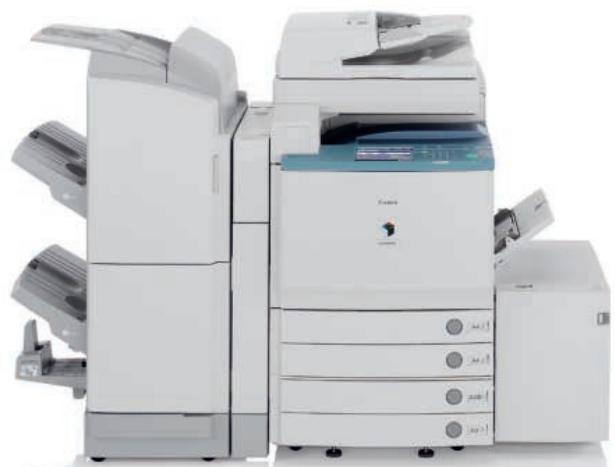
Finisher Pliure W2 (illustré)
Le Finisher Pliure W2 crée des livrets de 15 feuilles (60 pages) jusqu'à un format A4 impressionnant. La perforation est également fournie, ainsi que toutes les fonctionnalités du Finisher W1.
Unité de perforation
Compatible avec les finishers W1 et W2, l'unité de perforation AG1 pour perforation à 2 trous, et l'unité de perforation AJ1 pour perforation à 4 trous, permet de traiter des supports jusqu'au format A3.
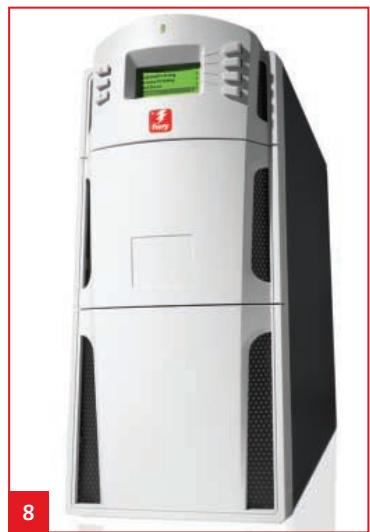
8 Contrôleurs
Chaque appareil peut être configuré avec l'unité d'impression réseau couleur Canon H1 et pour des performances haut de gamme, le PS-GX100 (illustré).
Écran tactile
Un écran tactile couleur assure une utilisation simple.
Sécurité avancée
La gamme Light Production Colour prend au sérieux les questions de sécurité. Une multitude de fonctions intégrées de gestion et de contrôle, ainsi que des applications supplémentaires, garantissent que l'intégrité des données, du réseau et des appareils n'est pas menacée par un accès non autorisé ou un piratage.
GAMME LIGHT PRODUCTION COLOUR
Voyez le numérique autrement. Parlez-nous et nous vous montrerons comment tirer le meilleur parti de Light Production Colour.

Conforme au programme international Energy Star en tant que MFP et copieur

Le logo GENUINE de Canon signifie une performance de qualité à tous les niveaux




- CANON
- COULEUR EXCEPTIONNELLE ET PERFORMANCES FIABLES
- CONÇU POUR LA PRODUCTION COULEUR
- CONÇU POUR PERFORMER
- IMPRESSIONS DE QUALITÉ
- ENCOMBREMENT RÉDUIT
- IL N'A JAMAIS ÉTÉ AUSSI SIMPLE DE PRODUIRE EXACTEMENT CE QUI EST REQUIS
- TIRAGES COURTS EN COULEUR
- IMPRESSION À LA DEMANDE
- IMPRESSION PERSONNALISÉE
- IMPRESSION PERSONNALISÉE INDIVIDUELLE
- UNE FINITION QUI NE MANQUE JAMAIS D'IMPRESSIONNER
- PRODUCTION TOTALE
- OFFREZ TOUT
- FINITIONS DISPONIBLES
- DES APPLICATIONS SUPPLÉMENTAIRES SIGNIFIENT DES OPPORTUNITÉS SUPPLÉMENTAIRES
- COMMENT POUVONS-NOUS GARANTIR UNE COULEUR PRÉCISE ET DE HAUTE QUALITÉ À CHAQUE FOIS
- COMMENT POUVONS-NOUS AMÉLIORER LES PERFORMANCES ET GAGNER DU TEMPS
- COMMENT POUVONS-NOUS RÉDUIRE LES ERREURS D'IMPOSITION POUR AMÉLIORER L'EFFICACITÉ
- COMMENT RÉDUIRE LES ERREURS ET AMÉLIORER LA GESTION DES TRAVAUX D'IMPRESSION
- SCANNER COULEUR
- TIROIR À PAPIER
- TIROIR À PAPIER (EN OPTION)
- CHARGEUR DE DOCUMENTS (EN OPTION)
- ÉQUIPÉ POUR FAIRE FACE À TOUT
- BYPASS
- GRANDE CAPACITÉ (EN OPTION)
- OPTIONS DE FINITION
- FINISHER X
- FINISHER W
- FINISHER PLIURE W2 (ILLUSTRÉ)
- UNITÉ DE PERFORATION
- CONTRÔLEURS
- ÉCRAN TACTILE
- SÉCURITÉ AVANCÉE
Marque : CANON
Modèle : CLC 5151
Catégorie : Imprimante multifonction laser