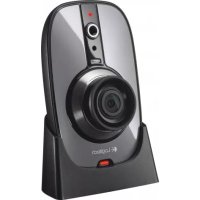
MODE D'EMPLOI ALERT 750E LOGITECH
Logitech.
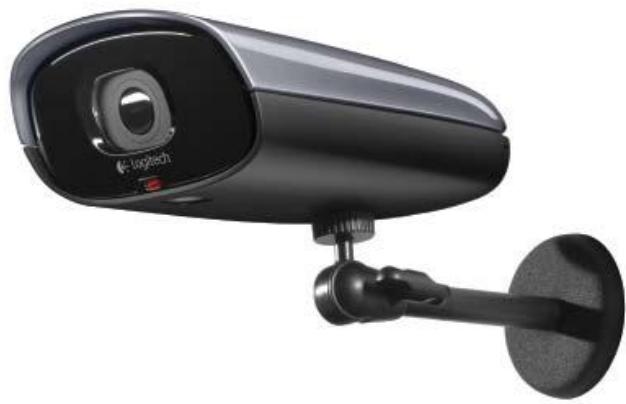
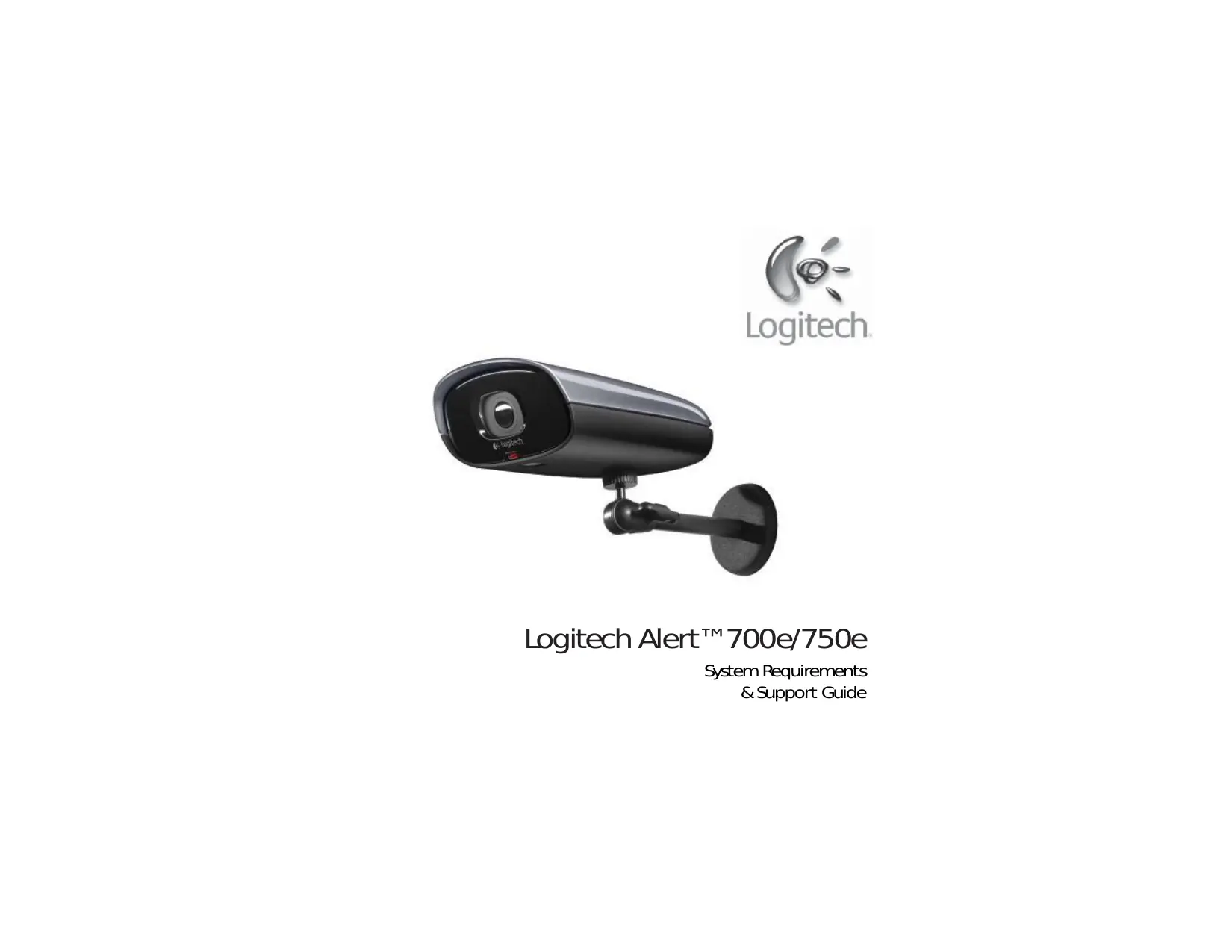
Logitech Alert™ 700e/750e
Configuration requise
et guide de support
Sommaire
Configuration requise. 3
Informations sur le produit 4
Contactez-nous 4
Conformité FCC et déclaration d'avertissement 5
Consignes de sécurité importantes 6
Précautions pour les produits alimentés en courant alternatif 6
Précautions relatives à l'alimentation électrique 7
Remarques et avertissements concernant les LED d'éclairage infrarouge 8
Garantie du matériel Logitech 9
Configuration requise
L'installation du logiciel nécessite une connexion Internet.
La visualisation à distance nécessite un PC ou un Mac basé sur Intel exécutant Flash® Player, qui est un téléchargement gratuit.
| CPU Speed: | 2 GHz |
| Memory (GB): | 1 |
| Display Resolution: | 1024 x 720 or higher |
| Hard Drive (MB): | 100 MB for software and minimum of 500+ for video storage |
| Operating System: | Microsoft* Windows* Vista*, XP Home Edition, XP Pro, or XP Media Center Edition, Windows* 7 |
Un PC n'est pas nécessaire pour enregistrer des vidéos. La caméra comprend une carte microSD™ de 2 Go. La quantité de vidéo pouvant être stockée sur une carte de 2 Go dépend de la quantité de mouvement. Nous estimons en moyenne une semaine en utilisant des caméras dans des emplacements domestiques typiques. Passez à une carte microSD plus grande (non incluse) pour obtenir des mois d'enregistrement vidéo sur la caméra.
Aide du Centre de commande : Pour obtenir de l'aide sur les logiciels et les produits, configurer des fonctionnalités ou obtenir des conseils de dépannage, appuyez sur [F1].
Guide de l'utilisateur : Des manuels logiciels supplémentaires sont disponibles en ligne sur www.Logitech.com/Support/Downloads.
Base de connaissances : Parcourez les astuces et conseils, les FAQ ou accédez à la base de connaissances sur www.Logitech.com/Support.
Site Web Logitech Alert : www.Logitech.com
Forums clients : forums.Logitech.com
Assistance par e-mail : Visitez www.Logitech.com et sélectionnez Assistance > Contactez-nous. Remplissez notre formulaire en ligne. Vous recevrez une réponse sous un jour ouvrable.
Assistance téléphonique : Appelez notre numéro d'assistance gratuit au 1 888.469.4543.
Si vous devez retourner un produit, que ce soit pour un remboursement ou des réparations, contactez d'abord l'assistance technique Logitech et obtenez un numéro RMA. Veuillez consulter les informations de contact ci-dessus.
Déclaration de conformité et d'avis FCC
Cet appareil est conforme à la partie 15 des règles de la FCC. Son fonctionnement est soumis aux deux conditions suivantes : 1) cet appareil ne doit pas causer d'interférences nuisibles, et 2) cet appareil doit accepter toute interférence reçue, y compris les interférences qui peuvent provoquer un fonctionnement indésirable. Cet équipement a été testé et déclaré conforme aux limites d'un appareil numérique de classe B, conformément à la partie 15 des règles de la FCC. Ces limites sont conçues pour fournir une protection raisonnable contre les interférences nuisibles dans une installation résidentielle. Cet équipement génère, utilise et peut émettre de l'énergie radiofréquence et, s'il n'est pas installé et utilisé conformément aux instructions, peut causer des interférences nuisibles aux communications radio. Cependant, il n'y a aucune garantie que des interférences ne se produiront pas dans une installation particulière. Si cet équipement cause des interférences nuisibles à la réception radio ou télévision, ce qui peut être déterminé en éteignant et en allumant l'équipement, l'utilisateur est encouragé à essayer de corriger les interférences par une ou plusieurs des mesures suivantes : 1) réorienter ou déplacer l'antenne de réception ; 2) augmenter la distance entre l'équipement et le récepteur ; 3) brancher l'équipement sur une prise d'un circuit différent de celui auquel le récepteur est connecté ; 4) consulter le revendeur ou un technicien radio/TV expérimenté pour obtenir de l'aide. Toute modification non expressément approuvée par la partie responsable de la conformité pourrait annuler le droit de l'utilisateur à utiliser l'équipement. Lorsque des câbles d'interface blindés ont été fournis avec le produit ou que des composants ou accessoires supplémentaires spécifiés ailleurs sont destinés à être utilisés avec l'installation du produit, ils doivent être utilisés pour garantir la conformité aux réglementations de la FCC.
Déclaration IC. Produit avec cordon : Cet appareil numérique de classe B est conforme à la norme canadienne ICES-003.
Test UL. Votre produit est testé UL ; utilisez-le uniquement avec des appareils testés UL. Pour les informations relatives à la sécurité des produits, à la CEM et aux radiofréquences, consultez http://www.Logitech.com/compliance.
Conformité. Pour les informations de conformité, consultez http://www.Logitech.com/compliance.
ATTENTION RISQUE DE CHOC ÉLECTRIQUE
- Pour éviter les blessures, cette caméra doit être solidement montée conformément aux instructions d'installation.
- Montez la caméra en hauteur et hors de portée afin que l'angle de l'avant de la caméra s'incline vers le bas, permettant au pare-soleil d'ombrager le capteur, offrant ainsi la meilleure qualité d'image.
- Montez la caméra hors de portée des arroseurs pour éviter que l'eau ne tache le verre de l'objectif et ne dégrade la qualité de l'image.
- Si vous souhaitez déplacer la caméra montée, assurez-vous de couper l'alimentation avant de la déplacer et de la remonter.
- N'installez pas à proximité de sources de chaleur telles que radiateurs, bouches de chaleur, poêles ou autres appareils produisant de la chaleur.
- Maintenez une distance minimale d'au moins 15 cm autour de l'appareil pour une ventilation suffisante.
- Utilisez toujours un chiffon doux et sec pour le nettoyer.
- Protégez le cordon d'alimentation et le câble contre tout piétinement ou pincement, en particulier au niveau des fiches, des prises de courant et de leur point de sortie de l'appareil.
- Confiez toute réparation à un personnel qualifié. Une réparation peut être nécessaire si l'appareil a été endommagé de quelque manière que ce soit, par exemple si le cordon d'alimentation ou la fiche est endommagé, si des objets sont tombés dans l'appareil, si l'appareil ne fonctionne pas normalement ou s'il est tombé.
Sécurité UL : Votre produit a été testé UL. Il ne doit être utilisé qu'avec d'autres appareils répertoriés UL.
AVERTISSEMENT RELATIF À L'ALIMENTATION ÉLECTRIQUE
Votre produit est équipé d'une alimentation électrique. Celle-ci est résistante aux intempéries et peut être installée à l'extérieur. Suivez ces conseils pour garantir une utilisation fiable de l'alimentation. Assurez-vous que la prise extérieure est résistante aux intempéries.
Veuillez respecter les consignes de sécurité suivantes
- Pour maintenir un refroidissement adéquat et minimiser l'exposition à l'eau, ne montez PAS l'alimentation à plat ou horizontalement.
- Ne montez PAS l'alimentation à l'envers. Gardez le port du connecteur de câble en bas.
- Évitez la lumière directe du soleil.
Attention : Si elle est laissée au soleil, la surface peut devenir chaude au toucher.
- Utilisez l'alimentation fournie avec votre produit ; n'utilisez aucune autre alimentation.
- N'utilisez pas l'alimentation avec un autre produit que la caméra Alert.
- N'utilisez pas une alimentation endommagée et n'essayez pas de réparer une alimentation endommagée.
- N'immergez pas l'alimentation dans l'eau et ne la soumettez pas à des mauvais traitements physiques.
- Inspectez régulièrement l'alimentation pour vérifier que son câble, sa fiche et son boîtier ne sont pas endommagés.
- Ne faites pas passer le câble dans un endroit où la fiche est exposée à l'humidité.
- Branchez l'alimentation sur la prise de courant la plus proche.
- Ne branchez pas votre alimentation sur une multiprise parafoudre ou un onduleur.
Notes et avertissements concernant les LED d'éclairage infrarouge
- Votre caméra contient un filtre infrarouge (IR) intégré. Dans des conditions de faible luminosité, les illuminateurs IR intégrés s'allument et le filtre est retiré. Sans le filtre IR, les couleurs ont une apparence différente. Le feuillage vert dans les scènes extérieures ensoleillées peut apparaître gris-vert par rapport au filtre IR utilisé dans l'objectif standard. Pendant les scènes sombres éclairées, les images apparaîtront en noir et blanc. Certains matériaux réfléchissent et absorbent la lumière IR différemment de la lumière visible, de sorte que certains objets éclairés peuvent apparaître plus clairs ou plus sombres que prévu. Les LED utilisées dans la caméra sont des dispositifs rayonnants infrarouges de "classe 1" et sont conformes aux normes internationales EN 60825-1. Les utilisateurs doivent suivre les règles d'utilisation appropriées ci-dessous. Toute utilisation autre que celle spécifiée ici peut entraîner une exposition à des rayonnements dangereux.
- Ne regardez pas directement la caméra pendant de longues périodes. Sachez que le faisceau est une lumière invisible et ne peut pas être vu.
- Gardez-la hors de portée des enfants.
- N'essayez pas de remplacer ou de réparer la caméra. Les composants LED ne sont pas remplaçables par l'utilisateur.
- Ne rayez pas l'objectif.
- Essuyez périodiquement le verre de protection recouvrant l'objectif et les LED avec un chiffon propre et doux.
- Éliminez la caméra conformément aux lois et règlements de votre région. Par exemple, dans un centre de recyclage qui accepte les appareils électroniques.
Garantie limitée du produit Logitech Alert
Logitech garantit que votre produit matériel Logitech sera exempt de défauts de matériaux et de fabrication pendant un (1) an à compter de la date d'achat. Sauf si la loi applicable l'interdit, cette garantie n'est pas transférable et est limitée à l'acheteur initial. Cette garantie vous confère des droits légaux spécifiques, et vous pouvez également avoir d'autres droits qui varient selon les lois locales.
Recours
La responsabilité totale de Logitech et votre recours exclusif pour toute violation de la garantie seront, au choix de Logitech, (1) réparer ou remplacer le matériel, ou (2) rembourser le prix payé, à condition que le matériel soit retourné au point d'achat ou à tout autre endroit que Logitech peut indiquer avec une copie du reçu de vente ou un reçu détaillé daté. Des frais d'expédition et de manutention peuvent s'appliquer, sauf si la loi applicable l'interdit. Logitech peut, à son choix, utiliser des pièces neuves, remises à neuf ou d'occasion en bon état de fonctionnement pour réparer ou remplacer tout produit matériel. Tout produit matériel de remplacement sera garanti pour le reste de la période de garantie d'origine ou trente (30) jours, selon la période la plus longue, ou pour toute période supplémentaire qui peut être applicable dans votre juridiction.
Cette garantie ne couvre pas les problèmes ou dommages résultant (1) d'un accident, d'un abus, d'une mauvaise utilisation, ou de toute réparation, modification ou démontage non autorisé ; (2) d'une utilisation ou d'un entretien inapproprié, d'une utilisation non conforme aux instructions du produit ou d'un branchement sur une alimentation électrique inadéquate ; ou (3) de l'utilisation de consommables, tels que des piles de remplacement, non fournis par Logitech, sauf si une telle restriction est interdite par la loi applicable.
Comment obtenir le support de garantie
Avant de soumettre une réclamation au titre de la garantie, nous vous recommandons de consulter la section d'assistance sur www.logitech.com pour obtenir une aide technique. Les réclamations valides au titre de la garantie sont généralement traitées par le point de vente au cours des trente (30) premiers jours suivant l'achat ; toutefois, cette période peut varier selon l'endroit où vous avez acheté votre produit - veuillez vérifier auprès de Logitech ou du détaillant où vous avez acheté votre produit pour plus de détails. Les réclamations au titre de la garantie qui ne peuvent pas être traitées par le point de vente et toute autre question relative au produit doivent être adressées directement à Logitech. Les adresses et les coordonnées du service clientèle de Logitech figurent dans la documentation accompagnant votre produit et sur le site Web www.logitech.com/support.
Limitation de responsabilité
LOGITECH NE SAURAIT ÊTRE TENU RESPONSABLE DE TOUT DOMMAGE SPÉCIAL, INDIRECT, ACCESSOIRE OU CONSÉCUTIF, Y COMPRIS, SANS S'Y LIMITER, LA PERTE DE PROFITS, DE REVENUS OU DE DONNÉES (QU'ELLE SOIT DIRECTE OU INDIRECTE) OU UNE PERTE COMMERCIALE RÉSULTANT DE LA VIOLATION DE TOUTE GARANTIE EXPRESSE OU IMPLICITE SUR VOTRE PRODUIT, MÊME SI LOGITECH A ÉTÉ INFORMÉ DE LA POSSIBILITÉ DE TELS DOMMAGES. Certaines juridictions n'autorisent pas l'exclusion ou la limitation des dommages spéciaux, indirects, accessoires ou consécutifs ; il se peut donc que la limitation ou l'exclusion ci-dessus ne s'applique pas à vous.
Durée des garanties implicites
SAUF DANS LA MESURE INTERDITE PAR LA LOI APPLICABLE, TOUTE GARANTIE OU CONDITION IMPLICITE DE QUALITÉ MARCHANDE OU D'ADAPTATION À UN USAGE PARTICULIER DE CE PRODUIT MATÉRIEL EST LIMITÉE EN DURÉE À LA DURÉE DE LA PÉRIODE DE GARANTIE LIMITÉE APPLICABLE À VOTRE PRODUIT. Certaines juridictions n'autorisent pas les limitations de durée d'une garantie implicite ; il se peut donc que la limitation ci-dessus ne s'applique pas à vous.
Droits statutaires nationaux
Les consommateurs disposent de droits légaux en vertu de la législation nationale applicable régissant la vente de biens de consommation. Ces droits ne sont pas affectés par les garanties de cette garantie limitée.
Aucune autre garantie
Aucun revendeur, agent ou employé de Logitech n'est autorisé à modifier, étendre ou ajouter à cette garantie.
Adresse de Logitech
Logitech Europe S.A., Z.I. Moulin du Choc D, 1122 Romanel/Morges, Suisse
© 2010 Logitech. Tous droits réservés. Logitech, le logo Logitech et les autres marques Logitech sont la propriété de Logitech et peuvent être déposées. Toutes les autres marques sont la propriété de leurs détenteurs respectifs. Logitech décline toute responsabilité pour les erreurs qui pourraient apparaître dans tout manuel ou sur ce site Web. Les informations contenues dans ce document sont sujettes à modification sans préavis.

Logitech
© 2010 Logitech. Tous droits réservés. Logitech, le logo Logitech et les autres marques Logitech sont la propriété de Logitech et peuvent être déposés. Toutes les autres marques sont la propriété de leurs détenteurs respectifs. Logitech décline toute responsabilité en cas d'erreurs pouvant apparaître dans ce manuel. Les informations contenues dans ce document sont sujettes à modification sans préavis.