DEXAPLAN

MC 610 - Caméra de surveillance DEXAPLAN - Notice d'utilisation et mode d'emploi gratuit

Retrouvez gratuitement la notice de l'appareil MC 610 DEXAPLAN au format PDF.

📄 10 pages Français FR Télécharger 💬 Question IA 10 questions ⚙️ Specs
Notice DEXAPLAN MC 610 - page 1
Voir la notice : Français FR English EN
Choisissez votre langue et indiquez votre email : nous vous enverrons une version traduite specifiquement.
Type de produit Caméra de surveillance filaire
Marque DEXAPLAN
Modèle MC 610
Usage prévu Surveillance intérieure et extérieure (IP44), usage domestique privé
Capteur d'image Capteur CMOS noir et blanc
Résolution d'image 384 x 287 pixels
Angle de vue Environ 32° horizontal
Éclairage infrarouge LEDs infrarouges intégrées pour vision nocturne
Microphone Intégré
Alimentation Adaptateur secteur 230V~ 50Hz, sortie 9V DC, max. 150 mA
Consommation électrique 0,9 VA (adaptateur)
Indice de protection IP44 (résistant aux intempéries)
Température de fonctionnement -10 °C à +39 °C
Matériau du boîtier ABS
Dimensions (hors accessoires) 43 mm × 58 mm × 33 mm
Poids (hors accessoires) Environ 39 g
Connectivité Prise péritel (SCART) pour TV ou magnétoscope
Longueur du câble fourni 15 m (câble de connexion avec fiche péritel)
Extension de câble possible Jusqu'à 45 m max. avec câbles d'extension optionnels (MC-10 M)
Contenu de l'emballage Caméra, support mural, câble 15 m, adaptateur secteur, vis, chevilles, clips de câble, clé Allen, notice
Entretien et nettoyage Débrancher avant nettoyage ; utiliser un chiffon doux et un détergent doux ou de l'eau savonneuse ; ne pas utiliser de solvants
Sécurité Ne pas exposer à l'humidité ; ne pas laisser les câbles à la portée des enfants ; vérifier l'absence de dommages avant utilisation
Garantie 3 ans à compter de la date d'achat (usage domestique exclusivement)
Service client www.dexaplan.com ou e-mail : service@dexaplan.de

FOIRE AUX QUESTIONS - MC 610 DEXAPLAN

Comment connecter la caméra à un téléviseur ?
Branchez la fiche péritel (SCART) du câble de connexion à la prise SCART de votre téléviseur. Ensuite, connectez l'adaptateur secteur à la caméra puis au secteur. Allumez le téléviseur et sélectionnez la chaîne AV correspondant à la prise SCART utilisée.
Puis-je utiliser la caméra en extérieur ?
Oui, la caméra est classée IP44, ce qui la protège des projections d'eau et de la poussière. Pour une installation extérieure, assurez-vous qu'elle est placée dans un endroit abrité de la pluie directe et que le trou de passage du câble est correctement étanché (par ex. avec du silicone).
Comment régler la position de la caméra après installation ?
Utilisez la clé Allen fournie pour desserrer légèrement le boulon de serrage sur le support. Orientez la caméra selon l'angle souhaité, puis resserrez le boulon. Ne pas trop serrer pour éviter d'endommager le support.
La caméra fonctionne-t-elle la nuit ?
Oui, la caméra est équipée de LEDs infrarouges qui éclairent la zone proche jusqu'à environ 1 mètre pour une vision nocturne en noir et blanc. Pour une meilleure qualité d'image, un éclairage supplémentaire peut être installé.
Que faire si l'image ou le son ne fonctionne pas ?
Vérifiez d'abord que votre téléviseur est bien réglé sur la chaîne AV correspondant à la prise SCART. Assurez-vous que l'adaptateur secteur est branché et que la fiche du câble est correctement enfoncée dans la rotule de la caméra (vous devez entendre trois clics). Vérifiez également que la prise péritel est bien enfoncée.
Puis-je enregistrer les images ?
Oui, vous pouvez connecter la caméra à un magnétoscope via la prise SCART pour enregistrer les images et le son. Utilisez un sélecteur SCART si la prise est déjà occupée.
Quelle est la longueur maximale du câble ?
La longueur maximale entre la caméra et le téléviseur peut aller jusqu'à 45 mètres à l'aide de câbles d'extension optionnels (modèle MC-10 M de 10 mètres). Ne pas couper ni modifier le câble fourni.
Comment nettoyer la caméra ?
Avant tout nettoyage, débranchez l'adaptateur secteur. Utilisez un chiffon doux légèrement humide avec un détergent doux ou une solution savonneuse. N'utilisez jamais d'essence, de solvants ou de produits chimiques agressifs.
Que faire si la caméra ne détecte pas bien la lumière ?
La caméra a besoin de lumière pour fonctionner. Si l'image est mauvaise au crépuscule ou dans l'obscurité, rapprochez la caméra de l'objet surveillé (1 mètre maximum) ou ajoutez un éclairage supplémentaire dans la zone.
Où puis-je trouver des pièces détachées ou des accessoires ?
Les câbles d'extension (MC-10 M) et autres accessoires sont disponibles sur le site www.dexaplan.com. Pour toute question ou problème, contactez le service client par e-mail à service@dexaplan.de ou par téléphone aux numéros indiqués dans la notice.

Questions des utilisateurs sur MC 610 DEXAPLAN

0 question sur cet appareil. Repondez a celles que vous connaissez ou posez la votre.

Poser une nouvelle question sur cet appareil

L'email reste privé : il sert seulement à vous prévenir si quelqu'un répond à votre question.

Aucune question pour l'instant. Soyez le premier à en poser une.

Téléchargez la notice de votre Caméra de surveillance au format PDF gratuitement ! Retrouvez votre notice MC 610 - DEXAPLAN et reprennez votre appareil électronique en main. Sur cette page sont publiés tous les documents nécessaires à l'utilisation de votre appareil MC 610 de la marque DEXAPLAN.

MODE D'EMPLOI MC 610 DEXAPLAN
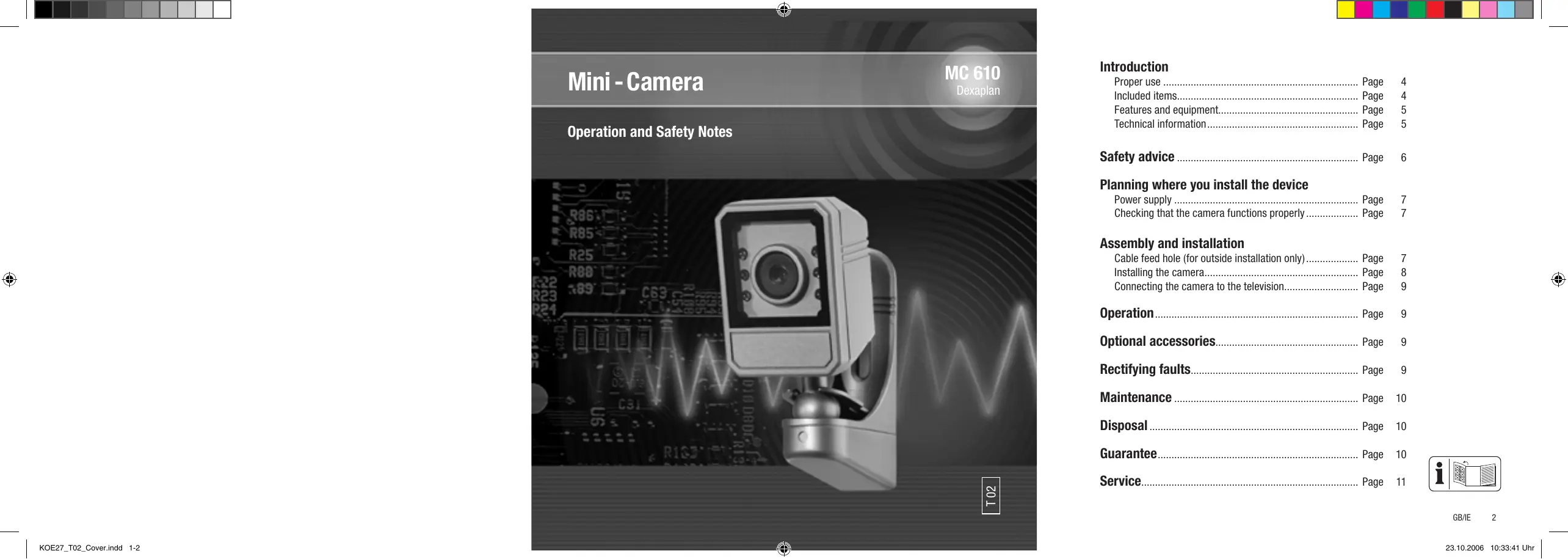
DEXAPLAN MC 610 - 1

DEXAPLAN MC 610 - 2

Introduction

Proper use 4
Included items.. 4
Features and equipment.. 5
Technical information.. 5

Safety advice 6

Planning where you install the device

Power supply . 7
Checking that the camera functions properly.. 7

Assembly and installation

Cable feed hole (for outside installation only).. Page 7
Installing the camera.. 8
Connecting the camera to the television.. 9

Operation 9
Optional accessories.. 9
9
Maintenance. 10
Disposal 10
Guarantee. 10
Service. 11

DEXAPLAN MC 610 - Assembly and installation - 1

DEXAPLAN MC 610 - Assembly and installation - 2

DEXAPLAN MC 610 - Assembly and installation - 3

DEXAPLAN MC 610 - Assembly and installation - 4

DEXAPLAN MC 610 - Assembly and installation - 5

GB/IE 3

Introduction

Please read carefully and completely through these operating instructions and fold out page 3, the page with the illustrations. These operating instructions form part of the product and contain important information about bringing the product into use and its handling.

Always observe all the safety advice. If you have any questions or are unsure of how to handle the device please consult our Internet site at www.dexaplan.com or contact our service centre.

Be careful to keep these instructions and if necessary pass them on to a third party.

Proper use

The MC 610 is a ready-to-connect video security camera, which is quick and easy to install. The camera is weather-proof (ingress protection IP44) and therefore is suitable for monitoring interior areas as well as for installation and monitoring outside. It is intended exclusively for use in private domestic dwellings. The camera can be connected to the scart socket on an ordinary television set.

Alternatively, the MC 610 can be connected to a video recorder to record pictures and sound.

Using extension cables the maximum distance

between camera and television can be up to 45m

The power to the security camera is provided by the supplied 9V DC mains adapter connected to the 230V AC,50Hz mains supply.

Any other use or modification to the device shall be

Introduction

considered as improper use and could give rise to considerable dangers. The manufacturer will not be liable for damage caused by improper use or incorrect operation.

Included items

Check that all the items and accessories are present and undamaged immediately after unpacking.

1 Camera
1 Wall bracket including clamp bolt and nut
1 Ready-to-connect 15m connection cable with scart connector
1 Mains adapter with approx. 1.8m cable
2 Mounting screws and 2 dowels
15 Cable clips
1 Allen key
1 Operating instructions

GB/IE 4

Features and equipment

See Fig. A

① Camera
② Infrared LEDs
③ Ball joint
④ Cable plug
⑤ Connection cable
⑥ Socket
⑦ Scart plug
⑧ Mains adapter
(9) Mains adapter cable plug
10 Mains adapter cable
11 Bracket
Cable cover
⑬ Nut
14 Washer
15 Cable eye
16 Attachment clamp
⑰ Clamp bolt
Mounting screws
19 Dowels
20 Allen key
② Cable clips

Technical information

Camera

Operating voltage: 9V=DC

Current input: max. 150 mA

Power supply: From the supplied mains adapter

Installation site: In internal areas and sheltered external positions

Protection type: IP 44

Image sensor: Black/white CMOS sensor

Image resolution: 384x287 pixels

Angle of view: Approx. 32^ horizontal

Lighting: Infrared LEDs (for lighting the nearby area during darkness)

Microphone: Integrated

Operating temperature: -10 °C to +39 °C

Housing material: ABS

Housing dimensions: 43mm × 58mm × 33mm

Weight: Approx. 39 g (not including accessories)

Mains adapter

Power supply: 230V\~ AC,50Hz

Power consumption: 0.9VA

Output: 9V = = = DC, max. 150 mA

Installation site: Internal rooms only

Safety advice

The following advice is intended for your safety and satisfaction during operation of the device. Please note that non-observation of this safety advice can lead to considerable danger.

Explanation of the symbols and terms used:

Danger! Non-observance of this instruction or advice could endanger life and health.
Attention! Non-observance of this instruction or advice will endanger property.
Tip! Observance of this instruction or advice will achieve best performance.

Danger!

  • Do not leave small children unattended with the device, packaging material or small parts! Otherwise there is a risk to life from suffocation!
  • When you drill holes or install the fastenings make sure that you do not damage any cables or pipes carrying gas, electricity, water or telecommunications! Otherwise there is a risk to life and limb!
  • Handle the electricity supply feed cable carefully! Place the cable in such a position that it cannot be damaged or become a trip hazard. Fasten the cable in place with an adequate number of cable clips. Do not pull the cable over sharp edges or allow it to become squashed or clamped in other ways. Otherwise there is a risk to life and limb!

If you use the device for monitoring babies or small children ensure that the camera and cable are out of reach of children. Otherwise there is a risk to life and limb!
- Do not allow the mains adapter to come into contact with moisture! Otherwise there is a danger to life!

Attention!

  • Operate the camera with 9V = -DC only! Check before connecting the mains adapter to the mains that the electricity supply circuit is 230V AC, 50Hz and is fitted with a max. 16 amp fuse or trip.
  • Protect the camera and cable from strong magnetic or electric fields!
  • Do not place the device near fire, heat, or subject it to prolonged high temperatures!
  • Protect the device from violent mechanical loads and vibrations!
  • Use the device only with the supplied original parts or original accessories!
  • Before assembling and bringing the device into use check the supplied items for damage and completeness!
  • If the device is damaged (e.g. transport damage) do not connect it. If in doubt ask your customer service centre. Repairs and interference with the device may only be carried out by trained specialists.
  • Use a dry or slightly moist cloth for cleaning the device. Never immerse the device in water.

Planning where you install the device

Before you install the camera you must first plan what to do at the installation site.

Example installation see Fig. B

Check that the camera works satisfactorily at the installation site before you install it.

Tip! Observe the following points:
The camera should be attached in such a way that as little direct light or direct sunlight as possible strikes the lens. When considering this, remember that the position of the sun does not remain constant. The camera image is best checked before it is installed. To do this set the camera operating and hold it in the planned position. If necessary alter the position of the camera until you obtain your desired picture coverage.
The camera has an infrared light for the adjacent area for better facial recognition. Additional lighting in the area at night will improve the image quality from the camera.
If you wish to install the camera outside a building please remember that it must be possible to provide a cable feed hole to the installation site. The installation site should if possible be sheltered from rainfall.
- Avoid wherever possible placing the connection cable directly alongside electrical cables otherwise this could adversely affect picture and sound quality.

Power supply

  • Connect the scart-plug ⑦ to the scart socket of your television set.
    Insert the cable plug ④ firmly into the hole in the ball joint ③ of the camera ①

Tip! Insert the cable plug so firmly into the ball joint that you hear three clicks. Only when you do this is the cable properly connected.

Connect the mains cable plug ⑨ to the socket ⑥.
Connect the mains adapter ⑧ to a mains socket.

Checking that the camera functions properly

  • Switch on your television.
  • Set your television to the AV channel corresponding to the connected scart socket.
  • Now check picture and sound.
  • Lay out the cable on a temporary basis to the proposed installation site.
    Check the actual picture displayed.
  • Adjust the camera direction if necessary.
  • Switch the television off again.
    Pull out all the connections.
    Continue with the installation.

Assembly and installation

Cable feed hole (for outside installation only)

  • Select a suitable position for the cable feed hole (preferably directly below the bracket ⑪)

DEXAPLAN MC 610 - Cable feed hole (for outside installation only) - 1

1 3

Assembly and installation

(refer to Fig. C), so that the cable feed hole is protected by the cable cover (2) (see Figs. C and H). Ensure that the hole is large enough for the cable plug 4 of the connection cable (min. 8mm ).

  • Push the cable plug ④ from inside to outside through the hole.
    Tip! Do not try to cut through the connection cable or take off the cable plug.
    Pull through enough of the connection cable ⑤ so that it reaches the camera ①

Installing the camera

See Fig. C

  • Mount the bracket ⑪ at the proposed installation site using the supplied mounting screws ⑱ and dowels ⑲ (hole spacing 30 mm, drilled depth approx. 25 mm).

See Fig. D

The bracket, washer and attachment clamp 16 have been preassembled together at the factory with the nut 13 and clamp bolt 17.

See Fig. E

If necessary loosen the clamp bolt 17 fastened with the nut 13 using the supplied Allen key 20, so that the attachment clamp 16 can be moved.
Push the ball joint ③ of the camera between the bracket ① and attachment clamp ⑥

See Fig. F

  • Now use the supplied Allen key ② to carefully tighten the clamp bolt.
    Tip! Tighten the clamp bolt enough so that the camera is held in the desired position. Do not over-tighten the bolt or the bracket may be damaged.
  • Now insert the cable plug ④ through the cable eye ⑤ into the hole in the ball joint ③ of the camera and press it in firmly. Insert the cable plug so firmly into the ball joint that you hear three clicks. Only when you do this is the cable properly connected.

See Fig. G

If the camera is mounted outside a building and a cable feed hole has been made then the hole must be sealed, e.g. with silicone.

See Fig. H

Push the cable cover ⑫ over the guide from front to back. If the connection cable ⑤ is led over a surface (not fed through a drilled hole directly behind the cable cover) then you must cut out one of the three preformed breakout areas ② (see Fig. I) in the cable cover.

See Fig. B

Lay the connection cable ⑤ back to your television and if necessary fix it in place using the supplied cable clips ②1.

Connecting the camera to the television

See Fig. B

Connect the Scart-plug ⑦ to the scart socket of your television set. If you do not have a scart socket on your television or the scart socket is already occupied, then you can connect the camera through a video recorder ⑤ with a scart input ⑥ (see Fig. K). Alternatively you can use a scart switcher (available in electrical appliance shops).

Connect the mains cable plug ⑨ to the socket ⑥.
Connect the mains adapter ⑧ to a 230V mains socket ⑦.

Operation

  • Switch on your television set.
  • Select the AV channel (on most televisions it may be called VCR, channel 0 or marked with the symbol ). If the camera is connected through a video recorder (see Fig. K), select the AV channel as above.

You should now see the camera image and hear the sound from the microphone integrated into the camera.

Optional accessories

Extension cable

The camera cable can be extended to a maximum

length of up to 45m . 10m extension cables are available for this (MC-10 M). The extension cables are fitted with a cable plug and a cable socket and can therefore be connected together.

You can find information about ordering an extension cable or other accessories on the Internet at www.dexaplan.com

Rectifying faults

FaultCauseRemedy
No picture/soundTelevision is not tuned to the AV channelSwitch your te-levatorion to theAV channel cor-responding to thescart connector
Camera has no power supplyCheck the mains adapter connection.
The connection to the camera is interruptedCheck that the scart plug isproperly seated and that the ca-ble plug is fully inserted (when you insert it you must hear 3x clicks)

GB/IE 9

FaultCauseRemedy
No soundThe volume at the television is set too lowSet the volume at the television
Poor picture at dusk/dawn/in darknessThe camera needs light to show an imagePlace the camera a maximum of approx. 1 m away from the object monitored or install some additional lighting

Maintenance

  • Disconnect the mains adapter from the mains before carrying out any maintenance or cleaning on the device.
  • You should regularly check the device to see that it is safe and working properly.
  • Use a soft cloth and some mild cleaning agent or weak soap solution to clean the surface of the camera housing.
  • Never use petrol, thinners or similar chemicals.

Disposal

Dispose of packaging materials and worn out devices at a local authority approved disposal facility.

In accordance with European Directive 2002/96/EC (covering waste electrical and electronic equipment

and its transposition into national legislation, worn out electrical devices must be collected separately and taken for environmentally compatible recycling.

Guarantee

This product carries a 3-year guarantee from the date of purchase. Please retain the sales voucher as proof of purchase. In the event of a claim under the guarantee please contact the service centre for your country to ensure that your goods can be returned at no cost. Furthermore, the guarantee is restricted to defects in material and manufacture only. It does not cover wear parts or damage to fragile parts. The product is intended for private and domestic use exclusively. It is not intended for commercial use. A camera does not replace your duty of supervision and care. The guarantee is void in the event of misuse or improper handling, the use of force or interference unless carried out by the service centre. This guarantee does not limit your statutory rights.

10 GB/IE

Service

Information on what to do in the event of a problem can be found on the Internet at www.dexaplan.com. In the event of questions please contact our service centre by e-mail (service@dexaplan.de) or telephone (空) 0870 / 2413029)(空) 081890 / 851851)

Monday-Friday, 8:30 - 17:00 hours. There you will obtain all the necessary information about service procedures such as returning devices etc.

Assistant notice
Powered by Anthropic
En attente de votre message
Informations produit

Marque : DEXAPLAN

Modèle : MC 610

Catégorie : Caméra de surveillance