
DIAPHANE - Montres SWATCH - Notice d'utilisation et mode d'emploi gratuit
Retrouvez gratuitement la notice de l'appareil DIAPHANE SWATCH au format PDF.


| Marque | SWATCH |
| Modèle | DIAPHANE |
| Type de produit | Montre bracelet chronographe |
| Mouvement | Quartz |
| Fonctions principales | Heures, minutes, secondes, date, chronographe (60 minutes, secondes, 1/10e de seconde), tachymètre, temps Internet Swatch |
| Affichage | Analogue avec aiguilles et compteurs |
| Remontoir | Couronne à 3 positions (A, B, C) |
| Poussoirs | 2 poussoirs (départ/arrêt, remise à zéro) |
| Alimentation | Pile bouton (type non spécifié, typiquement SR927SW ou équivalent) |
| Mise à l'heure | Tirer la couronne en position C, tourner dans le sens horaire ou antihoraire |
| Mise à la date | Tirer la couronne en position B, tourner dans le sens antihoraire |
| Chronographe | Départ/Arrêt par poussoir supérieur, remise à zéro par poussoir inférieur ; fonctions de temps intermédiaire et d'ajout |
| Tachymètre | Mesure de vitesse sur base 100 ou 1000 mètres |
| Lunette tournante | Pour fonction plongée (décompte) ou navigateur Internet selon version |
| Temps Internet Swatch | Lunette navigateur : aligner fuseau horaire, lire l'heure Internet sur la lunette |
| Réglage du chronographe | Après changement de pile ou choc : couronne en B, poussoirs pour ajuster les compteurs |
| Entretien et nettoyage | Éviter tout contact avec l'eau sauf si étanchéité indiquée ; nettoyer avec un chiffon doux et sec |
| Sécurité | Ne pas exposer à des températures extrêmes ou à des champs magnétiques |
| Pièces détachées et réparabilité | Pile remplaçable par un horloger ; bracelet interchangeable |
| Informations générales | Notice disponible en plusieurs langues ; téléchargement gratuit au format PDF |
FOIRE AUX QUESTIONS - DIAPHANE SWATCH
Questions des utilisateurs sur DIAPHANE SWATCH
0 question sur cet appareil. Repondez a celles que vous connaissez ou posez la votre.
Poser une nouvelle question sur cet appareil
Téléchargez la notice de votre Montres au format PDF gratuitement ! Retrouvez votre notice DIAPHANE - SWATCH et reprennez votre appareil électronique en main. Sur cette page sont publiés tous les documents nécessaires à l'utilisation de votre appareil DIAPHANE de la marque SWATCH.
MODE D'EMPLOI DIAPHANE SWATCH
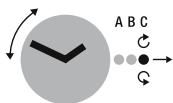
Time setting
Set
Go
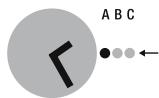
A Normal position of the crown
C Position for setting the time
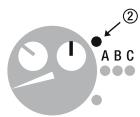
To set the time, pull the crown out to position C and turn clockwise or anticlockwise. After resetting has been completed, press the crown back to position A.
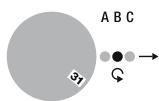
Date
Set
Go
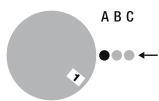
To set the date, pull the crown out to position B, and turn anticlockwise. After resetting has been completed, press the crown back to position A.
Display
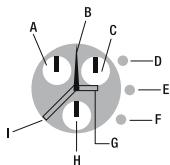
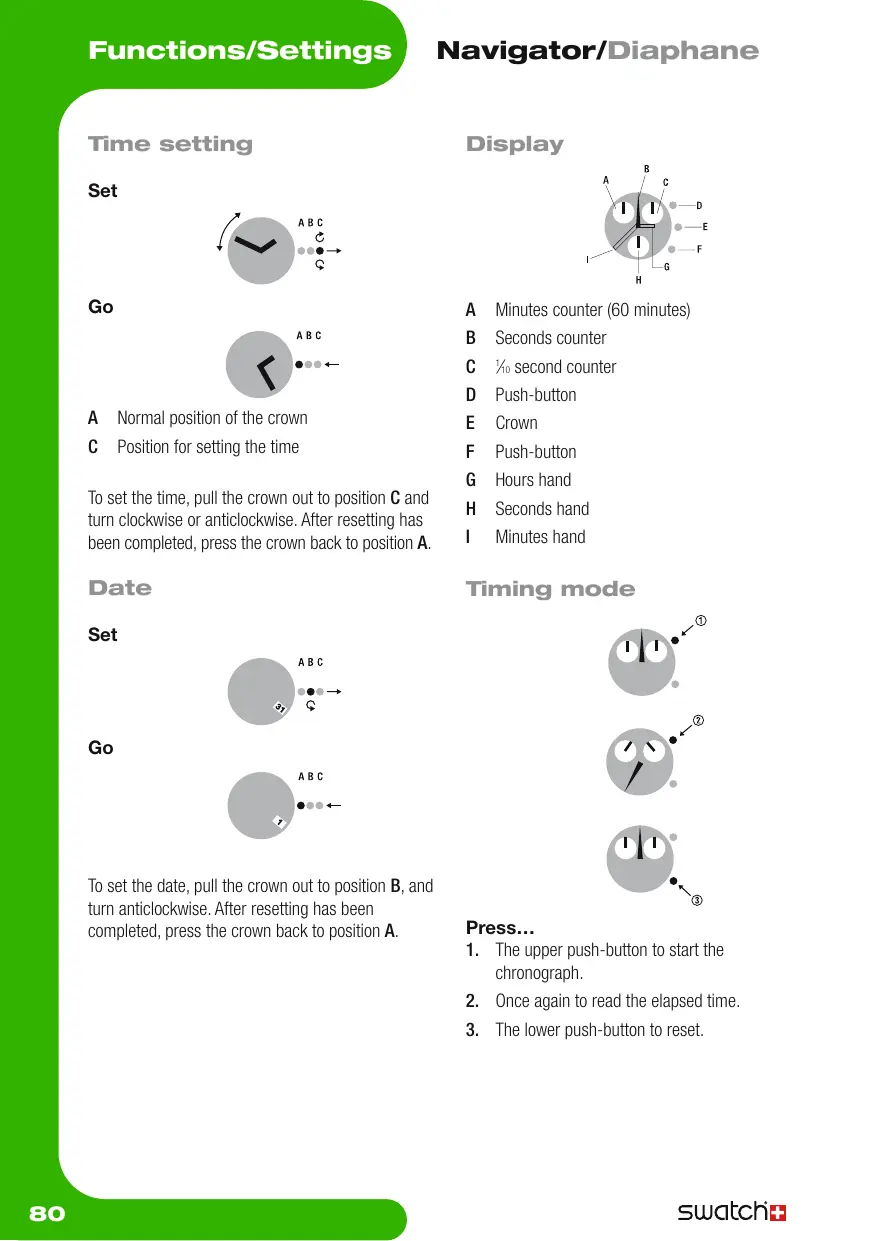
A Minutes counter (60 minutes)
B Seconds counter
C 1 / 0 second counter
D Push-button
E Crown
F Push-button
G Hours hand
H Seconds hand
Minutes hand
Timing mode
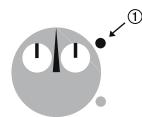
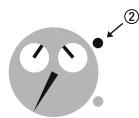
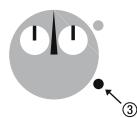
Press...
- The upper push-button to start the chronograph.
- Once again to read the elapsed time.
- The lower push-button to reset.
Split time
Go
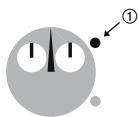
Stop
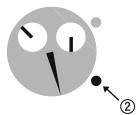
Go
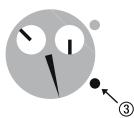
Stop
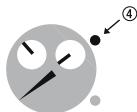
Reset
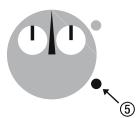
Press...
- The upper push-button to start the chronograph.
- The lower push-button to read the intermediary time.
- Once again to continue (repeat the last two actions as many times as you wish to read the intermediary time while the chrono carries on).
- The upper push-button to stop finally.
- The lower push-button to reset.
Add Functions
Start
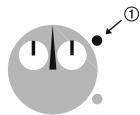
Read
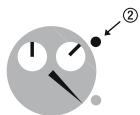
Restart
Read
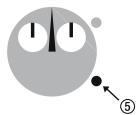
Reset
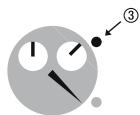
Press...
- The upper push-button to start.
- Press the upper push-button to read the first time.
- Press the upper push-button to restart the chronograph.
- Press the upper push-button to read the additional time (repeat these two steps as many time as you wish).
- Press the lower push-button to reset.
Readjustment

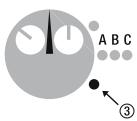
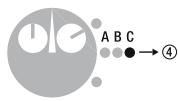
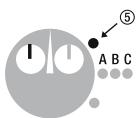
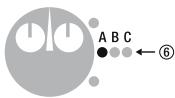
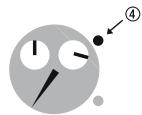
Adjusting the chronograph (ex: after battery change or a hard shock)
- Pull the crown to position B.
- Press the upper button to reach the position 12h00 with the hand of the % sec. counter.
- Pull the lower button to reach the position 12 h 00 with the hand of the seconds.
- Pull the crown to the position C.
- Press the upper button to reach the position 12 h 00 with the hand of the minutes counter.
- Press the crown to position A.
Tachometer
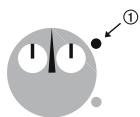
Go
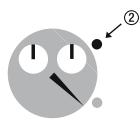
Stop
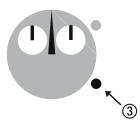
Reset
Measure the speed Base 100 or 1000m
Press...
- The upper push-button when an action starts.
- Once again to stop after a distance of 100 or 1000m . Read the speed indicated by the 60 seconds counter on the tachometer scale (km / h = kph)
- The lower push-button to reset.
turningbezel
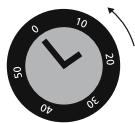
Set
Read
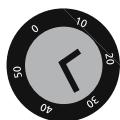
Using the adjustment ring
For setting the start time and duration of an activity. Line up the marker on the adjustment ring with the minute hand. Timing starts at the time indicated by the marker. The elapsed time is indicated by the minute hand pointing the number on the adjustment ring.
The previous text only applies to the adjustment ring for the dive function. Please refer to the enclosure for other functions such as the internet navigator (or similar).
Internet Navigator Bezel
Swatch Internet Time is a universal time, all over the world, without time zones or geographic borders.
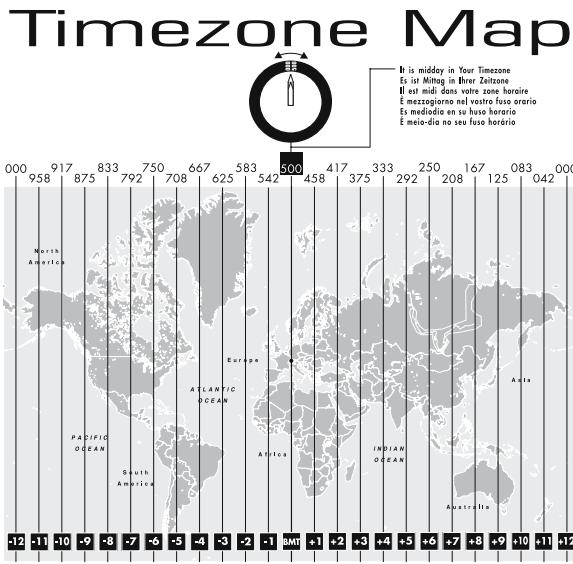
The current 24 hours are divided into 1000 Swatch beats. @000 Swatch Internet Time represents midnight (CET-wintertime) in Biel, Switzerland, the home of Swatch. If you live outside of Central European Time (CET-wintertime) refer to the «time zone map» and turn the Navigator Bezel until your indicated time zone number is at the 12 o'clock position. Read the Swatch Internet Time on the bezel that faces the hour hand. (If it is between two numbers, read the lesser numbers).
Note the small numbers on the dial facing the minute hand and add them to the numbers facing the hour hand.
Marque : SWATCH
Modèle : DIAPHANE
Catégorie : Montres