
PU054 - Carte d'extension informatique SWEEX - Notice d'utilisation et mode d'emploi gratuit
Retrouvez gratuitement la notice de l'appareil PU054 SWEEX au format PDF.

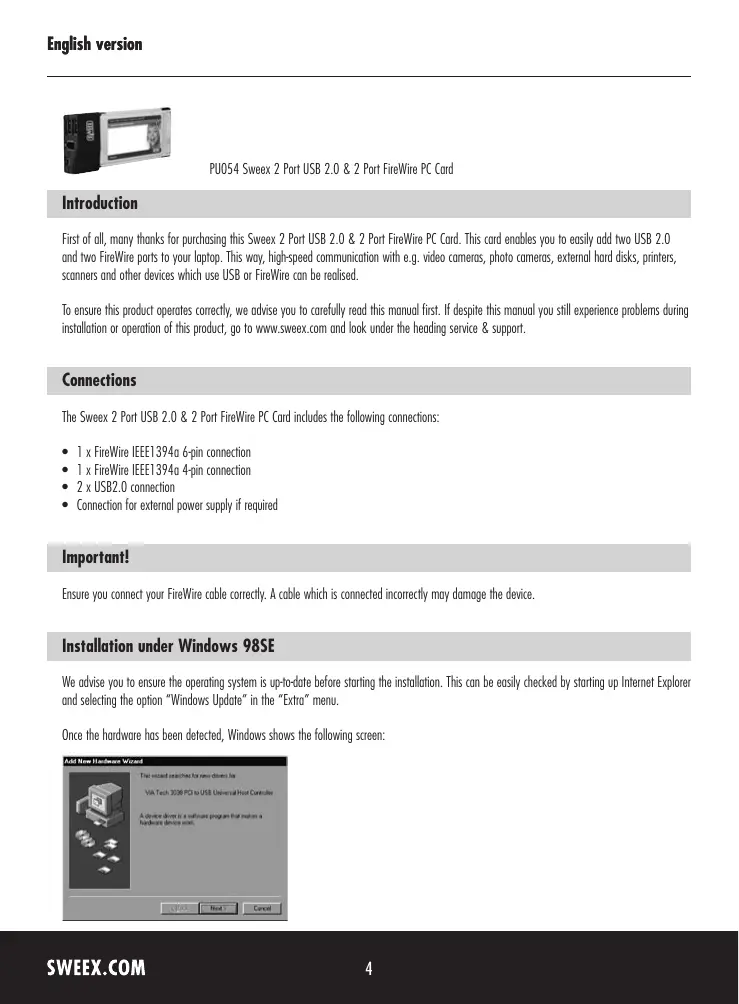

| Type de produit | Carte d'extension PC Card pour ordinateur portable |
| Marque | Sweex |
| Modèle | PU054 |
| Connecteurs | 1 x FireWire IEEE 1394a 6 broches, 1 x FireWire IEEE 1394a 4 broches, 2 x USB 2.0 |
| Alimentation | Via le bus PC Card (5 V) ou adaptateur secteur externe 5 V CC (en option) |
| Dimensions approximatives | 85 x 54 x 5 mm |
| Poids approximatif | 30 g |
| Fonctions principales | Ajoute 2 ports USB 2.0 et 2 ports FireWire à un ordinateur portable pour connecter caméras, disques durs externes, imprimantes, etc. |
| Systèmes d'exploitation supportés | Windows 98SE, 2000, XP, Vista (pilotes intégrés pour 2000/XP/Vista) |
| Installation | Plug-and-play sous Windows 2000/XP/Vista ; installation manuelle sous Windows 98SE avec CD fourni |
| Entretien et nettoyage | Aucun entretien particulier. Nettoyer avec un chiffon sec et doux. |
| Sécurité | Brancher correctement les câbles FireWire pour éviter d'endommager l'appareil. Ne pas exposer à l'humidité. |
| Garantie | 3 ans par le revendeur |
| Pièces détachées et réparabilité | Aucune pièce détachée disponible. En cas de panne, contacter le revendeur. |
FOIRE AUX QUESTIONS - PU054 SWEEX
Questions des utilisateurs sur PU054 SWEEX
0 question sur cet appareil. Repondez a celles que vous connaissez ou posez la votre.
Poser une nouvelle question sur cet appareil
Téléchargez la notice de votre Carte d'extension informatique au format PDF gratuitement ! Retrouvez votre notice PU054 - SWEEX et reprennez votre appareil électronique en main. Sur cette page sont publiés tous les documents nécessaires à l'utilisation de votre appareil PU054 de la marque SWEEX.
MODE D'EMPLOI PU054 SWEEX
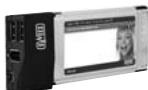
PU054 Sweex 2 Port USB 2.0 & 2 Port FireWire PC Card
Introduction
First of all, many thanks for purchasing this Sweeex 2 Port USB 2.0 & 2 Port FireWire PC Card. This card enables you to easily add two USB 2.0 and two FireWire ports to your laptop. This way, high-speed communication with e.g. video cameras, photo cameras, external hard disks, printers, scanners and other devices which use USB or FireWire can be realised.
To ensure this product operates correctly, we advise you to carefully read this manual first. If despite this manual you still experience problems during installation or operation of this product, go to www.sweex.com and look under the heading service & support.
Connections
The Sweex 2 Port USB 2.0 & 2 Port FireWire PC Card includes the following connections:
- 1 x FireWire IEEE1394g 6-pin connection
- 1 x FireWire IEEE1394g 4-pin connection
- 2xUSB2.0 connection
- Connection for external power supply if required
Important!
Ensure you connect your FireWire cable correctly. A cable which is connected incorrectly may damage the device.
Installation under Windows 98SE
We advise you to ensure the operating system is up-to-date before starting the installation. This can be easily checked by starting up Internet Explorer and selecting the option "Windows Update" in the "Extra" menu.
Once the hardware has been detected, Windows shows the following screen:
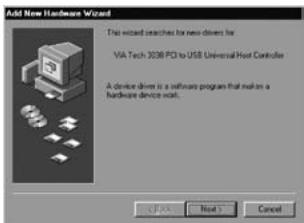
Click "Next".
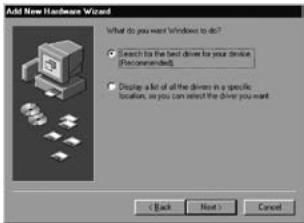
Here, select the option "Search for the best driver" and click "Next".
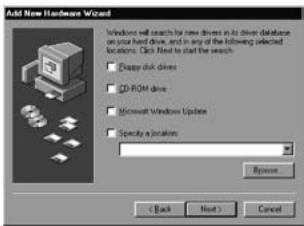
Untick all options. Then click "Next".
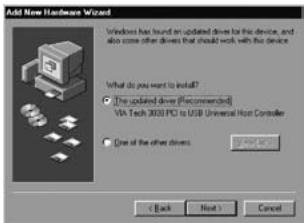
Select the first option and click "next".
To complete this part, click "Next" and then "Finish".
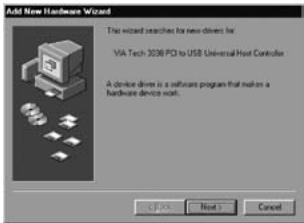
Complete the above installation procedure for this part once more.
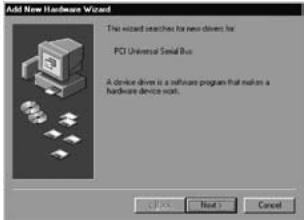
Click "Next".
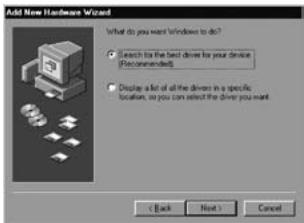
Here, select the option "Search for the best driver" and click "Next".
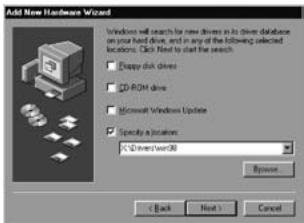
Tick the last option: "Specify a location". Insert the Sweeex CD-ROM in the CD-ROM player. Go to the Sweeex CD-ROM via "Browse", and select the folder "Drivers". In this folder, select the relevant operating system; win98. Then click "Next".
Note: In the illustration, "X" stands for our CD-ROM drive. This may be a different drive letter!
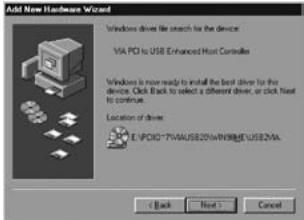
Click "Next".
To complete this part, click "Next" and then "Finish".
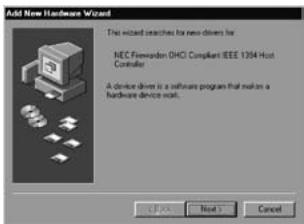
Click "Next".
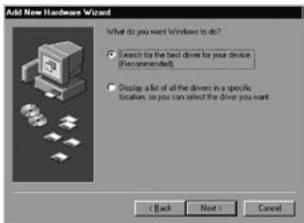
Here, select the option "Search for the best driver" and click "Next".
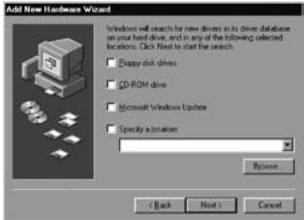
Untick all options. Then click "Next".
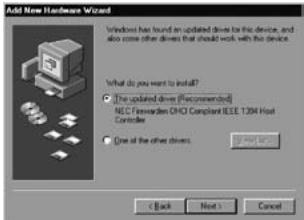
Select the first option and click "Next". To complete this part, click "Next" and then "Finish". Now the hardware has been installed successfully. Finally, we advise you to restart the PC.
Installation under Windows 2000, XP and Vista
We advise you to ensure the operating system is up-to-date before starting the installation. This can be easily checked by starting up Internet Explorer and selecting the option "Windows Update" in the "Extra" menu.
No drivers are required for installation under Windows 2000 and Windows XP; they are all incorporated in the operating system and the Sweex 2 Port USB 2.0 & 2 Port FireWire PC Card will be installed automatically.
If you do not have the possibility of updating Windows, a separate VIA USB 2.0 driver must be installed in order to use the USB 2.0 feature. It can be found in the Sweex autorun menu (starts automatically after inserting the CD-ROM) under the "VIA USB 2.0 Driver" button.
Should the CD-ROM not start automatically, or if it is already in the CD-ROM player, the CD-ROM can be started by double-clicking the small CD-ROM icon titled Sweex in "My Computer".
External power supply
If so-called bus-powered devices are used, the 2 Port USB 2.0 & 2 Port FireWire PC card offers the possibility of connecting an external power supply. One of the following two can be connected:
- 5 Volt DC Adaptor
Warranty
All products under the Sweex brand are warranted for a period of three years. We do not grant support or warranties for any software and/or (rechargeable) batteries included. Warranty claims are only settled via the dealer where the product concerned was purchased.
The rightful owner has and retains title to all brand names and related rights mentioned in this manual.