
E5 N - Contrôleur de température OMRON - Notice d'utilisation et mode d'emploi gratuit
Retrouvez gratuitement la notice de l'appareil E5 N OMRON au format PDF.


| Type de produit | Contrôleur de température |
| Marque | OMRON |
| Modèle | E5 N |
| Afficheur | LCD 11 segments rétroéclairé haute intensité |
| Affichage PV | 3 couleurs programmables (rouge, vert, orange) pour indiquer les alarmes ou écarts |
| Indice de protection | IP66 (face avant) |
| Alimentation | 100-240 VAC, 50/60 Hz (selon modèle) |
| Communication | RS485 (Modbus / CWF) |
| Type de régulation | PID 2 boucles (2-PID) avec algorithme avancé |
| Auto-réglage | Auto-tuning et Self-tuning avec ajustement automatique du gain froid |
| Protection | Mot de passe et menus personnalisables |
| Fonctions logiques | Combinaison de flags internes, statuts ou alarmes pour créer des stratégies logiques |
| Sorties | Programmables : toute sortie peut être affectée à une fonction de contrôle, alarme ou logique |
| Programmateur | 2 paliers (rampe et palier) pour cycles thermiques |
| Alarmes | Rupture de sonde, rupture de chauffage (monophasé/triphasé), alarme de variation PV |
| Logiciel de configuration | CX-Thermo (PC) avec outil de réglage fin |
| Température ambiante | -10 à 55 °C |
| Entretien et nettoyage | Nettoyer le panneau avant avec un chiffon doux et sec. Ne pas utiliser de produits abrasifs. |
| Sécurité | Verrouillage par mot de passe pour éviter les modifications non autorisées |
| Pièces détachées et réparabilité | Les réparations doivent être effectuées par un technicien qualifié. Contacter le service après-vente OMRON. |
FOIRE AUX QUESTIONS - E5 N OMRON
Questions des utilisateurs sur E5 N OMRON
0 question sur cet appareil. Repondez a celles que vous connaissez ou posez la votre.
Poser une nouvelle question sur cet appareil
Téléchargez la notice de votre Contrôleur de température au format PDF gratuitement ! Retrouvez votre notice E5 N - OMRON et reprennez votre appareil électronique en main. Sur cette page sont publiés tous les documents nécessaires à l'utilisation de votre appareil E5 N de la marque OMRON.
MODE D'EMPLOI E5 N OMRON
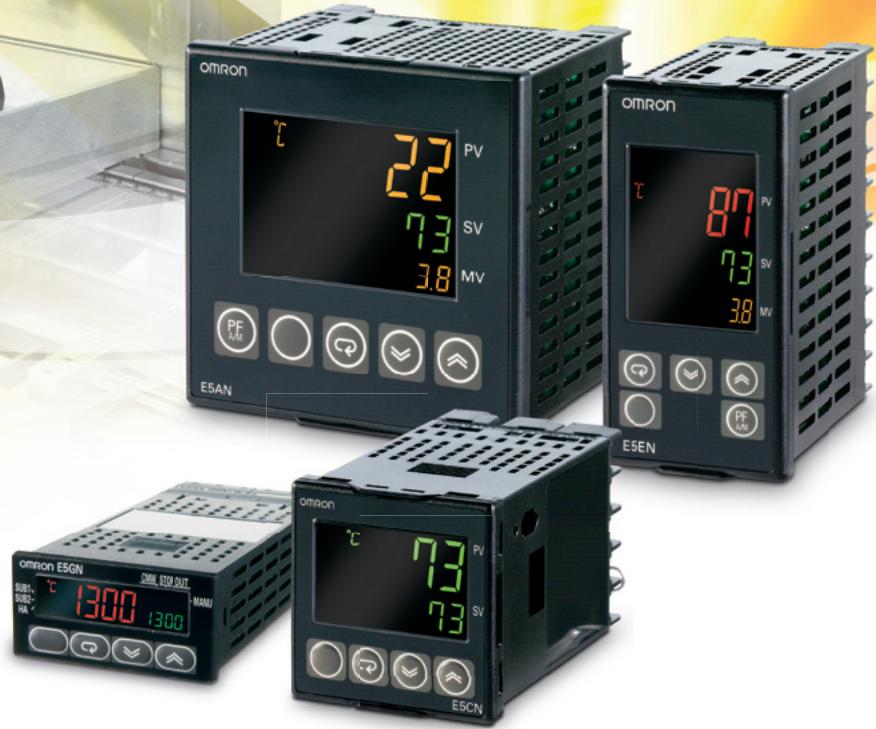
E5_N SERIES
Proven concept for temperature control
》Performance
» Easy to use
》Flexibility
And this is why........
Acknowledged as the best temperature controllers for general applications on the market today, the E5_N series has been upgraded to bring you new benefits. The E5_N has always been characterised by outstanding control performance and the easy way in which it is installed and operated. The application specific features provide you with the flexibility that gives your machine that special edge. The new E5_N series takes all of these benefits to a new, higher level.
Continuous improvement
The E5_N is still the same reliable controller that you are familiar with, but now the world's most widely used temperature controller has been made even more accurate with regard to input and current output resolution. We've also made it faster with regard to host communication. But what really stands out with the E5_N is its remarkable ease of use that will save you more time in both setting up and adjustment.
Easy to use
Performance
Flexibility
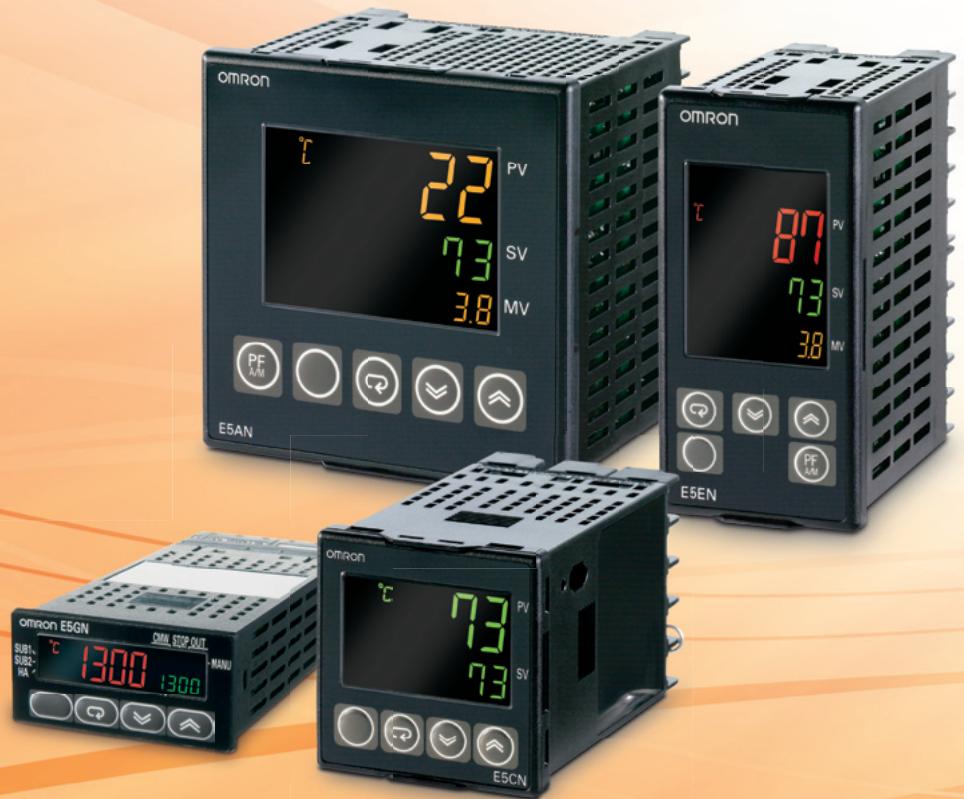
Easy through...
- Excellent visibility in all lighting conditions thanks to high-intensity LCD with wide viewing angle
- Optimal status recognition with 3-colour-change PV display
- Easy setting up and operation via the front keys or with Omron's improved intuitive CX-ThermoPC Software
Hygienic, easy-to-clean, flat-membrane front panel (IP66 rating)
Layered menu structure for clear operation
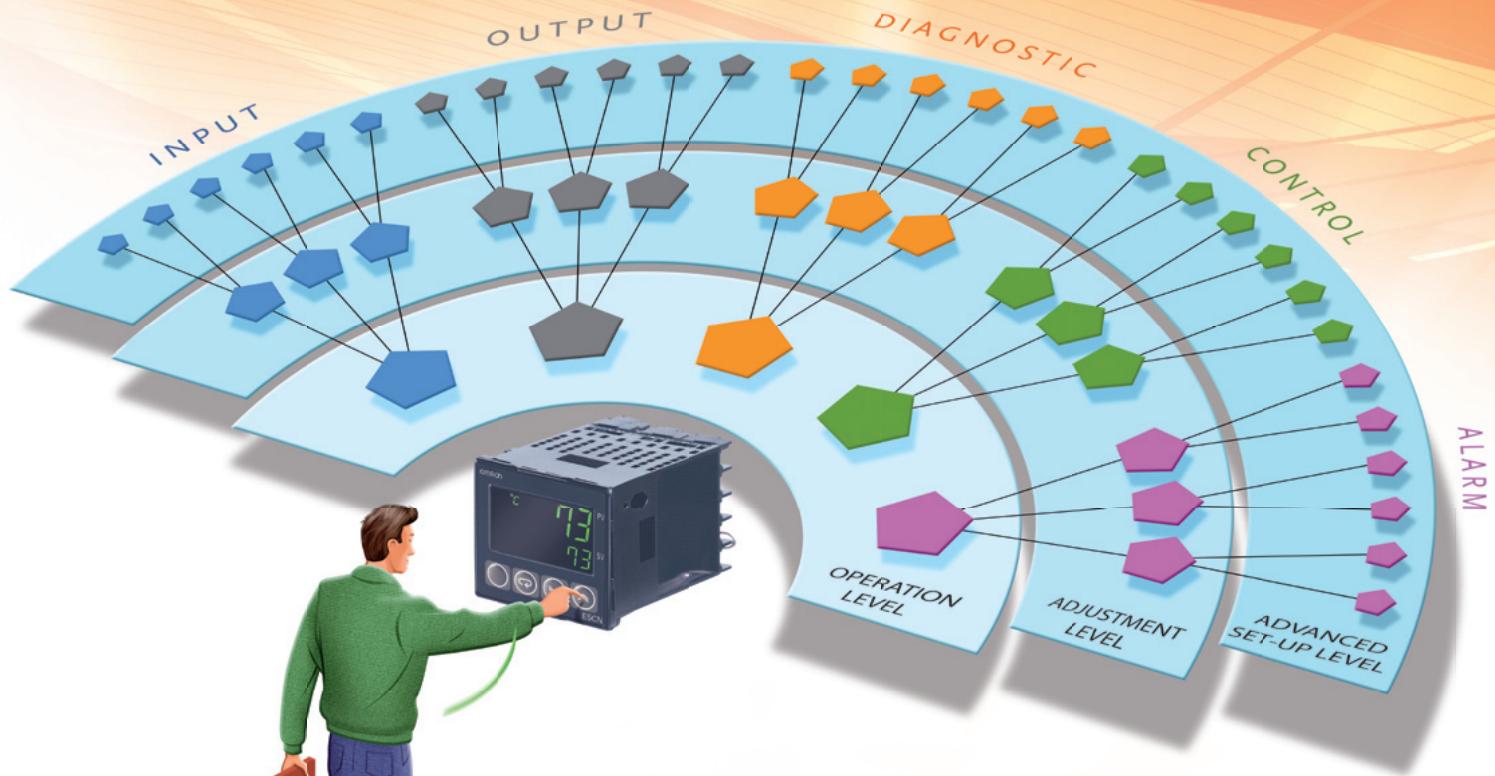
In many other controllers, the menu is built from lists of functional parameters. With the Omron E5_N, the concept is layered. The first level (operation) shows just those parameters from each functional group that the operator needs. A supervisor can take an action to go to the next level (adjustment) to change parameters that can increase performance. The highest, optionally password protected level (set up) shows those parameters that give you flexibility to configure the E5_N to your specific application needs.
Flexible because we offer...
- Highest application security thanks to password protection and customizable menus
- Logic operations to combine any internal flag, status or alarm into a logic strategy
- Any hardware output can be assigned to any available control, alarm or logic function
- Easy integration using RS485 (CWF/Modbus), optionally using our PRT1-SCU11 gateway to connect further to ProfiBus
Performance is achieved with...
- Exact control with Omron's unique 2-PID algorithm
Full or limited (40%MV) Auto-tuning/Self-tuning with automatic cool-gain adjustment - Precise indication and drive due to accurate and high resolution inputs and outputs
- Clear diagnostics and pre-maintenance functions like output ON/OFF counter and heater alarm
Clear, easy to understand display
With the E5_N you get the same large, 11-segment, backlit LCD display which gives better and sharper images, that makes it easy to read from all angles and distances, in all lighting conditions. Now the window and characters are even bigger.
The 3-colour PV display can be programmed to indicate an alarm or pre-set deviation from SV and is accompanied by a corresponding change in PV display colour of either red, green or orange.

| M | Q | V | W | Z | R | |
| 7 Segment | - | - | - | |||
| - | - | |||||
| 11 Segment | M | |||||
The 11-segment display make it easy to read text
2-PID control supplies performance
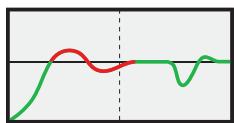
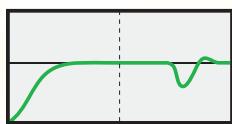
Omron's 2-PID control gives an important advance on standard PID control. 2-PID control uses a powerful algorithm that enables the instrument to be tuned for optimum disturbance response without any compromise on the speed of reaction to changes in set point. And the best part is that the user doesn't

CX-Thermo PC configuration software
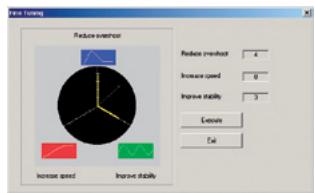
Omron has also improved CX-Thermo, the PC software to configure, clone and commission E5_N and other series temperature controllers. The GUI has been dramatically improved, as is the functionality of the trend viewer. Still available is the powerful "fine tuning" tool, to improve the performance of your application to the parameter you set: Faster, more stable or less hunting.
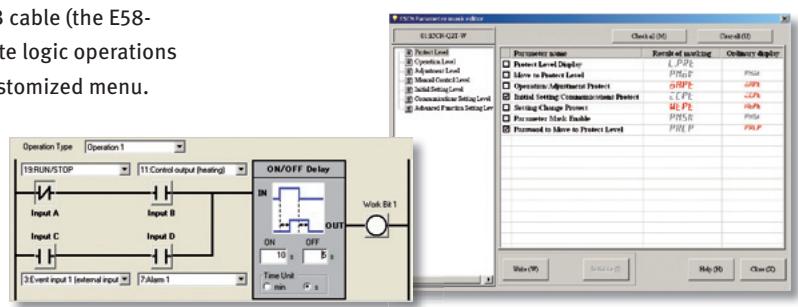
All E5_N can connect to a PC by using a USB cable (the E58-CIFQ1). CX-Thermo also enables you to create logic operations and hide parameters to create your own customized menu.
have to take any special action. Our instruments are factory preset suitable to give fast responses with minimal overshoot for most control applications. What this means for you is faster production start-up and much more stable control during production leading to more and better quality products.
Features for Applications
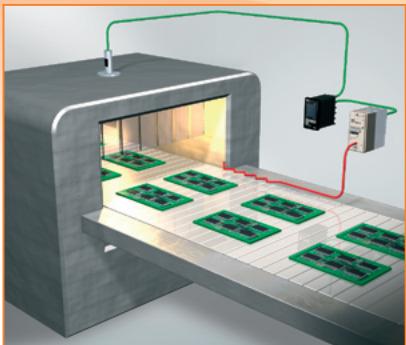
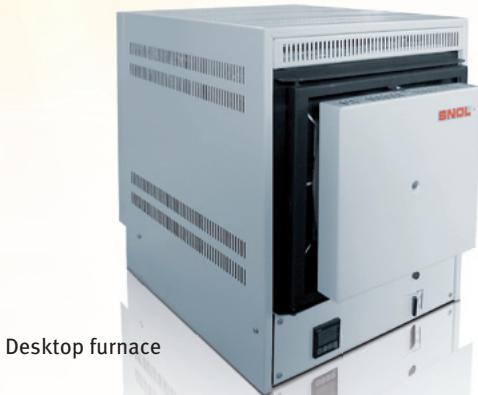
Reflow furnace
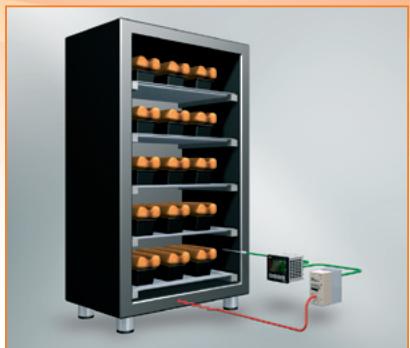
Baking oven
Input for contactless temperature sensor is designed to measure moving products. Ideal for conveyer furnace applications.
(Partial) heater-break and SSR short circuit detection system
This detects the need for maintenance at the early stages.
Basic (2-step) programmer
In many thermal processes (food, brick, pottery etc.) a small element of timing is required. This feature enables you to ramp up to a set-point and set the dwell time period. A fixed minimum or maximum curing/baking time is assured in a smooth, controlled way.
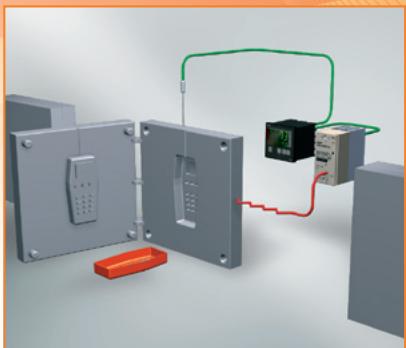
Blow molding
Loop break alarm and sensor break alarm (with forced MV option)
In plastics production, the tool used to make the product is changed quite often. Frequent reconnecting of the sensor or heater can result in a wire break. These alarms quickly detect such problems in the process.
Features creating flexible solutions
PV/SV status display alternation
gives you the opportunity to show, alternating on the PV or SV display, status information from the controller, like alarm, maximum output count or RUN/STOP.
1 and 3-phase heater alarm
a feature that detects a (partial) broken heater, or a solid-state relay short circuit in a 1 or 3-phase configuration.
Alarm delay timer delay
prevents unnecessary alarms by allowing for process disturbances, such as, an expected temperature drop due to oven recharging.
2-point input shift for temperature input
allows the PV to be adjusted in line with changes in the dynamics of a process for more accurate temperature control. The 1-point shift remains available.
Forced manual output
at sensor error, or when control is stopped, this forces the output to any preset value required.
PV Rate-of-change alarm
can be used to notice a sudden unexpected drop or rise in the PV value, for example to indicate that fermentation has started.
Automatically optimizing your application
E5_N provide different types of tuning besides our fast and reliable Auto tuning and "process triggered" Self tuning.
Robust tuning
a unique feature enabling the operator to select a second mode of tuning to find the ideal set of control parameters for working over a wider temperature range.
Limited MV tuning
protect the system by limiting the output (MV) to 40% during the tuning cycles.
Cool gain adjustment
when using Heat&Cool control the AT automatically calculates the cool gain.
Additional features for E5EN/E5AN
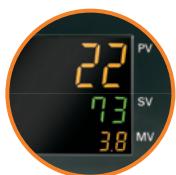
Both E5EN and E5AN, to switch on a 3rd display line. In this line you can show the output (MV), soak-remaining time or many other operation parameters.

Both E5EN and E5AN have an extra key, which can be programmed to select Auto/Manual, Run/Stop, AT or even to acknowledge an active alarm.
OMRON EUROPE B.V. Wegalaan 67-69, NL-2132 JD, Hoofddorp, The Netherlands. Tel: +31 (0) 23 568 13 00 Fax: +31 (0) 23 568 13 88 www.industrial.omron.eu
Austria
Tel: +43 (0) 2236 377 800
www.industrial.omron.at
Belgium
Tel: +32 (0) 2466 24 80
www.industrial.omron.be
Czech Republic
Tel: +420 234 602 602
www.industrial.omron.cz
Denmark
Tel: +45 43 44 00 11
www.industrial.omron.dk
Finland
Tel: +358 (0) 207 464 200
www.industrial.omron.fi
France
Tel: +33 (0) 156 63 70 00
www.industrial.omron.fr
Germany
Tel: +49 (0) 2173 680 00
www.industrial.omron.de
Hungary
Tel: +36 1399 30 50
www.industrial.omron.hu
Italy
Tel: +39 02 326 81
www.industrial.omron.it
Netherlands
Tel: +31 (0) 23568 11 00
www.industrial.omron.nl
Norway
Tel: +47 (0) 22 65 75 00
www.industrial.omron.no
Poland
Tel: +48 (0) 22 645 78 60
www.industrial.omron.pl
Portugal
Tel: +351 21 942 94 00
www.industrial.omron.pt
Russia
Tel:+74956489450
www.industrial.omron.ru
South-Africa
Tel: +27 (0)11 579 2600
www.industrial.omron.co.za
Spain
Tel: +34 913 777 900
www.industrial.omron.es
Sweden
Tel: +46 (0) 8 632 35 00
www.industrial.omron.se
Switzerland
Tel: +41 (0) 41748 13 13
www.industrial.omron.ch
Turkey
Tel: +90 216 474 00 40
www.industrial.omron.com.tr
United Kingdom
Tel: +44 (o) 870 752 08 61
www.industrial.omron.co.uk
More Omron representatives
www.industrial.omron.eu
Automation Systems
- Programmable logic controllers (PLC) - Human machine interfaces (HMI) - Remote I/O
- Industrial PC's - Software
Motion & Drives
- Motion controllers - Servo systems - Inverters
Control Components
- Temperature controllers • Power supplies • Timers • Counters • Programmable relays
- Digital panel indicators - Electromechanical relays - Monitoring products - Solid-state relays
- Limit switches - Pushbutton switches - Low voltage switch gear
Sensing & Safety
- Photoelectric sensors • Inductive sensors • Capacitive & pressure sensors
- Cable connectors · Displacement & width-measuring sensors · Vision systems
- Safety networks - Safety sensors - Safety units/relay units
- Safety door/guard lock switches
- E5_N SERIES
- And this is why........
- Continuous improvement
- Easy through...
- Layered menu structure for clear operation
- Flexible because we offer...
- Performance is achieved with...
- Clear, easy to understand display
- 2-PID control supplies performance
- CX-Thermo PC configuration software
- Features for Applications
- (Partial) heater-break and SSR short circuit detection system
- Basic (2-step) programmer
- Loop break alarm and sensor break alarm (with forced MV option)
- Features creating flexible solutions
- PV/SV status display alternation
- and 3-phase heater alarm
- Alarm delay timer delay
- 2-point input shift for temperature input
- Forced manual output
- PV Rate-of-change alarm
- Automatically optimizing your application
- Robust tuning
- Limited MV tuning
- Cool gain adjustment
- Additional features for E5EN/E5AN
- Austria
- Belgium
- Czech Republic
- Denmark
- Finland
- France
- Germany
- Hungary
- Italy
- Netherlands
- Norway
- Poland
- Portugal
- Russia
- South-Africa
- Spain
- Sweden
- Switzerland
- Turkey
- United Kingdom
- More Omron representatives
- Automation Systems
- Motion & Drives
- Control Components
- Sensing & Safety
Marque : OMRON
Modèle : E5 N
Catégorie : Contrôleur de température