
LAS MULTISTEP - Logiciel LEICA - Notice d'utilisation et mode d'emploi gratuit
Retrouvez gratuitement la notice de l'appareil LAS MULTISTEP LEICA au format PDF.


| Type de produit | Logiciel scientifique pour microscopie |
| Marque | Leica |
| Modèle | LAS MultiStep |
| Numéro de commande | 12730074 |
| Type de licence | Module optionnel pour Leica Application Suite |
| Système d'exploitation | Windows PC |
| Compatibilité matérielle | Microscopes Leica, caméras numériques FireWire |
| Fonctions principales | Acquisition automatique d'images, création de mosaïques, analyse de lames (well plate), sauvegarde et rappel de séquences |
| Mode de balayage | Balayage rectangulaire défini par nombre de pas X/Y et taille de pas |
| Mosaïque | Assemblage d'images pour vue d'ensemble avec zoom interactif |
| Mise au point prédictive | Calcul du meilleur plan focal à partir de points de mise au point manuels |
| Facteur de réduction | Réduction des grandes mosaïques pour manipulation aisée |
| Formats de sortie d'image | TIFF, BMP, JPG |
| Applications typiques | Science des matériaux, contrôle qualité, criminalistique, bioscience, pharmacologie |
| Récompense | Innovationspreis der deutschen Wirtschaft 2005 |
| Alimentation | Alimentation via l'ordinateur hôte (non applicable directement) |
| Entretien et nettoyage | Mises à jour logicielles régulières ; aucun nettoyage physique requis |
| Sécurité | Aucune consigne de sécurité physique ; respecter les bonnes pratiques informatiques |
| Pièces détachées et réparabilité | Logiciel, non concerné ; support technique Leica |
FOIRE AUX QUESTIONS - LAS MULTISTEP LEICA
Questions des utilisateurs sur LAS MULTISTEP LEICA
0 question sur cet appareil. Repondez a celles que vous connaissez ou posez la votre.
Poser une nouvelle question sur cet appareil
Téléchargez la notice de votre Logiciel au format PDF gratuitement ! Retrouvez votre notice LAS MULTISTEP - LEICA et reprennez votre appareil électronique en main. Sur cette page sont publiés tous les documents nécessaires à l'utilisation de votre appareil LAS MULTISTEP de la marque LEICA.
MODE D'EMPLOI LAS MULTISTEP LEICA
Leica
Application
Suite
MultiStep
Imagerie MultiStep !
Acquisition automatique d'images
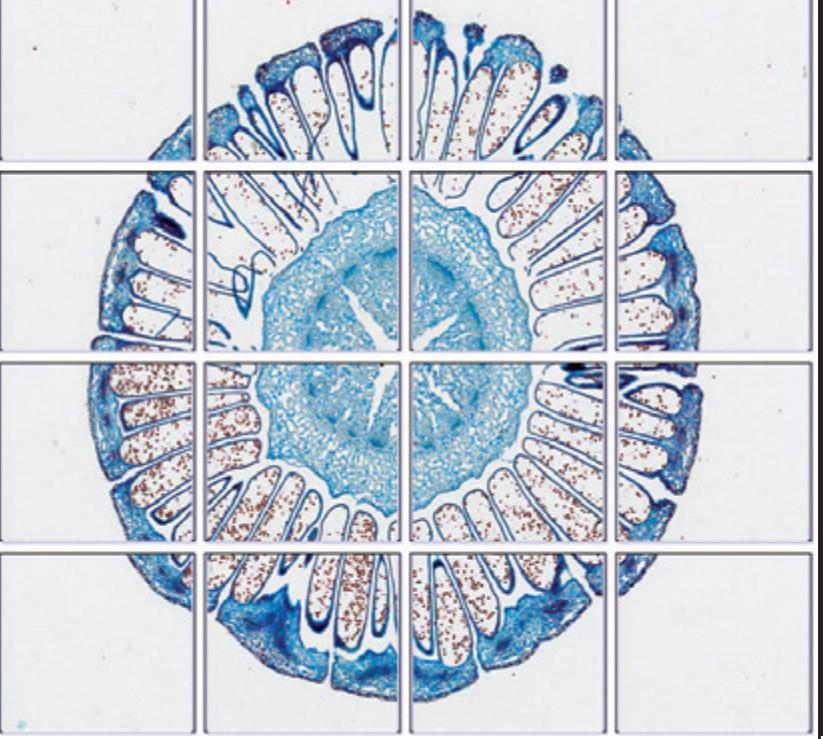
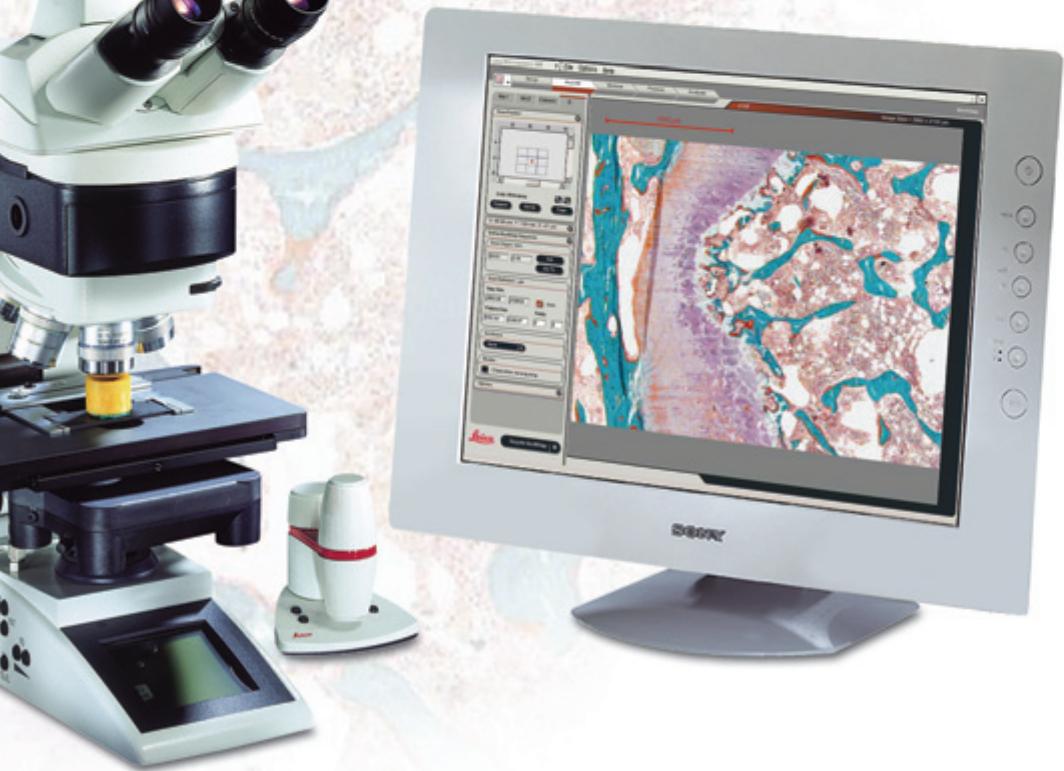
LAS MultiStep est un module optionnel qui, lorsqu'il est utilisé avec un microscope Leica, une platine de balayage motorisée et une caméra numérique, acquiert automatiquement des images à des positions XY définies par un motif rectangulaire. La caméra peut acquérir des images dès que la platine a atteint la position spécifiée et s'est arrêtée. Les images sont stockées sur le disque dur aux formats tiff, bmp ou jpg et peuvent être rappelées individuellement pour une analyse plus approfondie ou assemblées pour créer une image mosaïque d'ensemble. De plus, la séquence définie et les paramètres utilisés lors de la capture d'images peuvent être enregistrés et rappelés ultérieurement.
Les autres avantages incluent :
- Contrôle total du microscope et de la caméra numérique de manière entièrement intégrée.
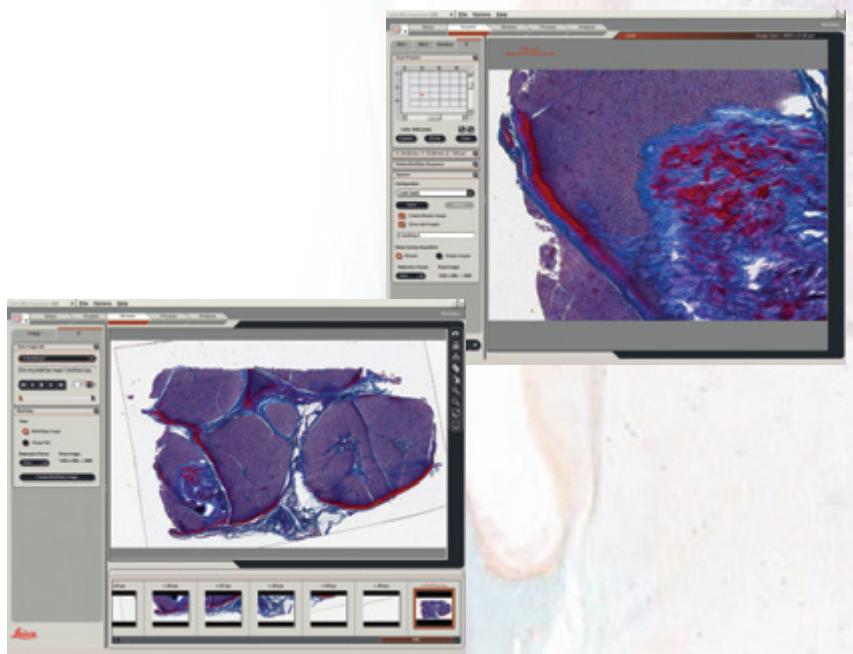
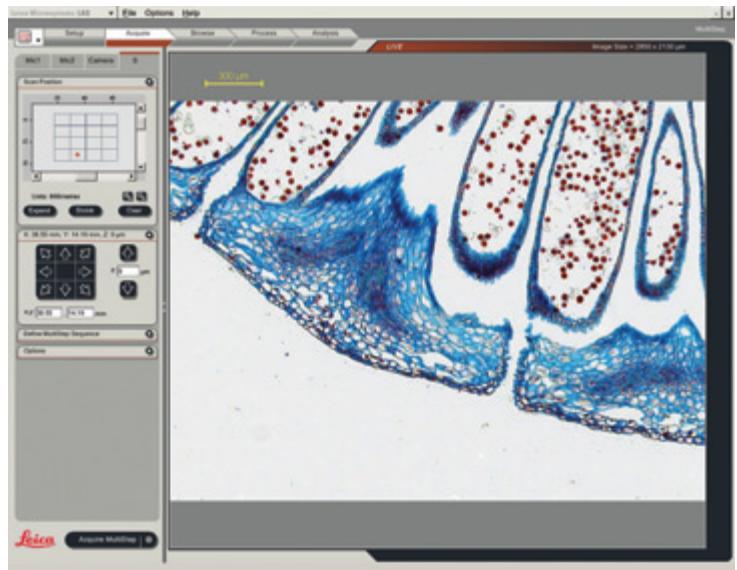
- Visualisation intuitive des images de balayage grâce à la galerie sophistiquée à partir de laquelle les images peuvent être sélectionnées pour un examen plus approfondi. Les images en direct peuvent être annotées avec des marqueurs d'étalonnage pour fournir un guide rapide et facile de la taille de l'image.
- Les séquences de balayage et les réglages du microscope peuvent être enregistrés et rappelés pour augmenter l'efficacité tout en gagnant un temps précieux.
Balayage multiple !
Définitions de balayage
LAS MultiStep offre aux utilisateurs la possibilité de définir des motifs de balayage spécifiques à leurs besoins individuels. Cela inclut la possibilité de saisir les dimensions d'un échantillon, d'établir l'origine du motif de balayage et de définir le grossissement de l'image, ce qui détermine à son tour le nombre de champs acquis. De plus, le motif de balayage peut être mis en pause si la position focale doit être ajustée ou étendue.
La séquence entière peut également être stockée et rappelée pour toute exigence de routine future afin de gagner un temps précieux et d'augmenter l'efficacité en utilisant des algorithmes de balayage de platine et de mise au point.
Analyse de balayage
Lors de l'analyse de balayage, LAS MultiStep permet aux utilisateurs de corriger la position de mise au point grâce à la fonctionnalité « mise au point prédictive ». Après avoir mis au point manuellement un certain nombre de zones définies d'un échantillon, un « meilleur ajustement du plan de mise au point » peut être calculé et utilisé lors de l'analyse ultérieure.
De plus, LAS MultiStep offre une option de facteur de réduction afin que les grandes images Mosaic, difficiles à manipuler, puissent être réduites à des dimensions plus gérables.
LAS est basé sur des PC Windows et offre un environnement rentable et uniforme, compatible avec la gamme de microscopes Leica et les caméras FireWire numériques.
LAS MultiStep
LAS MultiStep est un module d'imagerie très polyvalent qui peut être utilisé avec de nombreux types d'échantillons pour les utilisateurs intéressés par la science des matériaux, le contrôle qualité, la criminalistique, les biosciences, la pharmacologie et bien d'autres domaines. L'imagerie LAS MultiStep peut être utilisée pour des applications telles que :
- Balayage d'échantillon -
spécifiez un motif de balayage rectangulaire répétitif pour une analyse automatique défini par le nombre de pas X et Y et les tailles de pas dans chaque direction.
- Balayage Mosaic
prenez des images à partir d'un motif de balayage de platine et assemblez-les pour former une image d'ensemble. LAS MultiStep permet également de visualiser de plus près les objets d'intérêt en pointant simplement sur une zone importante de l'image Mosaic et en zoomant.
Balayage de plaque à puits
MultiStep peut être configuré pour se déplacer automatiquement d'un puits à un autre en spécifiant la distance de pas X et Y. L'obturateur peut éventuellement être fermé pour assurer la protection de l'échantillon pendant que la platine est en mouvement.
Numéro de commande
12730074
Leica Application Suite - Module MultiStep
Winner 2005
Prix de l'innovation
de l'économie allemande
Le premier prix mondial de l'innovation


Marque : LEICA
Modèle : LAS MULTISTEP
Catégorie : Logiciel