
LAS MULTISTEP - Scientific software LEICA - Free user manual and instructions
Find the device manual for free LAS MULTISTEP LEICA in PDF.


| Product type | Scientific software for microscopy |
| Brand | Leica |
| Model | LAS MultiStep |
| Order number | 12730074 |
| License type | Optional module for Leica Application Suite |
| Operating system | Windows PC |
| Hardware compatibility | Leica microscopes, FireWire digital cameras |
| Main functions | Automatic image acquisition, mosaic creation, well plate scanning, sequence save and recall |
| Scanning mode | Rectangular scanning defined by number of X/Y steps and step size |
| Mosaic | Image assembly for overview with interactive zoom |
| Predictive focusing | Calculation of the best focal plane from manual focus points |
| Reduction factor | Reduction of large mosaics for easy handling |
| Image output formats | TIFF, BMP, JPG |
| Typical applications | Materials science, quality control, forensics, bioscience, pharmacology |
| Award | Innovationspreis der deutschen Wirtschaft 2005 |
| Power supply | Power supply via host computer (not directly applicable) |
| Maintenance and cleaning | Regular software updates; no physical cleaning required |
| Safety | No physical safety instructions; follow good IT practices |
| Spare parts and repairability | Software, not applicable; Leica technical support |
Frequently Asked Questions - LAS MULTISTEP LEICA
User questions about LAS MULTISTEP LEICA
0 question about this device. Answer the ones you know or ask your own.
Ask a new question about this device
Download the instructions for your Scientific software in PDF format for free! Find your manual LAS MULTISTEP - LEICA and take your electronic device back in hand. On this page are published all the documents necessary for the use of your device. LAS MULTISTEP by LEICA.
USER MANUAL LAS MULTISTEP LEICA
Automatic Image Acquisition
LAS MultiStep is an optional module that when used with a Leica microscope, motorised scanning stage and digital camera, automatically acquires images at XY positions defined by a rectangular pattern. The camera can acquire images as soon as the stage has reached the specified position and halted. The images are stored to the hard drive in tiff, bmp or jpg format and can be recalled individually for further analysis or stitched together to create an assembled overview mosaic image. Furthermore, the defined sequence and parameters that have been used during image capture can be saved and retrieved at a later date.
Other benefits include:
- Total microscope and digital camera control in a fully integrated manner.
- Intuitive view of scan images through the sophisticated gallery from which images can be selected for closer inspection.
Live images can be annotated with calibration markers to provide a quick and easy guide to image size. - Scanning sequences and microscope settings can be saved and recalled to increase efficiency whilst saving valuable time.
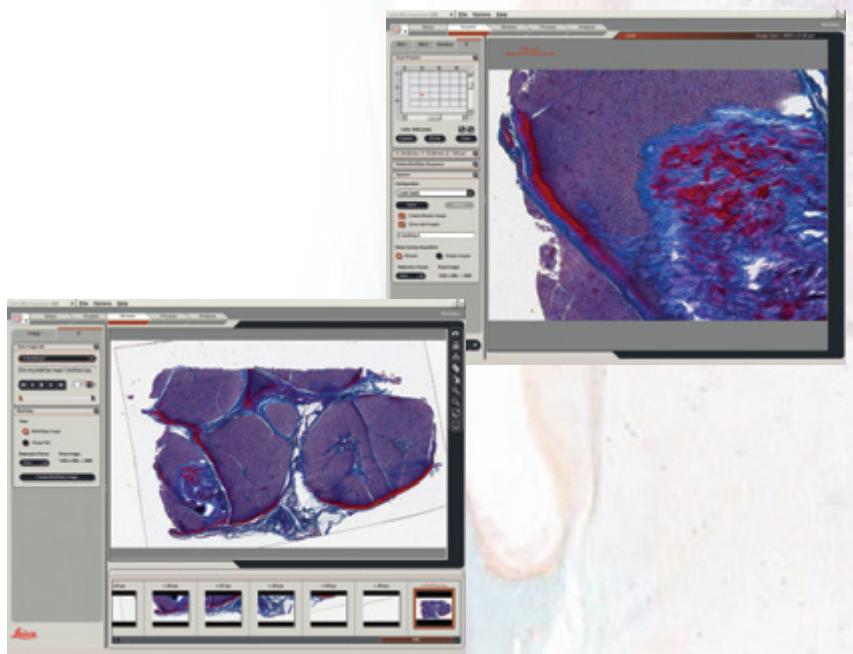
Multiple Scanning!
Scanning Definitions
LAS MultiStep provides users with the opportunity to define scanning patterns specific to individual needs. This includes the ability to enter the dimensions of a specimen, establish the origin of the scanning pattern and set the magnification of the image, which in turn determines the number of fields acquired. Furthermore, the scanning pattern can be paused if the focal position needs adjusting or extending.
The entire sequence can also be stored and recalled for any future routine requirements to save valuable time and increase efficiency by using stage scanning and focusing algorithms.
Scanning Analysis
During scanning analysis, LAS MultiStep enables users to correct the focus position through the «predictive focus» functionality. Having manually focused a number of defined areas of a specimen, a «best fit of focus plane» can then be calculated and used during subsequent analysis.
Additionally, LAS MultiStep offers a reduction factor option so that large Mosaic images which are difficult to manipulate, can be reduced in size into more manageable dimensions.
LAS is based on Windows PCs and provides a cost-effective and uniform environment, compatible across the Leica range of microscopes and Digital FireWire cameras.
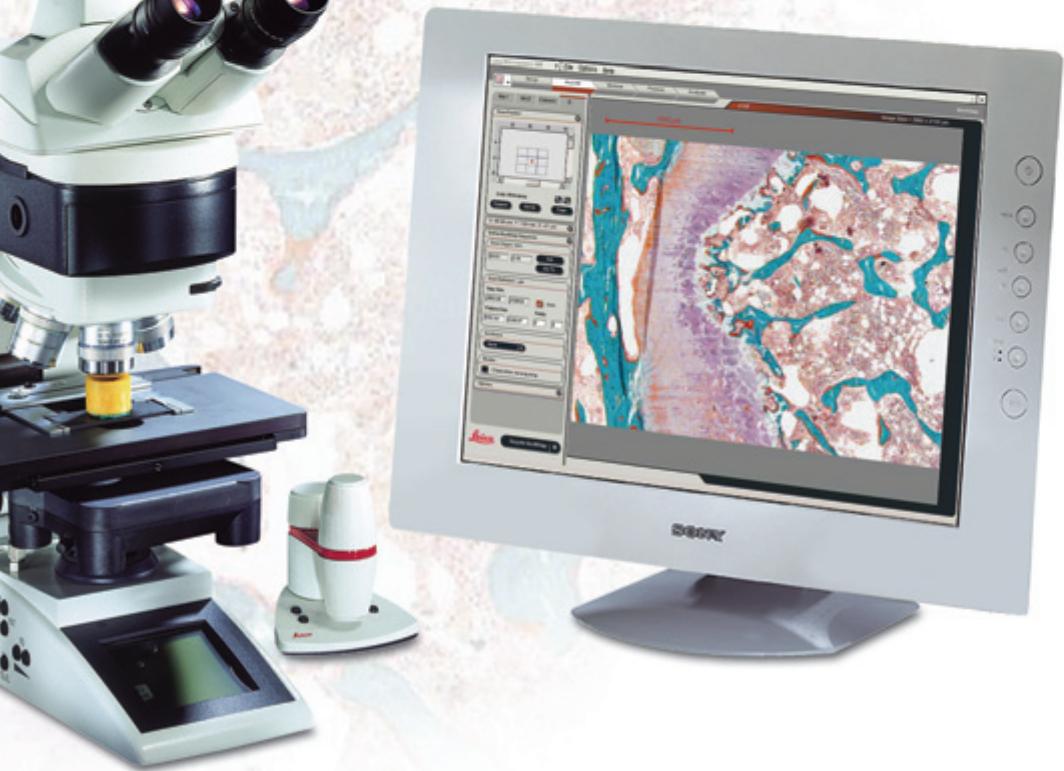
LAS MultiStep
LAS MultiStep is a highly versatile imaging module that can be used with many specimen types for users interested in materials science, quality control, forensics, bioscience, pharmacology and many more areas. LAS MultiStep imaging can be used for applications such as:
- Specimen Scanning -
specify a repetitive rectangular scan pattern for automatic analysis defined by the number of X and Y steps and step sizes in each direction.
- Mosaic Scanning
take images from a stage scan pattern and stitch them together to form an overview image. LAS MultiStep also allows objects of interest to be viewed more closely by simply pointing to an area of significance within the mosaic image and zooming.
Well Plate Scanning
MultiStep can be configured to automatically move from one well to another by specifying the X and Y step distance. The shutter can optionally be closed to ensure specimen protection whilst the stage is in motion.
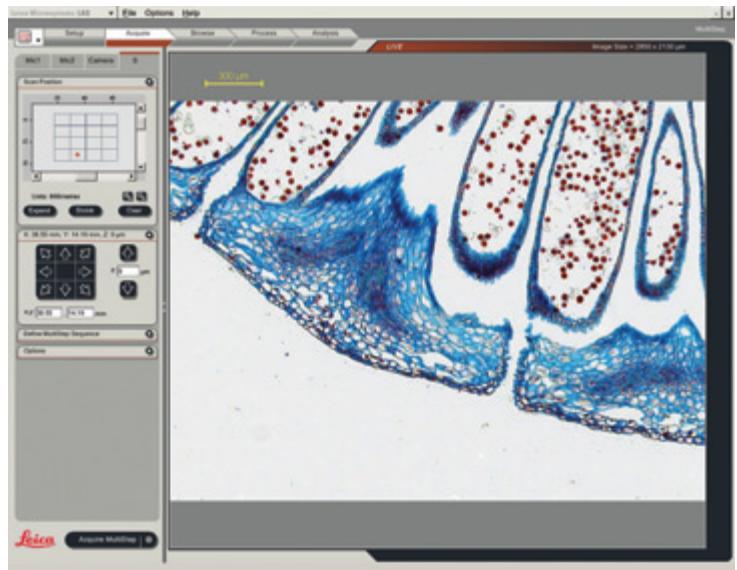
Order number
12730074
Leica Application Suite - MultiStep Module
Winner 2005
Innovationspreis
The World's First Innovation Award
Brand : LEICA
Model : LAS MULTISTEP
Category : Scientific software