
PCTV 3010IX - Carte TV PINNACLE - Notice d'utilisation et mode d'emploi gratuit
Retrouvez gratuitement la notice de l'appareil PCTV 3010IX PINNACLE au format PDF.


| Type de produit | Carte TV hybride double tuner PCI Express |
| Marque | PINNACLE |
| Modèle | PCTV 3010IX |
| Fonctions principales | Réception TV numérique terrestre (DVB-T), TV analogique (PAL/SECAM/NTSC) et radio FM ; possibilité de recevoir/enregistrer deux chaînes simultanément ; entrée vidéo analogique pour numérisation de cassettes |
| Bus système | PCI Express Rev. 3.0 |
| Processeur recommandé | Pentium D 3,0 GHz ou AMD Athlon 4800 |
| Mémoire vive recommandée | 512 Mo RAM |
| Espace disque dur requis | 20 Go libres |
| Connecteurs antenne | 2 x 75 ohms IEC (alimentation antenne DVB-T sur entrée 1) |
| Entrée vidéo | Mini-DIN 7 broches pour S-Vidéo ou Composite (via adaptateur) |
| Connecteurs audio internes | Connecteur 4 broches pour sortie et entrée audio (vers carte son) |
| Connecteurs supplémentaires | Connecteur récepteur IR, connecteur Wake-Up |
| Tuner TV | 2 x Philips TDA 8275A (gamme 45,75 à 863,25 MHz) |
| Démodulateur DVB-T | 2 x Philips TDA 10046A (QAM, QPSK, largeur bande 6/7/8 MHz, UHF/VHF) |
| Sensibilité DVB-T | Minimum -86 dBm |
| Sensibilité analogique | Minimum 30 dBμ |
| Qualité analogique | SN minimum 41 dB @ 60 dBμ |
| Dimensions (estimées) | Environ 12 x 10 cm (carte PCI Express standard) |
| Poids (estimé) | Environ 100 g |
| Alimentation | Via le slot PCI Express (pas d'alimentation externe) |
| Système d'exploitation compatible | Windows XP (Home, Professional, Media Center 2005) avec dernier Service Pack |
| Contenu du colis | Carte PCTV 3010IX, adaptateur vidéo, CD d'installation, télécommande avec piles et câble récepteur IR, documentation PDF |
| Entretien et nettoyage | Nettoyer avec un chiffon doux sec ; éviter les liquides ; déconnecter l'appareil avant nettoyage |
| Sécurité | Décharger l'électricité statique avant manipulation ; débrancher l'ordinateur avant installation ; utiliser un câble d'antenne double blindé |
| Pièces détachées et réparabilité | Pas de pièces détachées disponibles ; contacter le support Pinnacle pour réparation |
FOIRE AUX QUESTIONS - PCTV 3010IX PINNACLE
Questions des utilisateurs sur PCTV 3010IX PINNACLE
0 question sur cet appareil. Repondez a celles que vous connaissez ou posez la votre.
Poser une nouvelle question sur cet appareil
Téléchargez la notice de votre Carte TV au format PDF gratuitement ! Retrouvez votre notice PCTV 3010IX - PINNACLE et reprennez votre appareil électronique en main. Sur cette page sont publiés tous les documents nécessaires à l'utilisation de votre appareil PCTV 3010IX de la marque PINNACLE.
MODE D'EMPLOI PCTV 3010IX PINNACLE
PCTV 3010iX
Hardware
PCTV 3010iX Hardware
GB November 2005
© Pinnacle Systems GmbH 2005
All rights reserved.
No part of this manual may be reproduced or transferred to other media without explicit written permission from Pinnacle Systems GmbH, Braunschweig, Germany.
All brand or product names are trademarks or registered trademarks of their respective holders.
This manual is printed on chlorine-free, bleached paper using solvent-free ink. Pinnacle Systems GmbH has written this manual to the best of its knowledge, but does not guarantee that the programs/systems will fulfil the users' intended applications.
No warranty is made as to the specifications of features.
Pinnacle Systems GmbH retains the right to make alterations to the content of the manual without obligation to inform third parties.
All quotes, sales, supply and manufacturing contracts from Pinnacle Systems GmbH, including consulting, installation and other contractual services are subject exclusively to the General Sales and Delivery Terms of Pinnacle Systems GmbH.
Table of Contents
Introduction. 1
Package Contents 2
Recommended System Requirements 3
For Your Own Safety. 4
Hardware Installation 5
Preparing Installation 5
Using PCTV 3010iX Hardware 6
After Installation. 6
Connecting the Equipment. 7
Tips on Positioning the Antenna 8
Technical Data 9
Declaration of conformity in accordance with ISO/IEC Guide 22............11
Notes
Congratulations on becoming the proud owner of a PCTV 3010iX!
PCTV 3010iX is a PCI Express dual hybrid tuner card. It allows you to receive digital terrestrial TV (DVB-T), analog TV and FM radio. Depending on the antenna signals connected and the software you are using, you can freely choose the two channels to be received/recorded at the same time:
2 DVB-T channels (TV or radio) or
1 analog channel (TV or radio) plus 1 DVB-T channel (TV or radio) or
2 analog channels (TV or radio).
Plus, you can use the analog video input, for example, to digitize your old video cassettes.
DVB-T (Digital Video Broadcasting Terrestrial), digital terrestrial TV, offers a wide selection of channels with excellent image and sound quality, without the need of a satellite dish or a cable connection.
Additional services planned for the future include digital radio, interactive TV, and IP data reception. Some of these services are already available in selected areas. More information about DVB-T can be found on the Internet, for example, at www.dvb.org.
And now have fun with your PCTV 3010iX!
Package Contents
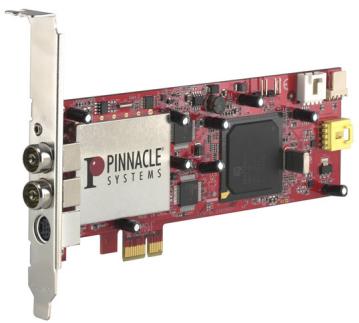
PCTV 3010iX card (illustration is a sample)
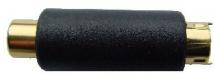
Video adapter

Installation CD
PDF files on CD-ROM: User Manual, hardware operating instructions, remote control operating instructions
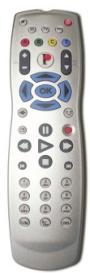
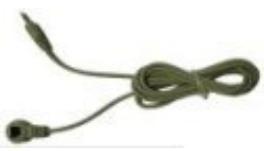
Remote control with batteries and receiver cable (illustrations are samples)

Depending on the version of your product, package contents may vary.
Recommended System Requirements
Your system must satisfy the following requirements in order for your PCTV 3010iX to function smoothly:
Bus System
PCI Express Rev. 3.0
Processor
Pentium D with 3.0 GHz or equivalent AMD Athlon 4800
Working memory
512 MB RAM
Hard disk
U-DMA hard disk with 20 GB free disk space
Graphics card
DirectX 9-compatible graphics card
Sound card
DirectX 9-compatible sound card
CD-/DVD burner
Operating system
Windows XP (Home Edition, Professional Edition or Media Center Edition 2005) with the latest Service Pack

If you purchased your PCTV 3010iX together with a PC and it is already installed, skip the next few chapters and continue with the chapter "Connecting the Equipment".
In the interest of your own safety and the flawless functioning of your new PCTV 3010iX and computer system, note the following:
- Computer components are sensitive to static charge. Divert any electrostatic charge from your body before touching the components with your hands or any tools.
- Before opening the computer, make sure that the power plug is disconnected from the wall outlet.
Preparing Installation

The only tool you need for the installation is a screwdriver.
- Divert any possible electrostatic charge from your body by touching the casing of your PC.
- Turn off your computer and all peripheral devices. Disconnect the computer from the power supply and all necessary components.
- Loosen the computer cover screws and remove the cover.
- Select a free PCI Express slot. Remove the slot cover at the back of the computer. Make sure to keep the screws in a safe place.
Using PCTV 3010iX Hardware
- Insert the card into the PCI Express slot. To do so, hold the card at the top and push it down into the slot while applying even pressure at both ends. Press down on the upper edge so that the card fits firmly in the slot.
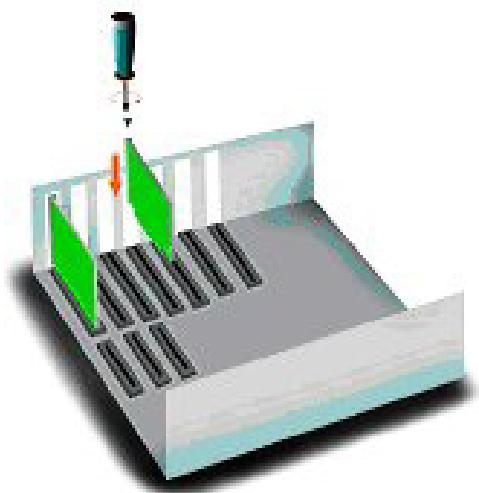
- If you cannot easily insert the card into the slot, do not use force since this may bend the contact springs on the socket connector. Instead, remove the card and try to insert it again.
After Installation
- After you have inserted the hardware, tighten the card retaining bracket firmly on the back of the computer.
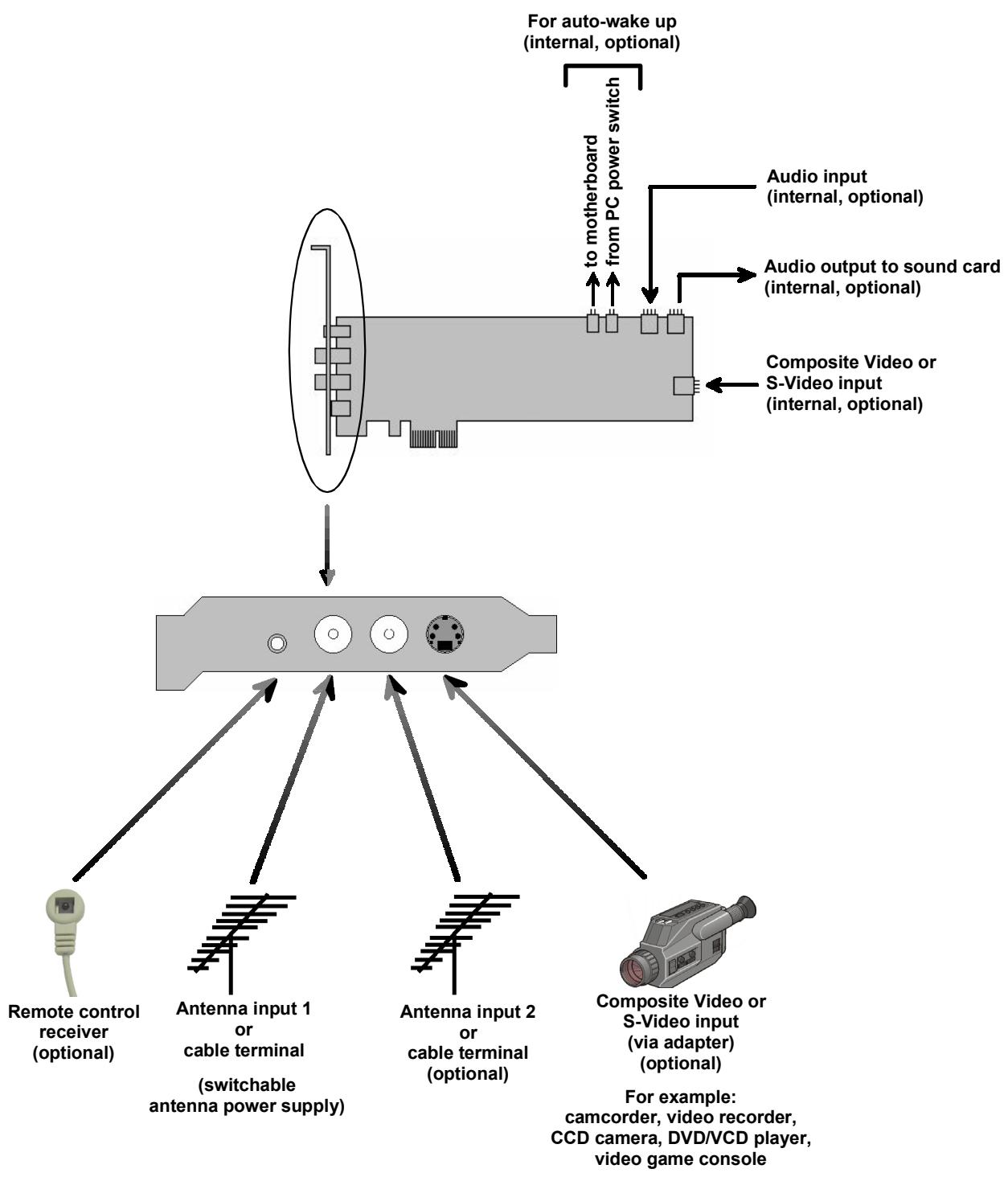
- Now place the cover onto your computer and connect the peripheral devices.
Tips on Positioning the Antenna
Take note of the following in order to achieve the best possible digital television reception:
- Wherever possible, place the antenna in the direction of the nearest transmitter.
If you use an indoor antenna, position it near a window, if possible. - Try to position any indoor antenna as high as possible (for example, on top of a cupboard).
- An indoor antenna should not be located near a computer monitor, television or the like.
- Make certain to have the proper polarization if you use an active flat antenna (if you are not certain, you can find out whether the antenna should have a transverse or upright position by trial and error).
- For active antennas without a separate power supply, please use the Antenna input 1 and activate the antenna power supply.
- Only double-shielded antenna cable should be used.
Bus System
PCI Express Rev. 3.0
Video Decoder / Analog Demodulator / PCI Express Controller
Philips SAA7162
TV Tuner
- 2 x Philips TDA 8275A The frequency range is 45,75 to 863,25 MHz.
DVB-T Demodulator
2 x Philips TDA 10046A
16,64 QAM, QPSK
6,7,8 MHz bandwidth
UHF, VHF
Supported Formats
DVB-T
PAL/SECAM/NTSC
FM Radio
Antenna Input Terminals
Two 75 Ohm IEC
- Both antenna input terminals are randomly usable
The Antenna Input 1 provides power for DVB-T antenna
Video Input Terminals
- Mini-DIN 7-pole for S-Video or Composite Video (Cinch via adapter)
Internal Connector
Audio Connectors
- Internal audio output terminal (to the sound card) via a 4-pole connector
- Internal audio input terminal via a 4-pole connector
Additional Connectors
- IR remote connector to attach optional IR receiver cable
- Wake-Up connector
Sensitivity
DVB-T: minimum -86 dBm
- Analog: minimum 30 dBu
Analog Quality
- Minimum SN 41 dB @ 60 dBμ
CE
Konformitätserklung nach ISO/IEC Guide 22
Declaration of conformity in accordance with ISO/IEC Guide 22
Nr./No 1.00
Anbieter / Supplier :
Anschrift / Address :
Produkt / Product :
Pinnacle Systems GmbH
Frankfurter Strasse 3c
38122 Braunschweig, Germany
PCTV 3010iX
Das oben beschriebene Produkt ist konform mit: / The product described above is in conformity with:
| Dokument-Nr. Document No. | Titel Title |
| EN 55013 : 2002 | Funkstör eigenschaften von Rundfunkempfängern und verwandten Geräten der Unterhaltungselektronik Limits and methods of measurement of radio disturbance characteristics of broadcast receivers and associated equipment |
| EN 55020 : 2003 | Störfestigkeit von Rundfunkempfängern und verwandten Geräten der Unterhaltungselektronik Electromagnetic immunity of broadcast receivers and associated equipment |
| EN 61000-4-2 : 2001 | Störfestigkeit gegen Entladung statischer Elektrizität Electrostatic discharge immunity test |
| EN 61000-4-3 : 2001 | Störfestigkeit gegen hochfrequente elektromagnetische Felder Radiated, radio-frequency, electromagnetic field immunity test |
| EN 61000-4-4 : 2002 | Störfestigkeit gegenchnelle transiente elektrische Stögrößen/BURST Electrical fast transient/burst immunity test |
| EN 61000-4-5 : 2001 | Störfestigkeit gegen Stößspannungen/SURGE Surge immunity test |
| EN 61000-4-6 : 2001 | Störfestigkeit gegen leitungsgeführte Stögrößen, induziert durch hochfrequente Felder Immunity to conducted disturbances, induced by radio-frequency fields |
| EN 61000-4-8 : 2001 | Störfestigkeit gegen Magnetfelder mit energia technischen Frenzen Power frequency magnetic field immunity test |
| EN 61000-4-11 : 2001 | Störfestigkeit gegen Spannungseinbrüche, Kurzzeitunterbrechungen und Spannungsschwankungen Voltage dips, short interruptions and voltage variations immunity tests |
| EN 61000-3-2 : 2001 | Grenzwerte für Oberschwungungsströme Limitations for harmonic currents |
| EN 61000-3-3 : 2002 | Grenzwerte für Spannungsschwankungen und Flicker Limitations of voltage fluctuations and flicker |
| EN 60950 : 2001 | Sicherheit von Einrichtungen der Informationstechnik Safety of information technology equipment |
Dieser Erklärung liegt zugrunde: Prüfbericht(e) des EMV-Prüflabors
This certification is based on: Test report(s) generated by EMI-test laboratory
Braunschweig, 26. Oktober 2005 / October 26th, 2005

Director Engineering
(Rechtsverbindliche Unterschrift / Legally Binding)
Notes
- PCTV 3010iX
- Hardware
- PCTV 3010iX Hardware
- Table of Contents
- Notes
- Package Contents
- Recommended System Requirements
- Bus System
- Processor
- Working memory
- Hard disk
- Graphics card
- Sound card
- CD-/DVD burner
- Operating system
- Preparing Installation
- Using PCTV 3010iX Hardware
- After Installation
- Tips on Positioning the Antenna
- Video Decoder / Analog Demodulator / PCI Express Controller
- TV Tuner
- DVB-T Demodulator
- Supported Formats
- Antenna Input Terminals
- Video Input Terminals
- Audio Connectors
- Additional Connectors
- Sensitivity
- Analog Quality
- CE
- Konformitätserklung nach ISO/IEC Guide 22
- Declaration of conformity in accordance with ISO/IEC Guide 22
Marque : PINNACLE
Modèle : PCTV 3010IX
Catégorie : Carte TV