ALCATEL-LUCENT FIRST REFLEXES - Téléphone fixe

FIRST REFLEXES - Téléphone fixe ALCATEL-LUCENT - Notice d'utilisation et mode d'emploi gratuit

Retrouvez gratuitement la notice de l'appareil FIRST REFLEXES ALCATEL-LUCENT au format PDF.

📄 2 pages Français FR Télécharger 💬 Question IA 10 questions ⚙️ Specs
Notice ALCATEL-LUCENT FIRST REFLEXES - page 1
Choisissez votre langue et indiquez votre email : nous vous enverrons une version traduite specifiquement.
Marque ALCATEL-LUCENT
Modèle FIRST REFLEXES
Type de produit Téléphone fixe filaire
Dimensions (approx.) 22 x 18 x 10 cm
Poids (approx.) 500 g
Alimentation Par ligne téléphonique (RJ11) ; possibilité d'adaptateur secteur
Fonctions principales Appels, messagerie vocale, répertoire personnel (10 numéros), transfert d'appel, conférence à trois, renvoi d'appel, rappel automatique, double appel, double tonalité (DTMF), mise en attente, touche bis, touche répertoire, touches programmables
Répertoire 10 emplacements (touches 0 à 9)
Messagerie vocale Initialisation personnalisée, code d'accès, personnalisation du message d'accueil
Indicateur lumineux Voyant pour messages vocaux en attente
Touches programmables Oui, avec étiquette amovible sous les touches
Compatibilité Standard téléphonique analogique (PSTN), compatible avec la directive 1999/5/CE
Conformité Directive européenne 1999/5/CE
Entretien et nettoyage Nettoyer avec un chiffon doux et sec ; ne pas utiliser de produits abrasifs
Sécurité L'écouteur peut attirer et retenir de petits objets métalliques ; tenir à l'écart des aimants
Garantie Conforme aux exigences essentielles ; toute modification non autorisée annule la déclaration

FOIRE AUX QUESTIONS - FIRST REFLEXES ALCATEL-LUCENT

Comment passer un appel avec le FIRST REFLEXES ?
Composez le numéro de votre correspondant, puis décrochez le combiné. Pour un appel externe, composez d'abord le code d'accès à la ligne extérieure.
Comment utiliser le répertoire personnel ?
Pour programmer : décrochez, tapez le code de personnalisation, une touche de 0 à 9, le numéro interne ou externe, puis raccrochez. Pour appeler : décrochez, appuyez sur répertoire, puis la touche correspondante.
Comment transférer un appel en cours ?
Pendant la conversation, composez le numéro du correspondant à transférer, puis raccrochez. L'appel est transféré.
Comment configurer la messagerie vocale ?
Décrochez, composez le code de personnalisation, puis suivez les instructions vocales pour enregistrer votre nom et personnaliser votre code (par défaut 1515). Pour consulter vos messages, appuyez sur message, composez votre code personnel.
Comment activer le renvoi d'appel vers la messagerie ?
Décrochez, composez le code de fonction correspondant (voir notice) pour activer le renvoi vers votre messagerie vocale.
Comment effectuer une conférence à trois ?
Pendant une conversation, mettez le premier appel en attente, appelez un deuxième correspondant, puis appuyez sur la touche conférence pour réunir les trois interlocuteurs.
Comment régler le volume de la sonnerie ?
Décrochez, composez le code de personnalisation, puis appuyez plusieurs fois sur la touche de choix pour sélectionner la sonnerie et le volume souhaités.
Comment installer l'étiquette des touches programmables ?
Insérez une lame plate dans la fente prévue à cet effet, soulevez le couvercle, glissez l'étiquette imprimée, puis replacez le couvercle.
Que faire si le voyant lumineux clignote ?
Le voyant indique que des messages vocaux sont en attente. Décrochez et appuyez sur la touche message pour les écouter.
Comment réinitialiser le code personnel si oublié ?
Utilisez le code par défaut 1515 la première fois. Si vous l'avez modifié et oubliez, contactez votre administrateur système ou consultez la notice complète pour une procédure de réinitialisation.

Questions des utilisateurs sur FIRST REFLEXES ALCATEL-LUCENT

0 question sur cet appareil. Repondez a celles que vous connaissez ou posez la votre.

Poser une nouvelle question sur cet appareil

L'email reste privé : il sert seulement à vous prévenir si quelqu'un répond à votre question.

Aucune question pour l'instant. Soyez le premier à en poser une.

Téléchargez la notice de votre Téléphone fixe au format PDF gratuitement ! Retrouvez votre notice FIRST REFLEXES - ALCATEL-LUCENT et reprennez votre appareil électronique en main. Sur cette page sont publiés tous les documents nécessaires à l'utilisation de votre appareil FIRST REFLEXES de la marque ALCATEL-LUCENT.

MODE D'EMPLOI FIRST REFLEXES ALCATEL-LUCENT
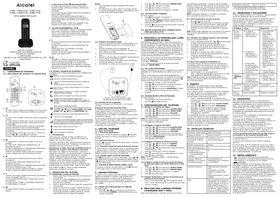
ALCATEL-LUCENT FIRST REFLEXES - 1

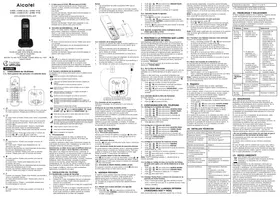
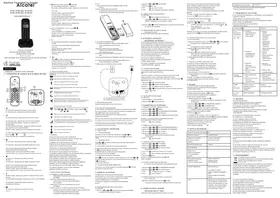
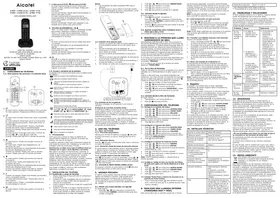
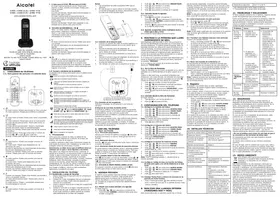
natural_image Blue office telephone with keypad and keypad (no visible text or symbols)

Light indicating voice messages received or callback requests.

Preprogrammed keys

ALCATEL-LUCENT FIRST REFLEXES - Preprogrammed keys - 1

Access the various mail services.

ALCATEL-LUCENT FIRST REFLEXES - Preprogrammed keys - 2

Access your personal directory.

ALCATEL-LUCENT FIRST REFLEXES - Preprogrammed keys - 3

Hold a three-way conference.

ALCATEL-LUCENT FIRST REFLEXES - Preprogrammed keys - 4

Be called back automatically.

ALCATEL-LUCENT FIRST REFLEXES - Preprogrammed keys - 5

Divert your calls to another terminal.

ALCATEL-LUCENT FIRST REFLEXES - Preprogrammed keys - 6

Automatically redial the last number dialled.

ALCATEL-LUCENT FIRST REFLEXES - Preprogrammed keys - 7

Cancel a broker call.

ALCATEL-LUCENT FIRST REFLEXES - Preprogrammed keys - 8

Pick up an incoming call to another telephone.

Installing the programmable key label

A printed label is supplied with the terminal. This should be installed beneath the programmable keys.

Line drawing of a telephone handset with numbered buttons for call or navigation

I. Insert a flat "blade" into the slot (I slot per key block).
2. Raise the cover.
3. Slide the printed label into position.
4. Replace the cover.

Warning

The earcap region of this telephone may attract and retain small metallic objects.

Guarantee and clauses

We, Alcatel Business Systems, hereby declare that we assume the Alcatel First Reflexes product to be compliant with the essential requirements of Directive 1999/5/CE of the European Parliament and Council.

Any unauthorised modification to the product shall render this declaration of compliance null and void. A copy of the original of this declaration of compliance can be obtained by post from :

Alcatel Business Systems - Technical Services - Approvals Manager I, route du Dr. Albert Schweitzer - F 67408 Illkirch Cedex - France

ALCATEL-LUCENT FIRST REFLEXES - Guarantee and clauses - 1
3EH21043BSAA010320

Using your telephone

Making a call

ALCATEL-LUCENT FIRST REFLEXES - Making a call - 1

ALCATEL-LUCENT FIRST REFLEXES - Making a call - 2
dial the number for your call

lift the receiver
ALCATEL-LUCENT FIRST REFLEXES - Making a call - 3
To make an external call, dial the outside line access code before dialling your correspondent's number.

Receiving a call

ALCATEL-LUCENT FIRST REFLEXES - Receiving a call - 1

lift the receiver

Redialling

ALCATEL-LUCENT FIRST REFLEXES - Redialling - 1

lift the receiver

ALCATEL-LUCENT FIRST REFLEXES - Redialling - 2

redial

Requesting automatic callback if internal number is busy

number busy

ALCATEL-LUCENT FIRST REFLEXES - Requesting automatic callback if internal number is busy - 1

callback

ALCATEL-LUCENT FIRST REFLEXES - Requesting automatic callback if internal number is busy - 2

hang up

Directory

ALCATEL-LUCENT FIRST REFLEXES - Directory - 1

Programming your personal directory

Create your directory using the 10 keys (0 to 9) on the keypad.

ALCATEL-LUCENT FIRST REFLEXES - Programming your personal directory - 1

lift the receiver

ALCATEL-LUCENT FIRST REFLEXES - Programming your personal directory - 2

code for function "Customisation"

ALCATEL-LUCENT FIRST REFLEXES - Programming your personal directory - 3

ALCATEL-LUCENT FIRST REFLEXES - Programming your personal directory - 4

0 to 9

ALCATEL-LUCENT FIRST REFLEXES - Programming your personal directory - 5

internal or outside number to be entered

ALCATEL-LUCENT FIRST REFLEXES - Programming your personal directory - 6

hang up

ALCATEL-LUCENT FIRST REFLEXES - Programming your personal directory - 7

Calling from your personal directory

ALCATEL-LUCENT FIRST REFLEXES - Calling from your personal directory - 1

lift the receiver

ALCATEL-LUCENT FIRST REFLEXES - Calling from your personal directory - 2

directory

ALCATEL-LUCENT FIRST REFLEXES - Calling from your personal directory - 3

directory number required (0 to 9)

ALCATEL-LUCENT FIRST REFLEXES - Calling from your personal directory - 4

ALCATEL-LUCENT FIRST REFLEXES - Calling from your personal directory - 5

ALCATEL-LUCENT FIRST REFLEXES - Calling from your personal directory - 6

lift the receiver

number called

Diverting your calls to your voice message service

ALCATEL-LUCENT FIRST REFLEXES - Diverting your calls to your voice message service - 1

ALCATEL-LUCENT FIRST REFLEXES - Diverting your calls to your voice message service - 2

ALCATEL-LUCENT FIRST REFLEXES - Diverting your calls to your voice message service - 3

lift the receiver

Activate/disable the personal assistant

As well as leaving a message in the voice mailbox, the personal assistant directs the caller to an extension number, an outside number, a mobile or the switchboard.

ALCATEL-LUCENT FIRST REFLEXES - Activate/disable the personal assistant - 1

lift the receiver

ALCATEL-LUCENT FIRST REFLEXES - Activate/disable the personal assistant - 2

code for function "Customisation"

ALCATEL-LUCENT FIRST REFLEXES - Activate/disable the personal assistant - 3

personal assistant

ALCATEL-LUCENT FIRST REFLEXES - Activate/disable the personal assistant - 4

ALCATEL-LUCENT FIRST REFLEXES - Activate/disable the personal assistant - 5

ALCATEL-LUCENT FIRST REFLEXES - Activate/disable the personal assistant - 6

ALCATEL-LUCENT FIRST REFLEXES - Activate/disable the personal assistant - 7

ALCATEL-LUCENT FIRST REFLEXES - Activate/disable the personal assistant - 8

to activate personal assistant

to deactivate personal assistant

apply

During a conversation

Sending DTMF signals

During a conversation you sometimes have to send DTMF signals, such as with a voice server, an automated attendant or a remotely consulted answering machine. The function is automatically cancelled when you hang up.

during a conversation

ALCATEL-LUCENT FIRST REFLEXES - Sending DTMF signals - 1

"DTMF End-to-End" function code

ALCATEL-LUCENT FIRST REFLEXES - Sending DTMF signals - 2

same key to cancel

Calling a second person during a conversation

During a conversation, to call a second person.

ALCATEL-LUCENT FIRST REFLEXES - Calling a second person during a conversation - 1

ALCATEL-LUCENT FIRST REFLEXES - Calling a second person during a conversation - 2

the first call is on hold

ALCATEL-LUCENT FIRST REFLEXES - Calling a second person during a conversation - 3

dial

cancel second call

Receiving a second call

During a conversation, another person is trying to call you.

ALCATEL-LUCENT FIRST REFLEXES - Receiving a second call - 1

ALCATEL-LUCENT FIRST REFLEXES - Receiving a second call - 2

the first call is on hold

code for function

"Consultation of call on hold"

Switching between two calls (Broker call)

During a conversation, a second call is on hold. To accept the second call:

ALCATEL-LUCENT FIRST REFLEXES - Switching between two calls (Broker call) - 1

ALCATEL-LUCENT FIRST REFLEXES - Switching between two calls (Broker call) - 2

the first call is on hold

code for function "Broker call"

ALCATEL-LUCENT FIRST REFLEXES - Switching between two calls (Broker call) - 3

Transferring a call

During a conversation, to transfer the call to another number.

ALCATEL-LUCENT FIRST REFLEXES - Transferring a call - 1

ALCATEL-LUCENT FIRST REFLEXES - Transferring a call - 2

number called

hang up

ALCATEL-LUCENT FIRST REFLEXES - Transferring a call - 3

Three-way conference

During a conversation, a second call is on hold.

ALCATEL-LUCENT FIRST REFLEXES - Three-way conference - 1

ALCATEL-LUCENT FIRST REFLEXES - Three-way conference - 2

call transfer

same key to cancel

ALCATEL-LUCENT FIRST REFLEXES - Three-way conference - 3

Voice message service

ALCATEL-LUCENT FIRST REFLEXES - Voice message service - 1

Initializing your voice mailbox

light flashes

ALCATEL-LUCENT FIRST REFLEXES - Initializing your voice mailbox - 1

ALCATEL-LUCENT FIRST REFLEXES - Initializing your voice mailbox - 2

enter your personal code then record your name according to voice guide instructions

lift the receiver

ALCATEL-LUCENT FIRST REFLEXES - Initializing your voice mailbox - 3

As long as your voice mailbox has not been initialized, personal code is 1515.

ALCATEL-LUCENT FIRST REFLEXES - Initializing your voice mailbox - 4

Modifying your personal code

Your personal code is used to access your voice mailbox and to lock your telephone.

ALCATEL-LUCENT FIRST REFLEXES - Modifying your personal code - 1

ALCATEL-LUCENT FIRST REFLEXES - Modifying your personal code - 2

code for function "Customisation"

ALCATEL-LUCENT FIRST REFLEXES - Modifying your personal code - 3

options

ALCATEL-LUCENT FIRST REFLEXES - Modifying your personal code - 4

personal code

ALCATEL-LUCENT FIRST REFLEXES - Modifying your personal code - 5

ALCATEL-LUCENT FIRST REFLEXES - Modifying your personal code - 6

new code (4 digits)

ALCATEL-LUCENT FIRST REFLEXES - Modifying your personal code - 7

apply

Consulting your voice mailbox

The light indicates that messages have been received.

ALCATEL-LUCENT FIRST REFLEXES - Consulting your voice mailbox - 1

ALCATEL-LUCENT FIRST REFLEXES - Consulting your voice mailbox - 2

ALCATEL-LUCENT FIRST REFLEXES - Consulting your voice mailbox - 3

ALCATEL-LUCENT FIRST REFLEXES - Consulting your voice mailbox - 4

message broadcasting

lift the receiver

personal code

1: listen to the message again 2: delete the message.

3: call sender of message.

4 and 5: select a message.

6: copy the message.

keys "l" to "6"

ALCATEL-LUCENT FIRST REFLEXES - Consulting your voice mailbox - 5

Customising your voice greeting

You can replace the greeting message by a personal message.

ALCATEL-LUCENT FIRST REFLEXES - Customising your voice greeting - 1

ALCATEL-LUCENT FIRST REFLEXES - Customising your voice greeting - 2

ALCATEL-LUCENT FIRST REFLEXES - Customising your voice greeting - 3

lift the receiver

code for function "Customisation"

voice message service

ALCATEL-LUCENT FIRST REFLEXES - Customising your voice greeting - 4

recording

ALCATEL-LUCENT FIRST REFLEXES - Customising your voice greeting - 5

ALCATEL-LUCENT FIRST REFLEXES - Customising your voice greeting - 6

ALCATEL-LUCENT FIRST REFLEXES - Customising your voice greeting - 7

ALCATEL-LUCENT FIRST REFLEXES - Customising your voice greeting - 8

ALCATEL-LUCENT FIRST REFLEXES - Customising your voice greeting - 9

ALCATEL-LUCENT FIRST REFLEXES - Customising your voice greeting - 10

to return to the default message

hang up

Customize your terminal

ALCATEL-LUCENT FIRST REFLEXES - Customize your terminal - 1

Adjusting the audio functions

ALCATEL-LUCENT FIRST REFLEXES - Adjusting the audio functions - 1

ALCATEL-LUCENT FIRST REFLEXES - Adjusting the audio functions - 2

ALCATEL-LUCENT FIRST REFLEXES - Adjusting the audio functions - 3

ALCATEL-LUCENT FIRST REFLEXES - Adjusting the audio functions - 4

lift the receiver

code for function "Customisation"

press repeatedly on

ALCATEL-LUCENT FIRST REFLEXES - Adjusting the audio functions - 5

ALCATEL-LUCENT FIRST REFLEXES - Adjusting the audio functions - 6

ALCATEL-LUCENT FIRST REFLEXES - Adjusting the audio functions - 7

choose ringer

choose volume

ALCATEL-LUCENT FIRST REFLEXES - Adjusting the audio functions - 8

ALCATEL-LUCENT FIRST REFLEXES - Adjusting the audio functions - 9

hang up

Assistant notice
Powered by Anthropic
En attente de votre message
Informations produit

Marque : ALCATEL-LUCENT

Modèle : FIRST REFLEXES

Catégorie : Téléphone fixe