
929-077 - Wall mount Marquant - Free user manual and instructions
Find the device manual for free 929-077 Marquant in PDF.


| Brand | Marquant |
| Model | 929-077 |
| Product Type | Fixed Wall Mount for TV |
| Compatible TV Sizes | 32 to 55 inches |
| Maximum Load Capacity | 45 kg |
| Product Weight | 1.4 kg |
| Mounting Type | Wall mount (wood stud or concrete/brick) |
| Material | Metal (steel) |
| Color | Black |
| Components Included | Horizontal bracket (1), Vertical brackets (2), Screws (M5x14, M6x14, M8x20, M6x30, M8x30), Washers, Spacers, Wall screws (ST6.3x55), Plugs, Washers D6 |
| Installation Requirements | At least two persons required; predrilling and use of appropriate wall anchors |
| Safety Features | Do not exceed max load; check mounting every 3 months |
| Indoor/Outdoor Use | Indoor only |
| Maintenance | Periodic inspection of bracket and screws |
| Repairability | Replaceable hardware included; contact Jula for spare parts |
| Manufacturer | Jula AB |
Frequently Asked Questions - 929-077 Marquant
User questions about 929-077 Marquant
0 question about this device. Answer the ones you know or ask your own.
Ask a new question about this device
Download the instructions for your Wall mount in PDF format for free! Find your manual 929-077 - Marquant and take your electronic device back in hand. On this page are published all the documents necessary for the use of your device. 929-077 by Marquant.
USER MANUAL 929-077 Marquant
natural_image
Black metal shelving unit with vertical supports and a small green indicator light (no text or symbols)
SE VÄGGFÄSTE
Operating instructions (Translation of the original instructions) Important! Read the user instructions carefully before use. Save them for future reference.
Jula reserves the right to make changes. In the event of problems, please contact our customer service. www.jula.com
Tillverkare/Produsent/Producenci/Manufacturer
Jula AB, Box 363, 532 24 SKARA
Distributör/Distributør/Dystrybutor/Distributor
Jula Poland Sp. z o.o., ul.
natural_image
Technical line drawing of a metal enclosure or panel with slots and a central mounting hole (no text or symbols)
natural_image
Technical line drawing of a mechanical component with multiple holes and a circular end (no text or symbols)
3
4
5

6

78910


111213

2
3

4
natural_image
Diagram of a room with two vertical metal fixtures and a horizontal spring bar, featuring an upward arrow (no text or symbols)5


6


natural_image
Technical line drawing of a mechanical assembly with mounting brackets and a circular component (no text or symbols)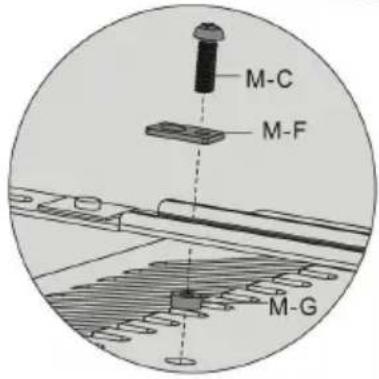


7

natural_image
Diagram showing a mechanical component with an inset close-up of its side view (no text or symbols)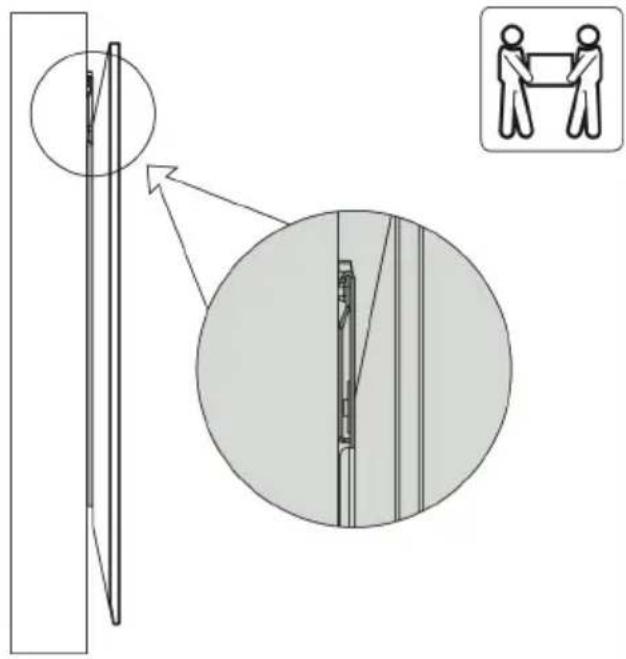
SÄKERHETSANVISNINGAR
- Distans x8 M-G
- Distans x4 M-H
- Skruv ST6,3 x 55 x4 W-A
- Plugg x4 W-B
- Bricka D6 x4 W-C
BILD 1
MONTERING
MONTERING PÅ TRÄREGEL
- Read all the instructions before installation.
- Contact your dealer if you have any questions.
- The product must only be used for its intended purpose and in accordance with these instructions.
- Incorrect installation can result in the risk of personal injury and/or material damage.
- Check that the wall can support the total weight of the bracket and the television.
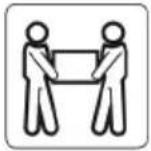
- At least two persons are needed, or use a mechanical lifting device, to lift and position the equipment.
- Tighten the screws firmly, but do not overtighten.
- The product is only intended for indoor use. Using it outdoors can result in personal injury and/or material damage.
WARNING!
Do not exceed the permitted load (max 45 kg) – risk of serious personal injury and/or material damage.
TECHNICAL DATA
| Max load | 45 kg |
| Weight | 1.4 kg |
| TV size | 32-55" |
DESCRIPTION
- Horizontal bracket x1
- Vertical bracket x2
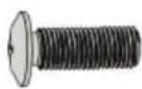
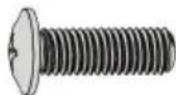
- Screw M5 x 14 x4 M-A
- Screw M6 x 14 x4 M-B
- Screw M8 x 20 x4 M-C
- Screw M6 x 30 x4 M-D
-
Screw M8 x 30 x4 M-E
-
Washer x4
- Spacer x8 M-G
- Spacer x4 M-H
- Screw ST6.3 x 55 x4 W-A
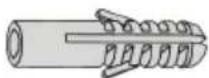
- Plug x4 W-B
- Washer D6 x4 W-C
FIG. 1
ASSEMBLY
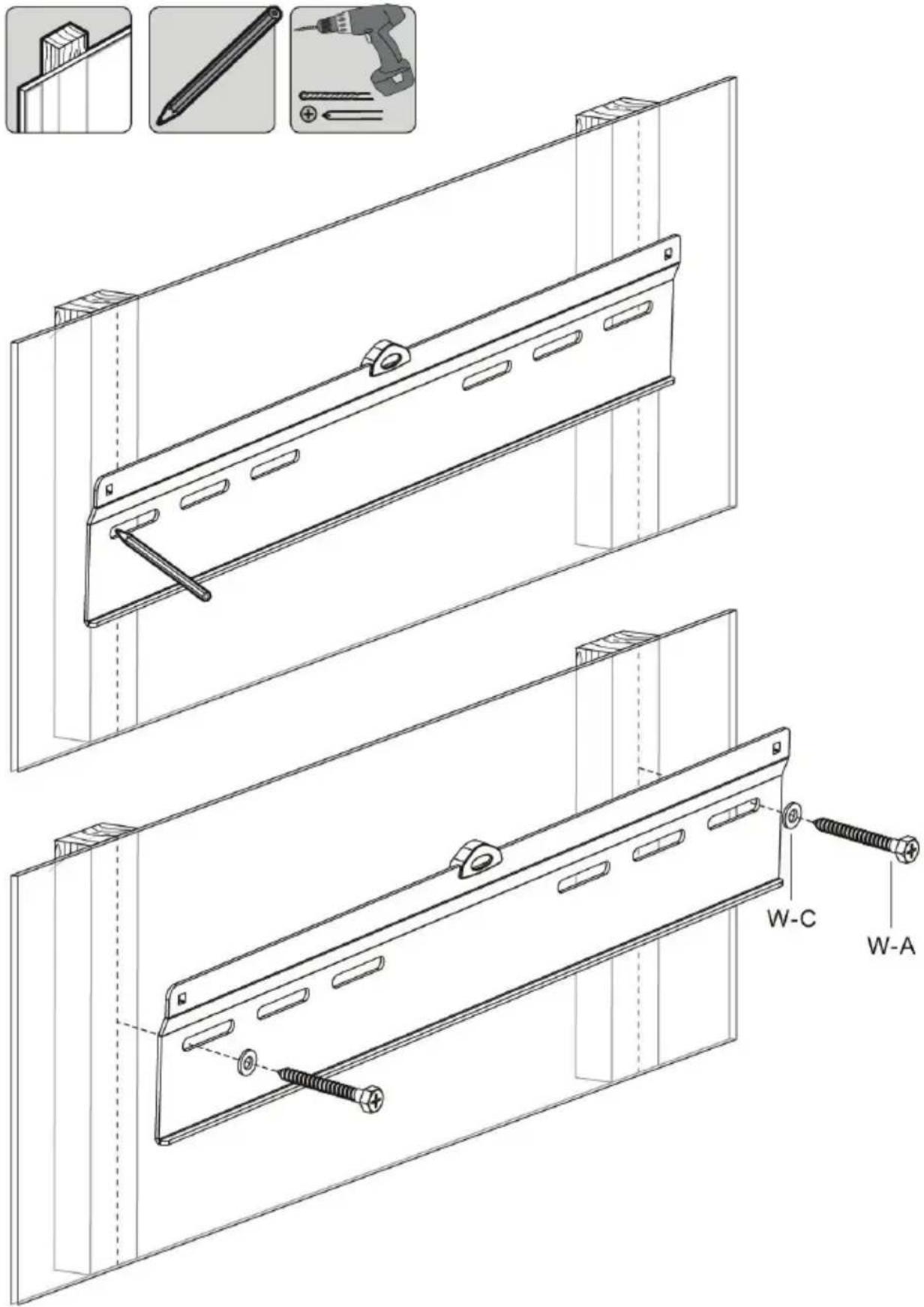
MOUNTING ON WOODEN STUDS
- Mark out the position of the holes.
- Predrill the holes.
- Screw on the horizontal bracket. Use screws and washers.
FIG. 2
IMPORTANT:
- Fasten the screws in the middle of the studs.
• Make sure to use suitable parts for the installation. - Check that the wall can support the total weight of the bracket and the television.
MOUNTING ON CONCRETE/BRICK WALL
- Mark out the position of the holes.
- Predrill the holes.
- Put plugs in the predrilled holes.
- Screw on the horizontal bracket. Use screws and washers.
FIG. 3
IMPORTANT:
- Check that the concrete is at least 35 mm thick to accommodate the concrete anchors. Do not drill into mortar joints. Drill into the bricks or concrete blocks, preferably at least 25 mm from the edge.
- Make sure to use suitable parts for the installation.
- Check that the wall can support the total weight of the bracket and the television.
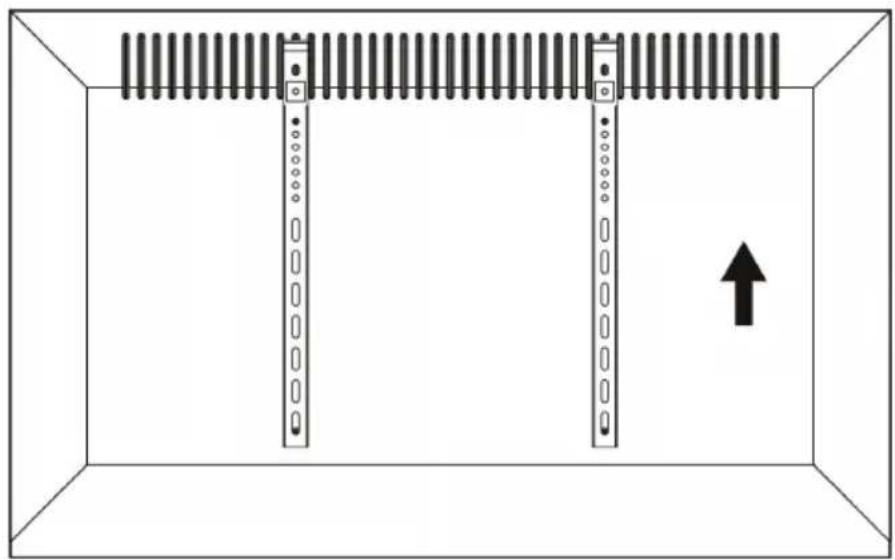
MOUNTING OF VERTICAL BRACKETS
Make sure that the hanger hooks on the vertical brackets are turned up towards the top of the television.
FIG. 4
Mounting without spacers
- Put the vertical brackets on the back of the television, as close to the middle as possible.
- Screw the brackets on the television.
FIG. 5
IMPORTANT:
Tighten the screws firmly, but do not overtighten.
Mounting with spacers
- Use suitable screws, washers and spacers for the actual screen model.
- Put the vertical brackets on the back of the television, as close to the middle as possible.
- Screw the brackets on the television.
FIG. 6
IMPORTANT:
Tighten the screws firmly, but do not overtighten.
MOUNTING OF TELEVISION
NOTE:
Two persons are needed to mount the television.
- Make sure that the vertical brackets hook into the horizontal bracket.
- Do not release the television before it is properly hooked on the bracket.
- Check at least every 3 months that the bracket is correctly mounted.
FIG. 7
- SE VÄGGFÄSTE
- SÄKERHETSANVISNINGAR
- BILD 1
- MONTERING
- MONTERING PÅ TRÄREGEL
- WARNING!
- DESCRIPTION
- ASSEMBLY
- MOUNTING ON WOODEN STUDS
- IMPORTANT:
- MOUNTING ON CONCRETE/BRICK WALL
- MOUNTING OF VERTICAL BRACKETS
- Mounting without spacers
- Mounting with spacers
- MOUNTING OF TELEVISION
- Two persons are needed to mount the television.
Brand : Marquant
Model : 929-077
Category : Wall mount