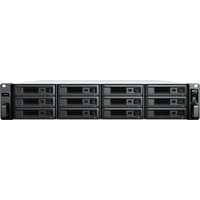
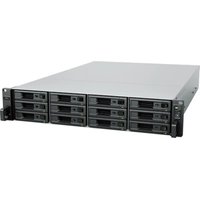
SA3600 - Server SYNOLOGY - Free user manual and instructions
Find the device manual for free SA3600 SYNOLOGY in PDF.


Pick your language and provide your email: we'll send you a specifically translated version.
| Product Type | 12-Bay Rackmount Storage Server |
| Brand | Synology |
| Model | SA3600 |
| Drive Bays | 12 x 3.5" SATA HDD/SSD (hot-swappable) |
| Processor | Intel Xeon D-1567 (12-core, 2.1 GHz, burst up to 2.7 GHz) |
| Memory | 16 GB DDR4 ECC (expandable up to 128 GB) |
| Maximum Raw Capacity | 216 TB (12 x 18 TB drives) |
| Network Connectivity | 4 x Gigabit LAN (RJ-45); optional 10GbE/25GbE add-on card |
| Power Supply | Dual redundant 500W (hot-swappable) |
| Cooling | 3 x 80x80mm PWM fans (hot-swappable) |
| Dimensions (H x W x D) | 88 mm x 482 mm x 480 mm (3.5" x 19" x 18.9") |
| Weight | 14.5 kg (32.0 lbs) without drives |
| Operating System | Synology DiskStation Manager (DSM) – full featured NAS OS |
| Warranty | 5 years limited hardware warranty |
| Cleaning Instructions | Use a soft, dry cloth to clean exterior. Do not use any liquids or solvents. |
| Safety Precautions | Keep away from moisture, heat, and direct sunlight. Ensure proper ventilation. |
| Spare Parts & Repairability | Replaceable fans, power supplies, and memory modules. Drives are customer-replaceable. |
| Supported RAID Types | Basic, JBOD, RAID 0, 1, 5, 6, 10, 50, 60, and Synology Hybrid RAID (SHR) |
| Max number of users | Up to 5,000 concurrent connections (file sharing) |
| Expansion Support | Yes, via Synology expansion units (e.g., RX1217RP) for additional drives |
Frequently Asked Questions - SA3600 SYNOLOGY
How do I install hard drives into the Synology SA3600?
Remove the drive tray, insert the 3.5-inch SATA drive into the tray, secure with screws, then slide the tray back into the bay until it clicks. The drive is hot-swappable.
How do I set up RAID on the SA3600?
After installing drives, power on and connect to DSM via web browser. Go to Storage Manager > Storage Pool and click Create. Choose your desired RAID type (e.g., SHR, RAID 5) and follow the wizard.
What is the maximum memory capacity of the SA3600?
The SA3600 supports up to 128 GB DDR4 ECC memory via four slots. The factory configuration is 16 GB.
How can I access the DSM operating system?
Connect the SA3600 to your network, then from any computer on the same network, open a web browser and go to find.synology.com or use the Synology Assistant software. You will be guided through initial setup.
How do I replace a failed power supply?
The SA3600 has dual redundant power supplies. To replace a failed unit, unplug the power cord from the failed PSU, press the latch to release it, slide it out, and insert a new one. The system continues running on the working PSU.
What network cards are compatible with the SA3600?
The server can accept Synology PCIe expansion cards for 10GbE or 25GbE connectivity. Models like E10G18-T1 (10GbE) or E25G21-F2 (25GbE) are supported. Installation is done via the PCIe slot.
How do I clean and maintain my SA3600?
Use a soft dry cloth to wipe the exterior. Do not use any liquids or cleaning solvents. Ensure the cooling fans are free from dust periodically. The unit should be placed in a well-ventilated area.
Can I expand the storage capacity of the SA3600?
Yes, the SA3600 supports connection to Synology expansion units such as the RX1217RP. Connect via the expansion port and manage drives through DSM as additional storage pools.
What is the power consumption of the SA3600?
Typical power consumption is around 120 W during operation (with 12 drives). The dual 500W power supplies are redundant and hot-swappable.
How do I perform a factory reset on the SA3600?
Press and hold the RESET button on the front panel for about 5 seconds until you hear a beep. This resets the DSM configuration to factory defaults while preserving data volumes. See the manual for detailed steps.
User questions about SA3600 SYNOLOGY
0 question about this device. Answer the ones you know or ask your own.
Ask a new question about this device
No questions yet. Be the first to ask one.
Download the instructions for your Server in PDF format for free! Find your manual SA3600 - SYNOLOGY and take your electronic device back in hand. On this page are published all the documents necessary for the use of your device. SA3600 by SYNOLOGY.