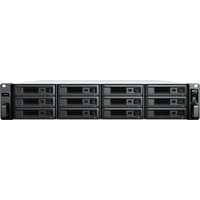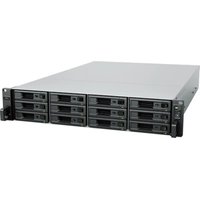
RackStation RS217 - Server SYNOLOGY - Free user manual and instructions
Find the device manual for free RackStation RS217 SYNOLOGY in PDF.


Pick your language and provide your email: we'll send you a specifically translated version.
| Product Type | 2-Bay Rackmount NAS Server |
| Form Factor | 1U Rackmount |
| Processor | Marvell Armada 385 88F6820 (Dual-Core 1.33 GHz) |
| Memory | 1 GB DDR3 (non-expandable) |
| Drive Bays | 2 x 3.5" SATA HDD/SSD (hot-swappable) or 2 x 2.5" SATA SSD |
| Maximum Internal Raw Capacity | 32 TB (16 TB HDD x 2) |
| External Ports | 2 x USB 3.0, 1 x eSATA, 2 x Gigabit RJ-45 LAN |
| Dimensions (HxWxD) | 44 x 430.5 x 287.5 mm (1.73" x 16.95" x 11.32") |
| Weight | 3.54 kg (7.8 lbs) |
| Power Supply Unit | 100-240V AC, 36W (max 40W) external power adapter |
| Power Consumption | 25.6 W (access), 10.5 W (hibernation) |
| Operating Temperature | 0°C to 40°C (32°F to 104°F) |
| Operating System | Synology DiskStation Manager (DSM) |
| File System Supported | Btrfs, EXT4 |
| RAID Modes | Synology Hybrid RAID (SHR), Basic, JBOD, RAID 0, RAID 1 |
| Cooling Fan | 1 x 40x40mm system fan |
| Noise Level | 25 dB(A) typical |
| Certifications | FCC, CE, BSMI, VCCI, RCM, UKCA, EAC, KC |
| Warranty | 2 years (up to 5 years optional extended) |
| Cleaning Instructions | Wipe with a dry, soft cloth; do not use liquid cleaners or compressed air. |
| Safety Precautions | Operate in a well-ventilated area; avoid obstructing fan vents; use a surge protector. |
| Spare Parts Availability | Official Synology store or authorized resellers; includes fan, power adapter, drive trays. |
| Repair Information | Refer to Synology RMA service; do not attempt internal repairs by yourself. |
Frequently Asked Questions - RackStation RS217 SYNOLOGY
How do I install hard drives in the RackStation RS217?
Slide out the drive tray, remove the side rails, place your 3.5" or 2.5" drive, and reattach the rails. Insert the tray back into the bay until it locks. No screws are required for 3.5" drives.
Can I use SSD drives in the RS217?
Yes, both 2.5" SATA SSDs and 3.5" SATA HDDs are supported. For 2.5" drives, you may need to install them using the included screws.
What RAID configurations are available?
The RS217 supports Synology Hybrid RAID (SHR), Basic (single drive), JBOD, RAID 0, and RAID 1. SHR is recommended for simplicity.
How do I access the DiskStation Manager (DSM) interface?
Connect the RS217 to your network and power it on. Use a browser to go to http://find.synology.com or use Synology Assistant to discover the device. Follow the on-screen wizard to install DSM.
What is the default login for DSM?
The default username is admin and the password is password. You will be forced to change it upon first login.
Can I expand the memory on the RS217?
No, the 1 GB DDR3 memory is soldered and cannot be upgraded.
How do I reset the RackStation RS217?
Press and hold the reset button on the front panel for 4 seconds to reset the admin password. Hold for 10 seconds to reset to factory defaults.
What is the maximum drive capacity supported?
Each drive bay supports up to 16 TB, for a maximum internal raw capacity of 32 TB.
Does the RS217 support external USB drives?
Yes, it has two USB 3.0 ports that can be used for external storage, printers, or UPS devices.
How can I monitor the system temperature and fan status?
In DSM, go to Control Panel > Hardware & Power to view fan speed, temperature, and set alerts for abnormal conditions.
User questions about RackStation RS217 SYNOLOGY
0 question about this device. Answer the ones you know or ask your own.
Ask a new question about this device
No questions yet. Be the first to ask one.
Download the instructions for your Server in PDF format for free! Find your manual RackStation RS217 - SYNOLOGY and take your electronic device back in hand. On this page are published all the documents necessary for the use of your device. RackStation RS217 by SYNOLOGY.