
K91 - Loudspeaker Infiniton - Free user manual and instructions
Find the device manual for free K91 Infiniton in PDF.


| Product Type | Portable Bluetooth Speaker |
| Model | K91 |
| Brand | Infiniton |
| Dimensions (approx.) | 150 x 100 x 100 mm |
| Weight (approx.) | 500 g |
| Power Supply | Built-in rechargeable battery (USB-C charging) |
| Bluetooth Version | 5.0 |
| Wireless Range | Up to 10 meters |
| Speaker Type | Full-range mono speaker |
| Output Power | 5W RMS |
| Frequency Response | 100 Hz – 20 kHz |
| Playback Modes | Bluetooth, AUX-in, FM radio, microSD card |
| Battery Life | Up to 6 hours at medium volume |
| Charging Time | Approx. 2 hours |
| Water Resistance | IPX5 (splash-proof) |
| Controls | Buttons for power, volume, playback, mode, and TWS pairing |
| Hands-free Calling | Built-in microphone |
| Maintenance | Wipe with dry cloth; avoid liquids |
| Safety | Do not expose to extreme temperatures; keep away from children |
| Spare Parts & Repairability | Contact Infiniton support for spare parts; not user-serviceable |
| Package Contents | Speaker, USB charging cable, AUX cable, user manual |
Frequently Asked Questions - K91 Infiniton
User questions about K91 Infiniton
0 question about this device. Answer the ones you know or ask your own.
Ask a new question about this device
Download the instructions for your Loudspeaker in PDF format for free! Find your manual K91 - Infiniton and take your electronic device back in hand. On this page are published all the documents necessary for the use of your device. K91 by Infiniton.
USER MANUAL K91 Infiniton
natural_image
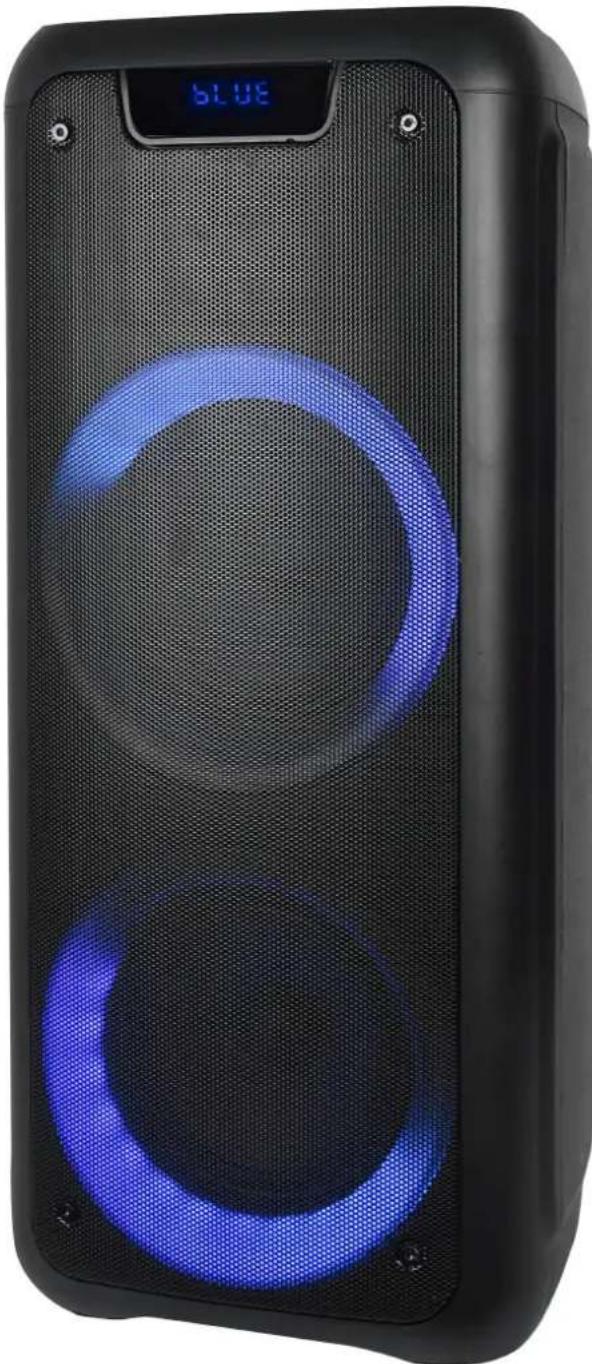
Black electronic device with blue circular LED display and 'BLUE' status indicator (no text or symbols on body)natural_image
Black electronic device with blue circular LED display and 'BLUE' status indicator (no text or symbols on body)Top panel operation
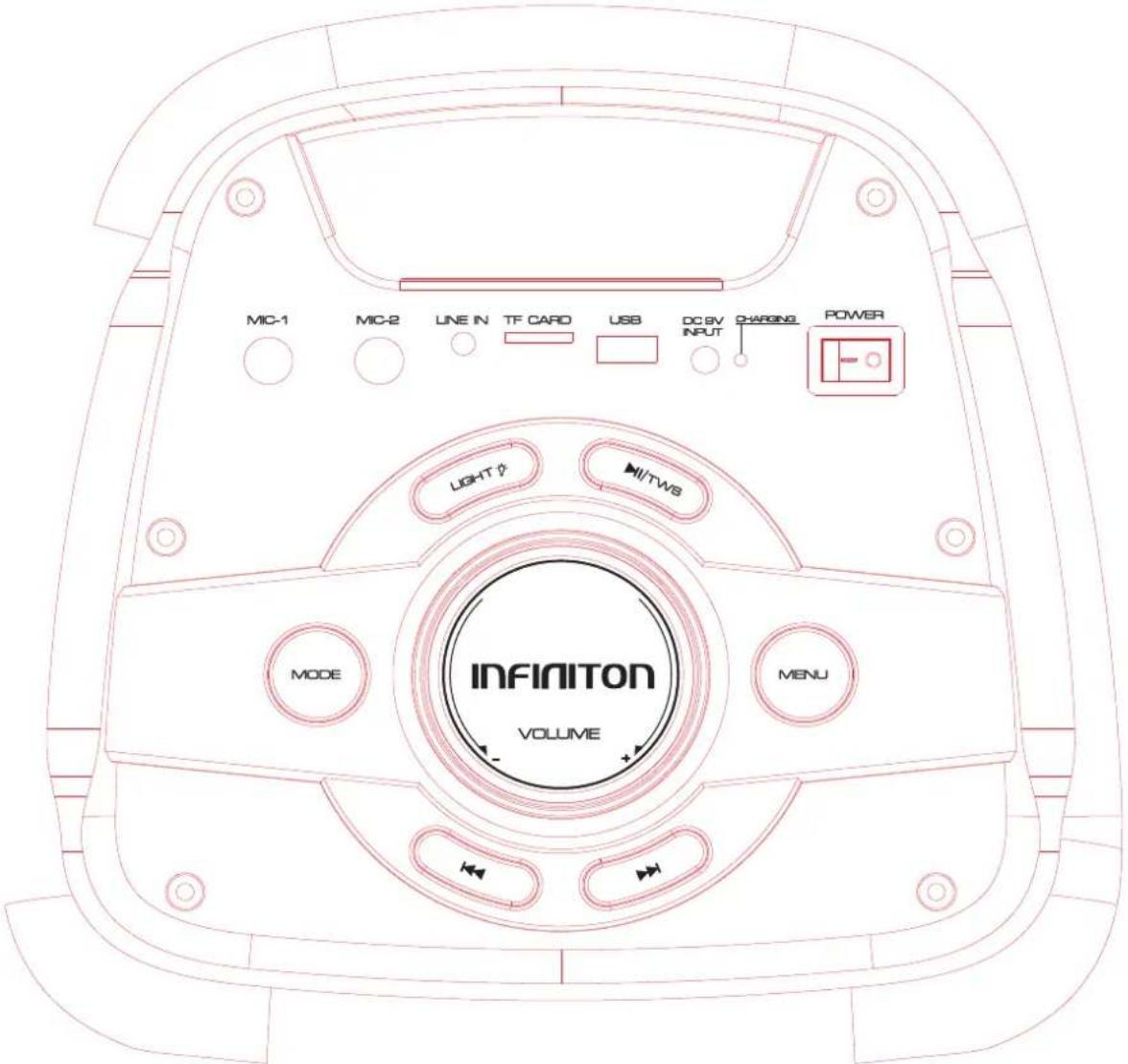
1:Microphone Input
2:Microphone Input
3:Aux-in(3.5mm)
4:TF Card input
5:USB Playing back
6:DC 9V input(charging slot)
7: Charging indicator
8: Power on/off
9:Play/pause under USB/TF/BT.Long press to get TWS function.
TWS connection spec:
When you are playing a speaker(host) under USB/TF/AUX/BT mode, at this time you want another speaker to share this song. You can turn on a new speaker, Long press "Play/pause" button, the LED display will show "SLAU" and keep blinking, now it is searching the host. Once found host, this new speaker will connect automatically the host, and "SLAU" will not blink, At this time 2pcs speakers are playing the same song.
The new join speaker can operate: play/pause - previous song- next song- Volume control
10: MENU(control BASS/Treble/MIC Volume/Echo)
11: Light mode switching and on/off, short press to get different mode
12:MODE:LINE IN, BT,USB input, TF card, FM radio
13:Previous song
14: Main Volume
15: Next song(under USB/TF/BT mode)
Remote control
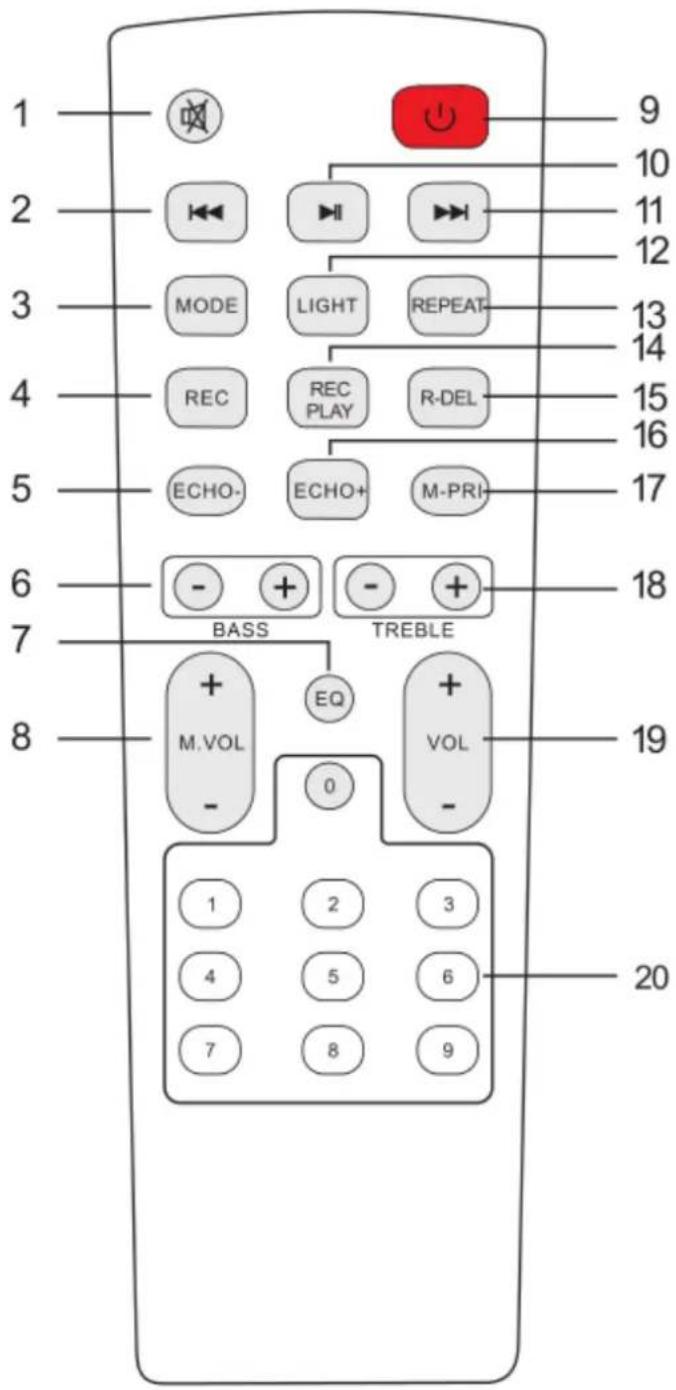
1.Mute
Available to be mute at any mode
2.Previous Song
Under USB/TF card mode - previous song.
Under BT connection mode- previous song.
3.Mode
Press shortly to skip to Wireless BT/LINE IN/USB/TF mode.
4. Record function
Under USB/TF card mode, press "REC" button to record
5.Echo-
6.BASS+/-
7.EQ function
8. Microphone Volume+/-
9. Stand by
10.Pause&Play
11. Next song
Under USB/TF card mode - next song.
Under BT connection mode- next song.
12.Light mode
13.Repeat funtion
14. Record play
15. Record delete
16.Echo+
17. Microphone priority
18.Treble+/-
19.Main Volume
20.Number buttons
Under USB/TF mode to choose songs
● Wireless BT Pairing Mode:
Press MODE or Blue button on the unit or the remote control until BT is selected.
- Put the cell phone within 10 meters;
- Activate the BT features on your cell phone so that the cell phone starts to search for the BT device. Please refer to the users' manual for details
- Select the correct model. The device found by the cell phone;
- Shortly press PLAY/PAUSE button 🏠 to play or pause music. Short press “◀” or “◀” key to select the previous or next track.
●LINE IN MODE:
Press MODE button on the unit or the remote control until LINE is selected. Play the music of the device connected to the LINE input.
USB Mode:
-
After start up, press MODE to select "USB" and insert the USB device. The unit will automatically read and play the music in the USB device.
-
Press “” key shortly to pause or play.
-
Shortly press “ ” key to the previous song.
-
Shortly press “▶” key to the next song.
MANUAL DE USUÁRIO
natural_image
Black electronic device with blue circular LED display and 'BLUE' status indicator (no text or symbols on body)natural_image
Empty white rectangle with a thin black border (no text or symbols)Brand : Infiniton
Model : K91
Category : Loudspeaker