GL50 - Radio MPMAN - Free user manual and instructions
Find the device manual for free GL50 MPMAN in PDF.

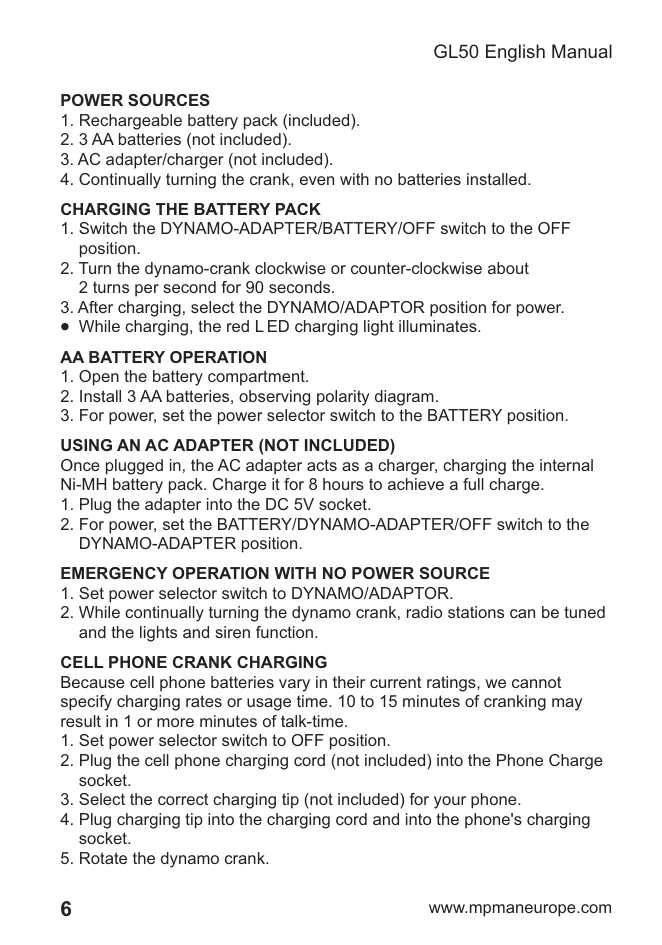


| Product Type | Radio |
| Brand | MPMAN |
| Model | GL50 |
| Power Supply | Dynamo + 3 AA batteries (not included) + rechargeable Ni-MH 3.6V battery included + AC adapter 5V/100mA (not included) |
| Dimensions | 220 × 160 × 60 mm |
| Frequency Bands | FM 87-108 MHz, MW 525-1610 kHz, SW1 3.2-9.0 MHz, SW2 9.0-22.0 MHz |
| Output Power | >125 mW |
| Headphone Jack | 3.5 mm mono (headphones not included) |
| Additional Functions | LED lamp, light flash, siren, cell phone charging via dynamo |
| Dynamo Charging | 90 seconds of rotation at 2 turns/s to listen to the radio; 10-15 min for 1 min of phone conversation |
| Ni-MH Battery Charging | 8 hours with AC adapter 5V/100mA |
| Charging Indicator | Red LED indicator light on during charging |
| Maintenance and Cleaning | Wipe with a dry soft cloth. Do not use chemicals. |
| Safety | Do not expose to moisture or extreme temperatures. Use only the recommended adapter. |
| Spare Parts and Repairability | Ni-MH battery included, standard AA batteries, AC adapter not included. For repairs, contact MPMAN after-sales service. |
Frequently Asked Questions - GL50 MPMAN
User questions about GL50 MPMAN
0 question about this device. Answer the ones you know or ask your own.
Ask a new question about this device
Download the instructions for your Radio in PDF format for free! Find your manual GL50 - MPMAN and take your electronic device back in hand. On this page are published all the documents necessary for the use of your device. GL50 by MPMAN.
USER MANUAL GL50 MPMAN
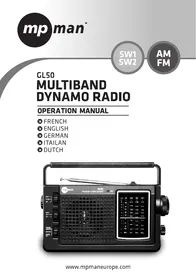
GL50 MULTIBAND DYNAMO RADIO
OPERATION MANUAL
FRENCH
ENGLISH
GERMAN
ITAILAN
DUTCH
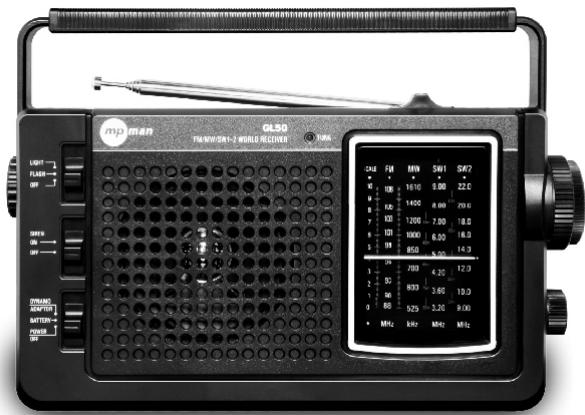
EMPLACEMENT DES COMMANDES
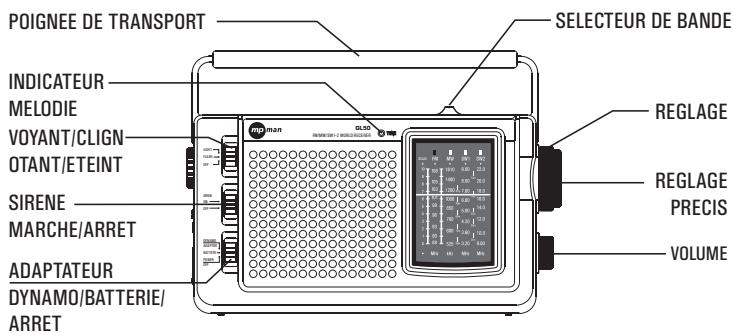
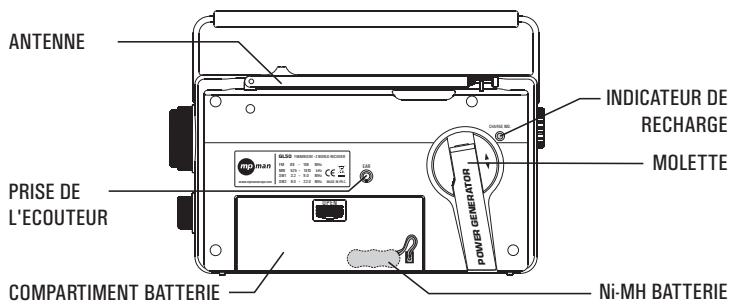
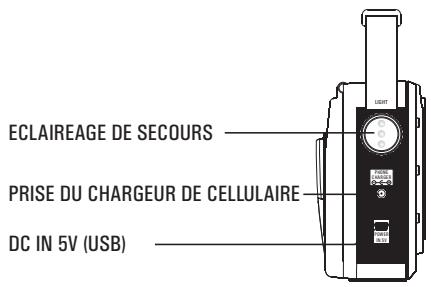
SOURCES D'ALIMENTATION
OPÉRATION D'URGENCE AVEC AUCUNE SOURCE D'ALIMENTATION
- Rechargeable battery pack (included).
- 3 AA batteries (not included).
- AC adapter/charger (not included).
- Continually turning the crank, even with no batteries installed.
CHARGING THE BATTERY PACK
- Switch the DYNAMO-ADAPTER/BATTERY/OFF switch to the OFF position.
- Turn the dynamo-crank clockwise or counter-clockwise about 2 turns per second for 90 seconds.
-
After charging, select the DYNAMO/ADAPTOR position for power.
-
While charging, the red LED charging light illuminates.
- Open the battery compartment.
- Install 3 AA batteries, observing polarity diagram.
- For power, set the power selector switch to the BATTERY position.
USING AN AC ADAPTER (NOT INCLUDED)
Once plugged in, the AC adapter acts as a charger, charging the internal Ni-MH battery pack. Charge it for 8 hours to achieve a full charge.
- Plug the adapter into the DC 5V socket.
- For power, set the BATTERY/DYNAMO-ADAPTER/OFF switch to the DYNAMO-ADAPTER position.
EMERGENCY OPERATION WITH NO POWER SOURCE
- Set power selector switch to DYNAMO/ADAPTOR.
- While continually turning the dynamo crank, radio stations can be tuned and the lights and siren function.
CELL PHONE CRANK CHARGING
Because cell phone batteries vary in their current ratings, we cannot specify charging rates or usage time. 10 to 15 minutes of cranking may result in 1 or more minutes of talk-time.
- Set power selector switch to OFF position.
- Plug the cell phone charging cord (not included) into the Phone Charge socket.
- Select the correct charging tip (not included) for your phone.
- Plug charging tip into the charging cord and into the phone's charging socket.
- Rotate the dynamo crank.
TURING THE RADIO ON AND OFF
Turn it on with the POWER switch.
- Select the BATTERY position when using AA batteries.
- Select the DYNAMO/ADAPTER position when powering via the AC adapter or internal, rechargeable Ni-MH battery pack.
- To turn off, set power selector switch to OFF.
ADJUSTING THE VOLUME
Set VOLUME knob to desired level.
TUNING-IN STATIONS
- Select AM, FM, SW1 or SW2 with the band selector switch. For FM and SW, fully extend the telescopic antenna.
- Adjust the volume with the VOLUME knob.
- Tune stations with the TUNING knob.
LIGHTS AND SIREN
Set the LIGHT/FLASH/OFF switch to the FLASH or LIGHT position.
Set the SIREN ON/OFF switch to the ON position.
EARPHONE JACK
Flip open the socket cover and plug in mono-earphone (not included).
BATTERY PACK SPECIFICATIONS
Ni-MH; 3.6 volt DC.
AC ADAPTER SPECIFICATIONS
Output 5 volt DC; 100 milliampere; USB plug. AC adapter use automatically charges the rechargeable battery pack. Only charge the battery pack with a 100 milliampere AC adapter. If an AC adapter rated greater than 100 milliampere is used, disconnect the rechargeable battery pack.
SPECIFICATIONS
- Frequency range: FM: 87 -108 MHz MW: 525 -1610 kHz SW1: 3.2 -9.0 MHz SW2: 9.0 -22.0 MHz
- Power output >125mW
- Power source: AA or UM-3 x 3 (not included) 3.6V Ni-MH battery pack (included) 5V AC adaptor (not included)
- Earphone: 8-32 ohm 3.5 plug
- Dimensions Approx: 220 × 160 × 60mm
- Set power selector switch to DYNAMO/ADAPTOR.
- While continually turning the dynamo crank, radio stations can be tuned and the lights and siren function.
CRANK MOBIELE TELEFOON OPLADEN



- GL50 MULTIBAND DYNAMO RADIO
- OPERATION MANUAL
- EMPLACEMENT DES COMMANDES
- SOURCES D'ALIMENTATION
- OPÉRATION D'URGENCE AVEC AUCUNE SOURCE D'ALIMENTATION
- CHARGING THE BATTERY PACK
- USING AN AC ADAPTER (NOT INCLUDED)
- EMERGENCY OPERATION WITH NO POWER SOURCE
- CELL PHONE CRANK CHARGING
- TURING THE RADIO ON AND OFF
- ADJUSTING THE VOLUME
- TUNING-IN STATIONS
- LIGHTS AND SIREN
- EARPHONE JACK
- BATTERY PACK SPECIFICATIONS
- AC ADAPTER SPECIFICATIONS
- SPECIFICATIONS
- CRANK MOBIELE TELEFOON OPLADEN
Brand : MPMAN
Model : GL50
Category : Radio