RT2400 - Radio MPMAN - Free user manual and instructions
Find the device manual for free RT2400 MPMAN in PDF.


| Product Type | Portable Radio |
| Brand | Mpman |
| Model | RT2400 |
| Dimensions (W x H x D) | Approx. 200 x 130 x 60 mm |
| Weight | Approx. 500 g (without batteries) |
| Power Source | AC adapter (included) or 4 x AA batteries (not included) |
| Radio Bands | FM 88–108 MHz, AM 530–1710 kHz |
| Speaker | Built-in 3W speaker |
| Headphone Jack | Yes, 3.5 mm stereo |
| Volume Control | Rotary knob |
| Tuning Control | Analog dial |
| Display | Analog frequency scale |
| Antenna | Built-in ferrite bar for AM, telescopic for FM |
| Battery Life | Up to 40 hours (depending on volume and usage) |
| Maintenance | Wipe with a dry, soft cloth. Do not use liquids or abrasives. |
| Safety | Keep away from water, heat sources, and children under 3 years. |
| Spare Parts & Repairability | Contact Mpman support for replacement antenna, knobs, or batteries compartment. Device not user-serviceable. |
| General Information | Designed for personal use at home or on the go. Suitable for battery or mains operation. |
Frequently Asked Questions - RT2400 MPMAN
User questions about RT2400 MPMAN
0 question about this device. Answer the ones you know or ask your own.
Ask a new question about this device
Download the instructions for your Radio in PDF format for free! Find your manual RT2400 - MPMAN and take your electronic device back in hand. On this page are published all the documents necessary for the use of your device. RT2400 by MPMAN.
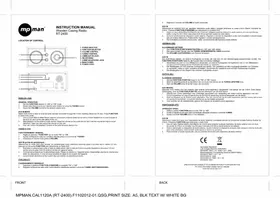
USER MANUAL RT2400 MPMAN
-
Set the FUNCTION selector to "AM" or "FM" mode.
-
Adjust radio frequency to your desired radio station by using the TUNING control
-
Adjust the VOLUME control to the desired volume level.
AUX-IN MODE
Select AUX mode to listen to external audio devices connected through the 3.5mm Auxiliary Stereo Lin-IN Jack. Press FUNCTION
to select AUX mode.
- Use a 3.5mm Male-to-Male Stereo cable to connect any external audio device with a 3.5mm Headphone or Line-Out jack to the AUX IN jack on the one panel of the unit.
the AUX-IN Jack on the rear panel of the unit.
-
Start playback on the external audio device. Adjust the volume on the audio device (don't set the volume too high to avoid distortion). User may also adjust the volume on this unit.
-
User can control the playback function at the external au
-
User can control the playback function at the external side device only.
FRENCH (FR)
FONCTIONNEMENT GENERAL
Applicable Standards:
Low Voltage Directive 2006/95/EC
EN 60065: 2002 + A1: 2006 + A11: 2008
Electromagnetic Compatibility Directive (2004/108/EC)
EN 55013: 2001 + A1 + A2
EN 61000-3-2: 2006
EN 61000-3-3: 1995 + A1 + A2
EN 55020: 2007
SPECIFICATION SUBJECT TO CHANGE WITHOUT FURTHER NOTICE.
For more information please visit our website
www.mpmaneurope.com
FRONT
BACK
MPMAN.CAL1120A (RT-2400).F1102012-01.QSG,PRINT SIZE: A5, BLK TEXT W/ WHITE BG



Brand : MPMAN
Model : RT2400
Category : Radio