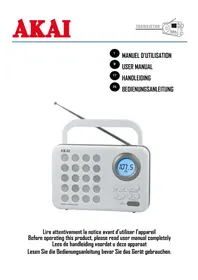
FMT-52BT - Radio AKAI - Free user manual and instructions
Find the device manual for free FMT-52BT AKAI in PDF.


Pick your language and provide your email: we'll send you a specifically translated version.
| Product Type | Portable Radio with Bluetooth |
| Brand | AKAI |
| Model | FMT-52BT |
| Dimensions (W x H x D) | 200 x 130 x 80 mm |
| Weight | 0.5 kg |
| Power Supply | DC 5V via USB or 3 x AA batteries (not included) |
| Radio Bands | FM (87.5-108 MHz), AM (530-1710 kHz) |
| Bluetooth | Yes, version 4.2, range up to 10 m |
| Audio Input | 3.5 mm AUX input |
| Speaker Output | 3 W (mono) |
| Frequency Control | Digital tuning with PLL |
| Display | LCD display with backlight |
| Presets | 20 presets (10 FM + 10 AM) |
| Additional Features | Clock, alarm, sleep timer, headphone jack (3.5 mm) |
| Battery Life | Approx. 8 hours with batteries |
| Care Instructions | Clean with a soft dry cloth. Avoid water and solvents. |
| Safety Warnings | Do not expose to moisture, extreme temperatures, or direct sunlight. |
| Spare Parts & Repairability | Contact AKAI support for spare parts. Non-user-serviceable parts inside. |
| Manual Availability | Free PDF download at notice-facile.com |
Frequently Asked Questions - FMT-52BT AKAI
How do I pair my phone with the FMT-52BT radio?
Turn on the radio and enable Bluetooth. Press the PAIR button (or Mode) until BLUETOOTH appears. On your phone, search for devices and select 'AKAI FMT-52BT'. If prompted, enter 0000.
Can I use the radio without batteries?
Yes, you can power the radio via the DC 5V USB port using a standard USB cable and power adapter (not included).
How do I preset radio stations?
Tune to a station, then press and hold one of the PRESET buttons (1-5) until the display confirms. Use the PRESET buttons to recall stored stations.
Why is the radio not producing sound?
Check that the VOLUME is not muted. Ensure headphones are not plugged in (they cut off the speaker). If using Bluetooth, verify the paired device is playing audio.
How can I clean the radio?
Use a soft, dry cloth to wipe the exterior. Do not use water, cleaners, or abrasive materials. Avoid getting moisture into the speaker grille.
What does the 'BT' in the model name stand for?
BT stands for Bluetooth, indicating that this radio has built-in Bluetooth connectivity for streaming music from your devices.
How do I set the alarm?
Press and hold the ALARM button. Use the TUNING knob to set hours, then press again to set minutes. Confirm with ALARM. Ensure the time is set correctly.
Is the radio compatible with USB drives?
No, the USB port is for power only (DC 5V). It does not support playback from USB drives.
What should I do if the radio does not turn on?
Check that batteries are inserted correctly or that the USB cable is connected to a working power source. Try fresh batteries. If still not working, contact support.
Where can I download the manual?
Visit notice-facile.com and search for 'AKAI FMT-52BT'. The manual is available for free download in PDF format.
User questions about FMT-52BT AKAI
0 question about this device. Answer the ones you know or ask your own.
Ask a new question about this device
No questions yet. Be the first to ask one.
Download the instructions for your Radio in PDF format for free! Find your manual FMT-52BT - AKAI and take your electronic device back in hand. On this page are published all the documents necessary for the use of your device. FMT-52BT by AKAI.