MI-15005 - Office Mount-It! - Free user manual and instructions
Find the device manual for free MI-15005 Mount-It! in PDF.


| Product Type | Office Desk |
| Brand | Mount-It! |
| Model | MI-15005 |
| Dimensions (W x D x H) | 47.2 x 23.6 x 29.5 inches (120 x 60 x 75 cm) |
| Weight | 35.3 lbs (16 kg) |
| Material | MDF wood with steel frame |
| Color | Black or White (depending on variant) |
| Weight Capacity | 110 lbs (50 kg) evenly distributed |
| Power Source | None (manual desk) |
| Assembly Required | Yes, with included tools |
| Number of Drawers | None (open design) |
| Adjustable Height | No, fixed height |
| Features | Spacious work surface, cable management grommet, modern design |
| Care and Cleaning | Wipe with a damp cloth; avoid harsh chemicals |
| Safety | Anti-tip bracket included; do not overload |
| Spare Parts and Repairability | Contact Mount-It! customer service for replacement parts |
| Warranty | 2-year limited warranty |
| Certifications | BIFMA compliant |
Frequently Asked Questions - MI-15005 Mount-It!
User questions about MI-15005 Mount-It!
0 question about this device. Answer the ones you know or ask your own.
Ask a new question about this device
Download the instructions for your Office in PDF format for free! Find your manual MI-15005 - Mount-It! and take your electronic device back in hand. On this page are published all the documents necessary for the use of your device. MI-15005 by Mount-It!.
USER MANUAL MI-15005 Mount-It!
natural_image
Line drawing of a two-tiered desk chair with adjustable legs and support frame (no text or symbols)
Please scan this QR code to visit the product page
38 INCH WIDE STANDING DESK CONVERTER

HAVE QUESTIONS?
Monday - Friday from 8:00am - 4:00pm PST

support@mount-it.com

(855) 925-5668

www.mount-it.com
Thank you for choosing Mount-It!
EN

Read the entire instruction manual before you start installation and assembly. If you have any questions regarding any of the instructions or warnings, please contact Mount-It! for assistance.

CAUTION: Use with products heavier than the rated weights indicated may result in instability causing possible injury. - Please closely follow the assembly instructions. Improper installation may result in damage or serious personal injury. - This product contains small items that could be a choking hazard if swallowed. Keep these items away from children. IMPORTANT: Ensure that you have received all parts according to the component checklist prior to installation. If any parts are missing or faulty, contact Mount-It! for a replacement.
MAINTENANCE: Check that the product is secure and safe to use at regular intervals (at least every three months).
DE

Desktop Weight: (8.8-33lbs)
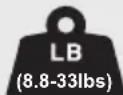
Keyboard Weight: (≤5lbs)


CAUTION: DO NOT EXCEED MAXIMUM LISTED WEIGHT CAPACITY. SERIOUS INJURY OR PROPERTY DAMAGE MAY OCCUR!
PACKAGE CONTENTS
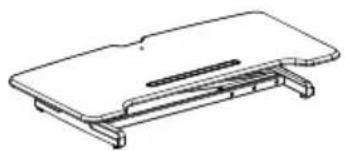
natural_image
Line drawing of a flat electronic device with a slot and mounting bracket (no text or symbols)A (x1)
DESK CONVERTER
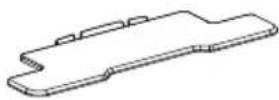
B (x1)
KEYBOARD TRAY
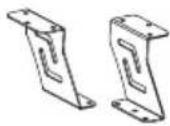
C (x1)
KEYBOARD TRAY BRACKETS
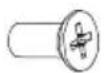
D (x6)
M5x12 BOLT
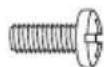
E (x6)
M5x12 BOLT

F (x2)
RUBBER PADS

G (x2)
CABLE TIES
DIMENSIONS & WEIGHT CAPACITY
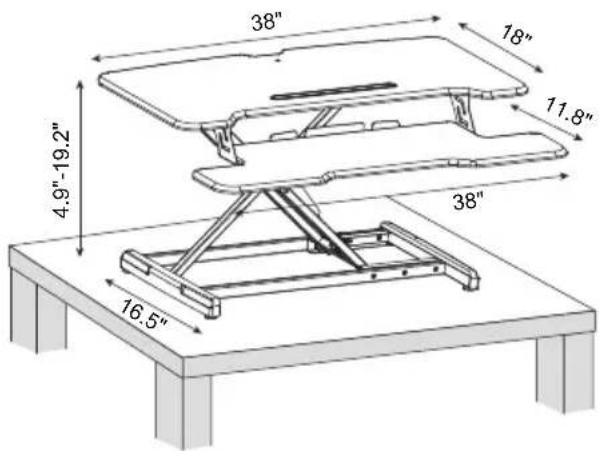
Total standing desk converter weight capacity is 33lbs* (desktop + keyboard tray.) Keyboard tray weight capacity 5lbs max.
*Maximum weight capacity is 45lbs. 33lbs capacity is the maximum recommended load considered safe for raising and lowering the standing desk converter. The desk is capable of handling heavier monitors and computers if the user is capable of lifting and lowering the converter.

WARNING
PINCH POINT
DO NOT place hands on or near support bars. Pinch points are created during lifting and lowering the worksurface. Failure to follow these instructions may result in serious personal injury.

natural_image
Silhouette of a hand breaking a vertical line with broken ends, symbolizing contact or break (no text or symbols present)Step 1
Remove the Desk Converter from the Box
Remove the Desk Converter (#A) from the packaging.
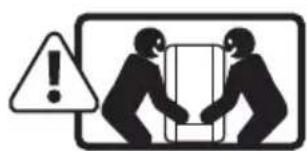
Note: Two person lift recommended.
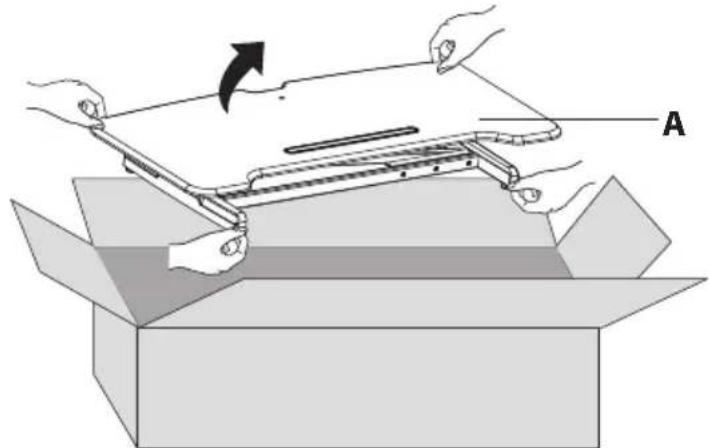
natural_image
Illustration of hands assembling a mechanical component into an open box, with no visible text or symbols.Step 2
Place the Desk Converter on a Level Surface
Place the desk converter on a level surface (such as a desk, table, or the floor.) Then, cut the cable tie.
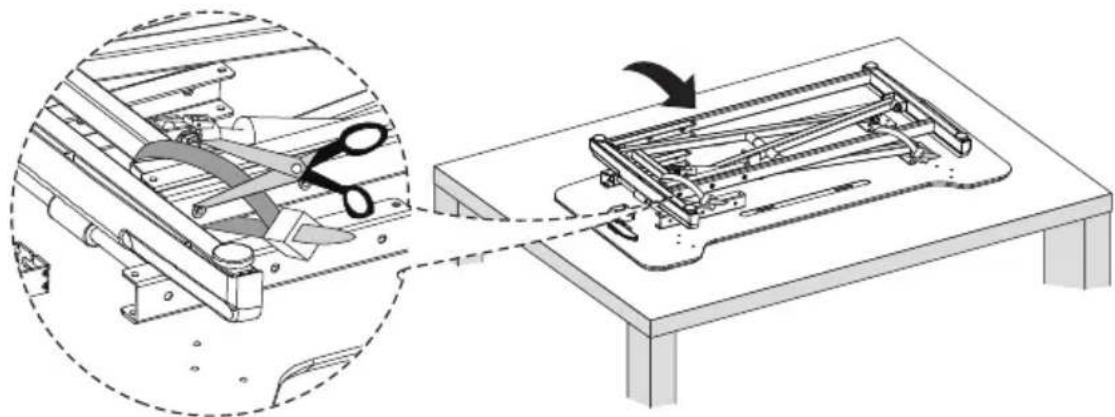
natural_image
Technical illustration of a mechanical assembly with a magnified inset showing a cutting tool interacting with a base panel (no text or symbols present)NOTE: You may turn the desktop on its side or upside down to loosen cable tie.

Take care not to stand or lean directly above the product, and ensure your hands and fingers stay clear of the mechanism, as the product may be under pressure and might rise suddenly.
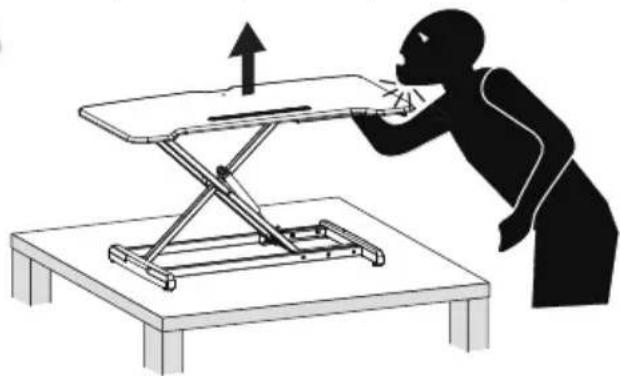
natural_image
Silhouette of a person using a folding table to interact with a mechanical device (no text or symbols visible)Step 3
Raise the Desk Converter
Squeeze the lever on the side of the Desk Converter and raise it to its highest position.
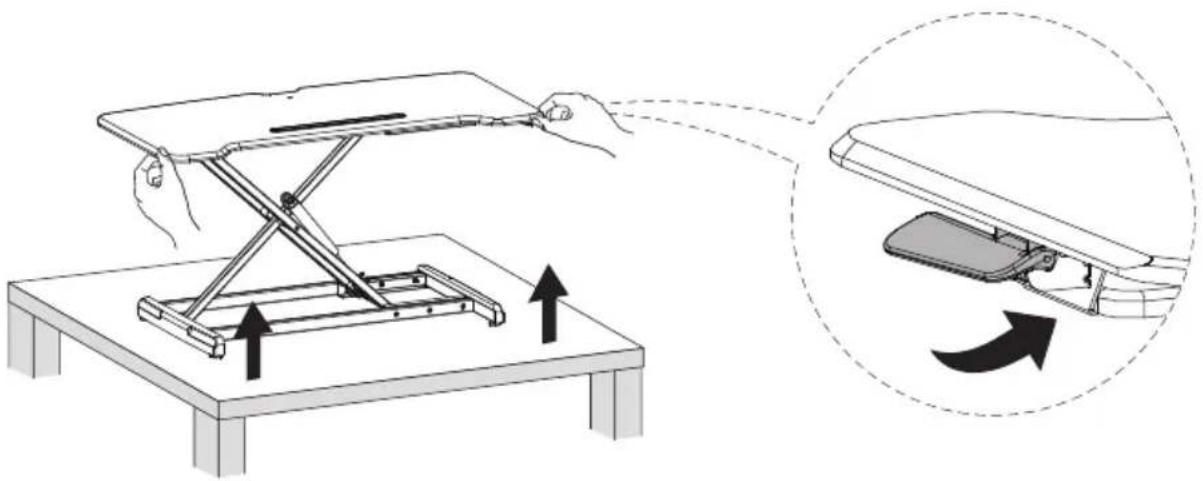
Step 4
Attach the Keyboard Brackets
Attach the Keyboard Tray Brackets (#C) to the bolt holes on the underside of the Keyboard Tray (#B) as shown, using the Bolts (#D).
Attach the Rubber Pads (#F) on the underside of the Keyboard Tray (#B).
![Phillips Screwdriver [Not Included] D F C B](/content/2026/05/941221/images/11313180ab82ebb97139dc11f431fe775f3cfe230b37f829701458ed3b01a6d4.jpg)
Step 5
Attach the Keyboard Tray
Turn the desk converter upside down.
Attach the keyboard tray bracket (#C) to the desk converter (#A) using the bolts (#E).
![Phillips Screwdriver [Not Included]](/content/2026/05/941221/images/0f135b41f361e556c5737f57a8652079d7e46111afb95e432826e09c13d5317e.jpg)
Step 6
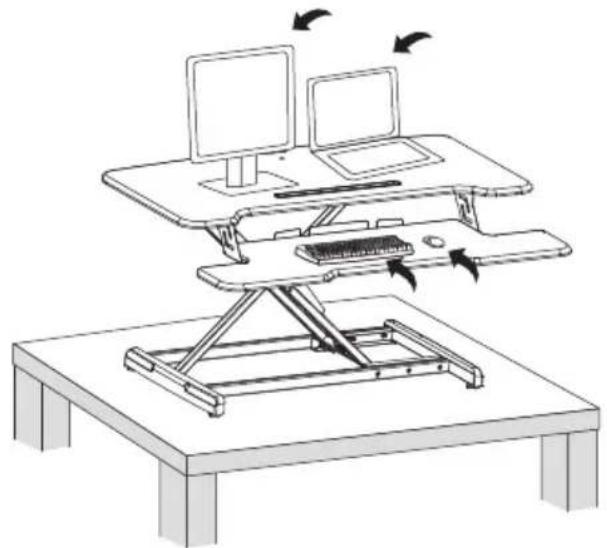
Place Items on the Desk Converter
Place all monitors, laptops, or other equipment on the desk. Ensure none of the equipment is hanging off the edge or otherwise unstable/unbalanced. Refer to the warnings section at the end of the manual for further information on equipment placement.
natural_image
Line drawing of a desktop desk with two monitors and a keyboard, showing motion arrows (no text or symbols)Step 7
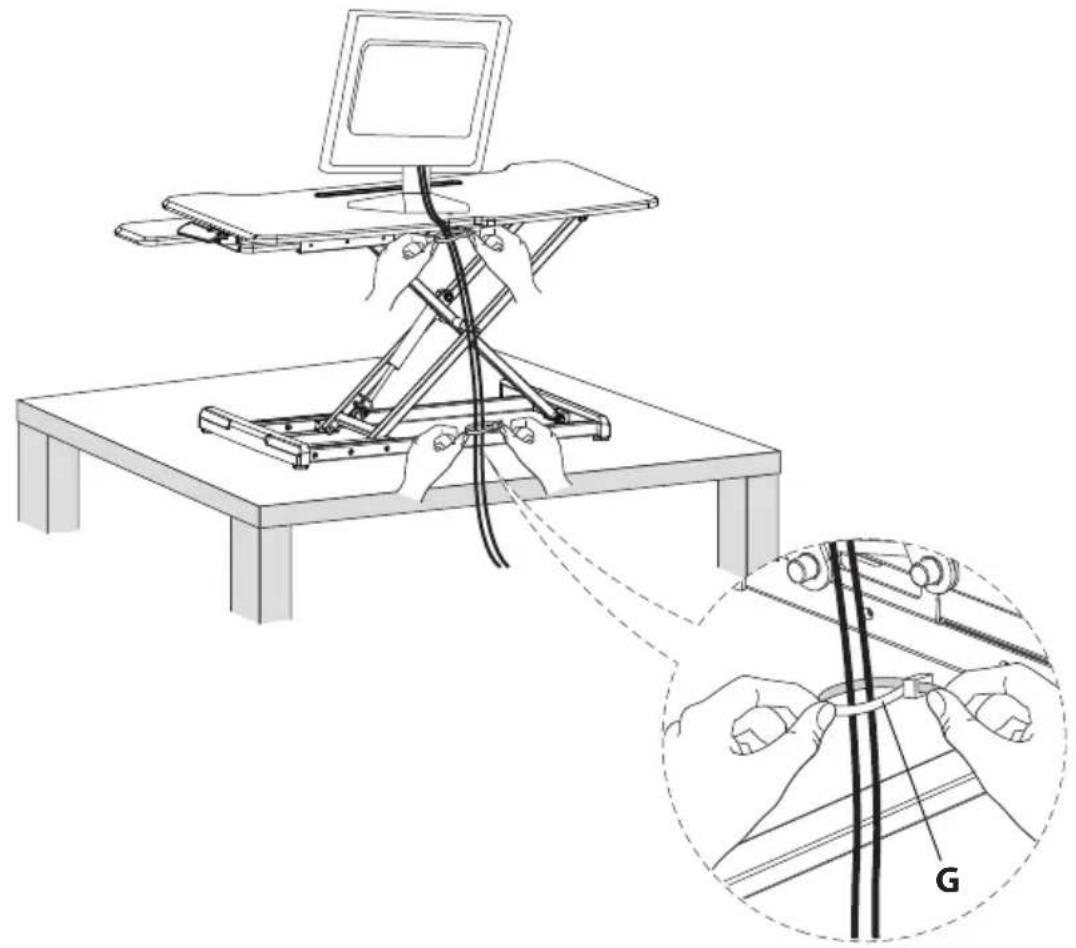
Worksurface Cable Management
(Optional Step) Use the provided Cable Ties (#G) to collect cables for all peripheral devices on the worksurface. Ensure that enough slack is left in the cables so that they do not pull any devices when raising or lowering the desk.
natural_image
Diagram of a mechanical setup with hands connecting a laptop to a platform, showing wiring and a magnified view of the cable being installed (no text or symbols present)Warnings
natural_image
Diagram of a desktop workstation with two computers and a diagonal line indicating no movement or restriction (no text or symbols present)
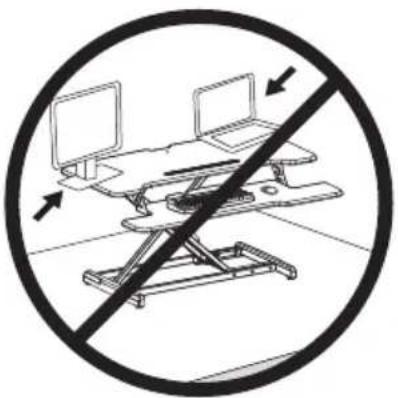
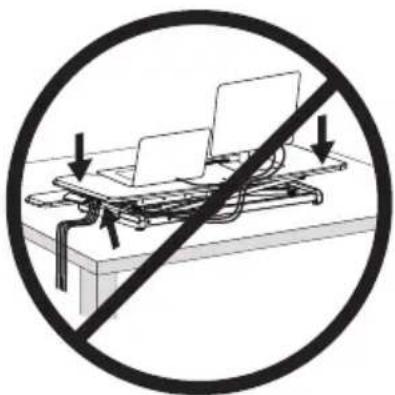
Keep all monitors, laptops and other equipment fully on the work surface at all times. Allowing any part of these to hang off the edge may result in property damage and/or personal injury.
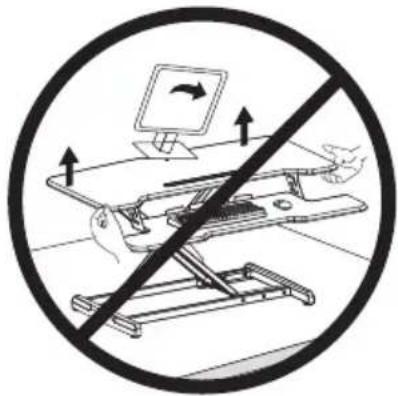

Raise the work surface slowly. Raising the work surface too quickly may cause monitors, laptops and other equipment to fall resulting in property damage and/or personal injury.
natural_image
Diagram of a lift platform with no text or symbols, showing directional arrows and a crossed-out circle (no text or symbols present)
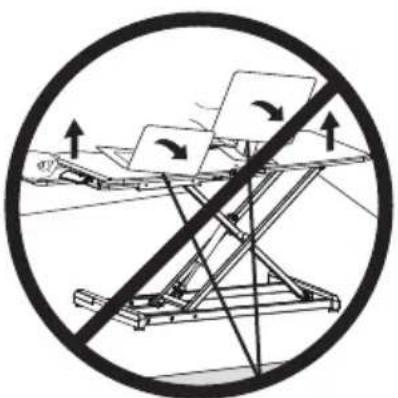
Ensure that enough slack is left in the cables so that they do not pull any devices when raising or lowering the desk and allow for the full range of vertical motion (19.2"). Failure to provide sufficient cable length may result in property damage or personal injury.
natural_image
Diagram of a device with two laptops and a diagonal line indicating no movement or prohibition (no text or symbols present)
To avoid the potential to pinch cables in the mechanism it is important to follow the cable routing examples in this manual. Do not allow cables to pass through or rest upon the legs. Failure to follow these instructions may result in equipment damage or personal injury.
Visit us at www.mount-it.com for product registration and warranty information.
Our US based customer service team is standing by to answer any questions you have about your Mount-It! product.
Available by phone Monday - Friday from 8:00am to 4:00pm PST.
Chat live with an agent on our website!

support@mount-it.com

(855) 925-5668

www.mount-it.com
- INCH WIDE STANDING DESK CONVERTER
- Thank you for choosing Mount-It!
- EN
- DE
- PACKAGE CONTENTS
- DIMENSIONS & WEIGHT CAPACITY
- WARNING
- PINCH POINT
- Step 1
- Remove the Desk Converter from the Box
- Step 2
- Place the Desk Converter on a Level Surface
- Step 3
- Raise the Desk Converter
- Step 4
- Attach the Keyboard Brackets
- Step 5
- Attach the Keyboard Tray
- Step 6
- Place Items on the Desk Converter
- Step 7
- Worksurface Cable Management
- Warnings
Brand : Mount-It!
Model : MI-15005
Category : Office