
8K Nano Dock Pro - Computer accessory IOGEAR - Free user manual and instructions
Find the device manual for free 8K Nano Dock Pro IOGEAR in PDF.


| Product Type | USB-C Docking Station |
| Brand | IOGEAR |
| Model | 8K Nano Dock Pro |
| Connector Type | USB-C (Thunderbolt 3/4 compatible) |
| Video Output | 1x HDMI 2.1 (8K @ 60Hz, 4K @ 120Hz), 1x DisplayPort 1.4 |
| USB Ports | 2x USB-A 3.2 Gen 2 (10 Gbps), 1x USB-C 3.2 Gen 2 (10 Gbps) |
| Power Delivery | Up to 100W (USB-C PD 3.0) |
| Data Transfer Speed | Up to 10 Gbps |
| Ethernet | 1x Gigabit Ethernet (RJ-45) |
| Audio | 3.5mm combo audio jack |
| Card Reader | SD/microSD card slot |
| Dimensions | 4.5 x 2.8 x 0.6 inches (114 x 71 x 15 mm) |
| Weight | 3.2 oz (91 g) |
| Compatibility | Windows, macOS, Chrome OS, Linux (with USB-C or Thunderbolt) |
| Power Supply | External power adapter (included) |
| Cable Length | 8 inches (20 cm) integrated cable |
| Material | Aluminum alloy |
| Color | Space Gray / Silver |
| Operating Temperature | 32°F to 104°F (0°C to 40°C) |
| Warranty | 2 years limited |
| Package Contents | 8K Nano Dock Pro, power adapter, quick start guide |
Frequently Asked Questions - 8K Nano Dock Pro IOGEAR
User questions about 8K Nano Dock Pro IOGEAR
0 question about this device. Answer the ones you know or ask your own.
Ask a new question about this device
Download the instructions for your Computer accessory in PDF format for free! Find your manual 8K Nano Dock Pro - IOGEAR and take your electronic device back in hand. On this page are published all the documents necessary for the use of your device. 8K Nano Dock Pro by IOGEAR.
USER MANUAL 8K Nano Dock Pro IOGEAR
- USB-C™ compatible laptops with DP Alt-Mode support
- USB-C AC Adapter from Laptop is needed for Power Delivery Pass-Through Function
- Compatible with Thunderbolt™ 3 or 4 laptops
- OS Support
-Windows ^® 10 and 11
-macOS ^® 13+ (MST is not supported by mac OS)
Overview
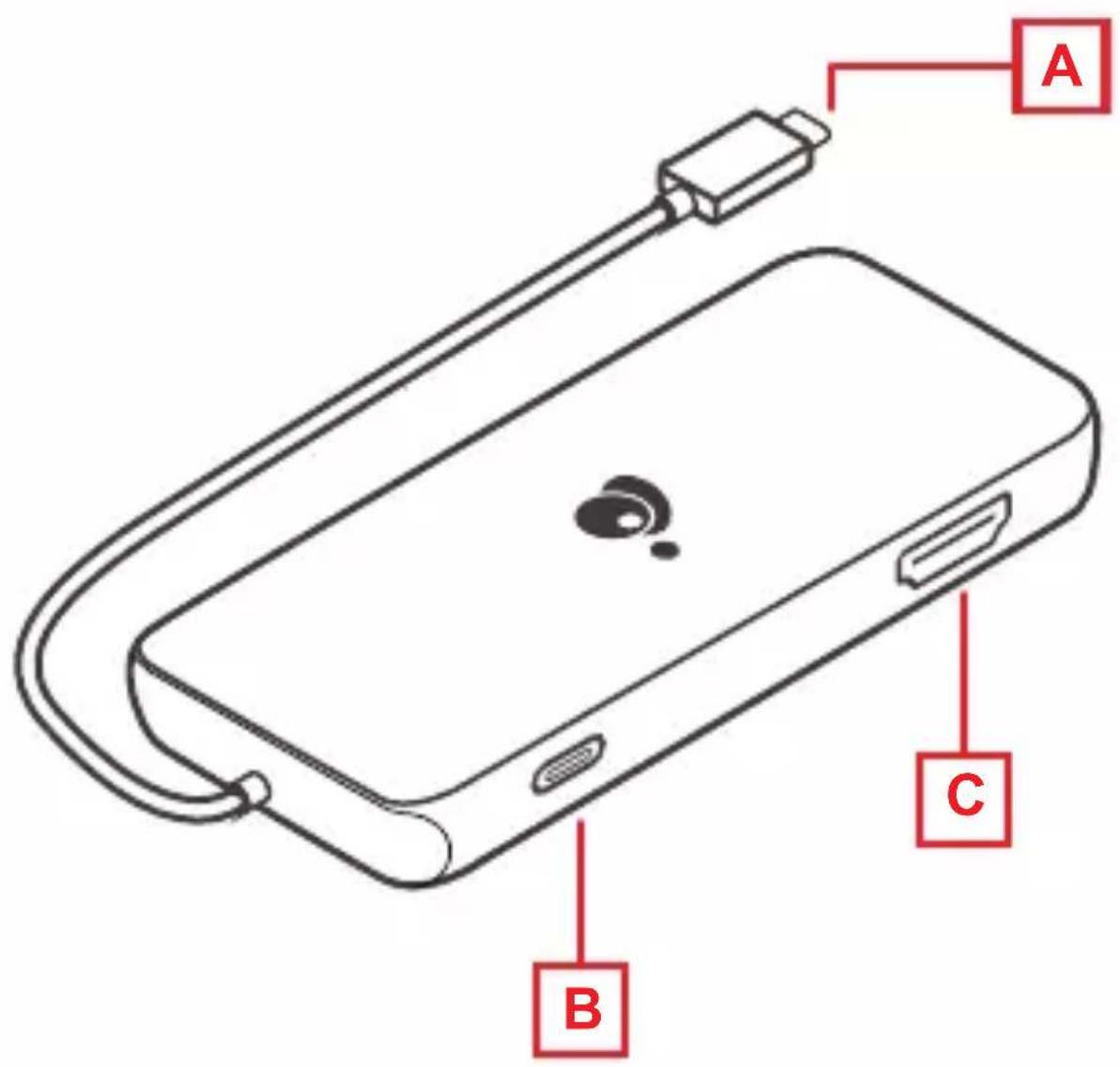
A. USB-C connector to host laptop
B. USB-C PD Pass-through port (Up to 100W pass-through)
C. HDMI 2 output (Up to 8K @30Hz)
2
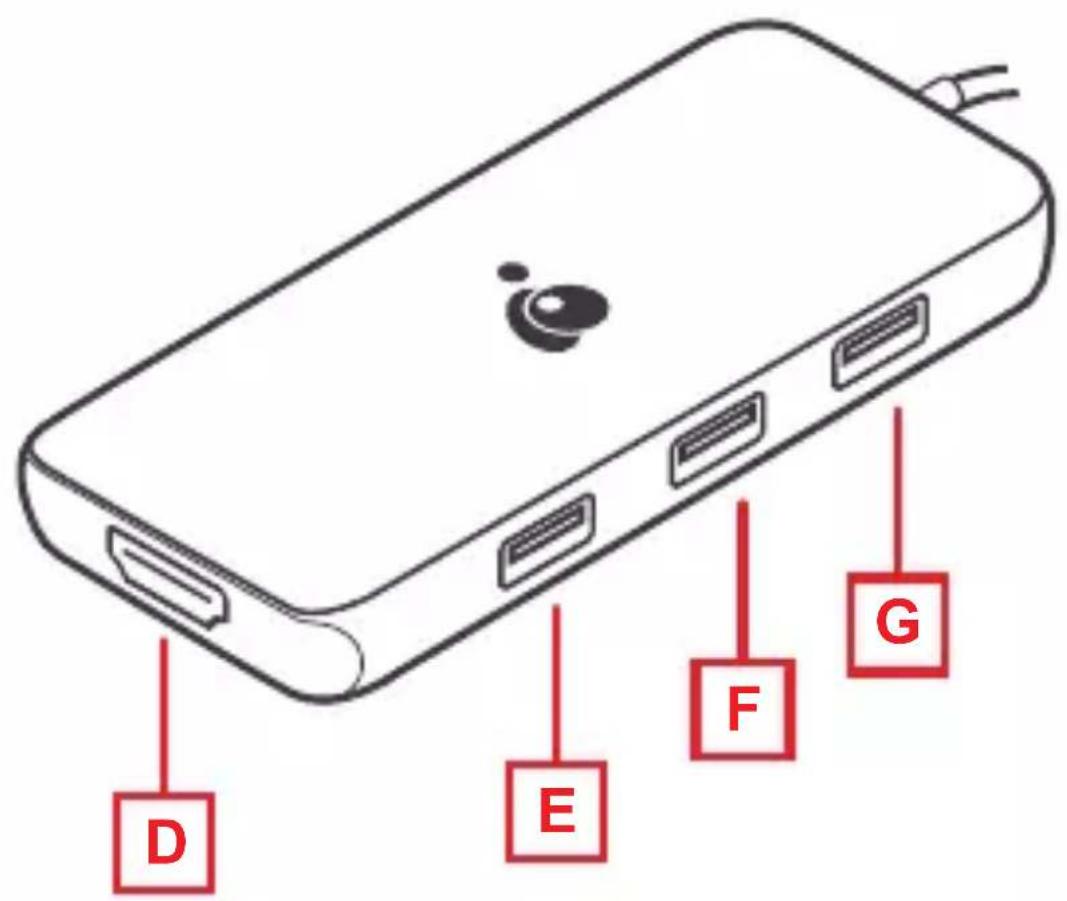
D. HDMI® 1 output (Up to 4K @30Hz)
E. USB-A 2.0 port
F. USB-A 2.0 port
G. USB-A 3.0 port
| Single MonitorDual Moni | |||
| HDMI 1 | |||
| macOS3840x2160 @30Hz (DP 1.4 host) | |||
| Win OS3840x2160 @30Hz (DP 1.4 host) | |||
| HDMI 2 | |||
| macOS7680x4320 @30Hz (DP 1.4 host) | |||
| Win OS7680x4320 @30Hz (DP 1.4 host) | |||
| HDMI 1 | |||
| macOS (mirror)3840x2160 @30Hz (DP 1.4 host) | |||
| Win OS (extended)3840x2160 @30Hz (DP 1.4 host) | |||
| HDMI 2 | |||
| macOS (mirror)3840x2160 @30Hz (DP 1.4 host) | |||
| Win OS (extended)3840x2160 @60Hz (DP 1.4 host) | |||
| HDMI 2 | |||
Hardware Installation
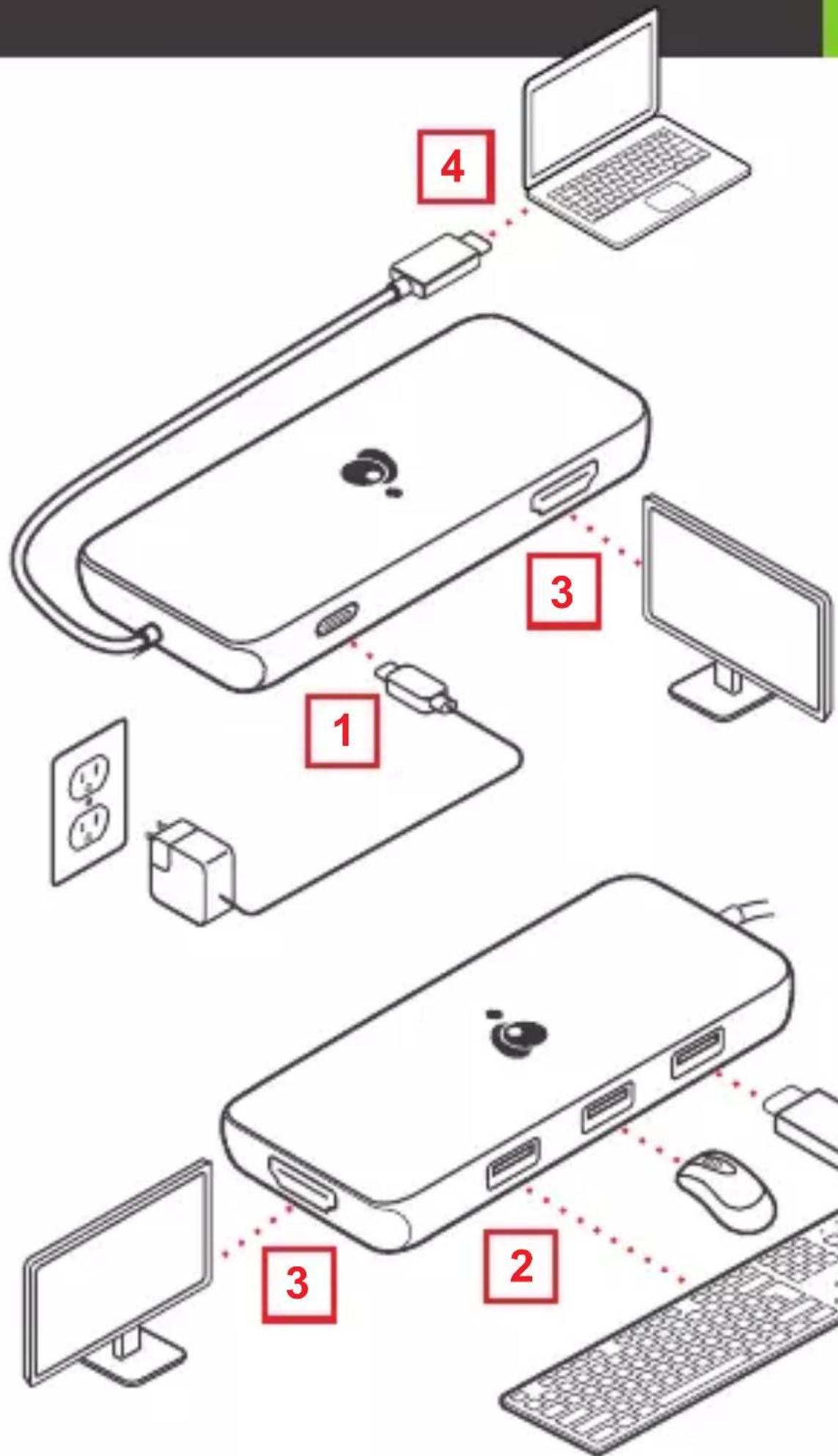
- Turn on the host laptop then connect the laptop's USB-C power adapter to the USB-C PD3.0 port on the GUD3C05B (optional) ^1 .
- Connect the external USB devices (Keyboard, Mouse, etc.) to the appropriate ports on the GUD3C8K2P as needed.
- Connect the external monitor(s) to the appropriate video outputs ^2 .
- Connect the tethered USB-C cable on the GUD3C8K2P to the USB-C port on the host computer. The computer screen may appear to flicker a few times before the GUD3C8K2P recognizes the connected devices.
Note
- The GUD3C8K2P can still function without the external power adapter; however, the GUD3C8K2P would not provide power to charge the laptop
- Please refer to monitor configuration table for resolution
4
Limited Warranty
Warranty Information
This product carries a 1 Year Limited Warranty.
For the terms and conditions of this warranty, please go to
https://www.iogear.com/support/warranty
Register online at https://www.iogear.com/register
Important Product Information
Product Model ____
Serial Number ____
Contact
WE'RE HERE TO HELP YOU!
NEED ASSISTANCE SETTING UP THIS PRODUCT?
Make sure you:
-
Visit www.iogear.com for more product information
-
Visit www.iogear.com/support for live help and product support
IOGEAR
https://iogear.custhelp.com
support@iogear.com
www.iogear.com
Compliance Information
Federal Communication Commission Interference Statement
This equipment has been tested and found to comply with the limits for a Class B digital service, pursuant to Part 15 of the FCC rules. These limits are designed to provide reasonable protection against harmful interference in a residential installation. Any changes or modifications made to this equipment may void the user's authority to operate this equipment. This equipment generates, uses, and can radiate radio frequency energy. If not installed and used in accordance with the instructions, may cause harmful interference to radio communications. However, there is no guarantee that interference will not occur in a particular installation. If this equipment does cause harmful interference to radio or television reception, which can be determined by turning the equipment off and on, the user is encouraged to try to correct the interference by one or more of the following measures:
- Reorient or relocate the receiving antenna
- Increase the separation between the equipment and receiver
- Connect the equipment into an outlet on a circuit different from that to which the receiver is connected
- Consult the dealer or an experienced radio/TV technician for help
FCC Caution: Any changes or modifications not expressly approved by the party responsible for compliance could void the user's authority to operate this equipment.
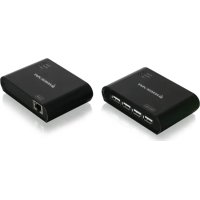
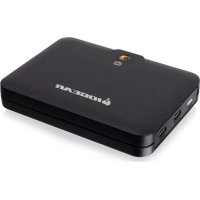
Brand : IOGEAR
Model : 8K Nano Dock Pro
Category : Computer accessory